
Share prezschaefer's profile


prezschaefer
prezschaefer's stats
- Review count2
- Helpfulness votes0
- First reviewJanuary 23, 2010
- Last reviewJanuary 23, 2010
- Featured reviews0
- Average rating5
Reviews comments
- Review comment count0
- Helpfulness votes0
- First review commentNone
- Last review commentNone
- Featured review comments0
Questions
- Question count0
- Helpfulness votes0
- First questionNone
- Last questionNone
- Featured questions0
- Answer count11
- Helpfulness votes0
- First answerJanuary 23, 2010
- Last answerJanuary 6, 2011
- Featured answers0
- Best answers0
prezschaefer's Reviews
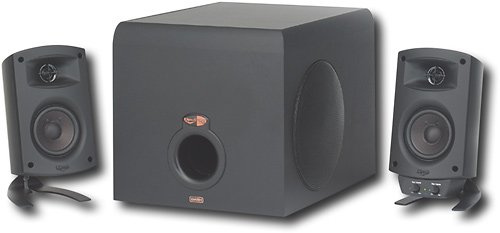
Use this Klipsch ProMedia 3-piece speaker system to enjoy brilliant sound when playing games, listening to music or watching videos on your computer.

Posted by: prezschaefer
from Minot, ND
You have no reason not to buy this, it is worth every single cent you spend on it. The sound quality is amazing, the subwoofer is powerful. This little system can rock your house easily. If your thinking Bose, save yourself some money and get this system instead. The speakers and subwoofer may be a little larger, but its worth the extra space. Movies, games, music there is nothing that doesn't sound good on these speakers, even Windows Vista starting up!!
What's great about it: Bass, sound quality, price, etc
What's not so great: Not one thing
I would recommend this to a friend!
Sound Quality

5
Share this review:


0points
0of 0voted this as helpful.
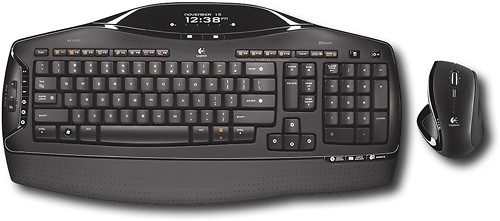
Free yourself from wires with this cordless mouse and keyboard combination that features Bluetooth wireless technology to provide an easy connection to your computer.
Posted by: prezschaefer
from Minot, ND
Includes Logitechs comfortable mouse which is also rechargable-Awesome. Bluetooth tech means you can be all the way across the room. Very easy set up, for anyone who has every used bluetooth, you could do it in your sleep. Works on XP, Vista, and Windows 7 (dual-booting and a second computer). Have had for about 4 monthes now and not a single problem. Compared to standard wireless combos you are gonna pay more for bluetooth but entirely worth it for that extra distance, along with being able to connect to any bluetooth device (PS3). LCD is helpfull, but is not backlit, like other reviews seem to have thought, but not a big deal. Trust me this combo is worth the money.
What's great about it: Comfort of mouse, easy to set up, rechargable mouse
What's not so great: Nothing
I would recommend this to a friend!
Design
5
Ease of Use
5
Share this review:


0points
0of 0voted this as helpful.
prezschaefer's Review Comments
prezschaefer has not submitted comments on any reviews.
prezschaefer's Questions
prezschaefer has not submitted any questions.
connect wd tv live hub via wi-fi
i´m planning to buy a wd tv live hub. i have to connect it to my pc via wi-fi. my PC has no wi=fi connection. what else do I need? a wireless router for the pc? a wi.fi usb connector for the wd tv live hub? or what other products? thanks
If you would like to take the full advantages of the WD TV Live Plus, you will need a wireless adapter for it and a wireless router for that wireless adapter to connect to. As far as your PC, it can be wired into the wireless router and still function properly with the WD TV. The main advantages of the WD TV Live Plus are its capabilities to stream online media, like youtube and others, so make sure you get a moderate router and USB adapter for these features, don't have to go overboard like hundreds of $, but $60 router and $40 USB adapter will probably get you running perfectly, just make sure your PC is compatable with devices (not super old, XP or hopefully newer).
I always go with Netgear personally, but Cisco's Linksys is also good, Belkin and D-link can be pretty iffy, have had bad experiences and know customers always have issues with them generally. For the extra $10-15, just get a better brand.
I always go with Netgear personally, but Cisco's Linksys is also good, Belkin and D-link can be pretty iffy, have had bad experiences and know customers always have issues with them generally. For the extra $10-15, just get a better brand.
Products from my answer
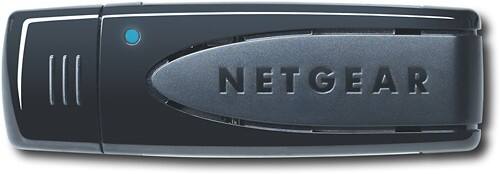
NETGEAR - Wireless-N USB Adapter for Most Digital Entertainer Live Systems
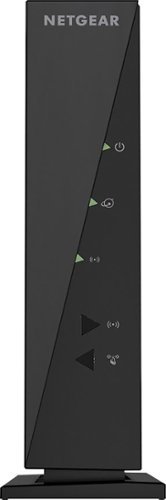
NETGEAR - Wireless-N Router - Black
 (5,202)
15 years, 5 months ago
by
prezschaefer
Minot, ND
Where can I find a adapter from SATA to MOLEX plugs for my computer
The plug is MOLEX on my video card and I have only SATA power supply plugs left from the Power supply. Who has a adapter?
Unfortunately they don't make the adapters you are looking for. They make the reverse of what you are looking for since there tends to be a lack of SATA power adapters usually. If you can, try stacking the molex adapters for two or more fans together, so you can then use one for the video card. Otherwise if you power supply has the availability, try replacing the extra SATA adapters cord with a molex adapters cord. Otherwise I might just recommend upgrading your power supply, which depending on the video card your using you might have to do anyway. New power supplies come with many more adapter cables and rails to connect power cables as well. Good luck!
16 years ago
by
prezschaefer
Minot, ND
DO YOU TRADE IN LAPTOPS?
WANTED TO TRADE IN MY COMPAQ AND GET A NEW ONE I READ AWHILE AGO IN YOUR SALES FLYER THAT YOU TAKE THEM FOR STORE CREDIT?
You bet we take them for trade ins. You can come into a store and have some one help you find the value of yours, bring in your laptop if you can otherwise find the model and get the computer specs. You can also go to the website and find the Trade-In link and go through the quick process to find out how much it is worth. Online will take a little longer to get the refund, but taking it in generally gets you a gift card the same day to use. Otherwise if you don't like the quote you don't have to do it either!
16 years ago
by
prezschaefer
Minot, ND
what is the difference between plasma and lcd
Plasmas can give you better picture quality, or at least really used to. Plasmas are known for their blacker blacks and whiter whites, giving you better contrast. They also have insanely high refresh rates compared to most LCD's. Which means you get a smoother better quality picture. But to really take advantage of these you would want a high end gaming system (XBOX 360 or PS3, not Wii) or a blueray player. A downside to plasmas is that they give off a lot of heat from the screen, and I mean a lot, you can notice standing in front of them. They also have to be handled carefully, laying them flat or on the wrong side can ruin the TV completely. Depending on what you want to use it for, LCD's are becoming more common and cheaper. Unless you want gaming, probably go with a LCD instead, even for blueray, just remember to consider getting a high refresh rate like 120 hertz more than the standard 60 hertz LCD's usually have.
16 years, 3 months ago
by
prezschaefer
Minot, ND
Which 64-bit CPU?
I currently have an Intel Pentium 4 in my home office server. I'd like to install Windows 7 Ultimate 64-bit so I need to upgrade my CPU. The server will host SQL Server 2008, a web site, and MS Office 2007. I don't want to spend a lot. What should I be looking at? Will I have to upgrade my mother board as well?
I would probably reccomend Intel's Quad core or Dual core series for a server computer. Hands down you will almost deffinately have to get a new motherboard. Intel's Core 2 Duo's are pretty cheap and depending on which one you get would work for you. Quad core's aren't too much more and for the long run would be better way to go, but again different chipset so motherboard would have to be replaced also. If the motherboard is replaced, possible you will need to replace a lot of other parts too, keep that in mind when thinking of upgrading your old processor
16 years, 4 months ago
by
prezschaefer
Minot, ND
can anyone tell me which power supply is needed for a Dell optiplex GX 270?
Depending on what you have in the system will depend on what power supply you need. If it still has stock parts, a 250W to 250W power supply will do the job, but if a PCI video card has been added or other devices, might want to upgrade to 550W or little more. Biggest thing to watch out for is that power supplies have adapted some since your system came out. Things like PCI-Express adapters or compatability are huge factors now days, but your system is way too old for this technology. Depending on prices and other values, might be worth it to just buy new tower.
16 years, 4 months ago
by
prezschaefer
Minot, ND
Computer Shutsdown
When i play games on this computer it will eventually just completly shutdown. any clue what my problem can be here?
Could be alot of things, but depending on what kind of games you play, like if they are the more intense graphics style, could be overloading you computer and casue a shutdown to keep the hardware from being damaged. CPU overheating will definately cause this to happen, not the only thing but depending on the system and what your doing there are a lot of possibilites.
16 years, 4 months ago
by
prezschaefer
Minot, ND
HP Slimline Graphic Card
My HP Slimline s3123w isn't showing anything on the monitor which works with other computers and the computer itself works. I have been told I need a new video card but they are all too big for the slim design of the desktop. What kind do I need to buy?
If it is your integrated video card giving you trouble you need to get a Mini-Graphics or Video card. If you can try attaching a different monitor or try a different cable first. Mini-Video cards aren't as common as regular video cards, but if you do get one make sure you find one that is PCI or PCI Express. These are the internal slots you have available, the video card you have now is located on the motherboard already and cannot be removed, but you can still install a new one. Geek Squad does a great job doing this for you, integrated video cards can be a hassle to upgrade.
16 years, 4 months ago
by
prezschaefer
Minot, ND
how do I download norton internet security on a new asus notebook that does NOT have a cd drive
You can access Norton IS from Norton's website and buy it online, then download it from the website to install. Otherwise you will need to get an external CD/DVD drive and use the install disks for Norton IS. But to be honest I would reccomend Kaspersky IS 2010, much better anti-virus and doesn't hog so much proccessing power like Norton is known to do, can be accessed same way online as well.
16 years, 4 months ago
by
prezschaefer
Minot, ND
What do I need to transfer a software program from one computer to another?
Programs and applications for the more part cannot just be simply transferred from one to computer to another. Things like Office, games, Anti-virus need to be installed on the new computer. So you will need the install CD/DVD's to do this, however online downloads are also becoming popular, like for Office, and Anti-virus. But in summation, applications and programs are non-transferable like pictures, files and other data are.
16 years, 4 months ago
by
prezschaefer
Minot, ND