
Share DoogleDB's profile


DoogleDB
DoogleDB's stats
- Review count2
- Helpfulness votes12
- First reviewOctober 30, 2009
- Last reviewJanuary 27, 2011
- Featured reviews0
- Average rating4
Reviews comments
- Review comment count0
- Helpfulness votes0
- First review commentNone
- Last review commentNone
- Featured review comments0
Questions
- Question count0
- Helpfulness votes0
- First questionNone
- Last questionNone
- Featured questions0
Answers
- Answer count0
- Helpfulness votes0
- First answerNone
- Last answerNone
- Featured answers0
- Best answers0
DoogleDB's Reviews
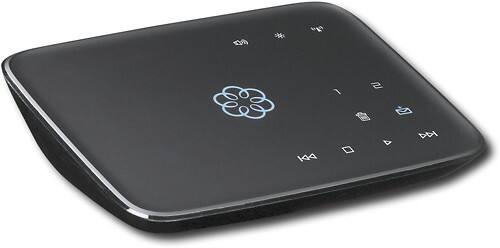
This hub works with your high-speed Internet and your home phones to deliver VoIP phone services and supports up to 4 Ooma Telo handsets. With easy setup, you can enjoy unlimited U.S. calling and low international rates.*
Customer Rating

3
Good Voice Quality but does not support 2 Lines
on January 27, 2011
Posted by: DoogleDB
from Frisco, Texas
Only additional insight I want to give is that this unit does not support 2 Phone Lines. You can set-up multiple phone numbers but it is shared on the same phone line in your house. Or, you could buy a Ooma phone that links to the Telo unit and then you can assign a specific phone number to that Ooma phone (as long as the Ooma phone is within range of the Telo). My VoIP phone service through TimeWarnerCable supports 2 phone lines and looks like I need to port my phone number back to TWC and cut my losses - Just wanted to warn others before you waste your time and money... If you only use one phone line, then I highly recommend this product.
No, I would not recommend this to a friend.
Ease of Use

2
Features

3
Performance
3
Share this review:


-4points
10of 24voted this as helpful.
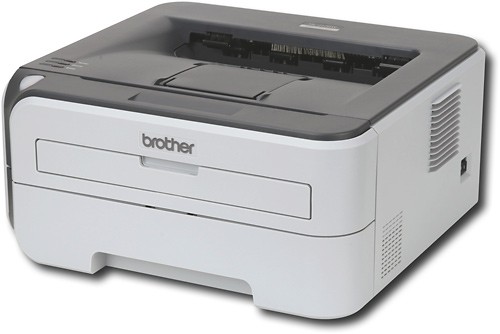
This small, compact printer features both Ethernet and wireless connectivity options, as well as a fast print speed of up to 23 ppm*, making it an ideal choice for home or office printing. This model meets our Professional Series criteriaShop all products in our Small Business Center

Posted by: DoogleDB
from Frisco, Texas
This set-up is very easily. I have a PC connected via USB and then used the wireless feature to connect it to my home network (since I did not have an extra wired connection where I placed the Printer). My router supported the Automatic Wireless setup that this printer used which allowed me to have it on the network in 5 mintues. I then went into my router and made the IP address, on the printer static, (so, it would not change and potentially cause a problem for the other pcs in my home connected to this printer via the network). Currently have 4 PCs sharing this printer with no problems... Print quality and speed is perfect. This is my first Brother printer and I am very impressed.
What's great about it: Small foot print but large enough to securely hold print output on top
What's not so great: Have not found any yet
I would recommend this to a friend!
Features

5
Speed
5
Share this review:


+2points
2of 2voted this as helpful.
DoogleDB's Review Comments
DoogleDB has not submitted comments on any reviews.
DoogleDB's Questions
DoogleDB has not submitted any questions.
DoogleDB's Answers
DoogleDB has not submitted any answers.