
Share ramsir's profile


ramsir
ramsir's stats
- Review count1
- Helpfulness votes0
- First reviewDecember 3, 2009
- Last reviewDecember 3, 2009
- Featured reviews0
- Average rating3
Reviews comments
- Review comment count0
- Helpfulness votes0
- First review commentNone
- Last review commentNone
- Featured review comments0
Questions
- Question count0
- Helpfulness votes0
- First questionNone
- Last questionNone
- Featured questions0
Answers
- Answer count0
- Helpfulness votes0
- First answerNone
- Last answerNone
- Featured answers0
- Best answers0
ramsir's Reviews
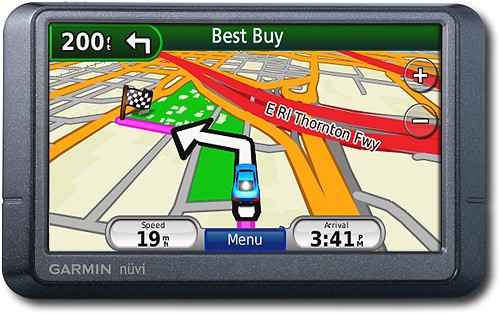
Navigate the United States and Canada with ease with this GPS that features free lifetime traffic updates, up to 1,000 waypoints and customizable points of interest for easy route planning. The "Where Am I?" emergency locator and travel assistant tools provide additional support.
Customer Rating

3
OK performance,traffic feature useful, avg routing
on December 3, 2009
Posted by: ramsir
Bought on reco from a friend. This is my first ever GPS. So, no experience to compare with others. I used basic routing feature (not POI stuff yet) in a non-urban area (not much tall buildings) for a week now. Here are my observations:
1) The pink highlighted driving path is always correct. But the spoken voice directions will mislead you. Sometimes the street it says to turn is not what the posted street sign is. However, the pink highlighted turn is correct. So, best is to turn off the voice directions and follow the highlighted path or when in doubt, give a preference to highlighted path instead of spoken directions. May be a map update will fix this. Will try that.
2) You do need to have a general sense of direction where you are going. With a blank mindset of directions, you will make wrong turns with this unit. You can't completely depend on it if you want reach the destination fast. For example, let's say you are on a Freeway 1 and have to go on a connecting Freeway 2 North. And let's say the exit from Freeway 1 is same for both South and North of Freeway 2. This unit tells you first "take exit 10 to Freeway 2 South on right and keep right". You have to pay attention to that "keep right" part and ignore "South" part. And after you actually take exit and are very close to North/South separation, then it tells you "take exit 10 to Freeway 2 North on right". Once I followed the South part and ended up in wrong direction on Freeway 2. You'll get used to this quirk after first couple of uses though. Again, the highlighted path is correct. Ignore the spoken directions and follow the path.
3) It doesn't seem to pick the closest Freeway on-ramp when it's a bit out of your way. It insists on taking the closest on-ramp that's on the way you are heading even if it involves going through more city lights than going backwards and taking faster on-ramp. Again, your general sense of the area is useful here.
4) Traffic feature is actually working and is useful. It did route me around the traffic once. You can find out if your metro area is supported at totaltraffic dot com. That's where these units get traffic updates from.
5) Other feature useful is automatic re-routing. When you make a wrong turn and end up somewhere else, it'll get you on track.
6) I also noticed that the GPS converges well at 30-40 mile speeds vs. 60-70mph i.e. the location where it tells you you are is more accurate when you are moving less than 30-40mph than when you are moving at 60-70mph. That's understandable. The real military accurate GPSs cost thousands of dollars. Most of these consumer GPSs are slow converging and hence have some heuristic (aka guesstimate) based on your speed, the map database and the direction you are heading to figure where exactly you are.
What's great about it: Traffic feature
What's not so great: Wrong or misleading spoken directions
I would recommend this to a friend!
Durability

3
Ease of Use

4
Features
4
Share this review:


0points
0of 0voted this as helpful.
ramsir's Review Comments
ramsir has not submitted comments on any reviews.
ramsir's Questions
ramsir has not submitted any questions.
ramsir's Answers
ramsir has not submitted any answers.