
Share JohnDoe183's profile


JohnDoe183
JohnDoe183's stats
- Review count1
- Helpfulness votes4
- First reviewApril 23, 2009
- Last reviewApril 23, 2009
- Featured reviews0
- Average rating4
Reviews comments
- Review comment count0
- Helpfulness votes0
- First review commentNone
- Last review commentNone
- Featured review comments0
Questions
- Question count0
- Helpfulness votes0
- First questionNone
- Last questionNone
- Featured questions0
- Answer count2
- Helpfulness votes0
- First answerDecember 16, 2009
- Last answerDecember 16, 2009
- Featured answers0
- Best answers0
JohnDoe183's Reviews
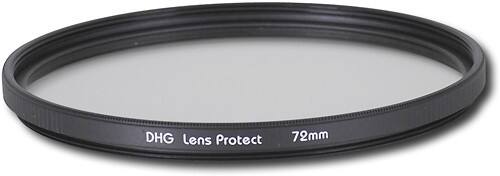
Snap stunning photos with this ultraviolet filter designed for use with 72mm lenses.

Posted by: JohnDoe183
from Richmond, VA
For the price I would recommend this filter to anyone. $16 for a filter is far less to spend than $200 - well over $1500 and beyond for a new lens.
The Sunpak filter does have some UV block properties but not as strong as I have seen with multicoated version of the same filter. Of course multicoated versions will run you about $30+ more. The more you zoom, the more the picture seems to haze and wash out. I would call it user error except I have used a Promaster 72mm multicoated UV filter as well and this problem was not as pronounced. Between 18mm-100mm I experience no problems, from 101mm-infinity the photo will appear more "hazy" the more you zoom in bright sunlight. Again, some might say this is just a by-product of being so far away from a subject in bright sunlight but I did not experience this problem as much with a multicoated filter. The "hazing" problem can be fixed with most simple digital editing programs, so it's not really that big of a deal, just some extra post-editing time.
Having said that, indoors this thing works like a charm to cut down on glare from florescent and incandescent bulbs. I have never experienced a problem, zoom or not, indoors with picture quality.
Again, for the money this is an EXTREMELY wise investment to help protect your expensive lens. For the most part all a UV filter is good for anyway is to put a barrier between your lens and the world. As soon as you buy your new Lens, always get a UV filter to protect that lens from scratches, dust, dirt, and shock (to the front lens)
I would recommend this lens filter, it is a inexpensive way to help protect your lens and it will not harm your overall picture quality.
What's great about it: Easy to install. Protects your expensive Lens. Filters out UV.
What's not so great: Doesn't filter out UV as well as I'd like. Leaves images a little "washed out/hazy" in zoom.
I would recommend this to a friend!
Performance

4
Ease of Use

5
Durability
5
Share this review:


+4points
4of 4voted this as helpful.
JohnDoe183's Review Comments
JohnDoe183 has not submitted comments on any reviews.
JohnDoe183's Questions
JohnDoe183 has not submitted any questions.
JohnDoe183's Answers
PCI Express Graphics Cards
PCI Express Graphics Cards
i have 2.7 gig 512 mb hp celuron computer what the best quility graphics card to get
Honestly if your running a celeron processor and only 512 ram you may want to save your money and just look into buying a new computer.
As far as a quality graphics card goes I would need to know what version of Windows you are running and what you intend to use the graphics card for (I.E. - gaming, web surfing, photo editing, dvd playback...)
Also are you positive you have a pci-e slot? Make sure it's not just a pci slot or agp.
As far as a quality graphics card goes I would need to know what version of Windows you are running and what you intend to use the graphics card for (I.E. - gaming, web surfing, photo editing, dvd playback...)
Also are you positive you have a pci-e slot? Make sure it's not just a pci slot or agp.
16 years, 5 months ago
by
JohnDoe183
Richmond, VA
PCI Express Graphics Cards
PCI Express Graphics Cards
Compaq presario SR5254X, what possibilities are there for adding a video card to boost gaming performance?
First off if you still only have the 1 gig of ram you should really consider adding another 1 gig to give you 2 gigs total. Vista really requires a minimum of 2 gigs to run properly.
Depending on what's games you want to play your processor may become a problem also. It's underpowered for most new games being that it's only running at 1.6 ghz.
As far as graphic cards go that you can use check out Nvidia 9400 gt, Nvidia GeForce 210, ATI Radeon HD 4350 or ATI Radeon HD 4550.
All those cards don't have very large power requirments and for the psu I think your comp has you need a card with low power consumption.
I have the Nvidia GeForce 210 in my kids computer and I can run Crysis at 800x600 on medium settings and it plays fine. CoD4 runs at 1024x786 with high settings and WoW runs fine also.
But like I said the processor may be a problem for you. My kids computer is running a AMD Athlon X2 at 2.5ghz with 3 gigs of ram.
It all depends on what games you want to play.
Depending on what's games you want to play your processor may become a problem also. It's underpowered for most new games being that it's only running at 1.6 ghz.
As far as graphic cards go that you can use check out Nvidia 9400 gt, Nvidia GeForce 210, ATI Radeon HD 4350 or ATI Radeon HD 4550.
All those cards don't have very large power requirments and for the psu I think your comp has you need a card with low power consumption.
I have the Nvidia GeForce 210 in my kids computer and I can run Crysis at 800x600 on medium settings and it plays fine. CoD4 runs at 1024x786 with high settings and WoW runs fine also.
But like I said the processor may be a problem for you. My kids computer is running a AMD Athlon X2 at 2.5ghz with 3 gigs of ram.
It all depends on what games you want to play.
16 years, 5 months ago
by
JohnDoe183
Richmond, VA