


Kelby's stats
- Review count149
- Helpfulness votes1,296
- First reviewSeptember 27, 2009
- Last reviewMay 14, 2026
- Featured reviews0
- Average rating4.8
Reviews comments
- Review comment count0
- Helpfulness votes0
- First review commentNone
- Last review commentNone
- Featured review comments0
Questions
- Question count0
- Helpfulness votes0
- First questionNone
- Last questionNone
- Featured questions0
- Answer count13
- Helpfulness votes2
- First answerSeptember 22, 2016
- Last answerDecember 9, 2021
- Featured answers0
- Best answers0
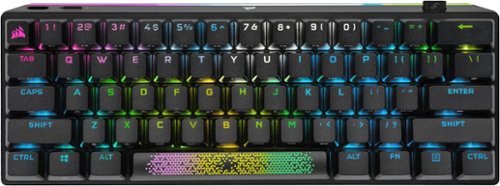
The CORSAIR K70 PRO MINI WIRELESS RGB 60% Mechanical Gaming Keyboard is big on both performance and customization, connecting with hyper-fast, sub-1ms SLIPSTREAM WIRELESS, Bluetooth, or USB. CHERRY MX SPEED mechanical keyswitches are easily swappable with any MX-compatible switches for a customized gaming and typing experience. Durable PBT DOUBLE-SHOT PRO keycaps and an aluminum frame are illuminated by per-key RGB backlighting with a 360~ LightEdge. CORSAIR AXON Hyper-Processing Technology transmits keystrokes up to 8x faster over USB wired mode. With up to 200 hours of battery life, the K70 PRO MINI WIRELESS delivers customized performance, no strings attached.
Customer Rating

5
Big Performance & Features in a Small Form-Factor
on July 16, 2022
Posted by: Kelby
----- SUMMARY -----
Verdict:
The Corsair K70 Pro Mini Wireless Keyboard is responsive, versatile, highly customizable, and backed by great software. Corsair did an excellent job with the look and build quality as well. This keyboard is top-tier and hard to find flaws in. If you’re looking for a 60% wireless mechanical gaming keyboard, the K70 Pro Mini Wireless should be at the top of your list.
Pros:
- Excellent build quality
- Wireless (via USB adapter or Bluetooth)
- Per-key RGB backlighting
- 360° RGB LightEdge
- Swappable keyswitches
- Superb responsiveness (Sub-1ms latency)
- Good battery life
Cons:
- None
----- DETAILS -----
Unboxing & Setup:
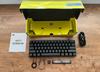
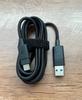
The Corsair K70 Pro Mini Wireless comes in a nice-looking and colorful box that has a matte finish and textured accents. Like the keyboard itself, it’s compact. When you open the box, the K70 Pro Mini Wireless is revealed in a plastic bag. I was expecting more to protect this premium keyboard, but there wasn’t any damage in transit. Underneath the keyboard, you’ll find a braided USB-C to USB-A cable, an alternative radiant spacebar, a Corsair logo ESC key, keyswitch and keycap pullers, and user documentation. The USB “Slipstream” wireless adapter is stored in a slot on the keyboard. Before first use, Corsair advises fully charging the keyboard. The Enter key acts as the charging indicator, which will be pulsing green when charging and change to solid green when fully charged. I’m using the K70 Pro Mini Wireless with a PC, but it’s also compatible with Mac, Xbox, and PlayStation. Connecting the keyboard via its wireless adapter couldn’t be simpler. Just plug the adapter into an available USB Type-A port, slide the power switch on, and then it will connect automatically. Connecting via Bluetooth is also simple, with the only difference being that you must initiate pairing mode via keyboard shortcuts (explained in Corsair’s quick start guide). Overall, unboxing and setup left a good first impression.
Design & Features:
The K70 Pro Mini Wireless looks and feels like a top-tier keyboard. With its aluminum frame, thin bezel, braided USB cable, and matte black double-shot PBT keycaps, Corsair nailed the look. At about 11.6 inches wide and 1.58 inches tall, its compact design saves desk space. I appreciate the attention to detail, which is especially apparent in the dedicated slot for the USB dongle and the braided cable. The keyboard is slightly inclined, but there are two adjustable feet on either side that can increase the incline. Since there’s only one level of adjustment, you don’t have much flexibility, but typing and gaming are a comfortable experience nonetheless. Every key’s RGB backlighting can be customized, as well as the light that goes around the entire edge of the keyboard, which Corsair calls the “360° RGB LightEdge”. The LightEdge is one design aspect that sets the K70 Pro Mini Wireless apart from other keyboards. In addition, if you opt for the included radiant spacebar, its shine-through pattern of tiny triangles is a unique and welcome change to regular spacebars. With its hot-swappable keyswitches, you can change the K70 Pro Mini Wireless keyswitches to any combination of MX-compatible 3-pin switches. It’s an easy process with the switch removal tool. Rounding out the design are the rubber feet on the base of the keyboard, which help keep it in place and prevent any wobbling. The K70 Pro Mini Wireless feels solid and sturdy, so I’m impressed with the build quality. Couple that with the nice look, and you have a keyboard that is sure to be a fantastic addition to any setup.
Performance:
I love gaming with this keyboard. It works beautifully. I tested Apex Legends, Age of Empires, The Witcher 3, and Elden Ring. Across the board, every action felt snappy, and I couldn’t spot any latency. I certainly can’t blame any of my poor gaming performances on the K70 Pro Mini Wireless because its responsiveness is superb. Extensive use and lengthy gaming sessions are no problem for this reliable and durable keyboard. My gaming performance may waver, but the K70 Pro Mini’s does not.
Software:
Corsair’s iCUE software provides a high degree of customization. Profiles, key remaps, macro recording, and RGB lighting down to a per-key basis can be managed in iCUE. It is also necessary to update the keyboard's firmware. iCUE provides one of the best experiences I’ve had with peripheral software, and I’d recommend using it, but you don’t have to. The keyboard functions on its own, which I was happy about because I can use the keyboard with my work laptop where I don’t have iCUE (due to it not being approved yet for company use). Since the keyboard has onboard memory, you can save lighting profiles that can follow wherever you go without needing the iCUE software. There are numerous settings to customize in iCUE, but Corsair did a great job keeping the interface clean and intuitive.
Battery Life:
On average, you can expect up to 30+ hours of battery life when using RGB effects or 200+ hours with backlighting off, which is comparable to most wireless RGB keyboards of this size. In testing, I noticed that your chosen lighting effects and brightness impact battery life, but not too drastically. I keep mine pretty basic with static or pulsing light on the medium or high brightness and consistently get 30+ hours of battery life. With my usage, that lasts me about a week, which I’m more than happy about. When idle, it will put itself to sleep, which is a nice feature to conserve battery life.
----- WHAT’S IN THE BOX -----
1 x Mechanical Gaming Keyboard
1 x Wireless “Slipstream” USB Adapter
1 x USB-C to USB-A Braided Cable
1 x Corsair Logo ESC Key
1 x Radiant Spacebar Keycap
1 x Keycap Puller
1 x Keyswitch Puller
1 x User Documentation
Verdict:
The Corsair K70 Pro Mini Wireless Keyboard is responsive, versatile, highly customizable, and backed by great software. Corsair did an excellent job with the look and build quality as well. This keyboard is top-tier and hard to find flaws in. If you’re looking for a 60% wireless mechanical gaming keyboard, the K70 Pro Mini Wireless should be at the top of your list.
Pros:
- Excellent build quality
- Wireless (via USB adapter or Bluetooth)
- Per-key RGB backlighting
- 360° RGB LightEdge
- Swappable keyswitches
- Superb responsiveness (Sub-1ms latency)
- Good battery life
Cons:
- None
----- DETAILS -----
Unboxing & Setup:
The Corsair K70 Pro Mini Wireless comes in a nice-looking and colorful box that has a matte finish and textured accents. Like the keyboard itself, it’s compact. When you open the box, the K70 Pro Mini Wireless is revealed in a plastic bag. I was expecting more to protect this premium keyboard, but there wasn’t any damage in transit. Underneath the keyboard, you’ll find a braided USB-C to USB-A cable, an alternative radiant spacebar, a Corsair logo ESC key, keyswitch and keycap pullers, and user documentation. The USB “Slipstream” wireless adapter is stored in a slot on the keyboard. Before first use, Corsair advises fully charging the keyboard. The Enter key acts as the charging indicator, which will be pulsing green when charging and change to solid green when fully charged. I’m using the K70 Pro Mini Wireless with a PC, but it’s also compatible with Mac, Xbox, and PlayStation. Connecting the keyboard via its wireless adapter couldn’t be simpler. Just plug the adapter into an available USB Type-A port, slide the power switch on, and then it will connect automatically. Connecting via Bluetooth is also simple, with the only difference being that you must initiate pairing mode via keyboard shortcuts (explained in Corsair’s quick start guide). Overall, unboxing and setup left a good first impression.
Design & Features:
The K70 Pro Mini Wireless looks and feels like a top-tier keyboard. With its aluminum frame, thin bezel, braided USB cable, and matte black double-shot PBT keycaps, Corsair nailed the look. At about 11.6 inches wide and 1.58 inches tall, its compact design saves desk space. I appreciate the attention to detail, which is especially apparent in the dedicated slot for the USB dongle and the braided cable. The keyboard is slightly inclined, but there are two adjustable feet on either side that can increase the incline. Since there’s only one level of adjustment, you don’t have much flexibility, but typing and gaming are a comfortable experience nonetheless. Every key’s RGB backlighting can be customized, as well as the light that goes around the entire edge of the keyboard, which Corsair calls the “360° RGB LightEdge”. The LightEdge is one design aspect that sets the K70 Pro Mini Wireless apart from other keyboards. In addition, if you opt for the included radiant spacebar, its shine-through pattern of tiny triangles is a unique and welcome change to regular spacebars. With its hot-swappable keyswitches, you can change the K70 Pro Mini Wireless keyswitches to any combination of MX-compatible 3-pin switches. It’s an easy process with the switch removal tool. Rounding out the design are the rubber feet on the base of the keyboard, which help keep it in place and prevent any wobbling. The K70 Pro Mini Wireless feels solid and sturdy, so I’m impressed with the build quality. Couple that with the nice look, and you have a keyboard that is sure to be a fantastic addition to any setup.
Performance:
I love gaming with this keyboard. It works beautifully. I tested Apex Legends, Age of Empires, The Witcher 3, and Elden Ring. Across the board, every action felt snappy, and I couldn’t spot any latency. I certainly can’t blame any of my poor gaming performances on the K70 Pro Mini Wireless because its responsiveness is superb. Extensive use and lengthy gaming sessions are no problem for this reliable and durable keyboard. My gaming performance may waver, but the K70 Pro Mini’s does not.
Software:
Corsair’s iCUE software provides a high degree of customization. Profiles, key remaps, macro recording, and RGB lighting down to a per-key basis can be managed in iCUE. It is also necessary to update the keyboard's firmware. iCUE provides one of the best experiences I’ve had with peripheral software, and I’d recommend using it, but you don’t have to. The keyboard functions on its own, which I was happy about because I can use the keyboard with my work laptop where I don’t have iCUE (due to it not being approved yet for company use). Since the keyboard has onboard memory, you can save lighting profiles that can follow wherever you go without needing the iCUE software. There are numerous settings to customize in iCUE, but Corsair did a great job keeping the interface clean and intuitive.
Battery Life:
On average, you can expect up to 30+ hours of battery life when using RGB effects or 200+ hours with backlighting off, which is comparable to most wireless RGB keyboards of this size. In testing, I noticed that your chosen lighting effects and brightness impact battery life, but not too drastically. I keep mine pretty basic with static or pulsing light on the medium or high brightness and consistently get 30+ hours of battery life. With my usage, that lasts me about a week, which I’m more than happy about. When idle, it will put itself to sleep, which is a nice feature to conserve battery life.
----- WHAT’S IN THE BOX -----
1 x Mechanical Gaming Keyboard
1 x Wireless “Slipstream” USB Adapter
1 x USB-C to USB-A Braided Cable
1 x Corsair Logo ESC Key
1 x Radiant Spacebar Keycap
1 x Keycap Puller
1 x Keyswitch Puller
1 x User Documentation
I would recommend this to a friend!



Share this review:


+2points
2of 2voted this as helpful.
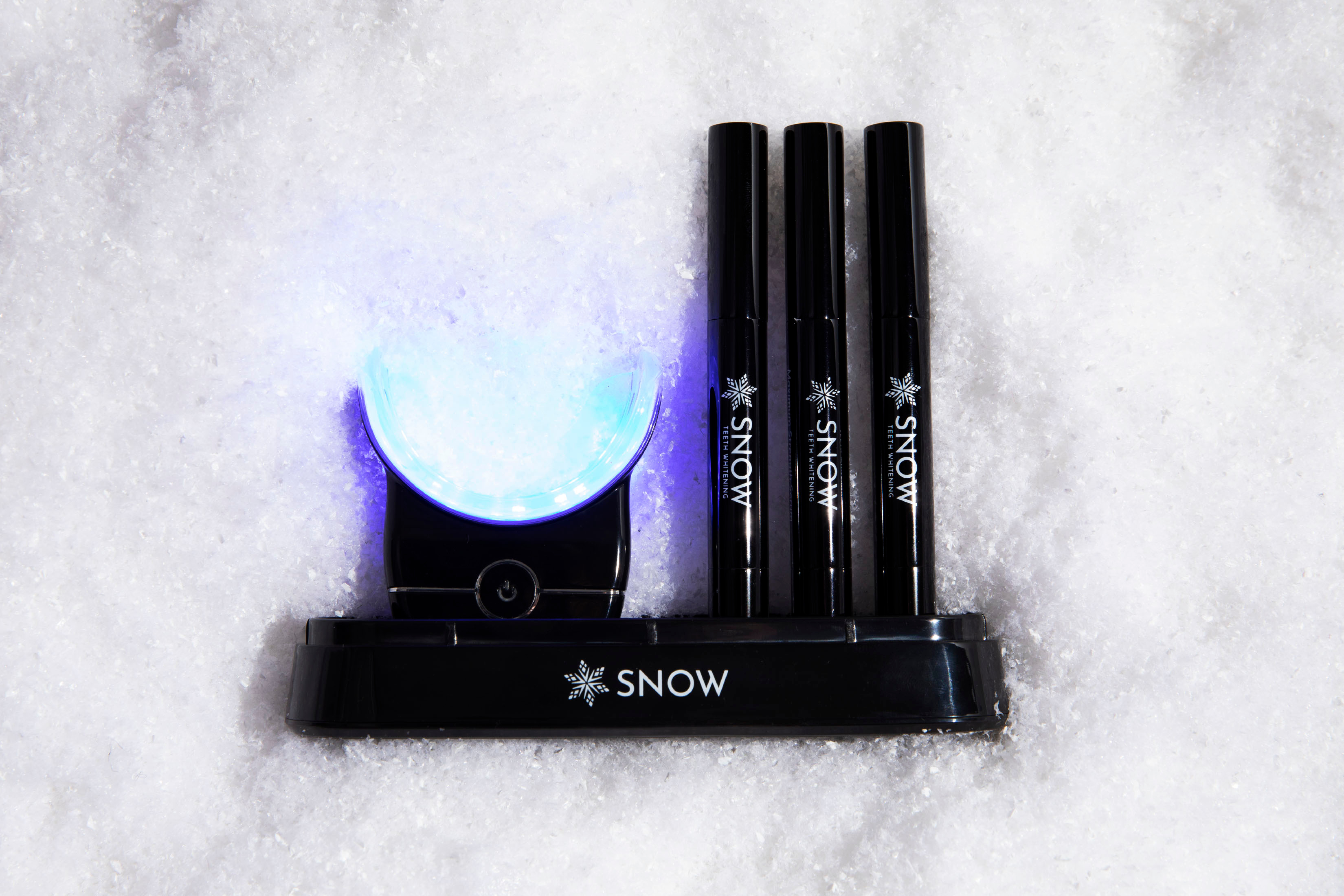
Everything you need to start whitening hassle-free. The LED mouthpiece enhances our serum for lasting results, while also providing dual-light therapy settings (blue light for whitening and red for gum support) for an oral care routine from the future. We love confidence~and having a healthy, glowing smile is your one-way ticket there!
Customer Rating

4
Convenient & Effective At-Home Whitening
on May 5, 2022
Posted by: Kelby
from Wichita, KS
----- SUMMARY -----
Verdict:
The Snow Wireless Teeth Whitening System delivers effective whitening without uncomfortable sensitivity. The quick results are impressive, and I’m a fan of how convenient the kit is. Overall, I’ve had a good experience, but I think Snow should improve the power button and instructions. They are minor annoyances that, if fixed, could make a good product great. Even as it is, I’d still recommend this to anyone looking for effective and convenient at-home teeth whitening.
Pros:
- Fast whitening results
- Simple and convenient to use
- Mouthpiece is wireless and water-resistant
- Little to no tooth sensitivity
- Blue light for whitening and red light for gum health
- Around 75 treatments in the kit
- Charging station included for easy charging and storage
Cons:
- Vague instructions
- Easy to accidentally activate the power button
----- DETAILS -----
Setup:
When you open the box, everything is neatly packaged, and you’re greeted with a message that says “Welcome to the Snow Family”. The minimal yet elegant packaging reminds me of unboxing Apple products. It’s a positive first impression, and I appreciate the attention to detail. What was lacking is detailed instructions. There is what I’d describe as a quick start guide in the box that tells you the basics: brush your teeth, apply serum, and put the mouthpiece in for 9-30 minutes. However, I had several questions that the instructions don’t answer, like what’s the best way to clean the mouthpiece? How much serum do I need to use? How often can I whiten? You can find answers to these questions and others on the Snow website, but I’d expect these basics to be in the instructions. I haven’t found answers to some other questions though, like how many treatments can I typically do on a full charge? It seems that I either just have to charge after each treatment or find out how long it lasts, which could be a nuisance if it runs out mid-treatment. I think better instructions and more product information in the box would improve the experience.
Design:
There are three main components to the Snow Wireless Teeth Whitening System: an LED mouthpiece, whitening wands, and a charging station. The whitening wands contain a whitening serum that’s dispersed onto bristles as you twist the bottom. Applying it is like painting a thin layer on each tooth. Afterward, the LED mouthpiece goes in your mouth for 9-30 minutes (depending on your desired whiteness) to enhance the serum effects. The charging station is useful because it holds the mouthpiece and three whitening wands in place. There’s an included USB cable with one end that’s USB-C which goes in the charging dock and the other that’s USB-A which you’ll need to plug into a wall charger (not included in the box). Everything included in this whitening kit is easy to use and has an aesthetically pleasing design.
Verdict:
The Snow Wireless Teeth Whitening System delivers effective whitening without uncomfortable sensitivity. The quick results are impressive, and I’m a fan of how convenient the kit is. Overall, I’ve had a good experience, but I think Snow should improve the power button and instructions. They are minor annoyances that, if fixed, could make a good product great. Even as it is, I’d still recommend this to anyone looking for effective and convenient at-home teeth whitening.
Pros:
- Fast whitening results
- Simple and convenient to use
- Mouthpiece is wireless and water-resistant
- Little to no tooth sensitivity
- Blue light for whitening and red light for gum health
- Around 75 treatments in the kit
- Charging station included for easy charging and storage
Cons:
- Vague instructions
- Easy to accidentally activate the power button
----- DETAILS -----
Setup:
When you open the box, everything is neatly packaged, and you’re greeted with a message that says “Welcome to the Snow Family”. The minimal yet elegant packaging reminds me of unboxing Apple products. It’s a positive first impression, and I appreciate the attention to detail. What was lacking is detailed instructions. There is what I’d describe as a quick start guide in the box that tells you the basics: brush your teeth, apply serum, and put the mouthpiece in for 9-30 minutes. However, I had several questions that the instructions don’t answer, like what’s the best way to clean the mouthpiece? How much serum do I need to use? How often can I whiten? You can find answers to these questions and others on the Snow website, but I’d expect these basics to be in the instructions. I haven’t found answers to some other questions though, like how many treatments can I typically do on a full charge? It seems that I either just have to charge after each treatment or find out how long it lasts, which could be a nuisance if it runs out mid-treatment. I think better instructions and more product information in the box would improve the experience.
Design:
There are three main components to the Snow Wireless Teeth Whitening System: an LED mouthpiece, whitening wands, and a charging station. The whitening wands contain a whitening serum that’s dispersed onto bristles as you twist the bottom. Applying it is like painting a thin layer on each tooth. Afterward, the LED mouthpiece goes in your mouth for 9-30 minutes (depending on your desired whiteness) to enhance the serum effects. The charging station is useful because it holds the mouthpiece and three whitening wands in place. There’s an included USB cable with one end that’s USB-C which goes in the charging dock and the other that’s USB-A which you’ll need to plug into a wall charger (not included in the box). Everything included in this whitening kit is easy to use and has an aesthetically pleasing design.
Features:
What’s neat about the mouthpiece is that it’s wireless. This gives you a lot of flexibility to multitask while doing a whitening treatment. I like that I can do tasks around the house without a cord getting in the way. The mouthpiece is also water-resistant, and Snow advertises that you can use it while showering, but I wouldn’t recommend it. The issue is that the power button is touch-sensitive and water droplets can turn it off without you noticing. This is also an issue when rinsing the mouthpiece after each treatment because it's easy to accidentally touch the power button or get water on it which turns on the very bright light. The idea of a touch-sensitive power button seems nice because it adds to the premium look and feel, but in practice, it’s a nuisance. That aside, it’s a good mouthpiece that enhances the whitening effects. Another feature of the mouthpiece is that you can toggle between blue light for whitening, red light for gum health, and a combo of red and blue for both. The main purpose of this kit is whitening, but it’s nice to have the red light for gum health as well.
What’s neat about the mouthpiece is that it’s wireless. This gives you a lot of flexibility to multitask while doing a whitening treatment. I like that I can do tasks around the house without a cord getting in the way. The mouthpiece is also water-resistant, and Snow advertises that you can use it while showering, but I wouldn’t recommend it. The issue is that the power button is touch-sensitive and water droplets can turn it off without you noticing. This is also an issue when rinsing the mouthpiece after each treatment because it's easy to accidentally touch the power button or get water on it which turns on the very bright light. The idea of a touch-sensitive power button seems nice because it adds to the premium look and feel, but in practice, it’s a nuisance. That aside, it’s a good mouthpiece that enhances the whitening effects. Another feature of the mouthpiece is that you can toggle between blue light for whitening, red light for gum health, and a combo of red and blue for both. The main purpose of this kit is whitening, but it’s nice to have the red light for gum health as well.
Results:
I’ve had good results with the Snow Wireless Teeth Whitening System. It really does work, especially with consistent use. I love coffee but not the stains it can leave on teeth. Snow helps those go away in just a few treatments. I’m impressed that it produced noticeable results within a week. The kit has enough serum for up to 75 treatments, so it’s a good amount to whiten and help maintain whiter teeth over time. I’ve also been impressed that it doesn’t cause uncomfortable tooth sensitivity. This may vary from person to person, but I haven’t noticed any sensitivity. I couldn’t say the same about other at-home whitening treatments I’ve tried.
----- WHAT’S IN THE BOX -----
1 x Accelerating LED Mouthpiece
2 x Whitening Wands
1 x Extra-Strength Whitening Wand
1 x Charging Station
I’ve had good results with the Snow Wireless Teeth Whitening System. It really does work, especially with consistent use. I love coffee but not the stains it can leave on teeth. Snow helps those go away in just a few treatments. I’m impressed that it produced noticeable results within a week. The kit has enough serum for up to 75 treatments, so it’s a good amount to whiten and help maintain whiter teeth over time. I’ve also been impressed that it doesn’t cause uncomfortable tooth sensitivity. This may vary from person to person, but I haven’t noticed any sensitivity. I couldn’t say the same about other at-home whitening treatments I’ve tried.
----- WHAT’S IN THE BOX -----
1 x Accelerating LED Mouthpiece
2 x Whitening Wands
1 x Extra-Strength Whitening Wand
1 x Charging Station
I would recommend this to a friend!
Quality

4
Performance

5
Durability
4
Value
4
Ease of Use
5




Share this review:


0points
1of 2voted this as helpful.
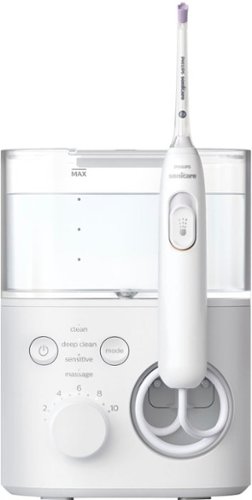
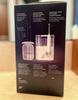
Discover the power of X! The new Philips Sonicare Power Flosser creates an X-shaped stream of water that reaches deep between teeth for a gentle, thorough clean. This X-shaped water stream, known as Quad-Stream technology, covers more surface area for a faster, deeper clean versus manual floss. Because of Quad-Stream technology, Philips Sonicare Power Flosser enables you to improve your gum health by 50% in just 1 minute per day!
Posted by: Kelby
from Wichita, KS
----- SUMMARY -----
Verdict:
When it comes to power flossers, I look for performance and convenience. Philips delivers that and more with the Philips Sonicare Power Flosser 7000. There’s a lot to like, such as the high level of customization with different modes, intensities, and nozzles, and the small things like the magnetic dock and quiet operation. If you’re looking to improve your oral health and considering a power flosser, the Philips Sonicare Power Flosser 7000 should be at the top of your list.
Pros:
- Simple and quick setup
- Convenient and easy to use
- Compact design
- Magnetic dock for the handle with auto shut-off
- Three different nozzles included
- Customizable with 4 modes and 10 intensities
- Quiet operation
Cons:
- None
----- DETAILS -----
Setup:
Getting started is simple. You plug the base into an outlet, remove the water reservoir, fill it, insert your preferred nozzle into the handle, press the power button on the base, select your desired mode, then slide the pause switch on the handle to the on/up position. The instruction manual is easy to understand and very thorough. I appreciated the quick setup and that everything you need is included in the box.
Design:
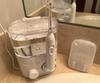
It’s apparent that the Philips Sonicare Power Flosser 7000 was designed with convenience and ease of use in mind. The controls on the base are straightforward. You have the power button, mode button, and intensity dial. The handle, similar to a toothbrush in size, has a switch that you slide up to start the water flow and down to stop it. After you’re done flossing, the cord retracts and stores nicely in the base, and the handle magnetically attaches. In addition to providing easy storage, the magnetic dock will automatically set the pause switch back to off, if it was not turned off before docking. When refilling the water is necessary (usually after each flossing session), you simply remove the reservoir from the base, flip the lid open, fill, and click it back onto the base. Changing the nozzles is easy too since there’s an eject button on the back of the handle and they just snap into place. Since this is a powered flosser, it needs to plug into an outlet and sit on your bathroom vanity, so make sure there’s some room. It’s a compact design though (measuring about 7.5 inches high, 5.5 inches wide, and 4.5 inches deep) so it doesn’t take up much space.
Features & Performance:
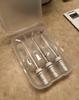
Several features make this a highly effective power flosser. The unique quad stream nozzle is my favorite because it expels the water in an X-shaped stream, which I’ve found to provide the most thorough clean between my teeth and gum line. The tip of the nozzle is soft rubber, so it’s gentle on gums. The other two nozzles (standard and comfort) both have a single stream of water, but the comfort nozzle also has a rubber tip like the quad stream nozzle. I like that all three nozzles were included and that there is a case to store them. In addition to the different nozzles, you can customize your cleaning experience with 4 flossing modes and 10 intensities. This provides you with the ability to tailor the power flosser to your needs. Pushing the mode button will change the mode and rotating the dial will change the intensity. There’s a LED light for each that clearly shows what mode and intensity you’re on. Starting out, I used the lower intensities but now that I’m more used to it, I prefer the higher intensities. It’s nice to have that flexibility. The 4 different modes are clean, deep clean, sensitive, and massage. I like deep clean mode the most because it pulses water and seems to provide the best clean. The regular clean mode is a continuous stream of water which is also a great option for everyday cleaning. The sensitive and massage modes are better for sensitive gums. The massage mode in particular is designed to soothe and stimulate the gum line, and it does feel quite nice. Philips claims that using this power flosser can be up to 180% more effective than string floss. It’s very powerful and I’ve been getting great results, so I believe that could be true. Especially considering its high power, I’m impressed by how quiet it is. I can use this power flosser without worrying about waking my spouse up. I’ve used other power flossers that you can hear from another room. Overall, the features and performance of the Philips Sonicare Power Flosser 7000 make it a top contender in the power flosser market.
----- WHAT’S IN THE BOX -----
1 x Power Flosser
3 x Nozzles (Standard, Quad-Stream, and Comfort)
1 x Nozzle Storage Case
1 x Instruction Manual
Verdict:
When it comes to power flossers, I look for performance and convenience. Philips delivers that and more with the Philips Sonicare Power Flosser 7000. There’s a lot to like, such as the high level of customization with different modes, intensities, and nozzles, and the small things like the magnetic dock and quiet operation. If you’re looking to improve your oral health and considering a power flosser, the Philips Sonicare Power Flosser 7000 should be at the top of your list.
Pros:
- Simple and quick setup
- Convenient and easy to use
- Compact design
- Magnetic dock for the handle with auto shut-off
- Three different nozzles included
- Customizable with 4 modes and 10 intensities
- Quiet operation
Cons:
- None
----- DETAILS -----
Setup:
Getting started is simple. You plug the base into an outlet, remove the water reservoir, fill it, insert your preferred nozzle into the handle, press the power button on the base, select your desired mode, then slide the pause switch on the handle to the on/up position. The instruction manual is easy to understand and very thorough. I appreciated the quick setup and that everything you need is included in the box.
Design:
It’s apparent that the Philips Sonicare Power Flosser 7000 was designed with convenience and ease of use in mind. The controls on the base are straightforward. You have the power button, mode button, and intensity dial. The handle, similar to a toothbrush in size, has a switch that you slide up to start the water flow and down to stop it. After you’re done flossing, the cord retracts and stores nicely in the base, and the handle magnetically attaches. In addition to providing easy storage, the magnetic dock will automatically set the pause switch back to off, if it was not turned off before docking. When refilling the water is necessary (usually after each flossing session), you simply remove the reservoir from the base, flip the lid open, fill, and click it back onto the base. Changing the nozzles is easy too since there’s an eject button on the back of the handle and they just snap into place. Since this is a powered flosser, it needs to plug into an outlet and sit on your bathroom vanity, so make sure there’s some room. It’s a compact design though (measuring about 7.5 inches high, 5.5 inches wide, and 4.5 inches deep) so it doesn’t take up much space.
Features & Performance:
Several features make this a highly effective power flosser. The unique quad stream nozzle is my favorite because it expels the water in an X-shaped stream, which I’ve found to provide the most thorough clean between my teeth and gum line. The tip of the nozzle is soft rubber, so it’s gentle on gums. The other two nozzles (standard and comfort) both have a single stream of water, but the comfort nozzle also has a rubber tip like the quad stream nozzle. I like that all three nozzles were included and that there is a case to store them. In addition to the different nozzles, you can customize your cleaning experience with 4 flossing modes and 10 intensities. This provides you with the ability to tailor the power flosser to your needs. Pushing the mode button will change the mode and rotating the dial will change the intensity. There’s a LED light for each that clearly shows what mode and intensity you’re on. Starting out, I used the lower intensities but now that I’m more used to it, I prefer the higher intensities. It’s nice to have that flexibility. The 4 different modes are clean, deep clean, sensitive, and massage. I like deep clean mode the most because it pulses water and seems to provide the best clean. The regular clean mode is a continuous stream of water which is also a great option for everyday cleaning. The sensitive and massage modes are better for sensitive gums. The massage mode in particular is designed to soothe and stimulate the gum line, and it does feel quite nice. Philips claims that using this power flosser can be up to 180% more effective than string floss. It’s very powerful and I’ve been getting great results, so I believe that could be true. Especially considering its high power, I’m impressed by how quiet it is. I can use this power flosser without worrying about waking my spouse up. I’ve used other power flossers that you can hear from another room. Overall, the features and performance of the Philips Sonicare Power Flosser 7000 make it a top contender in the power flosser market.
----- WHAT’S IN THE BOX -----
1 x Power Flosser
3 x Nozzles (Standard, Quad-Stream, and Comfort)
1 x Nozzle Storage Case
1 x Instruction Manual
I would recommend this to a friend!
Quality
5
Performance
5
Durability
5
Value
5
Ease of Use
5



Share this review:


+5points
5of 5voted this as helpful.
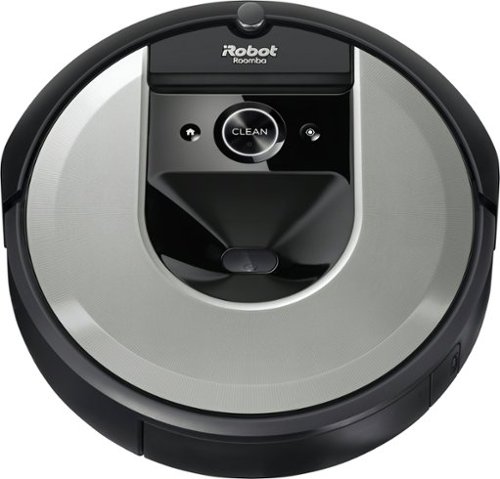
The Roomba i6 robot vacuum unleashes powerful cleaning when, where, and how you want with a single command to your Google Assistant or Alexa voice assistant. When messes happen, just say, ~Tell Roomba to clean under the kitchen table.~ Smart navigation maps specific objects in your home, guiding it to the mess, right when the mess happens. With 10x the suction* and automatic, personalized schedules~even recommendations during pollen and pet-shedding seasons~ its vacuuming that fits seamlessly into your life. *(compared to the Roomba~ 600 series cleaning system) *(Alexa and all related logos are trademarks of Amazon.com or its affiliates. Google is a trademark of Google LLC)
Customer Rating
4
Convenient Cleaning Companion
on December 9, 2021
Posted by: Kelby
from Wichita, KS
----- SUMMARY -----
Verdict:
The Roomba i6 is a solid robot vacuum with a great app. Its standout feature is mapping the layout of your home so that it cleans efficiently instead of wandering around aimlessly. The smart mapping also enables you to control where it cleans. These features and others like scheduling cleaning jobs and voice control are nice to have. Its features are backed by powerful performance, and households with pets will especially benefit. I am a bit disappointed in the average battery life and forceful impacts on walls and furniture, but that’s not enough for me to not recommend the Roomba i6. Overall, you get a lot of useful features and powerful performance at a good price, in comparison to the competition. If you’re in the market for a robot vacuum, the Roomba i6 is one to consider.
The Roomba i6 is a solid robot vacuum with a great app. Its standout feature is mapping the layout of your home so that it cleans efficiently instead of wandering around aimlessly. The smart mapping also enables you to control where it cleans. These features and others like scheduling cleaning jobs and voice control are nice to have. Its features are backed by powerful performance, and households with pets will especially benefit. I am a bit disappointed in the average battery life and forceful impacts on walls and furniture, but that’s not enough for me to not recommend the Roomba i6. Overall, you get a lot of useful features and powerful performance at a good price, in comparison to the competition. If you’re in the market for a robot vacuum, the Roomba i6 is one to consider.
Pros:
- Quick and simple setup process
- Cleaning jobs can be scheduled in the app
- Maps your home for controlled and customizable cleaning
- Navigates in neat, efficient rows
- Cleans multiple surface types, like tile and carpet
- Voice controllable with Amazon Alexa or Google Assistant
- Picks up pet hair and debris very well
- Quick and simple setup process
- Cleaning jobs can be scheduled in the app
- Maps your home for controlled and customizable cleaning
- Navigates in neat, efficient rows
- Cleans multiple surface types, like tile and carpet
- Voice controllable with Amazon Alexa or Google Assistant
- Picks up pet hair and debris very well
Cons:
- Forceful impacts on walls and furniture, despite obstacle avoidance tech
- Average battery life (not enough to clean ~1200 sq. ft in one pass)
- Forceful impacts on walls and furniture, despite obstacle avoidance tech
- Average battery life (not enough to clean ~1200 sq. ft in one pass)
----- DETAILS -----
Setup & Design:
Unboxing and setting up the Roomba i6 was very straightforward. Thanks to the visuals and steps in the quick start guide, it was ready to go in about five minutes. All that’s required is positioning the charging station, plugging its power cord into the wall, and placing the robot on the charging station. Downloading the iRobot Home app and connecting it to the Roomba only took a few additional minutes. I was pleased with the quick and hassle-free setup. You can start the first cleaning job right away since the Roomba comes with a partial charge, but iRobot recommends charging it for three hours. The Roomba i6 has a disc-shaped design with sensors on the front, a camera, buttons, and indicators on the top, and a dust bin in the back. The bottom has additional sensors for floor and ledge tracking as well as the brushes and wheels. It’s a basic design compared to the more premium and nicer-looking iRobot j Series and s Series, but this i6 model gets the job done at a more affordable price.
Features & Performance:
The Roomba i6 is a powerful robot vacuum with several handy features. The feature I’m most impressed by is complete control over where it cleans. Since the Roomba maps the entire level of your home, you can tell it where to clean by using the iRobot Home app or your voice (when connected to Amazon Alexa or Google Assistant). The map is made after the Roomba has had a chance to do a couple of cleaning jobs. Once it’s made, you can view it in the app, add room dividers, room labels, and even “keep out” zones if there are areas you don’t want the Roomba to go. I like that it doesn’t just wander around aimlessly. It knows where it is in your home and where it has already cleaned. Additionally, it navigates in neat, efficient rows. If the battery is running low, the Roomba returns to the charger and recharges enough to resume and finish what’s left of the job. There’s also the ability to set schedules (like every Monday, Wednesday, and Friday at 9:OO AM), or you can set it to start cleaning when you leave home. These smart features make using the Roomba effortless.
The features don’t disappoint, and neither does the performance. My home is a combination of carpet and tile, and the Roomba cleans both surface types quite well. I’m a cat owner, and I’ve been impressed by how much hair and litter gets picked up. Even when I don’t notice debris and hair on the carpet, there’s a significant amount in the bin after each cleaning job. While it doesn’t pick up everything, I would say it has a respectable 90%+ pickup rate. It’s not going to beat the high performance of a corded, upright vacuum, but that’s not the purpose of a Roomba. With its hands-free cleaning and smart features, owning this Roomba is a great supplement to my normal cleaning routine.
Unboxing and setting up the Roomba i6 was very straightforward. Thanks to the visuals and steps in the quick start guide, it was ready to go in about five minutes. All that’s required is positioning the charging station, plugging its power cord into the wall, and placing the robot on the charging station. Downloading the iRobot Home app and connecting it to the Roomba only took a few additional minutes. I was pleased with the quick and hassle-free setup. You can start the first cleaning job right away since the Roomba comes with a partial charge, but iRobot recommends charging it for three hours. The Roomba i6 has a disc-shaped design with sensors on the front, a camera, buttons, and indicators on the top, and a dust bin in the back. The bottom has additional sensors for floor and ledge tracking as well as the brushes and wheels. It’s a basic design compared to the more premium and nicer-looking iRobot j Series and s Series, but this i6 model gets the job done at a more affordable price.
Features & Performance:
The Roomba i6 is a powerful robot vacuum with several handy features. The feature I’m most impressed by is complete control over where it cleans. Since the Roomba maps the entire level of your home, you can tell it where to clean by using the iRobot Home app or your voice (when connected to Amazon Alexa or Google Assistant). The map is made after the Roomba has had a chance to do a couple of cleaning jobs. Once it’s made, you can view it in the app, add room dividers, room labels, and even “keep out” zones if there are areas you don’t want the Roomba to go. I like that it doesn’t just wander around aimlessly. It knows where it is in your home and where it has already cleaned. Additionally, it navigates in neat, efficient rows. If the battery is running low, the Roomba returns to the charger and recharges enough to resume and finish what’s left of the job. There’s also the ability to set schedules (like every Monday, Wednesday, and Friday at 9:OO AM), or you can set it to start cleaning when you leave home. These smart features make using the Roomba effortless.
The features don’t disappoint, and neither does the performance. My home is a combination of carpet and tile, and the Roomba cleans both surface types quite well. I’m a cat owner, and I’ve been impressed by how much hair and litter gets picked up. Even when I don’t notice debris and hair on the carpet, there’s a significant amount in the bin after each cleaning job. While it doesn’t pick up everything, I would say it has a respectable 90%+ pickup rate. It’s not going to beat the high performance of a corded, upright vacuum, but that’s not the purpose of a Roomba. With its hands-free cleaning and smart features, owning this Roomba is a great supplement to my normal cleaning routine.
What I think could be better about the Roomba i6 is its forceful impact on furniture and walls, and its average battery life. Although it seems to approach furniture and walls more gently after mapping out the floor, the initial force made it look and sound more like a bumper car than an intelligent, obstacle-avoiding robot. I have a bar cart with margarita glasses, and while the force would not be enough to tip them over, it’s enough to make them rattle back and forth on impact. What’s disappointing about the battery life is that it doesn’t last enough to cover my whole floor (~1200 sq. ft with two bedrooms, one bath, a halfway, and a living room). It’s nice that it automatically returns to charge and then finishes the job after recharging, but that adds a significant amount of time to the process. When I timed it, about 70% of the floor was complete in an hour, then it returned to the charging station for 45 minutes, and it finished the rest in 30 minutes. Altogether, that’s about 2.25 hours. If the battery could last longer, taking out the charge time in the middle of the job would reduce the time to about 1.5 hours. The forceful impacts and average battery life aren’t significant enough to make me not recommend the Roomba i6, but they make it less than a five-star experience.
Other features I haven’t been able to use but are nice to have available include “Imprint Link Technology” which syncs the Roomba i6 with a Braava Jet m6 to vacuum then mop in sequence and compatibility with the “Clean Base Automatic Dirt Disposal” so your Roomba i6 can empty its own bin. Overall, this Roomba model provides impressive performance and useful features which have made it a positive experience for me.
Care & Maintenance:
To keep the Roomba running at peak performance, there are several care and maintenance procedures that iRobot advises. Those include: washing the bin as needed, cleaning the filter once a week (or twice a week if you have a pet), cleaning the full bin sensor every two weeks, cleaning the front caster wheel every two weeks, cleaning the brushes once a month (or twice a month if you have a pet), and cleaning the sensors and charging contacts once a month. It seems like a lot when those procedures are all listed out, but since each only takes a few minutes, and some aren’t necessary for two weeks to a full month, I still consider the Roomba low maintenance. As for replacing parts, iRobot advises that the filter be replaced every two months and the front caster wheel, as well as the brushes, be replaced every year. The care and maintenance information is well documented in the online owner’s guide (www.irobot.com/i6ownersguide).
To keep the Roomba running at peak performance, there are several care and maintenance procedures that iRobot advises. Those include: washing the bin as needed, cleaning the filter once a week (or twice a week if you have a pet), cleaning the full bin sensor every two weeks, cleaning the front caster wheel every two weeks, cleaning the brushes once a month (or twice a month if you have a pet), and cleaning the sensors and charging contacts once a month. It seems like a lot when those procedures are all listed out, but since each only takes a few minutes, and some aren’t necessary for two weeks to a full month, I still consider the Roomba low maintenance. As for replacing parts, iRobot advises that the filter be replaced every two months and the front caster wheel, as well as the brushes, be replaced every year. The care and maintenance information is well documented in the online owner’s guide (www.irobot.com/i6ownersguide).
----- WHAT’S IN THE BOX -----
1 x Roomba i6 Robot Vacuum
1 x Home Base Charging Station (with Power Cord)
1 x Quick Start Guide
1 x Warranty Information Pamphlet
1 x Safety Information Pamphlet
1 x Home Base Charging Station (with Power Cord)
1 x Quick Start Guide
1 x Warranty Information Pamphlet
1 x Safety Information Pamphlet
Mobile Submission: False
I would recommend this to a friend!


Share this review:


+5points
6of 7voted this as helpful.
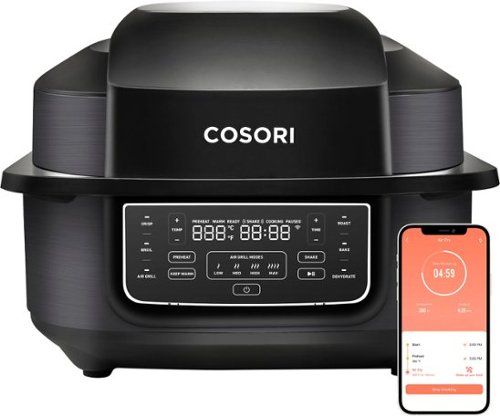
Enjoy a family barbecue in any kind of weather with the Cosori VeSync Aeroblaze Indoor Grill. 8 versatile cooking functions like Crisp, Air Grill, Dehydrate, and more let you whip up anything from delicious lunch to healthy snacks. Use the one-touch functions on the modern display or adjust settings and monitor meals remotely with the free VeSync app on your smartphone. Voice control compatibility lets you make meals with just the sound of your voice when your hands are full with food prep. The pre-installed activated-carbon smoke filter ensures virtually fume-free grilling for the best grilling experience, while temperatures up to 510~F guarantee those crispy grill textures you love. With included easy-to-clean accessories, bonus tongs, a meat thermometer, and a recipe book made by Cosori chefs, you~ll always be inspired to fire up your indoor grill.
Customer Rating
5
Smart Choice for Delicious Results
on November 29, 2021
Posted by: Kelby
from Wichita, KS
----- SUMMARY -----
Verdict:
The Cosori Aeroblaze Indoor Grill is now my go-to appliance for home-cooked meals. Having eight cooking functions packed into one compact and easy-to-use machine adds convenience and versatility to my cooking experience. It’s awesome being able to cook just about anything with ease, and the cleanup is hassle-free. In the crowded small kitchen appliances market, the Cosori Aeroblaze should be at the top of your list.
Pros:
- Compact design for all it can do
- Simple setup process
- Mobile app with notifications and recipes
- Voice control compatible (Amazon Alexa & Google Assistant)
- Easy to clean after cooking
Cons:
- None that I can think of
----- DETAILS -----
Setup:
I appreciated the simple setup process of the Cosori Aeroblaze Indoor Grill. The only steps were to remove the packaging and temporary stickers, place it on a surface (one that’s level, heat-resistant, and away from walls/cupboards), wash the basket, cooking pot, and grill grate (in the dishwasher or by hand), then wipe the inside and outside of the machine with a moist cloth, as well as the outside surface of the smoke filter. I opted to hand wash the basket, cooking pot, and grill grate, so altogether the unboxing and setup took me about 10 minutes. Downloading the VeSync app for remotely monitoring and controlling the machine, as well as the ability to connect to Amazon Alexa or Google Assistant for hands-free control was quick and simple as well. It took me about five minutes to download and link my Cosori Aeroblaze. More on the app later.
Design & Operation:
Especially for a machine with eight cooking functions, I’m impressed by how compact the Cosori Aeroblaze is. At around 14 inches wide, 16 inches long, and 10 inches high, it doesn’t take up much countertop space. It does have a larger footprint than most air fryers, but you get more functionality than a standard air fryer. I was happy to go from owning both an indoor grill and an air fryer to one machine that does it all. With its mostly stainless steel exterior, my first impression was that it’s a well-made, durable machine. The easy-to-clean ceramic-coated accessories are nice as well. When powered on, the display illuminates and shows temperature, time, and other useful indicators like cooking status, Celsius/Fahrenheit, shake reminder, and Wi-Fi. I like that it’s a modern-looking display that’s easy to read at a glance. Wrapping up my thoughts on the design and operation, the clearly labeled buttons make controlling the Cosori Aeroblaze intuitive. It’s a smartly designed machine that looks great and is easy to operate and clean.
Features & Performance:
The first word that comes to mind when I think of the Cosori Aeroblaze is versatility. Its eight cooking functions (crisp, broil, air grill, roast, bake, dehydrate, preheat and keep warm) make it possible to cook appetizers, desserts, and anything between. The list of recipes you can cook is seemingly endless. What I’ve enjoyed so far is grilled salmon, cheeseburgers, and crispy diced potatoes. I’m impressed that every recipe I’ve tried has turned out evenly cooked and delicious. I’m excited to try more. One of the additional features that I’ve grown to love is the virtually smoke-free cooking experience. I’ll admit, I doubted that it would be able to contain the smoke that usually results from cooking burgers, but it did so with ease. The smoke filter is pre-installed and easy to replace. Other features I like are the VeSync app for remotely monitoring and controlling the machine, as well as the ability to connect to Amazon Alexa or Google Assistant for hands-free control. The app also has numerous recipes that are easy to follow, and it can automatically set the machine to the appropriate settings at the push of a button. Based on the settings, it will preheat to the correct temperature, notify you when it's ready for the food, and remind you to shake/flip the food halfway through (if applicable).
Care & Maintenance:
There’s a lot to like about the Cosori Aeroblaze, and easy cleaning is one of those things. Thanks to the ceramic coating, cleaning up after cooking is not a hassle. Anything left on the basket, cooking pot, or grill grate washes off easily with soap, water, and a sponge. Just make sure to use a non-abrasive sponge to preserve the ceramic coating. They’re also dishwasher safe, along with the splatter guard. For the inside and outside of the machine, wiping with a soft, damp cloth is ideal.
Verdict:
The Cosori Aeroblaze Indoor Grill is now my go-to appliance for home-cooked meals. Having eight cooking functions packed into one compact and easy-to-use machine adds convenience and versatility to my cooking experience. It’s awesome being able to cook just about anything with ease, and the cleanup is hassle-free. In the crowded small kitchen appliances market, the Cosori Aeroblaze should be at the top of your list.
Pros:
- Compact design for all it can do
- Simple setup process
- Mobile app with notifications and recipes
- Voice control compatible (Amazon Alexa & Google Assistant)
- Easy to clean after cooking
Cons:
- None that I can think of
----- DETAILS -----
Setup:
I appreciated the simple setup process of the Cosori Aeroblaze Indoor Grill. The only steps were to remove the packaging and temporary stickers, place it on a surface (one that’s level, heat-resistant, and away from walls/cupboards), wash the basket, cooking pot, and grill grate (in the dishwasher or by hand), then wipe the inside and outside of the machine with a moist cloth, as well as the outside surface of the smoke filter. I opted to hand wash the basket, cooking pot, and grill grate, so altogether the unboxing and setup took me about 10 minutes. Downloading the VeSync app for remotely monitoring and controlling the machine, as well as the ability to connect to Amazon Alexa or Google Assistant for hands-free control was quick and simple as well. It took me about five minutes to download and link my Cosori Aeroblaze. More on the app later.
Design & Operation:
Especially for a machine with eight cooking functions, I’m impressed by how compact the Cosori Aeroblaze is. At around 14 inches wide, 16 inches long, and 10 inches high, it doesn’t take up much countertop space. It does have a larger footprint than most air fryers, but you get more functionality than a standard air fryer. I was happy to go from owning both an indoor grill and an air fryer to one machine that does it all. With its mostly stainless steel exterior, my first impression was that it’s a well-made, durable machine. The easy-to-clean ceramic-coated accessories are nice as well. When powered on, the display illuminates and shows temperature, time, and other useful indicators like cooking status, Celsius/Fahrenheit, shake reminder, and Wi-Fi. I like that it’s a modern-looking display that’s easy to read at a glance. Wrapping up my thoughts on the design and operation, the clearly labeled buttons make controlling the Cosori Aeroblaze intuitive. It’s a smartly designed machine that looks great and is easy to operate and clean.
Features & Performance:
The first word that comes to mind when I think of the Cosori Aeroblaze is versatility. Its eight cooking functions (crisp, broil, air grill, roast, bake, dehydrate, preheat and keep warm) make it possible to cook appetizers, desserts, and anything between. The list of recipes you can cook is seemingly endless. What I’ve enjoyed so far is grilled salmon, cheeseburgers, and crispy diced potatoes. I’m impressed that every recipe I’ve tried has turned out evenly cooked and delicious. I’m excited to try more. One of the additional features that I’ve grown to love is the virtually smoke-free cooking experience. I’ll admit, I doubted that it would be able to contain the smoke that usually results from cooking burgers, but it did so with ease. The smoke filter is pre-installed and easy to replace. Other features I like are the VeSync app for remotely monitoring and controlling the machine, as well as the ability to connect to Amazon Alexa or Google Assistant for hands-free control. The app also has numerous recipes that are easy to follow, and it can automatically set the machine to the appropriate settings at the push of a button. Based on the settings, it will preheat to the correct temperature, notify you when it's ready for the food, and remind you to shake/flip the food halfway through (if applicable).
Care & Maintenance:
There’s a lot to like about the Cosori Aeroblaze, and easy cleaning is one of those things. Thanks to the ceramic coating, cleaning up after cooking is not a hassle. Anything left on the basket, cooking pot, or grill grate washes off easily with soap, water, and a sponge. Just make sure to use a non-abrasive sponge to preserve the ceramic coating. They’re also dishwasher safe, along with the splatter guard. For the inside and outside of the machine, wiping with a soft, damp cloth is ideal.
----- WHAT’S IN THE BOX -----
1 x Aeroblaze Indoor Grill
1 x Smoke Filter (Pre-Installed)
1 x Cooking Pot
1 x Grill Grate
1 x Basket
1 x Cleaning Brush
1 x Tongs
1 x Etekcity Meat Thermometer
6 x Metal Skewers
1 x Recipe Book
1 x Quick Reference Guide
1 x User Manual
1 x Aeroblaze Indoor Grill
1 x Smoke Filter (Pre-Installed)
1 x Cooking Pot
1 x Grill Grate
1 x Basket
1 x Cleaning Brush
1 x Tongs
1 x Etekcity Meat Thermometer
6 x Metal Skewers
1 x Recipe Book
1 x Quick Reference Guide
1 x User Manual
Mobile Submission: False
I would recommend this to a friend!


Share this review:


0points
0of 0voted this as helpful.
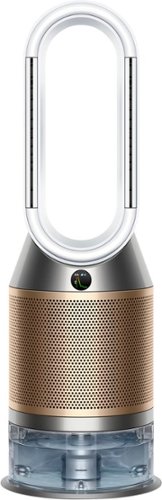
The latest generation 3-in-1 Dyson Purifier Humidify+Cool Formaldehyde combines intelligent sensing with an advanced filtration and humidification system to purify, humidify, and cool you. Three phases of purification sit within a fully sealed filtration and airflow system. So what goes inside, stays inside. A solid-state formaldehyde sensor and a unique catalytic filter detect and continuously destroy formaldehyde~, a HEPA filter~ captures 99.97% of particles 0.3 microns~ in size. The powerful Air Multiplier technology projects purified, hygienically humidified air throughout the room. For a healthier, more comfortable environment.
Customer Rating
5
Innovative, Elegant, and Effective 3-in-1 Machine
on November 9, 2021
Posted by: Kelby
from Wichita, KS
----- SUMMARY -----
Verdict:
The Dyson Purifier Humidify+Cool Formaldehyde is a highly effective 3-in-1 machine. It has a high price tag, but its ability to keep my allergies in check, destroy any trace of formaldehyde, humidify, and cool (all without being high maintenance) make it worthwhile to those like me who are concerned about indoor air quality.
The Dyson Purifier Humidify+Cool Formaldehyde is a highly effective 3-in-1 machine. It has a high price tag, but its ability to keep my allergies in check, destroy any trace of formaldehyde, humidify, and cool (all without being high maintenance) make it worthwhile to those like me who are concerned about indoor air quality.
Pros:
- Quick and simple setup
- Air quality reporting in real-time
- Sleek and elegant design
- 3-in-1 machine (purification, humidification, cooling)
- Hassle-free maintenance
- Handy mobile app (Dyson Link)
Cons:
- High price tag
----- DETAILS -----
Setup:
The unboxing and setup experience for the Dyson Purifier Humidify+Cool Formaldehyde was quick and simple. I just had to remove some plastic and a few pieces of tape then fill the water tank and plug it in. Connecting the Dyson Link app on my iPhone (to monitor and control the machine from anywhere) was easy as well. The app is also available for Android devices. Altogether, the setup took less than 10 minutes, and I had no issues.
Design:
At about three feet tall and a foot wide, I’m impressed by how compact and unobtrusive the Dyson Purifier Humidify+Cool Formaldehyde is, especially for a 3-in-1 machine that purifies, humidifies, and cools. In typical Dyson fashion, it has a unique and elegant look. It’s also quite practical. The cylindrical grills that cover the filters attach and release with a snap of two latches on the sides, and the same goes for the water tank. There are wheels on the bottom of the water tank that make it easy to slide out of the machine and a handle for easy carrying. Maintenance steps are a breeze, thanks to the UV light and deep clean cycle technology built into the machine (more on that later). It seems like Dyson thought of everything to make the user experience great.
Features & Performance:
The filter is a combination of carbon (for gases and odors) and HEPA (for ultrafine particles) which work together to improve air quality. As someone who suffers from allergies, I’ve noticed some improvement in my symptoms. Not all pollutants like allergens produce noticeable symptoms though, and that’s where the real-time air quality reporting LCD screen comes in. It gives you an easy-to-read visual of the air quality on the machine as well as in the Dyson Link app. The app also shows an outdoor air quality report which is interesting to compare to the indoor report. Despite the machine being in my master bedroom, I consistently see the decrease in air quality from “Good” to “Fair” after cooking in the kitchen nearby. About an hour later, it’s back to “Good”. That’s one of several examples where I can visually see the purifier at work.
As in the name, the Dyson Purifier Humidify+Cool Formaldehyde can destroy formaldehyde. I don’t think my machine has detected any formaldehyde, but knowing it has that capability gives me peace of mind.
As for the humidifier and fan, I’ve been impressed by their performance and customization. The fan has 10 different levels and the humidifier has five (from 30%-70% in 10% intervals). The low and medium levels of the fan and humidifier are hardly noticeable and the higher levels aren’t too noisy. For perspective, you can still carry on a conversation near the machine without needing to raise your voice. Both the humidifier and fan perform effectively, and I appreciate the variety of levels for customizing it to your liking.
The machine has 45 and 90-degree oscillation modes that are typical of a fan, but what’s unique is an additional “Breeze” mode that mimics a gentle breeze. Instead of a blast of air in one direction, this mode feels like a natural, soft breeze. It’s the mode I opt for most of the time. There are also “Auto” modes for the fan and humidifier that allow you to just set and forget it. The machine will automatically adjust airflow and humidity levels to reach and maintain the optimal conditions based on your current air quality.
Especially in dry conditions or when my allergies are acting up, having this machine humidify the air is helpful for soothing my nasal passages. There are other benefits of humidification as well, and this machine is likely one of the best on the market. The fact that it also purifies and cools makes it even better.
Additional noteworthy features are the timer, night mode, and the included remote control. The timer allows you to set how long you want the machine to run before turning off which is useful if you intend to use it while sleeping, but I wish you could schedule it for a specified time each day. My hope is that it will be part of a future Dyson Link app update. Night mode keeps the machine running but on the quietest settings and with the LCD display dimmed. The remote that’s included in the box can control all the machine’s settings I’ve talked about, and it also magnetically stores on top of the machine, so you can place it there for safekeeping and easy access.
Maintenance:
One of my favorite things about the Dyson Purifier Humidify+Cool Formaldehyde is that it’s easy to keep clean. Since the machine is bladeless, a cloth or wipe can quickly and effectively clean the outside. As for the inside, Dyson’s innovative Ultraviolet Cleanse technology constantly removes 99.9% of bacteria in the water with UV light. There’s also a deep clean cycle that you should do on a monthly basis. All humidifiers require some manual cleaning, but what I really like about this machine is that the deep clean cycle is just a few steps and hassle-free. With my previous humidifier, I had to constantly scrub it with vinegar or bleach to keep it clean. With this machine, the deep clean cycle does involve some manual steps like removing the evaporator and water tank, filling the tank, adding citric acid (several packets are included in the box), placing the evaporator in the water tank, and then putting the water tank back into the machine. After those steps, the machine does the rest with the push of a button. Unlike other humidifiers I’ve owned, I haven’t noticed any odor or buildup in the water tank. The last part of maintenance is filter changes which involve just a couple of simple snaps on the grill covers. The machine reminds you when it’s time for a filter change. Based on what I’ve read online, if you use the machine for 12 hours or less per day, the filter will need to be replaced once a year. I’m glad it’s not more frequent because they’re about $80 (for the two halves). Overall, this is a low-maintenance machine.
- Quick and simple setup
- Air quality reporting in real-time
- Sleek and elegant design
- 3-in-1 machine (purification, humidification, cooling)
- Hassle-free maintenance
- Handy mobile app (Dyson Link)
Cons:
- High price tag
----- DETAILS -----
Setup:
The unboxing and setup experience for the Dyson Purifier Humidify+Cool Formaldehyde was quick and simple. I just had to remove some plastic and a few pieces of tape then fill the water tank and plug it in. Connecting the Dyson Link app on my iPhone (to monitor and control the machine from anywhere) was easy as well. The app is also available for Android devices. Altogether, the setup took less than 10 minutes, and I had no issues.
Design:
At about three feet tall and a foot wide, I’m impressed by how compact and unobtrusive the Dyson Purifier Humidify+Cool Formaldehyde is, especially for a 3-in-1 machine that purifies, humidifies, and cools. In typical Dyson fashion, it has a unique and elegant look. It’s also quite practical. The cylindrical grills that cover the filters attach and release with a snap of two latches on the sides, and the same goes for the water tank. There are wheels on the bottom of the water tank that make it easy to slide out of the machine and a handle for easy carrying. Maintenance steps are a breeze, thanks to the UV light and deep clean cycle technology built into the machine (more on that later). It seems like Dyson thought of everything to make the user experience great.
Features & Performance:
The filter is a combination of carbon (for gases and odors) and HEPA (for ultrafine particles) which work together to improve air quality. As someone who suffers from allergies, I’ve noticed some improvement in my symptoms. Not all pollutants like allergens produce noticeable symptoms though, and that’s where the real-time air quality reporting LCD screen comes in. It gives you an easy-to-read visual of the air quality on the machine as well as in the Dyson Link app. The app also shows an outdoor air quality report which is interesting to compare to the indoor report. Despite the machine being in my master bedroom, I consistently see the decrease in air quality from “Good” to “Fair” after cooking in the kitchen nearby. About an hour later, it’s back to “Good”. That’s one of several examples where I can visually see the purifier at work.
As in the name, the Dyson Purifier Humidify+Cool Formaldehyde can destroy formaldehyde. I don’t think my machine has detected any formaldehyde, but knowing it has that capability gives me peace of mind.
As for the humidifier and fan, I’ve been impressed by their performance and customization. The fan has 10 different levels and the humidifier has five (from 30%-70% in 10% intervals). The low and medium levels of the fan and humidifier are hardly noticeable and the higher levels aren’t too noisy. For perspective, you can still carry on a conversation near the machine without needing to raise your voice. Both the humidifier and fan perform effectively, and I appreciate the variety of levels for customizing it to your liking.
The machine has 45 and 90-degree oscillation modes that are typical of a fan, but what’s unique is an additional “Breeze” mode that mimics a gentle breeze. Instead of a blast of air in one direction, this mode feels like a natural, soft breeze. It’s the mode I opt for most of the time. There are also “Auto” modes for the fan and humidifier that allow you to just set and forget it. The machine will automatically adjust airflow and humidity levels to reach and maintain the optimal conditions based on your current air quality.
Especially in dry conditions or when my allergies are acting up, having this machine humidify the air is helpful for soothing my nasal passages. There are other benefits of humidification as well, and this machine is likely one of the best on the market. The fact that it also purifies and cools makes it even better.
Additional noteworthy features are the timer, night mode, and the included remote control. The timer allows you to set how long you want the machine to run before turning off which is useful if you intend to use it while sleeping, but I wish you could schedule it for a specified time each day. My hope is that it will be part of a future Dyson Link app update. Night mode keeps the machine running but on the quietest settings and with the LCD display dimmed. The remote that’s included in the box can control all the machine’s settings I’ve talked about, and it also magnetically stores on top of the machine, so you can place it there for safekeeping and easy access.
Maintenance:
One of my favorite things about the Dyson Purifier Humidify+Cool Formaldehyde is that it’s easy to keep clean. Since the machine is bladeless, a cloth or wipe can quickly and effectively clean the outside. As for the inside, Dyson’s innovative Ultraviolet Cleanse technology constantly removes 99.9% of bacteria in the water with UV light. There’s also a deep clean cycle that you should do on a monthly basis. All humidifiers require some manual cleaning, but what I really like about this machine is that the deep clean cycle is just a few steps and hassle-free. With my previous humidifier, I had to constantly scrub it with vinegar or bleach to keep it clean. With this machine, the deep clean cycle does involve some manual steps like removing the evaporator and water tank, filling the tank, adding citric acid (several packets are included in the box), placing the evaporator in the water tank, and then putting the water tank back into the machine. After those steps, the machine does the rest with the push of a button. Unlike other humidifiers I’ve owned, I haven’t noticed any odor or buildup in the water tank. The last part of maintenance is filter changes which involve just a couple of simple snaps on the grill covers. The machine reminds you when it’s time for a filter change. Based on what I’ve read online, if you use the machine for 12 hours or less per day, the filter will need to be replaced once a year. I’m glad it’s not more frequent because they’re about $80 (for the two halves). Overall, this is a low-maintenance machine.
Mobile Submission: False
I would recommend this to a friend!


Share this review:


-4points
7of 18voted this as helpful.
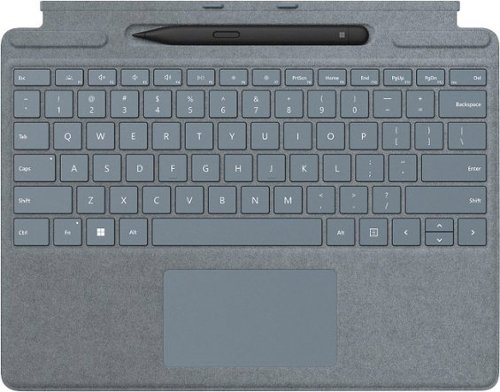
Next-level versatility comes in the perfect pair ~ Surface Slim Pen 2 stores securely and recharges in the premium keyboard, featuring a large glass touchpad and luxurious, Alcantara material covering. Ready to pair with Surface Pro 9, Surface Pro 8 and Surface Pro X.*
Posted by: Kelby
from Wichita, KS
----- Summary -----
Verdict:
The latest Surface devices are impressive on their own, but the Surface Pro Signature Keyboard with Slim Pen 2 pairs perfectly for increased versatility and productivity. The keyboard and pen provide an exceptional typing and writing experience. As a Surface Pro X owner, I’m bummed that the Slim Pen 2’s haptic feedback that simulates the feeling of pen on paper is incompatible, but I’d still recommend it. For Pro 8 owners, I can’t think of any cons. Well done, Microsoft.
Pros:
- Keyboard is full-size and comfortable to type on
- Trackpad is large and provides precise control
- Storage tray for the pen is built into the keyboard and charges the pen
- Keyboard doubles as a cover for the Surface’s screen
- Pen is comfortable to hold and accurate
- Four color options with a nice “Alcantara” material covering each
Cons:
- Haptic feedback on the Slim Pen 2 isn’t compatible with the Surface Pro X
----- Details -----
With its sleek and compact design, the Surface Pro Signature Keyboard transforms the Surface Pro 8 or Pro X into a full laptop without the bulk. The comfortable typing experience impressed me. Unlike other tablet keyboard accessories I’ve tried, my hands don’t feel cramped and my typing is accurate. It’s just like a full-size keyboard that you’d expect on a traditional laptop. The trackpad is about the same size and just as precise as you’d find on a laptop as well.
Powerful magnets snap the keyboard onto a Surface device and show or hide the built-in Slim Pen 2 storage tray. It’s quite clever because showing or hiding the pen storage tray also adjusts the angle of the keyboard. In addition to providing a place for the pen to securely sit, the storage tray wirelessly charges the pen.
I frequently take notes on my Surface Pro X, and the performance of the Slim Pen 2 is fantastic. It’s comfortable to hold and has pinpoint accuracy. My one complaint is that the friction of the pen tip doesn’t feel like writing on paper. The Slim Pen 2 has a built-in haptic motor that supposedly makes it feel similar to writing on paper, but that feature is only compatible with the Surface Laptop Studio and Surface Pro 8, so as a Surface Pro X owner, that was a bummer. That aside, my Surface Pro X wouldn’t be complete without the keyboard and pen. They work harmoniously with the Surface Pro and are a joy to use.
An added benefit of the Surface Pro Signature Keyboard is that it serves as a screen cover for the Surface Pro 8 or Pro X. There’s a light magnetic pull that helps keep it closed. The back of the Surface device doesn’t get covered at all, but I think that would make it more difficult to snap on and off, so I understand why it doesn’t. The aluminum body on the Pro 8 and Pro X seems very durable, but if potential damage is a concern, I’d recommend storing it in a sleeve or backpack during transit.
The Slim Pen 2 is black, but there are four color options available for the Surface Pro Signature Keyboard. I chose Ice Blue, and the other options are Poppy Red, Platinum, or Black. Each is covered in a nice “Alcantara” material which is a suede-like microfiber. The keyboard has a premium look and feel, and I appreciate the different color options which provide a touch of customization to my Surface Pro X.
The latest Surface devices are impressive on their own, but the Surface Pro Signature Keyboard with Slim Pen 2 pairs perfectly for increased versatility and productivity. The keyboard and pen provide an exceptional typing and writing experience. As a Surface Pro X owner, I’m bummed that the Slim Pen 2’s haptic feedback that simulates the feeling of pen on paper is incompatible, but I’d still recommend it. For Pro 8 owners, I can’t think of any cons. Well done, Microsoft.
Pros:
- Keyboard is full-size and comfortable to type on
- Trackpad is large and provides precise control
- Storage tray for the pen is built into the keyboard and charges the pen
- Keyboard doubles as a cover for the Surface’s screen
- Pen is comfortable to hold and accurate
- Four color options with a nice “Alcantara” material covering each
Cons:
- Haptic feedback on the Slim Pen 2 isn’t compatible with the Surface Pro X
----- Details -----
With its sleek and compact design, the Surface Pro Signature Keyboard transforms the Surface Pro 8 or Pro X into a full laptop without the bulk. The comfortable typing experience impressed me. Unlike other tablet keyboard accessories I’ve tried, my hands don’t feel cramped and my typing is accurate. It’s just like a full-size keyboard that you’d expect on a traditional laptop. The trackpad is about the same size and just as precise as you’d find on a laptop as well.
Powerful magnets snap the keyboard onto a Surface device and show or hide the built-in Slim Pen 2 storage tray. It’s quite clever because showing or hiding the pen storage tray also adjusts the angle of the keyboard. In addition to providing a place for the pen to securely sit, the storage tray wirelessly charges the pen.
I frequently take notes on my Surface Pro X, and the performance of the Slim Pen 2 is fantastic. It’s comfortable to hold and has pinpoint accuracy. My one complaint is that the friction of the pen tip doesn’t feel like writing on paper. The Slim Pen 2 has a built-in haptic motor that supposedly makes it feel similar to writing on paper, but that feature is only compatible with the Surface Laptop Studio and Surface Pro 8, so as a Surface Pro X owner, that was a bummer. That aside, my Surface Pro X wouldn’t be complete without the keyboard and pen. They work harmoniously with the Surface Pro and are a joy to use.
An added benefit of the Surface Pro Signature Keyboard is that it serves as a screen cover for the Surface Pro 8 or Pro X. There’s a light magnetic pull that helps keep it closed. The back of the Surface device doesn’t get covered at all, but I think that would make it more difficult to snap on and off, so I understand why it doesn’t. The aluminum body on the Pro 8 and Pro X seems very durable, but if potential damage is a concern, I’d recommend storing it in a sleeve or backpack during transit.
The Slim Pen 2 is black, but there are four color options available for the Surface Pro Signature Keyboard. I chose Ice Blue, and the other options are Poppy Red, Platinum, or Black. Each is covered in a nice “Alcantara” material which is a suede-like microfiber. The keyboard has a premium look and feel, and I appreciate the different color options which provide a touch of customization to my Surface Pro X.
Mobile Submission: False
I would recommend this to a friend!


Share this review:


+3points
3of 3voted this as helpful.
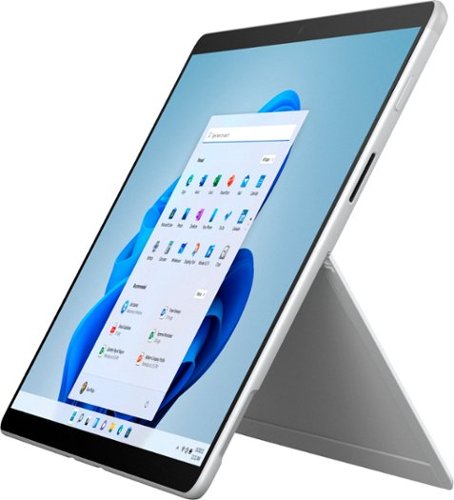
Meet the totally mobile Pro. Always with you, instantly ready, and designed to light up the best of Windows 11. Keep up anywhere, at any angle, with a detachable Keyboard~ with built-in Slim Pen storage and charging~ ~ plus fast connectivity and all-day battery life, with optional Gigabit LTE.~
Customer Rating
4
ARM Has Enough Muscle for Me
on October 23, 2021
Posted by: Kelby
from Wichita, KS
----- Summary -----
Verdict:
Microsoft’s Surface models have been around for years, but this latest Surface Pro X is my first. My experience has me wishing I owned one sooner. Whether you call it a tablet or computer, it’s a productivity powerhouse in a versatile and portable design. If you’re enthusiastic about the form factor and don’t need the most performance on a device of its size, consider the Surface Pro X - SQ1 - 8GB memory model. For more performance, the SQ2 – 16GB memory model or one of the Surface Pro 8 models would be solid upgrade picks. If the Surface’s form factor isn’t important to you, consider other devices that have similar specs but significantly lower price tags.
Microsoft’s Surface models have been around for years, but this latest Surface Pro X is my first. My experience has me wishing I owned one sooner. Whether you call it a tablet or computer, it’s a productivity powerhouse in a versatile and portable design. If you’re enthusiastic about the form factor and don’t need the most performance on a device of its size, consider the Surface Pro X - SQ1 - 8GB memory model. For more performance, the SQ2 – 16GB memory model or one of the Surface Pro 8 models would be solid upgrade picks. If the Surface’s form factor isn’t important to you, consider other devices that have similar specs but significantly lower price tags.
Pros:
- Sleek, premium design
- High build quality
- Lightweight and portable
- All-day battery life
- Built-in kickstand
- Rear and front cameras capture HD video
- Mics capture clear audio
- Great keyboard and pen accessories
- Sleek, premium design
- High build quality
- Lightweight and portable
- All-day battery life
- Built-in kickstand
- Rear and front cameras capture HD video
- Mics capture clear audio
- Great keyboard and pen accessories
Cons:
- High price tag
- Keyboard and pen sold separately
- Impractical for lap use
- Some apps incompatible with ARM
- High price tag
- Keyboard and pen sold separately
- Impractical for lap use
- Some apps incompatible with ARM
----- Details -----
Design:
The Surface Pro X is beautifully designed. At just 1.7 pounds, it’s thin and lightweight which makes it portable. Since I’m frequently going to and from school, I need a portable device. I like that the Surface Pro X provides a large screen and great performance in a small form factor. With its aluminum body and kickstand, it feels very durable, which is important for an on-the-go device. One drawback of the design is that it’s difficult to prop up on your lap like you would a laptop. Since the keyboard accessory is so light, it doesn’t help much. That aside, I’m impressed by the premium look and feel of the Surface Pro X, as well as its versatility. I expected it to be a nice step up from my current 2-in-1 laptop, but it surpassed my expectations.
The Surface Pro X is beautifully designed. At just 1.7 pounds, it’s thin and lightweight which makes it portable. Since I’m frequently going to and from school, I need a portable device. I like that the Surface Pro X provides a large screen and great performance in a small form factor. With its aluminum body and kickstand, it feels very durable, which is important for an on-the-go device. One drawback of the design is that it’s difficult to prop up on your lap like you would a laptop. Since the keyboard accessory is so light, it doesn’t help much. That aside, I’m impressed by the premium look and feel of the Surface Pro X, as well as its versatility. I expected it to be a nice step up from my current 2-in-1 laptop, but it surpassed my expectations.
Display:
The 13-inch display on the Surface Pro X provides a lot of touchscreen real estate, and the slim bezels minimize the overall size of the device while also giving it a modern look. The display is immersive as well, thanks to the 3:2 aspect ratio (a bit taller than most laptops), high brightness, and 2880x1920 resolution. Even the simplest of tasks like taking notes look fantastic on the Surface Pro X’s display. No laptop I’ve owned has had a display that’s as sharp and bright.
The 13-inch display on the Surface Pro X provides a lot of touchscreen real estate, and the slim bezels minimize the overall size of the device while also giving it a modern look. The display is immersive as well, thanks to the 3:2 aspect ratio (a bit taller than most laptops), high brightness, and 2880x1920 resolution. Even the simplest of tasks like taking notes look fantastic on the Surface Pro X’s display. No laptop I’ve owned has had a display that’s as sharp and bright.
Software:
Windows 11 comes preinstalled on the Surface Pro X. There’s a lot to like about it, such as the cleaner design, snap groups for easy organization of multiple open windows, virtual desktops that allow you to toggle between multiple workspaces on one screen (I like to have one for school and one for entertainment), and Microsoft Teams integration for easy communication with family, friends, and colleagues. There is a slight learning curve to familiarize yourself with the new features and a few things that are in different locations, but Windows 11 is a just subtle change from Windows 10.
Windows 11 comes preinstalled on the Surface Pro X. There’s a lot to like about it, such as the cleaner design, snap groups for easy organization of multiple open windows, virtual desktops that allow you to toggle between multiple workspaces on one screen (I like to have one for school and one for entertainment), and Microsoft Teams integration for easy communication with family, friends, and colleagues. There is a slight learning curve to familiarize yourself with the new features and a few things that are in different locations, but Windows 11 is a just subtle change from Windows 10.
Battery Life:
Even with frequent use, the Surface Pro X has no problem lasting an entire day. I primarily use it for videos, web browsing, reading, and note-taking, and I consistently get about 13 hours of battery life. With lighter use, you might be able to get close to the claimed 15 hours. It just depends on how you use it. Since the Surface Pro X is fast charge capable, you can charge the battery up to 80% in about an hour. In a pinch, I can get from 5% to 50% in just half an hour. All-day battery life with fast charging helps ensure that the Surface Pro X always has power when I need it.
Even with frequent use, the Surface Pro X has no problem lasting an entire day. I primarily use it for videos, web browsing, reading, and note-taking, and I consistently get about 13 hours of battery life. With lighter use, you might be able to get close to the claimed 15 hours. It just depends on how you use it. Since the Surface Pro X is fast charge capable, you can charge the battery up to 80% in about an hour. In a pinch, I can get from 5% to 50% in just half an hour. All-day battery life with fast charging helps ensure that the Surface Pro X always has power when I need it.
Performance:
Instead of using an Intel chip like many computers, the Surface Pro X uses a Qualcomm ARM chip like many smartphones. Until now, all the Windows computers I’ve owned had Intel processors, so I was skeptical about the ARM-based Surface Pro X, but I quickly realized there was no reason to be. My model has Microsoft’s SQ1 processor and 8GB of memory (RAM), and I haven’t noticed any performance issues. The Surface Pro X is snappier than the Intel-based computers I have used. Now, those computers didn’t have the most powerful Intel processors available, but they were similar in price to the Surface Pro X. I’m often running multiple apps and over a dozen tabs in my browser, and it handles everything with ease. The disclaimer here is that most of my time is spent in Microsoft Office apps, so they’re not the most performance-intensive. However, even when I tested several other apps from the Microsoft Store running all at once (Spotify, Evernote, WhatsApp, etc.), it did not bring anything to a halt. There was some slowness when I tried to push it to its limits, but I think that’s to be expected for the SQ1 – 8GB memory model and not a concern of mine, since my day-to-day use is never near those limits. If you’re usually doing more than the tasks I mentioned at once, you should consider the more powerful SQ2 – 16GB memory model. Where you might run into issues with the Surface Pro X and its ARM-based processor is app compatibility. The difference in processing architecture means not all apps run the same, and some might not be compatible at all (at least not yet). ARM has come a long way over the past couple of years, and my experience with the Surface Pro X has me believing in its power and low battery consumption. However, I’d encourage you to verify that your essential apps are compatible with ARM before purchasing a Surface Pro X. If they are, I think you’ll be happy with the performance.
Instead of using an Intel chip like many computers, the Surface Pro X uses a Qualcomm ARM chip like many smartphones. Until now, all the Windows computers I’ve owned had Intel processors, so I was skeptical about the ARM-based Surface Pro X, but I quickly realized there was no reason to be. My model has Microsoft’s SQ1 processor and 8GB of memory (RAM), and I haven’t noticed any performance issues. The Surface Pro X is snappier than the Intel-based computers I have used. Now, those computers didn’t have the most powerful Intel processors available, but they were similar in price to the Surface Pro X. I’m often running multiple apps and over a dozen tabs in my browser, and it handles everything with ease. The disclaimer here is that most of my time is spent in Microsoft Office apps, so they’re not the most performance-intensive. However, even when I tested several other apps from the Microsoft Store running all at once (Spotify, Evernote, WhatsApp, etc.), it did not bring anything to a halt. There was some slowness when I tried to push it to its limits, but I think that’s to be expected for the SQ1 – 8GB memory model and not a concern of mine, since my day-to-day use is never near those limits. If you’re usually doing more than the tasks I mentioned at once, you should consider the more powerful SQ2 – 16GB memory model. Where you might run into issues with the Surface Pro X and its ARM-based processor is app compatibility. The difference in processing architecture means not all apps run the same, and some might not be compatible at all (at least not yet). ARM has come a long way over the past couple of years, and my experience with the Surface Pro X has me believing in its power and low battery consumption. However, I’d encourage you to verify that your essential apps are compatible with ARM before purchasing a Surface Pro X. If they are, I think you’ll be happy with the performance.
Features:
The kickstand, detachable keyboard, and the pen are my favorite features of the Surface Pro X. Sturdy, with a wide range of angles, the kickstand makes the Surface Pro X highly versatile, and when not in use it sits flush against the device. The detachable keyboard delivers a comfortable, laptop-like typing experience and has a convenient pen storage slot built into it that also charges the pen. Powerful magnets snap the keyboard onto the Surface Pro X and show/hide the pen slot. I frequently take notes on the Surface Pro X, and the performance of the Slim Pen 2 is great. It’s comfortable and accurate. My one complaint is that the friction of the pen tip doesn’t feel like writing on paper. The Slim Pen 2 has a built-in haptic motor that supposedly makes it feel similar to writing on paper, but that feature is only compatible with the Surface Laptop Studio and Surface Pro 8, so that was a bummer. For me, the Surface Pro X isn’t complete without the keyboard and pen, so I think they should be included, especially at its high price tag. On the other hand, I understand that not every Surface Pro X user wants the keyboard and pen. Additional features that I like about the Surface Pro X are the speakers and cameras. The 5.0MP front-facing camera with 1080p HD video is fantastic for video calls, and the 10.0MP rear-facing autofocus camera delivers 1080p HD and 4k video. I’m not a frequent user of the rear-facing camera, but when I tested it out I found that you can record very high-quality videos. During video calls or recording, the dual far-field Studio Mics capture clear audio, even if you are far away from the device. As for the speakers, they’re 2W with Dolby Audio and pump out great sound. For its size, I’m impressed that the Surface Pro X can get quite loud and has some bass without any sound distortion. There’s no headphone jack, but Bluetooth connectivity for headphones or other devices has always been reliable. All in all, there’s a lot to like about the features of the Surface Pro X.
The kickstand, detachable keyboard, and the pen are my favorite features of the Surface Pro X. Sturdy, with a wide range of angles, the kickstand makes the Surface Pro X highly versatile, and when not in use it sits flush against the device. The detachable keyboard delivers a comfortable, laptop-like typing experience and has a convenient pen storage slot built into it that also charges the pen. Powerful magnets snap the keyboard onto the Surface Pro X and show/hide the pen slot. I frequently take notes on the Surface Pro X, and the performance of the Slim Pen 2 is great. It’s comfortable and accurate. My one complaint is that the friction of the pen tip doesn’t feel like writing on paper. The Slim Pen 2 has a built-in haptic motor that supposedly makes it feel similar to writing on paper, but that feature is only compatible with the Surface Laptop Studio and Surface Pro 8, so that was a bummer. For me, the Surface Pro X isn’t complete without the keyboard and pen, so I think they should be included, especially at its high price tag. On the other hand, I understand that not every Surface Pro X user wants the keyboard and pen. Additional features that I like about the Surface Pro X are the speakers and cameras. The 5.0MP front-facing camera with 1080p HD video is fantastic for video calls, and the 10.0MP rear-facing autofocus camera delivers 1080p HD and 4k video. I’m not a frequent user of the rear-facing camera, but when I tested it out I found that you can record very high-quality videos. During video calls or recording, the dual far-field Studio Mics capture clear audio, even if you are far away from the device. As for the speakers, they’re 2W with Dolby Audio and pump out great sound. For its size, I’m impressed that the Surface Pro X can get quite loud and has some bass without any sound distortion. There’s no headphone jack, but Bluetooth connectivity for headphones or other devices has always been reliable. All in all, there’s a lot to like about the features of the Surface Pro X.
Mobile Submission: False
I would recommend this to a friend!


Share this review:


+2points
2of 2voted this as helpful.
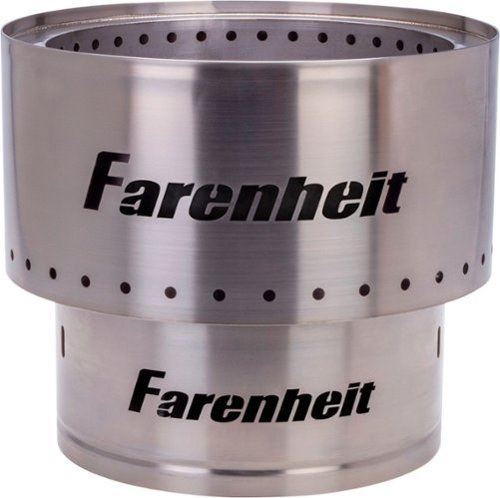
The Farenheit Flame is great for the backyard or for your outdoor adventures. This easy to transport fire pit will add warmth and atmosphere. Designed to reduce smoke so you can cozy up and enjoy yourself.
Customer Rating
4
Portable and Enjoyable
on September 22, 2021
Posted by: Kelby
from Wichita, KS
----- Summary -----
Verdict:
The Farenheit fire pit makes it easy to start and enjoy a full fire in just a few minutes. What makes it even better is the minimal smoke output. This fire pit makes sitting by the fire a joy without the drawbacks. Although it does not have the most appealing design, in my opinion, it is certainly functional. If you are looking for a small, portable fire pit, this one should be at the top of your list.
Pros:
- Sturdy stainless steel construction (also provides rust resistance)
- Portable (less than 20 lbs and has carrying methods)
- Easy to set up, use, clean, and store
- Produces a full fire in just a few minutes
- Effectively reduces smoke output
Cons:
- Not the most appealing design
----- Details -----
The Farenheit fire pit makes it easy to start and enjoy a full fire in just a few minutes. What makes it even better is the minimal smoke output. This fire pit makes sitting by the fire a joy without the drawbacks. Although it does not have the most appealing design, in my opinion, it is certainly functional. If you are looking for a small, portable fire pit, this one should be at the top of your list.
Pros:
- Sturdy stainless steel construction (also provides rust resistance)
- Portable (less than 20 lbs and has carrying methods)
- Easy to set up, use, clean, and store
- Produces a full fire in just a few minutes
- Effectively reduces smoke output
Cons:
- Not the most appealing design
----- Details -----
Design:
Since the Farenheit fire pit is constructed of stainless steel, it has a sturdy and portable design. I think Farenheit struck the right balance between durability and portability because the stainless steel is not overly thick (allowing the fire pit to weigh under 20 lbs) but just thick enough to provide the strength needed for long-term use. An additional benefit of the stainless steel construction is that it is rust-resistant, at least in my experience so far. When not in use, I have been storing this fire pit in my garage, so it being away from moisture might help. My only wish is that the design was more appealing. It is very basic, there are some welding imperfections, and the Farenheit logos are too large, in my opinion. I applaud the functionality of the design though.
Setup:
In the box, you will find the fire pit top, base, handle, carrying/storage bag, and instruction manual. Setup is just a matter of placing the fire pit top onto its base. For carrying, the base fits inside the top, and the handle can be inserted into the top's holes. Alternatively, you can put the fire pit in the carrying/storage bag (which has straps) and carry it that way. The advised method for lighting the fire is filling the fire pit with 5mm of wood pellets or 2-4 small logs, then light the pellets/wood (without using any flammable liquids like lighter fluid or gasoline). Within a few minutes, there will be a full fire.
Performance:
I am very pleased that the Farenheit fire pit effectively reduces smoke output. Having smoke blow in your face can detract from the enjoyment of sitting by a fire, but that is not an issue with this fire pit. The purposeful design with base slot openings and bottom vent holes allows air to enter and rise up through the inner walls of the fire pit, warming the air as it rises. Warm air then exits through the vent holes at the top, which fuels the fire and helps minimize smoke. With a full fire, you can see this in action. The ease of starting a fire and minimal smoke output is quite impressive, and it makes for a more enjoyable experience.
Since the Farenheit fire pit is constructed of stainless steel, it has a sturdy and portable design. I think Farenheit struck the right balance between durability and portability because the stainless steel is not overly thick (allowing the fire pit to weigh under 20 lbs) but just thick enough to provide the strength needed for long-term use. An additional benefit of the stainless steel construction is that it is rust-resistant, at least in my experience so far. When not in use, I have been storing this fire pit in my garage, so it being away from moisture might help. My only wish is that the design was more appealing. It is very basic, there are some welding imperfections, and the Farenheit logos are too large, in my opinion. I applaud the functionality of the design though.
Setup:
In the box, you will find the fire pit top, base, handle, carrying/storage bag, and instruction manual. Setup is just a matter of placing the fire pit top onto its base. For carrying, the base fits inside the top, and the handle can be inserted into the top's holes. Alternatively, you can put the fire pit in the carrying/storage bag (which has straps) and carry it that way. The advised method for lighting the fire is filling the fire pit with 5mm of wood pellets or 2-4 small logs, then light the pellets/wood (without using any flammable liquids like lighter fluid or gasoline). Within a few minutes, there will be a full fire.
Performance:
I am very pleased that the Farenheit fire pit effectively reduces smoke output. Having smoke blow in your face can detract from the enjoyment of sitting by a fire, but that is not an issue with this fire pit. The purposeful design with base slot openings and bottom vent holes allows air to enter and rise up through the inner walls of the fire pit, warming the air as it rises. Warm air then exits through the vent holes at the top, which fuels the fire and helps minimize smoke. With a full fire, you can see this in action. The ease of starting a fire and minimal smoke output is quite impressive, and it makes for a more enjoyable experience.
Mobile Submission: False
I would recommend this to a friend!


Share this review:


0points
1of 2voted this as helpful.
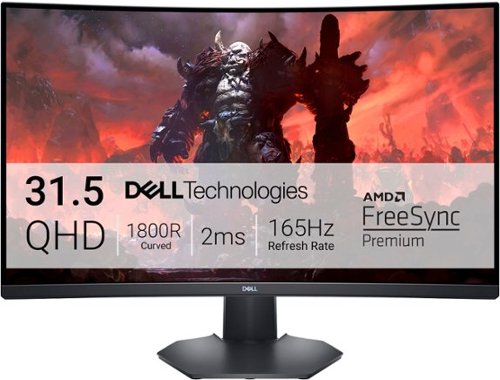
Enjoy stunning panoramic views during gameplay with this Dell 32-inch curved gaming monitor. A vibrant 2560 x 1440 resolution coupled with a contrast ratio of 3000:1 delivers precise colors for an immersive gaming experience. This Dell 32-inch curved gaming monitor has AMD FreeSync 2 to reduce screen tearing and splitting, and a 165Hz refresh rate keeps the action smooth.
Customer Rating
5
Immersive Gaming Monitor
on September 18, 2021
Posted by: Kelby
from Wichita, KS
----- Summary -----
Verdict:
The difference that a high-performance gaming monitor like the Dell S3222DGMA can make on your gaming experience is stunning. The exceptional detail and clarity, high contrast ratio, smooth 165Hz refresh rate, and AMD FreeSync all work together to deliver an incredibly immersive gaming experience. If you’re looking for a curved gaming monitor, this one is a top contender.
Pros:
- Appealing design
- Solid build quality
- Curved screen
- Thin bezels
- Height and tilt adjustability
- Clear and detailed QHD resolution
- High 3000:1 contrast ratio
- Fast refresh rate (165Hz)
- Stutter-free gameplay with AMD FreeSync
Cons:
- Stand doesn’t swivel or rotate to portrait orientation
----- Details -----
The difference that a high-performance gaming monitor like the Dell S3222DGMA can make on your gaming experience is stunning. The exceptional detail and clarity, high contrast ratio, smooth 165Hz refresh rate, and AMD FreeSync all work together to deliver an incredibly immersive gaming experience. If you’re looking for a curved gaming monitor, this one is a top contender.
Pros:
- Appealing design
- Solid build quality
- Curved screen
- Thin bezels
- Height and tilt adjustability
- Clear and detailed QHD resolution
- High 3000:1 contrast ratio
- Fast refresh rate (165Hz)
- Stutter-free gameplay with AMD FreeSync
Cons:
- Stand doesn’t swivel or rotate to portrait orientation
----- Details -----
Design:
The Dell S3222DGMA has an appealing design that will look great in any setting. The curved screen is the standout design aspect. As a first-time owner of a curved monitor, I’m impressed by the extra immersion it provides, especially for gaming. I was also impressed by the thin bezels and height and tilt adjustability. It doesn’t swivel or rotate to portrait orientation though, which would be nice to have for added versatility. Although the monitor and stand are made of plastic, the build quality is solid. I haven’t noticed any quality issues during setup or use, and the stand is sturdy. Speaking of the stand, a small but much-appreciated design aspect is the cutout for cable management. Since I use both HDMI inputs and might use the DisplayPort as well, it’s nice to have the cutout to keep them all together. Another nice touch is the blue ambient downlight at the bottom of the monitor, which can be turned off/on by touching it.
Setup:
With just a few steps and no tools required, I had the Dell S3222DGMA set up in a couple of minutes. After unboxing, the stand needs to be inserted into the base and locked into place with a screw (which can be tightened by hand). Then, the stand just snaps into the back of the monitor. It does support VESA 100mm x 100mm if you’d like to mount this monitor instead. After that, plug in the included power cable and it’s ready to go. Other cables in the box include one DisplayPort and one HDMI.
Features & Performance:
Since the Dell S3222DGMA is designed for gaming, the features reflect that, and they don’t disappoint. With QHD 2560 x 1440 resolution for exceptional detail and clarity, a high 3000:1 contrast ratio for deeper blacks and brighter whites, a smooth 165Hz refresh rate for clarity and faster reaction time, and AMD FreeSync for stutter-free gameplay, this monitor delivers an immersive gaming experience. It’s unlike any TV or monitor I’ve played games on before. The first day I got it, I was tempted to pull an all-nighter because I was so giddy with excitement. It might sound silly, but that’s the best way I can describe the experience of playing games on this monitor. Other notable features include game preset modes (Standard, FPS, MOBA/RTS, RPG, Sports, and three user-defined profiles), as well as Timer, Frame Rate Counter, and Dark Stabilizer options for managing frame rates, brightness, or shadow control. The features and high performance of the Dell S3222DGMA have elevated my gaming experience.
The Dell S3222DGMA has an appealing design that will look great in any setting. The curved screen is the standout design aspect. As a first-time owner of a curved monitor, I’m impressed by the extra immersion it provides, especially for gaming. I was also impressed by the thin bezels and height and tilt adjustability. It doesn’t swivel or rotate to portrait orientation though, which would be nice to have for added versatility. Although the monitor and stand are made of plastic, the build quality is solid. I haven’t noticed any quality issues during setup or use, and the stand is sturdy. Speaking of the stand, a small but much-appreciated design aspect is the cutout for cable management. Since I use both HDMI inputs and might use the DisplayPort as well, it’s nice to have the cutout to keep them all together. Another nice touch is the blue ambient downlight at the bottom of the monitor, which can be turned off/on by touching it.
Setup:
With just a few steps and no tools required, I had the Dell S3222DGMA set up in a couple of minutes. After unboxing, the stand needs to be inserted into the base and locked into place with a screw (which can be tightened by hand). Then, the stand just snaps into the back of the monitor. It does support VESA 100mm x 100mm if you’d like to mount this monitor instead. After that, plug in the included power cable and it’s ready to go. Other cables in the box include one DisplayPort and one HDMI.
Features & Performance:
Since the Dell S3222DGMA is designed for gaming, the features reflect that, and they don’t disappoint. With QHD 2560 x 1440 resolution for exceptional detail and clarity, a high 3000:1 contrast ratio for deeper blacks and brighter whites, a smooth 165Hz refresh rate for clarity and faster reaction time, and AMD FreeSync for stutter-free gameplay, this monitor delivers an immersive gaming experience. It’s unlike any TV or monitor I’ve played games on before. The first day I got it, I was tempted to pull an all-nighter because I was so giddy with excitement. It might sound silly, but that’s the best way I can describe the experience of playing games on this monitor. Other notable features include game preset modes (Standard, FPS, MOBA/RTS, RPG, Sports, and three user-defined profiles), as well as Timer, Frame Rate Counter, and Dark Stabilizer options for managing frame rates, brightness, or shadow control. The features and high performance of the Dell S3222DGMA have elevated my gaming experience.
Mobile Submission: False
I would recommend this to a friend!


Share this review:


+2points
2of 2voted this as helpful.
Kelby's Review Comments
Kelby has not submitted comments on any reviews.
Kelby's Questions
Kelby has not submitted any questions.

Mince, dice, chop, blend and puree with this Ninja Master Prep QB900B food and drink mixer that features Quad Blade technology to help you create creamy frozen beverages and delicious salsas and dips with the touch of a button.
Can it shred.
This depends on what you would like to shred, but the blender will shred/chop almost any food you put in it, even harder foods like nuts. For example, I have used this blender's chop button to shred lettuce for a salad, and I have shredded other foods with the chop button as well.
9 years, 5 months ago
by
Kelby
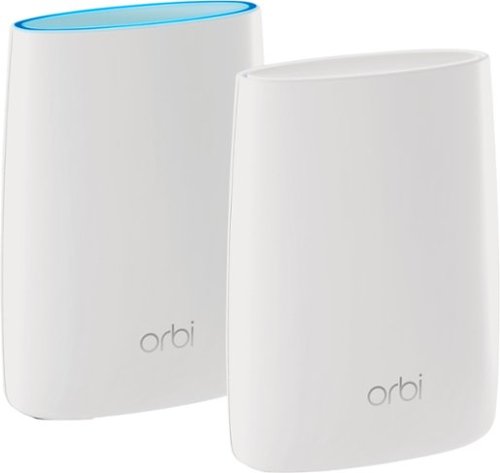
Orbi Whole Home WiFi System delivers up to 3.0Gbps high-performance WiFi. Sleek, modern design with high-gain internal antennas for up to 5,000 square feet of coverage. FastLane3 Technology creates a dedicated Tri-Band WiFi for seamless 4K streaming and gaming everywhere in your home. Keep a single WiFi name for uninterrupted connections as you move from room-to-room. Circle Smart Parental Controls runs on Orbi Routers for a smart way for families to manage content and time online, on any connected device. Provide internet access to guests without sharing your personal network password. Orbi is ready right out of the box and compatible with your ISP. Just use the Orbi app to get started with better WiFi, everywhere in minutes.
Need 4 Ethernet ports.
There are four ethernet ports on the Orbi satellite and three ethernet ports on the Orbi router, so a total of seven ethernet ports are available for use. I hope this helps!
9 years, 8 months ago
by
Kelby
Orbi Whole Home WiFi System delivers up to 3.0Gbps high-performance WiFi. Sleek, modern design with high-gain internal antennas for up to 5,000 square feet of coverage. FastLane3 Technology creates a dedicated Tri-Band WiFi for seamless 4K streaming and gaming everywhere in your home. Keep a single WiFi name for uninterrupted connections as you move from room-to-room. Circle Smart Parental Controls runs on Orbi Routers for a smart way for families to manage content and time online, on any connected device. Provide internet access to guests without sharing your personal network password. Orbi is ready right out of the box and compatible with your ISP. Just use the Orbi app to get started with better WiFi, everywhere in minutes.
do you have to have an internet service before this will bring in the wi fi
Yes, you must have an internet service for this Orbi system to work. The Orbi transmits WiFi signal so that you can connect wireless devices in your home, but you must have an internet connection for that to work. I hope this helps!
9 years, 8 months ago
by
Kelby