


Kelby's stats
- Review count149
- Helpfulness votes1,296
- First reviewSeptember 27, 2009
- Last reviewMay 14, 2026
- Featured reviews0
- Average rating4.8
Reviews comments
- Review comment count0
- Helpfulness votes0
- First review commentNone
- Last review commentNone
- Featured review comments0
Questions
- Question count0
- Helpfulness votes0
- First questionNone
- Last questionNone
- Featured questions0
- Answer count13
- Helpfulness votes2
- First answerSeptember 22, 2016
- Last answerDecember 9, 2021
- Featured answers0
- Best answers0

Clean and deodorize your rugs, carpets and upholstery with this 64-oz. Hoover Paws and Claws carpet cleaning formula. Stainguard technology and enzymatic ingredients eliminate pet messes, odors and dirt, while the cotton breeze scent leaves your home smelling fresh all day. This Hoover Paws and Claws carpet cleaning formula has an optimized formulation that's safe to use with your deep cleaning machines.
Customer Rating

5
Stain Fighter and Preventer
on April 10, 2020
Posted by: Kelby
from Wichita, KS
---- Summary ----
Pros:
- Odor neutralizing
- Fresh scent
- Helps prevent stains
- Tackles tough messes
- Odor neutralizing
- Fresh scent
- Helps prevent stains
- Tackles tough messes
Cons:
- None
- None
---- Review ----
The Paws and Claws Carpet Cleaning formula is fast-acting and effective. I use it with my Hoover Smartwash machine, and I have been impressed with how well it helps tackle messes and prevent future stains with its enzymatic ingredients and stainguard technology. I know it is cleaning well because of the brighter appearance of my carpet, and the dirty water container in my Smartwash machine is almost always black after each use. My carpet looks and feels much cleaner after using this cleaning formula. As a cat owner, there are occasional accidents or things that get knocked over, but this pet formula comes to the rescue. I would recommend it to all looking to address carpet stains and/or odors, even if you do not own a pet.
Mobile Submission: False
I would recommend this to a friend!


Share this review:


+1point
1of 1voted this as helpful.

The Hoover~ SmartWash~ PET Complete Automatic Carpet Washer is just as easy to use as our original SmartWash. Simply push forward to clean and pull back to dry. No trigger, and no mixing solutions. It~s literally as easy as vacuuming. And the SmartWash~ PET Complete is designed specifically for homes with pets. Use the Spot Chaser~ Pretreat Wand to pretreat stains before you clean or as you go. Plus, the antimicrobial FlexForce Pet PowerBrushes remove deep-down dirt while resisting pet odors. For those pet stains on stairs or furniture SmartWash~ PET Complete comes with an antimicrobial scrubbing tool.
Customer Rating
5
The Smart Way to Wash Carpet
on April 10, 2020
Posted by: Kelby
from Wichita, KS
---- Summary ----
Pros:
- Compact design
- Easy assembly
- Simple to use
- Deeply cleans carpet
- Automatically mixes water and solution
- Spot treatment wand
- Antimicrobial pet tool
- Five-year warranty
- Compact design
- Easy assembly
- Simple to use
- Deeply cleans carpet
- Automatically mixes water and solution
- Spot treatment wand
- Antimicrobial pet tool
- Five-year warranty
Cons:
- None
- None
---- Review ----
Design:
In the box, there is the Hoover Smartwash carpet cleaning machine with a detachable “spot chaser” handle, antimicrobial pet tool and hose, a mesh storage bag, and a sample bottle of the cleaning and pretreat solutions. I appreciated the straightforward instructions and quick assembly. Just attach the handle and water/solution tanks after filling them. Near the right wheel of the machine is the recline pedal, and near the left wheel is the on/off pedal. I was able to start testing it within a few minutes of opening the box. The frustration-free experience left me with a positive first impression. Although most of the machine (at least the outside) is plastic, it feels durable. After each use, the water tanks (one for clean and another for dirty water) are easy to remove for emptying and cleaning. The simplicity of the Hoover Smartwash is a big perk, so hats off to the design team.
In the box, there is the Hoover Smartwash carpet cleaning machine with a detachable “spot chaser” handle, antimicrobial pet tool and hose, a mesh storage bag, and a sample bottle of the cleaning and pretreat solutions. I appreciated the straightforward instructions and quick assembly. Just attach the handle and water/solution tanks after filling them. Near the right wheel of the machine is the recline pedal, and near the left wheel is the on/off pedal. I was able to start testing it within a few minutes of opening the box. The frustration-free experience left me with a positive first impression. Although most of the machine (at least the outside) is plastic, it feels durable. After each use, the water tanks (one for clean and another for dirty water) are easy to remove for emptying and cleaning. The simplicity of the Hoover Smartwash is a big perk, so hats off to the design team.
Features:
A standout feature of the Hoover Smartwash is the automatic switching between applying the solution and water when pushing forward and then extracting and drying when pulling backward. There are no triggers or buttons that have to be pressed, so it is very intuitive. The handle, which doubles as the “spot chaser pretreat wand” can be removed to aim at stains and dispense pretreat solution at the push of a button. This is great for tough stains that need a little extra attention. It does not work wonders on stains that have been in the carpet for years, but it does a pretty good job cleaning up recent ones. I tried the included antimicrobial pet tool on my microfiber couch, and it was much easier and more effective than my previous couch cleaning method, which was using a rag and soapy water.
A standout feature of the Hoover Smartwash is the automatic switching between applying the solution and water when pushing forward and then extracting and drying when pulling backward. There are no triggers or buttons that have to be pressed, so it is very intuitive. The handle, which doubles as the “spot chaser pretreat wand” can be removed to aim at stains and dispense pretreat solution at the push of a button. This is great for tough stains that need a little extra attention. It does not work wonders on stains that have been in the carpet for years, but it does a pretty good job cleaning up recent ones. I tried the included antimicrobial pet tool on my microfiber couch, and it was much easier and more effective than my previous couch cleaning method, which was using a rag and soapy water.
Performance:
Wow, that was on my carpet? This was my first thought when looking at the dirty water tank with the contents of what had just been extracted from a small area in my living room. I was expecting some cloudy, light brown water, but it was almost black. Seeing this along with the noticeably brighter appearance of the carpet after washing made it clear to me that this is a high-performance machine. It is louder than a vacuum, but that is understandable given its powerful cleaning capacity. The two flexible brush rolls really dig into the carpet to extract dirt and wipe the carpet fibers clean. After use, the carpet is damp, so I would recommend using it in the evening and leaving it to dry overnight. It will be dry by morning. Or you can go over it a few times in “dry only” mode to speed up drying. I would also recommend vacuuming the carpet prior to using the Hoover Smartwash because it will prevent pet hair and debris from collecting in the Smartwash brush rolls.
Wow, that was on my carpet? This was my first thought when looking at the dirty water tank with the contents of what had just been extracted from a small area in my living room. I was expecting some cloudy, light brown water, but it was almost black. Seeing this along with the noticeably brighter appearance of the carpet after washing made it clear to me that this is a high-performance machine. It is louder than a vacuum, but that is understandable given its powerful cleaning capacity. The two flexible brush rolls really dig into the carpet to extract dirt and wipe the carpet fibers clean. After use, the carpet is damp, so I would recommend using it in the evening and leaving it to dry overnight. It will be dry by morning. Or you can go over it a few times in “dry only” mode to speed up drying. I would also recommend vacuuming the carpet prior to using the Hoover Smartwash because it will prevent pet hair and debris from collecting in the Smartwash brush rolls.
Verdict:
Using the Hoover Smartwash is truly just like vacuuming. The simplicity is a big win in my eyes, and the performance is beyond my expectations. I find it satisfying to see the dirty water being extracted from my carpet, and it gives me peace of mind to know that it is clean. I would recommend the Hoover Smartwash to anyone who has carpet in their home, especially those with pets.
Using the Hoover Smartwash is truly just like vacuuming. The simplicity is a big win in my eyes, and the performance is beyond my expectations. I find it satisfying to see the dirty water being extracted from my carpet, and it gives me peace of mind to know that it is clean. I would recommend the Hoover Smartwash to anyone who has carpet in their home, especially those with pets.
Mobile Submission: False
I would recommend this to a friend!


Share this review:


+1point
1of 1voted this as helpful.
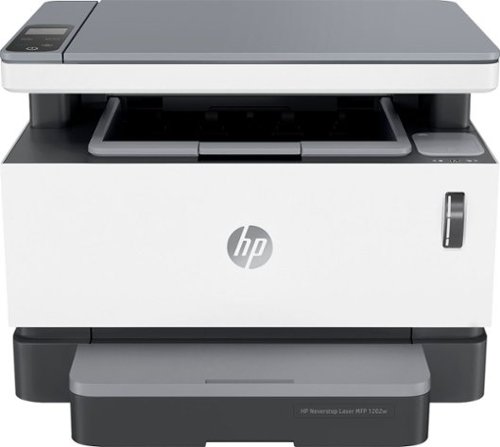
Don't worry about toner ~ with the revolutionary HP Neverstop 1202w All-in-One Laser Printer get up to 7x more pages than in-class laser printers before your first toner reload and up to 5,000 pages of toner right out of the box. Easily handle business tasks with print, scan, and copy functions, easy mobile printing, and the HP Smart app ~ the first mobile print app to simplify scanning and reduce time. Get consistently superb prints and up to 2.5x more pages than in-class HP Toner cartridges with the Toner Reload Kit (sold separately). Stay connected from virtually anywhere with this monochrome laser printer's wireless networking. Plus, this all-inone wireless printer has up to an 84% smaller environmental footprint, so you can get business done with the environment in mind.Prints up to 21 ISO ppm* in black.
Customer Rating
5
The Printer That Truly Never Stops
on March 26, 2020
Posted by: Kelby
from Wichita, KS
---- Summary ----
Pros:
- Cartridge-free
- High-capacity toner tank
- Quick and easy toner reload process
- Wireless connectivity
- Impressive print speed
- Print from anywhere with the mobile app
- Reliable
- Quiet
- Cartridge-free
- High-capacity toner tank
- Quick and easy toner reload process
- Wireless connectivity
- Impressive print speed
- Print from anywhere with the mobile app
- Reliable
- Quiet
Cons:
- No color printing
- No color printing
---- Review ----
Design:
While the HP Neverstop is no breakthrough in terms of design, it looks great in my home, and there are a few things that deserve to be pointed out. First, the setup was surprisingly simple. It is all done through the HP Smart App, which has a step by step guide to get the printer added to your Wi-Fi network. Within just a couple of minutes, I had the printer setup on both my laptop and smartphone. Second, the toner level is displayed on the front of the printer. Out of the box, the printer includes toner that can last an estimated 5,000 pages before a reload is needed. When the time comes to do the reload, you can purchase a toner reload kit and use it to reload the toner, which takes a few seconds. I like that this printer is cartridge-free. Third, this printer is compact. Multifunction laser printers can be quite large, but not the HP Neverstop. It is one of the most compact printers I have seen on the market, and it fits well on my desk. Overall, I think this is a well-designed printer. The design and easy setup left me with a very positive first impression.
While the HP Neverstop is no breakthrough in terms of design, it looks great in my home, and there are a few things that deserve to be pointed out. First, the setup was surprisingly simple. It is all done through the HP Smart App, which has a step by step guide to get the printer added to your Wi-Fi network. Within just a couple of minutes, I had the printer setup on both my laptop and smartphone. Second, the toner level is displayed on the front of the printer. Out of the box, the printer includes toner that can last an estimated 5,000 pages before a reload is needed. When the time comes to do the reload, you can purchase a toner reload kit and use it to reload the toner, which takes a few seconds. I like that this printer is cartridge-free. Third, this printer is compact. Multifunction laser printers can be quite large, but not the HP Neverstop. It is one of the most compact printers I have seen on the market, and it fits well on my desk. Overall, I think this is a well-designed printer. The design and easy setup left me with a very positive first impression.
Features & Performance:
I was surprised by how quickly and quietly the HP Neverstop prints pages at such high quality. On average, it prints about 21 pages per minute. The text is crisp and legible. Images look good, but this printer is not designed for high-quality image and photo printing. One drawback is that it only prints in black in white, but since my primary use for this printer is to print text documents it works well for my needs. With the HP Smart App, printing, scanning, copying and other tasks can be done from just about anywhere. I have found the app to be reliable and easy to use. There is a slight delay when printing wirelessly compared to printing from a computer that is hard-wired into the printer, but I think the convenience that wireless connectivity provides makes up for that delay. Aside from no color printing, this printer has all the features I was looking for in a printer.
I was surprised by how quickly and quietly the HP Neverstop prints pages at such high quality. On average, it prints about 21 pages per minute. The text is crisp and legible. Images look good, but this printer is not designed for high-quality image and photo printing. One drawback is that it only prints in black in white, but since my primary use for this printer is to print text documents it works well for my needs. With the HP Smart App, printing, scanning, copying and other tasks can be done from just about anywhere. I have found the app to be reliable and easy to use. There is a slight delay when printing wirelessly compared to printing from a computer that is hard-wired into the printer, but I think the convenience that wireless connectivity provides makes up for that delay. Aside from no color printing, this printer has all the features I was looking for in a printer.
Verdict:
The HP Neverstop accomplishes printing tasks quickly and quietly. Everything from initial setup to using all of its features is user friendly. It is versatile, reliable and cost-efficient. The HP Neverstop truly never stops providing for my printer needs, and I would recommend it to anyone in the market for a multifunction black and white laser printer.
The HP Neverstop accomplishes printing tasks quickly and quietly. Everything from initial setup to using all of its features is user friendly. It is versatile, reliable and cost-efficient. The HP Neverstop truly never stops providing for my printer needs, and I would recommend it to anyone in the market for a multifunction black and white laser printer.
Mobile Submission: False
I would recommend this to a friend!


Share this review:


+13points
20of 27voted this as helpful.
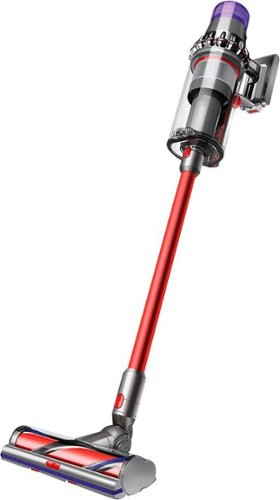
Full-size cleaning without the cord. Full-size Bin. Full-size cleaner head. Now with full-size bin and full-size cleaner head for full-size cleaning, without the cord. ~ Tested at the cleaner head to ASTM F558, dust-loaded.~ Runtime based on consecutive use of two battery packs. Actual runtime will vary based on power mode, floor type, and/or attachments used.~In Boost mode. All other modes achieve at least 99.97% filtration.
Posted by: Kelby
from Wichita, KS
---- Summary ----
Pros:
- Powerful suction
- Adapts to floor type
- Cord-free
- Two long-lasting battery packs
- Lightweight
- Full-size cleaner head and bin
- LCD screen with helpful info
- Whole-machine filtration
- Multiple tools included
- Powerful suction
- Adapts to floor type
- Cord-free
- Two long-lasting battery packs
- Lightweight
- Full-size cleaner head and bin
- LCD screen with helpful info
- Whole-machine filtration
- Multiple tools included
Cons:
- Price
- Price
---- Review ----
Design:
The Dyson V11 Outsize is a hybrid between a full-size corded and a compact cord-free vacuum. Compared to the Dyson V11 Torque Drive cord-free vacuum, this model has a 150% bigger bin capacity and a 25% bigger cleaner head for increased floor coverage and debris collection. When I compared the bin and cleaner head size to my current full-size corded vacuum, the difference was almost unnoticeable. With the V11 Outsize, you get the coverage and capacity of a full-size vacuum but with cord-free convenience. It is also very light and easier to maneuver compared to a full-size vacuum. The top of the vacuum has an LCD display that I have found to be very useful, as it shows the current power mode and a precise countdown to the end of the battery life. It also has filter maintenance reminders and video tutorials that show how to care for the vacuum. Operating this vacuum is simple, thanks to the click-in and go battery and tools, as well as the power trigger. Each tool has its own benefits, so a variety of messes, surfaces, and crevices can be cleaned. I am especially fond of the mini motorized tool that has worked great on my couch and stairs. The whole-machine filtration captures 99.99% of particles, and the point and shoot bin emptying design makes it easy and hygienic to empty. As long as the contents are dry, everything comes out with ease, and there is no need to touch it. Also included in the box is a wall-mounted docking station for easy storage and retrieval. One of the two included chargers can be hooked up to the wall dock so that the battery gets charged after each use. The V11 Outsize is a masterfully designed cord-free vacuum.
The Dyson V11 Outsize is a hybrid between a full-size corded and a compact cord-free vacuum. Compared to the Dyson V11 Torque Drive cord-free vacuum, this model has a 150% bigger bin capacity and a 25% bigger cleaner head for increased floor coverage and debris collection. When I compared the bin and cleaner head size to my current full-size corded vacuum, the difference was almost unnoticeable. With the V11 Outsize, you get the coverage and capacity of a full-size vacuum but with cord-free convenience. It is also very light and easier to maneuver compared to a full-size vacuum. The top of the vacuum has an LCD display that I have found to be very useful, as it shows the current power mode and a precise countdown to the end of the battery life. It also has filter maintenance reminders and video tutorials that show how to care for the vacuum. Operating this vacuum is simple, thanks to the click-in and go battery and tools, as well as the power trigger. Each tool has its own benefits, so a variety of messes, surfaces, and crevices can be cleaned. I am especially fond of the mini motorized tool that has worked great on my couch and stairs. The whole-machine filtration captures 99.99% of particles, and the point and shoot bin emptying design makes it easy and hygienic to empty. As long as the contents are dry, everything comes out with ease, and there is no need to touch it. Also included in the box is a wall-mounted docking station for easy storage and retrieval. One of the two included chargers can be hooked up to the wall dock so that the battery gets charged after each use. The V11 Outsize is a masterfully designed cord-free vacuum.
Features:
A standout feature to me is the Dyson Dynamic Load Sensor, which automatically adjusts the power based on floor type. This means that power consumption is reduced on hard floors for longer run times and increased on carpet for a deeper clean. No need for a different cleaner head or manual adjustments. I tried going back and forth across different floor types and was surprised by how quickly it adapts when transitioning from one floor type to another. This automatic power adjustment occurs when the vacuum is set on auto mode, but another nice feature is that you can switch to eco mode for maximum run time or boost mode for intensive cleaning. Eco mode is useful for dusting or lighter messes, and boost mode is useful for occasional larger messes. Up to 120 minutes of run time can be achieved when using both batteries, depending on power mode, floor type and attachments used. With some hard floor and some carpet vacuuming, I averaged about 40 minutes per battery, so a total of 80 minutes. The features of this vacuum make for a great experience.
A standout feature to me is the Dyson Dynamic Load Sensor, which automatically adjusts the power based on floor type. This means that power consumption is reduced on hard floors for longer run times and increased on carpet for a deeper clean. No need for a different cleaner head or manual adjustments. I tried going back and forth across different floor types and was surprised by how quickly it adapts when transitioning from one floor type to another. This automatic power adjustment occurs when the vacuum is set on auto mode, but another nice feature is that you can switch to eco mode for maximum run time or boost mode for intensive cleaning. Eco mode is useful for dusting or lighter messes, and boost mode is useful for occasional larger messes. Up to 120 minutes of run time can be achieved when using both batteries, depending on power mode, floor type and attachments used. With some hard floor and some carpet vacuuming, I averaged about 40 minutes per battery, so a total of 80 minutes. The features of this vacuum make for a great experience.
Performance:
The main question I had about the performance of the V11 Outsize was how does it compare to full-size corded vacuums? Well, it certainly delivers an impressive amount of suction, and I have noticed that it picks up just as much, if not more than the full-size corded vacuum I own. I think I could swap the V11 Outsize with my corded vacuum with confidence that I would not be sacrificing performance. The V11 Outsize delivers the most efficient and convenient vacuuming experience I have ever had. Shed hair and food left behind by my cat is no match for this vacuum. Neither is dirt or dust, even when they are embedded deep in the carpet. With this being a pricey Dyson, my expectations were high, but I am happy to report that those expectations were not only met but exceeded.
The main question I had about the performance of the V11 Outsize was how does it compare to full-size corded vacuums? Well, it certainly delivers an impressive amount of suction, and I have noticed that it picks up just as much, if not more than the full-size corded vacuum I own. I think I could swap the V11 Outsize with my corded vacuum with confidence that I would not be sacrificing performance. The V11 Outsize delivers the most efficient and convenient vacuuming experience I have ever had. Shed hair and food left behind by my cat is no match for this vacuum. Neither is dirt or dust, even when they are embedded deep in the carpet. With this being a pricey Dyson, my expectations were high, but I am happy to report that those expectations were not only met but exceeded.
Verdict:
I do not think a cleaning tool has ever brought me excitement, but the Dyson V11 Outsize does just that. The price is steep, in my opinion. However, I think that the performance, efficiency, convenience and longevity compensate for that. If you are looking for a cord-free vacuum that can compete with a full-size corded one, look no further.
I do not think a cleaning tool has ever brought me excitement, but the Dyson V11 Outsize does just that. The price is steep, in my opinion. However, I think that the performance, efficiency, convenience and longevity compensate for that. If you are looking for a cord-free vacuum that can compete with a full-size corded one, look no further.
Mobile Submission: False
I would recommend this to a friend!


Share this review:


+60points
83of 106voted this as helpful.
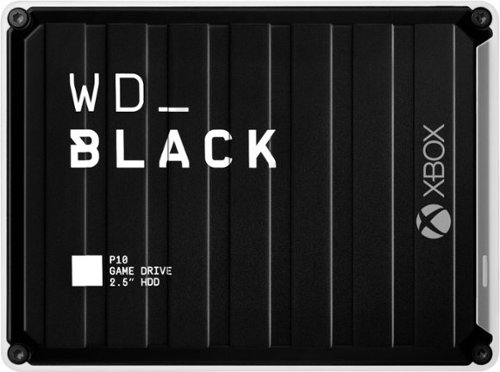
The WD_Black~ P10 Game Drive for Xbox~ gives your Xbox the tools it needs to keep your competitive edge. With up to 5TB* of storage capacity, the WD_Black~ P10 Game Drive for Xbox~ is a top-tier external HDD built specifically for gamers looking to expand the potential of their Xbox so they can drive their game the way they choose. Included with your purchase is a 1-month membership of Xbox Game Pass Ultimate, with access to 100+ games on consoles and PC, plus online console multiplayer.~*As used for storage capacity, one gigabyte (GB) = one billion bytes and one terabyte (TB) = one trillion bytes. Total accessible capacity varies depending on operating environment.~ 1-Month trial offer of Xbox Game Pass Ultimate for New Xbox Game Pass members only. Limit: 1 per person/account. Available for a limited time. See product packaging for full details.
Posted by: Kelby
from Wichita, KS, USA
---- Summary ----
Pros:
- Quick setup
- Rugged
- Portable
- Reliable
- Improved download/load times
- 2 months of free Game Pass Ultimate
- Quick setup
- Rugged
- Portable
- Reliable
- Improved download/load times
- 2 months of free Game Pass Ultimate
Cons:
- None
- None
---- Review ----
Setup:
The WD_BLACK P10 3TB hard drive is well packaged for protection, but there is none of that sealed plastic that is a pain to open. In the package, you will find the hard drive, a USB cable, a quick install guide and a code for two months of free Xbox Game Pass Ultimate. The hard drive was quickly detected after plugging it into my Xbox One, and a prompt appeared asking if I would like to format the hard drive for game storage. I selected yes and it was done formatting within seconds. Setup is that easy.
The WD_BLACK P10 3TB hard drive is well packaged for protection, but there is none of that sealed plastic that is a pain to open. In the package, you will find the hard drive, a USB cable, a quick install guide and a code for two months of free Xbox Game Pass Ultimate. The hard drive was quickly detected after plugging it into my Xbox One, and a prompt appeared asking if I would like to format the hard drive for game storage. I selected yes and it was done formatting within seconds. Setup is that easy.
Design:
I am a big fan of this hard drive’s design. It is rugged yet sleek, and the metal cover makes it look and feel like a premium device. On the bottom, there are rubber feet that prevent the hard drive from moving or vibrating easily, and the USB cable is long enough for me. When powered on, there is a small white light that illuminates. The hard drive is quiet, even when data is saving to it. In short, I think the WD_BLACK P10 is a very well designed hard drive.
I am a big fan of this hard drive’s design. It is rugged yet sleek, and the metal cover makes it look and feel like a premium device. On the bottom, there are rubber feet that prevent the hard drive from moving or vibrating easily, and the USB cable is long enough for me. When powered on, there is a small white light that illuminates. The hard drive is quiet, even when data is saving to it. In short, I think the WD_BLACK P10 is a very well designed hard drive.
Performance:
With speeds up to 130 MB/s, the transfer of data and game load times are better than the internal Xbox One hard drive. Because of this, I have transferred every game to the WD_BLACK P10 3TB hard drive and set it as the default for new installs. Getting faster load times and a ton of more storage is a nice upgrade to my Xbox.
With speeds up to 130 MB/s, the transfer of data and game load times are better than the internal Xbox One hard drive. Because of this, I have transferred every game to the WD_BLACK P10 3TB hard drive and set it as the default for new installs. Getting faster load times and a ton of more storage is a nice upgrade to my Xbox.
Verdict:
Before owning the WD_BLACK P10 3TB hard drive, I frequently had to delete games to make room for new ones. I am so happy that is a thing of the past, and I could not ask for a better designed or performing hard drive.
Before owning the WD_BLACK P10 3TB hard drive, I frequently had to delete games to make room for new ones. I am so happy that is a thing of the past, and I could not ask for a better designed or performing hard drive.
Mobile Submission: False
I would recommend this to a friend!


Share this review:


+3points
3of 3voted this as helpful.
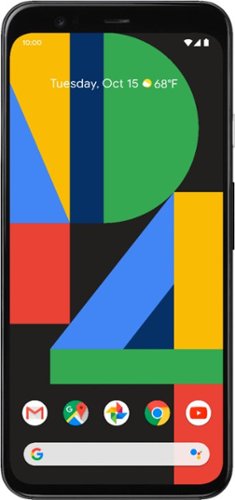
Google Pixel 4 is the phone made the Google way. Its camera takes a perfect shot every time, even when it's dark out. The new Google Assistant helps you do things, such as control your phone and multitask between apps - with just your voice. Pixel 4 is also the first phone with Motion Sense, letting you use gestures to get things done without having to touch your phone. Google Pixel 4 is built around Google software you know and love that's always getting better.

Posted by: Kelby
from Wichita, KS, USA
---- Summary ----
Pros:
- Beautiful display
- Reliable Google Assistant
- Stunning camera photos
- Quick face unlock
- Seamless Android experience
- Audio transcription
- Waterproof up to 14 feet
- Gestures with Motion Sense
- Beautiful display
- Reliable Google Assistant
- Stunning camera photos
- Quick face unlock
- Seamless Android experience
- Audio transcription
- Waterproof up to 14 feet
- Gestures with Motion Sense
Cons:
- Large top bezel
- Loud and difficult to press volume/power buttons
- No ultrawide camera
- Average battery life
- Large top bezel
- Loud and difficult to press volume/power buttons
- No ultrawide camera
- Average battery life
---- Review ----
Design:
The new Pixel design is simple, unique and stylish. Whether its the orange, white or black model, each has a black aluminum edge with Gorilla Glass 5 on the front and back. The phone looks and feels like a premium device. Unlike the orange and white models that have a matte finish on the back, the black model has a glossy finish. I like the glossy finish, but it does smudge and collect fingerprints more than the matte finish, so I would recommend taking a look at each model in a store near you to determine which you like best. The 5.7" Full HD+ OLED display is beautiful, especially with its 90Hz refresh rate that Google calls “Smooth Display”. As implied in the name, this makes animations like scrolling and playing games significantly smoother than the standard 60Hz refresh rate of most other phones. Once I experienced “Smooth Display”, I understood why it is called out as a feature of the Pixel 4. I am not a fan of the large top bezel, which is abnormal for similar new phones on the market with fronts that are almost entirely screen, but the reason for the Pixel’s large top bezel is to pack new and impressive technology, such as the radar sensor, into the top of the phone. Although I quickly noticed the large top bezel upon first use, I am accustomed to it now, so I hardly notice it anymore. The other minor design complaint I have is that the volume and power buttons are difficult to press and make a loud click each time they are pressed. As a whole, the Pixel 4 looks great and is well designed, but it is not without its flaws.
The new Pixel design is simple, unique and stylish. Whether its the orange, white or black model, each has a black aluminum edge with Gorilla Glass 5 on the front and back. The phone looks and feels like a premium device. Unlike the orange and white models that have a matte finish on the back, the black model has a glossy finish. I like the glossy finish, but it does smudge and collect fingerprints more than the matte finish, so I would recommend taking a look at each model in a store near you to determine which you like best. The 5.7" Full HD+ OLED display is beautiful, especially with its 90Hz refresh rate that Google calls “Smooth Display”. As implied in the name, this makes animations like scrolling and playing games significantly smoother than the standard 60Hz refresh rate of most other phones. Once I experienced “Smooth Display”, I understood why it is called out as a feature of the Pixel 4. I am not a fan of the large top bezel, which is abnormal for similar new phones on the market with fronts that are almost entirely screen, but the reason for the Pixel’s large top bezel is to pack new and impressive technology, such as the radar sensor, into the top of the phone. Although I quickly noticed the large top bezel upon first use, I am accustomed to it now, so I hardly notice it anymore. The other minor design complaint I have is that the volume and power buttons are difficult to press and make a loud click each time they are pressed. As a whole, the Pixel 4 looks great and is well designed, but it is not without its flaws.
Features:
The responsive and fast Google Assitant that is built into the Pixel is one of my favorite features. Sure, there are ways to use Google Assistant on other Android devices, but I have yet to use one that is as effective and easy to use as the Pixel 4’s Google Assistant. It can be activated by voice or by squeezing the phone, and it is very reliable. My use of Google Assistant has increased because I trust that it will understand me and provide fast responses or actions. As mentioned above, the Pixel 4 has a radar sensor that enables Motion Sense, which allows you to control the phone without needing to touch it. For example, while music is playing, you can wave your hand over the screen to skip a song. Another use of Motion Sense is its ability to detect your reach. This can engage the face unlock sensors as soon as you reach for the phone, or quiet an alarm or ringtone. Engaging the face unlock sensors before you have even picked up and looked at the phone allows the unlock to work in the blink of an eye. My previous phone had face unlock, but I sometimes had to look at the sensor for several seconds or tilt my head a certain way to get it to work. The radar on the Pixel 4 can even detect if you move away from the phone and turn off the always-on display if you have it enabled. These are a few features of Motion Sense, and perhaps more will be released with future software updates. Another nice feature that the Pixel 4 has is the Google Recorder app, which transcribes live audio almost perfectly, and it does so without the need for an internet connection. Once transcribed, the text can be searched, and that will point you to where it is in the audio. I do not use this feature on a regular basis but find it particularly useful for meetings and lectures.
The responsive and fast Google Assitant that is built into the Pixel is one of my favorite features. Sure, there are ways to use Google Assistant on other Android devices, but I have yet to use one that is as effective and easy to use as the Pixel 4’s Google Assistant. It can be activated by voice or by squeezing the phone, and it is very reliable. My use of Google Assistant has increased because I trust that it will understand me and provide fast responses or actions. As mentioned above, the Pixel 4 has a radar sensor that enables Motion Sense, which allows you to control the phone without needing to touch it. For example, while music is playing, you can wave your hand over the screen to skip a song. Another use of Motion Sense is its ability to detect your reach. This can engage the face unlock sensors as soon as you reach for the phone, or quiet an alarm or ringtone. Engaging the face unlock sensors before you have even picked up and looked at the phone allows the unlock to work in the blink of an eye. My previous phone had face unlock, but I sometimes had to look at the sensor for several seconds or tilt my head a certain way to get it to work. The radar on the Pixel 4 can even detect if you move away from the phone and turn off the always-on display if you have it enabled. These are a few features of Motion Sense, and perhaps more will be released with future software updates. Another nice feature that the Pixel 4 has is the Google Recorder app, which transcribes live audio almost perfectly, and it does so without the need for an internet connection. Once transcribed, the text can be searched, and that will point you to where it is in the audio. I do not use this feature on a regular basis but find it particularly useful for meetings and lectures.
Camera:
Software smarts meets two 16.0MP and 12.2 MP rear-facing cameras, and the result is stunning photos. Just about every photo looks great with the high detail and contrast produced by the Pixel 4, but I am especially impressed with zoomed and portrait photos. Photos with 8X zoom taken on other phones often lack detail and look blurry, but the Pixel 4 is able to capture that detail and soften pixelations with its software. As for portraits, the Pixel 4 does a very good job of finding the edge of objects and choosing the background to blur. Night Sight mode is also effective. Dark photos that are taken indoors or outdoors are brought to life, but you do have to remember to switch to the mode because it does not automatically turn on. With much of the competition offering an ultrawide camera, I am surprised that Google did not include one on the Pixel 4. It would offer another level of photo capturing creativity, but not having an ultrawide lens is not a dealbreaker for me. All in all, I think the Pixel 4 has one of the best cameras on any phone.
Software smarts meets two 16.0MP and 12.2 MP rear-facing cameras, and the result is stunning photos. Just about every photo looks great with the high detail and contrast produced by the Pixel 4, but I am especially impressed with zoomed and portrait photos. Photos with 8X zoom taken on other phones often lack detail and look blurry, but the Pixel 4 is able to capture that detail and soften pixelations with its software. As for portraits, the Pixel 4 does a very good job of finding the edge of objects and choosing the background to blur. Night Sight mode is also effective. Dark photos that are taken indoors or outdoors are brought to life, but you do have to remember to switch to the mode because it does not automatically turn on. With much of the competition offering an ultrawide camera, I am surprised that Google did not include one on the Pixel 4. It would offer another level of photo capturing creativity, but not having an ultrawide lens is not a dealbreaker for me. All in all, I think the Pixel 4 has one of the best cameras on any phone.
Performance:
The Pixel 4 provides a very smooth experience. When I first started using it though, the gesture navigation made me think otherwise because I previously used a phone that had a constant home and back button at the bottom of the display. However, once I learned the gestures and got in the habit of using them, I realized that they compliment the quick navigation nicely. The Qualcomm Snapdragon 855 processor delivers high performance across apps, navigation and games, so I have yet to see any lag or app crashes occur. One of my disappointments with the Pixel 4 is the battery life. It seems to be on the low end of comparable phones. Switching from a phone that had more battery life than the Pixel 4 gives me a bit of battery anxiety towards the end of the day, but it usually does last a whole day for me, so perhaps I just need to become accustomed to having very low battery by the time I go to bed. For all that the Pixel 4 is capable of, I am sure it requires a significant amount of battery to power, but I wish the battery life was better than average.
The Pixel 4 provides a very smooth experience. When I first started using it though, the gesture navigation made me think otherwise because I previously used a phone that had a constant home and back button at the bottom of the display. However, once I learned the gestures and got in the habit of using them, I realized that they compliment the quick navigation nicely. The Qualcomm Snapdragon 855 processor delivers high performance across apps, navigation and games, so I have yet to see any lag or app crashes occur. One of my disappointments with the Pixel 4 is the battery life. It seems to be on the low end of comparable phones. Switching from a phone that had more battery life than the Pixel 4 gives me a bit of battery anxiety towards the end of the day, but it usually does last a whole day for me, so perhaps I just need to become accustomed to having very low battery by the time I go to bed. For all that the Pixel 4 is capable of, I am sure it requires a significant amount of battery to power, but I wish the battery life was better than average.
Verdict:
My Android experience on the Pixel 4 has been seamless. While the hardware seems to be behind the curve in some ways, the software reliability and helpfulness makes up for the specs that this phone lacks. There is a lot to like about the Pixel 4, but I am especially fond of the impressive camera, beautiful display, quick face unlock and reliable Google Assistant. My only wishes are that the top bezel was smaller, the volume/power buttons were quieter and easier to press, an ultrawide camera was included, and that the battery life was better. With these wishes in mind, I cannot consider the Pixel 4 a five-star phone, but it is very close.
My Android experience on the Pixel 4 has been seamless. While the hardware seems to be behind the curve in some ways, the software reliability and helpfulness makes up for the specs that this phone lacks. There is a lot to like about the Pixel 4, but I am especially fond of the impressive camera, beautiful display, quick face unlock and reliable Google Assistant. My only wishes are that the top bezel was smaller, the volume/power buttons were quieter and easier to press, an ultrawide camera was included, and that the battery life was better. With these wishes in mind, I cannot consider the Pixel 4 a five-star phone, but it is very close.
Mobile Submission: False
I would recommend this to a friend!


Share this review:


+8points
10of 12voted this as helpful.
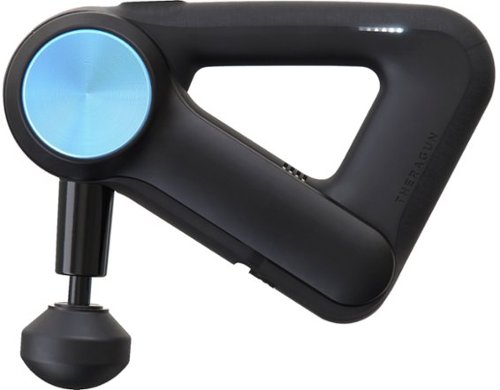
Get quick relief from sore muscles with this Theragun G3PRO massager. The stroke length has been scientifically calibrated, making it ideal for improving blood flow circulation and enhancing overall health. This Theragun G3PRO massager is ergonomically designed with a handle that's easy on the hand for longer use and is 50 percent quieter compared to previous models.
Customer Rating
5
Become a Pro at Recovery
on September 14, 2019
Posted by: Kelby
from Wichita, KS, USA
----- Summary -----
In the Box:
- Travel case
- Two external lithium-ion batteries
- Lithium-ion battery charger
- Attachment pouch
- Six attachments
- Owner’s manual
- Travel case
- Two external lithium-ion batteries
- Lithium-ion battery charger
- Attachment pouch
- Six attachments
- Owner’s manual
Pros:
- Quick and effective relief
- Adjustable arm for hard-to-reach areas
- Swappable external batteries
- Variety of attachments to target specific areas
- Convenient case for carrying and storage
- Mobile app guide
- Quick and effective relief
- Adjustable arm for hard-to-reach areas
- Swappable external batteries
- Variety of attachments to target specific areas
- Convenient case for carrying and storage
- Mobile app guide
Cons:
- Only two speed settings
- Quieter than previous models but still loud
- Only two speed settings
- Quieter than previous models but still loud
----- Review -----
Design:
The premium look and feel of the Theragun G3PRO are immediately apparent. It has a sleek frame made of durable plastic, and the ergonomic handle is surrounded by a material that makes it easier to grip. The straightforward design makes the G3PRO easy to pick up and start using right out of the box. There are just a few buttons, one for power, one for switching speeds and one for the adjustable arm. Inserting and removing the battery is a simple sliding motion. With how excited I was to try out the G3PRO, I started using it even without the owner’s manual, so I would say the design certainly facilitates ease of use. A travel case with a dedicated compartment for the G3PRO and slots for the two batteries and the “World Travel Charger” is included, along with a pouch to hold the attachments, which are very nice additions to an already great product. Overall, the attention to detail and craftsmanship of the Theragun G3PRO and its accessories is impressive.
The premium look and feel of the Theragun G3PRO are immediately apparent. It has a sleek frame made of durable plastic, and the ergonomic handle is surrounded by a material that makes it easier to grip. The straightforward design makes the G3PRO easy to pick up and start using right out of the box. There are just a few buttons, one for power, one for switching speeds and one for the adjustable arm. Inserting and removing the battery is a simple sliding motion. With how excited I was to try out the G3PRO, I started using it even without the owner’s manual, so I would say the design certainly facilitates ease of use. A travel case with a dedicated compartment for the G3PRO and slots for the two batteries and the “World Travel Charger” is included, along with a pouch to hold the attachments, which are very nice additions to an already great product. Overall, the attention to detail and craftsmanship of the Theragun G3PRO and its accessories is impressive.
Features & Performance:
There are two speed settings controlled by a button above the power. One setting is 40 percussions per second and the other is 29 percussions per second, each delivering up to 60 lbs of force at a 16 mm stroke length. Whether I am trying to relieve muscle soreness or help prevent it in the first place, the G3PRO is quick and effective. It is like a foam roller and massager in one. I feel like I get the benefits of a targeted massage, like releasing knots, along with the benefits of a foam roller, like warming up or cooling down muscles prior to or post workout, respectively. To target hard-to-reach areas, the adjustable arm has four different angles. Whether I am sitting or standing, the adjustable arm allows me to accurately target just about every muscle group. Thanks to the adjustable arm, it is not difficult to target specific areas of pain or soreness. To further customize muscle treatment, the six attachments each have their purposes and benefits. The cone is pointed and best for small knots, the thumb is best for trigger points, the wedge is best for scraping shoulder blades, the standard ball is best for all-around use, the large ball is best for larger muscle groups, and the dampener is best for tender areas or near bones. Changing the attachments simply requires pulling one off and pushing another one on. The different attachments and the ability to change them out quickly allows for an effective full-body percussive massage in just minutes. There is even a Theragun mobile app available on the Apple App Store and Google Play that explains how to best use all the attachments. My final point is that the two included external batteries provide up to 75 minutes of battery life each. Having a backup battery is very convenient, and 75 minutes of battery life is impressive for a device that is delivering 60 lbs of force. The features and performance of the Theragun G3PRO definitely make it worthy of the “PRO” in the name.
There are two speed settings controlled by a button above the power. One setting is 40 percussions per second and the other is 29 percussions per second, each delivering up to 60 lbs of force at a 16 mm stroke length. Whether I am trying to relieve muscle soreness or help prevent it in the first place, the G3PRO is quick and effective. It is like a foam roller and massager in one. I feel like I get the benefits of a targeted massage, like releasing knots, along with the benefits of a foam roller, like warming up or cooling down muscles prior to or post workout, respectively. To target hard-to-reach areas, the adjustable arm has four different angles. Whether I am sitting or standing, the adjustable arm allows me to accurately target just about every muscle group. Thanks to the adjustable arm, it is not difficult to target specific areas of pain or soreness. To further customize muscle treatment, the six attachments each have their purposes and benefits. The cone is pointed and best for small knots, the thumb is best for trigger points, the wedge is best for scraping shoulder blades, the standard ball is best for all-around use, the large ball is best for larger muscle groups, and the dampener is best for tender areas or near bones. Changing the attachments simply requires pulling one off and pushing another one on. The different attachments and the ability to change them out quickly allows for an effective full-body percussive massage in just minutes. There is even a Theragun mobile app available on the Apple App Store and Google Play that explains how to best use all the attachments. My final point is that the two included external batteries provide up to 75 minutes of battery life each. Having a backup battery is very convenient, and 75 minutes of battery life is impressive for a device that is delivering 60 lbs of force. The features and performance of the Theragun G3PRO definitely make it worthy of the “PRO” in the name.
Verdict:
The G3PRO is a phenomenal device built with impressive attention to detail and craftsmanship. Six attachments and an adjustable arm allow for a customized muscle treatment experience, and the two swappable 75 minute batteries help ensure that you never have to wait on a charge to reap the benefits of percussive therapy. The G3PRO is a professional device that everyone can benefit from, and I personally feel that it is worth every penny, especially if recovery and muscle therapy are highly important to you, or if frequent massages are a must. Treat yourself and get the Theragun G3PRO.
The G3PRO is a phenomenal device built with impressive attention to detail and craftsmanship. Six attachments and an adjustable arm allow for a customized muscle treatment experience, and the two swappable 75 minute batteries help ensure that you never have to wait on a charge to reap the benefits of percussive therapy. The G3PRO is a professional device that everyone can benefit from, and I personally feel that it is worth every penny, especially if recovery and muscle therapy are highly important to you, or if frequent massages are a must. Treat yourself and get the Theragun G3PRO.
Mobile Submission: False
I would recommend this to a friend!


Share this review:


+8points
8of 8voted this as helpful.
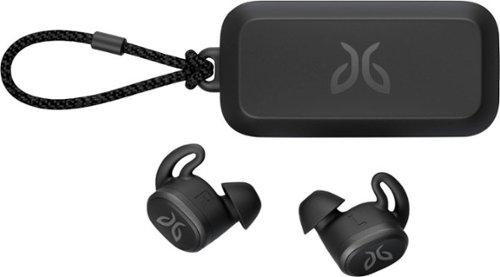
Pair your workout with these black Jaybird Vista wireless headphones. The rechargeable lithium-ion battery provides up to 6 hours of listening time, while the waterproof, sweatproof design helps prevent fluid damage. These Jaybird Vista wireless headphones have ear hooks and three pairs of soft interchangeable eartips for a secure fit and added comfort during extended periods of use.
Customer Rating
5
The Best of Totally Wireless Headphones
on August 14, 2019
Posted by: Kelby
from Wichita, KS, USA
----- Summary -----
In the Box:
- Jaybird Vista headphones
- Charging case
- USB C charging cable
- Three silicone eargel sizes
- Jaybird Vista headphones
- Charging case
- USB C charging cable
- Three silicone eargel sizes
Pros:
- Totally wireless
- Reliable connection
- Good sound quality
- Secure fit
- Long lasting battery life
- Quick charging
- Lightweight and compact case
- IPX7 waterproof rating
- Totally wireless
- Reliable connection
- Good sound quality
- Secure fit
- Long lasting battery life
- Quick charging
- Lightweight and compact case
- IPX7 waterproof rating
Cons:
- No ambient sound control
- No ambient sound control
----- Review -----
Setup:
Connecting the Jaybird Vista headphones to my phone was a breeze. The few steps needed were opening the case, pressing and holding the case button until the LED turned on, and then selecting “Jaybird Vista” from my phone’s Bluetooth menu. That is really all there is to it, and I appreciated the simplicity.
Connecting the Jaybird Vista headphones to my phone was a breeze. The few steps needed were opening the case, pressing and holding the case button until the LED turned on, and then selecting “Jaybird Vista” from my phone’s Bluetooth menu. That is really all there is to it, and I appreciated the simplicity.
Design:
Clearly designed for active lifestyles and weathering the elements, the Jaybird Vista headphones are compact, lightweight, waterproof and sweatproof (IPX7 rating), secure, and comfortable. I hardly notice that I have the headphones in my ears during runs and workouts. Thanks to the three different eargel sizes, I found a size that fits perfectly in my ears, which prevents the headphones from bouncing around during activity or falling out of my ears. As for the charging case, it is surprisingly lightweight and compact, like the headphones, and the small loop attached to the charging case is a nice addition that makes it easier to carry. After using the headphones, it is easy to snap them into the case for storage and recharging. Ease of use coupled with functional design makes these headphones a great workout companion.
Clearly designed for active lifestyles and weathering the elements, the Jaybird Vista headphones are compact, lightweight, waterproof and sweatproof (IPX7 rating), secure, and comfortable. I hardly notice that I have the headphones in my ears during runs and workouts. Thanks to the three different eargel sizes, I found a size that fits perfectly in my ears, which prevents the headphones from bouncing around during activity or falling out of my ears. As for the charging case, it is surprisingly lightweight and compact, like the headphones, and the small loop attached to the charging case is a nice addition that makes it easier to carry. After using the headphones, it is easy to snap them into the case for storage and recharging. Ease of use coupled with functional design makes these headphones a great workout companion.
Features & Performance:
As totally wireless headphones, wearing them during workouts is freeing and convenient. They are also great for everyday use like commuting or doing chores around the house. I have noticed how the simplicity makes each use an enjoyable experience. They are easy to put in my ears and turn on automatically upon taking them out of the case. Pausing, resuming and skipping music, as well as answering or ending calls can all be done via a button on either earbud. I have never had to worry about running out of battery, thanks to the 6 hours of playtime on a full charge, plus an additional 10 hours from the charging case. Additionally, just 5 minutes of charging offers about an hour of playtime. If you chose, one earbud can be used independently, which extends the total power to 32 hours. With an IPX7 waterproof rating, weather and sweat are no problem for these headphones. Very few totally wireless headphones can withstand rain, much less full water submersion, but the Jaybird Vista headphones can weather just about anything. Unfortunately, the out of the box sound quality was a little disappointing to me in comparison to the Jaybird X4 headphones, but I do prefer the ease of use that the Jaybird Vista headphones provide, and I would still say the sound quality is good. Using the Jaybird app, EQ controls allow you to personalize the sound to your liking. I wish ambient sound control (i.e. hearing more or less outside sound) was a feature in the app, but I think the many other features like durability, dependability, comfort, and overall enjoyable experience make up for the lack of ambient sound control. I have yet to see or try other totally wireless headphones that have the quality performance and features of the Jaybird Vista headphones.
As totally wireless headphones, wearing them during workouts is freeing and convenient. They are also great for everyday use like commuting or doing chores around the house. I have noticed how the simplicity makes each use an enjoyable experience. They are easy to put in my ears and turn on automatically upon taking them out of the case. Pausing, resuming and skipping music, as well as answering or ending calls can all be done via a button on either earbud. I have never had to worry about running out of battery, thanks to the 6 hours of playtime on a full charge, plus an additional 10 hours from the charging case. Additionally, just 5 minutes of charging offers about an hour of playtime. If you chose, one earbud can be used independently, which extends the total power to 32 hours. With an IPX7 waterproof rating, weather and sweat are no problem for these headphones. Very few totally wireless headphones can withstand rain, much less full water submersion, but the Jaybird Vista headphones can weather just about anything. Unfortunately, the out of the box sound quality was a little disappointing to me in comparison to the Jaybird X4 headphones, but I do prefer the ease of use that the Jaybird Vista headphones provide, and I would still say the sound quality is good. Using the Jaybird app, EQ controls allow you to personalize the sound to your liking. I wish ambient sound control (i.e. hearing more or less outside sound) was a feature in the app, but I think the many other features like durability, dependability, comfort, and overall enjoyable experience make up for the lack of ambient sound control. I have yet to see or try other totally wireless headphones that have the quality performance and features of the Jaybird Vista headphones.
Verdict:
The Jaybird Vista headphones are an easy recommendation for workouts or everyday use. They are comfortable and easy to use, and they also have good sound quality and long lasting battery life. These are some of the best headphones I have tested, and they have a lot to offer.
The Jaybird Vista headphones are an easy recommendation for workouts or everyday use. They are comfortable and easy to use, and they also have good sound quality and long lasting battery life. These are some of the best headphones I have tested, and they have a lot to offer.
Mobile Submission: False
I would recommend this to a friend!


Share this review:


-8points
6of 20voted this as helpful.
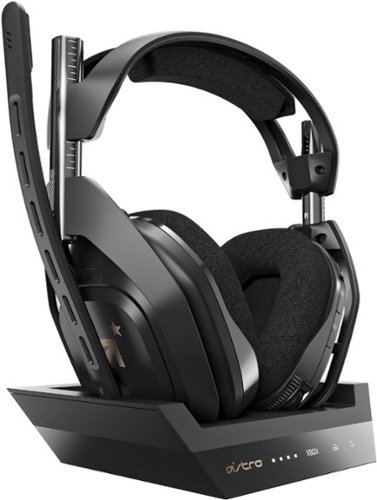
Experience legendary performance and sound of ASTRO Audio V2, with the convenience and freedom that comes without wires. The A50 Wireless + Base Station for Xbox One/PC delivers premium acoustics, ergonomics, comfort and durability that gamers demand. The all-new Base Station provides clear, low-latency voice communication, while making headset pairing and charging simple. The ASTRO Command Center software allows Pros and Live streamers to tune every input and output parameter of the A50 precisely for their specific setup. Experience absolute audio immersion with the A50 Wireless + Base Station.
Customer Rating
5
ASTROnomically Improved Gaming Experience
on August 3, 2019
Posted by: Kelby
from Wichita, KS, USA
----- Summary -----
Pros:
- Outstanding audio quality
- Comfortable to wear
- Durable but also lightweight
- 15-hour battery life
- Status and mode indicators on the base station
- Dependable wireless connectivity
- Game and chat audio balance control on the headset
- Mic is muted when in the upward position
- Customization options in ASTRO Command Center
- Outstanding audio quality
- Comfortable to wear
- Durable but also lightweight
- 15-hour battery life
- Status and mode indicators on the base station
- Dependable wireless connectivity
- Game and chat audio balance control on the headset
- Mic is muted when in the upward position
- Customization options in ASTRO Command Center
Cons:
- Leather headband and cushions sold separately
- Leather headband and cushions sold separately
----- Review -----
Setup:
In the box, you will find the A50 Wireless Headset, base station, instructions, micro USB cable, optical cable and a two-year subscription code for Dolby Atmos. Setup was as simple as plugging the USB and optical cable into the base station and Xbox, then checking the audio settings on the Xbox and adjusting them as needed. The setup is similar for PCs, but this review will be primarily focussed on my experience using the headset with an Xbox. Within just a few minutes, the headset and base station were set up and ready to go. I have noticed that something as simple as a product’s unboxing and setup experience significantly impacts first impressions. The ASTRO team clearly knows and capitalizes on that.
In the box, you will find the A50 Wireless Headset, base station, instructions, micro USB cable, optical cable and a two-year subscription code for Dolby Atmos. Setup was as simple as plugging the USB and optical cable into the base station and Xbox, then checking the audio settings on the Xbox and adjusting them as needed. The setup is similar for PCs, but this review will be primarily focussed on my experience using the headset with an Xbox. Within just a few minutes, the headset and base station were set up and ready to go. I have noticed that something as simple as a product’s unboxing and setup experience significantly impacts first impressions. The ASTRO team clearly knows and capitalizes on that.
Design:
I am a big fan of this headset’s design. It strikes a great balance between durability and comfort. I have owned several different gaming headsets in the past, and they were either too lightweight and flimsy or too durable and heavy. With the latter, the substantial weight of the headband on the top of my head and the cushions around my ears would cause discomfort, even during short gaming sessions. That is not an issue at all with the ASTRO A50 headset. It is both lightweight and durable. I noticed right away how gaming without discomfort made my experience much more enjoyable. The distance between the headband and the ear cushions can be easily adjusted with the sliders on each side, and that setting does stay in place pretty well, even after moving around or docking the headset on its base. With the optional A50 Mod Kit that ASTRO offers, the cloth headband and ear cushions can be swapped out with synthetic leather ones. My one disappointment with this headset is that those are not included and must be purchased separately. On the right side of the headset are the power switch, Dolby button (to swap between Dolby and source audio), EQ button (to swap between equalizer presets), volume control, and game audio/player voice balance buttons. On the left side of the headset is the microphone, which can be moved up and down as needed. Something cool is that the mic is muted automatically when it is in the upward position. The headset can be charged using a USB port or wirelessly on the base. The back of the base has a switch for PC or Xbox mode, a USB port, optical in/out, AUX and a micro USB port. The front has several lights to signify statuses and modes, such as whether the headset/base is in PC or Xbox mode, the battery status, Dolby status, and EQ mode. I like where everything is located and have found it easy to learn the controls/modes. The ASTRO A50 Wireless Headset looks great and feels great. In terms of design, there is not much more I could ask for.
I am a big fan of this headset’s design. It strikes a great balance between durability and comfort. I have owned several different gaming headsets in the past, and they were either too lightweight and flimsy or too durable and heavy. With the latter, the substantial weight of the headband on the top of my head and the cushions around my ears would cause discomfort, even during short gaming sessions. That is not an issue at all with the ASTRO A50 headset. It is both lightweight and durable. I noticed right away how gaming without discomfort made my experience much more enjoyable. The distance between the headband and the ear cushions can be easily adjusted with the sliders on each side, and that setting does stay in place pretty well, even after moving around or docking the headset on its base. With the optional A50 Mod Kit that ASTRO offers, the cloth headband and ear cushions can be swapped out with synthetic leather ones. My one disappointment with this headset is that those are not included and must be purchased separately. On the right side of the headset are the power switch, Dolby button (to swap between Dolby and source audio), EQ button (to swap between equalizer presets), volume control, and game audio/player voice balance buttons. On the left side of the headset is the microphone, which can be moved up and down as needed. Something cool is that the mic is muted automatically when it is in the upward position. The headset can be charged using a USB port or wirelessly on the base. The back of the base has a switch for PC or Xbox mode, a USB port, optical in/out, AUX and a micro USB port. The front has several lights to signify statuses and modes, such as whether the headset/base is in PC or Xbox mode, the battery status, Dolby status, and EQ mode. I like where everything is located and have found it easy to learn the controls/modes. The ASTRO A50 Wireless Headset looks great and feels great. In terms of design, there is not much more I could ask for.
Features & Performance:
The top feature and reason to get this ASTRO A50 headset is the audio. With ASTRO Audio V2 and Dolby, the audio quality is top-notch. The bass is powerful but not overwhelming or distorting. The surround sound is directionally accurate, and everything sounds crisp and clear. I have not experienced a headset or home surround sound system that comes close to the audio quality of the ASTRO A50 headset. The icing on the cake is that this headset is wireless. Another aspect of the audio that I have learned to appreciate is the game/voice balancing buttons on the side of the headset that allow you to turn down chat voices easily so that the game sound can be more prominent or vice versa. If you use this headset for Xbox gaming, I highly recommend activating the included subscription to Dolby Atmos so that you are getting everything out of this impressive headset. Not all games support Dolby Atmos spatial sound, but the list of games is growing as new ones come out. With the headset being wireless and producing such high-quality sound, I was a bit fearful that it would have mediocre battery life, but that is far from the case. It has over 15 hours of battery life, so this headset has not even come close to running out of battery during my gaming sessions, especially since I charge it on the base after every use. The dependability of the wireless connection and the range is another feature I believe I should mention. I have not had any connectivity issues since I started using the headset. This even applies when I close the cabinet door to my TV stand, so small barriers do not appear to be an issue. With the ASTRO Command Center Software, numerous settings allow you to fine-tune audio input (e.g. mic level) and output (e.g. EQ profiles). The amount of customization that is available to account for specific needs is impressive, and the software works well for its purpose. ASTRO packed a lot of features and, most importantly, outstanding audio into this A50 headset.
The top feature and reason to get this ASTRO A50 headset is the audio. With ASTRO Audio V2 and Dolby, the audio quality is top-notch. The bass is powerful but not overwhelming or distorting. The surround sound is directionally accurate, and everything sounds crisp and clear. I have not experienced a headset or home surround sound system that comes close to the audio quality of the ASTRO A50 headset. The icing on the cake is that this headset is wireless. Another aspect of the audio that I have learned to appreciate is the game/voice balancing buttons on the side of the headset that allow you to turn down chat voices easily so that the game sound can be more prominent or vice versa. If you use this headset for Xbox gaming, I highly recommend activating the included subscription to Dolby Atmos so that you are getting everything out of this impressive headset. Not all games support Dolby Atmos spatial sound, but the list of games is growing as new ones come out. With the headset being wireless and producing such high-quality sound, I was a bit fearful that it would have mediocre battery life, but that is far from the case. It has over 15 hours of battery life, so this headset has not even come close to running out of battery during my gaming sessions, especially since I charge it on the base after every use. The dependability of the wireless connection and the range is another feature I believe I should mention. I have not had any connectivity issues since I started using the headset. This even applies when I close the cabinet door to my TV stand, so small barriers do not appear to be an issue. With the ASTRO Command Center Software, numerous settings allow you to fine-tune audio input (e.g. mic level) and output (e.g. EQ profiles). The amount of customization that is available to account for specific needs is impressive, and the software works well for its purpose. ASTRO packed a lot of features and, most importantly, outstanding audio into this A50 headset.
Verdict:
After having the opportunity to test the ASTRO A50 Wireless Headset, there is no doubt in my mind that a five-star rating is what it deserves. Other headsets are going to have a hard time competing with the appealing design, comfort, numerous features, and outstanding audio quality of this A50 headset. As a longtime gamer, I cannot help but smile and be filled with excitement when I get my hands on a product as great as this. My gaming experience has been taken to another level with this headset, and I hope you have the opportunity to try it for yourself. The A50 headset is an easy top choice and recommendation to fellow gamers.
After having the opportunity to test the ASTRO A50 Wireless Headset, there is no doubt in my mind that a five-star rating is what it deserves. Other headsets are going to have a hard time competing with the appealing design, comfort, numerous features, and outstanding audio quality of this A50 headset. As a longtime gamer, I cannot help but smile and be filled with excitement when I get my hands on a product as great as this. My gaming experience has been taken to another level with this headset, and I hope you have the opportunity to try it for yourself. The A50 headset is an easy top choice and recommendation to fellow gamers.
Mobile Submission: False
I would recommend this to a friend!


Share this review:


+9points
24of 39voted this as helpful.
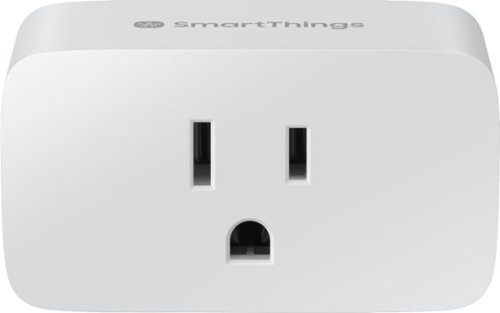
Control your small appliances from a smartphone by plugging it into this Samsung SmartThings Wi-Fi smart plug. Compatibility with Alexa and Google Assistant enables seamless voice control. This Samsung SmartThings Wi-Fi smart plug lets you trigger lights to automatically turn on and off, and it extends the range of your devices when plugged into a wall outlet.
Customer Rating
5
Plug Into Power Automation
on June 22, 2019
Posted by: Kelby
from Wichita, KS, USA
----- Summary -----
Pros:
- Controllable via app or voice
- On/Off can be scheduled or automated
- Compact design
- Quick and easy setup
- Controllable via app or voice
- On/Off can be scheduled or automated
- Compact design
- Quick and easy setup
Cons:
- None
- None
----- Review -----
Setup:
In the box, you will find the SmartThings Wifi Smart Plug and the instruction/safety information. After downloading the SmartThings app, I attached the Smart Plug to an outlet in my living room that I use for accent lighting. An indicator light on the Smart Plug started blinking green, which means it is ready to pair. From there, I just used the SmartThings app and its easy on-screen instructions to pair the Smart Plug. Once complete, the indicator light changed to solid green for five seconds and then turned off. It was ready to go within a few minutes. I always appreciate a quick and easy setup process.
In the box, you will find the SmartThings Wifi Smart Plug and the instruction/safety information. After downloading the SmartThings app, I attached the Smart Plug to an outlet in my living room that I use for accent lighting. An indicator light on the Smart Plug started blinking green, which means it is ready to pair. From there, I just used the SmartThings app and its easy on-screen instructions to pair the Smart Plug. Once complete, the indicator light changed to solid green for five seconds and then turned off. It was ready to go within a few minutes. I always appreciate a quick and easy setup process.
Design:
There are three prongs on the Smart Plug, so be aware that it will not work with two-prong outlets. The left side of the Smart Plug has an on/off button if you have a need to manually turn it on or off. There is also an LED light on the outlet that is primarily used for setup or troubleshooting. With its compact design, the Smart Plug does not obstruct the second outlet, and there is enough space for a second Smart Plug on the same outlet.
There are three prongs on the Smart Plug, so be aware that it will not work with two-prong outlets. The left side of the Smart Plug has an on/off button if you have a need to manually turn it on or off. There is also an LED light on the outlet that is primarily used for setup or troubleshooting. With its compact design, the Smart Plug does not obstruct the second outlet, and there is enough space for a second Smart Plug on the same outlet.
Features:
The Smart Plug enables a variety of different features that a standard wall outlet cannot provide. For example, the integration with the SmartThings app allows for automation or scheduling. Thanks to the Smart Plug, I have accent lighting that I can now turn on automatically at night. With SmartThings integration, the Smart Plug can be powered on or off in a variety of automatic ways, but even just being able to use the mobile app to turn it on or off is an added convenience. Previously, I had to reach behind my entertainment center and plug in the accent lighting. Now, it is always plugged in, but I can control when it is turned on or off automatically, on a schedule, in the SmartThings app, or by voice (Google Assistant or Amazon Alexa). I have found that all these features work flawlessly for me.
The Smart Plug enables a variety of different features that a standard wall outlet cannot provide. For example, the integration with the SmartThings app allows for automation or scheduling. Thanks to the Smart Plug, I have accent lighting that I can now turn on automatically at night. With SmartThings integration, the Smart Plug can be powered on or off in a variety of automatic ways, but even just being able to use the mobile app to turn it on or off is an added convenience. Previously, I had to reach behind my entertainment center and plug in the accent lighting. Now, it is always plugged in, but I can control when it is turned on or off automatically, on a schedule, in the SmartThings app, or by voice (Google Assistant or Amazon Alexa). I have found that all these features work flawlessly for me.
Verdict:
Looking to get more out of your outlets? Something seemingly as simple as an outlet can provide more than just power. After my positive experience with the Smart Plug, I plan to add more throughout my home to enable even more automation and convenience. I think this would be great for holiday decor lighting or turning on electronics, such as a TV. I would recommend giving one a try to see what a Smart Plug can do for you.
Looking to get more out of your outlets? Something seemingly as simple as an outlet can provide more than just power. After my positive experience with the Smart Plug, I plan to add more throughout my home to enable even more automation and convenience. I think this would be great for holiday decor lighting or turning on electronics, such as a TV. I would recommend giving one a try to see what a Smart Plug can do for you.
Mobile Submission: False
I would recommend this to a friend!


Share this review:


0points
0of 0voted this as helpful.
Kelby's Review Comments
Kelby has not submitted comments on any reviews.
Kelby's Questions
Kelby has not submitted any questions.

Mince, dice, chop, blend and puree with this Ninja Master Prep QB900B food and drink mixer that features Quad Blade technology to help you create creamy frozen beverages and delicious salsas and dips with the touch of a button.
Can it shred.
This depends on what you would like to shred, but the blender will shred/chop almost any food you put in it, even harder foods like nuts. For example, I have used this blender's chop button to shred lettuce for a salad, and I have shredded other foods with the chop button as well.
9 years, 5 months ago
by
Kelby
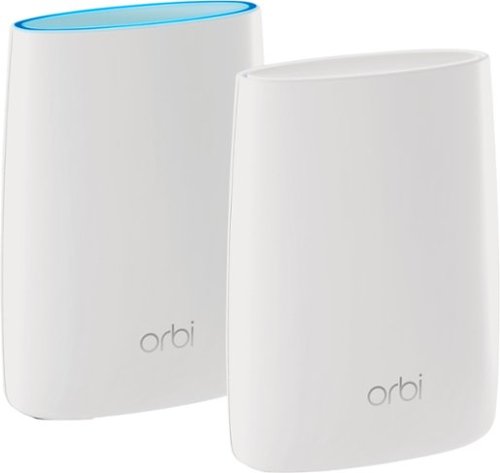
Orbi Whole Home WiFi System delivers up to 3.0Gbps high-performance WiFi. Sleek, modern design with high-gain internal antennas for up to 5,000 square feet of coverage. FastLane3 Technology creates a dedicated Tri-Band WiFi for seamless 4K streaming and gaming everywhere in your home. Keep a single WiFi name for uninterrupted connections as you move from room-to-room. Circle Smart Parental Controls runs on Orbi Routers for a smart way for families to manage content and time online, on any connected device. Provide internet access to guests without sharing your personal network password. Orbi is ready right out of the box and compatible with your ISP. Just use the Orbi app to get started with better WiFi, everywhere in minutes.
Need 4 Ethernet ports.
There are four ethernet ports on the Orbi satellite and three ethernet ports on the Orbi router, so a total of seven ethernet ports are available for use. I hope this helps!
9 years, 8 months ago
by
Kelby
Orbi Whole Home WiFi System delivers up to 3.0Gbps high-performance WiFi. Sleek, modern design with high-gain internal antennas for up to 5,000 square feet of coverage. FastLane3 Technology creates a dedicated Tri-Band WiFi for seamless 4K streaming and gaming everywhere in your home. Keep a single WiFi name for uninterrupted connections as you move from room-to-room. Circle Smart Parental Controls runs on Orbi Routers for a smart way for families to manage content and time online, on any connected device. Provide internet access to guests without sharing your personal network password. Orbi is ready right out of the box and compatible with your ISP. Just use the Orbi app to get started with better WiFi, everywhere in minutes.
do you have to have an internet service before this will bring in the wi fi
Yes, you must have an internet service for this Orbi system to work. The Orbi transmits WiFi signal so that you can connect wireless devices in your home, but you must have an internet connection for that to work. I hope this helps!
9 years, 8 months ago
by
Kelby