


Kelby's stats
- Review count149
- Helpfulness votes1,296
- First reviewSeptember 27, 2009
- Last reviewMay 14, 2026
- Featured reviews0
- Average rating4.8
Reviews comments
- Review comment count0
- Helpfulness votes0
- First review commentNone
- Last review commentNone
- Featured review comments0
Questions
- Question count0
- Helpfulness votes0
- First questionNone
- Last questionNone
- Featured questions0
- Answer count13
- Helpfulness votes2
- First answerSeptember 22, 2016
- Last answerDecember 9, 2021
- Featured answers0
- Best answers0
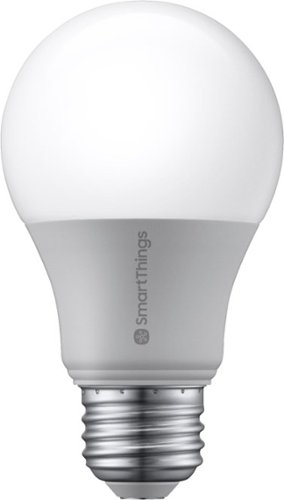
Light up any room with the SmartThings smart bulb that's easy to control from your smartphone or tablet. Turn on the living room lamps as you're heading home, dim the lights from movie night, or schedule them to turn off before bed. It's a smarter way to light your house while saving money on energy costs.
Posted by: Kelby
from Wichita, KS, USA
----- Summary -----
Pros:
- Dimmable
- Scheduled/automated lighting
- Controllable via app or voice
- Energy Efficient
- Dimmable
- Scheduled/automated lighting
- Controllable via app or voice
- Energy Efficient
Cons:
- None
- None
----- Review -----
Setup:
In the box, you will find the SmartThings Smart Bulb and the instruction/safety information. After downloading the SmartThings app, I replaced a standard lightbulb in one of my lamps at home with the Smart Bulb, then I turned the lamp on. The Smart Bulb flashed twice, which is the indication that the bulb is ready to pair. From there, I just used the SmartThings app and its easy on-screen instructions to pair the Smart Bulb. Once complete, the bulb flashed once, and it was ready to go. I cannot imagine the process being any quicker or easier.
In the box, you will find the SmartThings Smart Bulb and the instruction/safety information. After downloading the SmartThings app, I replaced a standard lightbulb in one of my lamps at home with the Smart Bulb, then I turned the lamp on. The Smart Bulb flashed twice, which is the indication that the bulb is ready to pair. From there, I just used the SmartThings app and its easy on-screen instructions to pair the Smart Bulb. Once complete, the bulb flashed once, and it was ready to go. I cannot imagine the process being any quicker or easier.
Design:
Although the Smart Bulb is shaped like a standard lightbulb, the bottom half, even beyond the screw, is made out of a metallic material. The top half is plastic, like many other LED bulbs. The light produced by the Smart Bulb is just as good as a standard lightbulb, if not better, and the incorporation of LED in the Smart Bulb makes it more energy efficient than standard bulbs. In addition, the ability to schedule lighting or receive alerts if the lights are accidentally left on can further assist with saving electricity.
Although the Smart Bulb is shaped like a standard lightbulb, the bottom half, even beyond the screw, is made out of a metallic material. The top half is plastic, like many other LED bulbs. The light produced by the Smart Bulb is just as good as a standard lightbulb, if not better, and the incorporation of LED in the Smart Bulb makes it more energy efficient than standard bulbs. In addition, the ability to schedule lighting or receive alerts if the lights are accidentally left on can further assist with saving electricity.
Features:
The Smart Bulb enables a variety of different features that a standard lightbulb cannot provide. For example, the integration with the SmartThings app allows for automation or scheduling. My Smart Bulb is set to turn on automatically at a certain time each day. However, it is also possible to turn on the Smart Bulb when a SmartThings supported motion sensor detects movement. With Google Assistant or Amazon Alexa, the Smart Bulb can be controlled with voice, including turning on/off the bulb or dimming/brightening it. I have found that all these features work flawlessly for me.
The Smart Bulb enables a variety of different features that a standard lightbulb cannot provide. For example, the integration with the SmartThings app allows for automation or scheduling. My Smart Bulb is set to turn on automatically at a certain time each day. However, it is also possible to turn on the Smart Bulb when a SmartThings supported motion sensor detects movement. With Google Assistant or Amazon Alexa, the Smart Bulb can be controlled with voice, including turning on/off the bulb or dimming/brightening it. I have found that all these features work flawlessly for me.
Verdict:
Looking to get more out of your lightbulbs? Something seemingly as simple as a lightbulb can provide more than just light. After my positive experience with the Smart Bulb, I plan to replace all my standard bulbs at home to enable even more automation and convenience. I would recommend giving one a try to see what a Smart Bulb can do for you.
Looking to get more out of your lightbulbs? Something seemingly as simple as a lightbulb can provide more than just light. After my positive experience with the Smart Bulb, I plan to replace all my standard bulbs at home to enable even more automation and convenience. I would recommend giving one a try to see what a Smart Bulb can do for you.
Mobile Submission: False
I would recommend this to a friend!


Share this review:


-2points
3of 8voted this as helpful.
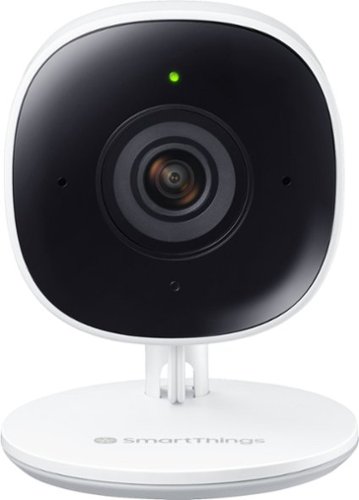
Know what's going on when you're away from home. The Full HD camera delivers a clear, detailed view, allowing you to monitor your home 24 hours a day from the convenience of your smartphone, tablet, Samsung TV or fridge. The SmartThings camera intuitively distinguishes between a person and an object, alerting you immediately if necessary while minimizing false triggers.
Posted by: Kelby
from Wichita, KS, USA
----- Summary -----
Pros:
- Simple setup
- Motion and sound detection
- Two-way audio
- High-quality video
- Night vision
- Simple setup
- Motion and sound detection
- Two-way audio
- High-quality video
- Night vision
Cons:
- Not weatherproof
- Not wireless
- Not weatherproof
- Not wireless
----- Review -----
Setup:
In the box, you will find the SmartThings Cam, power cord, screws for wall mounting, an instruction manual and safety information. After plugging in the power cord and placing the camera in my desired spot, I used the SmartThings app to simply scan the QR code at the bottom of the camera and follow the instructions within the app to get the camera setup. I was impressed by the ease and quickness of the setup process. If you choose, the SmartThings Camera can be mounted on a wall with the included mounting plate, screws and drywall anchors. I have my camera just resting on a bookcase, but the wall mounting instructions look easy as well. Whether you use the stand or mount the camera on a wall, the camera angle can easily be adjusted by hand if needed.
In the box, you will find the SmartThings Cam, power cord, screws for wall mounting, an instruction manual and safety information. After plugging in the power cord and placing the camera in my desired spot, I used the SmartThings app to simply scan the QR code at the bottom of the camera and follow the instructions within the app to get the camera setup. I was impressed by the ease and quickness of the setup process. If you choose, the SmartThings Camera can be mounted on a wall with the included mounting plate, screws and drywall anchors. I have my camera just resting on a bookcase, but the wall mounting instructions look easy as well. Whether you use the stand or mount the camera on a wall, the camera angle can easily be adjusted by hand if needed.
Design:
At 3.98 inches tall, 1.82 inches wide and 1.72 inches deep, the SmartThings Cam is compact and slender. I like that it does not take up much space. As I mentioned above, the camera angle can be easily adjusted, thanks to the camera’s ability to pivot on the attached stand. Unfortunately, the camera is not wireless, but on the bright side, the included cord is more than long enough for a variety of potential placement locations. With the exception of the black camera lens and the surrounding panel, the SmartThings Cam is mostly white. On the front, there are two infrared LEDs, a status LED, two microphones, the camera lens, and a light sensor. On the back, there is a speaker, reset button and a power plug. Finally, the bottom has a removable mounting plate that can be used for wall mounting if desired.
At 3.98 inches tall, 1.82 inches wide and 1.72 inches deep, the SmartThings Cam is compact and slender. I like that it does not take up much space. As I mentioned above, the camera angle can be easily adjusted, thanks to the camera’s ability to pivot on the attached stand. Unfortunately, the camera is not wireless, but on the bright side, the included cord is more than long enough for a variety of potential placement locations. With the exception of the black camera lens and the surrounding panel, the SmartThings Cam is mostly white. On the front, there are two infrared LEDs, a status LED, two microphones, the camera lens, and a light sensor. On the back, there is a speaker, reset button and a power plug. Finally, the bottom has a removable mounting plate that can be used for wall mounting if desired.
Features:
The SmartThings Cam is a standalone camera that enables easy home viewing and monitoring. After opening the mobile app, a live camera view with HD video quality is available with just one tap, and arming the SmartThings Home Monitor can be done with one tap as well. If I want to check in while away from home, I like that I can do that quickly, and the camera’s night vision allows this whether it is day or night. I tested out arming the home monitor within the SmartThings app several times, and the camera successfully picked up motion and alerted my phone each time. During my testing, I was impressed that I could specify whether I wanted to be alerted for any motion detection or just person detection. Since I have a pet, I use the person detection setting, which has been accurate so far. Other than monitoring alerts, there are quite a few other automations that can be triggered by motion or even sound. Speaking of sound, the SmartThings Cam has two-way audio so you can hear sounds as well as communicate from a mobile device through the camera. I hope to never need the two-way audio feature to alert intruders, but based on my experience, I know that it will work well. I like to have the ability to check in on someone at home and be able to communicate with them through the camera.
The SmartThings Cam is a standalone camera that enables easy home viewing and monitoring. After opening the mobile app, a live camera view with HD video quality is available with just one tap, and arming the SmartThings Home Monitor can be done with one tap as well. If I want to check in while away from home, I like that I can do that quickly, and the camera’s night vision allows this whether it is day or night. I tested out arming the home monitor within the SmartThings app several times, and the camera successfully picked up motion and alerted my phone each time. During my testing, I was impressed that I could specify whether I wanted to be alerted for any motion detection or just person detection. Since I have a pet, I use the person detection setting, which has been accurate so far. Other than monitoring alerts, there are quite a few other automations that can be triggered by motion or even sound. Speaking of sound, the SmartThings Cam has two-way audio so you can hear sounds as well as communicate from a mobile device through the camera. I hope to never need the two-way audio feature to alert intruders, but based on my experience, I know that it will work well. I like to have the ability to check in on someone at home and be able to communicate with them through the camera.
Performance:
On a good internet connection, the SmartThings Cam delivers up to 1080p video with High Dynamic Range (HDR). The video is clear, even in a dim or completely dark environment, thanks to the effective night vision, and I have noticed no lag. Sometimes it takes a few seconds longer than desired for the video feed to open, but that may be a performance issue with the app rather than with the camera. Either way, that is just a minor complaint. I have been continuously impressed with this camera’s ability to provide a reliable and high-quality live video feed and recorded clips. The performance of the SmartThings cam has not let me down.
On a good internet connection, the SmartThings Cam delivers up to 1080p video with High Dynamic Range (HDR). The video is clear, even in a dim or completely dark environment, thanks to the effective night vision, and I have noticed no lag. Sometimes it takes a few seconds longer than desired for the video feed to open, but that may be a performance issue with the app rather than with the camera. Either way, that is just a minor complaint. I have been continuously impressed with this camera’s ability to provide a reliable and high-quality live video feed and recorded clips. The performance of the SmartThings cam has not let me down.
Verdict:
If you are already using SmartThings home automation and want to add a video camera to your automation routines, or if you just want a standalone camera that is easy to use, reliable and well performing, the SmartThings Cam is for you. I wish it was weatherproof and wireless so that I could get another one and set it up outside, but I am more than happy with this latest addition to my in-home automation and security.
If you are already using SmartThings home automation and want to add a video camera to your automation routines, or if you just want a standalone camera that is easy to use, reliable and well performing, the SmartThings Cam is for you. I wish it was weatherproof and wireless so that I could get another one and set it up outside, but I am more than happy with this latest addition to my in-home automation and security.
Mobile Submission: False
I would recommend this to a friend!


Share this review:


-1point
2of 5voted this as helpful.
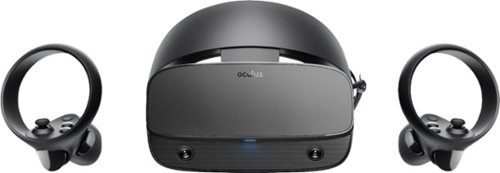
Step into virtual reality with this Oculus Rift S PC-powered headset. The advanced optics produce a sharp display with bright, vivid colors, and Oculus Insight tracking removes the need for external sensors to convert movements into virtual reality. This Oculus Rift S PC-powered headset has a fit wheel that secures the headset with a quick twist.
Customer Rating

5
Convenience, Comfort and the Power of a PC
on June 6, 2019
Posted by: Kelby
from Wichita, KS, USA
---- Summary ----
Pros:
- Simple setup
- Comfortable headband design
- Accurate motion tracking
- Intuitive controllers
- Simple setup
- Comfortable headband design
- Accurate motion tracking
- Intuitive controllers
Cons:
- Tethered to a PC
- Tethered to a PC
---- Review ----
Setup:
In the box, you will find the Oculus Rift S headset, two Oculus Touch controllers (one for the left hand and one for the right), two AA batteries (one for each controller), a Mini DisplayPort adapter and the owner’s manual. After plugging into a DisplayPort (or Mini DisplayPort with the included adapter) and a USB 3.0 port, the headset is quickly set up and ready to go. There is just a software install and a guided setup process to get the headset up and running. With the help of the passthrough feature that allows you to see the space around you, the virtual boundary can be configured with ease by using the controllers to draw your boundaries. Since I play in the same area each time, I have not had to perform the boundary configuration again. As excited as I was to start using this VR headset, I was thankful for a quick and painless setup process.
In the box, you will find the Oculus Rift S headset, two Oculus Touch controllers (one for the left hand and one for the right), two AA batteries (one for each controller), a Mini DisplayPort adapter and the owner’s manual. After plugging into a DisplayPort (or Mini DisplayPort with the included adapter) and a USB 3.0 port, the headset is quickly set up and ready to go. There is just a software install and a guided setup process to get the headset up and running. With the help of the passthrough feature that allows you to see the space around you, the virtual boundary can be configured with ease by using the controllers to draw your boundaries. Since I play in the same area each time, I have not had to perform the boundary configuration again. As excited as I was to start using this VR headset, I was thankful for a quick and painless setup process.
Design:
The Oculus Rift S is ergonomically designed, and I am impressed with its comfort. There is soft padding around the headband and face pad, and the size of the headband can be adjusted by a sizing wheel on the back of the headband, as well as an adjustable strap across the top for additional stabilization. It is not a light headset, but the combination of soft padding, weight distribution and headband sizing wheel allow for comfortable gaming sessions. I have also found the Oculus Touch controllers to be comfortable to hold, and after playing several games/experiences, I became familiar with the button, trigger, and thumbstick layout. I appreciate that the controllers are intuitive to use.
The Oculus Rift S is ergonomically designed, and I am impressed with its comfort. There is soft padding around the headband and face pad, and the size of the headband can be adjusted by a sizing wheel on the back of the headband, as well as an adjustable strap across the top for additional stabilization. It is not a light headset, but the combination of soft padding, weight distribution and headband sizing wheel allow for comfortable gaming sessions. I have also found the Oculus Touch controllers to be comfortable to hold, and after playing several games/experiences, I became familiar with the button, trigger, and thumbstick layout. I appreciate that the controllers are intuitive to use.
Features:
The display is colorful, bright and impressively clear. It is easy to get lost in the virtual environment while playing one of the many great games and experiences compatible with the Oculus Rift S headset. I occasionally notice a slight glare or screen-door effect, but it is not significant enough to distract from a great VR experience. The sound is integrated into the headset, which I personally like for convenience and comfort. The sound quality is not on par with the quality that headphones can provide, but I was surprised by how loud and spatially accurate the sound produced by the headset was. You can plug in headphones if you choose to. As I briefly mentioned, there are numerous games and experiences to download and play. I am only just beginning my VR journey, but I have already discovered some phenomenal games and apps on the Oculus store. I would recommend searching for game reviews online to help you decide which ones to try. All the games and even your desktop can be accessed in VR.
The display is colorful, bright and impressively clear. It is easy to get lost in the virtual environment while playing one of the many great games and experiences compatible with the Oculus Rift S headset. I occasionally notice a slight glare or screen-door effect, but it is not significant enough to distract from a great VR experience. The sound is integrated into the headset, which I personally like for convenience and comfort. The sound quality is not on par with the quality that headphones can provide, but I was surprised by how loud and spatially accurate the sound produced by the headset was. You can plug in headphones if you choose to. As I briefly mentioned, there are numerous games and experiences to download and play. I am only just beginning my VR journey, but I have already discovered some phenomenal games and apps on the Oculus store. I would recommend searching for game reviews online to help you decide which ones to try. All the games and even your desktop can be accessed in VR.
Performance:
My PC meets the minimum suggested specifications, and I have not experienced any lag. Sometimes loading apps or different levels within a game can take a while, but the in-game experience is smooth. The Oculus touch controllers are tracked extremely well, and I have not experienced any lag with the controllers either. The only performance related hiccup that I have encountered was an issue where the virtual hands were stuck at eye level no matter where I moved the Oculus touch controllers. The solution was using the “Restart Oculus” button in the Oculus software on my PC, which rebooted all the Oculus software. Since then, I have not experienced any issues. I had some worries about my PC just meeting the minimum specifications, but those worries quickly went away once I started playing games. If you have a PC that is above the minimum specifications, my guess is that the performance and experience will be even better.
My PC meets the minimum suggested specifications, and I have not experienced any lag. Sometimes loading apps or different levels within a game can take a while, but the in-game experience is smooth. The Oculus touch controllers are tracked extremely well, and I have not experienced any lag with the controllers either. The only performance related hiccup that I have encountered was an issue where the virtual hands were stuck at eye level no matter where I moved the Oculus touch controllers. The solution was using the “Restart Oculus” button in the Oculus software on my PC, which rebooted all the Oculus software. Since then, I have not experienced any issues. I had some worries about my PC just meeting the minimum specifications, but those worries quickly went away once I started playing games. If you have a PC that is above the minimum specifications, my guess is that the performance and experience will be even better.
Verdict:
If you are new to VR and want the power of a PC to enhance gameplay and open the doors to top VR games that can only be run on PCs, then the Oculus Rift S is for you. The simple setup and user-friendly design make it easy to pick up this headset and start playing without much to learn. The Oculus Touch controllers are intuitive, sound integration in the headset enhances comfort and provides surprising clarity and spatial accuracy, display quality is colorful and clear, and everything performs well, even on a PC that meets the minimum specifications. I am impressed and beyond happy with the Oculus Rift S.
If you are new to VR and want the power of a PC to enhance gameplay and open the doors to top VR games that can only be run on PCs, then the Oculus Rift S is for you. The simple setup and user-friendly design make it easy to pick up this headset and start playing without much to learn. The Oculus Touch controllers are intuitive, sound integration in the headset enhances comfort and provides surprising clarity and spatial accuracy, display quality is colorful and clear, and everything performs well, even on a PC that meets the minimum specifications. I am impressed and beyond happy with the Oculus Rift S.
Mobile Submission: False
I would recommend this to a friend!


Share this review:


+4points
13of 22voted this as helpful.

Saeco Xelsis SM7684/04 Super Automatic Espresso Machine, Titanium Metal Front
Posted by: Kelby
from Wichita, KS, USA
---- Summary ----
Pros:
- Customizable drink characteristics
- Ceramic grinder
- Exquisite design
- Easy to use
- Simple to clean/maintain
- Perfect drink every time
- Customizable drink characteristics
- Ceramic grinder
- Exquisite design
- Easy to use
- Simple to clean/maintain
- Perfect drink every time
Cons:
- Small water tank
- Small water tank
---- Review ----
Design:
I was in awe after opening the box and setting up this Saeco Xelsis Espresso Machine. To describe the design in a few words, I would say exquisite design meets functionality and technological advancement. The brushed aluminum with chrome accents is very appealing, and the attention to detail is astounding. One of the most noticeable aspects of the Saeco Xelsis is its touchscreen. Unursprinsgly, it is not only beautifully designed but also very responsive. Inside the machine is a ceramic grinder that is said to be durable and does not diminish the quality of the coffee like other grinders that can overheat. This machine most certainly looks and feels like a very premium product. As I describe below, the features and performance have not disappointed me either.
I was in awe after opening the box and setting up this Saeco Xelsis Espresso Machine. To describe the design in a few words, I would say exquisite design meets functionality and technological advancement. The brushed aluminum with chrome accents is very appealing, and the attention to detail is astounding. One of the most noticeable aspects of the Saeco Xelsis is its touchscreen. Unursprinsgly, it is not only beautifully designed but also very responsive. Inside the machine is a ceramic grinder that is said to be durable and does not diminish the quality of the coffee like other grinders that can overheat. This machine most certainly looks and feels like a very premium product. As I describe below, the features and performance have not disappointed me either.
Features:
The amount of customization that is possible with the Saeco Xelsis is definitely a top feature. Temperature, taste, strength, volume, and milk foam amount can all be customized to an impressive precision. Even the order in which the cup is filled with milk or coffee can be customized. Customizing the settings is a fun way for me to change up my drinks, and to make it even better, drink customizations can be saved to a user profile for easy access to my favorite drinks. There are 15 different drinks that this machine can make, so it really can do it all, and each drink is phenomenal. Maintenance and cleanup is a breeze thanks to the ‘HygieSteam’ system and easily accessible internals. ‘HygieSteam’ cleans out the milk circuit with hot steam at the touch of a button, and the brew unit and drip tray can easily be taken out from the side of the machine to clean. The final feature I wanted to comment on is that there is an ‘AquaClean’ water filter included that purifies up to 5000 cups without the need for descaling.
The amount of customization that is possible with the Saeco Xelsis is definitely a top feature. Temperature, taste, strength, volume, and milk foam amount can all be customized to an impressive precision. Even the order in which the cup is filled with milk or coffee can be customized. Customizing the settings is a fun way for me to change up my drinks, and to make it even better, drink customizations can be saved to a user profile for easy access to my favorite drinks. There are 15 different drinks that this machine can make, so it really can do it all, and each drink is phenomenal. Maintenance and cleanup is a breeze thanks to the ‘HygieSteam’ system and easily accessible internals. ‘HygieSteam’ cleans out the milk circuit with hot steam at the touch of a button, and the brew unit and drip tray can easily be taken out from the side of the machine to clean. The final feature I wanted to comment on is that there is an ‘AquaClean’ water filter included that purifies up to 5000 cups without the need for descaling.
Performance:
The Saeco Xelsis is arguably one of the top automatic espresso machines on the market for its design, features, and performance. My love for coffee has been renewed because of how exceptional each and every cup is, no matter which of the 15 drink options I choose or how I customize the different sliders that modify the important aspects of each drink. This machine is consistent and precise. I have been conditioned to expect nothing but a perfect cup of my desired drink each time, and it has not even come close to disappointing me.
The Saeco Xelsis is arguably one of the top automatic espresso machines on the market for its design, features, and performance. My love for coffee has been renewed because of how exceptional each and every cup is, no matter which of the 15 drink options I choose or how I customize the different sliders that modify the important aspects of each drink. This machine is consistent and precise. I have been conditioned to expect nothing but a perfect cup of my desired drink each time, and it has not even come close to disappointing me.
Verdict:
I do not think I have enjoyed a product as much as I have enjoyed the Saeco Xelsis. It looks great in my kitchen, it is packed full of fantastic features, and it performs perfectly every time I use it. I cannot say enough good things about the Saeco Xelsis. If you love coffee, this machine is a fantastic investment.
I do not think I have enjoyed a product as much as I have enjoyed the Saeco Xelsis. It looks great in my kitchen, it is packed full of fantastic features, and it performs perfectly every time I use it. I cannot say enough good things about the Saeco Xelsis. If you love coffee, this machine is a fantastic investment.
Mobile Submission: False
I would recommend this to a friend!


Share this review:


+8points
8of 8voted this as helpful.
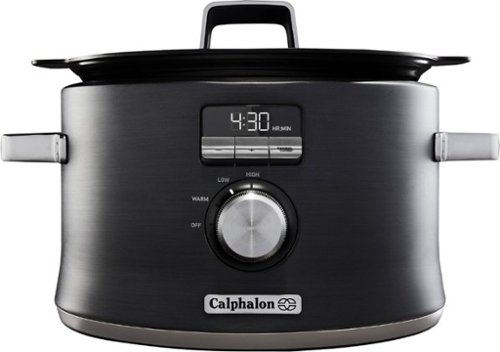
Sear, brown, saut~, and slow cook all in one pot for maximum flavor with the Calphalon Digital Saut~ Slow Cooker. The cooking pot removes and can be placed on electric, gas, or induction cooktops to brown or sear ingredients before slow cooking. The LCD digital display provides intuitive control of multiple cooking modes, for tender pulled pork, curry chicken, paella, and more. The nonstick ceramic coating is easy to clean and delivers 11x more durability* than standard nonstick surfaces, plus it~s PTFE- and PFOA-free. The Calphalon slow cooker is perfect for one-pot family dinners with its 5.3-quart capacity. The cooking pot is also oven safe for further heating, cooking, and warming options. Gorgeous dark stainless steel will enhance any kitchen~s countertop and metal construction provides long-lasting durability.
Customer Rating
5
Slow Cooker, Quickly Impressed!
on November 29, 2018
Posted by: Kelby
from Wichita, KS, USA
---- Summary ----
Pros:
- Easy to clean
- Lightweight
- Digital display
- Auto keep warm mode
- Easy to clean
- Lightweight
- Digital display
- Auto keep warm mode
Cons:
- None
- None
---- Review ----
Design:
The Calphalon Digital Sauté might be the best looking slow cooker that I have seen. It has a nice stainless steel finish with a modern LED-lit screen and simplistic controls. This slow cooker is impressively lightweight but also well built, and transporting, moving or storing it is relatively easy. I think it is also worth mentioning that the nonstick ceramic coating makes cleaning simple. Overall, this is a very well designed slow cooker that I am happy to have seen on my kitchen countertop.
The Calphalon Digital Sauté might be the best looking slow cooker that I have seen. It has a nice stainless steel finish with a modern LED-lit screen and simplistic controls. This slow cooker is impressively lightweight but also well built, and transporting, moving or storing it is relatively easy. I think it is also worth mentioning that the nonstick ceramic coating makes cleaning simple. Overall, this is a very well designed slow cooker that I am happy to have seen on my kitchen countertop.
Features:
One of my favorite features of the Calphalon Digital Sauté is the ability to remove the pot for use on a stove or in the oven. This is not a feature specific to only this slow cooker, but I would say it is the easiest and most effective out of others I have tried, and that adds to the versatility. There are four modes controlled by the rotary dial, and those are “OFF”, “WARM”, “LOW” and “HIGH”. Once the cooking time that is shown on the LED screen is up, the slow cooker will default to the “WARM” setting. The ability to sear, sauté and slow cook all in one device is fantastic. When it comes to features, there is nothing more I could ask for.
One of my favorite features of the Calphalon Digital Sauté is the ability to remove the pot for use on a stove or in the oven. This is not a feature specific to only this slow cooker, but I would say it is the easiest and most effective out of others I have tried, and that adds to the versatility. There are four modes controlled by the rotary dial, and those are “OFF”, “WARM”, “LOW” and “HIGH”. Once the cooking time that is shown on the LED screen is up, the slow cooker will default to the “WARM” setting. The ability to sear, sauté and slow cook all in one device is fantastic. When it comes to features, there is nothing more I could ask for.
Performance:
I have tried a few different recipes, and they have both turned out perfectly. The timer and the different cooking modes are accurate, and food seems to cook evenly every time. There is a lot that can be done in this Calphalon slow cooker, and I have yet to have a bad cooking experience with it.
I have tried a few different recipes, and they have both turned out perfectly. The timer and the different cooking modes are accurate, and food seems to cook evenly every time. There is a lot that can be done in this Calphalon slow cooker, and I have yet to have a bad cooking experience with it.
Verdict:
The Calphalon Digital Sauté is a slow cooker I have recommended to friends and family, and I would recommend it to anyone reading this. I do not think you will find a better designed or better performing slow cooker out there, and the features like auto keep warm mode and digital display are the icing on the cake.
The Calphalon Digital Sauté is a slow cooker I have recommended to friends and family, and I would recommend it to anyone reading this. I do not think you will find a better designed or better performing slow cooker out there, and the features like auto keep warm mode and digital display are the icing on the cake.
Mobile Submission: False
I would recommend this to a friend!


Share this review:


+3points
3of 3voted this as helpful.
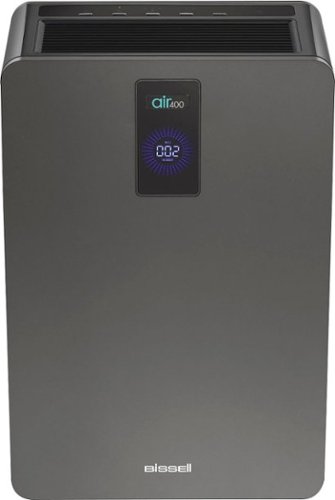
BISSELL~ air400 Air Purifier is clean air made easy. We know life happens. Between the kids and pets, there are odors, allergens, dust, and other things we can~t always see in our air that need to be cleaned. That~s where the air400 shines. This machine is designed to perform from the inside, out. It captures airborne particles and odors with three stages of filtration and has an automated CirQulate~ System that automatically increases fan speed as your indoor air quality decreases. The CirQulate System also uses particle sensor technology to monitor your indoor air and communicate your home~s real-time air quality through three distinct colors and a numerical reading. With a large fan and a digital, 20,000-hour DC motor, the air400 is tested to the AHAM standard to have a Smoke CADR of 279 for rooms up to 432 sq. ft., making it great for bedrooms, living areas, basements, and dining rooms. Taking care of the air you and your family breathe really is as easy as setting it and forgetting it with the air400 air purifier. And when you purchase this air purifier, you help save pets! BISSELL~ proudly supports BISSELL Pet Foundation~ and its mission to help save homeless pets. When you buy a BISSELL product, you help save pets, too. We~re proud to design products that help make pet messes, odors and pet homelessness disappear.
Customer Rating
5
Breathe Easy with Pure Air
on November 16, 2018
Posted by: Kelby
from Wichita, KS, USA
---- Summary ----
Pros:
- Modern and sleek design
- Easy to use
- Quiet operation
- Effectively purifies air
- Different fan speed settings
- Modern and sleek design
- Easy to use
- Quiet operation
- Effectively purifies air
- Different fan speed settings
Cons:
- Large size
- Large size
---- Review ----
Design:
Usually, air purifiers are not visually appealing, but the sleek and modern design of the BISSELL air400 is an exception. Although it is somewhat large, it is not an eyesore and fits well against the wall. Thanks to the carrying handle and its lightweight, carrying the air400 to another room is not backbreaking. All the controls are easily accessible on the top of the air400, and changing the air filters is simple. Overall, I think this is a well-designed air purifier.
Usually, air purifiers are not visually appealing, but the sleek and modern design of the BISSELL air400 is an exception. Although it is somewhat large, it is not an eyesore and fits well against the wall. Thanks to the carrying handle and its lightweight, carrying the air400 to another room is not backbreaking. All the controls are easily accessible on the top of the air400, and changing the air filters is simple. Overall, I think this is a well-designed air purifier.
Features:
In my opinion, the primary feature of the BISSELL air400 is the “CirQulate” system. With auto mode on, “CirQulate” automatically chooses the best airflow setting to provide optimal airflow and air quality. Upon turning on the BISSELL air400, I noticed that the feedback display was blue and had a relatively low number, which is an indication that the air quality is good, but it was not the lowest or best number (002). After about half a day of use on auto mode, the reading on the display was all the way down to 002. When the air is stirred up after having guests walk around the home or having the windows open, I notice the air quality reading go up to indicate lower air quality. I say this because I believe the air quality sensor is accurate, and it is a great feature to have on an air purifier because you can see that it is actively working on purifying the air. Other notable features are timer settings (select how long the fan will run), filter change indicators (shows when the filters need to be changed), a silent mode (makes the fan whisper quiet) and night mode (control panel lights and air quality feedback display dim).
In my opinion, the primary feature of the BISSELL air400 is the “CirQulate” system. With auto mode on, “CirQulate” automatically chooses the best airflow setting to provide optimal airflow and air quality. Upon turning on the BISSELL air400, I noticed that the feedback display was blue and had a relatively low number, which is an indication that the air quality is good, but it was not the lowest or best number (002). After about half a day of use on auto mode, the reading on the display was all the way down to 002. When the air is stirred up after having guests walk around the home or having the windows open, I notice the air quality reading go up to indicate lower air quality. I say this because I believe the air quality sensor is accurate, and it is a great feature to have on an air purifier because you can see that it is actively working on purifying the air. Other notable features are timer settings (select how long the fan will run), filter change indicators (shows when the filters need to be changed), a silent mode (makes the fan whisper quiet) and night mode (control panel lights and air quality feedback display dim).
Performance:
Besides trusting the air quality display on the front of BISSELL air400, or using another trusted device to test the air quality, unfortunately, there is no easy way to immediately tell if it is performing well. Perhaps for bad allergies, an improvement of symptoms at home could be a physical indication of good performance. However, what I can say with confidence is that the fan and the different modes work flawlessly, and I do trust the air400’s air sensor, so it is my opinion that this is a very well performing air purifier.
Besides trusting the air quality display on the front of BISSELL air400, or using another trusted device to test the air quality, unfortunately, there is no easy way to immediately tell if it is performing well. Perhaps for bad allergies, an improvement of symptoms at home could be a physical indication of good performance. However, what I can say with confidence is that the fan and the different modes work flawlessly, and I do trust the air400’s air sensor, so it is my opinion that this is a very well performing air purifier.
Verdict:
It is nice to know that where I sleep and spend much of my time has purified air. Although I do not have a medical condition that requires purified air or bad allergies, the peace of mind is enough for me to make owning the air400 worth it. If you are on the fence about purchasing an air purifier, I would encourage researching the health benefits to help you decide. As for which air purifier to get, I would highly recommend this BISSELL air 400.
It is nice to know that where I sleep and spend much of my time has purified air. Although I do not have a medical condition that requires purified air or bad allergies, the peace of mind is enough for me to make owning the air400 worth it. If you are on the fence about purchasing an air purifier, I would encourage researching the health benefits to help you decide. As for which air purifier to get, I would highly recommend this BISSELL air 400.
Mobile Submission: False
I would recommend this to a friend!


Share this review:


+3points
3of 3voted this as helpful.

Prepare shakes and complete blending tasks with this Ninja smart screen kitchen system. It uses FreshVac technology to preserve the vitamins, flavors and appearance of natural ingredients, and with 1400 watts of power the stacked blades help the processor puree and chop with maximum precision. The touch screen display of this Ninja smart screen kitchen system offers easy access to various functions.
Customer Rating
5
Ninja Smart Screen Is a Smart Choice
on November 16, 2018
Posted by: Kelby
from Wichita, KS, USA
---- Summary ----
Pros:
- Nine pre-set Auto-iQ programs
- Three different types of containers for blending
- Touchscreen and modern design
- Easy to use and clean
- FreshVac pump really works
- Nine pre-set Auto-iQ programs
- Three different types of containers for blending
- Touchscreen and modern design
- Easy to use and clean
- FreshVac pump really works
Cons:
- None
- None
---- Review ----
Design:
The Ninja Smart Screen Kitchen System with FreshVac is well built from the inside out. All the components are hefty and sturdy, so I have no worry about anything breaking anytime soon. With a simple touchscreen, it is easy to select the appropriate program for whatever I am making or blending, and the touchscreen also adds to the already visually appealing modern design. Although I usually have it stored in a cabinet when not in use, it looks great on my kitchen countertop. In many ways, the Ninja Smart Screen is a well-designed blender.
The Ninja Smart Screen Kitchen System with FreshVac is well built from the inside out. All the components are hefty and sturdy, so I have no worry about anything breaking anytime soon. With a simple touchscreen, it is easy to select the appropriate program for whatever I am making or blending, and the touchscreen also adds to the already visually appealing modern design. Although I usually have it stored in a cabinet when not in use, it looks great on my kitchen countertop. In many ways, the Ninja Smart Screen is a well-designed blender.
Features:
The nine different pre-set Auto-iQ programs are phenomenal, so I would definitely consider the programs a standout feature. Auto-iQ makes it easy to crush, blend or process just about anything effectively and efficiently, and the FreshVac technology is a perfect complimentary feature. Using FreshVac truly does make a difference. I have tested it out by making a smoothie with and without using FreshVac, and now I will never go back to not using it because the smoothies are exceptionally smooth and full of flavor. If you love smoothies, I am confident that you will love this blender. Other than smoothies, there is much more that this blender can do, and that is facilitated by the different programs and three different containers, which are the FreshVac pitcher, FreshVac cup and the precision processer. This truly is a kitchen system and not just a blender because it comes with everything you could need.
The nine different pre-set Auto-iQ programs are phenomenal, so I would definitely consider the programs a standout feature. Auto-iQ makes it easy to crush, blend or process just about anything effectively and efficiently, and the FreshVac technology is a perfect complimentary feature. Using FreshVac truly does make a difference. I have tested it out by making a smoothie with and without using FreshVac, and now I will never go back to not using it because the smoothies are exceptionally smooth and full of flavor. If you love smoothies, I am confident that you will love this blender. Other than smoothies, there is much more that this blender can do, and that is facilitated by the different programs and three different containers, which are the FreshVac pitcher, FreshVac cup and the precision processer. This truly is a kitchen system and not just a blender because it comes with everything you could need.
Performance:
As I mentioned above, the Auto-iQ programs work very well. I have owned several blenders over the past few years and felt that they were of decent quality, but I am impressed with the performance and versatility of this Ninja Smart Screen System, and I am confident that it is one of the best blenders on the market.
As I mentioned above, the Auto-iQ programs work very well. I have owned several blenders over the past few years and felt that they were of decent quality, but I am impressed with the performance and versatility of this Ninja Smart Screen System, and I am confident that it is one of the best blenders on the market.
Verdict:
If you are reading this review, my guess is that you are in the market for a blender or thinking about getting one as a gift. There are many blenders on the market, but I think this one should be atop the list of the best, and I would highly recommend it over the alternatives.
If you are reading this review, my guess is that you are in the market for a blender or thinking about getting one as a gift. There are many blenders on the market, but I think this one should be atop the list of the best, and I would highly recommend it over the alternatives.
Mobile Submission: False
I would recommend this to a friend!


Share this review:


+8points
10of 12voted this as helpful.
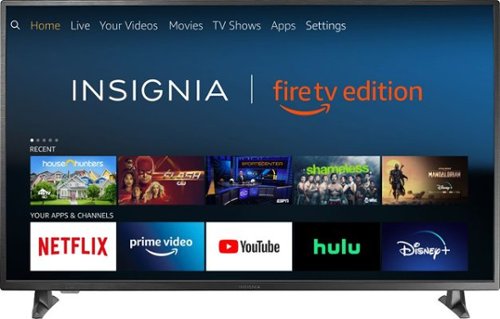
Insignia 4K UHD Fire TV Edition is a new generation of smart TVs featuring the Fire TV experience built-in and including a Voice Remote with Alexa. With true-to-life 4K Ultra HD picture quality and access to all the movies and TV shows you love, Insignia Fire TV Edition delivers a superior TV experience that gets smarter every day. The Voice Remote with Alexa lets you do everything you'd expect from a remote~plus, easily launch apps, search for TV shows, play music, switch inputs, control smart home devices and more, using just your voice.
Posted by: Kelby
from Wichita, KS, USA
---- Summary ----
Pros:
- Fire TV built-in
- Voice remote with Alexa
- Clear and vivid picture quality
- Easy navigation menus
- Fluid and quick responsiveness
- Fire TV built-in
- Voice remote with Alexa
- Clear and vivid picture quality
- Easy navigation menus
- Fluid and quick responsiveness
Cons:
- None
---- Review ----
- None
---- Review ----
Design:
Along with the TV, you will find a voice remote with Alexa, batteries, TV stand, screws to attach the stand, power cord, and the setup instructions. Setting up this TV was a breeze. The power cord just needs to be attached, then the two stand legs screwed in. Once powered on, there is a brief video overview of the Fire TV features, then you are prompted to set up a Wifi network and install an update. At a little over three inches thick, this TV is sleek, and the edge of the screen has a brushed metal finish, which is a nice touch. On the back, there are three HDMI inputs, an antenna/cable input, a composite video input, two analog audio inputs, a digital output (optical), an ethernet port, USB port, and a headphone jack. I am happy with the number of inputs and like their location. Overall, this is a well-designed TV.
Along with the TV, you will find a voice remote with Alexa, batteries, TV stand, screws to attach the stand, power cord, and the setup instructions. Setting up this TV was a breeze. The power cord just needs to be attached, then the two stand legs screwed in. Once powered on, there is a brief video overview of the Fire TV features, then you are prompted to set up a Wifi network and install an update. At a little over three inches thick, this TV is sleek, and the edge of the screen has a brushed metal finish, which is a nice touch. On the back, there are three HDMI inputs, an antenna/cable input, a composite video input, two analog audio inputs, a digital output (optical), an ethernet port, USB port, and a headphone jack. I am happy with the number of inputs and like their location. Overall, this is a well-designed TV.
Picture Quality:
With crystal clarity and vivid colors, the picture quality that this TV produces brings shows and movies to life, and video games look fantastic. The LED screen’s resolution is 2160p, and it has a 60Hz panel refresh rate. Whether it is movies, TV shows or video games, the 4K Ultra HD picture quality delivers an immersive and eye-opening viewing experience.
With crystal clarity and vivid colors, the picture quality that this TV produces brings shows and movies to life, and video games look fantastic. The LED screen’s resolution is 2160p, and it has a 60Hz panel refresh rate. Whether it is movies, TV shows or video games, the 4K Ultra HD picture quality delivers an immersive and eye-opening viewing experience.
Audio Quality:
Although I use a soundbar most of the time, I decided to turn mine off to effectively review this TV’s audio quality. I am honestly quite impressed. I do not think it will blow you away, but for built-in TV speakers, the audio they produce exceeds my expectations.
Although I use a soundbar most of the time, I decided to turn mine off to effectively review this TV’s audio quality. I am honestly quite impressed. I do not think it will blow you away, but for built-in TV speakers, the audio they produce exceeds my expectations.
Performance:
I am impressed by how fluid and quick navigation and streaming is on this TV. It is powered by a Quad-core CPU/Multi-core GPU, and I have not experienced long load times, lagging or app crashes. Before this TV, my streaming experience was subpar due to performance issues on another device, and I am happy that I no longer have performance issues.
I am impressed by how fluid and quick navigation and streaming is on this TV. It is powered by a Quad-core CPU/Multi-core GPU, and I have not experienced long load times, lagging or app crashes. Before this TV, my streaming experience was subpar due to performance issues on another device, and I am happy that I no longer have performance issues.
Features:
This is my first TV with the Fire TV experience built in, and I am already a big fan. Upon powering on the TV, the home screen appears where you can choose from many different streaming channels or switch to another input. Everything is unified and well integrated for a seamless experience. The Alexa voice remote is an added convenience that allows you to use your voice to change channels or inputs, launch apps, search for TV shows or movies and more.
This is my first TV with the Fire TV experience built in, and I am already a big fan. Upon powering on the TV, the home screen appears where you can choose from many different streaming channels or switch to another input. Everything is unified and well integrated for a seamless experience. The Alexa voice remote is an added convenience that allows you to use your voice to change channels or inputs, launch apps, search for TV shows or movies and more.
Verdict:
This TV has exceeded my expectations, and I believe it proves that a quality 4K smart TV can be affordable too. It is well designed, produces lifelike picture quality and impressive audio for a TV, performs fluidly, and the built-in Fire TV alongside the Alexa voice remote delivers a seamless navigation and viewing experience. If you are looking for a good 4K TV at a reasonable price, I would recommend this one.
This TV has exceeded my expectations, and I believe it proves that a quality 4K smart TV can be affordable too. It is well designed, produces lifelike picture quality and impressive audio for a TV, performs fluidly, and the built-in Fire TV alongside the Alexa voice remote delivers a seamless navigation and viewing experience. If you are looking for a good 4K TV at a reasonable price, I would recommend this one.
Mobile Submission: False
I would recommend this to a friend!

Share this review:


+95points
137of 179voted this as helpful.
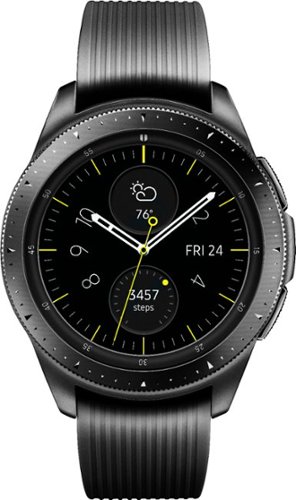
Manage your time more effectively with this Samsung Galaxy Watch. The Samsung Health app helps keep you on track with fitness goals, and it pairs with both Android and iPhone devices. This Samsung Galaxy Watch comes with small and large straps to ensure a good fit, and the battery lasts up to six days after a wireless charge.
Customer Rating
5
I might be team Galaxy Watch now!
on September 27, 2018
Posted by: Kelby
from Wichita, KS, USA
---- Summary ----
Disclaimer:
I own a iPhone 8 Plus and use this Galaxy Watch alongside the iOS app.
Disclaimer:
I own a iPhone 8 Plus and use this Galaxy Watch alongside the iOS app.
Pros:
- Classy design
- Long-lasting battery
- Rotating bezel
- High-quality materials
- Clear and colorful display
- Accurate workout tracking
- Classy design
- Long-lasting battery
- Rotating bezel
- High-quality materials
- Clear and colorful display
- Accurate workout tracking
Cons:
- None
---- Review ----
Design:
When I saw this Galaxy Watch for the first time, it left a lasting impression. Now that I wear it almost every day, the design still impresses me. With its stainless steel finish and traditional round watch face that is surrounded by a rotating bezel, the Galaxy Watch differentiates itself from its biggest competitor, the Apple Watch. As a previous Apple Watch owner, I can honestly say I envied the round watch face and intricate design of the Galaxy Watch, which makes it look almost exactly like a traditional watch. Features and functionality, which I review in detail below, are important aspects of a smartwatch, but the design is also important to me, and Samsung knocks it out of the park with this latest model.
Performance:
I was skeptical about how well the Galaxy Watch would sync and perform since I am an iPhone owner, but that skepticism quickly went away after using the watch on a regular basis. I have only had to reconnect the watch once, and I think that was because of an issue with my iPhone, which I had to turn off and back on. I have not had any syncing issues since then. Everything runs smoothly with little to no delay while acting on notifications and navigating on the watch. Fortunately, there has been no lag, and all notifications have appeared promptly.
Features:
Among many other great features, the Galaxy Watch excels at fitness tracking. With around 40 workouts that it is capable of tracking at impressive accuracy, this watch is the perfect complement to an active lifestyle. It can also measure heart rate, sleep quality, and even stress levels. Beyond health and fitness, there are many other features that are nice to have, such as “My Day”, which outlines the day ahead with calendar events, reminders and more. Spotify integration, which the Apple Watch lacks, is also admirable. Another feature definitely worth mentioning is the ability to choose between countless watch faces, each with their own unique look and way of displaying unique information. They all look great and the Galaxy Watch’s screen can be set to always on.
Verdict:
After owning the first generation Apple Watch, and comparing it to this Galaxy Watch, I am on team Galaxy Watch now. It is a close comparison, but the traditional watch design with high-quality materials, impressive and unique features, as well as great performance, sets the Galaxy Watch apart.
- None
---- Review ----
Design:
When I saw this Galaxy Watch for the first time, it left a lasting impression. Now that I wear it almost every day, the design still impresses me. With its stainless steel finish and traditional round watch face that is surrounded by a rotating bezel, the Galaxy Watch differentiates itself from its biggest competitor, the Apple Watch. As a previous Apple Watch owner, I can honestly say I envied the round watch face and intricate design of the Galaxy Watch, which makes it look almost exactly like a traditional watch. Features and functionality, which I review in detail below, are important aspects of a smartwatch, but the design is also important to me, and Samsung knocks it out of the park with this latest model.
Performance:
I was skeptical about how well the Galaxy Watch would sync and perform since I am an iPhone owner, but that skepticism quickly went away after using the watch on a regular basis. I have only had to reconnect the watch once, and I think that was because of an issue with my iPhone, which I had to turn off and back on. I have not had any syncing issues since then. Everything runs smoothly with little to no delay while acting on notifications and navigating on the watch. Fortunately, there has been no lag, and all notifications have appeared promptly.
Features:
Among many other great features, the Galaxy Watch excels at fitness tracking. With around 40 workouts that it is capable of tracking at impressive accuracy, this watch is the perfect complement to an active lifestyle. It can also measure heart rate, sleep quality, and even stress levels. Beyond health and fitness, there are many other features that are nice to have, such as “My Day”, which outlines the day ahead with calendar events, reminders and more. Spotify integration, which the Apple Watch lacks, is also admirable. Another feature definitely worth mentioning is the ability to choose between countless watch faces, each with their own unique look and way of displaying unique information. They all look great and the Galaxy Watch’s screen can be set to always on.
Verdict:
After owning the first generation Apple Watch, and comparing it to this Galaxy Watch, I am on team Galaxy Watch now. It is a close comparison, but the traditional watch design with high-quality materials, impressive and unique features, as well as great performance, sets the Galaxy Watch apart.
Mobile Submission: False
I would recommend this to a friend!


Share this review:


+94points
116of 138voted this as helpful.
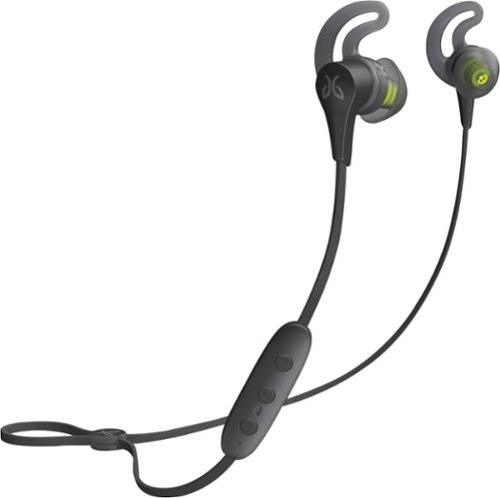
Pair your smartphone with these Jaybird X4 wireless sport headphones and head to the gym or hiking trails in comfort. The thoughtful design works with music or your contact list, letting you take and make calls easily. Equipped with Comply Ultra soft tips and rated IPX7 to resist water and sweat, these Jaybird X4 wireless sport headphones create a comfortable experience with every jog or set.
Customer Rating

4
Elevate Your Workout and Weather the Elements
on September 16, 2018
Posted by: Kelby
from Wichita, KS, USA
---- Summary ----
Pros:
- Great audio quality
- Water and sweat proof
- Secure fit
- Comfortable during workouts
Pros:
- Great audio quality
- Water and sweat proof
- Secure fit
- Comfortable during workouts
Cons:
- Prefer the cable management system of the Jaybird X3 headphones
- Prefer the cable management system of the Jaybird X3 headphones
---- Review ----
Design:
As a previous owner of the Jaybird X3 headphones, I am happy that the design of the new X4 model is very similar. I like having the ability to wear the headphones under or over my ears, and the small control module is nonobtrusive and easy to use. What I miss about the X3 headphones is their cable management system that allowed users custom fit the cable behind the neck so that there was minimal to no bouncing while running or working out. While I do like how quick and easy it is to adjust the cable with the speed cinch system of the Jaybird X4 headphones, I preferred the previous model’s cable system. Jaybird made a significant improvement over the X3 headphones by adding IPX7 waterproof certification to this model. While sweatproof coatings often suffice, it is nice knowing that the Jaybird X4 headphones can weather the elements and handle accidental drops into water. Overall, I like the design. My only wish is that clips were included so that the cable management system of the X3 headphones could be used instead of the speed cinch system, if desired.
Design:
As a previous owner of the Jaybird X3 headphones, I am happy that the design of the new X4 model is very similar. I like having the ability to wear the headphones under or over my ears, and the small control module is nonobtrusive and easy to use. What I miss about the X3 headphones is their cable management system that allowed users custom fit the cable behind the neck so that there was minimal to no bouncing while running or working out. While I do like how quick and easy it is to adjust the cable with the speed cinch system of the Jaybird X4 headphones, I preferred the previous model’s cable system. Jaybird made a significant improvement over the X3 headphones by adding IPX7 waterproof certification to this model. While sweatproof coatings often suffice, it is nice knowing that the Jaybird X4 headphones can weather the elements and handle accidental drops into water. Overall, I like the design. My only wish is that clips were included so that the cable management system of the X3 headphones could be used instead of the speed cinch system, if desired.
Performance:
The Jaybird X4 headphones deliver crisp audio with powerful bass. The default setting is great, but there is also an EQ app that allows for customized sound. I enjoyed the ease of testing different sound settings and found the perfect fit for me. Thanks to the Jaybird EQ app, I have a renewed love for some of my favorite songs to run or workout to because of the audio quality these headphones produce. In addition, the audio has never cut out or distorted, even during strenuous workouts, so they perform very well.
The Jaybird X4 headphones deliver crisp audio with powerful bass. The default setting is great, but there is also an EQ app that allows for customized sound. I enjoyed the ease of testing different sound settings and found the perfect fit for me. Thanks to the Jaybird EQ app, I have a renewed love for some of my favorite songs to run or workout to because of the audio quality these headphones produce. In addition, the audio has never cut out or distorted, even during strenuous workouts, so they perform very well.
Features:
After fully charging the headphones, I got a little less than eight hours of music playback. I am satisfied with that battery life and appreciate how quickly the headphones charge back up. Taking calls is easy with the control module, and I have been told that my voice sounds clear on the other end when I am on a call with someone. The control module also allows users to activate Siri or Google Assistant, and I have found that my questions or requests get picked up by the mic accurately.
After fully charging the headphones, I got a little less than eight hours of music playback. I am satisfied with that battery life and appreciate how quickly the headphones charge back up. Taking calls is easy with the control module, and I have been told that my voice sounds clear on the other end when I am on a call with someone. The control module also allows users to activate Siri or Google Assistant, and I have found that my questions or requests get picked up by the mic accurately.
Verdict:
If you own the Jaybird X3 headphones and are wondering if upgrading to the X4 model is worth it, I personally do not think it is. There is not quite enough improvement over the X3 headphones. However, if you are looking for a great new pair of headphones for your active lifestyle, I would highly recommend the Jaybird X4 headphones. Along with other admirable qualities, they are well designed, produce great audio, have a long-lasting battery, and they are IPX7 waterproof certified. These headphones do not disappoint.
If you own the Jaybird X3 headphones and are wondering if upgrading to the X4 model is worth it, I personally do not think it is. There is not quite enough improvement over the X3 headphones. However, if you are looking for a great new pair of headphones for your active lifestyle, I would highly recommend the Jaybird X4 headphones. Along with other admirable qualities, they are well designed, produce great audio, have a long-lasting battery, and they are IPX7 waterproof certified. These headphones do not disappoint.
Mobile Submission: False
I would recommend this to a friend!

Share this review:


+19points
19of 19voted this as helpful.
Kelby's Review Comments
Kelby has not submitted comments on any reviews.
Kelby's Questions
Kelby has not submitted any questions.
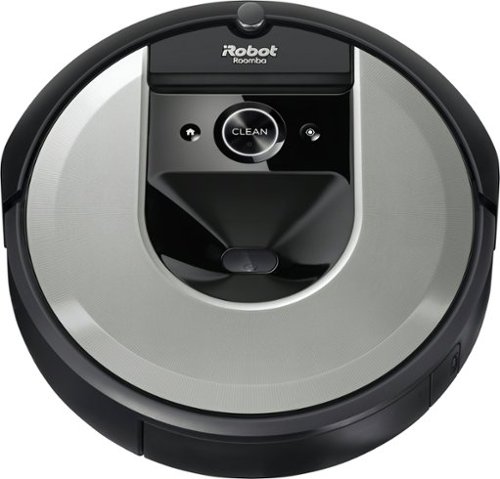
The Roomba i6 robot vacuum unleashes powerful cleaning when, where, and how you want with a single command to your Google Assistant or Alexa voice assistant. When messes happen, just say, ~Tell Roomba to clean under the kitchen table.~ Smart navigation maps specific objects in your home, guiding it to the mess, right when the mess happens. With 10x the suction* and automatic, personalized schedules~even recommendations during pollen and pet-shedding seasons~ its vacuuming that fits seamlessly into your life. *(compared to the Roomba~ 600 series cleaning system) *(Alexa and all related logos are trademarks of Amazon.com or its affiliates. Google is a trademark of Google LLC)
Does it work with a i Robot clean base?
Yes, the Roomba i6 is compatible with the “Clean Base Automatic Dirt Disposal” so your Roomba i6 can empty its own bin.
4 years, 6 months ago
by
Kelby
The Roomba i6 robot vacuum unleashes powerful cleaning when, where, and how you want with a single command to your Google Assistant or Alexa voice assistant. When messes happen, just say, ~Tell Roomba to clean under the kitchen table.~ Smart navigation maps specific objects in your home, guiding it to the mess, right when the mess happens. With 10x the suction* and automatic, personalized schedules~even recommendations during pollen and pet-shedding seasons~ its vacuuming that fits seamlessly into your life. *(compared to the Roomba~ 600 series cleaning system) *(Alexa and all related logos are trademarks of Amazon.com or its affiliates. Google is a trademark of Google LLC)
Does this model come with stair sensors?
The Roomba i6 robot vacuum unleashes powerful cleaning when, where, and how you want with a single command to your Google Assistant or Alexa voice assistant. When messes happen, just say, ~Tell Roomba to clean under the kitchen table.~ Smart navigation maps specific objects in your home, guiding it to the mess, right when the mess happens. With 10x the suction* and automatic, personalized schedules~even recommendations during pollen and pet-shedding seasons~ its vacuuming that fits seamlessly into your life. *(compared to the Roomba~ 600 series cleaning system) *(Alexa and all related logos are trademarks of Amazon.com or its affiliates. Google is a trademark of Google LLC)
Will this go from hardwood to shag carpet?
Yes, the Roomba i6 has sizeable tires and plenty of power to go from hardwood to shag carpet.
4 years, 6 months ago
by
Kelby
The Roomba i6 robot vacuum unleashes powerful cleaning when, where, and how you want with a single command to your Google Assistant or Alexa voice assistant. When messes happen, just say, ~Tell Roomba to clean under the kitchen table.~ Smart navigation maps specific objects in your home, guiding it to the mess, right when the mess happens. With 10x the suction* and automatic, personalized schedules~even recommendations during pollen and pet-shedding seasons~ its vacuuming that fits seamlessly into your life. *(compared to the Roomba~ 600 series cleaning system) *(Alexa and all related logos are trademarks of Amazon.com or its affiliates. Google is a trademark of Google LLC)
Can the vacuum mop??
The Roomba i6 does not have a mopping feature, but it does have “Imprint Link Technology” which syncs it with a Braava Jet m6 (sold separately) to vacuum then mop in perfect sequence.
4 years, 6 months ago
by
Kelby
The Roomba i6 robot vacuum unleashes powerful cleaning when, where, and how you want with a single command to your Google Assistant or Alexa voice assistant. When messes happen, just say, ~Tell Roomba to clean under the kitchen table.~ Smart navigation maps specific objects in your home, guiding it to the mess, right when the mess happens. With 10x the suction* and automatic, personalized schedules~even recommendations during pollen and pet-shedding seasons~ its vacuuming that fits seamlessly into your life. *(compared to the Roomba~ 600 series cleaning system) *(Alexa and all related logos are trademarks of Amazon.com or its affiliates. Google is a trademark of Google LLC)
What comes in the box for the IROBOT Roomba 6150?
1 x Roomba i6 Robot Vacuum
1 x Home Base Charging Station (with Power Cord)
1 x Quick Start Guide
1 x Warranty Information Pamphlet
1 x Safety Information Pamphlet
1 x Home Base Charging Station (with Power Cord)
1 x Quick Start Guide
1 x Warranty Information Pamphlet
1 x Safety Information Pamphlet
4 years, 6 months ago
by
Kelby
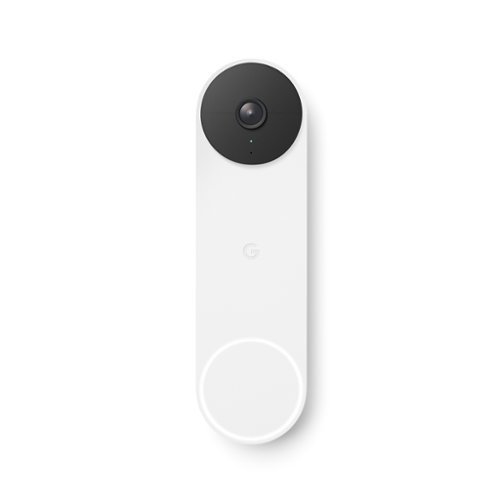
The Nest Doorbell is the battery-powered video doorbell that works with any home. See what~s happening at your door from anywhere and get intelligent alerts about important activity, like when there~s a person, package, animal, or vehicle.* And because there are no wires, you can install it yourself. Nest Doorbell requires the Google Home app and a Google Account ~ it~s not compatible with the Nest app or the home.nest.com site.
Is it waterproof?
Google states that it's "Weather resistant IP54 · Relative humidity range (20% to 85%)".
4 years, 9 months ago
by
Kelby
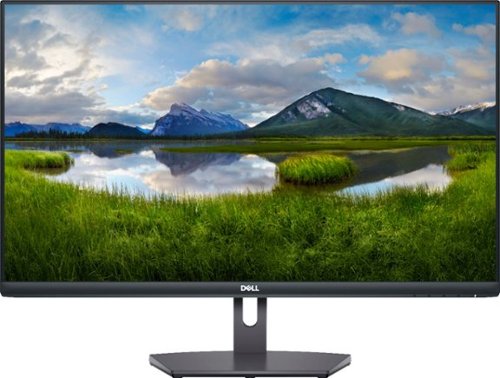
The Dell27~ FHD monitor is beautifully designed to sit easily into any space ready for your everyday lifestyle. Built-in dual HDMI ports keep your devices always plugged in. The three-sided ultrathin bezel design lets you enjoy superb screen clarity in 1920 x 1080 Full HD resolution. Smooth, tear-free experience with AMD FreeSync~ technology, featuring up to 75Hz refresh rate. This T~V-certified monitor has a flicker-free screen with ComfortView, a feature that reduces harmful blue light emissions.
What is the height without the stand?
Without the stand, the monitor is about 14 inches tall.
5 years, 7 months ago
by
Kelby

Don't worry about toner ~ with the revolutionary HP Neverstop 1202w All-in-One Laser Printer get up to 7x more pages than in-class laser printers before your first toner reload and up to 5,000 pages of toner right out of the box. Easily handle business tasks with print, scan, and copy functions, easy mobile printing, and the HP Smart app ~ the first mobile print app to simplify scanning and reduce time. Get consistently superb prints and up to 2.5x more pages than in-class HP Toner cartridges with the Toner Reload Kit (sold separately). Stay connected from virtually anywhere with this monochrome laser printer's wireless networking. Plus, this all-inone wireless printer has up to an 84% smaller environmental footprint, so you can get business done with the environment in mind.Prints up to 21 ISO ppm* in black.
Can you print with both a wifi setup and a usb setup? (Can laptop have a wireless connection while cpu has a usb connection?)
Yes! There is a USB cord included in the box for wired printing. You can also print wirelessly from a laptop or smartphone using the HP Smart app.
6 years, 2 months ago
by
Kelby
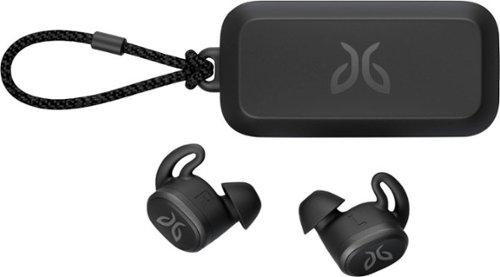
Pair your workout with these black Jaybird Vista wireless headphones. The rechargeable lithium-ion battery provides up to 6 hours of listening time, while the waterproof, sweatproof design helps prevent fluid damage. These Jaybird Vista wireless headphones have ear hooks and three pairs of soft interchangeable eartips for a secure fit and added comfort during extended periods of use.
What is the play time on a full charge.
The Jaybird Vista headphones provide 6 hours of playtime on a full charge, plus an additional 10 hours from the charging case.
6 years, 9 months ago
by
Kelby

Mince, dice, chop, blend and puree with this Ninja Master Prep QB900B food and drink mixer that features Quad Blade technology to help you create creamy frozen beverages and delicious salsas and dips with the touch of a button.
Will this machine make frozen strawberries into smoothies?
Yes! I actually use frozen fruit for smoothies quite often, and the blender does a fantastic job of blending them into smoothies.
9 years, 5 months ago
by
Kelby