


RedScorpion's stats
- Review count234
- Helpfulness votes1,564
- First reviewJune 21, 2012
- Last reviewJune 11, 2026
- Featured reviews0
- Average rating4.5
Reviews comments
- Review comment count0
- Helpfulness votes0
- First review commentNone
- Last review commentNone
- Featured review comments0
Questions
- Question count0
- Helpfulness votes0
- First questionNone
- Last questionNone
- Featured questions0
- Answer count14
- Helpfulness votes42
- First answerMay 13, 2016
- Last answerSeptember 30, 2020
- Featured answers0
- Best answers5
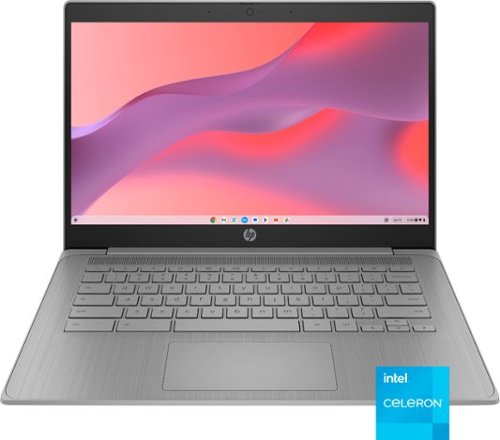
Do less and accomplish more. The HP Chromebook 14-inch brings a reliable Intel processor, 14-inch high definition screen, dual speakers, and dependable Wi-Fi technology, so you can easily knock out any assignment, listen to music, or stream your favorite videos and games.
Posted by: RedScorpion
The HP Chromebook is functional. That is really the best compliment I can give it. It is not fancy. But, if you are in the market for a Chromebook, then HP has provided a no-frills model that gets the job done. The screen is serviceable. There is barely enough storage and RAM. The machine will not be winning any points for style or performance. But it works. And, sometimes, that is enough.
Setup: Inside the box, you get the Chromebook, the 45W USB-C power adapter, and a brief startup pamphlet. Setup is straightforward. After charging and performing first time setup, you will be up and running in a matter of minutes. I did not have any software or firmware updates waiting for me to install.
Experience: At this price, it is difficult to nitpick the experience. Users should know this is a 1080p display that can appear a bit washed out. Colors are not as vivid as I would like, but I never struggled to read or watch videos on the screen. Colors felt a bit off, but never terribly so. But HP has included a HDMI port. You could hook the Chromebook up to an external monitor if you wished.
With only 64GB of internal storage, there is not a lot of storage. My unit did not come with a SD or MicroSD card slot. So, unless you want to use USB-A flash drives, your storage will be a bit limited. The only USB-C port is powering and charging the Chromebook.
There is a headphone jack. The webcam has a privacy shutter. There are internal speakers. I cannot say that I was terribly impressed with the speakers, but, again, they do work, and I had no problem understanding videos or listening to music.
The textured keys on the keyboard are nice and responsive. The trackpad is responsive and functional.
The unit is not light. It was heavier than I expected.
I still have some qualms with the Chromebook experience. There are apps, but many of them tend to be apps that are designed more for the Android phone or tablet experience. For instance, you can watch videos on the MAX application, but not in full screen for some reason. If you want to watch videos on Disney+ or MAX, your best bet is to use the web browser.
Microsoft has Android apps for the suite of Office applications, but if you want to use Office on a Chromebook, you need to do so through the web browser.
So, on one hand, I wish the unit had more storage, but, on the other hand, if everything is done over Chrome, storage may not matter all that much.
My biggest nitpick comes from the 4GB of RAM and the Celeron processor. I noticed significant slowdowns when trying to multitask or view more intensive websites. Everything still worked, but the Celeron processor and the 4GB of RAM definitely seemed to be taxed at times and the machine could stutter a bit to keep up.
Conclusion: The machine is functional. If your kid needs a Chromebook for school, this machine should get the job done. For that reason, I am confident in recommending it. It will not impress anyone in terms of style or functionality, but it will get the job done. And, sometimes, that is enough. 4/5
I would recommend this to a friend!






Share this review:


+1point
1of 1voted this as helpful.

Rising from the successful Project Esther, feel the future of gaming immersion with Razer Freyja ~ the world~s first HD haptic gaming cushion. Powered by Razer Sensa HD Haptics, experience a full range of dynamic tactile sensations that fully syncs with your game, from forceful explosions to the subtle pulse of a heartbeat.
Posted by: RedScorpion
The Freyja HD Haptic Gaming Cushion is very cool tech that I want everyone to buy. The cushion is not perfect. I wish it came with a longer power cable, Bluetooth PC connectivity, and a greater number of applications that were supported at launch, but I am having fun, and I want more applications that support the Sensa HD Haptics.
Setup: The Freyja Haptic Gaming Cushion comes with the cushion, a power cord, and a 2.4ghz USB dongle. You will need the latest version of Razer Synapse to get the cushion set up and running. The application works well enough, but I felt like it took too many clicks to get to the settings I cared about for the Freyja.
If you were hoping to connect the Freyja to your PC via Bluetooth, I have unwelcome news. You will have to plug in the 2.4ghz dongle that Razer included with the Freyja to get connectivity with your PC. Bluetooth support is only over Android and even then, it only works with the Razer Nexus application in extremely limited circumstances.
Regarding the power cord for the Freyja, it is short. I can get about six feet away from the outlet, but that leaves the cable pulled tight and is obviously a tripping hazard for anyone else who comes in and out of the room. The power brick connection is a tight fit on my APC Back-up. I would have preferred a longer cable. I guess a USB-3 or USB-C connection to the PC was too much to ask for, but it certainly would have been more convenient than the 2.4ghz dongle and the power brick.
Comfort: I assessed the Freyja on a tall-back office chair and a gaming chair. Razer advertises the cushion as being functional on both, but it is at its best on a racer style gaming chair. It was not a terrible experience on the office chair, but it was never as comfortable and was a bit more difficult to secure on the office chair. In the gaming chair, I forgot I was sitting on a cushion. It could get a bit warm after several hours of use, but I never felt a speaker jabbing me in the back or anything like that.
The Freyja is managed by Razer’s Synapse, and you will need to toggle the cushion between Sensa HD and Audio-to-Haptics. Another nitpick is that the software does not automatically detect and switch application settings for Sensa HD games. By default, the cushion is on audio-to-haptics, but if you want to play Final Fantasy XVI or Hogwarts Legacy in Sensa HD, you will need to toggle Sensa HD to on from within the Synapse application and then back to Audio-to-Haptics when you want to use non-Sensa HD apps.
Sensa HD Games: At the moment, there are only six games listed that support Sensa HD Haptics. Of those six, the only game I had that supported the feature was Hogwarts Legacy. In Hogwarts legacy, your character casts magic spells and each spell had a different haptic effect with the Freyja. For instance, when you cast an invisibility spell, the Freyja would have a vibration that would move top down. With “Incendio,” the Freyja would create a feeling that the flames were radiating from you as you cast the spell.
Audio-to-Haptics: Beyond the few Sensa HD games, every other app will operate via Audio-to-Haptics. In this setting, you can customize when the Freyja responds to audio. The default settings are bass heavy and trigger when a subwoofer would fire for heavy bass in music and action. It is a neat effect and helps with immersion in games like Helldivers 2 where there are a ton of deep rumbling sounds and explosions. You can customize the settings how you like. Razer has three preset settings for Controlled, Balanced, and Dynamic settings. I preferred Controlled with its emphasis on bass response.
Freyja on my Android phone was disappointing. To get the Freyja to work with your Android phone (sorry iPhone users), you will need to download the Razer Nexus application. From there, the app asked if I wanted to connect to nearby devices for audio haptics. However, the only application that I could get to trigger Audio Haptics was X. None of my mobile games worked properly even though games like Diablo: Immortal were listed as supported titles.
Conclusion: My experience with “Hogwarts Legacy” sold me on the potential of the Freyja. I want more Sensa HD Games. I feel like there is a missed opportunity to have Bluetooth support and the power cable is way too short for my liking. The software experience on Android and PC needs some improvement. I am sure those improvements will come with time, but I do hope this tech gets the adoption it needs. The potential for this type of haptic technology inside chairs and vests could be amazing. This technology could be game changing in VR.
But that is the future. Right now, I really like the Razer Freyja, but there are some quirks that need ironed out.
4/5 Recommended
I would recommend this to a friend!


Share this review:


0points
0of 0voted this as helpful.
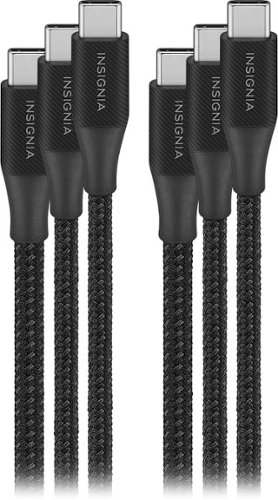
The Insignia 4' / 6' / 10' USB-C to USB-C Braided Charge-and-Sync Cables (3-Pack) will not only quickly charge your smartphone but also let you transfer files and sync your devices. The various lengths of cables give you flexibility on placement options, and the braided jacket keeps the cable protected.
Customer Rating

5
Super Fast USB-C Charging Cable
on January 30, 2025
Posted by: RedScorpion
The Insignia Braided USB-C Charging Cables are a great option for users looking for fast charging USB-C cables. The cables have tight braiding. They are not super thick. In fact they are a bit thinner than some USB-C cables I have used in the past. The connections feel durable. The cables are stiff yet flexible enough. I tested the cables with a Pixel 9 Pro, a Samsung Galaxy S24+, and the latest generation iPad Air. I achieved Super Fast Charging with my Samsung Galaxy S24+ and fast charging on the Pixel 9 Pro.
Users should know that these are cables with a maximum transfer rate of 480 Mbps which these cables technically meet the USB 2.0 standard. If you are seeking cables for USB 3.0/3.1 data transfer speeds, you might be better off looking into other options. The cables will work for data transfer, but they will not transfer data as fast as a faster option.
There is no cable management. The cables come with black twist ties, but there is no other organizer to keep the cables wrapped or stored. For the longer cables, you may want to invest in some type of cable management to keep the longer cables from getting in the way when not in use.
Still, for charging and light data transfer usage, these cables are an excellent option. They have worked well over my last week of testing and I would recommend them.
I would recommend this to a friend!



Share this review:


+1point
1of 1voted this as helpful.

MX Ink is a crafted control device with perfected pressure sensitivity and organic form - a tool you do not need to learn. Dive into your creations, in 3D and 2D, with frictionless ease. Pair and control leveraging Meta Horizon app and Meta Settings. Simple and elegant charging with the MX Inkwell Charging Dock. MX Ink was designed to be intuitive and give a masterfully fine-tuned and immersive experience.
Customer Rating
5
A Happy Little Stylus
on December 19, 2024
Posted by: RedScorpion
I have greatly enjoyed the MX Ink from Logitech. Syncing the stylus with the Quest 3S was super easy. Painting in Vermillion with the MX Ink was super intuitive and the haptic feedback made it really feel like I was painting. This partnership between Meta and Logitech is off to a good start and I hope to see more haptic accessories in the future.
Setup: Inside the box you get the stylus, a charging “ink well,” and two replacement stylus tips. Should note there is no USB-C cable, although you will need a USB-C cable to either charge the stylus or to keep plugged into the ink well for charging.
You will need to pair the MX Ink from within the META Horizons app on your mobile device. Once connected, you will have some options within the META VR environment to tweak the functionality of the stylus.
Experience: The MX Ink is a specialized controller for the Quest. The Quest 3S I assessed the MX Ink on does an excellent job of tracking and mapping the stylus in my virtual space. As mentioned, the MX Ink has a pressure sensitive tip, three buttons towards the front of the stylus and a meta button on the back of the stylus.
I evaluated the MX Ink primarily in Gravity Sketch and Vermillion. Gravity Sketch is a virtual sketching studio while Vermillion recreates a painting experience. I enjoyed the painting in Vermillion quite a bit. I am not going to claim to be remotely skilled, but the stylus performed very well in both applications.
As is, I am hoping for more applications to take advantage of the pressure sensitive tip on the stylus. Right now, I use that very little. I could draw on the wall or on a pad, but the haptics have been so good that I have not felt the need to do so. It is easier to just sketch and write in the air. But I could see a good argument that sketching on a hard surface with the MX Ink gives you a bit more precision.
As is, I am hoping for more applications to take advantage of the pressure sensitive tip on the stylus. Right now, I use that very little. I could draw on the wall or on a pad, but the haptics have been so good that I have not felt the need to do so. It is easier to just sketch and write in the air. But I could see a good argument that sketching on a hard surface with the MX Ink gives you a bit more precision.
Battery life has been good. The MX Ink has easily outlasted my headset in terms of battery life. Based on my usage, 7 to 8 hours of battery life seems about right.
Conclusion: I hope the MX Ink is the start of even more accessories for the Meta Quest headsets. I have really enjoyed my experience with the stylus. I hope more apps take advantage of the pressure sensitive tips. But as is, this is still a fun tool. Any budding artists looking to create art with their Meta Quest 2, 3S, or 3 headsets should definitely pick one of these up. 4.5/5
I would recommend this to a friend!




Share this review:


0points
0of 0voted this as helpful.
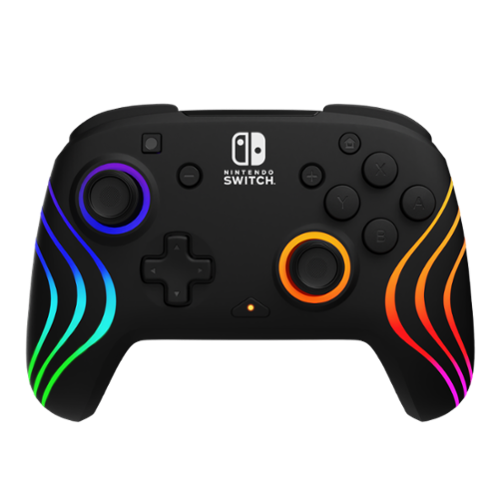
Add a burst of color to your gaming session with the Afterglow Wave Wireless Controller for Nintendo Switch, Nintendo Switch Lite, & Nintendo Switch - OLED Model. This controller also works with Nintendo Switch 2 - C Button not available. With eight fully customizable RGB LED lighting zones and four dazzling preset modes, you can create a look that matches your style, mood, or favorite games like Super Mario Odyssey, Mario Kart World, and Donkey Kong Bananza. Choose a soft ambient glow for a relaxed feel or unleash an electrifying wave of colors for a more dynamic effect. Take control like never before with built-in motion controls that make every movement feel more immersive. Whether you are racing at top speed, battling friends, or exploring vast new worlds, the controller~s precise tracking allows for fluid and responsive gameplay. Cut the cord and experience seamless gaming with a reliable wireless connection that offers up to 30-feet of range. The long-lasting, eco-conscious rechargeable battery provides up to 20 hours of uninterrupted playtime per charge, allowing you to stay in the action longer. With dual mappable quick-action back buttons, this controller allows you to customize controls for quicker reactions, giving you an edge in intense matches. Textured grips provide lasting comfort and ergonomic feel, ensuring you stay in control through extended gaming sessions. With a shape that fits comfortably in all hand sizes, this controller delivers the perfect balance of style and performance. Show off your true colors with the Afterglow Wave Wireless RGB Gaming Controller, officially licensed by Nintendo. Combining style, performance, and convenience, this controller is designed to elevate your gaming experience.

Posted by: RedScorpion
The PDP Afterglow Wave Wireless Pro Controller with Motion is… okay. I cannot say that it will ever be my favorite controller. It works….mostly. The glow effect is pretty. The additional buttons on the back of the controller got in my way and I eventually turned them off. But, hey, if you need an extra controller for a game night and the price is right, it does work. However, this will never replace the original Pro as my controller of choice.
Setup: Inside the box, you get the controller and a short USB-C to USB-A cable for charging. You will not be able to reach the cable from your console to your controller very easily if you want to charge and play. When you plug the controller in to charge, the controller will glow red while charging and the lights will glow green once charging is complete.
Experience: It took me a bit to get used to the controller. Buttons are a bit mushier than I expected. The directional sticks are rougher and feel a bit higher than I am used to. D-Pad works well. The home, screenshot, start, and select buttons are flipped a bit from the standard controller.
I thought I noticed a bit of drift on idle, but I could not replicate it enough to say for certain there was a problem. I am assuming there is no Amiibo support as I could not get Amiibos to work.
I thought I noticed a bit of drift on idle, but I could not replicate it enough to say for certain there was a problem. I am assuming there is no Amiibo support as I could not get Amiibos to work.
The big selling point is the lights and the buttons on the back. I did not care for the buttons in the back as they just got in the way. The ability to map those buttons to macros might have been more useful, but the function button customization is so clunky it took me forever just to get the buttons turned off. Using the function button and the d-pad to adjust the lighting effects was a much simpler process. I wish there were an application or game in the Nintendo store that allowed one easier access to lighting customization.
There is no battery indicator for the controller from within the Switch interface that I could see. Official Nintendo controllers have battery indicators, but I guess you must hope for the best with the Afterglow Wave Wireless. Also, there is no rumble feature with the controller.
Motion / Gyro controls work well enough. I was able to use the controls with Zelda: BotW and Immortals Fenyx Rising.
Conclusion: It is impossible to talk about the PDP Afterglow Wave Wireless Pro without referencing the controller that the PDP Afterglow Wave is attempting to replicate. The Nintendo Pro is the better option. The PDP Afterglow Wave works as an additional controller to have around, but it will never be my go-to controller for the Switch. Maybe if PDP had forgone the buttons on the back and included Amiibo support, rumble functionality, and integrated software battery indicator, the controller would be an easier sell. As is, the controller is just “okay.” And hey, maybe that is good enough. I cannot say the experience is broken, but it just feels incomplete. 2.5/5
No, I would not recommend this to a friend.


Share this review:


0points
0of 0voted this as helpful.

Discover the magic of Meta Quest 3S and get ready to experience your favorite apps in a totally new way. The possibilities are endless when you can blend digital content into your physical space. Watch movies and shows on a vibrant screen that turns any room of your house into a giant theater. Bring games to life in your living room, or step right into the action with full immersion. Hang out with friends from anywhere, but feel like you~re in the same place, watching a concert or meeting up in Meta Horizon. Wireless and light, enjoy out-of-this-world workouts with Quest 3S that make fitness fun. With unreal experiences at an unreal price, where will you begin? See child safety guidance online; Accounts for 10+.
Customer Rating
5
A Solid Upgrade from the Meta Quest 2
on December 6, 2024
Posted by: RedScorpion
The Meta Quest 3S is a lot of fun. It is not an upgrade to the Quest 3 headset. It is an upgrade to the entry level Meta Quest 2. I have had a Quest 2 for over four years now. The entire VR experience has changed a great deal since then. The apps available for the Meta Quest 3S rival many of the dedicated VR only applications of a few years ago. The application library of these headsets is continually growing, and the experience keeps getting better. The Quest 3S does not have the lenses and visuals of the Quest 3, but the hardware and capabilities are a definite step up above the Quest 2. If you go into the experience with those expectations, there is a lot to like and recommend about the Quest 3S.
Unboxing: I am amazed that META managed to fit their hardware into such a tiny box. This is expert level packaging. Inside the box, you will find the headset, two haptic controllers, a USB-C to USB-C cable and power adapter, and a visor extender to accommodate glasses.
Experience: Set up requires a mix of the Meta Horizon mobile phone app and onscreen instructions via the headset. I found set up to be straight forward and easy. Users should know that there are system updates out of the box. The headset does a good job walking users through the set up process, but you will be doing yourself a favor to have the Meta Horizon application downloaded and set up before you start.
One thing that surprised me was how well mixed reality worked with the headset. The demo for “First Encounters” is a ton of fun. During the demo, you are shooting angry balls of fur that are invading your living space. The critters come in as you shoot to capture the little buggers. The walls of your room give way to an alien landscape with each missed shot. I am quite sure that Captain Kirk had nightmares about this type of scenario, but I thought it was great!
Batman: Arkham Shadow is a AAA experience. The game makes you feel like you are Batman. Stalking gang members as the Dark Knight will never get old. Combat is interesting. You swing the controllers to inflict punches and time stiff arms for blocks. It all works surprisingly well.
My favorite apps from the Quest 2 still work great. Star Wars: Tales from the Galaxy’s Edge and Moss are fantastic experiences in VR.
My favorite apps from the Quest 2 still work great. Star Wars: Tales from the Galaxy’s Edge and Moss are fantastic experiences in VR.
I also spent a fair amount of time using the Quest 3S in Air Link mode with my desktop PC. I have a Meta link cable, but the freedom of movement you get from using Air Link is great for games like Valve’s “Half-Life: Alyx.” My gaming PC is connected to my home network via a lan cable while my headset connects to the router in 5G or 6G mode. If you want a flawless Air Link experience, I highly recommend hardwiring your gaming PC into your home's network.
Battery life lasted me between two and a half and three hours depending on usage. The charge time from 20% to a full charge took me around an hour and a half.
For me, the hardware capabilities of the Quest 3S improve on everything I loved about the Quest 2….. with a few minor caveats. I spent money upgrading the accessories on my Quest 2. For the Quest 2, I have, an official case, external speakers, and the Elite Strap with Battery. Of all my Quest 2 accessories, the Elite Strap with Battery is the accessory I miss the most on the 3S. I wish that Meta could have designed the headset with backwards compatibility to accessories in mind. The Elite Strap is so much simpler and more comfortable than the strap included with the Quest 3S.
People always ask me if the VR experience makes me sick to my stomach. The short answer is it can. But I have gotten more used to the experience and not every application is going to be recreating a first-person experience. Some of my favorite things in VR are to watch the animated short films people have made or to play third person experiences like Tetris Effect or Moss. Moss is a great way to demonstrate the power of the VR experience as that game gives you a stationary experience overlooking a storybook mouse as she undergoes a great quest.
Conclusion: I am increasingly amazed at what Meta has managed to achieve with the Quest line of VR headsets. The Quest 3S works great. The experience is good and keeps getting better. The entire experience of the Quest 3S is an improvement over the Quest 2. Although, I wish I still had access to my favorite Quest 2 accessory. Taken for what it is, the Quest 3S is an impressive piece of hardware and I have had a lot of fun with it. The Quest 3 will provide a better visual experience, but the visuals in the Quest 3S still look exceptionally good. Anyone interested in jumping into the VR experience should pick one up.
I would recommend this to a friend!

Share this review:


0points
0of 0voted this as helpful.

Experience revolutionary home protection with eufyCam S3 Pro 2-Camera Kit. This revolutionary home security solution provides unparalleled surveillance with pro-level technologies and user-friendly features. View exceptionally detailed video footage in 4K UHD clarity. Delivering day-like image quality even in ultra-low light evening conditions without the need for a spotlight thanks to exclusive MaxColor Vision technology. View crystal-clear faces and license plates up to 30 ft (9 m) away even in minimal ambient light as AI-powered image processors deliver vivid colors, high dynamic range, and sharp details. Choose from four unique night vision modes to suit any lighting condition: Human Vision Mode, MaxColor Vision Mode: See in full color in ultra-low light conditions, Adaptive Spotlight Mode: View clear, colorful images at night, and Infrared Night Vision Mode: Delivers crisp black-and-white visuals. Enjoy up to 365 days of battery life with integrated solar panels featuring SolarPlus 2.0 technology. Requiring just 1 hour of daily sunlight to stay fully charged, the refined solar panel ensures partial shade won't hinder the ability to initiate charging of the camera and internal 13000mAh rechargeable battery for continuous, reliable power. Expand your power options with the included external solar panel. Minimize false alerts with dual motion detection that combines radar and passive infrared (PIR) technology. Enjoy added peace of mind with precise notifications for human and vehicle movements, ensuring you never miss important events. The motion-activated Adaptive Spotlight adjusts lighting for optimal footage quality and energy efficiency. With 16GB of built-in local storage*, when connected to the included HomeBase S380, you gain up to 16TB expandable storage with no monthly fees. As a centralized eufy home security hub, HomeBase S380 allows you to manage connected eufy Security devices seamlessly, compile footage, and create unified event overviews~all accessible via the eufy app anytime, from anywhere. The eufy app allows you to set customizable detection zones, enjoy 24/7 smart snapshots that capture periodic images for efficient surveillance, and communicate in real-time with delivery drivers or visitors, The camera's dual-mic array and AI-driven noise reduction technology, captures voices up to 26 ft (8 m) away.
Customer Rating
5
Impressive Wireless Security Camera Package
on November 12, 2024
Posted by: RedScorpion
There may not be a better wireless security system than the Eufy S3 Pro. The 4K video is super crisp. The camera performs well in low light. A.I. detection is super impressive. Battery and charging have been great with the built-in solar charging. Add to this the S380 Base station with the ability to add a 2.5 SSD or HD. This is an impressive package.
Setup: Eufy provides a lot in the box. In addition to the two cameras, Eufy includes three mounting bracket kits, and the S380 base station. My family is currently living in a 1,700sqft house. I mounted the cameras on each corner of the front of the house. Eufy includes three mounting kits, but you only need two. Still, I appreciated the extra kit. You could easily set up another mount and move a camera as needed.
The Eufy S380 base station comes with 16GB of storage built in. However, I had an old 250GB Samsung SSD lying around. I was able to install the drive and format it from the Eufy app with little difficulty. I had the base station in a room towards the back of the house plugged into my home network through the included network cable.
Experience: This is the best wireless camera system that I have ever used. This replaces my prior favorite, the Eufy S230. The application setup process is amazingly easy. You need to set up the S380 base station before you can set up the cameras. Then when setting up the cameras, make sure you are in the same room as the base station to sync the cameras for the first time. After the cameras were charged and synced with the base station, mounting was relatively simple. The trick is finding an area with sufficient sunlight through the day.
Especially after upgrading from the S230, I was impressed by how much smaller the S3 Pro cameras are compared to the S230. They have a much smaller profile and are more difficult to see from the street.
I had impressive range with the cameras synced to the S380 base station. Again, my house is not the biggest. But I had excellent signal on both cameras with the base station near the rear of the house and the cameras out front.
The 4K image quality is great. It is super sharp. There are multiple “nighttime” modes. I prefer the “day like” mode which significantly brightens the shot.
Over the last few days, the battery life has been exceptionally good. Even with close to fifty recordings in a day, I never saw the battery life of the camera dip more than three or four percent and the battery was fully charged after a few hours the following day.
Users should know that there was a camera firmware update out of the box. It takes a few minutes for the firmware to download and update. The base station will flash red, and the Eufy Security App will notify you that an update is in progress.
The Eufy App experience is super easy to use on both Apple and Android devices. The system is compatible with Google Home.
If I had any nitpicks, I wish the software worked with mapping software to map targets and show their movement. I also wish the cameras had a lens capable of physically zooming in. Vehicles and people are clear, but trying to see a license plate on a car going down the street or parked across the street is difficult.
Conclusion: This is a great system. These cameras look and perform very well. The base station with expandable storage is a fantastic addition for those who prefer local storage. A few years ago, I recommended the S230 to my friends and family, now I am highly recommending the S3 Pro.
5/5 Must Buy
I would recommend this to a friend!




Share this review:


0points
0of 0voted this as helpful.

Blue Pure 511i Max HEPASilent smart air purifier quickly cleans 193 sqft in about 12.5min, 465 sqft in 30 minutes and upto 926 sqft in 1 hour on high. Independently evaluated for safety standards and third-party tested for performance as part of the AHAM Verifide Program for air cleaners, this air purifier has a Clean Air Delivery Rate (CADR) of 125 for fine smoke particles, dust and pollen.
Customer Rating
5
Stylish Air Purifier with App Integration
on November 8, 2024
Posted by: RedScorpion
The Blue Pure Air 511i is yet another winning air purifier from a brand that I really like. Blueair makes some of my favorite air purifiers. They tend to be stylish, quiet, and perform well. The Blue Pure Air 511i Max is no exception. From the pre-filter to Wi-Fi connectivity, nearly everything about the experience is first rate.
Setup: Thankfully, the purifier comes ready to use out of the box. The unit is comprised of a base and a twist on top with the fan unit and controls. The prefilter and filter attach to the base of the unit. You can purchase replacement pre-filters of assorted colors to match your specific room’s aesthetic.
Replacement pre-filters run around $9 at the time of this review and replacement filters are about $29.99 although there are specialty filters for allergens and smoke that run a bit more.
Wi-fi connectivity is easy to set up. You need the Blueair app, but the app will walk you through connecting the purifier to your Wi-Fi network.
Wi-fi connectivity is easy to set up. You need the Blueair app, but the app will walk you through connecting the purifier to your Wi-Fi network.
Experience: The purifier is stylish and quiet. On lower settings it is inaudible. I evaluated the purifier with the candle smoke test and the purifier recognized the smoke from the candle and cleared the air quickly.
One feature I have especially appreciated is the child lock. I do not have to worry about my toddler accidentally turning the purifier off or changing settings.
The app experience is particularly good. You can control the purifier from the application and get limited readouts of your room’s air quality. Everything in the app works well.
This also means there is smart home integration for the Blue Pure Air 511i. However, at the time of my review, Alexa integration does not work. You cannot sign in or connect the skill at this time and all the 1-star reviews back this reality up. However, I was able to get things working well through Google Home.
Conclusion: This is another impressive air purifier from Blueair. The new features work very well. The only nitpick I have is that Alexa integration is currently broken. Still, everything else has worked well and I am sure I will be buying more pre-filters and filters for this purifier for years to come. 4.5/5
I would recommend this to a friend!





Share this review:


0points
0of 0voted this as helpful.

With the magic of AI and automation behind the scenes, it~s never been easier to fix flaws, fine-tune specific areas, and add motion to quickly bring your vision to life.
Customer Rating

4
So You Say You Want an 'Evolution?'
on October 23, 2024
Posted by: RedScorpion
It would not be fall without a new edition of Adobe’s Elements line of photo and video editors. Each annual edition comes with something new along with just enough bug fixes under the hood to try and justify the upgrade. I am always amazed at how much I can do with Elements. It truly is a powerful photo editor for the price. For testing this year’s version, I restored a forty year old photo into an image that looked like it could have been taken this year.
Elements 2025 has a lot to recommend, same as the versions that came before. This year boasts some A.I. driven improvements along with some new overlays and quick edits. I had mixed experiences with the new features, and Adobe’s decision to put a three-year limit on the software license made this year’s release a bit of a mixed bag. There is still enough new here to recommend the program for new users, but buyers should be aware that at the end of three years they will be forced to upgrade to a new version of Elements, or their existing software will cease to function.
Installation: Installation was simple enough. Redeeming my code on adobe’s website I was prompted to download the main file for Mac or Windows. I am running Photoshop Elements on a Windows 11 PC with 32GB of RAM, an NVIDIA 4070 graphics card, and an Intel i7 processor.
I should note that I triggered the three-year expiration at the time of installation. Also, Adobe advised that this year’s version of Elements comes with iOS and Android apps. More on those in a bit.
Experience: Once installed, the user experience has not changed much. Spot healing tools and healing brush may be better than prior releases, or I am just getting increasingly used to the tool. I cannot say for sure. If you have used Elements in the last ten years, you should be right at home. Thankfully, Adobe highlights new features or tools with a blue dot. Elements 2025 is still a powerful photo editor and with traditional Photoshop locked behind a subscription model, Elements is still a great option for many people.
In my experience, there were three big noticeable features in this year’s edition. The first new feature is the A.I. removal tool located near the spot healing tool. This feature is a mixed bag. When the spot removal tool works, it speeds up the process, but it only really worked well when the object was against a solid background or noticeable pattern like tile on the floor. If the object was in a clustered scene with multiple objects around it, the A.I. cannot find a good place to pull its patterns, and the feature does not work very well. But if I wanted to remove my shoe from a photo of my dog sitting on tile, the feature worked great. Either way, this is something I would have done manually in prior releases utilizing the Healing Brush tool.
The second new feature involves the A.I. overlays and textures you can add easily to photos in the quick edit mode. I am not entirely sure how useful these will be to me, but I can see value to folks wanting to tweak their photos for social media. It works well. If overlays are your thing, the feature does an excellent job at identifying your photo’s subject and applying the overlays appropriately.
The final big new feature of this release is the ability to change the colors of objects. And this is another mixed bag for me. I could change the color of someone’s shirt, but the tool created a bit of a mess, and, to my eyes, it never looked quite right. This could just be a feature that I need to practice more, but I cannot say it impressed me that much.
Then there is the Elements organizer app for iOS and Android. I do not get the point of this feature. In theory it allows you to upload your photos from your phone into Adobe’s cloud for easier access or you could make some overlay edits from the app, but I found the experience underwhelming. I already have ways to get my photos from my phone to my PC or cloud and I do not really see the need for this.
The elephant in the room is that this release comes with an expiration date. You are granted access to the license for a term of three years. I understand in part why Adobe is doing this. I personally prefer to upgrade the software every few years to make sure I have the latest features and bug fixes. As PCs and MACs change, it is nice to know I have the latest version of the software for these new processors and machines.
But I often purchase photo editing software for my parents, and they are still happily using software from five years ago. I cannot imagine them, or people like them, being happy with the idea that their software now comes with an expiration date. Same is true for many students and people who are fine with prior releases. I think the three-year expiration date is a turn off. And because the 2023 and 2024 release are still working well for many people, I feel the decision to include a three-year expiration will drive many of those users to stick with their current software rather than upgrade.
It does not help that there has not been much in this new release in terms of features that I did not have in an alternate form in a prior release. Most of these new features were available in prior releases you just had to perform a spot heal manually versus having an A.I. tool to remove objects. I cannot help but feel that many of these features should just be released as a yearly patch rather than a new software release.
Conclusion: This is the best version of Adobe Photoshop Elements. It has a few new features and bug fixes under the hood. Anyone wanting the latest version of the software should check it out. I do not know if these new features along with the three-year term will win over other users. The mobile apps feel like a wasted opportunity. But I am always impressed by what I can do with the Elements line of editors. 3.5/5
I would recommend this to a friend!





Share this review:


0points
0of 0voted this as helpful.
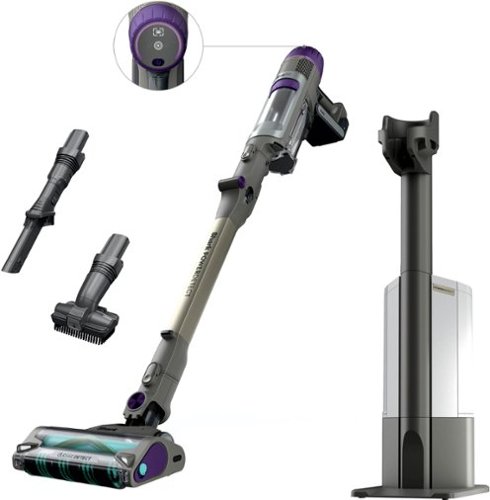
The Shark PowerDetect Clean & Empty (IP3251) system is the ultimate cordless solution for powerful, intelligent, whole-home deep cleaning. It features an Auto-Empty system that charges & empties your vacuum after every clean, reducing dust exposure by 1000x* vs. traditional emptying. PowerDetect is powered by Shark~s most powerful cordless suction** PLUS a redesigned DuoClean Detect nozzle with dirt-detecting intelligence and multi-directional cleaning, making it THE BEST debris cleaning*** of ANY cordless vacuum. While most vacuums push around debris in the back-stroke, the redesigned DuoClean Detect nozzle eliminates this problem by capturing more**** dirt, dust, and debris in forward AND reverse for faster cleaning*****. PowerDetect has an impressive 70min of runtime~~ and a MultiFlex wand for effortless under-furniture reach and flex storage. (*Based on third party-plume testing while emptying vs. Shark Navigator upright manual empty US/CAN NV130)(**Based on ASTM F558, measured at the hand vacuum, tested in Boost mode)(~Based on Geomean of ASTMF2607 and IEC62885-2 (5.3 & 5.5) vs cordless market)( ~vs. original DuoClean nozzle)( ~vs. Shark Stratos IZ862H)( ~~measured at the handvac in ECO mode)
Customer Rating
5
The PowerDetect System is a Game Changer
on October 11, 2024
Posted by: RedScorpion
The Shark Power Detect Clean and Empty Cordless Stick Vacuum and Auto Empty Station is a powerful, portable vacuum with a good battery life and a great brush head. My flooring is a mix of tile and carpet, and I got around forty-five minutes of use on a single charge. The head unit does an excellent job keeping the carpet looking great. I experienced no hair tangles on the brush head. The vacuum itself is a bit heavier than I expected, the base unit takes up a decent amount of floor space, and there is no bag for the auto empty station to simplify and minimize mess when emptying the auto empty station. Still, I think this is a good vacuum and empty station combo. For my full thoughts, read on.
Setup: Out of the box, some assembly is required for both the vacuum and the base station. You also get two attachments that you can easily store on the auto empty station. Shark also includes an extra foam filter and a deodorizer tablet for the auto empty station.
Experience: Once assembled, the first thing I noticed was how bulky and heavy the vacuum controls are. I really thought they would be a bit smaller and lighter. This is a nitpick, but it did catch me off guard. Occasionally, I could get the vacuum to stand up, but you will need to lean the vacuum when not in use.
This is a great vacuum. I never saw seventy-minute run times, but the auto detect would often increase power on the carpeted sections of my house and that pulled the battery faster than if someone was using the vacuum on tile or wood flooring.
The sensors on the head unit worked well. The PowerDetect system can detect if you are near an edge and adjust suction appropriately. It can also detect flooring type and levels of dirt to adjust suction power. Areas with heavier dirt would be indicated by purple lights on the head unit.
While I do not often vacuum in the dark, I really liked how bright the unit was while vacuuming in darkened closets.
The roller did a wonderful job fluffing up the carpeted areas. Everything felt quite clean. After going over the room with the vacuum. I tested another vacuum in a room and then went back over that same space with the Shark Power Detect and the Power Detect still picked up a lot of debris the other stick vacuum left behind. The flexible wand was great at allowing me to get the vacuum underneath furniture.
The auto empty station has a large tank, but there is no place for a bag. On the one hand, bags are an extra expense and hassle. On the other hand, bags help minimize the amount of dust and debris kicked up when emptying.
Every filter became caked in dust after just a few days of use. While the auto-empty station does an excellent job emptying out the cannister on the vacuum, it was not perfect. Once or twice, I had to take the head unit apart to get stubborn hair and dust out of the cannister.
I was surprised at how much space the auto empty station took up on the floor. You will need floor space of eighteen by twenty inches. You could fit a standard upright vacuum in less space albeit without the portability.
Conclusion: This is a good cordless vacuum. The Power Detect system works well. I love the head unit with its detection features and exceptional brush roll. Battery life is good. I feel like the vacuum itself is a bit heavier than I expected and the unit will require more cleaning and maintenance than I would like. Still, nitpicks aside, I can easily recommend the vacuum and auto empty station. 4.5/5
I would recommend this to a friend!






Share this review:


+3points
3of 3voted this as helpful.
RedScorpion's Review Comments
RedScorpion has not submitted comments on any reviews.
RedScorpion's Questions
RedScorpion has not submitted any questions.
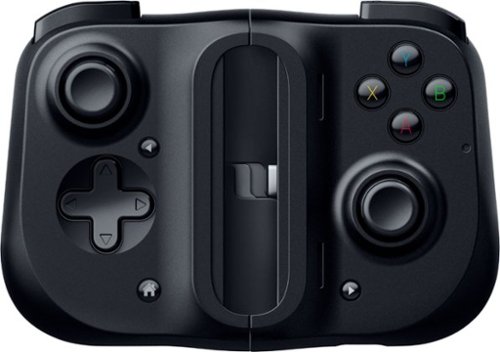
Bring your A-game anytime, anywhere. Introducing a universal mobile gaming controller that fits most smartphone devices, designed to bring console-level control to your on-the-go gaming. With this controller by your side, wherever you go, victory will follow.
Will it fit my phone? I have the samsung s10e and I know it will work with the connection but I don't know if it will fit the s10e.
Yes, I am using it to play Halo on my S10e.

5 years, 8 months ago
by
RedScorpion
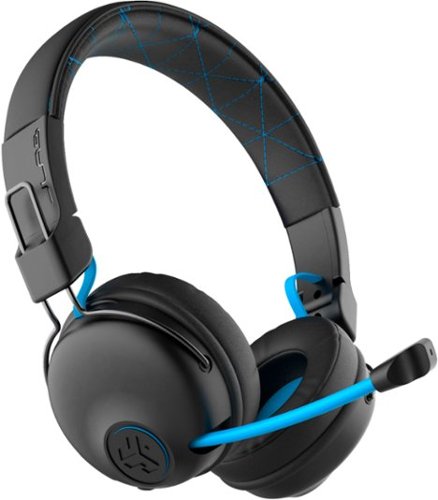
Hear all your games in high-quality sound with this JLab Play wireless gaming headset. With an increased mid to high frequency response and super-low 60 ms latency, this headset is able to deliver clear vocals and enhance spatial awareness without lag. JLab~s Play wireless gaming headset delivers over 22 hours of playtime and compatibility with PCs, consoles and mobile devices to handle every session.
where is the micro phone? can it be used for a call center?
The headset features a retractable boom mic on the right ear piece. In my opinion, the headset would work well in a call center or home based call center. There is a mute button built in to the headset and the mic works in either Bluetooth or the wired 3.5mm mode.
5 years, 10 months ago
by
RedScorpion
Hear all your games in high-quality sound with this JLab Play wireless gaming headset. With an increased mid to high frequency response and super-low 60 ms latency, this headset is able to deliver clear vocals and enhance spatial awareness without lag. JLab~s Play wireless gaming headset delivers over 22 hours of playtime and compatibility with PCs, consoles and mobile devices to handle every session.
Is it compatible with ps4 & xbox?
Yes.
But it is not wireless on PS4 and XBOX. To use with your XBOX or PS4, you will neeed to use the included 3.5MM AUX console cord.
But it is not wireless on PS4 and XBOX. To use with your XBOX or PS4, you will neeed to use the included 3.5MM AUX console cord.
5 years, 10 months ago
by
RedScorpion
Hear all your games in high-quality sound with this JLab Play wireless gaming headset. With an increased mid to high frequency response and super-low 60 ms latency, this headset is able to deliver clear vocals and enhance spatial awareness without lag. JLab~s Play wireless gaming headset delivers over 22 hours of playtime and compatibility with PCs, consoles and mobile devices to handle every session.
Will these headphones work with I buy power computers
Yes, if the computer has Bluetooth built-in. If the computer does not have Bluetooth built-in, you will need to purchase a separate USB Bluetooth Adapter *(they tend to run between $10 and $20).
5 years, 10 months ago
by
RedScorpion
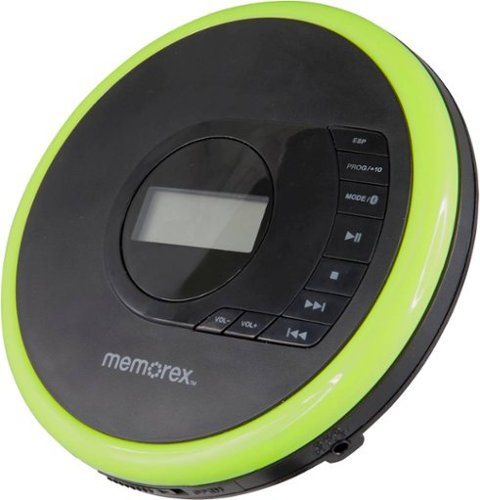
Listen to your favorite albums and audiobooks on the go with this Memorex portable CD player. The 40-second anti-skip protection function for CDs ensures smooth, uninterrupted listening, while the dynamic bass boost system delivers rich sound. This Bluetooth Memorex portable CD player features an LCD screen and digital control buttons for conveniently choosing tracks and adjusting volume.
Can you play audio books on this CD player? And What accessories will I need to buy?
If your audio book comes on CD or MP3 CD, you can play it on this player. It doesn't come with a power cord. It includes 2 AA batteries.
6 years, 1 month ago
by
RedScorpion
Listen to your favorite albums and audiobooks on the go with this Memorex portable CD player. The 40-second anti-skip protection function for CDs ensures smooth, uninterrupted listening, while the dynamic bass boost system delivers rich sound. This Bluetooth Memorex portable CD player features an LCD screen and digital control buttons for conveniently choosing tracks and adjusting volume.
iS THIS AN MP3 CD?

Listen to your favorite albums and audiobooks on the go with this Memorex portable CD player. The 40-second anti-skip protection function for CDs ensures smooth, uninterrupted listening, while the dynamic bass boost system delivers rich sound. This Bluetooth Memorex portable CD player features an LCD screen and digital control buttons for conveniently choosing tracks and adjusting volume.
Can it be used with or without the earbuds?
Yes?
Without the included earbuds, you can use your own or connect via Bluetooth. There is no built in speaker on the player if that's what you are asking.
Without the included earbuds, you can use your own or connect via Bluetooth. There is no built in speaker on the player if that's what you are asking.
6 years, 1 month ago
by
RedScorpion
Listen to your favorite albums and audiobooks on the go with this Memorex portable CD player. The 40-second anti-skip protection function for CDs ensures smooth, uninterrupted listening, while the dynamic bass boost system delivers rich sound. This Bluetooth Memorex portable CD player features an LCD screen and digital control buttons for conveniently choosing tracks and adjusting volume.
have a 2019 mazda cx3 w/bluetooth capability. Will this work? Is a usb power cord available?
It should pair with your car, but there is no USB power cord. It still relies on an older ac or dc adapter.

6 years, 1 month ago
by
RedScorpion
Listen to your favorite albums and audiobooks on the go with this Memorex portable CD player. The 40-second anti-skip protection function for CDs ensures smooth, uninterrupted listening, while the dynamic bass boost system delivers rich sound. This Bluetooth Memorex portable CD player features an LCD screen and digital control buttons for conveniently choosing tracks and adjusting volume.
Will this work with Apple Bluetooth earbuds?
I don't see why it wouldn't. I paired it with Bluetooth headphones from Samsung, Sony, and JVC without problems. The only quirk is you have to make sure to turn on the Bluetooth feature each time you start the CD player. Also, sometimes the devices have to be re-synced every time you power on. My headphones kept the connection, but some of my Bluetooth speakers did not.
6 years, 1 month ago
by
RedScorpion
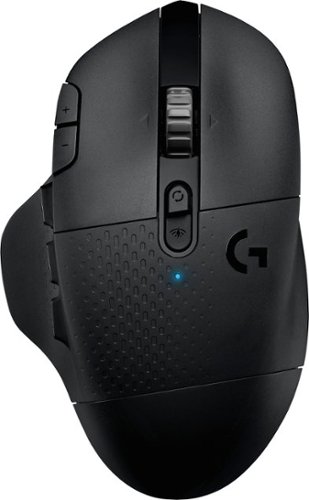
With 15 programmable controls, LIGHTSPEED wireless technology, hyper-fast scroll wheel, and the revolutionary HERO 25K sensor, G604 offers both versatility and high-performance with endless possibilities to play with mastery. Dual connectivity lets you toggle between Bluetooth and ultra-fast 1 ms LIGHTSPEED advanced wireless technology~even on separate machines. Extremely accurate tracking and class-leading power efficiency enables up to 240 hours of high-performance gaming with one AA battery.
I read online that this mouse doesnt work with windows 10?
I am using Windows 10 ver. 1903. It works fine. It works on Windows 10 over Bluetooth and with the included USB light speed receiver.
6 years, 7 months ago
by
RedScorpion