


Jacobs's stats
- Review count59
- Helpfulness votes573
- First reviewJuly 4, 2009
- Last reviewApril 9, 2018
- Featured reviews0
- Average rating3.8
- Review comment count8
- Helpfulness votes29
- First review commentJanuary 24, 2011
- Last review commentNovember 17, 2016
- Featured review comments0
Questions
- Question count0
- Helpfulness votes0
- First questionNone
- Last questionNone
- Featured questions0
- Answer count3
- Helpfulness votes1
- First answerOctober 8, 2015
- Last answerNovember 8, 2017
- Featured answers0
- Best answers0

Have your new remote start installed neatly, reliably and professionally by a Geek Squad Autotech. Our Autotechs are MECP-certified, and their workmanship is warrantied for life. Additional materials fees apply; see below for more details.*
Customer Rating

1
Beware of buying Auto Remote Installation
on April 6, 2013
Posted by: Jacobs
from CA
I purchased Geek Squad remote installation service along with a Arctic Remote start kit. I called local BB Store to setup an appointment for installation and I was informed that they do not have auto tech installer at that store and referred me to another store close buy. Called the second store and talked to auto tech, but he said he is being transferred to the first store I called by the following week and he is fully scheduled before his transfer from second store. He also told me that he is on one week vacation before joining the first store. So technically I lost two weeks. Then again, he is not sure when would the first store would be able to give me an installation date after he join them.
So I waited for two weeks and start calling the first store for installation appointment. 3 calls and 1 personal visit, could not find get hold to the auto tech, but was promised call backs all 4 times. Now more than a month passed, no one called back and I returned the remote starter and got a refund for the hardware. Now, I need to go back to the store and talk to the manager for getting refund for the un-used Remote start installation service that I paid over a month ago.
Lesson: Make sure your local store has a auto tech available and check his earliest available date. In the event you decided not to use the service, getting a refund is a pain in the neck...
What's great about it: None
What's not so great: Everything
No, I would not recommend this to a friend.
Share this review:


+90points
98of 106voted this as helpful.
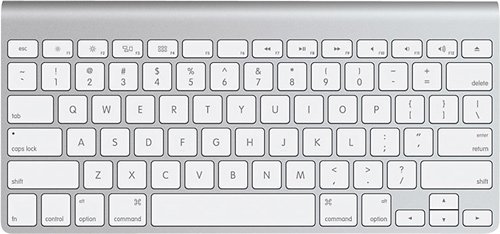
This wireless keyboard is compatible with select Mac computers, including Apple~ iMac~ and other Mac computers with Bluetooth technology, for wide-ranging use. Function keys provide 1-touch access to a variety of Mac features.
Customer Rating

4
Nice compact keyboard best to travel with
on November 30, 2012
Posted by: Jacobs
from CA
I have been using Apple Keyboard for a while even before I owned a Mac :) Keyboard layout on Apple Keyboard is outstanding and easy to use. Copycats have however started to copy the Apple Keyboard structure lately, but nothing comes close to the original.
I would have given the Apple Wireless Keyboard 5 Stars if it has included the Numeric Keypad as in the wired version. I still prefer using wired keyboard with my mac mini and Macbook Pro occasionally.
What's great about it: Elegant, compact, lightweight, fast
What's not so great: numeric keypad missing
I would recommend this to a friend!
Design

5
Ease of Use
5
Share this review:


+3points
3of 3voted this as helpful.
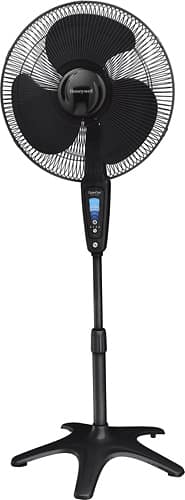
Keep cool with this stand fan that features 5 speed settings and oscillation to cover a wide area. Control the fan with the remote or the easy touch display. The convenient auto shut-off timer can be set to turn off the fan after 1, 2, 4 or 8 hours.
Customer Rating

5
The name "QuietSet" perfectly match this fan
on May 18, 2012
Posted by: Jacobs
from CA
This fan is absolutely worthy for the price comparing to competition. I wish if I could have find this fan sooner. I needed 2 fans, after a prolong search I ended up buying two other brand for the same price as this one. One of them making noise only, no air. So I returned that could not find a better brand. All major stores have the same brand as the one I returned.
One day I found this fan on display in my local best buy store. Unfortunately they did not have any in stock. So came back home and ordered online. This fan is absolutely quite and powerful. Included remote is sleek nice compared to competition with a good range and very good response.
The fan itself is light weight, easy to move around. It has a metal grill which makes the fan the best choice as you get maxim air and the metal grill make the fan much quieter and smooth compared to plastic grill which blocks a good amount of air.
This fan is no bargainer folks, get one and you won't regret.
What's great about it: Quite and powerful, 5 Speed settings, Nice remote, 1-8 hrs timer
What's not so great: Cheap plastic modules
I would recommend this to a friend!
Quality

4
Features
5
Performance
4
Share this review:


+11points
11of 11voted this as helpful.
Customer Rating
4
Good upgrade from 2nd Generation Apple TV
on March 20, 2012
Posted by: Jacobs
from CA
I use it in...:Small home
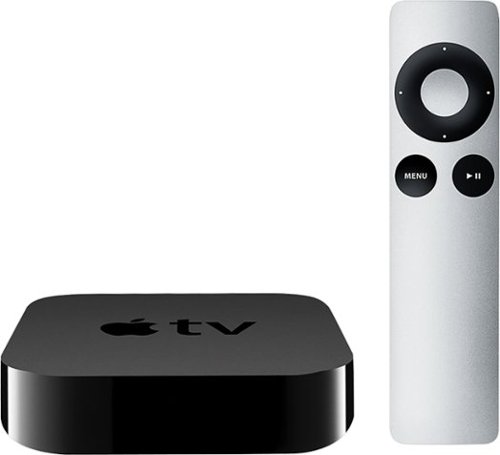
I have been using Apple TV 2 for nearly 1 year and upgraded to 3rd Generation on the launch day. I am overall happy with the upgrade. Video quality has been improved compared to previous generation device.
I do not use Apple TV to stream contents from iTunes. I use this device mainly for Airplay from my other Apple devices / computer. Also I watch Netflix and Youtube for streaming contents. Netflix quality has been improved compared to Apple TV 2.
I love Apple products and recommend its products to my friends and family. But I am not fully convinced with Apple TV. 2 years ago Apple brought us Apple TV 2 with "720p" resolution when the world has already standardized to 1080p and 1080p 3D. I could not figure out why Apple was stuck at 720p that time. May be because Apple TV is just a "hobby" for them.
Finally in 2012 Apple brought us 1080p capable Apple TV, hurray! Well, my only concern with Apple TV 3 is that despite the fact that it has 1080p streaming capability, I am not seeing a Full Screen image when I Mirror my retina enabled Apple devices such as iPhone 4 and "the new iPad". I am still seeing a 4:3 ratio output with rest of blacked out screen in Landscape mode. Forget about portrait mode!
Though, I said what I didn't like on my new Apple TV, but it doesn't mean that I will not recommend Apple TV, it is a great product otherwise and I will always recommend Apple TV especially for those who use other Apple products. It is a must to have accessory for those use iPhone and iPad.
What's great about it: Finally 1080p resolution...
What's not so great: Mirroring feature still needs optimization
I would recommend this to a friend!
Ease of Use
5
Performance
4
Share this review:


+25points
27of 29voted this as helpful.
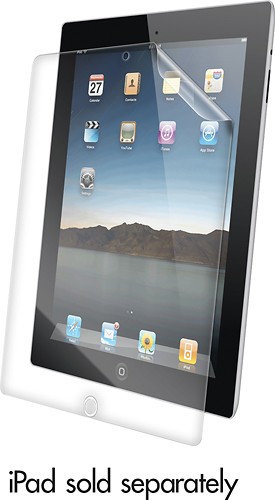
Protect the screen of your Apple iPad 2 with this screen protector that features self-healing Nano-Memory technology for abrasion resistance and reduced glare.
Customer Rating
1
Very bad product by Zagg, BB pls dont sell this!
on August 18, 2011
Posted by: Jacobs
from NJ
I can't believe I did this. Usually I spent some time online before buying anything to read the reviews, features etc. However, yesterday I was at the local BB store purchasing a Galaxy Tab and also found Zagg Shield for Galaxy 10.1. Near to that I found this smudge proof skin for iPad2 and thought it is an interesting product and because its from Zagg I thought I will not regret. No! I was wrong!!! This is the worst product from Zagg I have ever used. I applied this to my iPad2 and boom... the whole display started look like iPhone 3G. It will extensively degrade the display quality of your iPad, please do not buy and stay away from this product.
Interestingly, I found that this product is no more available on Zagg website, and one section of BB website says it is no more available to purchase. At the same time if you look in BB online store it is still available to order. I believe BB should pull this off from its shelves. Anyways 99% of the people who bought it will return it, why you want people to burn their gas and energy to return a product that should no be selling at first place.
What's great about it: Concept
What's not so great: Product
I would recommend this to a friend!
Share this review:


+6points
6of 6voted this as helpful.
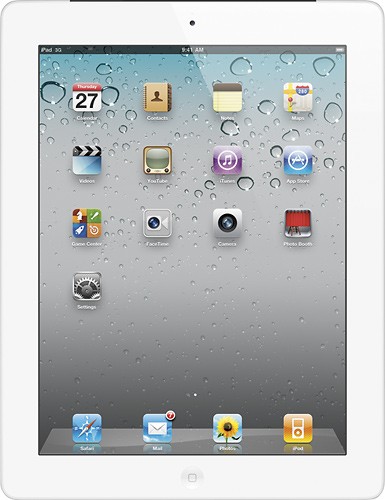
The all-new thinner and lighter design makes iPad 2 even more comfortable to hold. It's even more powerful with the dual-core A5 chip, yet has the same 10 hours of battery life.1 With two cameras, you can make FaceTime video calls,2 record HD video and put a twist on your snapshots in Photo Booth. And the iPad Smart Cover attaches magnetically and wakes up, stands up and brightens up your iPad 2.3
Customer Rating
5
Worth very well, it is a must buy for Tablet lover
on March 12, 2011
Posted by: Jacobs
from NJ
I have waited a long year for buying an iPad. I did not purchase the first gen because of it lacks a front facing camera for video, that was the only disadvantage I found in iPad. Today at the launch day I was able to get my White 32GB AT&T 3G model from my local best buy store. It is absolutely stunning. Although I have seen and tested may other tablets came after iPad but nothing can stand with iPad. Some of them might be bit superior than iPad in hardware, but performance wise iPad is the ONLY winner so far. I am not a apple fan boy, but I have a MacBook Pro, iPhone4 and now iPad 3G :P.
I love the way USA Today implemented its App for iPad. All other iPad Apps I have tested today is upto my expectation.
Cons: no earphone included as with iPhones, I personally did not like the new smart cover. It might be magnetically smart, but did not feel that way. Front and back camera produce extremely poor images during dusk/low light. After being used with iPhone 4 retina display iPad's display doesn't look enogh, not really a con but could have been better resolution in second gen iPad.
Pros: Pretty much everything from size, weight, look, and functionality FaceTime and Skype video calls
I would recommend this to a friend!
Share this review:


+66points
86of 106voted this as helpful.
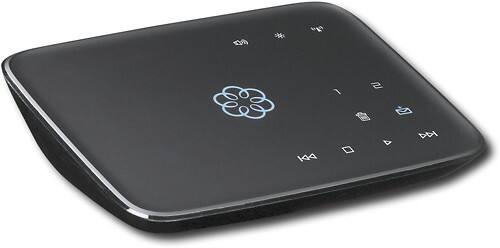
This hub works with your high-speed Internet and your home phones to deliver VoIP phone services and supports up to 4 Ooma Telo handsets. With easy setup, you can enjoy unlimited U.S. calling and low international rates.*
Customer Rating
4
It is a good phone & investment for basic users
on January 24, 2011
Posted by: Jacobs
from NJ
Ooma is a very good phone for those who are not into a lot of international calling including Canada. That means, if you want to keep calling within US it is a good investment and you can save a lot of money over the years.
If you are a person who makes a lot of international calls, this is not at all recommended for you. Better you off with Vonage. Because to make cheap international calls you need to subscribe to their premium service which will cost you additional $10 a month. With that you have to pay another $10 for 1000 international minutes. With the basic Federal/e911/state tax etc that will come up to $24 (+/-1) a month with limited number (1000 minutes) of international calls.
Fee/taxes $3.50/Month
Premium Service $10.00/Month
International minutes $10.00/Month
Total $23.50/Month
Premium Service $10.00/Month
International minutes $10.00/Month
Total $23.50/Month
If you pay another $10 (Total around $34 including tax) you can have unlimited US/Canada & international minutes with Vonage.
Another misleading fact is that they do not provide a True second line with their premium service. It is a virtual second line. I am a phonepower customer for more than 2 years and they provide you with 2 physical lines in one adapter. You can have a conference with upto 5 people if you have 2 line phone with you. With Ooma's virtual second line you can have conference upto 3 people only.
Despite the fact that it is not a real cost saver compared to Vonage, I am still keeping Ooma because it is the only VOIP service that is fully compatible with FAX/Alarm systems after PhonePower.
Conclusion: if you are a basic user who needs to call within USA only, Ooma is the right choice for you; otherwise you have wide options there in the VOIP market :)
What's great about it: Call quality, Fax compatibility
What's not so great: Premium Service with a premium price
I would recommend this to a friend!
Ease of Use
5
Features
4
Performance
5
Share this review:


+8points
11of 14voted this as helpful.
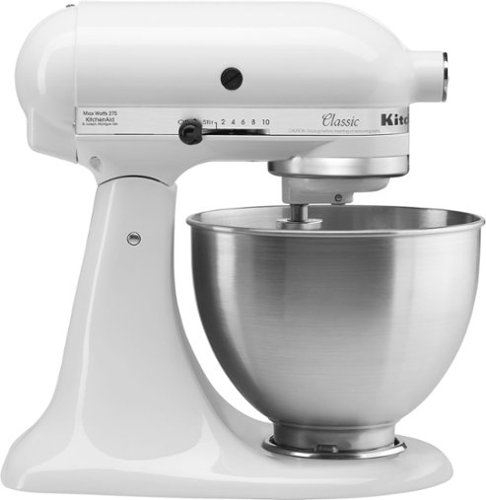
Whether you need 8 dozen* of your signature chocolate chip cookies or shredded chicken for Taco Tuesday with friends and family, the KitchenAid Classic Series 4.5 Quart Tilt-Head Stand Mixer has the capacity for every occasion. This durable tilt-head stand mixer was built to last, and features 10 speeds to gently knead, thoroughly mix and whip ingredients for a wide variety of recipes and comes in a variety of colors to perfectly match your kitchen design or personality. Get creative and make more with your mixer with over 10 optional hub-powered attachments*, from food grinders to pasta makers and more. *Using the flat beater; 28g dough each **sold separately.
Customer Rating
5
A solid product from Kitchen Aid
on November 11, 2010
Posted by: Jacobs
from NJ
This is our first "Stand Mixer". I ordered it from BestBuy after digging consumer reports and found this mode is one of their best buy recommendation. I also found "BestBuy" is offering good deal compared to other retailers whether online or offline.
This product does work exactly as it should. It is pretty heavy and sits on the counter top properly with its rubberized grip at the bottom. It is pretty much quite while operating at high speed.
This product has met or exceeded our expectation from a stand mixer in every aspect including price level. We would highly recommend this model especially from bestbuy as they have the best deal on this product. Though it is available only for shipping, I got this product on second business day, thanks to BB for fast shipping.
What's great about it: Reliable, quite and powerful
What's not so great: None so far
I would recommend this to a friend!
Durability
5
Share this review:


+31points
31of 31voted this as helpful.
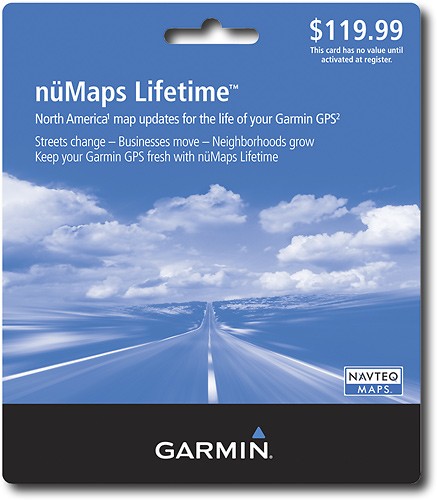
Update your Garmin GPS with this software the features built-in base maps of North America.
Customer Rating
5
Best offer as long as your device is alive!
on July 4, 2009
Posted by: Jacobs
from NJ
I have this product for since April 2009 (as soon as Garming released map update 2010) and had no problem downloading and installing. It took only 4+ hrs on my cable interent (thanks comcast) and installation was so easy.
I have no idea why people giving low rating and blaming garmin for their slow internet connection.
This is a must to go product if you own a garmin device. Instead of shredding $70 every year, this is a one time fee and you can update maps as long as your device is in good condition. My Street Pilot is older than 4 years and so far there is no problem with it. I have a nuvi 880 that is almost a year old and hope that will do the best as my street pilot doing.
What's great about it: Life long update, no more annual rip off!
What's not so great: People giving bad reviews for their own slow internet connection :)
I would recommend this to a friend!
Share this review:


0points
1of 2voted this as helpful.
Jacobs's Review Comments
This hub works with your high-speed Internet and your home phones to deliver VoIP phone services and supports up to 4 Ooma Telo handsets. With easy setup, you can enjoy unlimited U.S. calling and low international rates.*
Overall5 out of 5
5 out of 5Quality bargain Voip
By steve0617
from ossining, ny
If you have reliable high speed internet service and are looking to keep a home phone # for cheap Ooma is the way to go. It is easily setup - plug it into your cable modem and router using the simple diagram. Go to their website to create an account. You can choose a new phone # or port over you current number for a fee. If you go with a new number you will be ready to use it in minutes. For me the quality has been nearly as good as my cable company's phone service was and since I have a reliable high speed internet service I've had no phone service issues in the 2 months I've been using Ooma. The quality is good, faxing has not been a problem, no need for a computer other than to manage you account or any special phone handsets. I have an all-in-one printer/fax that I plug the phone line from Ooma into then plug the phone line out into the main base of the 2.4GHz wireless handsets I have. You can listen to voicemail online, using your phone by calling into voicemail like you would your cell phone or just pushing play on the Ooma device like you would an old fashioned answering machine. The best thing is there is no additional cost once you buy the box - all the main features you'd expect are included like voicemail and caller id. If you want some of the extra premier features such as 3 way calling, special rings, block lists, etc. you can get that for just $9.99/month. Their website lays out the included features and the premier features. I was asked about hooking up a home alarm since I do not have one I did not look into this but sure its on their website and if not just ask them. Overall a nice cost effective way to keep a home phone.

Jacobs
NJ
Ooma is only good for basic callers
January 24, 2011
Their premium service and international plans are rip offs. It is a very good phone for those who wants to call within USA. All others forget this as it will tear your pocket eventually instead of saving your money.
+3points
3of 3voted this comment as helpful.
The all-new thinner and lighter design makes iPad 2 even more comfortable to hold. It's even more powerful with the dual-core A5 chip, yet has the same 10 hours of battery life.1 With two cameras, you can make FaceTime video calls,2 record HD video and put a twist on your snapshots in Photo Booth. And the iPad Smart Cover attaches magnetically and wakes up, stands up and brightens up your iPad 2.3
Overall5 out of 5
5 out of 5Worth very well, it is a must buy for Tablet lover
By Jacobs
from NJ
I have waited a long year for buying an iPad. I did not purchase the first gen because of it lacks a front facing camera for video, that was the only disadvantage I found in iPad. Today at the launch day I was able to get my White 32GB AT&T 3G model from my local best buy store. It is absolutely stunning. Although I have seen and tested may other tablets came after iPad but nothing can stand with iPad. Some of them might be bit superior than iPad in hardware, but performance wise iPad is the ONLY winner so far. I am not a apple fan boy, but I have a MacBook Pro, iPhone4 and now iPad 3G :P.
I love the way USA Today implemented its App for iPad. All other iPad Apps I have tested today is upto my expectation.
Cons: no earphone included as with iPhones, I personally did not like the new smart cover. It might be magnetically smart, but did not feel that way. Front and back camera produce extremely poor images during dusk/low light. After being used with iPhone 4 retina display iPad's display doesn't look enogh, not really a con but could have been better resolution in second gen iPad.
Pros: Pretty much everything from size, weight, look, and functionality FaceTime and Skype video calls
Jacobs
NJ
What you mean false advertisement?
March 17, 2011
@iguy2u. I got mine in my Local BB store on the launch day (3/11) after waiting in the queue for more than 45 minutes. I am pretty sure all retail stores sold out iPad 2 on the same day including Apple stores. I don't understand your comment on false advertisement.
+2points
2of 2voted this comment as helpful.
Overall4 out of 5
4 out of 5Good upgrade from 2nd Generation Apple TV
By Jacobs
from CA
I have been using Apple TV 2 for nearly 1 year and upgraded to 3rd Generation on the launch day. I am overall happy with the upgrade. Video quality has been improved compared to previous generation device.
I do not use Apple TV to stream contents from iTunes. I use this device mainly for Airplay from my other Apple devices / computer. Also I watch Netflix and Youtube for streaming contents. Netflix quality has been improved compared to Apple TV 2.
I love Apple products and recommend its products to my friends and family. But I am not fully convinced with Apple TV. 2 years ago Apple brought us Apple TV 2 with "720p" resolution when the world has already standardized to 1080p and 1080p 3D. I could not figure out why Apple was stuck at 720p that time. May be because Apple TV is just a "hobby" for them.
Finally in 2012 Apple brought us 1080p capable Apple TV, hurray! Well, my only concern with Apple TV 3 is that despite the fact that it has 1080p streaming capability, I am not seeing a Full Screen image when I Mirror my retina enabled Apple devices such as iPhone 4 and "the new iPad". I am still seeing a 4:3 ratio output with rest of blacked out screen in Landscape mode. Forget about portrait mode!
Though, I said what I didn't like on my new Apple TV, but it doesn't mean that I will not recommend Apple TV, it is a great product otherwise and I will always recommend Apple TV especially for those who use other Apple products. It is a must to have accessory for those use iPhone and iPad.
Jacobs
CA
Mac mirroring coming soon!
March 25, 2012
Not yet, mac mirroring coming soon with Mountain Lion release, probably this summer :)
+1point
1of 1voted this comment as helpful.
Overall 3 out of 5
3 out of 5Good choice for Apple fans, not great for others
By TheDream
from Seattle, WA
Okay lets get this out of the way. If you're not a hardcore Apple fanatic with multiple Apple devices and you're looking to turn a TV into an internet connected device, then this is not for you. That is, unless you're willing to be stuck with just Netflix for streaming and a ton of pricey movies to rent/purchase from Apple. For a true internet connected television, any number of other devices are better options (Roku, Sony Media, Western Digital, or even a TiVo Box#. The Apple TV is just very limiting as it offers little else. But there are things that the AppleTV does well...
Pros:
-Well built and packaged. Apple just gets it in this regard. The device #much like an iPhone# feels well engineered and sturdy.
-Superb picture quality. The 720p Apple TV was decent, but I was stunned by the resolution of the Apple TV. Not only did Netflix look the sharpest I've ever seen, but photos were equally stunning. I was shocked at the color definition on my Panasonic Plasma TV.
-Very easy to set-up
-As usual, integration with other Apple products is great
-Very plasma TV friendly. You won't have any burn-in issues with this device.
-Home sharing works well for music/pictures/videos from your Mac/PC
-Well built and packaged. Apple just gets it in this regard. The device #much like an iPhone# feels well engineered and sturdy.
-Superb picture quality. The 720p Apple TV was decent, but I was stunned by the resolution of the Apple TV. Not only did Netflix look the sharpest I've ever seen, but photos were equally stunning. I was shocked at the color definition on my Panasonic Plasma TV.
-Very easy to set-up
-As usual, integration with other Apple products is great
-Very plasma TV friendly. You won't have any burn-in issues with this device.
-Home sharing works well for music/pictures/videos from your Mac/PC
Cons/Nitpicks
-As I've stated before, very limiting in streaming options unless you're willing to pay Apple a lot of money. Most of the stuff that's available to rent/purchase from Apple is available on Hulu Plus- and Hulu Plus is a ton cheaper. It's no wonder that Apple won't allow Hulu on this device
-AirPlay integration is gimmiky. I purchased this device specifically to stream music to my home theater receiver from my iPhone and was disappointed badly. First of all, AirPlay requires a second password #separate from your App store password# and your device won't remember it. You have to type it in manually every time you access an app that supports it #iPod, Spotify, Pandora, etc#. As annoying as this is, it's even worse that the AirPlay has it's own volume control- and there's no way to cede direct volume control to your receiver/TV. You have to turn the volume of airplay basically all the way up, then adjust the volume separately on your other device- which makes the music sound like garbage.
-Home sharing still won't work unless you go to your computer and open up iTunes. Seriously, DLNA can wake your computer up, and Apple can't make the computer launch iTunes automatically?
-$100 price is steep
-As I've stated before, very limiting in streaming options unless you're willing to pay Apple a lot of money. Most of the stuff that's available to rent/purchase from Apple is available on Hulu Plus- and Hulu Plus is a ton cheaper. It's no wonder that Apple won't allow Hulu on this device
-AirPlay integration is gimmiky. I purchased this device specifically to stream music to my home theater receiver from my iPhone and was disappointed badly. First of all, AirPlay requires a second password #separate from your App store password# and your device won't remember it. You have to type it in manually every time you access an app that supports it #iPod, Spotify, Pandora, etc#. As annoying as this is, it's even worse that the AirPlay has it's own volume control- and there's no way to cede direct volume control to your receiver/TV. You have to turn the volume of airplay basically all the way up, then adjust the volume separately on your other device- which makes the music sound like garbage.
-Home sharing still won't work unless you go to your computer and open up iTunes. Seriously, DLNA can wake your computer up, and Apple can't make the computer launch iTunes automatically?
-$100 price is steep
Overall, not a bad product, but not one I can recommend to anyone but a true Apple die-hard. It's not a bad choice if you've got another device to stream other apps #an XBox or Blu-Ray player) and you want the integration with iTunes.
Jacobs
CA
Airplay
April 5, 2012
" First of all, AirPlay requires a second password #separate from your App store password# and your device won't remember it. You have to type it in manually every time you access an app that supports it #iPod, Spotify, Pandora, etc#. As annoying as this is, it's even worse that the AirPlay has it's own volume control- and there's no way to cede direct volume control to your receiver/TV. You have to turn the volume of airplay basically all the way up, then adjust the volume separately on your other device- which makes the music sound like garbage."
If you are using other Apple devices such as iPhone, iPad, Mac for airplay the separate password you mentioned is not applicable, not at least in my case. Am I missing anything? Not sure about "other devices" and "other apps". It sounds like you are mentioning about third party devices that support airplay. About airplay volume control and receiver volume control, of course airplay device in no way going to control your receiver or its volume. That's why most of the new receiver manufacturers came up with "apps" for smart devices to control receiver. The function you talking about (controlling receiver volume within airplay) may come in the near future, none of them exists as far as I understand, correct me if I am wrong.
+3points
4of 5voted this comment as helpful.
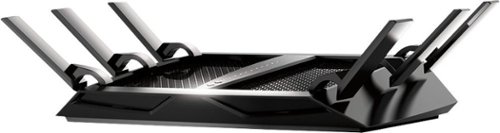
The NETGEAR Nighthawk X6 AC3200 Router, with breakthrough Tri-Band WiFi 5 delivers multiple bands for homes with many WiFi devices. WiFi speed up to 3.2Gbps and 6 high performance antennas provide maximum speed and range. Smart Connect allows you to game, stream, and download mega-sized files without lags.
Overall 2 out of 5
2 out of 5Not worth for the price
By Jacobs
from CA
I bought this router to replace my perfectly working Asus RT-66R model. I wanted to change my router just to get bit more range in my new 2200sqft home. Prior to getting this router I have tried one of the best range extender Ampedwireless AE-20. It’s range was excellent, but connection was very much degraded and struggled to get connected at times though it was set up to clone settings from original router.
So, after reading few positive reviews on BBY and mixed reviews on amazon, I decided to give new Nighthawk R8000 a try. I am happy with its slightly improved range than Asus and very much disappointed with its 2.4Ghz performance. I have more than 15 years of network experience and I really don’t bother tech support unless until it is really out of my hand and hardware specific.
Here I am trying to do a fair comparison with two routers I have (Asus & Netgear) + sign means “better” and – signs means “poor”
Wired Connection:
+ RT-66R has excellent wired connection which works at par with Motorola SB6141’s consistency
+ RT-66R has excellent wired connection which works at par with Motorola SB6141’s consistency
- R8000 has fair wired connection with slight consistency issues.
Wireless 5.0 Ghz:
+ RT-66R has excellent consistent connection
+ R8000 has excellent consistent connection as well at full speed by ISP
+ RT-66R has excellent consistent connection
+ R8000 has excellent consistent connection as well at full speed by ISP
Wireless 5.0 Ghz Second Connection:
- RT-66R Not applicable (does not come with this feature)
+ R8000 excellent connection with full speed by ISP’s
- RT-66R Not applicable (does not come with this feature)
+ R8000 excellent connection with full speed by ISP’s
Wireless 2.4 Ghz:
+RT-66R has excellent connection with 80~Mbps out of my actual 120~Mbps ISP feed at channel 6 with 450 Mbps capability.
+RT-66R has excellent connection with 80~Mbps out of my actual 120~Mbps ISP feed at channel 6 with 450 Mbps capability.
- R8000 is a complete failure in terms of 2.4Gh network
I have tried all available channels and found it degrade my 120~Mbps connection 1-14 ~ Mbps
I have tried all available channels and found it degrade my 120~Mbps connection 1-14 ~ Mbps
At this point I called customer service and it sounded like they kind of aware of the issue. With minimal trouble shooting and changing the channels to their recommended channels (01, 06, 09 & 11), there was no improvement. So they asked me to degrade from 600Mpbs to 289Mbps and it started working.
So technically now their claim of 3200Mbps became 2911Mbps.
Access Control:
+ RT-66R has fairly good access control capabilities. You can schedule what time of the day each device can access the internet. This feature is important for me as I found it is very useful with kids on top of parental control settings.
+ RT-66R has fairly good access control capabilities. You can schedule what time of the day each device can access the internet. This feature is important for me as I found it is very useful with kids on top of parental control settings.
- R8000 access control only let you allow or deny connecting a particular device. You cannot decide what time it should be able to connect. – Major drawback for me.
Parental Control:
- RT-66R has poor parental control settings, but with an option to point DNS to OpenDNS we can achieve better parental control settings with their FREE offerings.
+R8000 – also use OpenDNS but with dedicated service assigned to netgear so that you can add bypass account also which can’t be done with OpenDNS free account. This is the only additional benefit I found with this router so far compared to RT-66R.
VPN:
+ RT-66R is also able to use OpenVPN with mobile access with their free App. I was abe to access local network using iOS and Android devices with no issues.
+ RT-66R is also able to use OpenVPN with mobile access with their free App. I was abe to access local network using iOS and Android devices with no issues.
-R8000 – did not bother to check as soon as I read that it does not support mobile devices using same OpenVPN platform.
LED Control:
- RT-66R – Not applicable (missing feature)
- RT-66R – Not applicable (missing feature)
+R8000 – very useful feature if you have your router in bedroom or other place you don’t like lot of flashing lights. Can be accessed via web GUI and with a dedicated hard button at the rear of the router.
USB Storage and Cloud access:
+RT-66R allow you to create a personal cloud with your router with AiCloud application. I am able to enjoy my music and movies over AiCloud on the move.
+RT-66R allow you to create a personal cloud with your router with AiCloud application. I am able to enjoy my music and movies over AiCloud on the move.
- R8000 – could not find any documentation about cloud access. Only information I found is about ReadyCloud and it is dedicated to Netgear NAS only. Another major setback for an expensive router.
Web GUI:
Though Netgear has a simple interface and easy to follow GUI, it lack modern look and feeling. I like Asus GUI better.
Though Netgear has a simple interface and easy to follow GUI, it lack modern look and feeling. I like Asus GUI better.
Customer service:
+ Asus- Never had to call them. No subscription fee, 24/7 free support (as far as you are within product warranty).
+ Asus- Never had to call them. No subscription fee, 24/7 free support (as far as you are within product warranty).
- Netgear – Though I received prompt customer service when I called, it was shocking to learn that the phone support is only available for 90 days of purchase, then you have to pay PREMIUM subscription to get phone support.
CONCLUSION:
I have thoroughly tested all important feature that I need. Rest of the features are generic to me and I am not bothered much about them.
I am sure this router with Dual 5.0Ghz network will be very useful for those who have new wireless devices. For me I have a lot of devices that depends on 2.4Ghz frequency such as smoke detectors, thermostat, laptop that connects to NAS for backup etc. and degraded and unreliable 2.4Ghz network make it absolutely worthless considering the amount I spent on this router.
I am seriously thinking to take this back to the store. I don’t see any point in spending almost double amount of money to get a couple of benefits and a lot of drawbacks and pay for a premium to get their phone support if needed to an overpriced product.
I would not recommend this router at its current price and it is unable to meet its original claims and comes with a premium phone support after 90 days.
Jacobs
CA
Net gear support not good as I thought
September 4, 2014
They asked me to contact them again after reading my reviews in different sites. Provided all information they asked for. After 3 days they responded me saying that some one may contact me if necessary. Imagine this level of support after their 90 days of phone support expires. I was holding off returning this product thinking that I would give them another chance if they try to resolve the issues. However after seeing their last response I have reverted back to ASUS router and life is back to normal.
-1point
8of 17voted this comment as helpful.
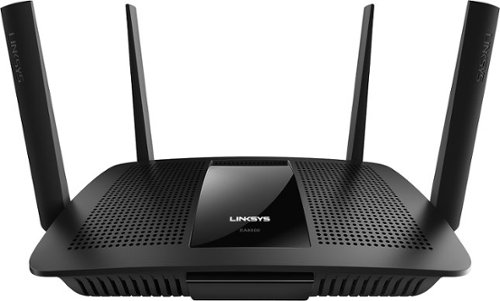
With so many devices in use, your home network is busier than ever. This Linksys router can eliminate slowdown and interference by delivering Wi-Fi signals directly to each device, so everyone can listen to music, stream movies, and shop or game online at the same time..
Overall1 out of 5
1 out of 5Worst Wireless Router ever... period!
By Jacobs
from CA
I was desperate to replace my Asus AC87R. When I placed the order online there was only one review with a single star. However, I decided to take a chance. Ordered online and picked up from a store little far away from work/home.
Hooked up and found constantly flashing Linksys logo on the top. Tried to access interface with default IP address and linksys given url. No luck! Checked available wireless network, linksys network nowhere to be found. Called tech support and explained the problem. First guy started with the templated trouble shooting and finally transferred to a specialized team handling with EA8500. They asked me to do some tricks like power recycling the device constantly 3 times between 2 flashing intervals and finally I was able to access user interface.
Everything looked fine at this point and I was already on the phone with them nearly an hour. I had to hung up the phone and decided to continue with setup in a while. After 30 minutes when I returned there was a warning on UI that I am not connected to the router. Tried to refresh, nothing happened. Again I did the same trick as by power recycling 3 times and again I was able to access UI. This time I tried to change network settings etc. In less than 3 minutes again it is disconnected even before I could complete set up like changing wireless network name / password etc.
At this point I gave up and reconnected my existing Asus router. It turned out that I have received a Dead router out of the box. Un acceptable quality control for an expensive router like this. This device is back to the store. :(
There is no pros about this router so far and plenty of Cons. UI is extremely slow. I would say slowest UI ever experienced on a router. Could not do any further test.
Jacobs
CA
Linksys RMAed this unit - going back to best buy
May 25, 2015
I did work with Linksys and finally they observed that this unit has a possible faulty 2.4Ghz radio. They RMA-ed this unit. But since I am within returnable timeline with BBY I am not taking further hassle to deal with this unit. I already spent hours with Linksys to isolate the issue. I would rather raise the rating from 1 to 3 just because Linksys really wanted to get it working and they stood behind their product. To me it is not worth spending so much time to trouble shoot a device expensive like this. Going back to BBY and hunt is still on for a better AC router.
+1point
1of 1voted this comment as helpful.
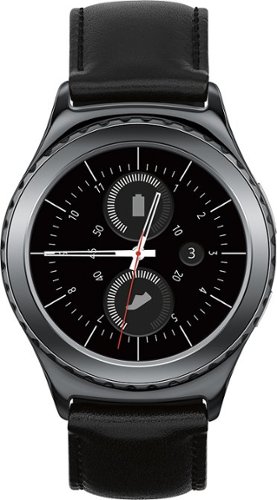
Never miss a call or text with this Samsung Gear S2 Classic smartwatch, which features Wi-Fi, Bluetooth and NFC technologies for simple connection to the Web or your compatible Android, iOS device.~ Receive notifications and check your schedule, or stay active using S Health or Nike+ Running. The leather band offers a stylish look.
Overall1 out of 5
1 out of 5No issues with product but BB Service has issues
By AVSamsung
No issues with product but BB Service has issues, so I am going to return it and purchase it somewhere else. They will not adjust the price on phone and want me to come to the store for Price Match for their own weekly sale. The manager told me that it is worth $50+ to make the trip to Best Buy. What an argument to a customer who bought a $400 product. Wish they had a little more customer savvy team!!
Jacobs
CA
really?
December 14, 2015
You can go back to the store to return it, but can't go to the store to adjust price? Sorry, could not understand your logic. First they need to cancel the transaction and re-run the purchase at the register to adjust the price. So there is no way they can do it over the phone. I am sure store manager explained this to you already.
+5points
5of 5voted this comment as helpful.
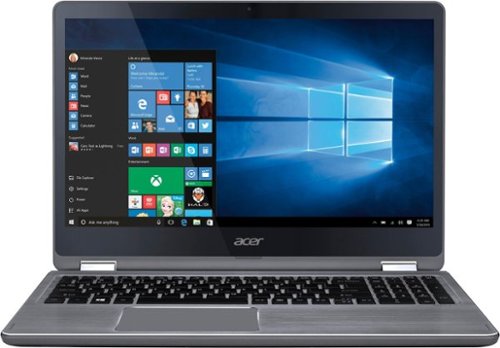
Only at Best Buy Acer Aspire R 15 Convertible 2-in-1 Laptop: Combine work and play with this Acer Aspire convertible laptop. Its 15.6-inch 360-degree hinged monitor and touch screen provide the freedom of a laptop and a tablet in a single device. This Acer Aspire convertible laptop comes with 12GB of RAM, an Intel Core i7 CPU and 1TB hard drive to accommodate high-end computing needs.
Overall4 out of 5
4 out of 5Not so great performing laptop-could be way better
By Jacobs
from CA
I would honestly rate this product with 3 stars. However, I am sure with a bit hardware tweak, this can work great. All you need is a cloning software and one SSD, you can turn this sloth in to a beast.
Speed and Processor:
A $900 PC laptop should at least have a 64GB startup SSD. Comes with 12GB Ram and a 5400rpm mechanical drive. This machine comes with a 7th Gen Intel® Core™ i7-7500U Mobile processor. My 3 year old laptop with i5 processor runs way faster than this laptop with newest i7 quad core machine.
A $900 PC laptop should at least have a 64GB startup SSD. Comes with 12GB Ram and a 5400rpm mechanical drive. This machine comes with a 7th Gen Intel® Core™ i7-7500U Mobile processor. My 3 year old laptop with i5 processor runs way faster than this laptop with newest i7 quad core machine.
Video:
Comes with integrated GeForce 940MX graphics card, this is supposed to be a good video processor. LED display has backlight bleeding problem.
Comes with integrated GeForce 940MX graphics card, this is supposed to be a good video processor. LED display has backlight bleeding problem.
HDD: 5400rpm mechanical drive - This drive alone kills this machines performance.
RAM: 12GB - enough memory power - completely useless with 5400rpm HDD.
- Bulky
- Missing ethernet port.
- Slowest HDD
- Missing ethernet port.
- Slowest HDD
I would not recommend this laptop at this price range.
Jacobs
CA
Replaced 5400rpm (lame) with 500GB SSD
November 17, 2016
I have replaced OEM HDD with 500GB SSD and it made a huge difference in the performance of the system. I strongly believe Acer should have used at least a bootup SSD in the empty M2 slot available in the computer. You can add additional m2 SSD if you provide some padding and right size screws (most m2 SSDs comes with screw).
Please do not attempt to replace the stock HDD by yourself, as it may void the system warranty. I am an experienced technician with right knowledge and tools. Top of that the product was provided by Acer in exchange of an honest review.
If you have laptop repair experience and willing to take the risk to void system warranty, you can easily replace stock HDD with SSD of your choice. Just remove 12 screws from the back of the case to access HDD. Carefully remove stock HDD (sole lame part of this laptop) and replace with SSD. Make sure you create a system restore disk using a 16GB USB Drive using the stock HDD and OS. You can restore system from the USB to newly installed SSD and this system will work like a monster truck!
+5points
5of 5voted this comment as helpful.
Jacobs's Questions
Jacobs has not submitted any questions.
Jacobs's Answers

Completely customize your Wi-Fi Smart Color Thermostat to match your lifestyle and decor. The ENERGY STAR~ certified smart thermostat lets you choose the temperature, schedule, display color and the devices you use to control it all.
Is this Honeywell, Model: RTH9585WF compatible with ‘nest’ software product standards?
Stay away from RTH9585WF. Comparing nest software with Honeywell software should be a crime lol. It is just a digital thermostat with wifi connectivity with no product support.
8 years, 7 months ago
by
Jacobs
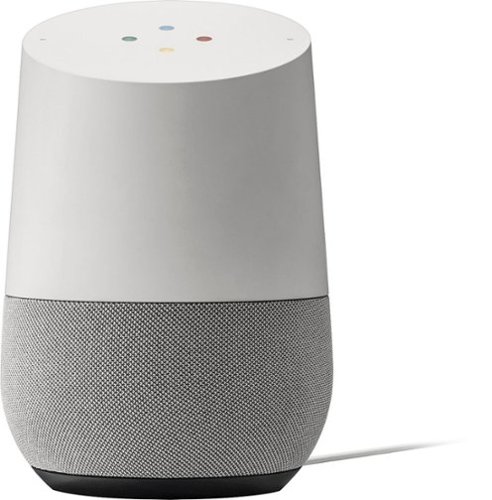
Simplify your everyday life with the Google Home, a voice-activated speaker powered by the Google Assistant. Use voice commands to enjoy music, get answers from Google and manage everyday tasks. Google Home is compatible with Android and iOS operating systems, and can control compatible smart devices such as Chromecast or Nest."
Will it work with xfinity home
With so many devices in use, your home network is busier than ever. This Linksys router can eliminate slowdown and interference by delivering Wi-Fi signals directly to each device, so everyone can listen to music, stream movies, and shop or game online at the same time..
will this work with my provider ATT Uverse
none
Yes it will, though it is recommended you turn off WiFi function on the AT&T provided router.
10 years, 8 months ago
by
Jacobs
CA