


SgtRock's stats
- Review count150
- Helpfulness votes415
- First reviewApril 22, 2008
- Last reviewNovember 12, 2023
- Featured reviews0
- Average rating4.3
Reviews comments
- Review comment count0
- Helpfulness votes0
- First review commentNone
- Last review commentNone
- Featured review comments0
Questions
- Question count0
- Helpfulness votes0
- First questionNone
- Last questionNone
- Featured questions0
- Answer count13
- Helpfulness votes4
- First answerNovember 17, 2014
- Last answerMarch 2, 2021
- Featured answers0
- Best answers2
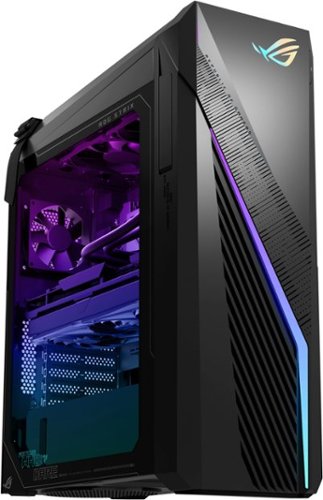
Annihilate your competition with this ASUS ROG gaming desktop. The Intel Core i7 processor and 32GB of RAM deliver rapid performance during fast-paced action, while the 1TB SSD provide plenty of storage for large files and downloads. This Bluetooth-enabled ASUS ROG gaming computer features an NVIDIA GeForce RTX 4060Ti graphics card for tear-free rendering of 4K games.
Customer Rating

5
Great system with minor drawbacks
on November 12, 2023
Posted by: SgtRock
The newest ASUS gaming systems boast some impressive specs and have everything you need to run the latest games at the highest settings. As with any pre-built gaming systems there are a few drawbacks, as they are always held back over the 'weakest' parts. Fortunately there are very few weak points with this system!
First be aware the outer box for this thing is massive! That's a good thing as it protects the delicate parts of the system during shipping, but you might want to make sure you have room to fit the box in your car if you're picking it up.
It's a simple unpack and set up (though you will want help getting it out of the box due to the size and weight of the system). TI comes in a nice protective cloth sack in the interior, and even a 'carrying' strap (though I would not call this system portable). As with any windows system, once you have the computer plugged in you will need to go through the Windows set up. Fortunately Windows 11 sets up quicker than 10, so it only takes 10-15 minutes to get to a point where you can start downloading games!
The system itself is tall and a bit slimmer than many gaming systems. It has lots of fancy lights and looks really good when running. Once you start really looking at the system you can see why the case is larger--there are a lot of open ports, slots, etc, for connecting nearly everything you can think of.
That's a good thing, as one of the drawbacks I mentioned earlier is storage space. It comes with a very fast 1 TB SSD, but you will want more space than that, considering most major games these days will take up 10-20% of that space for just one game. With the fast SSD as your main drive, you can supplement with more SSD's, or even use an external hard drive to save a little cash. You will definitely want more space, though.
Fortunately there are not too many other weaknesses in this system. The power supply is more than enough to run the beefed up video card, and the cooling has been more than efficient so far under high-stress gaming to keep the processor cool with no danger of overheating from the heat monitors I've installed.
As far as games go, this thing is fast and beautiful. So far every game I've played has looked incredible with no drag, even at the highest settings. Diablo IV and Baldurs Gate 3 are the games that test PC's the hardest at the top settings, and I've had zero issues with extended play sessions. I even downloaded Starfield to try with the free month of Xbox pass that's included (though be aware if you don't want to pay a monthly fee of $15 you have to cancel it before it renews after the first month).
It definitely helps that there's 32 GB of ram preinstalled. Everything about this system is fast.
Asus even includes a decent 'utility' program that monitors the system and keeps drivers updated, as well as a nice walk-through of the system. I've only used it a couple of times so far, but it seems to be more useful than other programs of this type that I've used.
The video card is fantastic, though it's a little odd they went with the 8gb memory model instead of the 16gb, but again, zero issues playing everything at it's highest settings that's out now. It should be plenty for future games for the foreseeable future (I've posted benchmark scores below for anyone curious).
The other things you will want to add to this system are a nice monitor (I'd recommend the biggest one you can afford), and a gaming mouse and keyboard set. For some reason pre-built systems always seem to include the cheapest peripherals and unfortunately this system is no different. The mouse and keyboard included appear to be the same ones included with entry-level ASUS systems so that's a little frustrating.
Overall (as you can see from the benchmark scores) this system is head and shoulders above many systems designed for gaming, and ASUS did a fantastic job avoiding most of the pitfalls that usually happen with pre-built systems.
Highly recommended if you want a gaming computer that you don't need to immediately upgrade, save for the peripherals!
I would recommend this to a friend!

Share this review:


0points
0of 0voted this as helpful.

Game on a retro-inspired Dell G15 5535 gaming laptop with all the modern essentials for everyday gaming. Equipped with 15.6" FHD 120 Hz Display for immersive gameplay. Experience powerful gaming experience with the latest AMD Ryzen 5 CPU.
Customer Rating

3
Decent gaming laptop for the money
on November 7, 2023
Posted by: SgtRock
I was very excited to try the new Dell G15 gaming laptop. I've had and have many gaming and PC products from Dell and have enjoyed most of them for what they are, whether it's a utility desktop, gaming desktop, gaming PC or even monitor, Dell produces quality products.
That's why when I started testing this laptop I've, unfortunately, been largely disappointed for reasons I will get into further into this review.
First, out of the box, this is an impressive looking laptop. It looks like it would hold up to construction work, frankly. It's got a unique, rigid case that feels very durable. It's also very heavy, even for a gaming laptop. The power brick is very large as well (common in gaming laptops. of course, but still if you're going to travel to play games you WILL want this with you).
The ports are a decent array, with the HDMI-out in a great location in the back, along with a standard USB and USB-C port. The power port is in the back as well, which is unique and a design I prefer (I've had to replace several laptop cords over the years that plug in on the side, due to the bends in the cord that are a by-product of that design) but your mileage may vary, as it does require more free space than normal for a laptop behind the case. There are also 2 USB ports on the side for peripheral plug in. The left side has an ethernet port plug in--which is a strange choice, but I assume things like that are due to the restrictions of the design. It's nice to have as ethernet connections definitely allow for better online gaming. There is also a headphone jack located on the left side as well.
Unfortunately I ran into issues early with set up. Once the computer was powered up it started no problem. Dell makes it very easy to register their products at set up, which is a great bonus and, it turns out, HUGELY important to do while setting up, as you could run into big issues later should you opt not to do this. For being right out of the box there were a lot of updates required. This is to be expected, to a degree....just not usually to this degree. The most frustrating of these updates was to the Dell bios system. The BIOS updates, I discovered, require your 'windows encryption key' which (I believe) you only get access to after registering your computer. I'd have been pretty upset if I'd skipped that step then gotten locked out of the PC. As it is, it was still a hassle to have to find the VERY LONG key and enter it both times the bios firmware had to be updated. I was at least glad to have another laptop on the trip--I could have locked up the key from my phone, but it's a very long code and it would have have been easy. Very frustrating to have this happen with no warning (there's no real manual to speak of, but even including that information--how important it is to register right away and get access to the key, and to even copy it down would have been great).
After starting I put it through the usual laptop things-websurfing, watching TV and a full movie, and even using the HDMI out to an 80" TV to watch, and all worked very well. The picture quality was fantastic, even though it was streaming over a wifi signal (albeit a strong signal). The HD looked great!
I discovered a drawback while going through installation of the games I wanted to play--the fans on this are very loud. Louder than any other gaming PC I've used. Loud enough you'll want headphones if trying to watch a movie through the standard-for-a-laptop speakers. The same with game playing once the fan kicks on. It may be the placement venting behind rather than below that makes the fans so much more noticeable on this model.
The specs are decent, but with any gaming pc you're always limited by the weakest part of the system. Unfortunately for a gaming PC you really don't want it to be either your processor or the video card, and those are the two biggest limiting factor with this laptop. While they are both decent components from AMD, their specs are such that they're limited on the latest games and can't really play them well at high settings. If that's not a big deal for you then I'm happy to report it will play current games on the medium settings just fine. Baldur's Gate 3 stutters at the highest settings, but will play decently well on the lowest settings. Diablo IV runs better (but isn't quite as hard on a PC as BG 3). Cyberpunk plays well on it, too, but again it won't run the graphics turned all the way up unless you want a slide show.
On the plus side, the 1TB on board SSD should last a while and is big enough to hold a few of the newest games from the past few years. It also boots both the PC and games up very fast.
For the price it's okay and you could certainly do worse. With costs up considerably on PC components this is a decent answer if you need a gaming laptop that will play the latest games without breaking the bank. If you don't mind spending a little more, there are beefier options from Dell (and others) that will last you longer into the future, whereas this one will likely be limited on newer games in just a couple of years, probably sooner.
I would recommend this to a friend!

Share this review:


+4points
4of 4voted this as helpful.
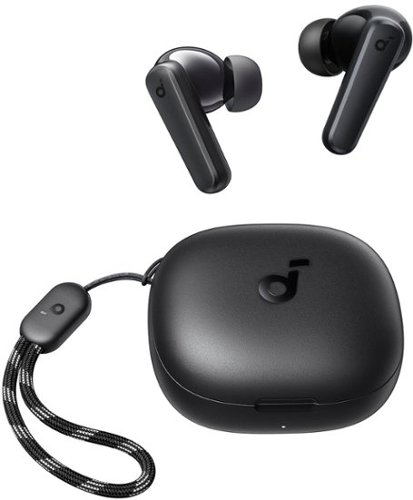
Experience performance and value with soundcore P25i true wireless earbuds. The lightweight design and 10mm drivers mean that you can listen to tunes with thumping bass in rich detail, all day long. Personalize your listening experience with 22 preset EQs, customizable controls, gaming mode, and white noise. With up to 30 hours of playtime and fast charging, these earbuds are perfect for on-the-go listening. Plus, they come with a lanyard for easy carrying.
Customer Rating
5
simple affordable earbuds that work well!
on November 2, 2023
Posted by: SgtRock
I've had dozens of pairs of ear buds at this point, both cheap and (too) expensive, and the Soundcore by Anker rank among the best I've used. When you couple that with the price and these are hard to beat.
The box is simple--a really short charging cord (USB-C ), case, earbuds and instruction pamphlet. There's not much to the instructions, but these are so simple to use you probably won't even need to look at them. Charge them, open the case, pair with your device and you're all set.
They fit well out of the box, but have a couple of additional tips in case you need a different size. They're comfortable and fit better than many that I've used. I've completed several long runs and hikes and not had to adjust them much after I've put them in, where other pairs often fall out or require readjustment many times over that same stretch.
The best features, though, are what you buy ear buds for: they sound great, hold a charge for a very long time, and don't 'unpair' randomly like so many others I've used. They have been paired every time I've gone to use them (a few dozen times so far, easily).
Overall you'll be pleasantly surprised if you pick these up thinking you're just getting a 'standby' pair, as these are as good as any pair of ear buds I've used to date.
I would recommend this to a friend!

Share this review:


+1point
1of 1voted this as helpful.

The bella PRO Precision Max Performance Blender is equipped with a commercial-grade 3.5-HP motor and toggle switch controls. Effortlessly crush ice, frozen fruits, and vegetables ensuring smooth and creamy results every time. Low, High, and Pulse settings give you the ability to turn grains into flour and nuts into milk. The 64-oz. BPA-free Tritan blending jar offers ample capacity for your favorite recipes. Clean up is a breeze as the removable parts are dishwasher-safe, saving you time and effort.
Customer Rating
5
Absolute beast of a blender!
on October 8, 2023
Posted by: SgtRock
I'm not familiar with Bella Pro products. This is the first I've ever owned and I was definitely intrigued by the pictures and description. It almost looks like a 'throwback' product, but in a stylish way.
The pictures underplay just how easy this thing is to use. There is one button on the side for main power, and then one button and two toggle-switches on the front. There is no electronic display aside from the basic timer in between the two buttons, no app that has to be downloaded nor any other even-slightly complicated thing to know to operate this blender. My last blender was from another company that definitely does not take the simple route--it's like the yin to the Bella's yang. It really does answer the question of how complicated does a blender need to be? Bella's answer is clearly "not complicated at all".
It's heavy--the parts feel sturdy and appear to be high quality (the blades are stainless steel, and the HUGE cup is made of BPA-free plastic--they refer to it as the "Tritan blending jar"). It's also very tall compared to a lot of blenders so that can cause issues with storage.
The most important question is "how well does it blend?" The answer is: there needs to be a word between 'blend' and 'obliterate' that describes this blender! It has a 3.5 HP motor, which seems insane, frankly. It's definitely an industrial kitchen strength, but in a much smaller body. For an easy comparison: most 'under sink' disposals use a 1/2 to 1 HP motor. The motor in this blender is likely 3-6 times stronger than the one under your sink!
Our main use of any blender is for smoothies. If you make a lot of smoothies you already know most blenders have issues thoroughly crushing the ice. This blender laughs at that concern. The blenders we made this morning we blended for maybe 30 seconds and they were as smooth as milkshakes!
To sum up: if you need things blended and don't really care about options other than hi, low or pulse, or you just need to liquefy things very, very fast, then this is the blender for you!
I would recommend this to a friend!

Share this review:


0points
0of 0voted this as helpful.

Small size, a world of discovery. Echo Show 5 Kids is built for kids to learn, play, and explore. Kids can ask Alexa for homework help, create bedtime routines, play music and videos, and make calls to parent-approved contacts. Easy-to-use parental controls let parents set time limits and review activity. Amazon Kids+ includes thousands of ad-free songs, shows, games, Audible books, and Alexa skills.
Customer Rating

4
Fun speaker for kids
on September 23, 2023
Posted by: SgtRock
The Amazon Echo Show 5 is designed for kids and is another solid entry into the Amazon smart video speaker family, with the usual drawbacks.
The design itself is cool, with a space theme and variety of colors that should offer universal appeal and fit with decor in most kids' rooms.
The box comes with the 'instructions' pamphlet, the speaker and a plug. As any "Amazon Parent" already knows, most of the set up and permissions for kids are actually done through Amazon. It's easy enough, though the password for parental permissions gets ridiculously tricky (I've had devices lock before due to not remembering the password and having a really hard time trying to reset it).
The screen is bright and clear, though it's on the small side so it can be hard to see from farther away. The games designed for kids by Amazon are pretty fun, though can be a little repetitive (which kids don't seem to mind, but can drive parents a little crazy haha). There are cool learning games available and my daughter has had a fun time interacting with many of them.
The usual caveats with Amazon's 'smart' video speakers continue to be a slight issue with this device, unfortunately. The screen isn't always responsive to touch, and can be very frustrating when trying to navigate, especially for a child with very little patience. My daughter also has a slight lisp so the speaker doesn't always understand her--and at times it doesn't understand me, either. I will say it has understood some complicated things with no issues, then gets confused on things that seem easy. These issues don't come up that often, though, so a little patience goes a long way. Amazon's web search for answers to questions is hit-or-miss, but that's always been true.
The sound is good, though not quite as good as the dedicated speakers Amazon makes (which is to be expected). Video playback is typically excellent from what I've seen so far, but of course there are a lot of outside factors that affect this so your mileage may vary.
It's a very effective alarm clock and timer, and comes in handy for homework, too! Overall my daughter is very excited about using it and can sometimes get very wrapped up in games or just listening to music.
For kids it's excellent, and offers a wide variety of parental controls through Amazon that should keep you feeling secure that your child is safe while using it.
I would recommend this to a friend!

Share this review:


0points
1of 2voted this as helpful.

Beauty is in the details. This beautiful, sleek, and unbelievably lightweight tablet (as thin as a pencil and weighs about a pound) is designed for on-the-go durability with an aluminum exterior and strengthened alumino-silicate glass. For your privacy and convenience, it comes with a fingerprint sensor to unlock your device, making this your all-day, every day, can't-live-without tablet. This is an ad supported device that displays sponsored screensavers on the devices lockscreen.
Customer Rating
5
Perfect tablet for kids!
on August 27, 2023
Posted by: SgtRock
This is part of a 'package' review that includes the stylus and tablet from Amazon designed for use with the Fire Max 11. It's a package specifically aimed at kids so the reviews are written with that in mind (meaning there won't be much focus on productivity or business applications). My review for the case and stylus from Amazon should also be posted under those product pages (not sure how to link them or even if it's allowed).
My daughter needed a new tablet so the Amazon Fire Max 11 seemed like a great fit, especially when paired with the case and stylus by Amazon. For her this is a fantastic tablet. Out of the package the set up is typical of Amazon devices--connect to wi-fi and it walks you through. Overall it takes maybe 5-10 minutes depending, of course, on your connection. It was also almost fully charged.
One fantastic change is all Amazon devices are now (finally!) USB-C charging devices. The older ones they used on tablet's designed for kids broke a lot--to the point that I stopped buying their devices for kids as it was a waste of time, so that is a very welcome change. It's also very comparable to ipads this size, but much cheaper even at retail price (and can often be found on sale).
The case redesigns are great--the tablet looks and feels much more substantial than past designs. The edges feel 'tougher' and the button placement makes sense for volume and power controls. There is still a headphone jack, but the tablet also utilizes bluetooth for ear buds and other devices. It also integrates with other Amazon devices right away.
The screen is very attractive. I tested it with a few of Amazon's 4k offerings, as well as some from Vudu and the images were fantastic. I must mention that you will be glad the headphone jack or bluetooth headphones are possible, as the sound from the speakers is fine for every day uses, but you'll want another option for watching any kind of media as it is not very substantial--to be expected from a tablet, of course, but still a little disappointing compared to previous Amazon tablets. Everything else on this tablet is so well-designed I would have expected much the same sound quality as the Fire tablet 10, but did not feel this lived up to even that standard.
Apps run fast, and my daughter (like most kids) never seems to close anything on her tablet, but hasn't experienced any significant slowdown so far that I've seen. The Amazon App store has a lot of cool apps and my daughter has already found a drawing app she loves--it's kind of a game that can be played with other players (but minimal interactions so once I checked it out I didn't have much fear of inappropriate interaction) where you 'guess' what they tried to draw and you can submit your own. She's also delighted it plays "Roblox" with no issues (past Amazon tablets could not play it very well, so this is a substantial processor upgrade).
I'm okay with that, as well, as Amazon has a good set of parental controls that let you manage time played, apps downloaded, etc. The only issue I've seen with them is the password gets 'tricky' and can't simply be managed from Amazon's page with my log in--a frustration I've had with Amazon's parental controls for a while.
Overall for a kid this is almost the perfect tablet for a 'tween'--good parental controls, a charger that won't break easily, and lots of appropriate apps for her to choose from without me having to dig and research them all before allowing my child to use them. The Amazon review system for apps seems to be well researched with good, helpful reviews for almost every app. When paired with the case and stylus from Amazon I imagine this table will be useful to her for a long while, and that's good--especially since it's cheaper than a lot of the pricier tablets out there, but still a fairly significant cost when compared to other tablets designed for kids.
I would recommend this to a friend!


Share this review:


0points
1of 2voted this as helpful.
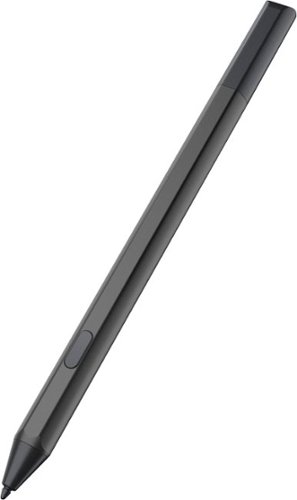
Compatible with Amazon Fire Max 11 (2023 Release) & Amazon Fire HD 10, (13th Gen, 2023 release) Tablets. Perfect for drawing, sketching, coloring, taking notes, and marking up PDFs. No pairing involved, simply insert the provided battery and start using the stylus with your tablet. USI 2.0 certified stylus. Compatible with USI 2.0 supported devices.
Customer Rating
4
Great entry level stylus for kids
on August 27, 2023
Posted by: SgtRock
This is part of a 'package' review that I've also reviewed the Amazon Fire Max 11 tablet and pad. It's a package designed for kids, and it's primarily that point of view I'm writing these reviews from.
Out of the package the stylus looks nice, and with the battery (included) it's a good weight--light enough for extended use but heavy enough to feel substantial.
It responds well, though it's not super 'accurate' as far as stylus' go and if you want to use it for very detailed drawings or diagrams you'll probably want something a bit more advanced. For my 11-year-old it's fine and she loves it. She mostly uses it for tapping the screen and opening things, but occasionally uses it for the fun, free drawing program that you can find on the Amazon app store. I've played with it some in the same drawing program and really liked it's responsiveness. Again, didn't quite get as detailed as I'd like, but responded well and was certainly good enough for the price.
The only drawbacks I've seen are that it's attachment method is that it's 'magnetized' to use with the case, but there's not a way to actually 'attach' it otherwise. For a kid that is not ideal, and I've already found it 'laying around' nowhere near the tablet a few times now. It would have been nice to have a loop or strap included on the case. The other drawback I foresee is tracking down the required 'AAAA' battery for replacing when the included one runs out. She's used it (a LOT) in the two weeks we've had it so far and the battery seems to be holding up pretty well, but there's no real way to 'track' battery life (at least that I've discovered yet) so we'll have to go ahead and get a back up to be ready whenever it does go out. It's not a battery size that is on shelves very often from what I've seen.
Overall it's perfect for kid's, especially at this price point, you'll just want to keep in mind and plan for the drawbacks with it.
I would recommend this to a friend!

Share this review:


+1point
1of 1voted this as helpful.
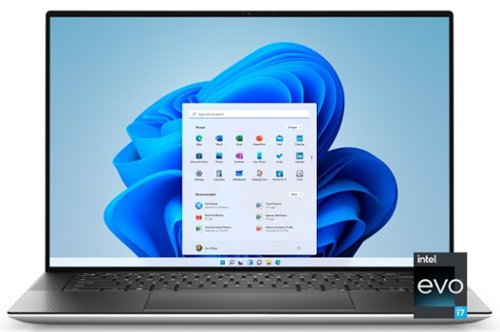
The XPS 15 laptop is the perfect balance of power and portability with an unrivaled immersive visual and sound experience. Whether you are streaming, editing photos or creating your next masterpiece, the XPS 15 has the power to move your ideas into reality.
Customer Rating
4
Great laptop for general and some specific uses
on August 23, 2023
Posted by: SgtRock
There are a lot of things to like about the Dell-XPS 15 laptop. It's sleek and elegant, and does several things very well. If it's the right computer for you all depends on what your needs are --and there are a few things I'd consider drawbacks (but not many).
Unboxing it is pretty cool--it's genuinely elegant packaging (maybe even a little overkill haha). The laptop itself feels nice and looks very good. The silver metal casing feels very sturdy. It also includes a charger as well as video adapter.
Mine had almost a full charge straight out of the box. Powering up it looks really good as well. The backlit keyboard is perfect for a laptop. The rubber keys are soft and comfortable even for extended sessions. I'm typing this review on it right now in a dark room sitting on my couch --it's very comfortable and easy to type on without many misses or difficulty keeping my fingers on the (and I have big hands).
The display is very nice and crisp. I've watched a couple of movies in high definition and they look almost perfect. The sound is what it is--you can't expect much from laptop speakers. They're not terrible and I've heard worse from laptops, but they're small and can only produce so much sound. It is very easy to connect headphones through bluetooth, one of the usb or usb-c ports, or even the old-fashioned way with the headphone jack.
It has a convenient selection of ports and an sd-card reader. The specs on this computer are fantastic for some features---the CPU is very fast, but there are a couple of odd decisions on internal parts that 'bottleneck' the laptops performance.
If you are looking to game you are better off looking elsewhere --particularly at this price point. There are other options in both laptop and desktop, including from Dell, that play games very well for this price. I'd also not recommend it for video editing for the same reasons. What it does GREAT is work with large, cumbersome programs and big files. The processor is fast and the memory is perfect for many open windows and programs at once without bogging down the system. The fan is quiet as well, and doesn't run all that often unless you're putting the laptop through some serious paces.
There are only a couple of slight drawbacks --it's surprisingly heavy for it's size and 'level' of computer. I've had other versions of this system in the XPS series that had roughly the same footprint but seemed like they weighed half the amount. Likely due to the real metal casing--so there is some compromise between durability and weight, but it's something to keep in mind if you are going to need to carry this laptop around all day.
A few other small annoyances--there's no fingerprint reader built into the system. Windows Hello (if you opt to use it) works best with a reader or pin. I've tried using the facial recognition--and like almost every facial recognition program it doesn't always recognize you depending on conditions. I've also had it completely freeze the computer once, requiring a restart. A fingerprint reader would have been very welcome--especially since this is the version that doesn't have a touchscreen. I typically prefer to keep my laptop cameras off, ands pins are a little too insecure but the best option for me for this system. Many XPS' have the reader included so I don't know if it's just this model or they're going to stop including those altogether, but it's a good option to have.
It also seems a bit pricey not to have the touchscreen. That doesn't matter to me so much as I don't find myself using them very often on a laptop, but at this pricepoint for what would be considered a 'work laptop' for most people a touch screen is standard for many brands. The costs here are definitely due to the mostly high end internal parts and protective case, but it seems like a glaring omission.
One weird, minor annoyance--the power button on the keyboard is not backlit for some odd reason, and I've accidentally hit it several times already. No idea what the thinking was in that design choice.
For anyone interested I've included the benchmark score for this model and set up in a picture below.
Overall if you need a high end, fast computer for running multiple, difficult programs at once this is a great machine. It's probably above most users needs even for that. It's also a sturdy computer that seems capable of withstanding a few bumps without too much of an issue (not that I'd recommend testing that, of course). It's likely not capable of playing many current high end games, but plays videos very well with a bright and detailed display.
Recommended, of course, depending on your needs. I always recommend knowing exactly what your needs and/or wants are when shopping for any kind of PC or laptop and getting as close to that type of system as your budget allows.
I would recommend this to a friend!



Share this review:


+1point
1of 1voted this as helpful.

If esports is your calling, answer it with the ultimate wireless headset for competitive play. Designed to meet the needs of Team Razer~s finest, get the complete package of crystal-clear audio, advanced noise isolation, and all-day comfort with the multi-award-winning Razer BlackShark V2 Pro.
Customer Rating
5
Fantastic high-end gaming headphones
on June 19, 2023
Posted by: SgtRock
If you’re thinking you might have a weird form of déjà vu seeing a product that looks very familiar but costs significantly more then no worries. It’s not your mind playing tricks on you, it’s that Razer re-used the excellent base design of their previous Blackshark V2 design, they just removed the wires (among other very nice upgrades). It’s a smart choice, since I used the original set for at least a year and found the design to be very comfortable for prolonged gaming sessions!
If you’re unfamiliar with the previous design, Razer has made a very sturdy, but light and comfortable headset with breathable fabric and memory foam pads. They are extremely flexible, but don’t get ‘loose’ with extended use.
With the increased price tag comes significant improvements in other areas—name sound and mic quality. The speakers are a slight improvement over the previous model and sound very crisp and clear, with 7.1 THX supported for ‘directional gaming’ sounds (though, like most headsets, the low end bass sounds aren’t great—more a limitation of headsets in general, as these sound terrific otherwise). It’s pretty cool in practice, since it really sounds like there are things behind you, beside you, etc, and it’s fairly easy to pinpoint where a sound is coming from in shooters, etc (hugely important for gaming).
These are true wireless, Bluetooth headphones that work very well with no noticeable delay between picture and sound. The PS5 doesn’t support Bluetooth (somehow) so a dongle is provided for use with the system. Even across the room from the system there was no noticeable delay between picture and sound.
The mic is probably the biggest improvement over the old model. In my playback tests my voice was clear and easily understood even at low levels. My test calls received the same response from the people I called—I even had one friend mention he would have no idea I was on a headset if I hadn’t told him.
If you’re already part of the ‘Razer-verse’ then you likely already have the Razer Synapse program installed on your gaming rig. If you don’t, it’s a nice program designed to make all of the Razer products you own ‘sync’ with each other. It also has controls for individual items such as color selection to ‘sync’ the colors on each product (even including their RAM if your PC has a ‘window’), mouse button assignments and much, much more. For the headset it has equalizer adjustments and settings—best thing about this is you can ‘save’ your favorite to the headset! It will carry over if you connect to PS5, and also means you don’t automatically have to open Synapse each time you want to change your EQ settings (and can still be switched to other settings via the headset controls). If you don’t want to bother with a new program on your computer then the good news is that it is not necessary in order to use the headphones.
Overall this is a fantastic high-end headset for gaming. If you are in the market for a product like this I highly recommend them—If you’re already in the ‘Razer-verse’ then this is another stellar product that will sync nicely with your other Razer devices.
I would recommend this to a friend!

Share this review:


+1point
1of 1voted this as helpful.

Enhance your comfort with the next evolution of smart thermostats. The Sensi Touch 2 Smart Thermostat is designed for energy savings and data privacy ~ to give you full control of your home HVAC system. If you leave the house and forget to adjust your thermostat, the Sensi Touch 2 has you covered! With our top-rated Sensi Mobile app, you can remotely control your thermostat from virtually anywhere plus, you can monitor the performance of your home HVAC system with smart alerts and service reminders. Pair your Sensi Touch 2 with up to 15 Sensi room sensors (sold separately) to help you prioritize temperatures where you need it the most. With an easy installation process, dedicated customer service team of HVAC experts, and backed by over 100 years of HVAC experience, you can feel confident putting the Sensi Touch 2 Smart Thermostat on your wall.
Customer Rating
4
Great thermostat with a few minor issues
on May 21, 2023
Posted by: SgtRock
The Sensi Touch 2 is an excellent entry into the 'smart' thermostat field. It's a great looking product that functions very well, with lots of extra features that can actually help you avoid future issues (and possibly expensive repairs) with your HVAC system.
I did have issues with set up (and the website) that keeps me from giving this system 5-stars. The app is lacking a few features that could have made set up easier.
The box contains the thermostat cover, mounting plate and screws, an extra wire necessary for some systems, and instructions. The instructions are fairly basic, and mostly just direct you to install the app, along with some important safety information. The app itself was extremely helpful…until it wasn’t. First, the helpful part: after installing the app, it takes you straight to instructions on how to install the thermostat, and they are very useful instructions (provided you don’t run into issues, of course). It asks which thermostat you have, and what kind of wires you have coming out of your wall—you should have them all pre-identified, if not actually labeled. If you are not sure about wiring, then it’s worth it to call a professional for help. While installing a thermostat is not particularly difficult, it can be expensive and even dangerous if you don’t do it right. Assuming you don’t have an issue with it, the instructions will tell you based on those wires if your system is compatible or not, then it will walk you through what wires go where (note: power to your AC system should be turned off at the breaker box through all of this). There are even included stickers to help you label the wires if they aren’t already labeled. Then it’s simply a matter of plugging the wires into the right holes.
Once that’s done and the back is mounted and wired (one nice thing that I think is common in these now but is still much appreciated is the small ‘level’ on the baseplate to help with install—super-convenient feature—see the picture attached) then it’s a matter of connecting it to your wi-fi….and that’s where things went a little sideways for me.
It’s a straight-forward connection process to connect the thermostat to wi-fi using the app, normally (I assume). My thermostat is only about 10 feet from the router, but the app and thermostat were having a very difficult time both connecting to wi-fi and syncing to each other. It timed out on me twice, but the time out process is different for the thermostat and app, and frustratingly I had to re-start the process a couple of times even though the signal was strong. Once the app ‘times out’ while trying to connect it gives you a message that It’s taking longer than it should…and then you can’t do much from there aside from starting over again. After going through that process a few times I discovered the thermostat was connected (it shows the status on faceplate)….but the app didn’t know it. I didn’t want to restart the connection process again after finally having a connection, so I looked in the app to see if there was a way it could simply recognize the thermostat. Both my phone and the thermostat were on the same network, but unfortunately there is no way to connect the app to a thermostat that is already in place (I had this confirmed by customer service).
My next attempt to find a solution was on the website. That was also frustrating. I searched every term I could find, thinking this was a pretty simple issue, but unfortunately, I was getting no results that helped with my issue, so I figured I’d send an email to customer service to see if they could help.
Like most people I much prefer email over phone calls, but getting to the point where I could send an email was not a simple process. I get that they want to ‘weed out’ problems to cut down on the number of calls they receive, but it was sort of ridiculous how many “are you sure you tried this?” pages before I could get to that point. Also another hugely frustrating thing is that it will take you back to the beginning of the process over and over again if you back out or exit (there may have been a way to avoid this, but I couldn’t find it). It felt like a very long time to get to that point. I did finally get to send that email asking if there was a way to connect to an ‘in place’ thermostat and things picked up a lot from there.
Like most people I much prefer email over phone calls, but getting to the point where I could send an email was not a simple process. I get that they want to ‘weed out’ problems to cut down on the number of calls they receive, but it was sort of ridiculous how many “are you sure you tried this?” pages before I could get to that point. Also another hugely frustrating thing is that it will take you back to the beginning of the process over and over again if you back out or exit (there may have been a way to avoid this, but I couldn’t find it). It felt like a very long time to get to that point. I did finally get to send that email asking if there was a way to connect to an ‘in place’ thermostat and things picked up a lot from there.
I had an email from customer service within a few hours, asking for a little more information both about the problem, and from the front of the thermostat, and also asked about some of the frustrations I mention. I sent it at night and got a very thorough and helpful response the next day. They actually took care of both assigning the thermostat to my app, and to my home address--so that was great. I was fully expecting a canned response to tell me to install it again, so it was a very nice surprise to get a reply that was both fast and helpful, and a customer service department that did most of the work for me. That problem was solved and now everything appears to be working as intended!
I will note that the thermostat was working as a thermostat through all of this, so I didn’t have to take it off the wall and install my old one to have air conditioning (thank goodness). This brought about another small issue with a feature that is missing from the thermostat itself—while it was connected and had a ‘menu’ on the thermostat, there is no basic function to change the date and time, and it didn’t sync automatically even though it was connected to the internet. I found that a bit odd—there are a lot of other set up features on the menu, so this seems like a bit of a glaring omission. Customer service was kind enough to set the date and time for me while they solved the app connection issue, but I still find it odd it’s not on the internal menu on the thermostat).
The features that are on the thermostat menu are extensive. There are many helpful features that can potentially save money on repairs, and features intended for service personnel should they need it. I have a friend that knows about AC’s and said he hadn’t seen anything that extensive on a thermostat before, so that’s good to know. There’s also a ‘de-humidify’ setting that I’m looking forward to using, since the area I live in gets very humid in the summer.
One thing I don’t understand is these same menu options aren’t on the app. That seems like it would be an easy thing, but you can only retrieve that information from the thermostat itself. It was also a tiny bit frustrating to set a schedule, as you have to figure that out yourself (note, this might be part of the set-up process that customer service had to finish for me—I’m not sure, but all I was able to do from the app was ‘edit’ a schedule that seemed to already be in place). This was a little surprising to me given how great the installation directions are. A step-by-step instruction process for setting up a schedule would have been welcome. It’s fairly straight-forward, but instructions would have been welcome.
The app also has a ‘geofencing’ option that will use the system based on your location (i.e. you’re gone it runs less, you hit the ‘fence point’ and it turns on and will be the temperature you want when you get home). With multiple people in our home all on different schedules I don’t use this feature (and it also requires the app have your precise location on in the background all the time, which is a feature I don’t care for as it burns through my phone battery too quickly) but I’m sure many people would find useful.
The app also has a ‘usage’ display, but I haven’t had the thermostat long enough for there to be much useful information there yet. There is a ‘monthly’ archive that will show after you’ve had the thermostat for a while that compiles usage data to see if there are recommendations the system can make to help you lower energy costs.
There are also some 'future thinking' settings, including a place to store your repairman's information (great idea!), an 'energy savings programs' setting (this didn't have any information yet due to the short time it's been installed--I assume there's some minimum amount of information it needs to have recommendations). There's even a 'current runtime' display that is handy for those times (and I actually just had this happen a few weeks ago) that you might be thinking your AC has been running a long time--which is an early indicator of possible issues with your system, so nice to see that feature included.
Another really nice feature in the app is the ability to ‘lock’ the display so it can only be adjusted through the app—any parent will tell you that kids love messing with electronic stuff, and thermostats are no different (especially when they look cool like this one haha).
The thermostat itself looks good—the display is attractive and sleek, and the basic thermostat controls are all there if you don’t have your phone handy or just want to make a quick adjustment to your settings (if you haven’t locked it with the app, of course). It also displays the humidity level and outside temperature, both very nice things to have on a thermostat.
Overall, this is a really nice ‘smart’ thermostat, but there are several tweaks the app (and thermostat) could use to make it ideal. I do recommend it very much, particularly because the customer service is so responsive. My issue was small and could have been very easy to ignore, but their responses were very fast and (most importantly) very helpful—the tech that responded worked to understand my issue, and helped me in way that wasn’t condescending or simply telling me to re-try things I’d already done. If they hadn’t been so helpful, I’d have had a much harder time recommending this. I believe the other issues are easy fixes, and from my experience I’d guess the features that will make this thermostat really advanced will be coming in future updates.
I would recommend this to a friend!



Share this review:


+3points
3of 3voted this as helpful.
SgtRock's Review Comments
SgtRock has not submitted comments on any reviews.
SgtRock's Questions
SgtRock has not submitted any questions.

Dominate in style with the Dell G7 17-inch gaming laptop with thin, sleek design, 10th Gen Intel Core processor, NVIDIA GEFORCE RTX 2070 (Max-P) discrete graphics, Game Shift technology and 4-zone RGB keyboard.
What's the approximate cost of a replacement battery?
Most sites have the G7 battery listed at about $80.
5 years, 3 months ago
by
SgtRock
Dominate in style with the Dell G7 17-inch gaming laptop with thin, sleek design, 10th Gen Intel Core processor, NVIDIA GEFORCE RTX 2070 (Max-P) discrete graphics, Game Shift technology and 4-zone RGB keyboard.
So im really trying to choose between the 17.3 inch and the 15.7 inch. I have some questions and it would be great if you can help me with choosing. 1st question: Is the 17.3 inch storage upgradable? 2nd: How much better is the max in the 15.7 inch?
With most gaming laptops upgrading the storage means replacing the drive in the system (there simply isn't room for another drive in most cases--which I believe is the case for either of these models). Your best bet is investing in a portable, external hard drive and taking it with the laptop. You can, of course, replace the drive in the system, but that can be pretty difficult since you'll need to copy a lot of the information in the current hard drive first, then transfer it all to the new drive,etc.
5 years, 3 months ago
by
SgtRock
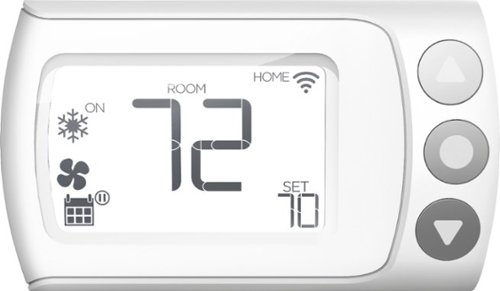
Control your home~s heating and cooling system remotely with this LUX Wi-Fi thermostat. The Android and iOS companion app supports geofencing, smart scheduling and personalization settings for efficiency, and compatibility with Google Assistant and Amazon Alexa offers convenient voice control. This LUX Wi-Fi thermostat works with electric, gas, oil and forced-air systems for versatility.
Can the thermostat be locked via the software so unauthorized people wouldn't be able to change the settings? I couldn't find this info in the users manual.
Yes--there is a very simple setting for this in the app (and ONLY in the app as far as I can tell)
5 years, 6 months ago
by
SgtRock

Get the same possibilities as a full size oven, with quality results, in a convenient countertop size with the KitchenAid~ Dual Countertop Oven with Temperature Probe. It's large capacity helps you save time and bake 2 whole chickens* at once. It also features a built-in temperature probe for more control during the cooking process, for perfect cooking results time after time. In addition, it features 12 preset cooking functions, an easy to read digital display, an interior light to check progress at any time without disrupting your dish, and a non-stick interior for quick and easy clean every time. The Dual Convect Bake setting allows you to cook up to 20% faster - compared to Bake setting; 3 lb chicken. *Based on 3.6 lbs weight.
Will a standard 1/4 sheet baking pan (9.5"X13") fit in the oven?
No. There is a smaller baking pan that comes with it, but the dimensions you describe are too large.
6 years, 3 months ago
by
SgtRock
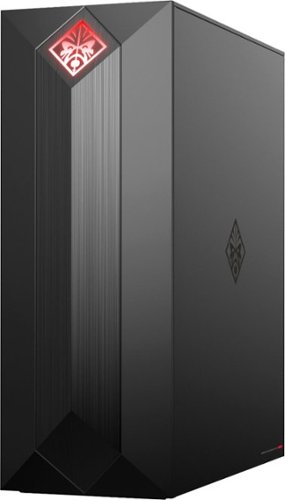
Experience great gaming with this OMEN Obelisk desktop computer. Its NVIDIA GeForce graphics and Intel Core i7 processor are suitable for virtual reality games, and the 1TB hard drive and 256GB solid-state drive provide extensive storage and fast boot times. This OMEN Obelisk desktop computer's case opens without tools for easy expansion.
I wanted to add another 16GB ram stick. What ram stick is compatible with the current hyper x fury 16 gb stick?
Kingston Technology HyperX Fury Black 16GB 2666MHz DDR4 CL16 DIMM (HX426C16FB/16)---that is the exact match for what's in the system now. If you want to try and find a cheaper match (good luck!) then you'll want to make sure the 16gb and 2666 mhz speed match, and of course that it's DDR4 and for a desktop. Amazon currently has a single stick on sale that matches for the lowest price I've seen, but it's the same exact memory stick. There may be cheaper, more generic options available as well.
7 years, 5 months ago
by
SgtRock
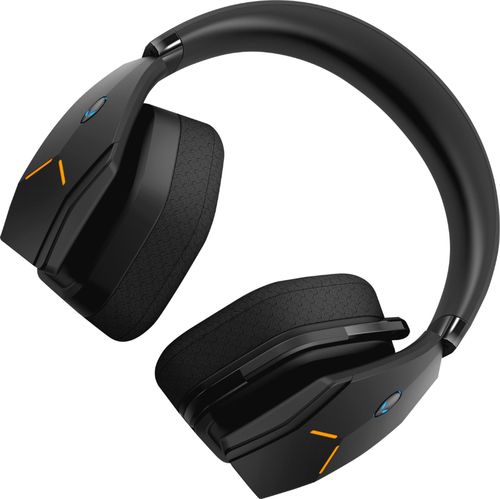
Dive into your favorite games with this Alienware wireless gaming headset. A noise-cancelling microphone keeps your voice clear as you call out commands to teammates, and 7.1 virtual surround sound enhances the audio quality so you never miss a whisper. Featuring two custom lighting zones and 6.8 million colors, this Alienware wireless gaming headset lets you create a custom look that accents your signature gaming style.
Will this work with my alienware 17 R4 computer??
So long as you have USB ports or adapters for standard USB plug-ins they should work fine!
7 years, 9 months ago
by
SgtRock
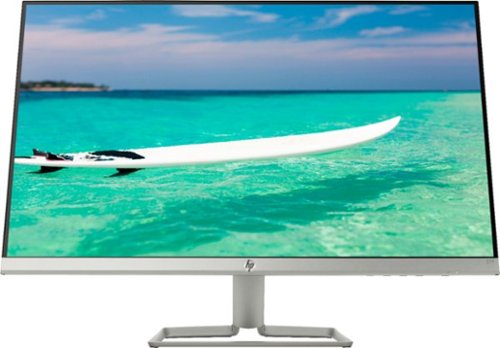
Enjoy crisp, colorful picture quality with this Full HD HP monitor. The ultrathin bezel on the 27-inch screen provides an expansive viewing area so you can stay productive, and its AMD FreeSync technology reduces input lag and screen tearing. This HP monitor has two HDMI ports for connecting gaming consoles and other devices.
Is there any way to use a speaker with this monitor?
You'd have to have the speakers connected to your computer system itself--there are no speaker outputs on the monitor.
7 years, 9 months ago
by
SgtRock
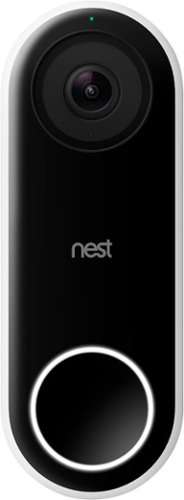
Nest Doorbell (Wired) lets you know who~s there, so you never miss a thing. It replaces your existing wired doorbell and delivers HD video and bright, crisp images, even at night. It~s designed to show you everything at your doorstep ~ people head to toe or packages on the ground. And with 24/7 streaming, you can check in anytime. Or go back and look at a 3-hour snapshot history to see what happened.*
Will Google Hello do a better job in regards to lag (delay) and motion detection? I had another video doorbell (rhimes with Ding) which could not adequately connect to the wifi, terrable lag, poor motion detection (false alarms and missed live ones).
From my testing there was very little lag. There is some, of course, but it was maybe 1-2 seconds behind. The motion detection seems to be perfect. It ignores far off motion, but records anything within 10-15 feet.
8 years, 2 months ago
by
SgtRock

Listen to your favorite tunes on the go with this rechargeable iHome IBT74BC speaker, which features a Bluetooth interface, so you can stream music from most Bluetooth-enabled devices, including select Apple~, Android and BlackBerry models.
Does this only come with a cord to charge or does it have something you can plug into the wall with?
It plugs directly into an outlet (the plug is actually pretty large, the wire itself is not).
8 years, 7 months ago
by
SgtRock

Improve your audio experience with this Samsung three-channel soundbar. This unit, which has a built-in subwoofer, channels high-resolution full-spectrum sound and eliminates the need for an extra bass speaker. Use 4K pass-through to connect your Blu-ray player or other UHD device to the Samsung three-channel soundbar for stunning multi-channel audio and a clear picture.
The soundbar comes with the wires to connect it right?
It includes a digital optical wire, but does NOT include an HDMI wire.
8 years, 11 months ago
by
SgtRock