


SgtRock's stats
- Review count150
- Helpfulness votes415
- First reviewApril 22, 2008
- Last reviewNovember 12, 2023
- Featured reviews0
- Average rating4.3
Reviews comments
- Review comment count0
- Helpfulness votes0
- First review commentNone
- Last review commentNone
- Featured review comments0
Questions
- Question count0
- Helpfulness votes0
- First questionNone
- Last questionNone
- Featured questions0
- Answer count13
- Helpfulness votes4
- First answerNovember 17, 2014
- Last answerMarch 2, 2021
- Featured answers0
- Best answers2
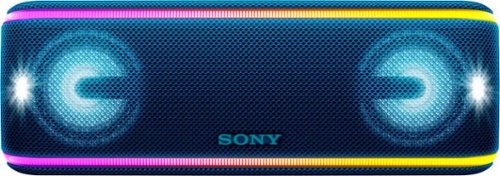
Take the party anywhere with this Sony portable speaker. It's safe to use at the pool or beach thanks to an IP67 rating that allows total water immersion, and flashing lights add mood to the music. This Sony portable speaker's Extra Bass keeps things pumping, and the Live Sound feature provides three-dimensional audio.
Customer Rating

5
Cool Party Speaker!
on April 15, 2018
Posted by: SgtRock
from Nashville, TN
This is a pretty nifty wireless speaker from Sony.
Out of the box it has the speaker, instructions and a charging cable. In a nifty twist on portable bluetooth speakers, this one seems especially designed with parties in mind. The shape and weight are such that it can be held comfortably hold in one hand. I was able to hold it easily, and then my children took turns with it and didn't have any issues with the weight either.
It comes out of the box about 70% charged (your mileage may vary, of course) so you can start using it right away. Set up is pretty easy, as Sony has a QR code right on the instructions. Simply scan this to your phone and it will take you right to the set up page. Download the app and you'll be on your way. The app guides you through bluetooth pairing, as well as finds nearly every app on your phone you'd likely want to use with the speaker. There is an "add app" button as well, in case it doesn't find an app you want to use with it.
There are a couple of sound modes, but the one you'll likely want to use is the "clear audio" setting which automatically adjusts. It sounds very good, but you can adjust to a few other "bass boosting" pre sets in case you need more of a "party" sound. Each mode sounds good, and is very crisp and clear. I did note some distortion along the treble lines and had to spend a few minutes fiddling with a balance between my phone volume control and the speaker volume control. If my phone was turned all the way up the speaker sounded distorted in the high ranges, but it corrected itself if I turned my phone volume down and used the speaker volume instead.
The speakers niftiest features are the "party" features: the lights and the "party booster" features. The lights have TWELVE different settings (as well as "off") depending on what you have going on. There is a strobe effect, "hot" (which uses the reds and warm colors), "cool" (mostly blues), the "rave" (pretty much all of them flashing on and off), and a number of monochrome settings where the speaker remains one color the entire time. I would think this would be very cool for an outdoor party in the summer, whether it's a wilder party, or you just want to combine speakers with a mood and have them in the background. The lights look great--they aren't dimmable, but they aren't super bright, either so it wouldn't be overwhelming to have them near a table or a spot where people are going to be gathered.
The "Party Booster" is a nifty idea...with this mode enabled you can hold the speaker in one hand, then "tap" on it on any side (other then the spot you're holding) and get a specific sound--I included a screenshot below to show the five areas you can hit. One bit of advice--tapping doesn't really work, especially with kids. Striking it with an open palm works best (like playing bongos almost). I had to experiment with a few different ways but once I got the hang of it I had no issues. My kids LOVED this, and I could see it being a big hit at a kid's party, wedding reception or party along those lines. I didn't really get it at first, but Sony has included a handy "how to enjoy Party Booster" link right in the app that demonstrates it very well. The sounds are changeable, but mostly fall into percussion lines. You can go with their presets, or you can do the best thing and customize them so each spot is cowbell--"MORE COWBELL" will never be an issue again!!! You can drum along with the song playing and it responds really well!
Another nifty feature is you can set this up to "loop" with other speakers so they're all playing the same song, and all have the same settings. I would think this would be cool even in a teaching environment for teaching basic music and rhythm to children. It would also be a blast at a party with several of these around the room for people to pick up and dance with!
The bluetooth has a very long range, I was able to cross my yard and it held the signal. It wasn't until I was on the sidewalk in front of my neighbors house that it lost it. It held a good, solid signal with no cut outs or loss until the signal cut completely. There are also several other connection options including a USB and charging port, though strangely there was no audio RCA jack.
The charge seems to hold very well. It was 70% charged out of the box (it has a vocal setting where it will tell you the the charge left when you turn the speaker on)--my kids played with it for at least an hour and it was still 90% charged when they were done. They had the lights on the entire time in various settings, as well as the Party Booster.
The speaker so far appears to be very durable--my kids dropped it (onto carpet) several times while trying to take their turn with it (i.e. rip it out of my other kid's hands) and there's not a scratch on it. This is NOT the recommended use for it obviously, but it should hold up okay under adult supervision.
It is waterproof and dustproof. They show the speaker sitting in the sand on the box, but the material sure seems like it would hold sand very well so you may want to try and cover it in that environment.
Overall this is a fun portable speaker that Sony has designed with some pretty specific uses in mind. If you're in the market for a good portable bluetooth speaker this one works very well. If you're in the market for a speaker with the bells and whistles (literally) then you can't go wrong with this one.
My Best Buy number: 0040991931
Mobile Submission: False
I would recommend this to a friend!

Share this review:


-2points
2of 6voted this as helpful.
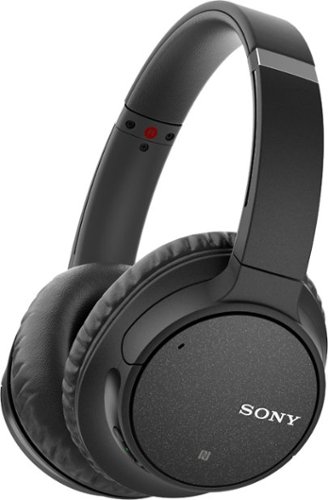
Add music to your day with these Sony wireless headphones. Their noise cancelling technology uses artificial intelligence to adapt to your environment and reduce background sounds for enjoyable listening. The Quick Charging battery on these over-ear Sony wireless headphones provides up to 35 hours of playback for convenience.
Customer Rating

4
Really nice, comfortable headphones
on April 13, 2018
Posted by: SgtRock
from Nashville, TN
I really enjoyed these headphones. They look nice, and have big, comfortable ear covers. I often have a hard time finding headphones big enough to fit my head, and these fit great. They were easy to adjust and very comfortable.
Unpacking and connecting is really easy. I used my phone to read the QR code and followed the instructions. The ONLY issue I had was the "Install from google play" button didn't do anything--you actually have to hit the very tiny "download" button under it (see screenshot). Once I figured that out the instructions were super simple to follow. The app walks you through set up and has some very useful instructions for how to adjust your sound.
I've charged them once so far and they're still going through at least 10 hours of use. That's impressive.
The sound quality is terrific, and the equalizer in the app has a lot of great settings that genuinely improve the sound. There are about seven presets and a manual adjustment setting as well. You can get roughly 80 feet or so from your source depending on obstructions, by my estimation. I was able to use them upstairs in my house with my phone downstairs
The only element that I wasn't impressed with (and the cost of one star) was the noise cancelling. I tried it several different ways and just couldn't tell much of a difference. You can't hear a lot with them on anyway, but turning it on and turning it off didn't make any appreciable difference from what I could tell. I could still hear outside noises (tested with my TV on at normal volume, and the headphones set to low volume). If I were purchasing a pair of headphones solely based on noise cancellation I would look elsewhere.
Overall this is a very good pair of wireless headphones that look good, are very comfortable and sound terrific, they just don't quite get the job done with noise cancellation.
My Best Buy number: 0040991931
Mobile Submission: False
I would recommend this to a friend!

Share this review:


+3points
3of 3voted this as helpful.

Improve daily oral hygiene routines with this Philips Sonicare electric toothbrush. An internal sensor regulates applied pressure to prevent soreness of teeth and gums, and the BrushSync reminder lets you know when it's time to change the brush head. This Philips Sonicare electric toothbrush removes up to seven times more plaque than a regular toothbrush to maintain oral health.
Customer Rating
5
Another Great Toothbrush from Philips
on March 20, 2018
Posted by: SgtRock
from Nashville, TN
This my second Sonicare product, and I'm happy to report that it is still the best toothbrush on the market, now it's just a little easier to use!
This is a nice looking product. It's simple to set up, charges quick, and the brush-heads are very easy to change. They recommend every 3 months, but of course your mileage may vary.
The brush itself has three settings (white, gums and clean) and they all have a different "intensity" to them. One change in this version is that the brush indicates when you're brushing too hard, which is great since it helps prevent wear on your teeth.
My wife and I both use these, and she had a little difficulty adjusting to the sensation, but once she did totally agreed it's worth it. It's an odd feeling for sure, but your teeth and mouth feel so clean when you're finished!
The brush heads at regular price can be expensive, but there is a coupon for 1/2 off a 2-pack in the box, and Best Buy often runs the replacements as a "deal of the day" for 1/2 off, so really they're not too bad. You likely wont' find yourself changing them as often as they recommend, either.
The best thing about these brushes is my trips to the dentist. I'm a tea drinker (which stains worse than coffee from what I'm told) and my dental hygienist told me she can't even tell and asked what I do. When I told her I use the Sonicare she just raved about them for a while. Dentists really do love them.
Highly recommended!
My Best Buy number: 0040991931
Mobile Submission: False
I would recommend this to a friend!
Share this review:


+1point
1of 1voted this as helpful.
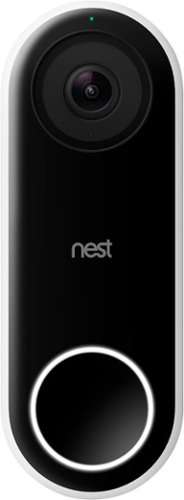
Nest Doorbell (Wired) lets you know who~s there, so you never miss a thing. It replaces your existing wired doorbell and delivers HD video and bright, crisp images, even at night. It~s designed to show you everything at your doorstep ~ people head to toe or packages on the ground. And with 24/7 streaming, you can check in anytime. Or go back and look at a 3-hour snapshot history to see what happened.*
Customer Rating
5
Another quality Nest product!
on March 19, 2018
Posted by: SgtRock
from Nashville, TN
The Google Hello Smart Wi-fi doorbell works very well. It's obviously a very specialized product, but if you're already part of the "googlesphere" and want to start adding 'Nest' products this one is pretty neat.
Like many electronic devices these days there is an app download required in order to install and use the device. Once you have the Nest app installed, you simply scan the QR code and you'll be off and running (There is a back up manual code as well if your QR code reader is a bit testy).
It can't be emphasized enough, but CHECK YOUR VOLTAGE before purchasing this item! A certain voltage range is required for this to operate properly. Most homes will fall into the range, but check ahead of time to avoid disappointment. The website for Nest will tell you exactly what you need.
If you're super-handy this installation is an absolute breeze. Much of it depends on your existing wiring, of course, but if you have a somewhat newer house you should have no issues at all. From unpacking the box to install completion it took me roughly 20 minutes. I was extremely lucky in that my old doorbell holes perfectly aligned with the Nest Hello holes, so your mileage may vary. Expect it to take longer if you need to drill into brick or anything like that--Google actually includes a masonry drill bit, so that's really cool. I only needed a ladder and a Phillips screwdriver to install this system. That's how easy it can be.
If you're not comfortable with DIY (and I urge you to watch a couple of youtube videos--it is VERY easy) google can put you in touch with a professional installer.
The system itself is just cool. The app shows you a view of your front door any time you pull it up. It also sends your phone an alert when it "sees" someone within the camera range, even if they don't ring the doorbell. You can set it to record for a certain period of time (30 seconds is the default I believe) and save it to your account. You can pay an additional fee to save these recordings indefinitely (note: I did NOT do this, so I'm not entirely clear on those details, but they are available on the Nest website). The picture is EXTREMELY clear and very impressive. The audio is also very clear.
If anyone does ring the doorbell it will record with or without audio depending on your settings. You can also program a speaking message to play automatically (which seems it opens up to so many hilarious possibilities...) whenever the doorbell is pushed. It connects through your wi-fi so it's always on and always "watching".
It also has the ability to "recognize" people, so that it will stop sending alerts for them. It will ask when it sends you pictures of people if you want it to remember them. This seems to work very well, and ruled out my family members within just an appearance or two at the door.
Overall this is definitely not something for everyone, but if you're in the market for a device like this and want to include your doorbell in the googlesphere of a connected home you can not go wrong with this device. It's especially cool if you've had issues with packages disappearing or vandalism, etc.
This is another quality product from Google, and fits perfectly into the "Nest".
My Best Buy number: 0040991931
Mobile Submission: False
I would recommend this to a friend!

Share this review:


-1point
3of 7voted this as helpful.
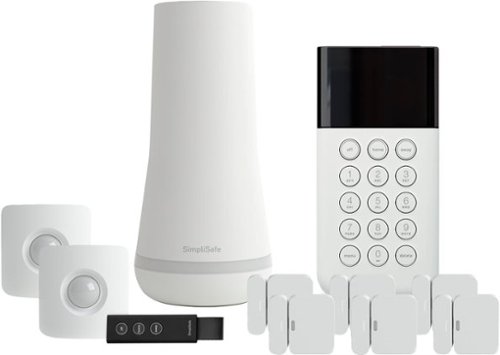
Only at Best Buy Keep an eye on what matters most with this wireless SimpliSafe security system. It provides full-time professional monitoring of your home's surroundings, and it detects intruders with advanced sensors to keep your family safe. This SimpliSafe security system continues working for 24 hours when the power fails for added protection.
Customer Rating
5
Easiest "do it yourself" alarm system ever
on March 18, 2018
Posted by: SgtRock
from Nashville, TN
This has to be the absolute easiest home security system I've ever seen. From opening of the box to setting up a complete connected system should honestly take no more than an hour (depending on how many extra items you've added).
Unboxing is simple--it's packaging is sleek and everything in the box is very clearly labeled. There is an actual instruction manual (!) in the box that walks you through install in easy to follow steps.
Essentially you plug in the home base in a central room, then start adding pieces (which the base lets you know it recognizes through audio cues) as you go. The pieces included in this kit are the home base, a keypad that you set a pin for and mount beside your entry door, two motion detectors and six window/door open sensors.
According to the instructions there are also separate panic buttons, cameras and window break sensors available, but they are not included in this kit.
The toughest part of installation is figuring out where to mount everything. You then use the keypad to label each piece as you add them (such as "bedroom window" "front door" etc). That way if there is a trouble alert you can identify it very easily.
Everything was found and paired quickly, and the audio cues are easy to recognize. Testing and setting the system are also a breeze.
It has a "home" and "away" setting for the motion detectors, so that you can move about freely without setting them off when you're home. It also explains how to fix the motion detectors so pets don't set them off.
It has a "home" and "away" setting for the motion detectors, so that you can move about freely without setting them off when you're home. It also explains how to fix the motion detectors so pets don't set them off.
The biggest issue I had is that basically everything in the box uses double-sided tape as a mounting system. The keypad fortunately comes with a bracket as well, and I highly recommend using it since it will eventually fall off (and possibly damage it) if you don't. The window sensors were a little tricky as well. Even the motion detectors that are well-designed to fit in corners do not feel very sturdy with only the double-sided tape holding them up.
It is up to you to pay for the separate fee for monitoring. The system is VERY loud, and will scare off anyone that breaks in, so it's probably not necessary, but it does complete the system. You can also add smoke detectors for a complete home monitoring system.
For everything this system does and can expand to, and for how incredibly easy it is to install I highly recommend this.
My Best Buy number: 0040991931
Mobile Submission: False
I would recommend this to a friend!

Share this review:


+1point
1of 1voted this as helpful.
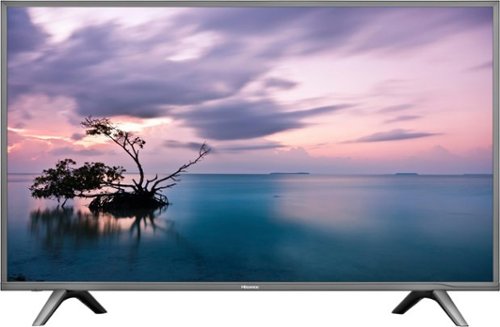
Stream your favorite shows on this 60-inch Hisense television. Its 3840 x 2160 resolution and 8 ms response time bring scenes to life, and 4K upscaling transforms lower quality video into HD resolution. This Hisense television is equipped with HDMI inputs to connect to a gaming console or Blu-ray player.
Customer Rating
4
Great TV for the money
on February 21, 2018
Posted by: SgtRock
from Nashville, TN
So let's be honest--if you're looking at this TV for a 60" 4K TV then the primary reason is price. I can tell you up front that this is NOT a $2000 TV, nor will the picture compare to those TV's. It IS a very solid TV for the amount of money you will spend on it.
Out of the box the TV is...big. It's also easy to set up. The two "legs" for standing it up can only be attached one way (which is great for avoiding confusion), look good, and are very sturdy. The basic set up is simple and walks you through step-by-step from the remote. It found my wi-fi easily. The usual annoyances of entering a long password with a TV remote are no different here than any other TV, but it is what it is.
Once set up is complete it's time to watch TV! There are 3 HDMI ports, as well as a few other connections such as digital outs for audio, and a component input.(the number of inputs appears to be upgraded from previous versions). This was just the right amount for me. You can label any of these inputs with your own customizable names--a somewhat unique feature, since even the best TV's I've owned seem to have "preset" rather than customizable labels, so that's kind of cool.
The apps that are included are nice, but lacking a bit. Netflix, of course, is a must for any smart TV, but the lack of HULU is glaring. As far as 4K sources go, Netflix, Amazon, Vudu and Youtube all offer some 4k programming at various prices. Assuming your internet is fast enough to stream 4k (I believe most sources recommend a minimum of 6mbs, but in actuality you likely want at least 20) then these sources look amazing, for the most part. 4K video in general is very clear and sharp, so anything reproducing that signal also looks very clear and sharp--this TV is no different.
The picture itself is good to great, depending on the source, amount of light in your room, and various other factors. Again, the limitation here is that this is a very inexpensive TV. The contrast on the TV is not very good, and in a bright room the picture will be washed out, resulting in a very dark picture.
There are things you can do to help correct this, but the TV doesn't make it very easy. My biggest issue with the entire thing is adjusting the settings. There are a variety of decent "presets" that the remote defaults to when you choose to adjust the picture. The frustrating thing is that after going through all the trouble of figuring out how to adjust the settings the way you like them, it "resets" to the default every time you turn it back on, unless you can figure out how to tell it to keep those settings. This is not an easy thing to figure out. There is (like everything nowadays) no manual to speak of, and anything beyond the basic settings requires digging around. Once you figure out how to adjust the contrast, color, sharpness, etc to your liking it's very frustrating to not have the TV save those settings. They can be saved, but it takes some digging to figure out how.
Also odd--this TV DOES have HDR built in, but it's automatic and there is no way to turn it off or on. You will only notice this if you go to adjust the picture while a 4k source is playing. Then it tells you clear as day in each setting that it is utilizing HDR---this MAY be a quirk of the TV, but it would be a strange one. Honestly I'm so curious about this that I'll likely read some professional reviews to see what they say about it. I was very confused to see the HDR listed. I'll try and come back to edit to add pictures of the menu displaying it if I get a chance.
The 4K playback is very clear, and very sharp, but it is also dark (as that is a reflection of the TV itself, not the 4K source). I would recommend this TV for a "movie room" or bedroom, that you know you'll be viewing with less light than a typical living room gets. In a dark room the darker picture is not as big an issue.
The sound is fine, if basic. There aren't a ton of settings, but depending on where you're using it the built-in speakers will be fine (bedroom) or you'll want to use a surround system anyway (living room, etc).
Overall if you're looking for a big TV with a 4K picture that won't break your wallet then this is the TV you want. If those circumstances don't apply and you want the best 4K TV money can buy....well, you'll have to spend a LOT more money than this.
My Best Buy number: 0040991931
Mobile Submission: False
I would recommend this to a friend!
Share this review:


+2points
3of 4voted this as helpful.
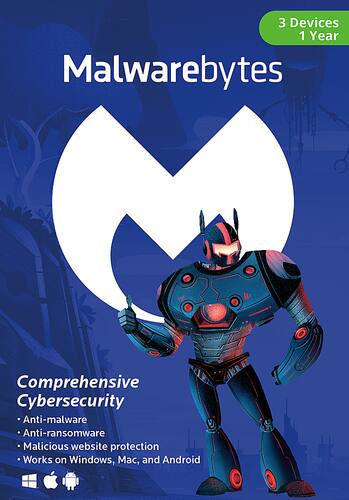
Keep your computer and information safe with Malwarebytes software. It provides protection against multiple attack types, including ransomware that hijacks your computer and demands payment and traditional spyware, and offers fast scanning so your device isn't tied up. Malwarebytes software detects fake websites and prevents you from accessing them or downloading infected programs.
Customer Rating
5
One of the best protection programs out there
on January 14, 2018
Posted by: SgtRock
from Nashville, TN
I've used the free version of Malwarebytes for as long as I can remember. It's been a 'must install' anytime I get a new computer. The free version has always been great at finding viruses and things that shouldn't be there, and has saved many a system for me in the past.
I'm happy to report the full version is worth the upgrade cost. After using it for a couple of weeks it is easily the best real-time protection I've seen.
The install is particularly easy--if you've never used it before it's a very fast download and quick install. If you already have the free version installed like I did it's simply a matter of entering your purchase code.
Once that's done you'll want to run a full scan and let it quarantine what it finds. After that it's basically "set and forget." It will monitor your web activities, and block any malicious sites or codes you unwittingly try to navigate to.
If you want to be more involved there are a ton of customization settings you can apply. You can set scan times, reports, updates, etc. For the most part I've set it to do everything automatically and it's mostly unobtrusive.
The ONE setting you may want to consider is the "impact of scans on system" setting. My one knock on this program is that running a scan is incredibly system intensive. On my laptop the scans can use almost 70% of the CPU when running, making it almost impossible to do anything else. Changing the impact setting reduced this by almost half....but the scan took almost twice as long. It all depends on what you need to do, of course, but it's very handy to have the option nonetheless.
This is basically a "no-frills' program. Many other programs offer "clean up" options or optimization options, but in my eyes that means Malwarebytes concentrates on what it's designed to do, and frankly does it better than most other programs on the market.
Overall this is one of the best online protection programs I've ever used, and I highly recommend it.
My Best Buy number: 0040991931
Mobile Submission: False
I would recommend this to a friend!
Share this review:


0points
0of 0voted this as helpful.

Video editing doesn't have to be daunting or take tons of time. Go from hundreds of mystery folders to a visual view of your videos automatically sorted by date. Use automated editing options and step-by-step guidance to create and share everything from animated GIFs and video collages to new dynamic slideshows and full-length movies.
Customer Rating
4
Good sorting and editing software
on December 30, 2017
Posted by: SgtRock
from Nashville, TN
Adobe Premiere elements 2018 is another solid video editing suite from Adobe.
The install is long, but this is a big program and the steps you have to perform are not complicated. It also gives you an additional option of a download link to install the program, which is something I wish more software offered, as it can be much faster with a high speed connection than the dvd installs are. If you wish to add on the photoshop program you can do that from the install as well (at an additional cost).
The program has a sorting option, which will scan and organize your files for you within the program. It sorts both photos and videos. Warning: if you have a lot of files this will take a VERY long time. Mine pretty much had to run overnight to find them all, and it used a considerable amount of resources while it was sorting them. It will automatically sort them with facial recognition, which was very cool and surprisingly accurate. You can easily adjust any that were incorrectly sorted as well.
Once they're organized there are a lot of "smart" options for finding similar files.Date, faces, settings, etc, and all seem to be pretty accurate. There is a very easy slide-show option, in which picture are easy to add and swap positions on, and there are a number of effects that can be added, including music. I really enjoyed this feature and found it very easy to use.
The video editor is simple to use as well. Drop in files, cut and fade, add files into the middle of files, add music, etc. All very simple to do. The user tutorials are a good idea and very cool but are kept online (not within the program) which was a bit of a hassle. The included guides are video-driven. They were pretty easy to access, but could have used a little more step-buy-step instructions. I found myself using the trial-and-error method more often than not. Fortunately the software is pretty easy to use and fairly intuitive to figure out.
Overall finding, editing and creating videos was a breeze. if you want to jump right in and edit videos you can get started right away, but there are much more advanced tools within the program to allow you to get as fancy and complicated as you want. The automatic options actually create surprisingly good videos on their own if you are afraid to try too many things on your own. You can basically drop a few videos and in and have the program make something for you and you will be happy with the results. They'll be simple (of course) but they turn out very nice.
My biggest drawback to this is virtually the same problem every program of this type ever has--it is a system hog when editing video. I have a pretty fast PC but I can't run much else when elements is processing video. It's expected from programs of this type anymore, but I'm looking forward to the day when that's no longer the case.
Overall I would recommend this program to anyone that wants to create nice, clean, professional looking videos without having to pay a fortune for the software. Just make sure you don't need to do much else on your computer while it's running...
My Best Buy number: 0040991931
Mobile Submission: False
I would recommend this to a friend!
Share this review:


+1point
1of 1voted this as helpful.
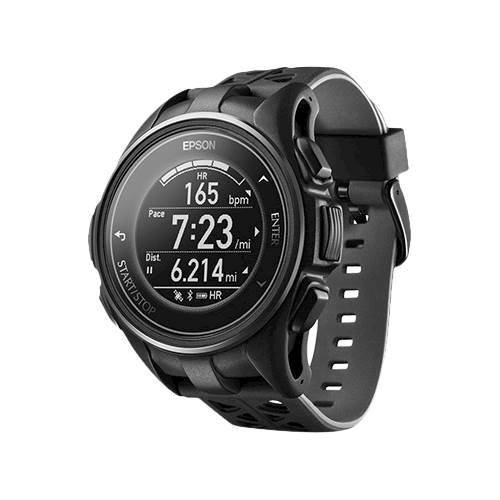
Take your morning run with this ProSense multisport watch on your wrist to track your route and stride length with built-in GPS. Featuring CardioSense on-wrist heart rate monitoring, this lightweight smartwatch helps ensure you exercise safely, while the EasyView display can be read in any light. Smart notifications on this ProSense multisport watch keep you on top of missed calls and messages, making it an ideal option for all-day wear.
Customer Rating

3
Good watch, but app needs some refining
on December 14, 2017
Posted by: SgtRock
from Nashville, TN
I've had a chance to test the Epson Prosense 307 for a little while now and there is great potential here, but it's difficult to recommend it at this juncture.
The watch itself is fine. It is all plastic, but the watch face itself appears very sturdy (and has held up to my clumsy workouts pretty well). The band is flimsy plastic, and while it's held up so far I have my doubts as to how well it will continue to hold up.
Set up was pretty simple, and was also my first experience with the app. You can set it up with or without the app, but the app was very simple to use---for set up. The face can be customized to a large degree, though the actual "appearance" customization of the main watch (i.e. how everything displays) was limited to just four designs. That is a very small amount in this day and age, and is frustrating as it seems like the watch is capable of more.
The actual physical tracking of the watch seems accurate when compared with what the workout equipment I'm using is telling me. The treadmill measurements were extremely close. I also compared distances from the mapmyrun app to measure walks around my neighborhood and they were nearly the same. The GPS appears to be very accurate and showed the same location as my phone in every instance I tested it.
I actually tested the watch with a fitbit on my other arm. The odd thing is the heartrate monitor was all over the map with each--sometimes differing as much as 30 bpm! I have no idea which was more accurate or why they would differ so much. My guess is this was more accurate than the fitbit. One thing this watch does better than the fitbit is measure actual steps. On my wrist the fitbit counts other motions (such as cleaning or washing dishes) as steps, and the Epson watch does not, so that's a big plus (unless you're trying to just add up steps I suppose). For a watch whose primary job is to track fitness this is accurate, light, and easy to read. You can also set it to your specific workouts, and there is a very large variety of workouts to choose from.
It's compatible with some apps, but not others, so that can be a frustration depending on which apps you're already using. Since fitbit is a brand I'm not surprised it didn't work with that, but it also didn't work with my digital scale app. There are many places online you can find lists of compatible apps so if there is one you love you may want to check the list first.
Charging is easy--the clip design is simple and leaves no question about when it's charging. It does appear to be proprietary which means replacing it likely requires a special order from Epson. I prefer cross-compatible chargers with universal plugs, but I'm forgetful and tend to lose chargers very easily. I'm trying to be extra careful, but losing the charger and ordering another means you won't be able to track data for a pretty long time.
The charge lasts a good amount of time. Mine had some charge on it out of the box. I fully charged it as recommended, then wore it straight until the charge was completely gone (meaning it was constantly coming on since the face is tied to wrist movement). The first charge lasted roughly four days before requiring recharge. That includes workouts, and constant checking of heart rate, steps, time, etc. The watch also charges fast. From plug in to full charge takes roughly three hours. Since the first charge I have consistently gotten a little more than three days of use before recharge, so I believe that's about the average you can expect, depending on use.
The app has a few issues. It can be very slow to update, and seems to get stuck at random times either during an action or, more often, doing an update. It updates very often, and some of the initial issues I had appear to be working better. The app is faster now than it was just a couple of weeks ago. It's not very intuitive so some of the settings can be difficult to figure out. With a watch like this you typically want to see a summary of activities first thing, but there isn't one on the dashboard. Syncing is fast, but like many things on the app is not located on the dashboard (like it should be) so you have to dig a little deeper to find it. The app itself does a lot. You can set goals, track activity over long periods of time, and even track specific types of workouts. It's full featured, but poorly designed and could use a total rework in my opinion. There is also a utility app that you can download from epson's website that will do many of the same things.
Overall the watch does what it's designed to do as far as fitness monitoring goes. The app is difficult to use and needs a redesign in my opinion. If that were to happen my review would go to four stars (depending on the final product) but as it is I would only recommend it with reservations at the moment.
My Best Buy number: 0040991931
Mobile Submission: False
I would recommend this to a friend!
Share this review:


0points
0of 0voted this as helpful.

Keep files and passwords safe with Bitdefender Total Security 2018 software. It offers increased privacy with web browsing, so your information is protected from potential hackers, and it delivers multilayered ransomware defense for sensitive documents. Bitdefender Total Security 2018 software has game, movie and work modes, so it won~t interrupt you during an entertainment session.
Customer Rating
5
Easy to use
on December 12, 2017
Posted by: SgtRock
from Nashville, TN
I've used a multitude of anti-virus software over the years and have never had any major issues (knock on wood). One of the problems with testing a product like this is you assume it's working (no viruses) until you discover it's not (viruses). I've had this installed for about two weeks over 4 different computers and so far, so good (with a little knock on wood, of course).
In looking at major website reviews bitdefender is always near the top, but one thing all programs of this type seem to have in common is no software can block everything. They're usually graded on percentages and what happens when you visit known malware sites (which you should only do if you're a professional). I would never recommend having just one form of protection. I typically use the free malwarebytes program (at a minimum) along with any antivirus software. At this point so far bitdefender hasn't let anything through. It also says it has "ransomware" protection, but I honestly couldn't tell you how that differs from any other virus.
Bitdefender is VERY easy to use and install, with only one small hiccup--like most programs of this type it will have you uninstall any other anti-virus software you have installed. The easiest part is when you have a multi-device account you can log in at any time, from any computer, and immediately install it on that device. You can check your system status at any time, run scans whenever you want, or just set it to "auto-pilot" and not worry about it again.
For me the "game" mode has been the most vital, as I play a lot of online games and it's a hassle when a program won't let you connect, or tries to run while you're playing and slows down the action. I've had no troubles in game mode at all. I haven't tried "movie' mode, but I have tried "work" mode and have seen no issues there either.
There are a couple of nice things this software adds that you can't typically find in free anti-software programs. The system clean-up is good, and the optimizer tools all seem very good (particularly the start-up optimizer, which improved my older laptop boot-time by half).
The best part of this software is it's simplicity, and the fact that you can see your system status from anywhere when you log into your account. For easy to use and effective anti-virus software this a very good program.
My Best Buy number: 0040991931
Mobile Submission: False
I would recommend this to a friend!
Share this review:


+5points
7of 9voted this as helpful.
SgtRock's Review Comments
SgtRock has not submitted comments on any reviews.
SgtRock's Questions
SgtRock has not submitted any questions.
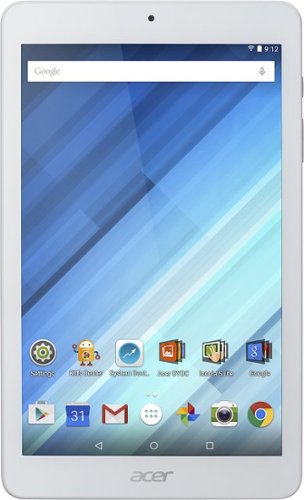
Enjoy a compact tablet that fits neatly in your pocket with this Acer Iconia One 8-inch tablet. It includes a quad-core processor and 1GB of RAM that deliver powerful processing to play all your games and apps, and the 16GB of flash memory ensure this Acer Iconia One 8-inch tablet and store your files.
can i download skype
Yes. It works okay--the front facing camera is only 2 mbs so the picture quality is not the greatest.
10 years ago
by
SgtRock
Enjoy a compact tablet that fits neatly in your pocket with this Acer Iconia One 8-inch tablet. It includes a quad-core processor and 1GB of RAM that deliver powerful processing to play all your games and apps, and the 16GB of flash memory ensure this Acer Iconia One 8-inch tablet and store your files.
can it expand memory with sd card? to 64 gb?
You can use a micro SD card to expand the memory (it will not hold a full sized SD card)--they are available all the way up to 128 GB now.
10 years ago
by
SgtRock
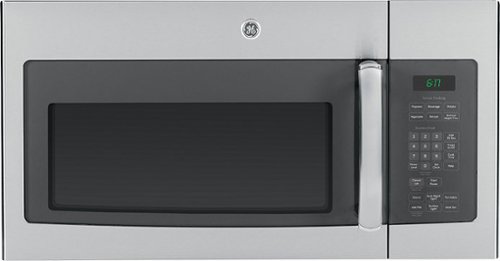
Cook tasty meals with this GE JVM6175SFSS over-the-range microwave that features sensor cooking controls that automatically adjust times and power levels to suit a variety of items, such as popcorn and vegetables. A 2-speed fan provides ventilation.
What about installation ?
Range oven microwave, is tthe installation fee included?
No. I guess you could pay someone to do it but it's really not difficult.
11 years, 6 months ago
by
SgtRock
Virginia