


SgtRock's stats
- Review count150
- Helpfulness votes415
- First reviewApril 22, 2008
- Last reviewNovember 12, 2023
- Featured reviews0
- Average rating4.3
Reviews comments
- Review comment count0
- Helpfulness votes0
- First review commentNone
- Last review commentNone
- Featured review comments0
Questions
- Question count0
- Helpfulness votes0
- First questionNone
- Last questionNone
- Featured questions0
- Answer count13
- Helpfulness votes4
- First answerNovember 17, 2014
- Last answerMarch 2, 2021
- Featured answers0
- Best answers2
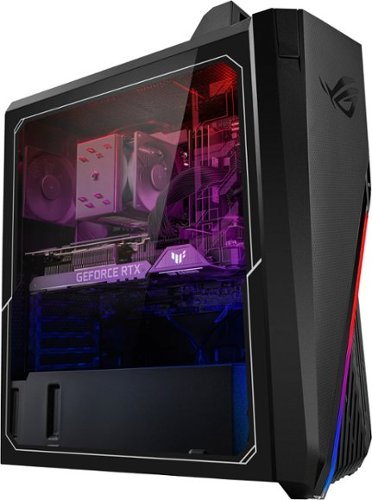
Annihilate your competition with this ASUS ROG gaming desktop. The Intel Core i7 processor and 16GB of RAM deliver rapid performance during fast-paced action, while the 2TB HDD and a 512GB SSD provide plenty of storage for large files and downloads. This Bluetooth-enabled ASUS ROG gaming computer features an NVIDIA GeForce RTX 3080 graphics card for tear-free rendering of 4K games.
Customer Rating

4
Not Quite Complete Gaming PC
on June 6, 2022
Posted by: SgtRock
Overall this is a very good gaming PC with some great hardware and specs, but a few strange choices in peripherals leave it just a little lacking.
The case is very large with a lot of room for expansion for anyone that likes to add or upgrade their hardware instead of replacing the entire PC in a short time. It is a bit amusing to me that there's a 'carrying handle' built into the case to make it 'easy' to take your PC to other locations. I'm sure there are gamers out there that do this. With the weight of the system the handle does make it feel a bit more secure should you ever need to use it.
There are a nice number of front connections, with easy access to USB connectors and a headphone jack. The only thing I would change here is possibly another one or two USB or USB-C connectors since most everything connects that way. There are a LOT of connections in the back as well, with the motherboard adding more USB connections and the graphics card offering four display outs.
The specs of the PC are fantastic for current games. The rig itself is loaded! It includes the current generation intel i7 processor, 16 Gb of Ram with two open slots for expansion. There’s also a 2 TB hard drive as well as a 500 Gb SSD drive for fast booting. The pre-installed Ge Force rtx3080 is one of the best video cards available (and is the reason for the overall cost of the PC)—the PC includes some nice over-clocking software to help games run even faster.
I tested it with the latest Far Cry (6) turned all the way up and it looked absolutely fantastic with no stutter and great frame rates, even on the most complicated scenes. I also played a bit of Assassin’s Creed Valhalla (the game automatically picked the highest settings for graphics) and it also looked and played great, with no issues and fast load screens.
Overall with the specs on this PC you should be able to play any game out now with the graphics at the highest settings for a good amount of time without having to worry too much about the heat….but you will want to be mindful of it. After a few hours on Far Cry the PC was noticeably warmer (as any gaming PC will be) but not quite to worrying levels.
This does bring me to one of the things that could have been a little better with the design. I will probably end up installing a liquid cooling system just to control heat levels, since new graphics intensive games will likely push the heat of the card and processor up even higher. There’s not much more frustrating than your rig shutting down mid-game due to heat, and the fans that are pre-installed are fairly basic for such an advanced system.
Speaking of basic, my biggest issue with this system are the VERY cheap keyboard and mouse that are included. It’s hard to consider this a ‘complete’ system when you will immediately want to replace two of the main peripherals. I have a hard time believing that including even a decent mouse and keyboard would have cut into the profits of the system, and the company would look much better if this were an actual ‘complete’ gaming PC right out of the box. Every gamer knows that the cheapest part of their PC is what will hold their system back, and here there is no doubt that it’s the mouse and keyboard. You will be frustrated using these and will likely immediately run out and spend another $100 or more replacing them both. There are really good inexpensive gaming peripherals out there, it’s just a shame they didn’t include them with this system.
For that reason I really can’t give this PC five stars—it will be a five star system once a better mouse and keyboard are added, but out of the box it isn’t, and for this kind of investment it’s a shame. Overall it’s got fantastic specs, and if not for that hiccup it would be almost perfect. As it is that shouldn’t stop you from looking towards this system or one of the many with similar specs from ASUS, just be ready to spend a little more to make it perfect.
I would recommend this to a friend!


Share this review:


0points
3of 6voted this as helpful.
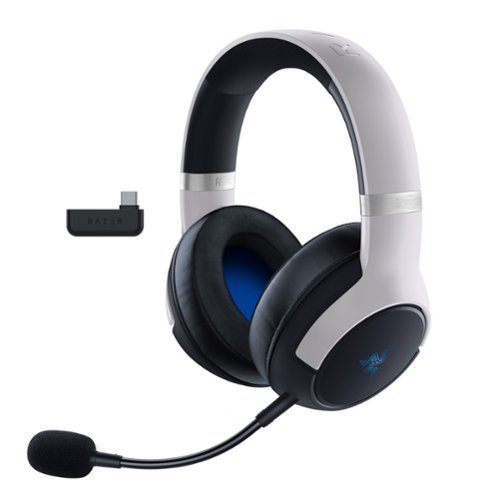
Unleash true console immersion with the Razer Kaira Pro for PlayStation~a wireless PS5|4 headset with haptics powered by Razer HyperSense. With the ability to feel what you hear and advanced connectivity to get you back in action seamlessly, you~ll have no trouble losing yourself in your game. Utlitizing the included USB-C dongle you can game exactly how you want on PlayStation, PC, Mac, Android, and Nintendo Switch.
Customer Rating

5
Great headset (especially on sale!)
on May 24, 2022
Posted by: SgtRock
The Razer Kaira Pro Hypersense Wireless Gaming headset is one of the best headset's I've used in the past few years--particularly for gaming, but it's also great for movies, music and phone calls as well.
Out of the box the headset is maybe one of the easiest I’ve ever set up. It’s essentially ‘plug ‘n play’ if you aren’t connecting straight through Bluetooth to your phone or PC. With the Playstation 5 (since for some reason Sony doesn’t care for built in Bluetooth) you just plug in the ‘dongle’ that comes with the headset, and it basically pairs as soon as you turn it on. This is actually the easiest way to connect to a PC as well—though the awkward angle of the dongle can block other ports, so keep that in mind if you’re using them that way. If you are using these headphones with a Bluetooth device simply pair them in the usual manner.
This is a sleek, lightweight headset that still feels very durable, without being so heavy your neck is tired after a few hours of gaming. I found them to be very comfortable, without getting my ears sweaty or my glasses feeling ‘mashed in’, even playing for long periods of time.
You can, of course, download a couple of apps to ‘maximize’ your sound quality or mess with the equalizer, adjust settings, etc., but it’s a really great feature to NOT have to do that and still get great sound and ease of use. At this point all of our phones are jammed up with apps for everything in our lives—anytime I don’t have to add another app I’m happy. It is a little frustrating that it takes two separate apps to get the full benefit. Razer needs to figure out a way to get all of the controls onto one app. It’s annoying enough to add one, but two? That’s at least one too many. Again, you don’t need ANY apps to use these and have them sound fantastic, so unless you’re a huge audiophile or just need total control over your tech I’d recommend bypassing them altogether.
My feelings about apps aside, I will say a program worth having on your computer if you’re a gamer with more than one Razer device (or even just the one) is the Razer Synapse program. This control panel will let you dig deep into sound, colors, and integration with your system. It is one of the better ‘device control’ programs I’ve used. I’ve got a Razer mouse, keyboard and now the headset and the program controls them all very well, with changes happening instantly after you adjust a setting and cool 'sync' options to have the same color scheme across all devices.
The sound quality is fantastic! I’ve been very pleased playing these while gaming on both my PS5 and my PC. The mic is good—maybe not the best I’ve ever used, but other players can hear me so long as it’s not too far away from my mouth, and the transmission is ‘clean’ without background noise. The quality was very good over a Zoom call as well. There was no sense of ‘being in a cave’ or noise echoes anytime I spoke with all participants saying they could hear me with no issues.
The ”hypersense” effect is certainly unique--think of the vibrations on the controller that coincide with the game you’re playing….except with your head. It syncs very well with the games I’ve played, though I don’t know how much I’ll actually use it. As a personal preference I’ve gotten used to it with the controller, but don’t much care one way or another. With headphones it’s unique, but for me it’s also largely unnecessary. My kids seem to enjoy it, though. If this is the main feature you’re interested in then it works as advertised, and the levels of feedback are adjustable.
The controls are on ear, but less obtrusive than many headphone designs, which is great (especially with big clumsy fingers like mine). I haven’t accidentally hit the power button while trying to turn up the volume, or other goofy mistakes that I’ve made with other headphones with controls that aren’t so well placed. One of the best controls is the ‘source’ control—switching to a phone call in the middle of a game is a great feature, and one that should be universally adopted! Like any control scheme there is a slight learning curve, but I found these to be more intuitive than most headsets I’ve used.
There are only a few small quibbles for me. Audio cues—there are several, but the set is missing a couple of obvious ones. An indicator to let you know you successfully muted your microphone is the one that bugs me the most. It’s frustrating not to be sure you’ve muted the mic while gaming, and it’s kind of baffling with all the other audio cues why they wouldn’t have added one for that (which is a feature I use as much as any). Also, muting the mic itself could be MUCH easier—the control is located on the back of the left earcup (that the mic is plugged into) and takes some getting used to. Also, an audio cue whenever I’ve made minor adjustments (either by mistake or on purpose—but especially by mistake) would be nice as well. The ‘hypersense’ settings can be adjusted to different levels, but the only way to tell what level you have it set on is to cycle through the options and pay attention—and hope there is something happening in the game that will set them off.
The charge lasts a very long time. I don’t typically run things down fully and charge them again fully (I know the manufacturer recommends that, but I just can’t bring myself to do it—‘low battery’ indicators make me panic haha) so I’ll usually plug things in when I’m finished so they’ll be ready the next time. I’ve used these for at least 30 hours and purposely left them unplugged, and still have 40% battery remaining!
Overall this is a great gaming headset (that looks really good with a PS5 thanks to the color) that is easy to use straight out of the box. I highly recommend them for gamers—particularly if you’re a gamer that ‘migrates’ from different consoles to a PC. The sound quality from both the headphones and the mic is top-notch, and the ease of use is a bonus. If you’re a real tech-head that likes to tweak every setting, then the option to dig deep and adjust nearly everything to your liking is there. If you can get them on sale then all the better!

Share this review:


+2points
2of 2voted this as helpful.
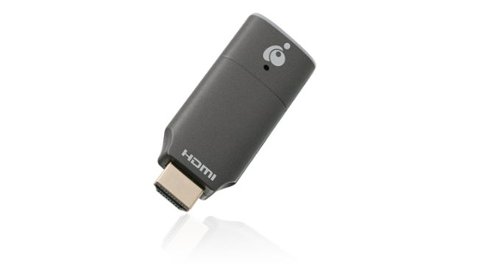
Never compromise the viewing experience from your computer or smartphone with IOGEAR~s Mini Wireless 4K Screen Sharing receiver. Stream video and audio up to 4K @30Hz resolution ensuring your content playback looks as sharp on your 4K UHDTV or projector as it does on your device's display. The Mini Wireless 4K Screen Sharing receiver is the perfect solution for wirelessly streaming 4K video and audio from your Windows 10+ device, Android device, macOS X, iPhone or iPad to your 4K UHDTV, projector or monitor. Use the built-in dedicated Wi-Fi to stream high quality 4K video and audio from up to 30 feet to any connected screen. Enjoy all your favorite content in 4K such as movies, videos, photos and online streaming sites including YouTube~, Hulu~ and Netflix~* in HD from a single low-profile receiver without any additional cables or dongles. Installation is fast and straightforward. Simply connect the receiver to your TV and follow the simple onscreen instruction. Mini Wireless 4K Screen Sharing receiver can create its own wireless network and is not reliant on an existing in-building Wi-Fi network to share photos, spreadsheets or presentations in your office or home. *Streaming videos from your iOS device to a TV screen may not be supported by some online video providers such as Netflix, Amazon Prime Video, Hulu, etc. However, Android users may be able to use Miracast, Smart View or similar technologies to effect screen sharing. Please check the specifications of your devices and providers before purchasing.
Customer Rating
4
Useful device for traveling with kids
on February 1, 2022
Posted by: SgtRock
from Thompsons Station, TN
The IOGear mine wireless screen sharing device is a niche, almost redundant device at this point, but can be useful to fill specific needs. It's designed to share your screen on a laptop or other portable device with a TV or projector nearby, and share it at high speed and quality. Of course anyone that's used a device like this already knows that there are a lot of things that come into play for the quality to be the highest--connection quality, speed, internet speed of the device you're using to stream, etc.
Set up is fairly simple--the box includes the device and connecting cables a pamphlet and a QR code for more in depth instructions. You may need a plug adapter for the USB-connector depending on the type of device you're connecting to--many devices have open, powered USB ports (many smart TV's will have open USB ports that provide enough power for this, and many computers will as well---but many other's don't, so YMMV).
This is a pretty specialized device, but I found it perfect for my needs. We travel a lot with our kids, and most hotels have not switched to streaming services being available in their rooms. Several have started, and it probably won't be too much longer before it's a standard in rooms. For now this is perfect for a quick and easy hotel room set up. I always travel with my laptop, and it's super easy to connect this to the TV, then stream any of our services through the laptop and to the hotel TV. Having a nice, easy connection for streaming option is a life-saver for rainy days, or even just settling down at bedtime! Even at hotels with netflix or hulu on the TV this can still be easier since my passwords are all saved on my laptop.
Obviously there are other great uses for it--easy set up for corporate presentations, or for club or group presentations, etc. I've actually used it at home to watch sports that I can only get streaming on my laptop but not through a streaming service and it does the trick...usually.
The biggest drawback I've found is the streaming quality is very dependant on a number of outside factors. What device y ou're streaming from, how good the connection to that device is, any interference in the room. While my testing was mostly successful there have been a couple of odd 'drops' where it's suddenly not connected anymore, even though the signal tested fine. It's simple enough to reconnect, but still a bit of a hassle. There is, of course, a delay from device to screen. It's short, but it's there and can be a bit of a distraction.
Overall it's a good product that's useful in very specific situations, though, honestly, it's likely redundant tech for most people. How long it remains useful before it's redundant for everyone but the most hardcore business traveler remainst to be seen.
Share this review:


0points
0of 0voted this as helpful.
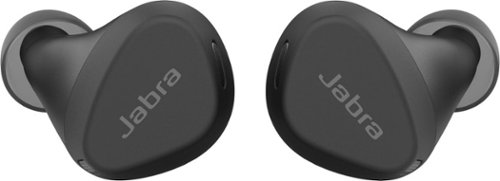
Jabra Elite 4 Active is designed to stay comfortably in place. And that~s not all: with Active Noise Cancellation (ANC), adjustable equalizer, and HearThrough technology, plus instant access to Spotify Tap playback, Elite 4 Active are engineered to bring a real boost to your workout. Made with a secure active fit, and IP57-rated water and sweat proof protection, these buds are engineered for all kinds of workouts. And with a 2-year warranty when you register them in the Jabra Sound+ app, you~ll never have to worry about your workout buddies letting you down. ANC blocks intrusive sounds at the touch of a button, so you can stay immersed in your music. From ignoring the sound system at the gym, to filtering out ambient urban noise, you get in ~ and stay in ~ the zone. You can even customize how your music sounds. Whether you want to boost the bass or turn up the treble, just download the Jabra Sound+ app and tune the equalizer to your preference. You can also activate Spotify Tap playback for instant, seamless connection to the music you need to power you through.
Customer Rating
5
High-end sound without the high-end price
on February 1, 2022
Posted by: SgtRock
from Thompsons Station, TN
How Often Used:1-2 times a week
Overall I'm very impressed with the Jabra-Elite 4 earbuds. There's so many great features to them they are truly "elite" ear buds, while being 'middle of the pack' in price.
They charge with the standard USB-C cord (included) and are very fast to charge completely, while having a great battery life when fully charged. The package claims 28 hours--I haven't used them that long, and I'm one that plugs in things to charge 'just in case' so I will probably never get a chance to see if they actually last that long on a charge.
The case is truly one of the smallest cases I've seen for a pair of ear buds. It easily fits into a pants pocket without being bulky or uncomfortable. My favorite feature is all the indicator lights on the case and on each individual bud. They are tiny, yet maybe the brightest lights I've seen on any device this small. It is easy to tell at one glance if they need to are fully charged, paired, need to be charged, etc. I'm red-green colorblind, and apparently they accounted for that, as the green light is easy to see and tell that it's green, even for me.
There are three sizes of pads included so I had no trouble finding a size that helped them stay seated in my ear without being uncomfortable. As with any earbuds I didn't feel 100% secure that they'd stay in no matter what I was doing, but they feel more secure than most that I've used. The devices are almost entirely plastic--which makes them light-weight, almost to the point that it makes them fell less secure. They also don't get as 'uncomfortable' as quickly as heavier pairs I've used, so it's a bit of a trade-off. I'm sure the material used helps keep the costs down as well.
The sound quality is really fantastic for such tiny devices. Most impressively is the bass really sounded deep and rich. They aren't quite up to high-end over-the-ear headphone sound, but they were much closer than I expected. The controls are on the earbud (or you can use the app, or your paired device's controls) and, like all such controls, I found them to be tricky, but not too tough to get the hang of. My hands tend to be a little clumsy with tiny devices, so finding the right touch for adjustments is something I've never been great at, though it was a little easier than most devices of this type.
I was especially impressed with the call quality. The ear buds immediately pause whenever my phone rings. If there's a way to set calls to ignore and let the music keep playing I couldn't figure it out, but that's a feature I'd like to see on devices like this. Honestly it's probably in my phone setting somewhere and I just haven't figured out where. I've used these for several calls and I'm genuinely impressed that no one even mentioned having trouble hearing me. Testing between my car and these earbuds I was told I was easier to hear with the earbuds!
One thing I'd like to mention is how much I appreciate Jabra's dedication to being sustainable. It's nice to find a company that cares, while not using that as an excuse to charge top dollar for their product. They are a company you can feel good about purchasing from (you can read more about this in the 'about us' section of their website).
The 'active noise cancelling' feature actually works pretty well--almost as well as high-end over-the-ear type, but not quite. I will have a chance to test this more when I'm using them while I mow the lawn, but being mid-winter I've not had much of a chance to apply 'real-world' uses for this feature yet. It did block TV sounds very well while sitting in a room with a movie playing.
There is, of course, an app you can use for several things including pairing the ear buds, checking the charge level and adjusting the sound, and it includes a decent equalizer. It's fairly basic and not necessary if you feel you have enough apps already. I paired them straight out of the case with no issues.
The only drawbacks I've seen are minor annoyances at best. I've discovered that if I'm not fast enough taking the buds out of the case then only one will pair, and I'll have to manually pair the other. It's not difficult to do, but still a little frustrating. The other is that they use a 'mute' feature rather than a 'pause' when you need to hear something or have a quick conversation. I'm often streaming sports radio or podcasts, and didn't realize it wasn't pausing until I hit the button again and discovered I'd missed significant portions of what I was listening to. I've taken to pausing the app I'm using instead, but it would have been nice to have them automatically pause rather than just mute the sound.
Still, these are minor annoyances that obviously didn't affect my overall score. I'd recommend these earbuds to anyone looking for high-end earbuds without wanting to pay a high-end price.
I would recommend this to a friend!
Sound Quality

5
Comfort
5
Durability

4
Quality
5
Value
5
Ease of Use
4
Share this review:


0points
0of 0voted this as helpful.
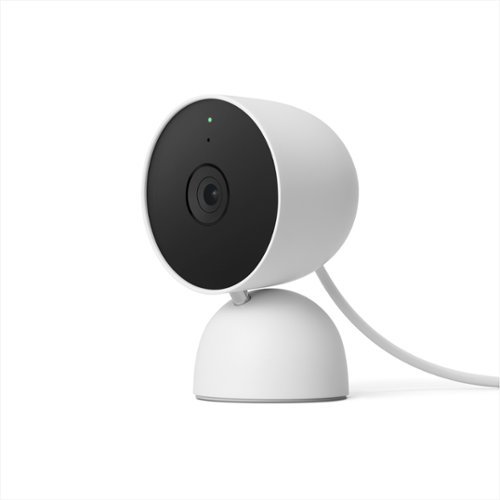
The indoor Nest Cam knows the difference between a person, pet, and vehicle, and alerts you about the things that matter to you, instead of the things that don't. 24/7 live view shows you what~s happening from anywhere.* With 3 hours of free event video history, you can go back and see what you missed. And it comes in different colors to fit your style. The indoor Nest Camera requires the Google Home app and a Google Account ~ it~s not compatible with the Nest app or the home.nest.com site.
Customer Rating
4
Nice camera but not "Nest"
on December 5, 2021
Posted by: SgtRock
from Thompsons Station
The Google "Nest" wired camera is a great camera, but Google needs to come up with another name for it, since it doesn't actually work with the Nest app.
It's a sturdy, surprisingly heavy camera and the wire attached to it is very long. That's great since it helps make it convenient to place the camera. There's also a base and wall-mounting equipment to make installation easy.
Set up should be pretty easy, though I had an issue with either my QR code for the camera being misplaced or lost, so I had to hop on the internet for help. There is a code on the bottom of the camera should this happen to you---but the main thing to note here is it is UNDER the plate, which unscrews. I had a terrible time trying to figure this out until I found some extremely helpful pictures (I've included a couple with mine in case someone else has this issue). It was incredibly frustrating since everything I saw literally said the code's on the bottom of the camera....but mentioned nothing about unscrewing the mounting plate.
Once I finally figured that out the rest of the set up was pretty easy. Unfortunately this camera actually uses the Google Home app, NOT the Nest app. This is incredibly frustrating (since Nest's app, like most of their equipment, is fantastic) to buy something labeled "Nest" and then find out it doesn't actually work with the Nest system already in place. It would have made more sense (but not sold as well, I suppose) just to call it a Google Home camera, since it clearly isn't a Nest device.
The camera itself has a very clear picture. The sound quality is okay. You can access the camera at any time through your google app to see a live picture.
Unfortunately another frustration from the Home/Nest confusion is that you can't access the live picture from your computer (at least not that I've been able to find). The home for cameras still defaults to Nest, but because this isn't actually a Nest camera you won't be able to see the picture from a computer. Hopefully Google will figure this out soon, since I like being able to check in on my pets from work.
Google caches 3-hours of 'events' automatically, which is great since many cameras only do 30 minutes to an hour. You can, of course, pay for more time, saved video, etc, through Google for a fee. The playback quality is great, and I've not seen any issues with it yet.
Overall this is a better-than-average camera that seems sturdy enough to last a while, but unfortunately isn't a "Nest" camera no matter how much Google wants it to be. If you are heavy into the Nest ecosystem then you will be very disappointed to find that this won't work with your existing Nest app. Google bought the Nest name for a reason, but they should be a bit more careful about how they use it--this confusion could have been easily avoided by simply calling it a "Google Home Camera" since that's actually what it is.
If you're new to indoor cameras or integrating a home system through Google then you'll be pleased with this camera. If you're a Nest user then you'll still likely be satisfied with the camera, just really disappointed that it's labeled "Nest".
Mobile Submission: False
I would recommend this to a friend!


Share this review:


+3points
3of 3voted this as helpful.
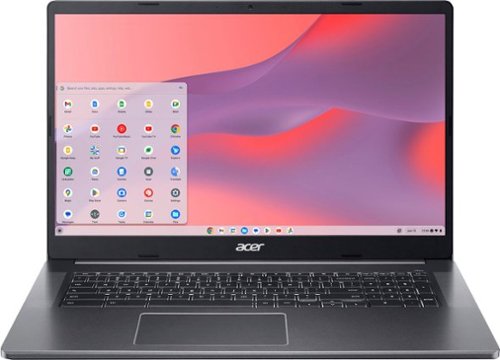
Be dialed in~all the time, everywhere and anywhere~with the Acer Chromebook 317. Staying productive has never been easier with the world~s first 17.3" Full HD touch Chromebook. Featuring an anti-glare coating and narrow bezels, the immersive display and two upward facing speakers let you get work done quicker and experience your entertainment in all of its glory. It features an impressive Full HD Webcam, fast wireless connectivity and a long-lasting battery life, so you can run your favorite Google apps or access your photos, videos, music and documents~all day long.
Customer Rating
4
Great mid-range laptop alternative
on November 8, 2021
Posted by: SgtRock
from Thompsons Station
I've never owned a chromebook before now. My kids use them for school and my wife uses one as a teacher, but I've never really understood their purpose. Now that I've had a chance to use the Acer Chromebook 317 I am becoming a believer. A Chromebook is essentially a laptop alternative that does many of the same things, but for a lesser price, and without all the 'bloatware' that laptops come with. It runs on the Chrome OS, so if you're used to Windows or Apple's OS then there's a bit of a learning curve.
The Acer 317 is a great example of the value to be found in Chromebooks. You get a nice HD 17" display, webcam and backlit display and even a dedicated number pad on the keyboard, along with a decently fast system capable of most things you would do with a laptop--particularly school or work functions.
Being unfamiliar with Chromebooks I wasn't sure what to expect when firing it up. It's pretty much like starting a new android phone. It will have you log in with your gmail account, and then you're basically set to go. Chrome is (obviously) the default browser. The nice thing is if you're already using Chrome all your settings will import over, so your browser will be all set to go once you sync up (again, if Chrome is your main browser).
I tried a few things out to put the Chromebook through its paces and had a pretty terrible experience. I tried playing a few Youtube videos and it was awful. Like watching a slideshow with staticky sound. Not ideal. I figured not being familiar with Chromebooks was likely my issue. After some poking around online I discovered I needed to update the Chromebook. Being used to Windows there's definitely a learning curve for some of the regular functions of the device. Updating was very simple once I figured out how to do it. Lo and behold the update fixed all of the issues with video playback. After the update the video playback was nice and smooth, and looked and sounded very good.
I downloaded a few graphics intensive games from the play store (also quick and easy) and tried them out--Asphalt 8 was probably the toughest one on the system, but it played very well. Smooth and easy even with fast moving graphics and sound.
The battery lasts a long time with every day use, though of course with intensive use it won't last as long. With about 30 minutes of game play, 20 minutes of video play in full screen, downloading and installing a few apps and one update the battery timer is indicating I still have seven hours of use left.
The Chromebook gets warm, but not nearly as hot as some laptops I've used. It was never so uncomfortable I had to move it off my lap. That is definitely not the case with some of the laptops I've owned.
It's also extremely light for it's screen size, making it very portable.
There's a webcam, but it's nothing special. It works, but you'll want to have good lighting. It runs video calls well enough, if a little slow when you're connected (particularly if there are a lot of people in the call).
The system (of course) doesn't come with any sort of manual, so if you're not used to the Chrome OS then you'll have a bit to learn, but so far it's largely intuitive. I've had to research how to update the OS,as well as how to actually close apps when they're not being used. I'm still thrown by 'right-click' doing nothing haha.
I think the easiest way to describe this Chromebook is it does a lot of things well without being too flashy. It is a great budget option if you are in need of something portable for work or school, or even just personal use. Its also a great option if you have a "Google" home--being a Chrome system it integrates and runs all your Google devices very easily.
Overall this is a fantastic budget option device that is capable of doing more than most laptops in this price range, and delivers an impressive performance, all while providing features that normally cost a lot more. Well worth the money!
Mobile Submission: False
I would recommend this to a friend!
Share this review:


+15points
15of 15voted this as helpful.

The Shark Cordless Vertex Pro Powered Lift-Away is a versatile, cordless upright vac with the power and cleaning of a full-size vacuum (tested in Boost mode vs. ZU630). Lift away the detachable pod to clean above the floor and under furniture.
Customer Rating
4
Versatile vacuum with some limitations
on October 29, 2021
Posted by: SgtRock
from Thompsons Station
The Shark Cordless Lift-Away vacuum is a pretty unique concept and a great idea, that just isn't quite a home run...yet.
Out of the box (like most Shark vacuums--I've owned several) it's very easy to unpack and 'snap together'. It took all of five minutes to get together, and that includes a minute or two to look over the diagrams to make sure I was doing it right.
The battery has some charge to it, but Shark recommends charging it fully, and draining it fully on first use before charging it again to get the most out of the battery. I obviously have no idea what kind of life span to expect from the battery, but given it's size and unique-to-this-vacuum design I can't imagine it's cheap to replace. I haven't done any research on this yet, but hopefully Shark has plans for other devices that will use this same battery, otherwise you're looking at a 'lifetime' expense for an already expensive vacuum. Best Buy's 'geek squad' protection includes one battery replacement--probably worth researching the replacement cost and seeing which is cheaper (I'm betting 5-years of geek squad is cheaper than one battery--plus covering everything else for 5 years? Probably worth it!).
The vacuum itself is pretty easy to use, though it's a little tricky to 'snap' the body back onto the stick portion of the vacuum. The "led" placement that shows battery life remaining and which power setting you're on could have been placed better--as it is it's awkward since it faces away from where you are holding it, and requires moving it in order to read it. Not sure why they didn't face the back direction--that would have made a lot more sense.
The big plus to this vacuum is that it is fairly portable--it's fantastic on stairs, or anyplace that it's harder or awkward to bring a normal, heavy vacuum. The Shark is noticeably lighter than every upright I've ever had to carry, so that is a blessing. They obviously worked very hard to make this light-weight, and they did a great job. It's still a little awkward since the 'body' has to be carried--there just isn't a good way to do this without both hands.
The vacuum has three settings. Shark says that the 'normal' (middle) strength is good enough for every day jobs. I have three kids and a black dog that sheds a lot, so I feel pretty sure Shark's idea of 'every day' and mine are a little different. It does do a decent job, but I found myself switching to the high power setting fairly often.
This brings me to the biggest drawback of this vacuum. The battery life on the 'high' setting is abysmal. We got maybe 10 minutes out of a fully charged battery trying to clean our stairs--granted, it had been a while since we'd done them so they didn't look great, but 10 minutes wasn't long enough to complete even half of the job. I imagine if we do them on a more regular basis we won't have to use the high setting, but it's a real drawback that when we do it won't be for very long. The 'normal' setting can get a little over an hour, so that's a huge difference. Again, it does a decent job, but even switching for a few seconds to high seriously affects the overall time--that hour drops to 30 minutes after using the high setting for 2 minutes. The battery is already far and away the heaviest part of the vacuum, so until some portion of the technology improves that will just be 'how it is'.
Overall it's a great concept that's executed fairly well--just keep your old vacuum around for the big jobs, or for when the battery runs out (it takes a few hours to charge back to full). I recommend it due to the light weight and great ease of use, just keep in mind that you'll either want another battery right out of the gate, or you'll have to vacuum in 'spurts' while waiting for the vacuum to charge.
Mobile Submission: False
I would recommend this to a friend!
Share this review:


+2points
2of 2voted this as helpful.
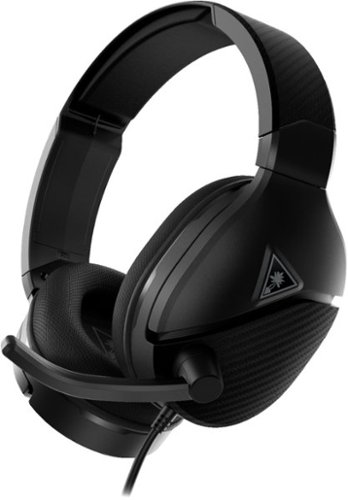
Powered by a rechargeable 12-hour battery, the Turtle Beach Recon 200 Gen 2 multiplatform gaming headset delivers powerful, amplified audio with bass boost and variable mic monitoring so you can hear the volume of your voice in the headset. But we get it, 12-hours can go by quickly, so the Recon 200 Gen 2 can keep going without power in passive mode for game audio. Whether you~re chatting with teammates or trash-talking the enemy, the high-sensitivity flip-to-mute mic picks up your comms loud and clear. New ultra-soft memory foam ear cushions with ProSpecs and a strengthened, metal-reinforced headband provides plush comfort and durability over hours of gaming.
Customer Rating
5
Great budget gaming headset!
on October 27, 2021
Posted by: SgtRock
from Thompsons Station
The Turtle Beach 200 recon headset is a great budget headset that does everything a gamer needs, without a high price tag!
Out of the box they are ready to go, and are immediately compatible with all the big gaming systems, including PCs! They have some charge to them out of the box--mine lasted about 4 hours before needing to be charged again (like most battery powered devices with a rechargeable battery it's a very good idea to run the battery completely dry, then charge it fully before using it again).
One of the reasons these aren't as expensive is there aren't many bells and whistles to them. They play sound very well, and have a microphone that works well and is easy to hear for other gamers you're playing with. A choice I actually prefer over 'touch' controls is the controls for these are 'dials' or buttons built straight into the headset. I actually like this over 'touch' controls, as those can be very tricky to control at times.
The headset itself is fairly durable, and fits over glasses very well. It's large (which is great for me since I have a large head) but not very heavy, so they can be worn for a long time before any discomfort is noticed. It is an inexpensive headset, however, so that probably accounts for not being as heavy. It also doesn't 'hold' sound very well--meaning people in the same room with you will likely hear whatever you're listening to, particularly if it's loud. It's not terrible, but it is definitely noticeable (my wife could hear it in our bedroom when I was playing a game in the living room--she said it sounded like someone was listening to music at a very low volume).
With a price tag like this those sorts of things are to be expected, and certainly aren't a deal-breaker. The fact that these headphones do the job they're designed to do very well, and at a price that won't break the bank makes them very easy to recommend!
Mobile Submission: False
I would recommend this to a friend!
Share this review:


0points
0of 0voted this as helpful.

The Ninja DualBrew Grounds & Pods Coffee Maker delivers Classic, Rich, and Over Ice brews from your favorite coffee grounds or coffee pods. Customize your brew with 9 grounds sizes from cup to carafe and 4 pod sizes from 6 to 12 oz.
Customer Rating
4
Excellent, but complicated, dual use coffee maker
on October 21, 2021
Posted by: SgtRock
from Thompsons Station
The Ninja Dualbrew 12-cup coffeemaker is Ninja's latest entry into the 'dual use' coffee maker world. I'm a big fan of Ninja products and have found them to be very innovative while being excellent at what they do.
The dualbrew coffeemaker is no different and another very good product from Ninja. There's a lot of 'unpacking' to do out of the box as you'll have the coffeemaker, carafe and lid, coffee spoon, adapter and lots of tape to remove.
There are a couple of great things about this coffee-maker. The most important is that it makes really good coffee, and it is as fast as any K-cup OR drip style coffeemaker that I've ever used.
It's a very sleek looking machine with a tiny footprint, so it's very easy to fit on a counter-top. The reservoir holds a lot of water, which is also great. If you drink a couple of cups a day you can still go a week without having to refill the water reservoir.
You can tailor the size of the cup you want to make, or even the carafe. There are a lot of options for both. There's also a 'smart heat plate' that will keep it warm and the plate 'on' based on the size of the carafe you brewed.
Set up was a bit more complicated than I was expecting, and not very intuitive. I had to refer back to the manual a few times, and there were a couple of things I couldn't find in the manual that I had to figure out myself. I did without too much extra effort, but this is actually my biggest issue with this machine--it seems unnecessarily complicated.
From setting the clock, commencing the brewing and even switching from k-cups to carafe, there are a lot of steps that are, again, not very intuitive. The clock, for example, has to be 'dialed' around 12 hours to change from AM to PM (I couldn't find this in the manual, but eventually figured it out). To change from carafe to k-cup requires sliding pieces and making sure a piece is locked before it will work, etc. I had to refer to the manual many times to figure out what I was doing wrong. I'm sure after doing it a few times I'll be used to it but it's going to take some time, and referring to the manual several times I'm sure.
Overall it's a great coffeemaker that I highly recommend, just be prepared to refer to the manual a few times while you're using it.
Mobile Submission: False
I would recommend this to a friend!

Share this review:


-1point
4of 9voted this as helpful.

JVC Gumy Mini True Wireless Headphones are lightweight and small in size. They offer high quality sound with a sleek in ear design. With the latest Bluetooth version 5.1, they will ensure a stress-free and stable connection. Pair the headphones with your bluetooth enabled device once and they will automatically power on and connect when the earbuds are removed from the easy to hold charging case. The Gumy Mini offer one button remotes on each earpiece for quick and easy operation. Control your music and phone calls with the touch of a button. The IPX4 sweat/rain proof rating allows you to enjoy sports or outdoor activies without worrying about getting weat or sweaty. Listen to music or talk on the phone for up to 5 hours. Extend this time with included rechargable battery case for up to 10 hours. Total battery life is 15 hours.
Customer Rating
4
Do the job at a great price
on October 3, 2021
Posted by: SgtRock
from Thompsons Station
I have been very impressed so far by the ease of use and sound quality of the JVC Gumi true wireless headphones.
Nothing about these headphones is very expensive, which is a good thing if you go through headphones at the rate I do. I've had more expensive brands that have failed and only sounded slightly better, or didn't pair well, or any number of things. So many pairs it's hard to justify spending a lot on earbuds anymore.
These are a great solution if you want something decent that gets the job done for not a lot of money. The sound isn't amazing, but it's good, particularly if you're using them for a quick workout, etc.
Of course there are a few drawbacks, but they are few, and to be expected for a pair of ear buds in this price range. The case is cheap, but sturdy enough and doubles as a charger. That is probably the biggest drawback as everything else about these headphones is good--not great. But again, for this price that's enough.
The headphones pair very fast and very easy--easier than many more expensive pairs I've used....and they don't come unpaired in that annoying way that many of these sets do. They also don't come loose very easily while running or working out, which is another thing they do better than most earbuds.
Overall this is a really good inexpensive set of ear buds that do the job, and do it decently. I highly recommend them. However, if you're an audiophile or just like spending a lot of money you may want to look elsewhere.
Mobile Submission: False
I would recommend this to a friend!
Share this review:


+2points
2of 2voted this as helpful.
SgtRock's Review Comments
SgtRock has not submitted comments on any reviews.
SgtRock's Questions
SgtRock has not submitted any questions.
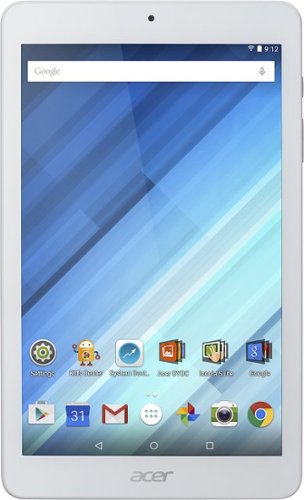
Enjoy a compact tablet that fits neatly in your pocket with this Acer Iconia One 8-inch tablet. It includes a quad-core processor and 1GB of RAM that deliver powerful processing to play all your games and apps, and the 16GB of flash memory ensure this Acer Iconia One 8-inch tablet and store your files.
can i download skype
Yes. It works okay--the front facing camera is only 2 mbs so the picture quality is not the greatest.
10 years ago
by
SgtRock
Enjoy a compact tablet that fits neatly in your pocket with this Acer Iconia One 8-inch tablet. It includes a quad-core processor and 1GB of RAM that deliver powerful processing to play all your games and apps, and the 16GB of flash memory ensure this Acer Iconia One 8-inch tablet and store your files.
can it expand memory with sd card? to 64 gb?
You can use a micro SD card to expand the memory (it will not hold a full sized SD card)--they are available all the way up to 128 GB now.
10 years ago
by
SgtRock
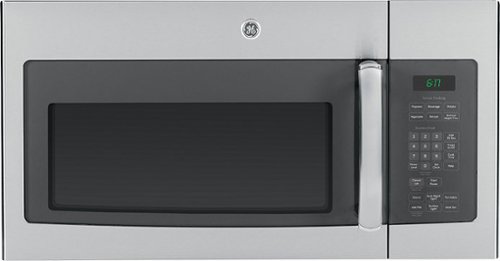
Cook tasty meals with this GE JVM6175SFSS over-the-range microwave that features sensor cooking controls that automatically adjust times and power levels to suit a variety of items, such as popcorn and vegetables. A 2-speed fan provides ventilation.
What about installation ?
Range oven microwave, is tthe installation fee included?
No. I guess you could pay someone to do it but it's really not difficult.
11 years, 6 months ago
by
SgtRock
Virginia