


SgtRock's stats
- Review count150
- Helpfulness votes415
- First reviewApril 22, 2008
- Last reviewNovember 12, 2023
- Featured reviews0
- Average rating4.3
Reviews comments
- Review comment count0
- Helpfulness votes0
- First review commentNone
- Last review commentNone
- Featured review comments0
Questions
- Question count0
- Helpfulness votes0
- First questionNone
- Last questionNone
- Featured questions0
- Answer count13
- Helpfulness votes4
- First answerNovember 17, 2014
- Last answerMarch 2, 2021
- Featured answers0
- Best answers2

Game on the go with this Dell Inspiron laptop. An NVIDIA GeForce GTX 1660 Ti runs most titles, while the two tuned speakers and 15.6-inch Full HD anti-glare narrow-border display deliver an immersive experience. This Bluetooth-compatible Dell Inspiron laptop has a 9th-gen Intel Core i5 processor and 8GB of RAM, handling multitasking without issue, and the 512GB NVMe SSD offers exceptional data access speeds.
Customer Rating

4
Nice Entry-level Gaming Laptop
on August 8, 2019
Posted by: SgtRock
from Thompsons Station
Dell's redesign of their entry-level gaming laptop looks and feels sharp, and is definitely a step-up from the last model, though it's also gone up a bit in price, too. I suppose Dell realized that even entry-level gamers need decent specs, and generally don't mind paying for it.
As is there are very few drawbacks to this version. It looks sharp right out of the box, but is also fairly heavy for a laptop, though the weight is in the normal range of a gaming laptop. The case is sleek, and easy to open. The screen looks really good and sharp, and the games I've played so far look fantastic.
Having an SSD as its primary drive is also great, in that the laptop boots very fast (especially helpful after all the updates needed with windows). Unfortunately the SSD is also one of the drawbacks to this computer—512gb is just not very much. You’ll need to either be very choosy or add an external HD at some point. Games these days seem to average 50gb in size, and with the space the operating system takes up you’ll have room for 7, maybe 8 games depending.
With the awesome graphics card there’s plenty you’ll want to try! Nvidia 1660ti card is one of the faster cards on the market now, and 6gb of dedicated video memory mean it will run most anything and it will look great. I played Doom, Wolfenstein II, Overwatch and Far Cry 5 to test it. All of them looked fantastic, responded fast and didn’t lag my system at all. Any slowdown I had seemed to be more a result of the memory limitations than anything. Fortunately, it’s not crazy expensive to double the memory in a laptop, so if you run into slowing issues that’s a great, cheap upgrade down the line. Also, whatever cooling Dell has in this machine seems to work well, as the laptop didn't ever get very hot.
This laptop also has some very cool, well thought-out connections, including full and mini-HDMI ports, an SD card reader and a few USB connections. It has more connections than most laptops that I’ve seen.
Other cool features include the wireless AC connection capability, which will give you speeds that match all but the fastest wired connections (though you can also use a wired connection too). The webcam is nice, and the speakers are fine, though you’ll probably want to use a headset anyway. Also every laptop should have a back-lit keyboard, so I was very happy to see that as a standard in Dell’s gaming laptops.
Overall if you need a gaming laptop and don’t want to spend a ton of money then this is the one you want! It can play anything, is relatively portable, and has all the features you would want in an advanced laptop!
Mobile Submission: False
I would recommend this to a friend!
Share this review:


0points
0of 0voted this as helpful.

Experience lightning-fast response rates with this Logitech gaming mouse. The programmable design lets you switch between five sensitivity modes, while the onboard memory retains set programs without the use of outside software. This Logitech gaming mouse has built-in metal springs, minimizing needed force and ensuring the right and left buttons are ready to click.
Posted by: SgtRock
from Thompsons Station
The logitech G403 is an almost perfect gaming mouse for a gamer like me (your mileage may vary of course).
It's packaged well: secure so there's virtually no way for it to get damaged in shipping, yet was still easy to remove.
The mouse itself is just heavy enough. There's something about a Logitech mouse that always fits my hand very well, even though my hands are larger than average. There is a removable weight in the bottom, but I couldn't really tell the difference when using it.
The buttons have just the right amount of click, and feel sturdy enough to last (my past few gaming Mice have all been Logitech and they hold up very well). There are the perfect amount of buttons for me and my gaming style. I've seen some with up to 12 programmable buttons...personally I'd never remember where they all were, much less what they all did.
You can download the Logitech Ghub software from their website. It's a quick download and easy install. From there it finds your peripherals and gives you customization options. It works for any Logitech peripheral that you have attached, so if you have other customizable Logitech products you may already have the program. It's very easy to use. You can program your buttons for different functions according to the game you're playing, and also adjust the lights (which is cool when you're not using it I guess....but the light is covered when you are). You can also adjust the speed and dpi from the software, and that is extremely easy as well. One of the cooler features is you can set up a dpi 'profile' for when you're gaming vs regular use, and switch between them very easily.
Most importantly this is a great gaming mouse. Light, responsive, sturdy, and it feels good in your hand when you're playing!
Mobile Submission: False
I would recommend this to a friend!
Share this review:


0points
0of 0voted this as helpful.
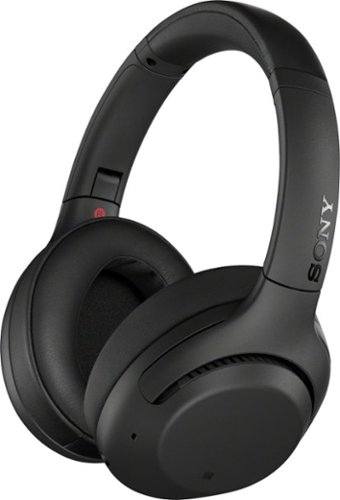
Experience an immersive acoustic performance with these Sony XB Extra Bass wireless headphones. The noise-isolating fit mutes ambient noises, while the lithium-ion battery offers up to 30 hours of playtime, keeping you entertained during long-distance travels. These Sony XB Extra Bass wireless headphones have a touch sensor for convenient control.
Customer Rating

5
Great upgrade over last model from Sony
on July 25, 2019
Posted by: SgtRock
from Thompsons Station
I owned the last version of Sony Wireless Noise Cancelling headphones and thought they were good, but there was room for improvement. I'm happy to say this version largely fixes the things I didn't like about the last set (with one small exception).
One nice change right out of the gate--the headphones have added the ability to rotate the earpieces. Rather than stiff arms all the way around the ear piece rotates where it attaches, and can sit over the ear at very comfortable angles now. I immediately found these to be more comfortable than the previous models.
The sound was very good on the last model and is even better in this model, with the noise cancelling improved (an issue I had with the previous model). Some ambient noise still gets through, but it's a very tiny amount and is not as noticeable as on the prior version. The bass is improved as well.
Another really cool change is the controls--volume, advancing, rewinding, etc, are all 'touch' controls made by tapping or sliding your finger across the surface of the right ear cover. I was skeptical at first, but it really works and is very easy to get used to. Once you have the motions down it's much more intuitive than trying to use controls on the earpiece itself.
The mic for phone calls is surprisingly good--people had no difficulty understanding me. It somehow filters out background noise very well.
There is a 3.5mm gold-plated cord included should you ever need to go wired. It's a useable length (unlike the charging cord haha).
These use the same app as prior versions (and that Sony wireless speakers use) so I already had the app on my phone. They were roughly 60% charged out of the box, and charged to 100% almost immediately. I wear these an average of 4-6 hours a week (typically while working out) and have not had to recharge them yet--three weeks later.
My ONLY issue with these--the charging wire is ridiculously short (see picture). It was almost pointless for Sony to include it, and seems like a slap in the face for a fairly pricey set of headphones--either don't include it at all, or include one long enough to actually be useable...
Overall this is a terrific and very comfortable set of headphones, that (most importantly) sound great and cancel noise well.
Mobile Submission: False
I would recommend this to a friend!
Share this review:


+1point
2of 3voted this as helpful.
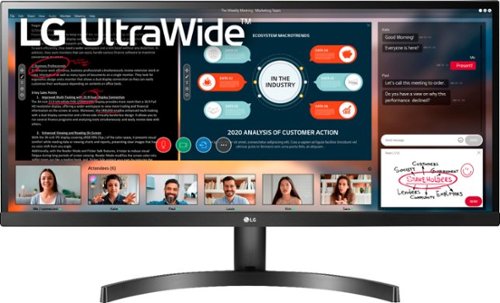
Enjoy seamless viewing with this LG 34-inch WFHD monitor. The 178-degree wide-viewing angles provide quality visuals from almost any direction, while the anti-glare coating eliminates distractive reflections to let you focus. Flicker-safe technology helps prevent eye strain during extended viewing periods. This LG WFHD monitor has fast response times that eliminate blurring.
Customer Rating
4
Nice monitor, needs software options
on June 30, 2019
Posted by: SgtRock
from Thompsons Station
The LG 34" ultra-widescreen monitor is a great option for work, and a decent option for most games, and a very-cool option for optimized games.
This thing is massive and a little disorienting when you first turn it on. The screen is just as described--ultra wide. It includes anti-glare technology that really helps reduce eyestrain, though like most technology of that type it dims the picture a bit as well, giving it a greyed-out look rather than bright white on some pages.
That is actually ideal when using this monitor for what it's best at--running two full-sized screens side-by-side. It's ideal for work that requires data-entry, as it's very easy to have a spreadsheet open on one half and either another spread sheet or a word document open on the other.
The screen responds quickly when gaming and also looks very good. The resolution is fine for most movies, though the anti-glare tends to dim and wash out high resolution, even when the HDR is enhancing the color. I don't typically watch much media on my computer systems, so that's not an issue for me, but you'll definitely want to keep it in mind if it's one of your main uses.
Games look good, though games not designed to use the entire screen on a widescreen monitor can look a little cramped. Diablo III and Wolfenstein II both looked amazing, though, and responded very quickly.
The biggest issue I have is that I read about the software LG has for these monitors that supposedly makes it very easy to adjust the screen layout...but was unable to use it. Like many newer computers my computer doesn't have a disc drive, and there's nowhere to download the program yet on LG's website. You can do almost everything the software is capable of through Windows, but like most things Windows it's not as easy as it should be. I was able to use Windows snap to get programs side-by-side, but supposedly the LG program makes using split-screen much easier, and has more options than Windows does for layout. Hopefully they'll offer an alternative to the disc soon.
The other controls are basic monitor controls located on a 'rocker' button directly underneath the LG on the monitor's front. They work fine and run the usual gambit of controls.
You can plug headphones directly into the monitor if you need to--it seems to work fine when I tested it. I use a more powerful program and headphones designed for gaming, and preferred the superior sound offered through that option. The jack is nice to have in a pinch, though.
The base seems a bit 'wobbly', but is very stable--the sheer size of the monitor keeps it from moving once it's in place.
When off the monitor looks bezel-free, but strangely it doesn't utilize all of that space when it's on, so there is a definite 1/2 inch border around your usable space.
Overall this is a really nice monitor that for very specific situations, and a decent option for everyday use. Highly recommended if your work is made easier by having more than one program open at a time.
Mobile Submission: False
I would recommend this to a friend!
Share this review:


0points
0of 0voted this as helpful.
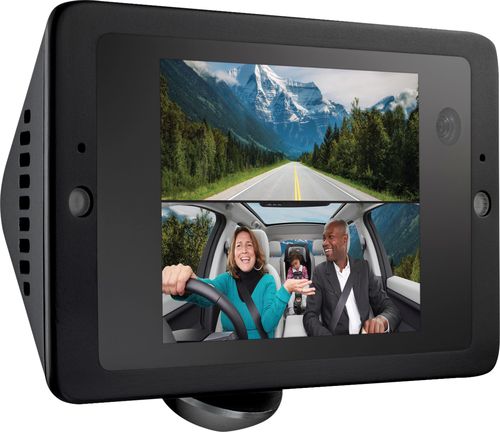
Secure detailed proof of vehicular incidents with this Owlcam smart dual dash camera. The 1440p outside-facing and 720p inside-facing cameras capture high-definition video, and 4G LTE connectivity enables instant video alerts and remote access to live and recorded footage via smartphone. This Owlcam smart dual dash camera supports voice commands for hands-free operation.
Customer Rating
4
Very nice dashcam with a few quirks
on June 17, 2019
Posted by: SgtRock
from Thompsons Station
The Owlcam - 4G LTE Smart Dash Cam is the second dashcam that I’ve owned. The first one I tried was okay, but the video quality was not very good. The Owlcam does not have that issue.
Unpacking it and set-up was simple. This is the first device I’ve owned that utilizes my car’s OBDII connection (the old printer looking connection that is under the dashboard typically very near the steering wheel). It comes with a good length of wire to connect to the camera, as well as varying length of ‘arm’ on the mounting bracket to position the camera where it will be visible but the least obtrusive for drivers. It also comes with plastic wraps for spooling extra wire, and a soft-plastic pronged tool to push the wire into the gaps in your car without causing any damage. Overall the inclusions and accessories for physical installation are very thoughtful.
The actual camera set-up is easy as well. Once connected to power the Owlcam displays a QR code. Scan this with your phone (I have a galaxy S9) and it takes you straight to the app. Once the app is installed scan it again and it will pair with your phone. From there you can access live video (for a fee if it’s over LTE) and see a display of both the front and interior of the car.
Don’t want to watch yourself while driving? Simply ‘flick down’ on the screen (it’s split horizontally between the front and interior display) and the interior display only shows the forward display.
Don’t want to watch yourself while driving? Simply ‘flick down’ on the screen (it’s split horizontally between the front and interior display) and the interior display only shows the forward display.
The picture is very sharp for such a small display. The camera records constantly while driving, whenever it detects motion via the camera (interior or exterior) while parked, and if it detects a ‘bump’ that could possibly cause damage while parked. This video is accessible anytime for free over wi-fi, or for ‘credits’ over LTE. You can buy more credits from Owlcam if you’re running low (one credit=one minute, at the time of this writing 60 credits are $4.99). The video quality is much sharper over wi-fi than LTE. You and the Owlcam need to be near each other for the wi-fi to work. The couple of times I tried small snippets over the LTE service it appeared very pixelated. You can upload video via LTE directly from the history in the app—just review the video and pick a starting point. You can choose a ‘quick clip’, 1-minute or 5-minute segments. After uploading you can use a video editor on your phone or computer and upload it to the web from there (there’s an interesting community on youtube already).
The camera will also record and save video on voice command --even if the car is off-- which is cool and can be useful in very specific instances (traffic stops by police or threats from other drivers while stopped) but stops automatically after a few seconds unless you swipe the camera for it to continue. It can also be a cool way to automatically save a neat video while you’re driving. You can review the saved clips via the app.
There are a few things I’m not crazy about with this. For one, there’s no speed and location stamp on the video as there is with other dashcams. If you’re ever pulled over for speeding a video with these stamps can help when trying to prove your innocence. Also, the LTE signal seems to have a difficult time with the high-quality video. The constant green light is very bright and almost draws attention to the vehicle. The website uses this quality as a ‘warning’ to would-be thieves that your car is protected, but to me it seems like an ad that I have a dash-cam…
The phone app (only way to control it) wasn’t super-intuitive, but it’s not too bad. It took me some playing around to figure out how to stop the constant alerts. The cam will send you an alert (when the car is not moving) whenever it detects motion (turns out in a super-market parking lot this is quite often) as well as any ‘bumps’, which in an SUV is anytime the door is opened, or the back glass of the SUV was raised to put something inside. I received a LOT of alerts in the first couple of days until I adjusted the settings in the app.
It also took a little work to search the history for specific video, which is probably the main reason you’d want to adjust the ‘over-write’ times in the app. The history goes back a long way (several days in my case) even if you drive quite a bit, and searching the history via swiping on your phone is a pain. There may be an easier way to search, but I haven’t figured it out yet.
I would like to see more customization options added such as being able to turn off the led indicators on the camera itself, a wi-fi only setting, more display customization, searchable video, etc. A removable mini-sd slot would also be great, rather than having to rely on the camera's internal memory at all times for recorded video.
The service is free for the first year, but if you wish to continue receiving alerts it’s combined with the LTE service for $99 a year. One cool feature when you have this service is the camera will also tell you where your car is via GPS. The camera itself will still work otherwise, you just won’t get the motion alerts, and you can only retrieve video over wi-fi which, frankly, is still a bargain and still useful.
In the ever-growing world of dashcams the Owlcam is a stand-out, even if there are still a few minor quirks to be worked out yet.
Mobile Submission: False
I would recommend this to a friend!
Share this review:


+3points
3of 3voted this as helpful.
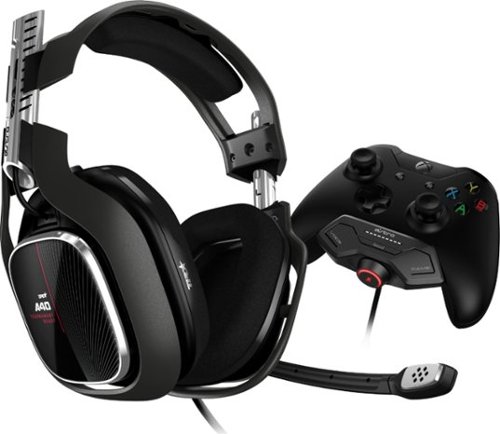
Defeat virtual enemies while streaming content with this Astro Gaming headset and MixAmp M80 for Xbox Series X|S and Xbox One controller. Its unidirectional microphone delivers clarity and detail at every volume level, and the rugged yet lightweight construction provides enhanced comfort over hours of play time. This Astro Gaming headset and MixAmp M80 let you control what your audience hears thanks to its customizable output options.
Customer Rating
5
Great, easy to use headset
on June 17, 2019
Posted by: SgtRock
from Thompsons Station
This Astro Gaming headset is one of the better headset’s I’ve used for my Xbox. The headphones are packaged in an attractive manner. I love when I spend a lot of money on something and they look high-end in the box, even if I’m just going to put the box in recycling—presentation matters!
The headset is attractive and comfortable. It uses magnets to secure many parts so no worry about the ear cups eventually tearing off, and you can always replace them if they wear out. There are many customization options such as speaker tags and mods like colors or different cushions available for these, which is great if you’re into that sort of thing, or anticipate your needs changing in the future.
Out of the box the headset is extremely comfortable. The cushions are not obtrusive, and the arms don’t press the earpieces into your head but use enough force to keep them in place without shifting or coming loose during play. I wear glasses so this is very important for me. They were still comfortable even after several hours of straight gaming. The arms also extend to a nice length, even when you have a large head—this has been a problem for me with other headsets.
One of the best features is the mic being configurable to either side. Every other set I’ve used has had the mic on the left without the option of switching it. After trying these I prefer it on the right—it feels natural to me on that side, and with my PC monitor configuration (with one monitor to my left) it does not seem as obtrusive. Playing on my Xbox it was nice as my table to put drinks on is to my left and it again didn't feel in the way.
The headset plugs straight in with the Xbox adapter, after a quick controller update that’s pretty much it for set-up aside from putting the mic where you want it. I have a USB headphone adapter for my PC and it was plug-and-play with that as well. Very simple to use and ready to go as soon as it’s plugged in.
The sound is great with several configurable options available through the EQ—I kept it on Core for gaming (preferring that setting to the ‘pro’ setting—which was almost too detailed for me) and the Astro setting for movies and music. I tested all three settings with both my Xbox 1 and PC. The sound is crisp, clear and as detailed as the game developer would allow it to be—Diablo III and Overwatch on my PC really allowed for directional sounds. Overwatch did the same in my Xbox—I could genuinely tell what direction enemies were at any point thanks to the detail in the sound. Streaming music and movies also sounded terrific. A code for Dolby Atmos is included as a nice little bonus, though I already had it.
My son and I both tested the headset playing a coop version of Diablo over the computer, as well as logging into a Minecraft server on the PC and Xbox. Sound was great on both, and I could clearly hear him, and vice-versa, on each system.
The one downside to this is obviously the wire. It’s fine using it on my Xbox as plugged into the controller the length of the wire is not an issue. With the PC the shorter wire can be an issue. My PC is currently close enough where it’s fine, but I have been considering re-configuring some things, and if I do the wire will be too short for these to work. Plus, wireless is always preferable to keep things less cluttered and less chance of the wire being pulled out, tripped over, etc.
.
Overall, I highly recommend these headphones if you’re looking for a new option, especially for an Xbox. They are comfortable, sound great and work in a manner befitting top-end headsets.
.
Overall, I highly recommend these headphones if you’re looking for a new option, especially for an Xbox. They are comfortable, sound great and work in a manner befitting top-end headsets.
Mobile Submission: False
I would recommend this to a friend!
Share this review:


0points
0of 0voted this as helpful.
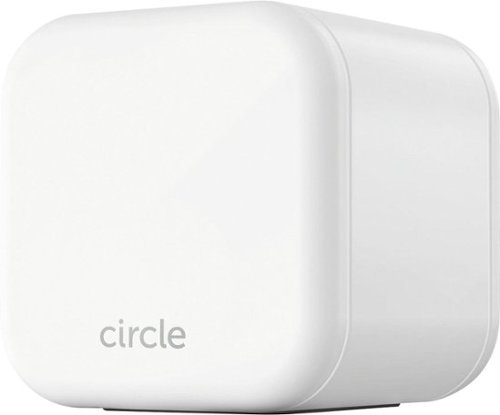
Keep your kids safe online with this Circle Home Plus monitoring setup. The included device uses your router to manage every device on your network, and Circle App makes it simple to limit screen time, filter content, and check browsing histories. This Circle Home Plus monitoring setup is easy to set up and lets you create custom settings for each family member.
Customer Rating
4
Simple Family Online controls
on May 15, 2019
Posted by: SgtRock
from Thompsons Station
With three kids in my house having control over internet usage (both time and content) is a struggle, so the Circle sounded like the perfect device to help me keep an eye on our myriad of devices from one central location.
The cube itself is fairly unobtrusive, though you will need a free LAN port on your modem (which are at a premium anymore from all the devices needing one...). That is probably the biggest drawback to it. I actually have a few home networks, so I decided the circle into my 'family' network that the kids use--a modem I have coming in from a wired outlet connected to my main modem. Our family PC, as well as a wireless modem the kids connect to for gaming are all coming through that modem, so it made the most sense to connect it there.
Set up was very easy, once I got the Circle app downloaded (make sure you have the correct app--there is a Disney app that is very close in name to the circle app). It walked me through step-by-step. While connecting and set up took a few minutes, it found the Circle device, and EVERY piece of equipment on the network no problem.
From there you can get as simple or complex as you want--you can shut the internet down from the modem it's attached to, or shut access off to any specific device. You can set time limits, block certain apps, and even block specific websites from any internet browser in use on any device connected to the modem. You can set up profiles for each person in your family, as well as profiles for each device that's connected. It's as complicated as you want it to be, but still easy enough for a beginner to understand.
Your need for a device like this will basically come down to a couple of things: how much control do you want over your devices, and how tech savvy are you? If you want even a little control (like time limits) but aren't tech-savvy, then you definitely want this. If you want a lot of control but don't want the headache of doing all this yourself---which is possible without the device, but not real easy to do--then you want this.
For someone with a large family like mine, that has a lot of devices, this app is great--it tells you when a new device joins the network, and you can see what is going on with any device on the network at any time. It's perfect for my wife, who likes to set time limits, while making sure my kids are actually reading on their kindle rather than playing a game. It also lets her block ratings, websites, etc, which she loves.
After a year you pay for the use of the app, so basically with the cost of the device you're getting a year's use thrown in. Once the year is up you should have a great idea if this is for you or not--which is one of the better trial prices you'll find for something as advanced as this.
For me the biggest caveat was needing to tie up a LAN port, but if you have plenty free on your modem (or use a secondary 'family' modem) hopefully you'll have the room.
Mobile Submission: False
I would recommend this to a friend!
Share this review:


+5points
5of 5voted this as helpful.
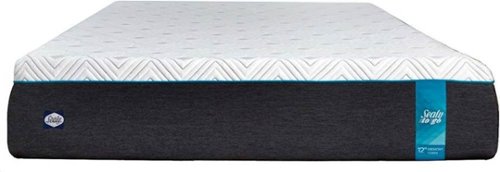
Sleep well on this 12-inch Sealy To Go memory foam mattress. Distinct layers include 3 inches of 3-lb. memory foam for responsive comfort, a 4-inch transitional layer of advanced comfort foam and a 5-inch base for support. This Sealy To Go memory foam mattress is topped with a luxurious circular knit 350 GSM cover for softness.
Posted by: SgtRock
from Thompsons Station
Of all the things I have reviewed for Best Buy, this one kind of took me by surprise--I mean, it's a high-tech mattress, but still...a mattress?
I was curious enough to give it a try, and I must say I'm glad I did. This mattress is very, very comfortable. I've never owned a "bed in a box" before, so the entire experience was new for me. It's delivered in a large box, but certainly not a mattress-sized box. The box is VERY heavy, so you'll need two people to lift it.
I highly recommend getting it to the room you want to use it in before unpacking it. We actually placed it on the bed, then unpacked it. Once it was unpacked we maneuvered it into the correct position, and cut the plastic---the next thing to happen was pretty impressive. The mattress seems to 'decompress' and become full-sized in a matter of seconds. You can sleep on it right away, but the instructions recommend waiting 48 hours for it to fully decompress.
The mattress itself is interesting--it seems that there is a lot of give when you first lay on it, but then it feels very firm. It offers a lot of support without feeling hard, and makes for a very good night's sleep! I awoke feeling refreshed with no sign of soreness or any other odd pains sometimes associated with a new mattress.
As this is my first time trying a mattress like this I have no real frame of reference. I'm using it with a box spring, but believe it would be fine without one on a 'platform' style bed. I also have no idea how long a mattress like this is intended to be used for, or how long it will last. It doesn't seem quite as durable as a standard mattress, so it's also hard to say it's worth the price tag. It's also nice and cool (without being cold) compared to other mattresses, which is a big plus for me.
It is definitely convenient not to have to worry about delivery times and set up, etc, though I'm not sure how easy it will be to move in the future should I ever need to.
I do recommend this for a good night's sleep and the convenience of it.
Mobile Submission: False
I would recommend this to a friend!
Share this review:


0points
0of 0voted this as helpful.
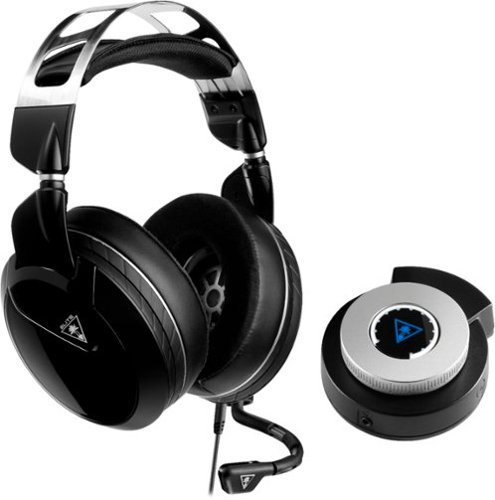
Keep your head in the game with this Turtle Beach Elite Pro 2 audio system. The SuperAmp audio controller is compatible with the PlayStation 4 Pro and standard, and the headset can be used alone with any 3.5mm jack. This Turtle Beach Elite Pro 2 audio system brings comfort and audio quality together for long nights of action.
Customer Rating
5
Innovate features on great headphones
on April 3, 2019
Posted by: SgtRock
from Thompsons Station
After testing the Turtle Beach - Elite Pro 2 Wired Gaming Headset for a few weeks I genuinely love some of the things about this headset that other manufacturers could take note of:
• They’re super-comfortable, even after extended use
• The controls on the headset are easy to use
• The “glasses” design in the headset help with the comfort—not just a gimmick!
• It includes an optical cable!!!
• The sound is terrific, and I’m told the mic is very clear
• The controls on the headset are easy to use
• The “glasses” design in the headset help with the comfort—not just a gimmick!
• It includes an optical cable!!!
• The sound is terrific, and I’m told the mic is very clear
I tried them on both my computer and my PS4—it’s honestly a bit better set-up for my computer, as my PS4 is in my living room and my couch is kind of far away. I have to sit closer than I want if I want to use the wired amp (which is recommended, sounds better, and requires the optical cable), and I have to be extra careful with the cords. They can also be used as a straight headset plugged right into the controller, and still sound good, just not AS good.
The PC set-up is a bit easier to work with the wires (they’re very long for a PC, but not quite long enough for a couch 10-feet away from the TV) and the sound there is also very good. You can switch between the modes easy enough with the app, but the app can take a bit to figure out. The AMP also has controls on it, though, again, they’re easier to use with the PC and the AMP sitting right in front of you than with the PS4 and it sitting somewhere between you and the TV.
The glasses comfort design of the headset actually works and helps ease the usual pain caused by wearing headphones for an extended period of time over glasses—it’s now one of my favorite features on any headset! It’s also pretty important on these as they’re fairly heavy. The other nice feature is the "cooling" cup design--it genuinely works as well--my ears did not get noticeably hot or sweaty at any time while using these.
The biggest drawback to these, by far, is all the cords that are required for the best sound. They're pretty much not an option in my living room as between my dog and my kids someone is going to rip out a wire somewhere, and possibly cause some serious damage to something. If you don't mind the wires (or are using them with a PC where wires typically aren't a big deal) then these are some fantastic sounding, very comfortable headphones…
Mobile Submission: False
I would recommend this to a friend!
Share this review:


0points
0of 0voted this as helpful.
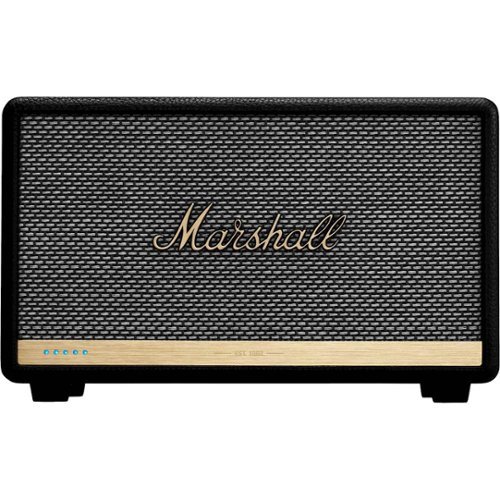
Listen to music the smart way with this black Acton II Voice speaker. It has three Class D amplifiers for high-quality sound and multi-room capabilities so you can listen wherever you are in your house. The built-in Amazon Alexa of this compact Acton II Voice speaker lets you control your playlist with your voice.
Customer Rating
4
Attractive wireless speaker--app needs some work
on April 3, 2019
Posted by: SgtRock
from Thompsons Station
I was excited when offered the chance to test the Marshall - Acton II wireless speaker with Alexa---my kids love Alexa (I honestly think she’s like a third parent to them sometimes) and we’d wanted something like this for their playroom, so this was perfect!
The speaker is very sharp looking, and the size on this one doesn’t overwhelm the shelf. It fits nicely with the décor we have around it.
The set-up seemed simple enough—plug it in, download the app (of course) and follow the instructions. This part was, unfortunately, extremely frustrating. We have a great wi-fi signal where I had it—I tested it both through my phone and through a laptop….but I could NOT get it to connect. I tried the standard route several times but it was a no-go every time. I then tried the ‘alternate method’ and unfortunately it wasn’t very helpful. You get to a certain point and it tells you to go to your wi-fi settings, then once paired with the phone return to the Marshall app to finish installation….except when you return to the app the instructions on how to finish never come up—it just takes you straight to the home page! There was no way to even get back to the set up instructions. I finally ended up taking the speaker to where it was right next to the wi-fi router. That ended up working….so now I needed to update the firmware. Cool, no problem, except it timed out and couldn’t complete (“unknown error”) three times in a row. In total it took over an hour to get through the set-up phase. The app needs a LOT of work.
The set-up seemed simple enough—plug it in, download the app (of course) and follow the instructions. This part was, unfortunately, extremely frustrating. We have a great wi-fi signal where I had it—I tested it both through my phone and through a laptop….but I could NOT get it to connect. I tried the standard route several times but it was a no-go every time. I then tried the ‘alternate method’ and unfortunately it wasn’t very helpful. You get to a certain point and it tells you to go to your wi-fi settings, then once paired with the phone return to the Marshall app to finish installation….except when you return to the app the instructions on how to finish never come up—it just takes you straight to the home page! There was no way to even get back to the set up instructions. I finally ended up taking the speaker to where it was right next to the wi-fi router. That ended up working….so now I needed to update the firmware. Cool, no problem, except it timed out and couldn’t complete (“unknown error”) three times in a row. In total it took over an hour to get through the set-up phase. The app needs a LOT of work.
Through Bluetooth the sound is great (as would be expected from a Marshall product). The speaker puts out solid, clear sound, and the bass is very good for a speaker this size.
Once it’s connected Alexa is straightforward and can use the normal Alexa app to be controlled, as well as the voice commands. It fits right into a connected Alexa home, or as a single Alexa app. My kids love it (especially the games) so it really is a great fit in the play room.
You can customize quite a bit through the voice commands if you want to get that in depth—there is a huge selection of controls you can modify to get the sound right where you want it if you want to get that in-depth, but it sounds terrific right out of the box if you don’t.
If you are looking for a wireless speaker that fits in with décor and looks better on a shelf than most, you can’t go wrong with this…just be ready for some frustration during set-up. Hopefully my experience wasn’t the norm.
Mobile Submission: False
I would recommend this to a friend!
Share this review:


0points
0of 0voted this as helpful.
SgtRock's Review Comments
SgtRock has not submitted comments on any reviews.
SgtRock's Questions
SgtRock has not submitted any questions.
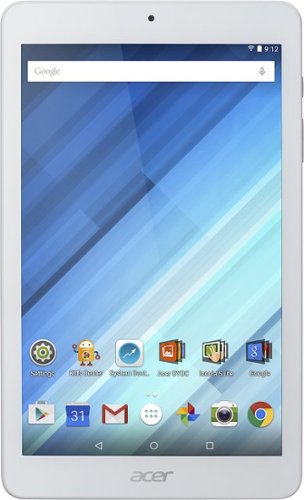
Enjoy a compact tablet that fits neatly in your pocket with this Acer Iconia One 8-inch tablet. It includes a quad-core processor and 1GB of RAM that deliver powerful processing to play all your games and apps, and the 16GB of flash memory ensure this Acer Iconia One 8-inch tablet and store your files.
can i download skype
Yes. It works okay--the front facing camera is only 2 mbs so the picture quality is not the greatest.
10 years ago
by
SgtRock
Enjoy a compact tablet that fits neatly in your pocket with this Acer Iconia One 8-inch tablet. It includes a quad-core processor and 1GB of RAM that deliver powerful processing to play all your games and apps, and the 16GB of flash memory ensure this Acer Iconia One 8-inch tablet and store your files.
can it expand memory with sd card? to 64 gb?
You can use a micro SD card to expand the memory (it will not hold a full sized SD card)--they are available all the way up to 128 GB now.
10 years ago
by
SgtRock
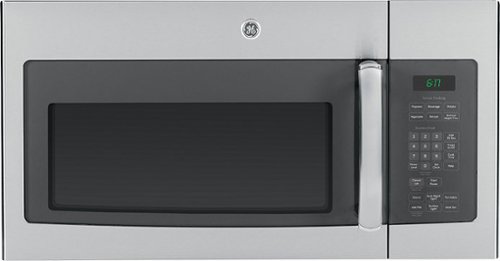
Cook tasty meals with this GE JVM6175SFSS over-the-range microwave that features sensor cooking controls that automatically adjust times and power levels to suit a variety of items, such as popcorn and vegetables. A 2-speed fan provides ventilation.
What about installation ?
Range oven microwave, is tthe installation fee included?
No. I guess you could pay someone to do it but it's really not difficult.
11 years, 6 months ago
by
SgtRock
Virginia