


SgtRock's stats
- Review count150
- Helpfulness votes415
- First reviewApril 22, 2008
- Last reviewNovember 12, 2023
- Featured reviews0
- Average rating4.3
Reviews comments
- Review comment count0
- Helpfulness votes0
- First review commentNone
- Last review commentNone
- Featured review comments0
Questions
- Question count0
- Helpfulness votes0
- First questionNone
- Last questionNone
- Featured questions0
- Answer count13
- Helpfulness votes4
- First answerNovember 17, 2014
- Last answerMarch 2, 2021
- Featured answers0
- Best answers2
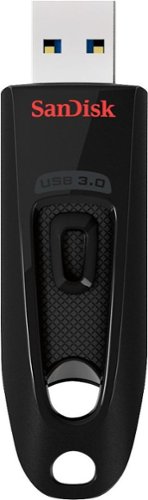
Step up to high-speed USB 3.0 speeds and transfer your videos, photos and files up to ten times faster than standard USB 2.0 drives. SanDisk Ultra USB 3.0 Flash Drive takes the wait out of moving, sharing or backing up big files - now you can transfer a full length movie from your laptop to your flash drive in less than a minute. Password protection lets you keep your private files private, while still allowing you to share generously with family and friends. And with a sleek, sturdy SanDisk Ultra USB 3.0 Flash Drive in your pocket, you won~t need an internet connection to access those photos and videos anyplace and anytime you want. For more than 25 years, SanDisk has been known for quality and reliability all around the world.
Customer Rating

5
Great thumb drive with innovate software
on March 24, 2019
Posted by: SgtRock
from Thompsons Station
This is a very fast thumb-drive, with unique and convenient extra programs included at no extra charge from Sandisk.
It's USB 3.0 compatible, and reads and writes as fast as any thumb drive I've ever used. The speeds are even fast through a 2.0 USB connection.
Sandisk includes two unique programs—one for easy file retrieval, and one for easy encryption of files that you store. They both work very well from my usage so far.
The easy retrieval program is called “flashback” and comes free of charge for a year. With this Sandisk basically copies the files you save on the drive to the cloud. If you want to share an individual file you can simply e-mail a unique link for that file to someone and they can retrieve it—or you can e-mail the link to yourself if you know you’ll need it later and don’t want to have to worry about keeping up with the flash-drive. It’s essentially a ‘one-drive’ or cloud type system, so it might be a bit redundant, but it is very easy to use, and free for a year with purchase of the thumb-drive.
The other free software included is an encryption drive, to protect sensitive files you might be saving to the drive. This is fast, depending, of course, on the size of the file you’re encrypting. I found most document files (tax returns, medical files, etc) only took a minute or two. If you were to lose the drive and someone else found it, they’d see the name of the file, but would not be able to open it. This is a great way to protect important information but still have it handy.
Sandisk has long been a leader in the digital storage marketplace, and innovations like these are the reason why. Highly recommended!
Mobile Submission: False
I would recommend this to a friend!
Share this review:


0points
0of 0voted this as helpful.
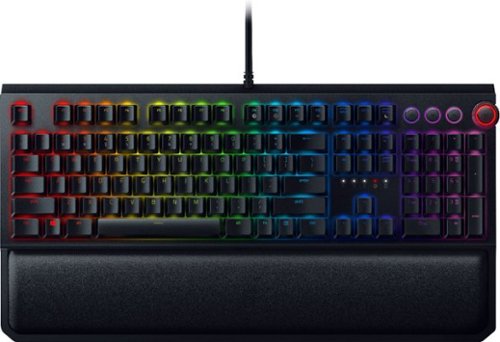
Collaborate with teammates using this Razer BlackWidow Elite mechanical gaming keyboard. An ergonomic leatherette wrist rest provides support for marathon play sessions, while the fully customizable keys let you create your own unique system for gaming. With dedicated media keys and a multifunction digital dial, this Razer BlackWidow Elite mechanical gaming keyboard offers responsive operation.
Posted by: SgtRock
from Nashville, TN
I love this keyboard! It's cool-looking, noisy, responsive and amazing in all the different profiles it can hold!
If you're a gamer look no further than this! The razer keyboard has the fastest and best response I've ever seen from a keyboard. It's neat-looking, with programmable light patterns and colors for the backlighting. There are a ton of different profiles you can have it remember and quickly switch to depending on what game you are playing, which is amazing in itself. Personally I could never remember what function I assigned to what key for that many games, but I have tried it on a couple of games (Overwatch and Civ VI) and so far I'm very impressed.
I have the "clicky" version, which I very much prefer, but there are quieter options out there. Personally I like my keys noisy and with less give than a lot of keys--I have large hands, so this really helps me feel like I'm striking the "correct" key when I'm using it.
The color scheme is probably unnecessary, but a lot of fun to play with. You can change the colors, options on how often they light up (such as strobe or always or wave, etc) and there are a lot of different colors available.
Probably the biggest drawback is that you need two open USB-slots to use all of the functions of the keyboard, but expanding USB ports is pretty easy and cheap so don't let that hold you back (I actually had two open so it wasn't an issue).
There is also a very-comfortable wrist rest that attaches to the keyboard--magnetically!! It's a very strong magnet--I've used this for a little over a month and the only time the rest has moved is when I've moved it.
If you're a gamer or just looking for a cool new keyboard I highly recommend this one--it's loud and awesome!
Mobile Submission: False
I would recommend this to a friend!
Share this review:


0points
0of 0voted this as helpful.
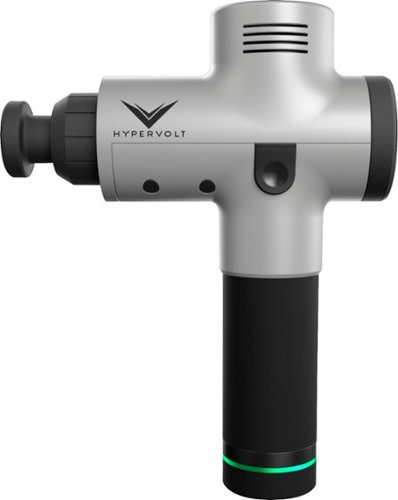
Relax stiff muscles with this HyperIce Hypervolt cordless vibration massager. Quiet Glide technology keeps the rotating heads moving smoothly across your skin, and the lightweight ergonomic design makes it easy to use for myofascial release. Improve your range of motion and promote good circulation with this HyperIce Hypervolt cordless vibration massager.
Customer Rating

4
Very good sports massager
on January 9, 2019
Posted by: SgtRock
from Nashville, TN
I have really enjoyed using this massager! It's very sleek using, and very easy to use.
I've never really used anything like this before, so I'm not sure about the size relative to other massagers, but it seems very large and bulky. I have big hands so it's easy enough for me to hold, but the weight and vibration make it slightly uncomfortable after a short-period of time.
The battery holds a charge for a very long time. As of writing this I charged it three weeks ago, and have used it 9-10 times for at least 10 minutes (off and on) each time. It appears to still have about half the charge left, so that is extremely impressive.
As far as use goes, it's fairly easy to use--there are a couple of "on" switches, which gets a bit confusing, especially the first couple of times you use it since I found myself forgetting the switch on the bottom a few times. There are three speed settings on the massager itself, as well as four different attachments.
The biggest issue I've had is the manual is extremely limited, and recommendations about which attachment to use for which ailment would have been appreciated. As it is I just trial-and-errored my way into figuring out what felt best on my shoulders (I get deep pain and knotted muscles in my shoulders very often)--that is probably the manufacturer's intent, but even that is not clearly stated.
Overall it does the job, is very sturdy, and holds a charge for a very long time. Due to the size and weight it's very difficult to describe this as portable, though it would fit into a suitcase without issue--just watch your weight if you're flying.
If you work out a lot, or tend to have deep-tissue muscle issues then this a great alternative to massage therapy. It does provide a very deep massage, and the variety of attachments lets you address painful areas in a way of your choosing. The three different speeds also add great variety to insure that it's not too painful or that you cause yourself any kind of injury.
If you're searching for a device like this the price is right on this one, and it does the trick on deep muscle pain or after workout massage--I just wish it had more details for people just starting out with something like this (it's an intimidating looking device) and that it wasn't quite so heavy and bulky.
Mobile Submission: False
I would recommend this to a friend!
Share this review:


0points
1of 2voted this as helpful.
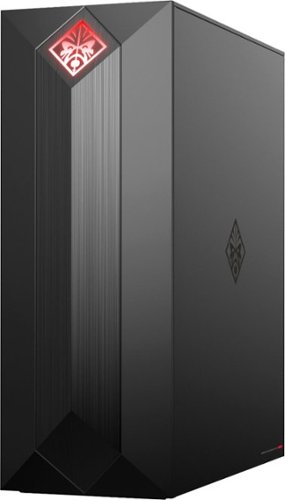
Experience great gaming with this OMEN Obelisk desktop computer. Its NVIDIA GeForce graphics and Intel Core i7 processor are suitable for virtual reality games, and the 1TB hard drive and 256GB solid-state drive provide extensive storage and fast boot times. This OMEN Obelisk desktop computer's case opens without tools for easy expansion.
Customer Rating
4
Nice Mid-range gaming computer!
on December 12, 2018
Posted by: SgtRock
from Nashville, TN
This is a fantastic mid-range gaming computer, that would be almost perfect if not for a few minor (and one major) drawbacks…
First, it’s packaged very well. The box is massive, mostly to hold the generous packing material around the computer. I’d be very surprised if these computers ever got damaged in shipping as they are very well protected. The computer itself looks sharp. I went with the black and red design, and it looks very cool. The lights inside can change colors and color patterns, so that’s pretty neat (though sometimes distracting if you suffer a bit from ADD like me). The computer itself is compact for a gaming computer—a bonus if you are lacking space, though this carries some drawbacks with it that I’ll get into later.
It’s an easy set-up—basically unpack the materials, plug in the mouse and keyboard, connect it to a monitor (and/or speakers depending on your set-up), connect to the internet (either LAN or wi-fi, which is built in and supports all the latest versions) and you’re all set. Thanks to the SSD drive it powers on and boots up very fast. Of course, the initial set-up with windows takes a bit, and from there you’ll want to update windows to the latest version available. You may or may not want to add your own anti-virus. HP includes a free trial of McAfee (which is not my personal favorite)—I already had a program that had more room for activations, so I downloaded it and uninstalled McAfee.
I ran a benchmark test using Novabench (a free benchmark program that tests your system and compares it with others out there) and this computer scored very well against mid-range gaming computers. The processor recorded the highest score (nearly 24% better than the average mid-range gaming rig) and the video card and memory were not far behind. These are very impressive results for a computer in this price range!
There are two memory slots in the system. 16gb of memory is included--as a single stick. You can find a match at amazon (though finding single sticks is tough) for a decent price and double your memory right away, though 16gb is pretty fast already and should be more than enough for most tasks. I plan on video-editing which can be memory intensive, so I went ahead and ordered the match.
The SSD boots very fast, even after all the restarts required with updates and new installations. The added hard-drive will hold several games, though you’ll likely want to add more storage at some point.
I ran Overwatch and Far Cry 5 at their highest settings and they looked gorgeous (see pics below—screenshots taken with my phone of my monitor and the computer next to it). They play fast as well.
Overall a great system for running current games and should last a few years before really having to upgrade much.
The not so great things:
There is very little room for expansion. There is space inside the case, but it’s limited. The good news is it will hold larger (standard sized-really, the one that comes with it is small) video cards. The bad news is you’ll have to be very careful about the power supply, since (as is the case with most builds like this) there is enough power to run what’s there, but cards that require more power will require a new power supply as well. Not a terribly tough upgrade, but it can be annoying.
Cooling seems like it might be an issue. There is a heat sink on the back of the processor, and the video card has its own attached cooling fan, but the case itself only has one fan, and it’s not even standard 120mm size. I downloaded a temperature monitor and it got pretty warm during a long Far Cry session. I’m going to look into a way to modify the case for a larger fan, but it doesn’t look like it will be easy. There is also room for a possible internal fan as well—I may end up going that route.
You’ll eventually have to add either more internal storage or an external hard drive. 1TB just isn’t much for a gaming computer these days, with most graphic-intensive games taking anywhere from 20-80g. I prefer internal storage but it will be tight trying to fit one in there with the current layout. It says there’s another 3.5 bay, but I won’t be taking it apart for another week or so to really see what I have to work with. The extra bay location is not obvious through the window. The good news is all the latest USB connections from original to the newest are on here somewhere, and there are a lot of them. Storing installed games on an external drive shouldn’t be an issue with the faster type connections.
While most of these things are minor annoyances and can be worked around, they’re the kind of things you expect with a mid-range computer.
The one thing that really surprised me is how truly awful the mouse and keyboard are. Bad enough that I deducted a star from the score. The mouse was actually uncomfortable--there’s an ‘overhang’ from the top to bottom which pressed uncomfortably against my skin. I can’t imagine having to use it for a very long amount of time. The keyboard feels like a child’s toy. It’s flimsy, noisy and not very responsive. You’ll want to upgrade right away. I had a decent set from my old rig, so I just switched them over. Still, HP should not have even bothered including them, or put at least a mildly better set in the box.
Overall for the price this is a great mid-range gaming system, with some limitations for future expand-ability that you’ll want to keep in mind. And you’ll definitely want to buy a keyboard and mouse with it.
Mobile Submission: False
I would recommend this to a friend!


Share this review:


+1point
6of 11voted this as helpful.
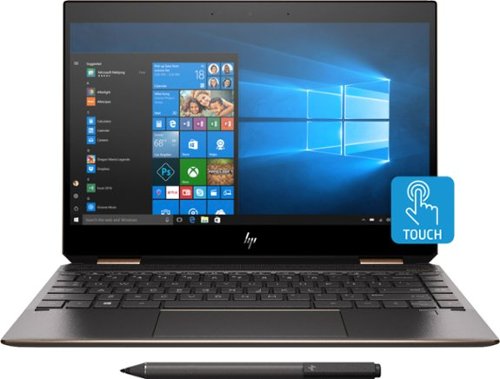
Experience smooth performance and flexibility with this 13.3-inch HP Spectre x360 convertible laptop. Featuring a 13.3-inch Full HD touch display and HP Digital Pen, this flexible laptop lets you write, draw and navigate the interface with precise touch controls. This HP Spectre x360 convertible laptop easily handles a variety of software with the power of an Intel Core i7 processor and 8GB of RAM.
Customer Rating
5
Fantastic, versatile laptop
on November 26, 2018
Posted by: SgtRock
from Nashville, TN
This is the best looking laptop I've ever used. The box itself just looks sharp and expensive. The laptop itself is sleek and impressively small. At 2.6 lbs it's the lightest laptop I've ever used (though I'm sure there are lighter out there) even if it's not the smallest.
The laptop boots very fast, thanks to the 500gb SSD drive. For a laptop this feels like ample storage (depending on your usage, of course) and is fairly standard. It can always be upgraded to a larger SSD, at somewhat of a hassle, or you can simply use micro-SD cards! This is a great option and one I'm not used to seeing on laptops.
The computer and screen are gorgeous. The display looks great at normal HD settings. After looking over forums I've not tried to figure out how to get it to 4k as it appears there are some driver issues right now.
This is a super-fast, super-responsive computer. Programs open right away, and I've experienced no "hangs" yet, even with multiple programs running. Out of curiousity I ran it through "Novabench" to see how it compares benchmark wise to other laptops. The majority of the computer is in the top 80-90% (memory, speed, cpu, etc). The only thing that really brought the score down was the lack of video card. The onboard processor is very limited--you'll probably want to look elsewhere for gaming. I've seen other reviewers mention external video card set-ups. This computer has the profile to work great with an external set-up if that's your preference.
The inputs are terrific and more than what I'm used to from a light, modern laptop--there is not an ethernet port or HDMI, but that's standard for lightweight laptops anymore. It does include a USB-3 connector, which is hardly standard anymore and very nice to see. So many things still use USB that this is still a very necessary connection so it's nice not to have to use an adapter. It also includes two USB-C connectors (one is used to charge the battery when needed). My only gripe so far about this computer is the awkward placement of the charging connection--it's kind of at an angle between the back and side. I'm used to being able to charge from either the right or the left directly on the side. It causes the cord to stick out at a slightly strange angle. Not a big deal, but just a little odd.
The laptop ran warm at first, but this seemed to mostly be due to initial set-up and updating. After the first few light sessions I updated the BIOS as well as some HP and Windows updates and haven't noticed it get any warmer than any other laptop I've used.
The fan also kicks on fairly often depending on usage, but it's negligible sound (and again, much softer than older laptops I've used).
I also liked that it has 5ghz connection capability. This is what I usually connect to, since that's frequently the less-used wifi connection anywhere I am. My internet speeds are great as long as there's even a semi-decent connection around.
The pen that comes with it is easy and fun to use. I use Windows ink and have really enjoyed it. The screen in tablet mode is very responsive, and the resolution makes detailed artwork possible (not that I've done any to speak of yet--I've just mostly experimented with detailed doodles to test what kind of art can be done). I'm going to invest in a better art program and see how that goes, but with the screen resolution and processor speed I expect it will run as well as anything else.
There is no real "bloatware" installed, so that's another plus. I replaced the McAfee right away with Bitdefender and Malwarebytes (both of which I already had subscriptions for), but McAfee is a decent program so feel free to use it if you need anti-virus software (and honestly Windows does a pretty good job of that itself these days--couple it with another free program here and there and you shouldn't need much of anything).
If you're looking to replace a high-end work laptop (or drawing tablet) you can't go wrong with this one--just don't expect to do much gaming without further investments.
Mobile Submission: False
I would recommend this to a friend!


Share this review:


+3points
3of 3voted this as helpful.
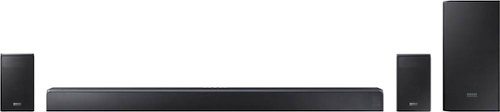
Get better audio with this Samsung Dolby Atmos sound bar. Wi-Fi, Bluetooth and Amazon Alexa integration provide multiple methods of control and audio sources for easy streaming from anywhere. This Samsung Dolby Atmos sound bar has 7.1.4-channel surround support and uses Dolby Active technology to produce immersive high-fidelity audio throughout your living room.
Customer Rating
5
Incredible, beautiful sound system!
on October 24, 2018
Posted by: SgtRock
from Nashville, TN
The Samsung HWN950 is simply a stunning system.
It comes in a big, heavy box--it's actually a bit easier to open it and move the pieces separately if you have stairs to deal with. The sub-woofer and soundbar are substantial--easily the heaviest two pieces, but easier to deal with separately if needing to move them a long distance or up stairs . The only other pieces are the back speakers and the wiring/remote control.
This is far and away the easiest set up I've ever had of any sound system. It's as easy as plugging it in, putting the speakers where you want them and connecting the power wires to each speaker, then one wire into your source. I am still blown away by how easy this set-up was. All I had to do from this point was turn the power on--the speakers connected to each other automatically!
Having a Samsung phone undoubtedly made it easier--my phone found the system right away, and with the press of my phone I was controlling the system. It used my phone's connection to my wi-fi to create it's own connection to the wi-fi! The system updated it's software from there! It's borderline witchcraft, but it's cool witchcraft so I'm okay with it. The system will automatically seek out other Samsung equipment in your home and seek to connect with it. Even in another room it would have connected to my Samsung TV. Witchcraft.
You can also control a lot of other functions with your phone--though, frustratingly, not the surround mode. There are several different music settings as well as an extensive equalizer built into the phone controls.
Most importantly, the sound from this system is incredible! It's rich and room-filling. The speakers are just amazing. I don't really have enough adjectives to describe how impressive the sound is--I tested it in several different modes with music, games and movies (Avengers!)--every experience was awesome, particulary in things that were designed specifically for Dolby Atmos. It becomes evident as soon as you listen exactly why this system is so expensive-the sound is really that good!
I only had a couple of minor issues (that more accurately would have made my grade 4.7 or so): the back speakers didn't always produce sound even though they would indicate they were connected. A quick power on/off fixed this the few times it happened. The remote is a bit "too" simple for the system (your mileage may vary of course)--a Samsung tradition, but I tend to prefer having the options at my fingertips rather than having to search for them. The same is true of the manual--the system is capable of many more functions than what's explained here, but you have to find them online or through your phone's app. It's an annoying by-product of the times, but a system this expensive should come with an extensive manual.
Those are minor annoyances though, and don't detract from my enjoyment of this system at all. Highly recommended if you are in need of a high-end, high-quality sound system that is super-simple to set-up and operate!
Mobile Submission: False
I would recommend this to a friend!
Share this review:


+1point
1of 1voted this as helpful.
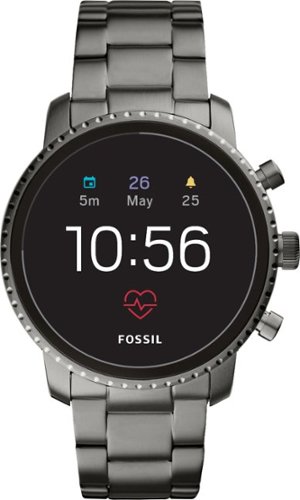
Stay connected with this Fossil Gen 4 Explorist HR smartwatch. It has a heart rate monitor, daily activity tracker and built-in GPS to help you keep track of your fitness activities and goals. This Fossil Gen 4 Explorist HR smartwatch syncs with both Android and Apple phones for easy access to notifications and emails.
Customer Rating
4
Great watch, but maybe not for workouts
on October 18, 2018
Posted by: SgtRock
from Nashville, TN
I've owned quite a few fossil watches in my day. I've always found them to be a nice solid midpoint of reliable and attractive without being over-the-top expensive. I was excited at the chance to try out fossil's foray into Smartwatches.
First, I love the way the watch looks. The biggest drawback I've found with most smartwatches is they look silly with business clothes. This watch is designed like a high-end watch, with a real, metal watchband that adjusts the standard way (i.e. links have to be removed to make it smaller, etc). I like wearing it to work and can finally remove my other "fitness band."
I had to charge it out of the box--it was partially charged, but the instructions recommend charging it full, so I did. One of the biggest drawbacks that I see so far is that the charger is a proprietary design--I like having more than one charger for devices I use all the time (phone, fitbit, etc) so it irks me when I have to buy an extra, more-expensive-than-it-should-be charger. I will want another charger for this as I don't even see another method that could work for charging it. The charger is round and magnetized, so it attaches directly to the back of the watch. It does clip on very easily, and it doesn't seem to matter how it lines up, the magnet 'locks' it into place quickly. In my experience so far the watch charges very fast.
I was a little worried about battery life after my first day with it. The watch went from fully charged to dead in less than 12 hours--not ideal. After a few more times charging it does seem to last much longer--24 hours or so. The first time I turned it on it downloaded and installed two updates, as well as all the apps, etc, so I'm sure that had a detrimental effect on battery life. Since then with normal use and wearing all day it has lasted just fine. If you plan on wearing this daily it will have to be charged every night.
The apps I was able to install were all google apps--fitness, alarms, a flashlight (that actually works surprisingly well), notifications from both e-mail, messages, calendars, etc. Part of the set up (of course) is to install an app. The Wear OS app helps you complete the watch set up, and walks you through what apps you want on your watch--and it's a very long list. It's compatible with google assistant and can do everything your google assistant can do. You can also silence your phone while wearing your watch--and set it to do this automatically. The watch will notify you when you're getting a call, and in a nice touch it's not an obnoxiously loud vibration, but it's very easy to tell when you're getting a call.
The other thing I like, but don't really see as a selling point, is the wide array of fitness apps provided. I use the step count and heart rate monitor a lot, but I just can't see myself working out while wearing this watch--it's too nice, and I'm afraid the metal would get "grimy" with sweat and dirt. It's probably durable enough, but it's just too dressy for a gym session. Still, I do like keeping up with my step count, and the heart rate monitor seems very accurate.
One other small drawback--it's not compatible with fitbit (probably more due to fitbit than fossil, but who knows), which is what most of my other work-out wearables are branded, and also what my work insurance has a reimbursement program for. Hopefully I'll figure out a work-around, but I don't like not getting "credit" for steps during the day, and I don't want to have to use two different systems (which is what I'm having to do for now). Hopefully I can talk to our benefits department and get them to accept another tracking system.
The watch face itself has a few downloadable designs. I like a few of them pretty well, but my favorite is the one that looks like a standard watch face (see picture). It syncs time with your phone, so it's accurate (or at least as accurate as your phone). It's also motion-activated to save battery. It's also very easy to read, though the text on alerts and messages can be small.
Overall this is a great smartwatch--it's very versatile, looks better than every other smartwatch I've seen in that it looks and feels like a real watch....though that's also a slight drawback since it looks far too nice to wear while working out. I just wish they'd found a way to use a standard charger with it.
Very much recommended if you're looking for a smartwatch that actually looks good with business clothes.
Mobile Submission: False
I would recommend this to a friend!


Share this review:


+19points
25of 31voted this as helpful.
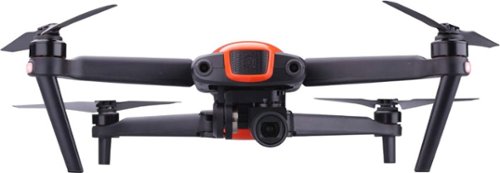
Capture video from the air using this orange Autel Robotics EVO quadcopter drone. The full-color video panel on the controller gives you a real-time view of the terrain below, and the four propellers let you precisely maneuver the drone into position over your subject. This Autel Robotics EVO quadcopter drone folds into a compact configuration for storage.Fly Responsibly:Before takeoff, update all software and firmware, and read the instructions thoroughly.See the FAA website for registration requirements and information about flying a drone safely: https://www.faa.gov/uas/getting_started/. Additional state or local requirements may apply. Check your local jurisdiction. The following websites may help you make informed decisions about flying your drone: www.knowbeforeyoufly.org and www.modelaircraft.org.
Customer Rating
5
This drone is awesome!
on October 8, 2018
Posted by: SgtRock
from Nashville, TN
I’ve flown a couple of drones before—both my sons have very small ones—but never anything like this baby. Out of the box it’s an amazing looking machine. I loved the orange color mixed with the black. It’s sleek and expensive looking.
It took roughly an hour to get the set up complete, mostly because the battery to the drone only had about ¼ charge out of the box. The cables you need for most operations are included. Both the handset and the drone battery have to be charged (though the handset was at about 85% and uses battery MUCH more slowly than the drone uses its battery). The drone battery charger connection is a proprietary design, so I imagine there are no aftermarket chargers available should you ever need a replacement.
Unpacking the drone was simple and mostly involved removing cardboard, protective plastic (to keep it shiny!) and unfolding the rotor arms. Connect the battery and power up the controller and you're all set. Though you should probably be outside before actually flying.
As I mentioned before, I’ve only ever flown very simple drones, so the controls—while basically the same—still took some getting used to. You can use the controller that comes with the drone, or attach your phone to the controller via the included cable (so long as it’s not an Apple phone I guess? I have an S9 so that wasn’t an issue for me) and use your phone rather than the screen. There is a simple app download that walks you through getting your drone connected to your phone and shows a lot of the basic instructions. All the basic flight functions are controlled via the two joysticks--you get used to it very quickly.
When it starts you’ll notice immediately how much noise this makes. (My dog sure noticed—she did not care for the drone) You’ll want to be aware of this depending on the situation (i.e. your neighbors might not appreciate it much, or if you’re in the mountains, etc, you might want to be aware of what time you’re flying it so as to avoid breaking noise ordinances or the like). The noise does dissipate well at a short distance. It also gives off a large amount of rotor-wash directly under it (a fact my kids just loved).
The take-off and landing function worked well most of the time, though the drone occasionally had issues if it was crossed up with the collision avoidance system. Occasionally it just didn’t want to move and would hit it’s “hover point” rather than continuing to land.
The controls for this were a lot of fun and mostly intuitive. If you’re a gamer, it feels a lot like a video game controller. If you’re watching the screen the whole time it feels a lot like a portable video game. The controller is comfortable, and all three of my kids gave it a go (under VERY close supervision) and had no issues understanding the basics of the controls. There are joysticks and trigger buttons, as well as two programmable buttons on the back. The biggest issue I had with the controller were these buttons. I ran it without programming them for anything, then decided I wouldn’t due to how many times I hit them by accident. If I do decide to program them for something it won’t be any movement related function, as they’re just too awkwardly placed.
The screen and picture quality are just breathtaking. The screen has a nice, bright display that was every bit as nice as viewing it on my Samsung S9. The video quality is outstanding, and the zoom seems to function well, though it starts to pixelate after a bit. In lower light it’s a bit grainy, but that’s true of almost any but the most high-end camera. There is no audio, so only video is recorded. With as noisy as the rotors can be that makes sense.
If (like me) you’ve never flown an advance drone like this you’ll want to be aware of your altitude. This drone can go VERY high, which is neat, but can also be high enough to cause issues. We actually live in a neighborhood that occasionally has hot air balloons going overhead, so definitely make sure you’re aware of what’s going on in the air around your drone at all times (which is sound advice no matter what the situation, frankly).
The battery life claims 30 minutes, and I suppose that’s possible if you aren’t doing much with it. The most I’ve gotten out of it so far is 26 minutes. If you plan on taking it out for extensive filming, you’ll need the charger and at least one more battery.
The “collision avoidance” system works pretty well, but I learned the hard way that it only applies to things in front of the drone. I can tell you from experience that this drone is very durable, since I managed to fly it full speed backwards into my house (boy I’d love to blame my kids for that one, but nope, all me). The battery popped off and two of the arms folded back in, but I configured it back into the operating position (and maybe said a prayer) and it worked just fine. It also showed no damage—not even a scratch. Of course, your mileage may vary, so I’d probably recommend not flying it into things at all.
A wonderful bonus is the carrying case that’s included. It holds the drone, battery, controller, all the cords and has ample space for another battery, as well as extra pockets for extra SD cards or longer cords, etc. It’s surprisingly nice for an included bag and has a carry strap to boot!
There are TONS of technical aspects to this thing (note: many of which are not covered in the ‘manual’—which is more of a spec sheet with basic hook-up instructions really) that I won’t bore you with here. The website covers all of these and advanced operation extensively. Just know that it’s easy to get going, easy to operate and a LOT of fun. You may want another battery, but other than that it really does include everything you need to operate it.
If you are in the market for an expensive drone that takes really nice video then I highly recommend this one.
Mobile Submission: False
I would recommend this to a friend!
Share this review:


0points
1of 2voted this as helpful.
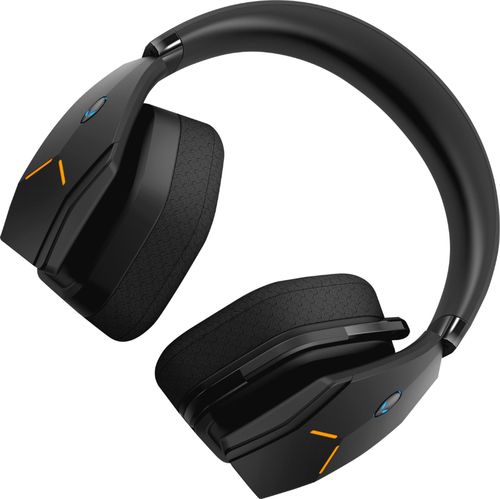
Dive into your favorite games with this Alienware wireless gaming headset. A noise-cancelling microphone keeps your voice clear as you call out commands to teammates, and 7.1 virtual surround sound enhances the audio quality so you never miss a whisper. Featuring two custom lighting zones and 6.8 million colors, this Alienware wireless gaming headset lets you create a custom look that accents your signature gaming style.
Customer Rating
5
Amazing Headphones!!!
on September 4, 2018
Posted by: SgtRock
from Nashville, TN
I absolutely love these headphones! They look sharp, sound great and are very easy to use.
Right out of the box you know you're getting a pretty amazing product--the package looks incredible. Everything is packed in tight and looks very sharp.
The headphones themselves are comfortable and--in a cool twist--are big enough for my head! I'm a big guy, with a big head, and most of the time headphones fall just a little short of completely covering the bottom of my ears. It's not too big a deal usually, but it can lead to my ears getting sore kind of quick. These fit well, and seemed to have room left for people who somehow have a head bigger than mine.
The "manual" is, like most electronics these days, just a pamphlet explaining where on the web to go for more instructions. There are also some very simple but somewhat helpful pictures. I did have a little difficulty with set-up--my computer wouldn't recognize the headphones for installation unless the wireless usb dongle was plugged in. I was assuming using the charging port would work the same way as wired headphones but it appears that's not the case. I went to the website and downloaded the drivers--once I had the dongle plugged in everything went smooth. It is a little annoying to think that I'll have to take up two USB ports if I'm playing and the headphones need to be charged, but I guess I'll cross that bridge when I come to it---so far they seem to hold a charge well, and I've been plugging them in when I'm done playing.
The sound on these headphones is amazing! I tried them out with Diablo 3 and Overwatch so far, and the directional noises are genuinely incredible. I have actually been confused more than once that a sound is actually coming from somewhere in my room (to the point where I looked behind me like an idiot). The sound is rich, sharp and detailed. Music sounds terrific as well, but these babies were made for gaming and that's where they really shine.
I was a little skeptical that the mic would actually pick up my voice well, since it's not very big, but it seemed to do a great job--so much so that the people I was playing with online asked me to turn it down a bit haha. They were picking up my keyboard sounds with my group in Diablo (using Discord). With Overwatch the headphones picked up my mic as soon as it was keyed. No one had any issues understanding me--everyone I asked said it was nice and clear.
The headphones are a little heavy--you'll want to take a break every now and then to give your head a rest. The pads are nice and comfortable though, and pretty much noise-cancelling as I didn't hear anything but the games (this can be good and bad--so be careful with it!). They seem very sturdy, and have some really cool looking alienware logo'd lights on the sides (because you have to look awesome when gaming!). They are sleek and high-tech looking, which you would expect for this level of headphone.
The only minor issue with design that I had was the placement of the mic on/off button. It's located on the back of the left-hand ear piece--which would be fine since the rest of the controls are there, but it's a button not a "slider" and I found myself accidentally hitting it on more than one occasion when I tried to adjust something else. A slider type on/off switch would easily remedy this. The headset alerts you with an audible "mic is off" when you turn the mic off so it's very easy to correct, but still a little annoying when it happens.
Overall this is the best set of headphones I've ever used for gaming! If you're a serious gamer these are what you're looking for.
Mobile Submission: False
I would recommend this to a friend!
Share this review:


0points
0of 0voted this as helpful.
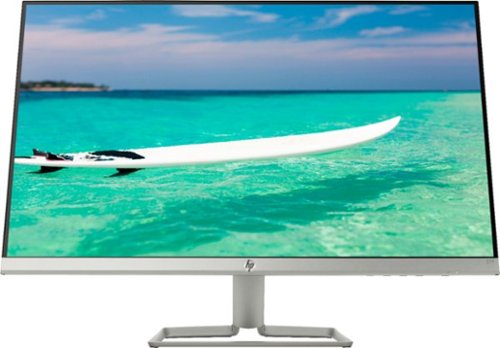
Enjoy crisp, colorful picture quality with this Full HD HP monitor. The ultrathin bezel on the 27-inch screen provides an expansive viewing area so you can stay productive, and its AMD FreeSync technology reduces input lag and screen tearing. This HP monitor has two HDMI ports for connecting gaming consoles and other devices.
Customer Rating
5
Great Big Basic Monitor!
on August 23, 2018
Posted by: SgtRock
from Nashville, TN
For the price it's available at now this monitor is practically a steal!
It's huge, thin and very sleek for a 27" monitor, without feeling 'flimsy' at all. The stand is cool-looking as well (sort of Star Trekish) and very easy to put together---I didn't need any tools at all as hand-tightening was more than sufficient. Out of the box and plugged in and playing took maybe 15 minutes.
I'm very impressed with how thin this monitor is--it looks amazing! It also barely has a bezel to it, so you're looking at all screen! The stand tilts up and down very easily--which I love since I'm 6'2" and need to tilt screens up most of the time to be a comfortable viewing angle.
The ports are pretty limited, and there are no speakers installed which makes this a great option for a gaming monitor since I'm typically on headphones anyway (I also have separate computer speakers so wouldn't have used on-board speakers anyway). It's a great way to help keep the costs down so all the expense can go straight to the monitor.
HP also includes two different connection wires--which is almost unheard of anymore!
Most important, the picture is terrific. I have a 4k TV and I use that for movie-watching. I use my computer for work, family pictures and movies, and gaming. For me (as, I suspect, is the case for most gamers) 1080p is more than sufficient. The picture is sharp and beautiful, even on the most detailed games (Far Cry 5 looks stunning on this monitor) and the reaction time seems on the money, even though my video card is made by the 'other guys' (i.e. not AMD) which this monitor is made to be paired with. I can't imagine there's much of a difference.
There are fairly in-depth controls, though I found them a pain to use. They're located on the right underside of the monitor, and are very awkward to try and toggle through since you have to have your hand facing upward to use them. My biggest annoyance with this monitor was how many times I accidentally hit the wrong button while trying all the different modes. Fortunately it's mostly "set and forget"--I put it on the gaming preset and found that looks great for everything I do, so I've just left it there.
If you're looking for an expensive looking 27" monitor that delivers (especially for gaming),but don't want to pay the usual prices then this is the one for you!
Mobile Submission: False
I would recommend this to a friend!
Share this review:


-1point
4of 9voted this as helpful.
SgtRock's Review Comments
SgtRock has not submitted comments on any reviews.
SgtRock's Questions
SgtRock has not submitted any questions.
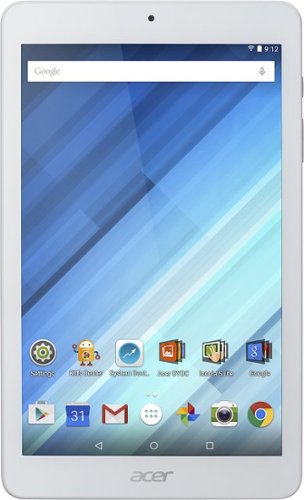
Enjoy a compact tablet that fits neatly in your pocket with this Acer Iconia One 8-inch tablet. It includes a quad-core processor and 1GB of RAM that deliver powerful processing to play all your games and apps, and the 16GB of flash memory ensure this Acer Iconia One 8-inch tablet and store your files.
can i download skype
Yes. It works okay--the front facing camera is only 2 mbs so the picture quality is not the greatest.
10 years ago
by
SgtRock
Enjoy a compact tablet that fits neatly in your pocket with this Acer Iconia One 8-inch tablet. It includes a quad-core processor and 1GB of RAM that deliver powerful processing to play all your games and apps, and the 16GB of flash memory ensure this Acer Iconia One 8-inch tablet and store your files.
can it expand memory with sd card? to 64 gb?
You can use a micro SD card to expand the memory (it will not hold a full sized SD card)--they are available all the way up to 128 GB now.
10 years ago
by
SgtRock
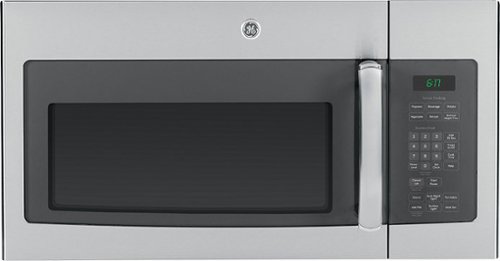
Cook tasty meals with this GE JVM6175SFSS over-the-range microwave that features sensor cooking controls that automatically adjust times and power levels to suit a variety of items, such as popcorn and vegetables. A 2-speed fan provides ventilation.
What about installation ?
Range oven microwave, is tthe installation fee included?
No. I guess you could pay someone to do it but it's really not difficult.
11 years, 6 months ago
by
SgtRock
Virginia