


SgtRock's stats
- Review count150
- Helpfulness votes415
- First reviewApril 22, 2008
- Last reviewNovember 12, 2023
- Featured reviews0
- Average rating4.3
Reviews comments
- Review comment count0
- Helpfulness votes0
- First review commentNone
- Last review commentNone
- Featured review comments0
Questions
- Question count0
- Helpfulness votes0
- First questionNone
- Last questionNone
- Featured questions0
- Answer count13
- Helpfulness votes4
- First answerNovember 17, 2014
- Last answerMarch 2, 2021
- Featured answers0
- Best answers2
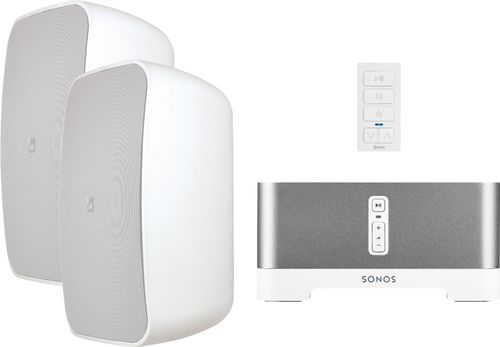
Bring vibrant sound to your outdoor entertainment area with this Sonance outdoor streaming music system. A magnetic-mount audio keypad gives you a central command station for controlling playlists and volume, while Wi-Fi connectivity means you can use your home's internet connection to stream content. Featuring powerful speakers, this Sonance outdoor streaming music system delivers clear audio quality for your listening enjoyment.
Customer Rating

4
Awesome system with some annoying quirks
on August 23, 2018
Posted by: SgtRock
from Nashville, TN
If you are like me and scan the Magnolia section of Best Buy from time-to-time for cool looking new tech then you’ve already heard of Sonos. They make terrific looking sound systems that would be at home in a Star Wars movie but still look cool in your house too! They are known for their great sound.
The Sonos & Sonance outdoor system is a very sleek looking system. As would be expected from a high-end system like this it’s packaged very well. Each component is packaged in a separate box, all within a larger box containing the system. They’re all sturdy pieces, which makes the package a tad heavy.
Hook-up is generally the same as most sound systems, with the caveat that you should 1) be comfortable mounting things to the outside of your house and 2) be comfortable drilling a hole completely through the side of your house (assuming you want to hide the wires). You might figure out other ways to do it via wires under a garage door or something to that effect, but I had all the necessary tools to mount this to my home (which, with brick walls, is not the easiest thing). If you’re not comfortable doing these things, then I’m sure Best Buy has available help or can at least point you in the right direction.
This leads to a minor annoyance (but understandable given the type of system): there is no speaker wire included with the set-up. When dealing with outdoor installations it’s easy to understand why—different distances require different gauge of speaker wire, but it would have been nice to have a high-end system include a reel of high gauge speaker wire.
As with seemingly everything these days you’ll have to download an app to complete the set up. The app is pretty easy to use and the setup is simple. Once it’s connected to your wi-fi then you can start streaming from the usual assortment of streaming sources.
The sound from this system is amazing. The speakers sound terrific, the system looks sleek when running and as high-end as you’d expect it to look. The range from the speakers is surprisingly good—they handle lows very well for their size. The sound is great out of the box, but the apps give you VERY in-depth controls for every aspect of the sound if you want to dive in that deep.
The sound from this system is amazing. The speakers sound terrific, the system looks sleek when running and as high-end as you’d expect it to look. The range from the speakers is surprisingly good—they handle lows very well for their size. The sound is great out of the box, but the apps give you VERY in-depth controls for every aspect of the sound if you want to dive in that deep.
The biggest issue I have with the entire thing (and the reason I can’t give it five stars) is that you have to download a second app to pair the Xpress remote to the system. Not too big a deal (though two apps for one system is a bit ridiculous), but the issue is the app is only available over iOS systems. It’s an odd choice to make it such a pain for over half the people that will buy this. I worked around it by downloading it onto an iPad. If this isn't an option for you don't worry: it’s really not worth the hassle. The remote is okay but somewhat limited, and the Sonos app controls the system better. It’s nice to have the remote in case you don’t have your phone nearby, but, really, who doesn’t have their phone nearby in this day and age? The best part of the remote is you can mount it, so you’ll always know where it is (but if you’re like me and have kids, they will know too haha—that could be a drawback).
I do recommend this system to anyone looking for a high-end, outdoor sound system, as the sound is just incredible. For this price I would want to see just a little more finesse in the final package.
Mobile Submission: False
I would recommend this to a friend!

Share this review:


+4points
8of 12voted this as helpful.
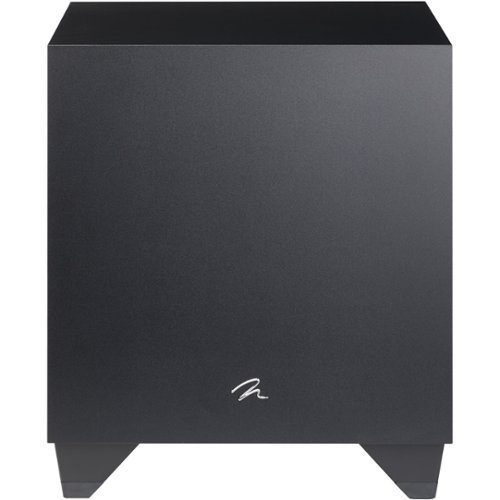
Add dramatic bass elements to your music system or home theater experience with this 600X MartinLogan Dynamo subwoofer. The high-performance amplifiers and pro-style woofers fill your entertainment space with a wide spectrum of bass frequencies. This MartinLogan Dynamo subwoofer also has remote control capability through your smartphone app, allowing precise configuration of settings.

Posted by: SgtRock
from Nashville, TN
I've only had one subwoofer in my life--a small, old one that I've had for at least 10 years--so I jumped at the chance to review a high-end subwoofer. This subwoofer does not disappoint in the slightest.
First off--this thing is big and gorgeous. The casing on it is beautiful--rich and black. It's very large, but doesn't look out of place at all in a media room (see picture). Even with the size it's very easy to unpack out of the box. The instructions are right on top as soon as you open it, with a clear explanation to remove the cord packed on top, then turn the box over and lift it off of the subwoofer. It's packed very carefully and the box is very sturdy. It would take something very severe to damage one of these.
The instruction manual is one of the thickest I've ever seen. It's neat that it even comes with one at all, but the detail in this is truly impressive. There are in-depth instructions on hooking up the sub, where to place it in the room, the best settings for what you're listening to, how different speakers and sound systems work together, and even how to use the app (more on the app in a minute). It's also in several different languages.
Connections are simple or complicated depending on how you want to hook it up. I took the simple route and just used the sub pre-outs on my receiver. You can adjust the volume and db range manually on the back of the sub, or (a much better method) use the app on your phone to control it.
The sound is fantastic. A truly immersive and rich bass that compliments every thing you'd want to listen to it with. Music and movies sound incredible--particularly action movies, of course. I tested it with Jurassic Park and was really blown away with the T-Rex intro, as well as the stampede scene. You will not be disappointed with the sound.
The app for this device truly shines. It's a well-thought out app that doesn't take up a lot of room (took 2 seconds to download). The first thing it does when you open it is walk you through finding your sub. Once I turned the switch on the back of the sub to the correct position it found it right away. Next it does a quick firmware update (if necessary)--mine took about three minutes. After that the controls are amazingly simple--or complicated if you want to get really in-depth with every setting. The home screen has a nice, easy to understand db control switch on it that I was very impressed with (see picture). It's intuitive and the sub responds almost instantly. I genuinely wish all apps worked as well as this one does.
If you're in the market for a new sub and want something truly impressive then this is the one for you. Highly recommended!
Mobile Submission: False
I would recommend this to a friend!


Share this review:


0points
0of 0voted this as helpful.
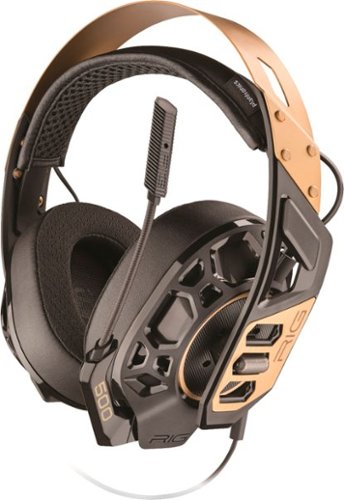
Hear high-resolution in-game audio with this Plantronics RIG 500 PRO gaming headset. Its 50mm drivers and noise-isolating acoustic chambers provide optimal sonic performance, and the flip-to-mute microphone is simple to use. This Plantronics RIG 500 PRO gaming headset comes with a Dolby Atmos activation code for your Xbox One or Windows 10 system.
Posted by: SgtRock
from Nashville, TN
I absolutely love these headphones (with one small complaint I'll get to later)---they sound incredible!
These are "high tech" looking headphones, but surprisingly light-weight for their size. They include a cord with controls and a plug in mic. Also included is a Dolby Atmos download that was a nice little bonus.
The Dolby download says it's good for either your microsoft account, or an Xbox, but it actually downloaded to both as soon as I redeemed it...so...bonus? It is a pretty nice little app though, and truly does make a difference in sound quality.
The headphones themselves sound amazing! I particularly noticed with the Dolby app on that it's "directional"--you can truly tell which direction things are coming from (as in: badguys) when you're playing a game.
The mic is super-sensitive and picks up EVERYTHING (so you may have to adjust your sensitivity--I had to turn mine down a bit as people could hear a TV playing in the next room over it). From what I'm told the sound over the mic is very clear as well.
The fit and padding is extremely comfortable. The ONLY issue I had with these is that instead of "slider" adjustments there are "lock positions" for each ear--and there's only three of them. I imagine for most people that's not an issue at all, but if you have a giant head like mine the largest position can still be a bit snug. Still, they fit, I just would have liked to be able to adjust them a tiny bit farther. The clear benefit of the lock positions is that they won't get "loose" over time, so that's actually a pretty great feature.
I also had to buy a "y-adapter" in order to plug this into my soundboard--there's only one plug included with the mic, and my old-school sound card has a separate mic and speaker jack. It was a $5 part so no big deal, but if you have a slightly older sound card or want to connect over USB do be aware you'll likely need an adapter.
Overall I highly recommend this headset--especially for gaming!
Mobile Submission: False
I would recommend this to a friend!
Share this review:


+1point
1of 1voted this as helpful.
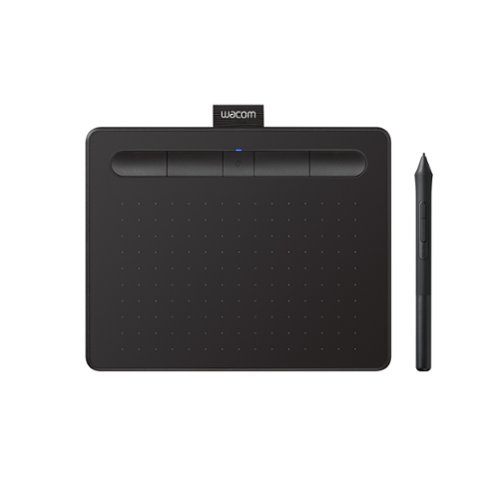
Transform your creative ideas into digital reality with Wacom Intuos drawing tablets. Perfect for casual or aspiring artists this compact graphics tablet delivers reliable Wacom-quality precision at an accessible price. The battery-free, pressure-sensitive pen provides natural, responsive drawing with no charging needed - just pick up and draw, with smooth, jitter-free lines and consistent pressure response. Get started immediately with over $240 in included downloadable creative software and trials, including 2 years of Clip Studio Paint Pro, 12 months of Boris FX Optics, and much more. The paper-like surface texture and four customizable ExpressKeys make digital art, photo editing, illustration, and design feel natural and efficient. Select models (CTL4100WL, CTL6100WL) offer Bluetooth wireless connectivity, letting you create freely at your desk, sofa, or anywhere in the room - with the option to switch to wired mode for ultimate flexibility. The wireless freedom is especially popular with educators and presenters who use the drawing tablet to control their computer while moving around a classroom or conference room. Certified to work with Chromebook and compatible with Windows and Mac, Wacom Intuos seamlessly integrates with Adobe, Corel, and all major creative applications. Backed by Wacom's 40+ years of industry leadership, you're choosing the same pen technology trusted by professional studios worldwide - at a creator-friendly price.
Customer Rating
4
Cool Product with a steep learning curve
on June 19, 2018
Posted by: SgtRock
from Nashville, TN
This is my first foray into a drawing tablet device, and--except for a hiccup here and there--I have to say it's pretty cool.
The device itself is pretty thin, lightweight and almost feels a little too flimsy for me. My kids think it's neat as can be, but I'm afraid to let them handle it too much as I simply don't know how durable it is.
The pen itself is also very lightweight--my biggest fear with it isn't breaking, so much as getting misplaced. I could see needing a separate case for a device like this simply to keep everything together in one place most of the time.
Hooking it up was fairly simple, though I did have to use a microUSB to USB adapter for my thin laptop. My computer recognized the device, but a trip to the website was a necessity to get the proper drivers and to run the automatic registration for the free software. There were some hiccups here as it seemed to have some difficulty with the automatic registration--I got it to work in the Edge browser, but had no luck with Chrome. Then, oddly enough, the software downloads "hung" at 99% in Edge but worked fine in Chrome. Weird, and took a little time to figure out (which made set up take a good 20 minutes or so when it seemed like it should have been much faster).
From there my usual attempts with new gadgets (manuals? pshaw!) was not very successful with this device. It's not super-intuitive,and I spent my first hour with it watching videos, reading the manual (GASP) and trying to just figure out how to make it operate. It felt kind of like trying to learn cursive when I was a wee lad--and looked about the same on my screen haha.
I tried the comic and painting programs. They are pretty cool and have a lot of neat stuff built in (my favorite was the one in the paint program that can turn your pictures into stylized paintings), but learning how to use the tablet and pen with the programs took a lot of research, video watching, and trial and error.
So far it's going well though, and I do have to say it's a really neat and fun device. My son is already better with it than I am, but I do like taking it out to play around and get creative with it. I'm looking forward to trying some of the extensive free compatible software that's out there as well. I was an "artsy" type in my younger years, and this is firing me up to try some new things!
I think it will take me a considerable amount of time to get any good with it, but so far it's been enjoyable getting to that point.
The battery has lasted a long time so far. It also has built in bluetooth so fortunately it doesn't have to be wired to your computer whenever you want to use it--that's a great feature. I would have liked a wire option for the pen, if nothing else other than a wire to just make sure the pen doesn't wander too far from the tablet.
I've only had it a short time so far, but if you're in the market for a device like this--especially if you want your kids to have creative screen-time rather than mind-numbing screen-time this is a highly recommended purchase. You should probably supervise just to make sure they aren't bending it (which seems rather easy) or throwing the pen down somewhere that you'll never see it again...
Mobile Submission: False
I would recommend this to a friend!
Share this review:


+5points
7of 9voted this as helpful.
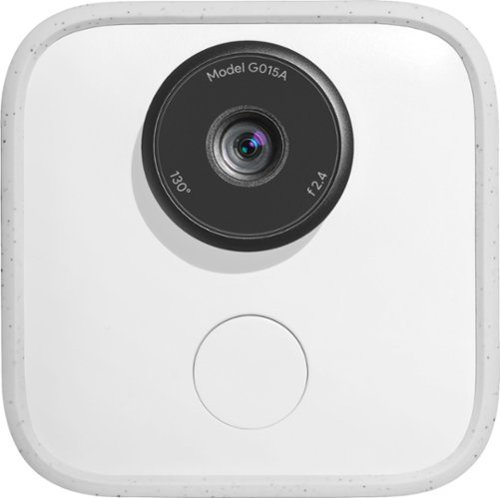
Capture and share special moments with Google Clips. Engineered to recognize faces and expressions, this clever camera automatically takes several-second-long audio-free motion photos, leaving you free to focus on the occasion. Enhanced with Super Res mode, the Google Clips device syncs data with your phone and lets you save any frame as a high-resolution still photo.
Customer Rating

2
Decent idea, but fails in execution
on June 19, 2018
Posted by: SgtRock
from Nashville, TN
I wanted to love this product. It sounds amazing in theory--a tiny camera that you can sit down anywhere and trust to take great pictures of great moments because it can "learn" what's important to you. Basically a hands-free camera so you're not constantly fumbling for your phone or a bigger camera (like I always am) so you don't miss those amazing photograph moments (like I often do).
The device itself is pretty small, though surprisingly heavy--it can be clipped to clothing, but it's really not designed for that. Instead Google's idea is that you set it up with the tiny prop on the back of the camera, set it down where it can capture a room or setting, and let it do it's thing. It will detect motion, people, etc, and (supposedly) learns who's important to you when you link it to your google account.
It's only compatible with certain phones ( a wide range from what I can tell--I have a Galaxy S9 and it works well with that) and you must download an app in order to use it and capture any of the clips it records. There is no way to hook it directly to a computer to download.
The "clips" themselves are very short clips of still images strung together into little seven second clips. You can view them almost instantly through the app on your phone, and choose to save or delete them.
The biggest issue I've run into is that the clips just aren't that good. The camera is designed to be unobtrusive--which is great--but because of that it's designed to capture wide angles. Half the time the footage I got was either my kids looking directly into the camera to see what it was and making funny faces (and up close the lens tends to distort faces a bit due to the wide angle), or I got footage that looked like security camera footage--meaning nothing too interesting was happening.
The worst thing about it is the camera just isn't that great a camera, which makes it all seem pointless--particularly when I'm looking at the clips on my phone and I know my phone would have taken better quality (and more interesting) pictures.
It's not a terrible idea, particularly since it's designed to give us time to set down our phones and pay attention to our lives while it does all the work. Until the 'smart' technology can truly recognize what's interesting (and figure out how to zoom in on it) AND take better quality pictures the Google clip is--unfortunately--kind of pointless.
It's a first generation of a new idea, and there is vast room for improvement, so I do have hopes that future generations of this camera will improve on all of the drawbacks of this device.
As it is now I can't recommend it.
Mobile Submission: False
No, I would not recommend this to a friend.
Share this review:


0points
0of 0voted this as helpful.
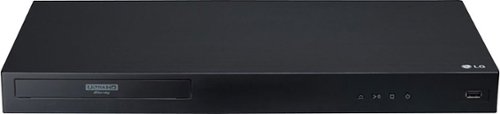
Set up a Dolby Vision home cinema with this LG Ultra HD Blu-ray player. It supports 4K and HDR content, and its Wi-Fi connectivity lets you enjoy premium on-demand programs from your favorite streaming providers. Play media files from a portable device via the USB port of this LG Ultra HD Blu-ray player.
Customer Rating
4
Great picture, but odd assortment of features
on June 1, 2018
Posted by: SgtRock
from Nashville, TN
This is a really great player! It has a near perfect picture and is very easy to use. One thing I really like about it that I haven't seen mentioned much in reviews: the texture of the outside of the player. It's really neat looking (almost looks woven) and is very attractive. Not sure how easy it will be to keep clean, but it looks really good.
The player itself is easy enough to use, but the display is absolutely awful. It looks like something out of the late 90's and was a really strange decision on LG's part to design it this way.
The remote is simple--a little small, but on the plus side it only requires one battery (!)--I don't think I've ever seen a remote like that before. On the downside there's no subtitle button, which is almost a must these days with disc player remotes. I've also never seen that on a remote before, even since the old basic DVD days. It's a drawback, but if you're getting the version with the included Logitech remote then none of this will matter.
The connections are perfect--I love that there's an extra HDMI audio out--super convenient and not very common.
Set up was pretty straight forward (once you get past the ugly menu)--I connected easily, downloaded updates and was on my way.
The other really strange features are the "apps"--of which there are two: Netflix and Youtube. I've updated to the latest software version but there are not any more available. I don't get it, but I guess those are the two most popular out there and maybe that's all there was room for? Still, a bit disappointing if you were hoping to replace a Roku or something with this.
I have not had a chance to try the Dolby Vision yet, as the range of TV's that support it is still fairly limited, but the HDR looks amazing on my Samsung QLED series TV.
Overall this is a very good player with a few odd quirks and design choices. It excels at it's main function--having a great picture. It's practically a must-have if you own a Dolby Vision TV.
My Best Buy number: 0040991931
Mobile Submission: False
I would recommend this to a friend!
Share this review:


-1point
0of 1voted this as helpful.
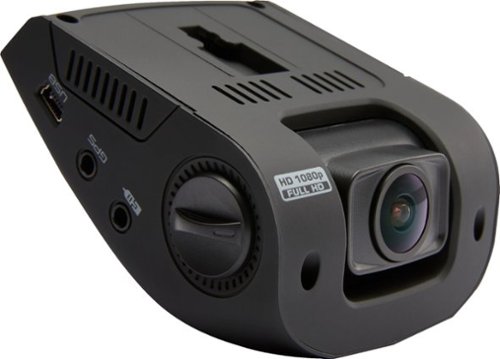
Only at Best BuyRecord everything you encounter on the road with this Rexing V1 dash camera. The low-profile design makes it unobtrusive to drivers and casual observers, and the wide 170-degree angle catches all the details you need. This Rexing V1 dash camera has a collision detector to ensure vital recordings don't get overwritten.
Customer Rating
4
Nice basic dashcam with a couple of drawbacks
on May 30, 2018
Posted by: SgtRock
from Nashville, TN
The idea of a dash cam is great, though they haven't quite taken off here the way they have in other countries (where insurance fraud runs rampant). The most-important reason to have one by far is in case of an accident or if needed for witnessed accidents. People can argue how something happened, but nobody can argue with what they see with their own eyes. As far as entry-level dash cams go this one works very well. I enjoyed using it overall, but there are some features I find myself wanting enough to know I'll likely end up going with a more advanced model:
Good:
--light weight--this unit is very light, but still easy to see and reach controls with the design
--mounting guides to help hide the wires during installation
--picture is nice and clear in most situations, even at night
--has impact detection and a few other convenient settings
--you can save specific recording periods without the new recordings overwriting them
--light weight--this unit is very light, but still easy to see and reach controls with the design
--mounting guides to help hide the wires during installation
--picture is nice and clear in most situations, even at night
--has impact detection and a few other convenient settings
--you can save specific recording periods without the new recordings overwriting them
Not as good:
--there is no on-board memory, and there is no memory card included. Not a major investment as even the micro sdx memory cards required are found pretty cheap these days. Still, even a little on board memory would have been nice.
--only a power port (cigarette lighter hole for you old folks out there) option for charging--USB cable adapter would have to be purchased separately
--adhesive mount doesn't hold up under hot conditions--you'll definitely want a better mounting system if you live in a hot area.
--no wi-fi or bluetooth (which would be super convenient for simply saving recordings to your phone--as it is on this model you have to remove the card from the unit, then transfer it onto your phone manually)
--there is no on-board memory, and there is no memory card included. Not a major investment as even the micro sdx memory cards required are found pretty cheap these days. Still, even a little on board memory would have been nice.
--only a power port (cigarette lighter hole for you old folks out there) option for charging--USB cable adapter would have to be purchased separately
--adhesive mount doesn't hold up under hot conditions--you'll definitely want a better mounting system if you live in a hot area.
--no wi-fi or bluetooth (which would be super convenient for simply saving recordings to your phone--as it is on this model you have to remove the card from the unit, then transfer it onto your phone manually)
This is a great basic model if you're trying to get a dash cam on a budget (and the buying recommendation is for people that fall into this category) , but if you find yourself wanting the features I mentioned and don't mind spending a little more I recommend looking to one of Rexing's more advanced models
My Best Buy number: 0040991931
Mobile Submission: False
I would recommend this to a friend!
Share this review:


+1point
1of 1voted this as helpful.
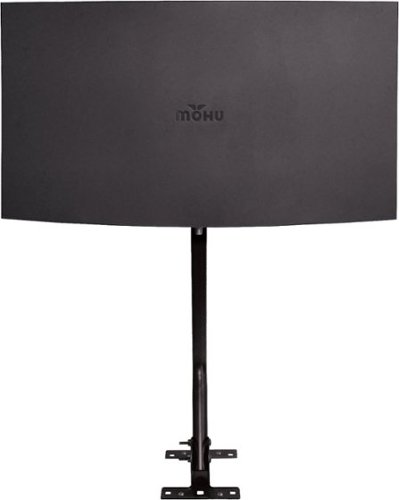
Pick up over-the-air HD channels with this Mohu Sail antenna. It has everything you need to install it in your attic or on your roof. With a range of 75-miles, the antenna lets you enjoy free entertainment without a cable subscription. The modern curved aesthetic blends in with home decor for a seamless appearance. This Mohu Sail antenna has a FirstStage amplifier located right at the antenna, where the signal is at its best to help deliver a crisp, clear picture.
Customer Rating
4
Great antenna--needs a couple of minor upgrades
on April 23, 2018
Posted by: SgtRock
from Nashville, TN
This is a nice, lightweight but durable antenna that can either be mounted indoors, or is suitable for outdoor use without being too cumbersome of an installation. I actually chose my attic for installation but it does seem this will hold up to the weather very well if you choose to mount it outdoors. The manufacturer recommends in the instructions that this be mounted to either a wooden beam in the attic or directly to siding.
Installation is not too difficult. The parts included are decent, but for running a signal this kind of length (particularly if it's to be outdoors) you want a better quality cable (RG6 is best for the heavy grade and better insulation). Obviously it wasn't included due to the cost, but you're better off making that investment. The connectors could be a bit better too--the compression rather than the crimp kind make better connections. I would recommend paying the extra cost for all of this if you're planning on making this your main source of TV viewing. You will also need a TV with either a USB connection or an empty power outlet nearby to power the antenna as well.
The signal is excellent, and the amount of channels picked up is amazing. I live about 30 miles from major sources and was able to pick them all up, I was even able to pick up stations roughly 60 miles away. All-in-all very impressive range. You can check where your closest transmitters are through several sources, or there's even apps available now that can help you do this. Particularly handy if you want to "aim" your antenna a bit.. Search google for "antenna pointing" or "where to aim your antennas" and you'll be on your way.
If you've been thinking about cutting the cord you'll likely want an antenna, and if you live in a more remote or outlying area this is a great choice. Easy to mount, attractive, and gets great reception, just be sure and upgrade a few of the included items.
My Best Buy number: 0040991931
Mobile Submission: False
I would recommend this to a friend!
Share this review:


+1point
2of 3voted this as helpful.
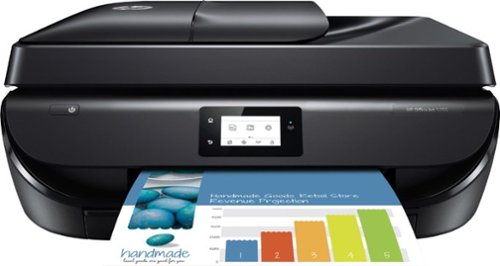
Handle it all and get affordable prints. Set up, connect and print right from your mobile device, and produce high-quality photos and everyday documents. Print, scan, copy, and fax with ease.
Customer Rating
4
Decent low priced printer
on April 23, 2018
Posted by: SgtRock
from Nashville, TN
The HP Officejet 5255 is decent for a low priced printer. It's not perfect, but it should fit most needs without an issue.
Set up is easy-- like most things these days you can use an app to set it up (it's almost required) or you have the option to set it up from the front of the printer. It's MUCH easier from the app, and fortunately the app is easy to use. Install it, find your printer on the network, and you'll have to go back and forth a couple of times. After a few minutes you'll be all set to go.
The print quality is good for both pictures and documents. If you have email on your phone or tablet and the app installed you can print right from your email. The same with your photos--you can print directly from the photos on your phone.
The app is actually very handy--if you have more than one printer you can choose the one you want to print from, you can adjust the paper size and quality, and even edit your photos before you print. Overall it's very useful.
Pictures turn out terrific--color reproduction is accurate and pictures look as detailed as they do on your screen.
Color reproduction in copies was lacking a bit. I used HP's test page as a test of the copy function. The colors were a bit faded from the original. In the picture I added the original is on the left, the copy is on the right (the picture was taken with a flash and a camera phone under not the best light conditions, but the difference in color fade is pretty obvious).
Another drawback is the paper tray is very small. It only holds maybe 50 sheets? You also have to switch settings from photo paper to regular paper, and completely swap paper out. The printer does not auto-detect paper size from what I could tell, so I had to manually adjust that each time I switched. The paper tray itself is a bit cumbersome to get to, with a flip-down lid that you must flip down, and grasp to pull out.
This printer is also pretty loud. There is a quiet setting that is actually noticeably quieter, but does take a bit longer to print as well.
All in all none of these things are deal breakers, especially for a budget printer. For the price it prints well, particularly from photos, and that's the most important thing.
My Best Buy number: 0040991931
Mobile Submission: False
I would recommend this to a friend!

Share this review:


+83points
97of 111voted this as helpful.

Navigate your desktop precisely with this Corsair Dark Core gaming mouse. It uses low-latency Bluetooth for syncing with compatible devices, and its 16000 DPI optical sensor provides high accuracy performance during game play. This Corsair Dark Core gaming mouse has a contoured shape and interchangeable textured side grips for a comfortable feel in hand.
Customer Rating

3
Great gaming mouse...that's almost unusable
on April 22, 2018
Posted by: SgtRock
from Nashville, TN
This mouse looks and feels amazing. Out of the box it looks sharp, and feels heavy (but not too heavy) and has some great customization options to it such as thumb rests for either side, and being able to use it either wired or without wires. It even includes a 2.4 Ghz wireless dongle that is easy to connect, and finds the mouse immediately.
It's incredibly responsive--especially for a wireless mouse. There was NO delay from mouse movement to screen response. Unfortunately if you want to make adjustments this is where the issues begin...
If you want to get into the best features of this mouse things start to fall apart. There are a TON of programmable buttons. More than I'll ever use, frankly, even as a gamer. A couple of them are "buttons" but their location makes them kind of useless (the thumb buttons above the dual thumb button for example--I have very large hands but still couldn't comfortable get to them.). You can also change the led colors, along with various other customizations.
If you want to get into the best features of this mouse things start to fall apart. There are a TON of programmable buttons. More than I'll ever use, frankly, even as a gamer. A couple of them are "buttons" but their location makes them kind of useless (the thumb buttons above the dual thumb button for example--I have very large hands but still couldn't comfortable get to them.). You can also change the led colors, along with various other customizations.
Upon opening this mouse and connecting it I went through the "manual' thoroughly, assuming there would be something about how to customize it. I found short guides as to how to connect, but nothing about any sort of software OR any mention of how to customize it. The "CUE" software that is Corsair's proprietary software to program all of their peripherals is mentioned on the box, but that's it. I didn't know I had to download it to customize until searching online for a while, so that was a hassle that could have been very easily avoided. It's possible I missed some sort of slip of paper that was in the box, but I looked everywhere and found nothing. Mentioning this in the set-up guide seems like the smartest place to do it, but it's not there as of now.
Once I realized I had to download software from Corsair it was fairly easy to find it. Downloading and installing it was also very easy. Trying to open it all was frustrating. It crashed or locked up three times before I finally just restarted my system. After a restart I was able to open it. From there virtually NOTHING is easy to use. I'm good with this sort of thing, but I felt like a child poking around and just trying various things to see what would work. There is very little explanation to any of it. It took a while to figure out how to map the buttons, change the colors, etc. Then, after two days, I had to do it again as my profile seemed to have fallen out of the system. Frustrating enough that I didn't want to bother trying again.
All-in-all it's a great product with terrible supporting software. If Corsair can fix that (which seems like it should be pretty easy) then I'd be happy to recommend it as I loved the way it feels and how crazy responsive it is. Since one of the main reasons you're likely purchasing this is to use those bells and whistles I can't really recommend this until the software is fixed.
My Best Buy number: 0040991931
Mobile Submission: False
No, I would not recommend this to a friend.
Share this review:


0points
1of 2voted this as helpful.
SgtRock's Review Comments
SgtRock has not submitted comments on any reviews.
SgtRock's Questions
SgtRock has not submitted any questions.
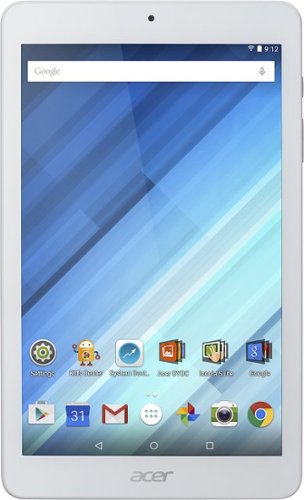
Enjoy a compact tablet that fits neatly in your pocket with this Acer Iconia One 8-inch tablet. It includes a quad-core processor and 1GB of RAM that deliver powerful processing to play all your games and apps, and the 16GB of flash memory ensure this Acer Iconia One 8-inch tablet and store your files.
can i download skype
Yes. It works okay--the front facing camera is only 2 mbs so the picture quality is not the greatest.
10 years ago
by
SgtRock
Enjoy a compact tablet that fits neatly in your pocket with this Acer Iconia One 8-inch tablet. It includes a quad-core processor and 1GB of RAM that deliver powerful processing to play all your games and apps, and the 16GB of flash memory ensure this Acer Iconia One 8-inch tablet and store your files.
can it expand memory with sd card? to 64 gb?
You can use a micro SD card to expand the memory (it will not hold a full sized SD card)--they are available all the way up to 128 GB now.
10 years ago
by
SgtRock
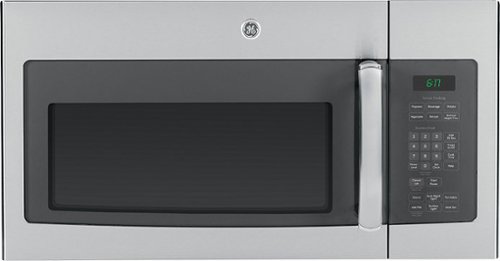
Cook tasty meals with this GE JVM6175SFSS over-the-range microwave that features sensor cooking controls that automatically adjust times and power levels to suit a variety of items, such as popcorn and vegetables. A 2-speed fan provides ventilation.
What about installation ?
Range oven microwave, is tthe installation fee included?
No. I guess you could pay someone to do it but it's really not difficult.
11 years, 6 months ago
by
SgtRock
Virginia