
Share Pollard's profile


Pollard
Pollard's stats
- Review count2
- Helpfulness votes8
- First reviewSeptember 28, 2010
- Last reviewFebruary 26, 2011
- Featured reviews0
- Average rating3.5
- Review comment count3
- Helpfulness votes9
- First review commentJanuary 22, 2011
- Last review commentMarch 3, 2013
- Featured review comments0
Questions
- Question count0
- Helpfulness votes0
- First questionNone
- Last questionNone
- Featured questions0
- Answer count5
- Helpfulness votes1
- First answerSeptember 19, 2010
- Last answerFebruary 26, 2011
- Featured answers0
- Best answers0
Pollard's Reviews

Control your music, photos, videos or DVDs from across a room with this remote that is compatible with select Apple products.

Posted by: Pollard
from Raleigh, NC
There's not a whole lot to say about a remote, but this remote is pretty awesome. It does its job, and it does it properly. Setup was easy. You point the remote to the computer and hold down two buttons. Simple enough. My Macbook Pro picked it up with no problems. It comes with a battery already installed, so there is no need to purchase a seperate one until that one dies. Range is excellent. I have no problems using this across my apartment. It matches my MBP perfectly.
I would recommend this to a friend!
Durability

5
Performance
5
Share this review:


+2points
2of 2voted this as helpful.
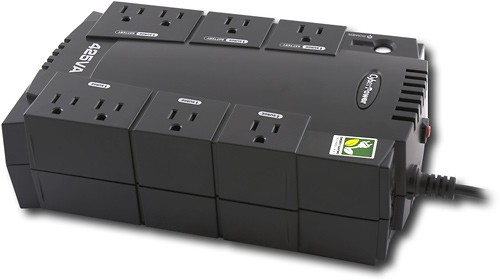
This battery backup features 8 outlets for use with numerous electronics, including printers, monitors, scanners and more. EMI/RFI filters shield electromagnetic interference and a resettable circuit breaker lets you reset in case of an overload.
Posted by: Pollard
from Raleigh, NC
I purchased this mainly because of the price. I saw that it was one of the basic ones that only had 8 plug ins and could retain power for 25 mins. 25 mins is plenty of time to save everything and power off your computer safely if the power goes out. When I first started plugging everything into this new ups, everything was going good at first. I had my computer plugged in with no problems. I started plugging in my other desk items such as my low power Logitech speakers, and my beta fish filter (not concerned with it being protected, but it is on my desk with my other stuff). Everything was good then I plugged in my laser printer, big mistake. The ups shut off almost as soon as I plugged it in. I unplugged it and reset the safety circuit and powered everything back on. Everything went smoothly until I plugged my printer back in. Keep in mind I don't have one of those huge printers that take a whole city to run, just a basic cheap laser printer for school. This thing can't handle what it says it can. If these few items trip the circuit, then its not made very well. I'm not going to risk my computer that I've invested well over $1000 in with this cheap ups. If your looking for something to just plug in maybe a cheap workstation or just a laptop, then this may be good to get. Otherwise I would not get this one. Go with the APC one instead.
What's great about it: price
What's not so great: can't meet its standards
No, I would not recommend this to a friend.
Features

2
Share this review:


-19points
6of 31voted this as helpful.
Pollard's Review Comments

Kingston DataTraveler 101 Generation 2 (G2) is here! This convenient storage companion lets you take all of your data to your home, office, school and anywhere you travel. Now with urDrive, it gives you a better way to look at your data while combining cool features to make it your own. Easily store, organize and share your favorite photos through the built-in photo viewer, search the convenient built-in Internet browser and view the cool AppZone for new apps to try all in a flash. In the months ahead, urDrive will update to offer even more apps and features. This portable USB 2.0 flash drive provides 16GB of storage space so you can easily bring your files with you wherever you go.
Overall 1 out of 5
1 out of 5Mac !
By NicoP
from Detroy
Be carefull, this product doesn’t work on Mac ! It's writtens that's working but its not !

Pollard
Raleigh, NC
Format It
January 22, 2011
Did you even try to reformat it with the Mac? Maybe you should try every option and give a better review before leaving only one star. It's just like an external hard drive. If it can be used for PC and Mac, you will have to go under disk utilities in the Mac and reformat it for journaled. By default it is NTFS which is used on a PC so yes, you will have to reformat for Mac.
+3points
3of 3voted this comment as helpful.
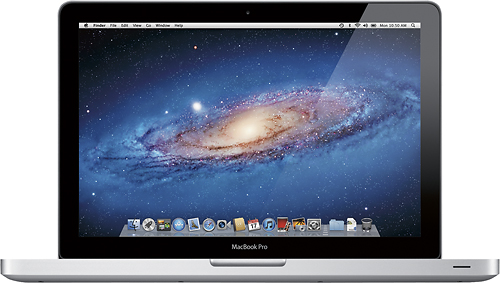
Apple MacBook Pro Pre-owned Laptop: Enjoy portable entertainment and productivity with this 13-inch Apple MacBook Pro laptop. Its Thunderbolt port and AirPort Extreme Wi-Fi provide for high-speed connectivity, and it has an HD FaceTime camera for live video chats. This Apple MacBook Pro laptop has 320GB of storage and 4GB of RAM to handle multiple simultaneous programs smoothly.
Overall1 out of 5
1 out of 5PC is much better at multitasking than OS X
By code3
from Tarzana, California
Mac seems to be more of an aesthetic thing but not for its functional ability.
I've been a PC user all my life - first time buying a mac. I've had it for over a week and I see less functionality than Windows 7. I can't create files on the fly ('right-click create file' not available) while in a directory/folder, I can't cut (cmd/ctrl x) files from the desktop or any directory/folder, can only re-size windows from one corner, can't get an address bar of the current directory in text mode to copy and paste. These functions make multitasking very efficient. I find the mac inefficient for getting things done quick.
I bought the top of the line mac (17", 2.3 ghz i7, 8 gigs ram, 750 gigs hd) and now I'm stuck with it. I believed the hype - my loss.
If your a power user whom does a lot of multitasking with folders and files - the mac will slow you down.
However, the sleek design of the Macbook pro is elegant and beautiful to say the least.
The operating system OS X probably manages its resources better than a PC/Windows. When I run my average work load on the PC it gets pretty hot and noisy but with OS X it is smooth sailing. I don't think the Mac is faster than the PC in running programs but maybe faster at boot and power down. Windows 7's interface is just as beautiful as the Mac.
My opinion is: if you're a developer of web applications (like me) then you're better off with an Ubuntu OS on a PC VM Windows 7 or vice versa. Mac seems to be overpriced unless you're a film editor and need devices connecting to thunderbolt.
Pollard
Raleigh, NC
hmm...
October 12, 2011
You know, you can actually multi-task pretty well with a macbook pro. I've also got one and love it. I have no problem with right clicking and creating a new file or folder. All you have to do is enable multi tap in the settings, just like you have to enable right click on a PC. As far as copy and paste goes with using the cmd key, I also have no problems with doing this with my Mac. Sounds like you just jumped right into it without doing any research before using it. The layout is a lot different than a PC and it does take some getting used too. Don't bash a product because of your own ignorance. If you do not know something, research it. I love my Mac and multi-task with it flawlessly. You can actually put a "bookmark" at the top of your safari browser that makes the window fullscreen if it is really needed. Enjoy!
+3points
3of 3voted this comment as helpful.
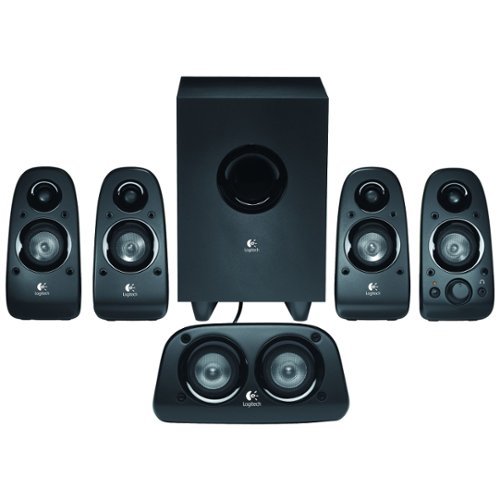
Enjoy rich, lush audio with these surround sound speakers that feature 75W RMS power. A down-firing, ported subwoofer with a 5-1/2" driver controls powerful sound. The dedicated bass controller lets you customize the bass level to your liking.
Overall 2 out of 5
2 out of 5Good luck finding a compatible sound card
By GadgetGeekNC
from Charlotte NC
All the 3.5 connectors are monaural so unless your sound card has separate 3.5 mm inputs for LF, RF, LR and RR, this set is worthless! I searched for a compatible sound card online and found NONE! Waste of money unless you're CERTAIN you have that rare sound card that supports this ridiculous set up. Will be returning this tomorrow. And the salesperson, absolutely clueless and useless.
Pollard
Raleigh, NC
worthless
March 3, 2013
It's funny how my on-board sound card is 100% compatible with this system. Even my friend's motherboard, which is around 3 years old, works just fine with this system. Even best buy sales sound cards in store that work with this system. Either you have no idea what you're talking about, or you have such an old junker computer that needs to be replaced if you can't find a card that works with your machine.
+2points
3of 4voted this comment as helpful.
Pollard's Questions
Pollard has not submitted any questions.
Pollard's Answers
need to know if you sell TV Stand.
I need to buy a TV based on this model 47PSL 3603D-F7 (Philips 47")
If your looking for the base of the tv, not an actual stand that you sit the tv on, then no we do not sell bases. You will have to contact the manufactor and see if they can order you one.
15 years, 3 months ago
by
Pollard
Raleigh, NC
Monster Cables HDMI Cables Prevent Mounting Flat Panel Correctly
I recently purchased a Panasonic TC-P58VT25 plasma HDTV. I decided to mount and install myself. The Magnolia store employee recommended a Sanus VLT-15B1 mount. I attached the mount to the wall but the TV is unable to completely be in the upright position because the Monster HDMI cables stick out from the back of the TV and hit the wall.
So, is this mount compatible with this TV or is there something special that must be done to the wall so the mount/TV can rotate to the upright position?
So, is this mount compatible with this TV or is there something special that must be done to the wall so the mount/TV can rotate to the upright position?
From looking at the back of your tv, it looks like you plug your cables in at a 90 degree angle to the tv. We sell connectors that allow you to swivel the cable to a downward position. This will allow the cable to not stick out from the tv so much so you can mount your tv better.
Products from my answer
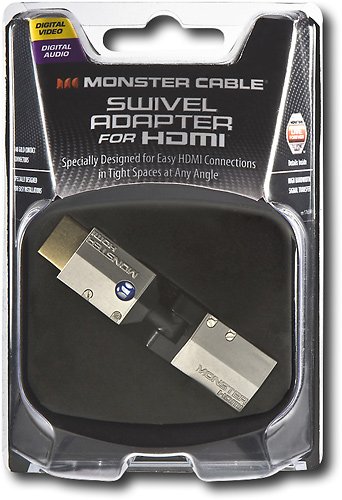
Monster - HDMI Swivel Adapter - Gray/Black/Gold
 (163)
(163)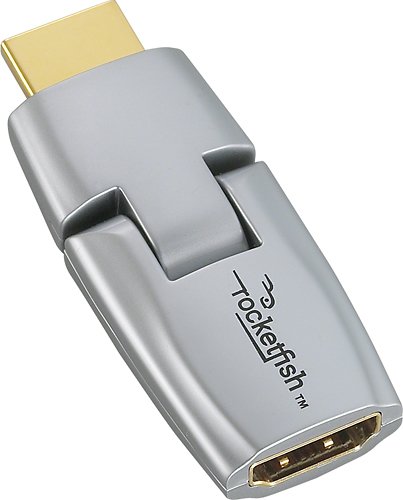
Rocketfish - HDMI Swivel Adapter - Silver/Gold
 (315)
(315)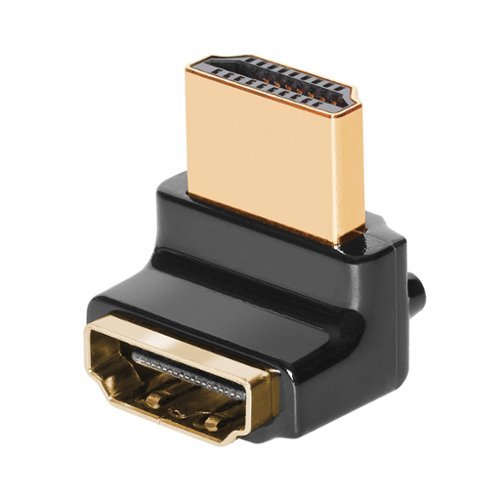
AudioQuest - HDMI 90/W Adaptor Wide-Side (W) Bend - Gold
 (189)
(189)15 years, 3 months ago
by
Pollard
Raleigh, NC
can the reward points be shown before 35 days
Reward Zone point won't show up on your account until after an extended period of time. It's either 30 days or 45 days. I believe it's 45 days. They do this so people can not go purchase items with their rewards card, rack up some points, then return all of the items within the 30 day return period.
15 years, 7 months ago
by
Pollard
Raleigh, NC
HDCP NOK?
My insignia blu-ray dvd player is not working. It won't show anything but a black screen that states "HDCP NOK". What does this mean? Is this a compatability issue with my insignia tuner? Bought them both at Best Buy - they used to work fine. Is there any reason they would suddenly stop being compatible?
You can try rebooting both the TV and blu ray player by powering it off. If that doesn't work, most likely you have already tried it, you can try hooking it up via component cables. Also I would highly recommended looking into updating the firmware on your blu ray player. Go to Insignias website and search the model number to see if you have the latest firmware. Every blu ray player needs a firmware update at some point. Even the ps3 updates it. Some are easier to do than others. Some are wireless to make things easier, some have an Ethernet port on the back of the player so you can plug a network cable into, others you may have to burn the update to a blank DVD and manually install it by inserting the disk.
15 years, 8 months ago
by
Pollard
Raleigh, NC
CAN A LCD BE LAID DOWN FLAT?
CAN A LCD BE LAID DOWN FLAT?
Yes and no. Depending on the size and preference really. I work at best buy and we do not like laying down LCD tvs that are around 46 inch and up. We highly recommend that they stay upright at the size due to the fact the screen becomes heavy and risks cracking. If it is a smaller size then, yes it can be laid down.
15 years, 8 months ago
by
Pollard
Raleigh, NC