


CMCMom29's stats
- Review count152
- Helpfulness votes386
- First reviewJune 23, 2009
- Last reviewJune 8, 2026
- Featured reviews0
- Average rating4.2
Reviews comments
- Review comment count0
- Helpfulness votes0
- First review commentNone
- Last review commentNone
- Featured review comments0
Questions
- Question count0
- Helpfulness votes0
- First questionNone
- Last questionNone
- Featured questions0
- Answer count19
- Helpfulness votes1
- First answerDecember 24, 2016
- Last answerSeptember 1, 2020
- Featured answers0
- Best answers1

Customer Rating

4
Connect the Dots and You've Picked a Winner
on June 8, 2026
Posted by: CMCMom29
This is the first time that I have tried this style of headphones. I have an issue with ear buds in that most of them fall out of my ears. I either need to find “sport” style or hope that my Airpods stay in place. I liked these headphones because of the design, and the “open ear” aspect.
At first, they felt a bit odd over the cartilage, but it didn’t take me along to adjust.
I paired the OpenDots Air with my iPhone 15 Pro. It didn’t go into pairing mode when I first removed them from their case. I had to put the Dots back into the case and take them out again. At that point, it paired with the phone easily.
I typically like to listen to podcasts during the day, moving about the house or while I’m shopping. It doesn’t immerse you in sound, but that’s the point. The sound is great but it doesn’t drown out the rest of your environment.
The Dots stayed in my ears and did not move at all. I tried shaking my head to see if they would slip or fall out, and they did not.
After about an hour of wear, though, my left ear started to feel tender where the Dot rested. It was enough to notice the discomfort, but not enough for me to remove them.
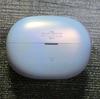
I also wanted to say that I LOVE the color! I’m so sick of everything being in shades of black and grey. Sometimes, you find white. If you want fun colors, you have to look at in-ear headphones, and even then they aren’t always easy to find in what you want.
The lilac is such a lovely, calming color, and the pearlized tone makes them look fancy. I’d like to see more products made like this.
There is a Shokz app available on the Apple App Store and the Google Play Store. Once you register for an account, the app will find the Bluetooth connected Dots (you’ll need to make sure your Dots are active and connected to your phone) and sync with it. Then, it will walk you through a tutorial on how to wear the Dots. It will then take you to a tutorial on the “gestures” you will use to access volume, calls, etc. The Dots are not handed, so you can wear either one on whatever ear you choose.
There are also other features on the app (please see photos for examples). You can change your sound profile, use it to find the earbuds, and for gesture control.
It is a great set of earbuds for most everyday needs.
I would recommend this to a friend!




Share this review:


0points
0of 0voted this as helpful.
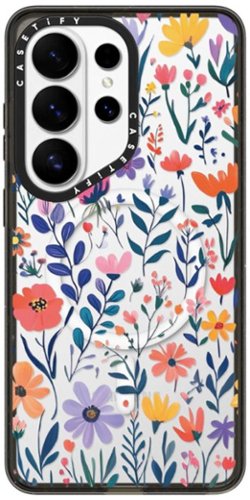
Tough, stylish protection for your Samsung Galaxy S26 Ultra. Magnetic and wireless charging compatible for easy charging and accessories.
Posted by: CMCMom29
This is a lovely case. It’s sturdy, yet the floral design gives it a light touch of whimsy. It has a presence in your hand – you know it’s there. At first, it did make my wrist hurt a bit, but that seemed to subside throughout the day.
The buttons are easy to find and comfortable to use. There’s no pushback from the material like I’ve had with buttons on other cases. The black trim has a shine to it. I wish it was a coordinating color to the flowers, though. Black seems to be such a harsh contrast to the colorful design, but it doesn’t detract from its look. I have the purple version of the S26 Ultra, and it blends well in the background.
There is a raised edge around the camera area to help protect the lenses. I also have a protective screen on the main lenses, and it doesn’t interfere with case function.
The design is raised, so if you are sensory seeking, it adds a nice texture to the phone.
It does have a magnetic ring in the case, so it can be used with MagSafe accessories. I use a magnetic silicone ring with a strap to hold my phone, and it works beautifully with the CASETiFY case.
My USB-C charging cable attached without issue.
I would recommend this sturdy, stylish phone case. My only drawback is that it does add a bit of weight to the feel of the S26 Ultra overall, which can make using the phone in one hand more awkward than the phone is normally.
I would recommend this to a friend!

Share this review:


0points
0of 0voted this as helpful.
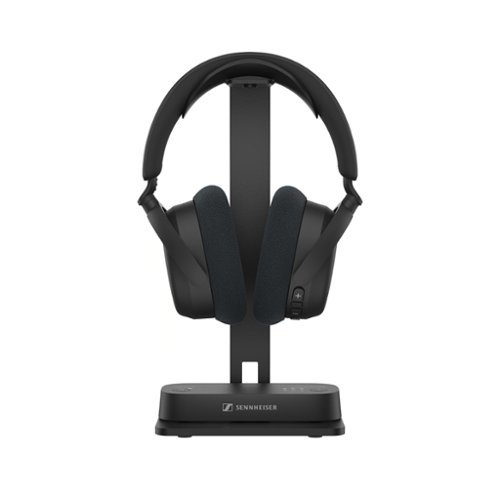
Experience immersive TV sound your way with our Bluetooth TV headphone and transmitter bundle~the RS 275 TV headphones. Enjoy virtual surround sound and crystal-clear speech ~ customizable with personal hearing profiles. Pre-paired for effortless setup, these headphones let you listen at any volume without disturbing others. Experience plush comfort, lightweight, and a stable 50-meter range with flawless sync and up to 50 hours of battery life. Want to connect your phone or tablet? No problem. Watching with others? Bluetooth Auracast~ lets each listener use their own volume and settings. It~s TV sound, personalized just the way you like it.
Customer Rating

5
Excellent Headphones to Use with Your TV
on April 12, 2026
Posted by: CMCMom29
Do you like to listen to your TV loud and your family does not? Do you stay up later than everyone else and want to watch shows and not wake them up? Is your TV Bluetooth-less, making your earbuds useless?
Then the Sennheiser RS 275 TV Headphones are for you.
The package comes with the headphones, a nice stand, a transmitter, your choice of digital or analog connecting cables, and USB power cables (one for the transmitter, one for the rechargeable headphones.) The headphones are lightweight so they are easy to wear.
I chose to use the digital connection for my TV, which was one plug for the optical port on the TV, and one plug for the transmitter.
You can alternatively choose the analog audio cable and HDMI cable for the video. (An HDMI cable does not come included with the kit.)
Set up is fairly simple. You plug in the transmitter to your preferred audio/video ports on the TV, hook the other end of the cable in the transmitter, and plug in the power cable into an available USB port on your TV. Then, you will use the Bluetooth between the transmitter and the headphone to sync them together.
You will have to download the Sennheiser SmartControlPlus app to enable all the features, which is available from both the Apple App Store and Google Play. It will walk you through the initial setup.
It did take a few tries for me to get the headphones and transmitter to connect. I’m not sure why. The lights on the transmitter would blink (two green lights) and the headphone would say that I was in pairing mode, but the software wasn’t pairing. While I was trying to solve that issue, the software prompted me to do an update. Whatever hiccup I was having went away after the update completed.
The app has many features on how to adjust to your liking. It has your typical preset settings like Movie or Sports mode, along with settings you can customize.
My favorite, though, is the Hearing Enhancement. I have a heck of a time with the sound mixes of some movies. The dialogue is hard to understand. Captions aren’t always an answer because they often get the dialogue incorrect.
These headphones solve that problem. You can use this feature and choose the setting that works best for what you are watching. Then, it brightens up the dialogue for you! It’s not just louder, it’s CLEARER. That alone is worth the price of admission for me.
I would recommend this to a friend!


Share this review:


+11points
11of 11voted this as helpful.
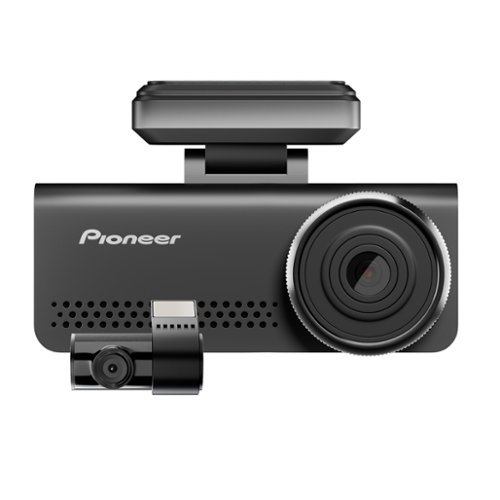
Car Dash Camera with 8MP UHD 4K Video resolution, ADAS enabled, Wide Dynamic Range, 137 Field of View with in-built GPS and Wi-Fi
Customer Rating
4
A Good Investment for Your Vehicle
on December 29, 2025
Posted by: CMCMom29
My first foray into reviewing the Pioneer Car Dash Camera was an auspicious one.
First thing to note is that it does NOT come with the plug for your car’s power outlet. You will need to procure one in order to power the unit. In a pinch, I discovered that it will work on a battery pack, as it does have a USB-C cable to power it. It’s not a long-term solution but it does work. There is not a rechargeable battery in the unit – it must be plugged into power to operate.
The installation was interesting. It comes with small plastic sheets, each one sized to their corresponding cameras, to place on the glass first. You then stick the cameras to the sheets. This makes it easier to remove the cameras should you need to do so.
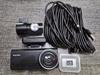
Then, you have what seems to be a mile of cable to connect the front camera to the back camera. I wish these could run on Bluetooth or something similar vs. running cable throughout the car, having to remove trim pieces to try and tuck away the cables from view.
My unit powered up as expected, connected to the back camera (it will announce that the back camera is connected each time the unit turns on), and allowed me to update the settings.
What it did NOT do was connect to the app to finish setup.
At first, it was my fault because I downloaded the wrong Pioneer app. Once I downloaded the correct app, it still would not connect to my phone. I have a Samsung S24 Ultra, which is on the current Android operating system with all updates complete. I rebooted the camera, rebooted the phone, researched troubleshooting online, tried different phones – all to no avail.
The camera operated great. The unit uses a micro-SD card to record video. (Please note – the camera will not operate without a card installed.)
I couldn’t get it connected to the app to download and/or view the video.
I was able to troubleshoot with Pioneer, and their stellar customer service sent me out a replacement unit.
In the interim of waiting for the new unit, however, the sticker for the back camera fell off my back glass. I don’t know why or how. I cleaned the glass with alcohol prior to installation to ensure a good seal. The back camera continued to operate, even though it was recording the view of my cargo area.
Once I installed the second camera, my connectivity issue was resolved. I was able to connect the camera to my app with ease. Well, mostly with ease. You have to change your network and log onto the camera’s broadcast network in order to sync with the phone. Once you do, you can view and download your recordings. You can set it up to automatically connect, however I have that setting turned off.
The picture quality is outstanding. It will record while you drive and up to a set amount of time after you stop the car. It will shut the power down (these are settings you can change in the menu) after being idle. As far as I can tell, it does not have a motion sensor where if your car gets bumped, the camera turns on. That’s disappointing for me, but not a deal breaker.
Even with all my challenges, I think the Pioneer Car Dash Camera is a good buy. It’s easy to install, easy to modify settings, and operates with little effort from the user. You can view your videos on your phone shortly after they are recorded. You can also use a card reader to access the micro-SD card to save data to a laptop.
I would recommend this to a friend!
Share this review:


0points
0of 0voted this as helpful.
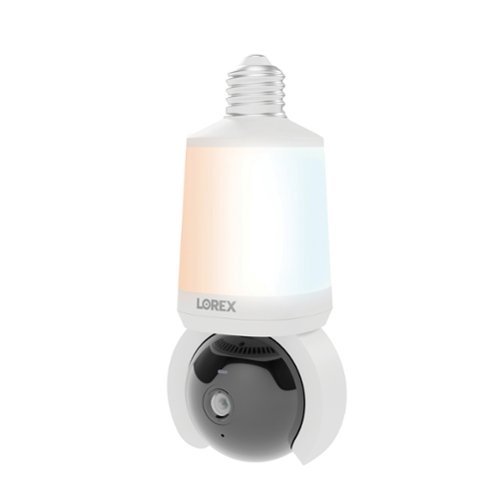
Enjoy quick, easy home security~just screw the camera into a standard light socket and connect via the Lorex Connect app. Brighter smart lighting, adjustable color temperature, and Wi-Fi 6 provide faster setup and smarter protection with no clutter or complicated wiring.
Customer Rating
4
Put a Camera Anywhere You Have a Socket
on December 14, 2025
Posted by: CMCMom29
The Lorex 2K Wi-Fi Smart Lightbulb with Pan-Tilt Camera is an innovative device that allows you to add a camera anywhere you have an existing lightbulb socket.
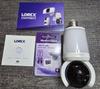
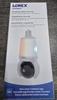
One thing I want to say off the bat is to make sure you download the correct app before setting up your light. Please see the image attached to this review. I made the mistake and just typed in “Lorex” in the Google Play Store, saw that the logo matched, and assumed it was the correct app.
You will need the Lorex CONNECT app, not the Lorex CLASSIC app. I was frustrated for days, thinking there was something wrong with either the product, the app, or my phone because my phone wasn’t picking up the bulb’s wi-fi signal.
Once I figured that out, the unit was very easy to install.
The unit comes out of the box ready to go. You download the app first. Turn off the power to the socket (recommended), install your Lorex into the socket just like you would any bulb, and turn the power back on. You will need to have this on a dedicated socket/switch that can be powered on all of the time.
Next, you use the app to connect your phone to the product. You can only sign into Lorex Connect on one device at a time. However, you can invite shared users to view the camera. They will need to set up their own Lorex account and have the app on their phone. You can then use their email address (the same they registered their account with) and invite them to view the camera feed.
You will need a MicroSD card for memory. There is not a subscription option at this time. You can also record live video and download it directly to your phone.
The image is fantastically clear. The camera pans easily around so you can get close to a 180-degree view of the area where it is installed. This would be great for a garage, a porch (the unit is indoor/outdoor), or even a playroom. The light intensity can be controlled by the app as well.
The app will send you notifications if there is movement observed.
This a great alternative to running wires all over the house or having to screw cameras into the walls and ceilings. No tools required. As long as you have a working socket, you can have a surveillance camera. It would not replace an alarm system, but it can give you peace of mind.
I would recommend this to a friend!



Share this review:


+1point
1of 1voted this as helpful.
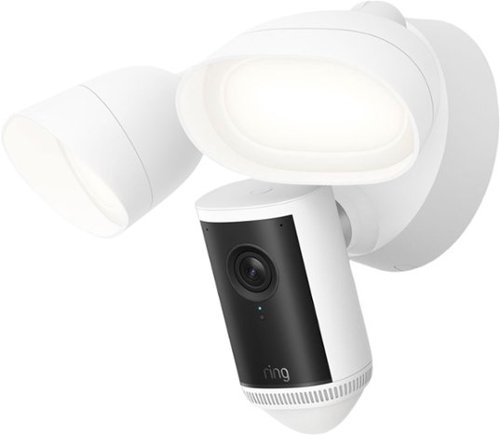
Our most powerful floodlight camera shows you critical details ~ even at a distance ~ thanks to Retinal 4K. 1 Radar-powered 3D Motion Detection lets you fine-tune your motion zones to your property for more precise alerts. Two super-bright floodlights light up wide areas to deter anything unwanted before it gets close.
Posted by: CMCMom29
This is my third Ring Camera to date.
My other cameras are the Floodlight Cam Plus and the Video Doorbell 2. The Floodlight Cam Pro (2nd Gen) blows those cameras out of the water...or rather, off of the house.
The picture quality is stellar. Crisp, clean, great color. The motion detection is on point. The light is bright and literally floods the zone.
A small caveat is the "fisheye" design of the camera. That, I'm not as big of a fan of. I don't have that with my other Floodlight Cam. I know it's better as far as giving me the most visible area, but it's a bit hard to adjust my eyes to it. If privacy wasn't a concern, I would include images to show the difference between the two cameras. The newer Floodlight is in a spot that covers a lot more space than the original Floodlight Cam, so I know it's necessary. It's just not what I'm used to seeing.
Installation was straight forward, but in our case not necessarily easy. I don't think that was the fault of light, however. It was more that we were trying to install it in single degree (Fahrenheit) temperatures. I don't recommend doing that if it can at all be helped. I would allow yourself time to do the install. We had an additional hiccup with our junction box (not the fault of the camera) and ended up having to replace it. Small things like that might pop up, so allow for that.
Connecting it to the app, and our existing Ring ecosystem, was a breeze. I've been having issues with my Samsung Galaxy S24 Ultra connecting to other (non-Ring) smart devices, so I was relieved when this updated without issue.
I recommend this product highly. I also recommend the Ring brand in general.
I would recommend this to a friend!


Share this review:


0points
0of 0voted this as helpful.
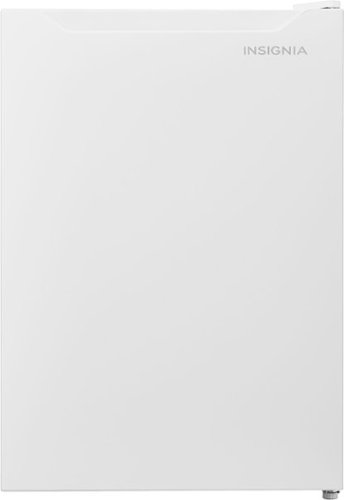
Find a home for this Insignia 2.7 Cu. Ft. Mini Fridge with Door Storage and ENERGY STAR Certification in your office, mini bar, dorm, or other small spaces. Its compact design is ideal for limited square footage. Two glass shelves and five door racks keep your refrigerator organized and ready to store your food. It~s also Energy Star certified to save costs on your electric bill.
Customer Rating
5
The Goldilocks of Compact Refrigerators
on December 4, 2025
Posted by: CMCMom29
This refrigerator saved my bacon. Well, actually my pie.
I received this refrigerator just before Thanksgiving. I plugged it in and set it up in a space just off the kitchen. Originally, I was going to put some beverages in the unit to test the cooling factor.
It’s a great size for a bar or recreation room in your house. It’s big enough to store a lot of drinks, but not too big where it’s in the way. The standard white finish blends into almost any decor. It is not a countertop unit technically, but you could put it on a raised base or shelving unit to make it more accessible without being intrusive.
Back to Thanksgiving. I went to a local warehouse club to get one of their giant pumpkin pies. However, when I got home, I didn’t quite have room for it in our main French door style refrigerator.
This unit was able to house the pie, along with a veggie tray, and my 10 lbs. (thawing) smoked turkey. The second shelf allows a full gallon of milk to stand upright. The door storage for canned drinks is nice to have as well.
This would be a great refrigerator to have on hand for the Holidays, or just for kicking back at home with soda and snacks. It’s not too big, not too small. Just right.
I would recommend this to a friend!
Share this review:


0points
0of 0voted this as helpful.
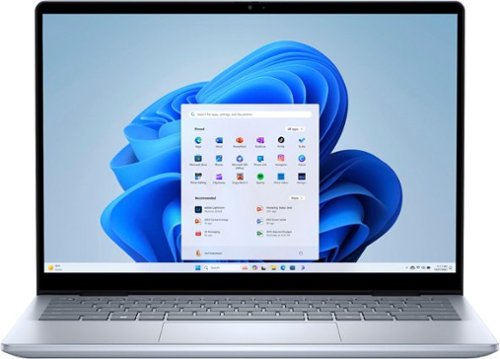
Portability meets versatility on a 14-inch 2-in-1 with multiple modes, built with the latest AMD Ryzen 8000 Series processors and DDR5 memory
Customer Rating
4
Great Gift for Students or Casual Computer Users
on November 16, 2025
Posted by: CMCMom29
The Dell Inspiron 14 2-in-1 laptop is a very nice model. Small, sleek, easily portable. Stunning graphics (I tried to show that in a couple of the photos attached.)
Set up was a breeze. I think it may have been the quickest and easiest transfer to date.
I downsized from the previous laptop that I was using, so it took me a bit to get used to the keyboard. I also went from a keyboard with a numeric pad. This keyboard doesn't have one. Once I adjusted, typing was comfortable. The keyboard has matte, Chiclet-style keys. If I were typing papers on it, though, I don’t know if it would be comfortable for me long term. I do feel a difference in my posture typing on a smaller keyboard. The keys are backlit, which I like.
The touch screen is adequately responsive. It’s a little heavy for me to use as a tablet comfortably. The hinge is a bit stiff at first. It’s nice to have that feature, especially if you are using it for school and rather take notes with a pen (not included) vs. typing.
I use it primarily for browsing and to watch videos. It’s about the perfect size for that. I also see this as being a great computer for students. It’s easy to put in a backpack or messenger bag. It has some weight to it, but it will not weigh someone more than a regular textbook would.
I do wish that there was a USB-C port on both sides of the unit. I prefer the flexibility of plugging in the power on either side, depending on where you are sitting. I suppose you could get an USB-C to USB-A adapter, as there is one USB-A port on the user’s right side, but I don’t know if that would affect performance.
All in all, I think this would be a great gift for students of any age or level, or for anyone who wants a portable computer for browsing, watching movies, or for writing.
I would recommend this to a friend!




Share this review:


0points
0of 0voted this as helpful.
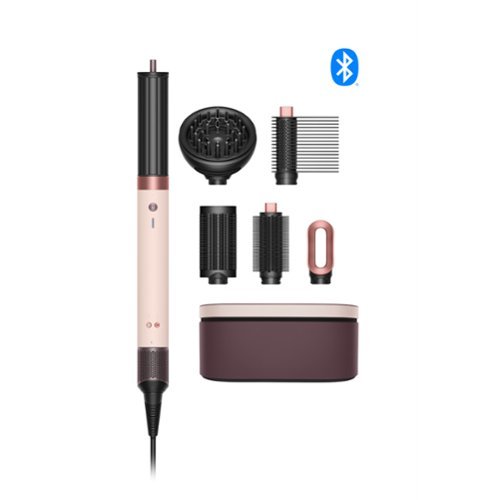
Meet our most powerful Airwrap innovation. A next-level 6-in-1 multi-styler and dryer that delivers supercharged styling with 2x the air pressure for longer-lasting, effortless styles with a salon-like finish. Better curling, faster drying and straighter styles compared to previous Airwrap multi-stylers. Six intelligent attachments engineered for curly to coily hair.
Customer Rating
4
The Smart Hair Styler
on September 21, 2025
Posted by: CMCMom29
I have daughters with fine, curly hair. They have the kind of curls naturally cascading down their back(s) that people will pay a lot of money to have set/styled/permed to have.
However, hair of this nature does not lend itself to hairstyling. So, for recitals, fancy events, etc. sometimes I need to be creative with their dos. It rarely behaves and struggles to stay in place.
I have all manner of heated brushes, hair dryers, flat irons, and curlers. What I lack is cooperation (from the hair) and patience. I’m always looking for a tool that will make this task easier.
Enter the Dyson Airwrap Co-anda. To briefly describe this tool, I would say it’s the smart version of the tools listed above. It comes with several attachments (please see photos) for drying, curling, and straightening.
It comes with a lovely case to fit almost all the attachments with the base unit (the diffuser, sadly, does not fit in the box with everything else.) The lid of the case can be reversed to hold your phone, along with clips or other styling tools (clips not included.)
You will need to download the My Dyson app to utilize the styler. Setting up is easy and uses Bluetooth technology to connect to your phone.
The app will ask you about your experience level, your hair type, and what kinds of styles you are interested in. The next thing you will want to set up is “i.d. curl.”
This is the “smart” styler function. There is a tutorial on the app, and it allows you to do a test run of the curling process. You will want to hold a section of your hair and allow the wrap to take the hair on its own. The styler will then curl the hair by itself. There are timers on the screen to show you how long to hold the curl. The styler will form a curl, hold and heat it, then cool the hair down and release it. You just watch the app to see how it goes through each stage. The process takes 30-45 seconds per section.
What I really liked is that there was no waiting to heat up the product as you would a curling iron. It takes the profile of your hair and computes how to style your hair to give the best curl. The air heats up, not the attachment.
There are many videos on the app showing how to use the styler. I picked one that showed how to straighten hair with the brush attachment, since that is what my test subject wanted.
This was much easier to use than a standard heated brush. The hair didn’t get hot and crispy using the Dyson. One thing I wish I had used was heat protectant spray. The video did not instruct me to use one and I didn’t think about it until afterward.
It straightened most of her hair. I had a few flips on the ends that wouldn’t lay flat. She was happy with the overall result, so I left it as it was. Her hair went from curly to more of a feathered 80s era style. I thought it was cute. She was thrilled.
With more practice, I think I will learn to use the other attachments to achieve different looks. If you are used to styling every day, your learning curve may be much shorter than mine. The app could not be more helpful for a beginner like me.
I would recommend this to a friend!



Share this review:


0points
0of 0voted this as helpful.
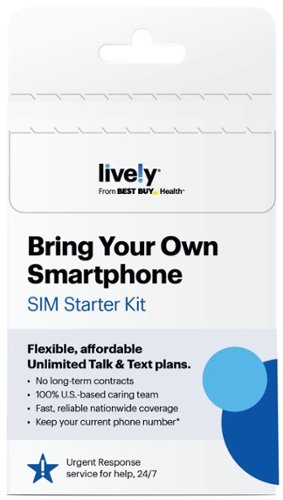
Now you can get Lively~s exclusive services, including Urgent Response for help 24/7, on your own phone! Lively helps you stay connected, safe and healthy with a plan that fits your needs. From getting help in an emergency to notifying friends and family, our plans offer exclusive services that you can count on to help live life on your terms. Every Lively plan comes with Unlimited Talk, Text and 1GB of data, with the option to add more data, as well as our kind and knowledgeable caring team who are here for you day or night.
Customer Rating
5
Easy, Inexpensive Service
on August 11, 2025
Posted by: CMCMom29
The Lively phone service was incredibly easy to use.
You simply buy the sim, put it into your phone, download the Lively app, and follow the prompts.
Lively offers a feature where you are one click away from getting emergency help if you need it.
As part of the set up, you will be asked to contact their help center to make sure the service is working. Better to confirm then wait until an emergency. The phone rep was friendly and confirmed that I was good to go.
I used to be the caretaker of my elderly parents. I can see this service being extremely useful for caretakers to give to their loved ones who are in need of a simple way to call for help.
For the purposes of my testing, I had access to an iPhone with Verizon, a Samsung with Spectrum Mobile, and the Lively on my Google Pixel 4.
The service was reliable. When compared to the other services, Verizon had the strongest signal, when is to be expected. Both Spectrum and Lively run on Verizon towers, but do not have priority over Verizon customers. There were a few areas where the Verizon and Spectrum were fine, but the Lively did not have the same signal strength. It was close, it just had fewer bars.
Call quality was clear. One thing I noticed on my Pixel was that the battery didn’t run down nearly as fast as it did when it was on the AT&T network. I don’t know for sure if the Lively service had any impact, but I was appreciative of the change. I thought maybe something was wrong with the battery on my phone.
Lively is an inexpensive option for phone service with added features that can be used on older or newer phones.
I would recommend this to a friend!
Share this review:


0points
0of 0voted this as helpful.
CMCMom29's Review Comments
CMCMom29 has not submitted comments on any reviews.
CMCMom29's Questions
CMCMom29 has not submitted any questions.
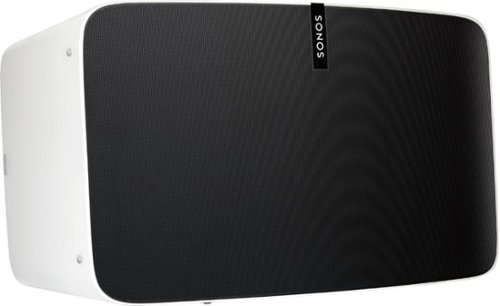
Enjoy immersive audio and near-zero distortion with this white Sonos Play:5 smart wireless speaker. The Trueplay feature makes adjustments according to the layout, furnishings and size of the room for optimal sound. This humidity-resistant Sonos Play:5 smart wireless speaker lets you stream music via Wi-Fi from your Android or iOS device.
Can I install this in the ceiling?
No, I don't see how you can. It's a shelf-style unit.
8 years, 11 months ago
by
CMCMom29
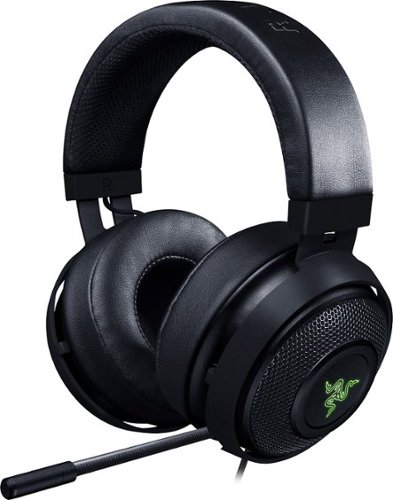
Hear every footstep, click and breath with this Razer Kraken digital gaming headset. The powerful 50mm drivers have neodymium magnets so that they produce exceptional sound directly to your ear, and the included microphone picks up speech clearly. This Razer Kraken digital gaming headset connects to a USB port for easy setup.
Its works for ps4?
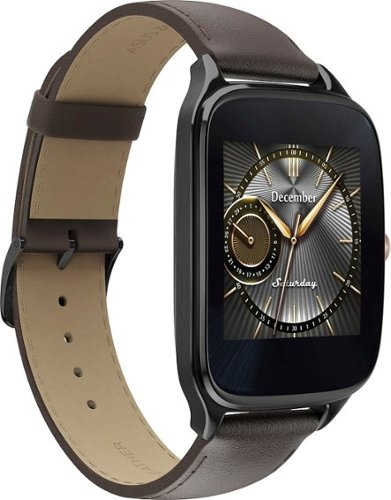
Power through the daily grind with this ASUS ZenWatch 2 smart watch. This 1.63-inch AMOLED touch screen watch is IP67-waterproof, so it's safe to wear in the shower while waiting for a very important call. This ASUS ZenWatch 2 smart watch also has a Wellness Suite that lets you plan workout routines, set training goals and track your progress.
will this watch work with iOS
Power through the daily grind with this ASUS ZenWatch 2 smart watch. This 1.63-inch AMOLED touch screen watch is IP67-waterproof, so it's safe to wear in the shower while waiting for a very important call. This ASUS ZenWatch 2 smart watch also has a Wellness Suite that lets you plan workout routines, set training goals and track your progress.
Will this watch work with my iPhone 6 plus and can I get news apps like cnn
Power through the daily grind with this ASUS ZenWatch 2 smart watch. This 1.63-inch AMOLED touch screen watch is IP67-waterproof, so it's safe to wear in the shower while waiting for a very important call. This ASUS ZenWatch 2 smart watch also has a Wellness Suite that lets you plan workout routines, set training goals and track your progress.
Are they coming out with a smaller size??
Power through the daily grind with this ASUS ZenWatch 2 smart watch. This 1.63-inch AMOLED touch screen watch is IP67-waterproof, so it's safe to wear in the shower while waiting for a very important call. This ASUS ZenWatch 2 smart watch also has a Wellness Suite that lets you plan workout routines, set training goals and track your progress.
Can this watch connect to wifi when your phone is not available?
Power through the daily grind with this ASUS ZenWatch 2 smart watch. This 1.63-inch AMOLED touch screen watch is IP67-waterproof, so it's safe to wear in the shower while waiting for a very important call. This ASUS ZenWatch 2 smart watch also has a Wellness Suite that lets you plan workout routines, set training goals and track your progress.
Is this watch compatible with a Galaxy s7?
Yes. I have it paired with a Samsung Galaxy Edge 7, and it works great.
9 years, 5 months ago
by
CMCMom29
Power through the daily grind with this ASUS ZenWatch 2 smart watch. This 1.63-inch AMOLED touch screen watch is IP67-waterproof, so it's safe to wear in the shower while waiting for a very important call. This ASUS ZenWatch 2 smart watch also has a Wellness Suite that lets you plan workout routines, set training goals and track your progress.
Can you have access to social media apps such as Facebook, Instagram, etc?
You do get notifications from those apps on the watch, but I have not seen where I could respond to them from the watch.
9 years, 5 months ago
by
CMCMom29
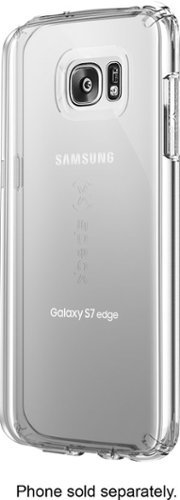
Let the sleek look of your Samsung Galaxy S7 edge show through with this Candyshell clear phone case. Crafted from custom-engineered soft acrylic, this cover absorbs shocks to protect your device. The clear material resists yellowing for long-lasting good looks, and this Candyshell clear phone case~s convenient design provides easy access to ports and buttons.
How many cases does this store have of this kind ?
I'm not sure if I understand your question, but Speck as a whole does not make very many cases for Edge phones.
9 years, 5 months ago
by
CMCMom29