


CMCMom29's stats
- Review count152
- Helpfulness votes386
- First reviewJune 23, 2009
- Last reviewJune 8, 2026
- Featured reviews0
- Average rating4.2
Reviews comments
- Review comment count0
- Helpfulness votes0
- First review commentNone
- Last review commentNone
- Featured review comments0
Questions
- Question count0
- Helpfulness votes0
- First questionNone
- Last questionNone
- Featured questions0
- Answer count19
- Helpfulness votes1
- First answerDecember 24, 2016
- Last answerSeptember 1, 2020
- Featured answers0
- Best answers1

Preserve what~s priceless with the Epson FastFoto FF-680W ~ the World~s Fastest Personal Photo Scanner. Scan thousands of photos ~ as fast as 1 photo per second. Easily restore, save, organize and share photos, postcards, panoramas, documents and more. The convenient mobile app enables you to capture the voice of loved ones and create slideshows, so you can easily share stories about your photos right from your smartphone, from a firsthand perspective, for generations to come. Plus, FastFoto brings old photos to life with auto enhancement, color restoration and more. Offering the ultimate in versatility, it includes a variety of format options for quick sharing, archiving and enlargements
Posted by: CMCMom29
from Michigan
This scanner was fairly easy to set up. One thing that I found unusual, though. When setting up the Wireless connection, with other products I’ve owned, you have a Wi-Fi option; you find the network in the software, connect, you’re done. With this scanner, you have to connect via WPS. I have a mesh home wireless setup. I was able to connect via WPS via my router’s app. You may want to familiarize yourself with how to use this connection prior to beginning set up.
For my initial test run, I worked on a project that I had long been putting off – scanning my wedding photos. I was married prior to the digital age and all I have are hard copies. It’s not a huge batch of photos, but enough that using a standard flatbed scanner was cumbersome.
I started scanning in stacks of 4 (I had 4 photos per album page). The scan was very fast at 300 dpi – almost instant. It was like using a copy machine with paper – you put the photos in, they go in, scan, boom.
You can scan in batches. For my photos, I would scan 4 photos, then the FastFoto software would ask me if I wanted to add more to my batch. At the end of your scanning for the day, you click that you are Done Scanning, and then the photos load into the viewer.
Another nice feature is that the scanner can scan both sides of the photograph. If you are like me, you have notes on the back about the photo. This allows you to save those notes as well as the photo. You can turn this option off in the Settings. You can also increase your dpi (which I did, to 600, because I was scanning for archival purposes) and set it to scan instant (Polaroid) film photos.
The software also gives you the option for automatically enhancing the photos. I had the software scan and enhance, keeping separate copies of both the original and the enhanced version. The enhanced version did add clarity to the photos, but also highlighted some of the flaws (most of the photos I was scanning were taken on 110 or disc film). This is to be expected.
The unit is a bit heavy, but compact enough that you could bring it with you, for example, to a relative’s house to scan photos for them. I have many photos from relatives long since passed that I am looking forward to making digital so that I can share them with other family members.
I took one star away because of an issue that I had. When I returned to finish my project on another day, the scanner kept losing connection with the computer. As I kept troubleshooting, I would get an error that simply said, “error code: BUMMER”. (I thought that was an interesting error code…?) When I typed the code into Google, I was not able to find any support articles that addressed what the code “BUMMER” meant. That was incredibly frustrating. I ended up running the Repair utility through Windows, then turning the scanner off then on and again, and it was working again.
The Epson FastFoto FF-680W is a very nice scanner and fits my needs well.
Mobile Submission: False
I would recommend this to a friend!
Share this review:


+5points
5of 5voted this as helpful.

NordVPN is a VPN (virtual private network) ~ it encrypts your internet data and hides your virtual location. What~s more, the advanced Threat Protection feature helps you avoid trackers and ads, scans URLs to make sure the websites you visit are safe, and inspects downloaded files for malware.

Posted by: CMCMom29
from Michigan
I had been wanting to get setup on a VPN, as I have read that people should have this extra level of security on their network.
The initial account setup was a breeze. I had no issues in downloading and installing the software.
However, once I logged in, I immediately lost my internet connection. I didn't know why. There was no tutorial, and no error messages. I turned off the VPN and still couldn't get connected. I ended up rebooting my computer to connect again.
I tried to look at their support page, but it looks like I have to educate myself further before setting this up.
For now, I am not using the VPN until I become more familiar with it.
Mobile Submission: False
No, I would not recommend this to a friend.
Share this review:


+5points
9of 13voted this as helpful.
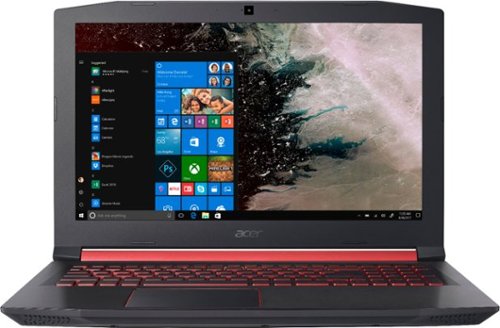
Step up your game with this 15.6-inch Acer Nitro 5 gaming laptop. The high-performance AMD Radeon RX 560X graphics card provides powerful gaming performance and detailed graphics that look great on the Full HD display. This Acer Nitro 5 gaming laptop features an AMD Ryzen 5 processor for a smooth and responsive user experience.
Customer Rating

5
Can't Go Wrong with the Nitro
on July 23, 2018
Posted by: CMCMom29
from Michigan
Other reviews will probably cover the guts of this machine. What grabs me, sometimes more than the interior, are the aesthetics of the computer. After all, this will reside most likely displayed in your home; it’s a part of everyday life. Since you spend so much time on the computer in this day and age, you want to like what you are looking at and using.
Extras also impress me. So many companies don’t really consider the needs, or wants, of the customer. I’ve owned many computers, and none came with its own neoprene sleeve. It’s a simple, basic extra perk, but I appreciated its inclusion. One less thing you have to buy when you get a new computer.
The red and black exterior, though, is a bit too masculine for my taste. It’s also common among the gaming laptops I’ve seen of late. Females are gamers too; sleek and sophisticated is good. It doesn’t have to be pink with sparkles, but it doesn’t have to be dark red and black all the time, either.
The casing under the keys is very smooth. Very comfortable while typing.
That being said, the case does feel rather flimsy. The unit has heft, certainly, but the you can tell the case is plastic. When I carried the computer from room to room with the lid open, my hand naturally wraps around the bottom of the lid. The middle feels unsupported, so don’t hold it too hard; otherwise, it could crack.
I like gaming computers for their beefier hardware. I like to have several tabs open at once, several programs open at once, and I have little to no patience. The computer seems quite zippy in this regard. Not a lot of lag (though, to be fair, the hard drive is empty). Usually I stick to Intel processors when buying a computer (personal preference, as I’ve used them for years), but the AMD processor keeps up well.
The A-W-S-D keys have a special red rim around them, and makes them stand out. The keys also are a bit more indented than the other keys. It invites the user to rest their fingers on them, even if not actually gaming. The keyboard is backlit, which I just think looks cool.
The Touchpad is sensitive to strokes that unlock hidden features, which annoyed me, because I wasn’t trying to activate them. I had to keep stopping and closing out whatever I inadvertently opened. I don’t notice this on my other computers, so I’m not sure if this is a new feature to Windows 10 or to Acer.
The computer does not have a lot of bloatware, and I am thankful.
Norton is the anti-virus loaded, which I already have, so it’s a seamless install.
This is not a complaint for this computer specifically, but I wish SSDs would offer larger capacity. I do use the Cloud Services, but I’m a bit old school in that I appreciate a large local drive, especially if it’s a project I’m working on.
I don’t think you can go wrong in buying this Acer Nitro.
Mobile Submission: False
I would recommend this to a friend!


Share this review:


+2points
2of 2voted this as helpful.
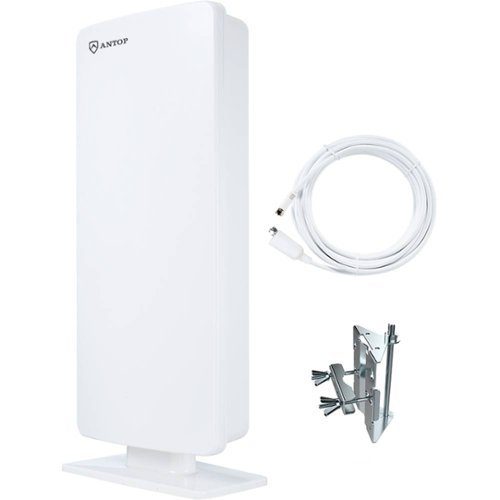
Maximize your broadcast viewing enjoyment with this flat-panel ANTOP outdoor HDTV antenna. It captures UHF and VHF signals within its powerful 65-mile reception range, and its durable exterior resists moisture and UV damage. Install this ANTOP outdoor HDTV antenna on a wall or pole via its mounting bracket, or place it indoors with the included stand.
Posted by: CMCMom29
from Michigan
I’ve been wanting to cut the cord for a while. The cost of cable is ridiculous; plus, I already subscribe to Amazon, Hulu, and Netflix. What keeps me from doing this is the access to Local Networks, Live News and Live Sports.
This antenna doesn’t address all those concerns, but it would give me more local access, so that if I DID have to downsize, I wouldn’t be losing that much. I’ve tried a few of the well-known brands of flat antennas, with little success.
I will add that I am not the most mechanical. Drilling holes in the house, running cable from the outside or the attic is not within my comfort level. Therefore, I want to find a unit that works inside.
My first impression is that this thing is HUGE. This unit was definitely designed to be outside. It’s not remotely attractive, and it is not paintable. It would be nice if there were skins available to put on it to make it less of an eyesore.
The instructions are very simple. Most of the brochure is installation instructions.
To mount the stand, the instructions say to remove the mounting bracket (which is pre-installed). You will need a ratchet for the removal. I tried use a screwdriver, as the bolt appears to have a Phillips head on it, but it wouldn’t budge. The box also comes with an attic bracket in a separate package.
I first tried the antenna in our living space. This room has a Hisense 4K TV, and it just above ground level. Per the manufacturer’s signal map (located on their web site), at ground level I should have received 6 channels. The TV found 8 channels (though, when scanning, it showed 13 DTV channels). The reception was crystal clear. However, in my rural area, it was unable to pick up any major network outside of our local PBS affiliate. The other channels were sub-channels of the PBS station, as well as a couple of independent stations that I wouldn’t typically watch.
I relocated the unit to the 2nd floor and installed it in the Master Bedroom. In that room, we have a Samsung LED TV. It is approximately 11 feet above ground level (best guess). The coax cable that comes with the antenna is quite long, so I could put the unit right next to the window.
Per the signal map, we should be able to receive 45 channels – 10 in the Good range, 18 in the Moderate range, and 17 in the Weak range. The TV found 12 DTV channels and one OTA channel (that came in full of static). I received our Fox and PBS affiliates (and their sub-channels), but not either of our ABC affiliates, or our NBC or CBS affiliates. Fox, NBC, and ABC were part of the Moderate range. The signal for the channels I did receive were again crystal clear (other than the one OTA channel).
Per the signal map, if I were to install 30 feet from the ground, I am supposed to get 52 channels. That would require attic access, and then I’d have to find a way to run the coax through the house.
Based on these results, I conclude that, if I were to actually cut the cord, I would need to install an antenna on our roof, which I’d rather not do. I had high hopes for this product but it didn’t really fill our need. I am giving a 4-star rating because I do think it performed moderately well, just not up to the advertised results.
Mobile Submission: False
I would recommend this to a friend!
Share this review:


+15points
17of 19voted this as helpful.
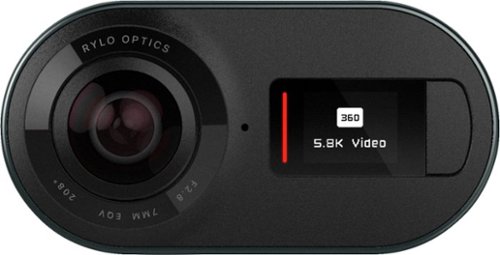
See the whole picture with this Rylo 360 video camera. This compact device extends your perspective by capturing 360 degrees of 5.8K video, perfect for panorama shots and immersive video. This Rylo 360 video camera provides intuitive editing tools through the Rylo iOS app to help you turn your footage into a masterpiece.
Customer Rating

3
Too Much of a Gimmick for Me
on June 20, 2018
Posted by: CMCMom29
from Michigan
I found the Rylo to be a little challenging for me to review. When I was first made aware of it, I thought it would be a cool little action camera to use to capture my children and pets while they play.
The camera is really more of a competitor to a GoPro without the durability features. I’ve not used a GoPro personally but I am familiar with their use. I see the Rylo as something similar.
The box and packaging were very professional looking. I was also impressed by the fact that I received three different phone cables (Lightning, USB, and USB-C) so that it was usable right out of the box.
You also received a handle (think of it as a selfie-stick type handle) and a pouch for storage. The pouch could have been a bit larger to accommodate the camera and the handle both. As it is, the handle sticks out from the cover.
There are NO instructions on how to use. I read that you just had to plug it into your phone and go. No…you do have to download the Rylo app. I didn’t find the interface very user-friendly. I fumbled through the setup and controls.
The handle has a frame that encases the camera. The cover didn’t want to close securely. Then I couldn’t figure out how to activate the camera. I tried to pry up what I thought was the shutter button. When it popped open, it was a frame that you could use a little kickstand (for lack of a better term) to hold the plastic up, but I still have no idea what this is for, other than to keep you for hitting the shutter button.
The packaging also references a memory card, but it is already in the camera and I couldn’t find an access door for it.
There is no viewfinder so you sort of have to guess at what you are shooting. You can shoot panoramic, 380-degree video, 180-degree video, and still photos. I tried all three features; I wasn’t really impressed with the quality over my Samsung 8.
To me, this product is a little too gimmicky for me to use long term. For someone who spends a lot of time outdoors and is looking to capture those moments, including capturing yourself in photos, this product will work for you.
Mobile Submission: False
I would recommend this to a friend!


Share this review:


-2points
5of 12voted this as helpful.
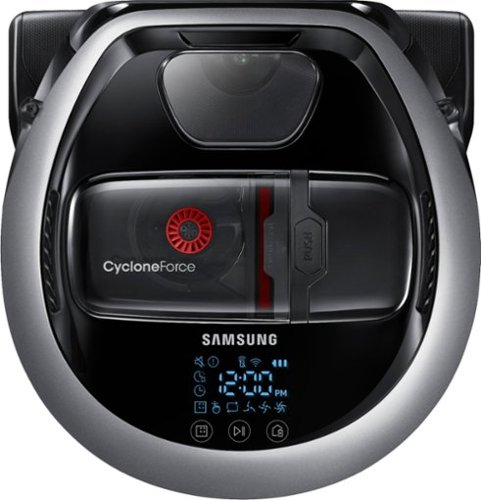
Clean your home with voice command or app-based programs by using this Samsung robot vacuum. Its digital camera and nine sensors let it find its way around, avoiding obstacles and mapping the most efficient path through your home. Wi-Fi connects this powerful Samsung robot vacuum to your smart home systems.
Customer Rating

4
Jury is Still Out...
on June 4, 2018
Posted by: CMCMom29
from Michigan
I love robotic vacuums.
I think they may have been one of the best inventions in the last 10 years. I hope someday to be able to upgrade to a robotic mop.
BUT...
When they fail, they seem to fail spectacularly.
This is my second robotic vacuum, both from Samsung. I hold Samsung in high esteem and love their products. This product, though, may still have a few bugs to work out.
This model is much better than my previous model. The added satin chrome to the body adds a bit of pop to the look. The battery life is much longer, by at least an hour. The newer version does not get hung up on every little string or frayed piece of carpeting. It has three levels of vacuuming - quiet, normal, and turbo. Maybe it's just me, but as much as I appreciate a quiet mode, I like to hear my vacuum working.
At first, this vacuum was a great little workhorse. I used it nearly every day for two weeks. It handled hard floors and carpeting like a champ. Didn't so much as blink when changing surfaces. It changed speeds on its own when it needed more power.
THEN...
Last night, I noticed it was running slow. It didn't seem like it was picking anything up. I thought it was running low on battery, so I sent it back to its station.
Tonight, it started out great. Ran for maybe an hour, then did the same thing again. Started running slow, nothing being picked up, looked like it was on its last legs. I checked the Smart Things App (which you will want to download to schedule and control your vacuum easily), and the battery was half-full yet. The speed was still set to normal. I was at a loss, so I sent it back to its charging station again.
My first model was frustrating because it would catch on every little thing, causing us to have to clear the rollers constantly. Then, it completely died, no rhyme or reason. We've since got it to work again, but the battery life is maybe an hour at best. I was looking forward to this updated/upgraded version and was so impressed with it right out of the box. I still believe in Samsung products, but this one just misses the mark, again.
My Best Buy number: 2283326280
Mobile Submission: False
I would recommend this to a friend!
Share this review:


0points
0of 0voted this as helpful.
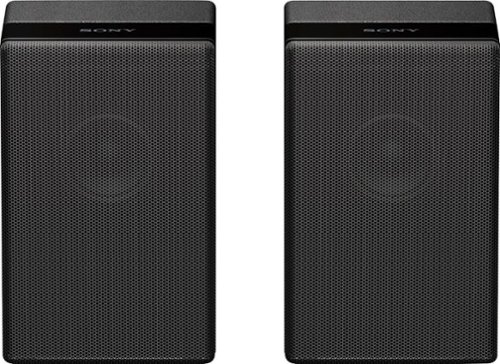
Complete your HT-Z9F surround system with this Sony rear speaker. Place it on a stand or shelf, or mount it to your wall for unobtrusive performance, and connect to other components wirelessly to keep unsightly cables out of your space. This Sony rear speaker's S-Master amp outputs 50W for powerful rear audio.
Customer Rating
4
Good Speakers
on May 25, 2018
Posted by: CMCMom29
from Michigan
These speakers could not be easier to install. You literally take them out of the box and plug them in. They will automatically connect to the Sony Sound Bar and start playing. No fuss, no muss. I would give them 5 stars just for that alone.
However, I have to deduct a star for sound. I'm not sure if I'm doing something wrong, or my room is too big, or it varies by program, but the sound doesn't get very loud. I'm a NASCAR fan, and I was looking forward to feeling like my couch was at the infield of a race. Sadly, this didn't happen. Don't get me wrong - the sound that does come out is good, but you have to put your ear right against the speaker.
This is my first surround sound system so maybe I expected too much. My living room and kitchen/dining area are one big open room. I have a couch that separates the living and dining spaces, with a sofa table behind it. This is where I put the speakers (I was not comfortable going through the wall to run the plug). In a smaller space, it may make more of an impact.
I really do like them, but they just don't meet my expectations.
My Best Buy number: 2283326280
Mobile Submission: False
I would recommend this to a friend!
Share this review:


+3points
3of 3voted this as helpful.
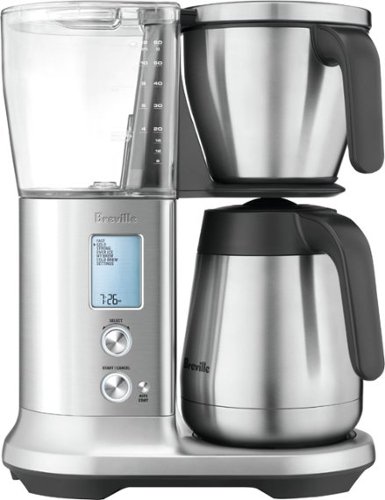
Enjoy a morning beverage with this Breville drip coffee maker. It has six modes for achieving the taste you prefer, and it includes flat bottom and cone filter baskets for making small or large batches. This Breville drip coffee maker has cold brew and iced coffee settings for preparing refreshing beverages from the brewed extract.
Customer Rating
5
Great Coffee, Great Machine
on May 5, 2018
Posted by: CMCMom29
from Michigan
When I was interested in buying a new coffee machine a few years back, I did extensive research on what machine was the best on the market. I discovered that only two machines at the time -- Bonavita and Technivorm Moccamaster – had machines that met the Specialty Coffee Association (SCA) recommendations for brewing. Both are fairly basic machines with few features (actually, none). What drew me to the Breville Precision Brewer was that it had a brewing cycle that met the SCA’s recommendations AND additional features for a competitive price.
I am comparing the Breville to my Bonavita. I also use a Breville grinder and AmazonFresh Donut Cafe Whole Bean Coffee, Medium Roast. I used the same amount of water and coffee as I would have in my Bonavita.
I was impressed with all the pieces that come with the machine – you get a measuring spoon, both a reusable cone and reusable gold filter basket, a few basket filters to get you started, and a hard water tester.
I have public water and use filtered water from my refrigerator for my coffee, and I had no idea what the hardness was. The Quick Start guide says the first thing to do (after hand washing the parts) is to set the hardness level on your machine (levels 1-5). What is DOESN’T tell you is how to read the test strip. I had to guess as to what the strip said. Then, it prompts you to flush your machine on a special Flush cycle. The actual manual also recommends an additional cycle of water (Fast Brew) to rinse out the machine.
It has Gold Cup, Fast, Strong Brew, Ice Coffee, Cold Brew, and My Brew Cycles. The My Brew is for those who REALLY are particular about their coffee. You can adjust Bloom Time, Brewing Temp, etc. To me, coffee shouldn’t be THAT complicated, but it’s a nice feature to have. I’m not a big fan of cold coffee, either, so I didn’t try those modes.
The Gold cycle was comparable to my Bonavita; I found almost no difference between the two. I will say that I liked the Breville slightly better. The coffee is also HOT! With the Gold cycle, you use the cone filter and fill the water to Cone Filter line.
You can order an optional attachment for Pour Over Coffee. I’m not sure why you would want this, but it’s available.
Now, a few suggestions for improvement.
The buttons are a bit hard to push. It may be because the unit is new, but to start brewing I would have to push the button twice. The display will remind you to place the carafe (or cup, depending on cycle), but it doesn’t beep (in case you aren’t looking at the display) nor does it stop the process if the carafe isn’t there.
This machine does have an Auto Start option, but you have to remember to set the clock first – something that the initial set up doesn’t prompt you to do.
I would have also liked a steady LCD backlight instead of having to push a button/turn a dial to get it to light up.
Lastly, I don’t know why they couldn’t have an available water filtration attachment. Filtered water makes the best coffee, and not everyone will have filtered water available.
All in all, I really liked the Breville. It looks great on the counter, it’s easy to use, and makes great coffee.
My Best Buy number: 2283326280
Mobile Submission: False
I would recommend this to a friend!
Share this review:


+1point
1of 1voted this as helpful.
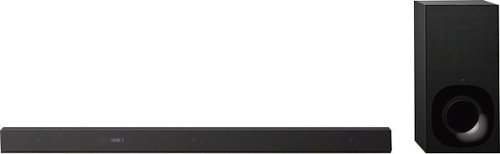
Enjoy premium sound from a streamlined package with this Sony sound bar. The Vertical Surround Engine ensures an easy fit in your entertainment space, and the 3.1-channel Dolby Atmos technology supports an immersive experience. This Sony sound bar operates on Bluetooth or Wi-Fi for streaming your favorite songs, and it comes with a wireless subwoofer to improve bass output.
Customer Rating
5
Great Sound Bar; Easy to Use
on May 1, 2018
Posted by: CMCMom29
from Michigan
First Impressions:
Opening the box was a bit awkward. I have a picture attached. I’m glad this was shipped to me vs. trying to carry it. I understand trying to cut down on the packaging, but to me this would have been better packaged as a rectangular box. The subwoofer was about as heavy as a standard CPU; the Sound Bar had some heft as well.
For the following, I used a Hisense 4K TV, a standard provider-issued HDTV cable box, a Roku Premiere, and a Samsung 8.
Opening the box was a bit awkward. I have a picture attached. I’m glad this was shipped to me vs. trying to carry it. I understand trying to cut down on the packaging, but to me this would have been better packaged as a rectangular box. The subwoofer was about as heavy as a standard CPU; the Sound Bar had some heft as well.
For the following, I used a Hisense 4K TV, a standard provider-issued HDTV cable box, a Roku Premiere, and a Samsung 8.
Setup:
Sony is great at creating short, simple to understand setup directions. Since my TV was new, I had a HDMI (ARC) port. The included HDMI cable runs from this port to the Sound Bar, then you plug each device into the Sound Bar via HDMI. Your inputs are now controlled through the Sound Bar vs. the TV. The subwoofer is wirelessly connected; all you do is plug it into power. The only issue I had was that the ports on the Sound Bar are in an at angle. I found it to be a pain to get the cables seated properly.
Sony is great at creating short, simple to understand setup directions. Since my TV was new, I had a HDMI (ARC) port. The included HDMI cable runs from this port to the Sound Bar, then you plug each device into the Sound Bar via HDMI. Your inputs are now controlled through the Sound Bar vs. the TV. The subwoofer is wirelessly connected; all you do is plug it into power. The only issue I had was that the ports on the Sound Bar are in an at angle. I found it to be a pain to get the cables seated properly.
TV:
I tried using the Sound Bar for both the TV and the Roku. The sound was very rich as compared to my TV. The system synced with my TV and cable remotes instantly; however, I still need both the Sony and the cable box remote to access all functions. I am still confused as to why, when I change the volume, I get two volume bars (pictured). One may be the subwoofer; I don’t seem to be able to adjust the SW on its own even though it has its own button. The Owner’s Manual is a book and I’ve yet to finish it so it may be a user issue.
I tried using the Sound Bar for both the TV and the Roku. The sound was very rich as compared to my TV. The system synced with my TV and cable remotes instantly; however, I still need both the Sony and the cable box remote to access all functions. I am still confused as to why, when I change the volume, I get two volume bars (pictured). One may be the subwoofer; I don’t seem to be able to adjust the SW on its own even though it has its own button. The Owner’s Manual is a book and I’ve yet to finish it so it may be a user issue.
Music:
First, I tried playing music using Google Play Music on my Samsung 8. I kept getting an error message stating that my song could not be played, that it had to be uploaded to Play Music on my computer. I’d already done this in the past, so that didn’t make sense. I Googled the error code and found that it was a common complaint, with little resolution. I could play my library from my computer, just not my phone. The one exception was the one song I purchased from the Play Store that I tried – that played from my phone fine.
First, I tried playing music using Google Play Music on my Samsung 8. I kept getting an error message stating that my song could not be played, that it had to be uploaded to Play Music on my computer. I’d already done this in the past, so that didn’t make sense. I Googled the error code and found that it was a common complaint, with little resolution. I could play my library from my computer, just not my phone. The one exception was the one song I purchased from the Play Store that I tried – that played from my phone fine.
Amazon Music streamed over Bluetooth and Chromecast fine. I noticed, though, that you could not use the pre-set sound settings with Chromecast. I found that the sound from the Bluetooth connection was much richer.
Other than the above, the Sony Music center app instantly connected with the Sound Bar; however, once I used either Amazon’s or Google’s apps to play the music, I got the same error using my downloaded library. Samsung Music could play my music library using the Sony app just fine. It seems just to be an issue with Chromecast, which is more of a reflection on Google than Sony.
Other than the above, the Sony Music center app instantly connected with the Sound Bar; however, once I used either Amazon’s or Google’s apps to play the music, I got the same error using my downloaded library. Samsung Music could play my music library using the Sony app just fine. It seems just to be an issue with Chromecast, which is more of a reflection on Google than Sony.
I highly recommend this unit. It’s easy to set up, fairly intuitive to use, and has great sound. The few issues I had was not enough for me to downgrade the rating.
My Best Buy number: 2283326280
Mobile Submission: False
I would recommend this to a friend!


Share this review:


+12points
14of 16voted this as helpful.
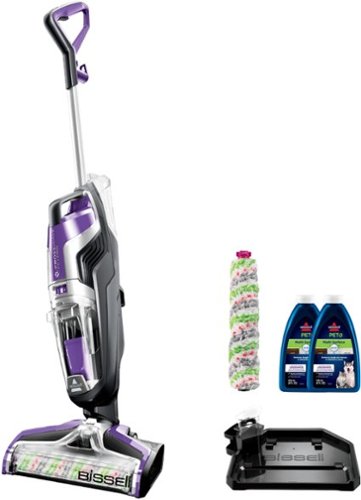
Streamline your cleaning routine with the CrossWave Pet Pro Multi-Surface Wet Dry Vac. Eliminate pet messes and debris from tile, sealed wood, rubber floor mats, rugs, and more.
Customer Rating
4
Good Cleaning Capability
on April 22, 2018
Posted by: CMCMom29
from Michigan
I am a fan of Bissell. I own several of their products, including the Spinwave. I expected to love the Crosswave. The Crosswave sounded like the perfect hard floor cleaner – the innovation of the Spinwave coupled with a vacuum function.
Opening the box, you have the main unit, the handle (that you snap on the main unit – the only assembly you need to do), two small bottles of cleaner, an extra roller, the instructions, and warranty card. The other items in the box were a little confusing at first – a black tray (that at first I thought was for storage), a clear container, and a black plastic holder.
I needed to read the instructions to find out what these pieces were. They are to clean the roller after use. I was a little dismayed by that (cleaning after you get done cleaning), but OK.
The instructions for use, though, were clear as mud for me. Was I to use the unit to vacuum first (which what I’d normally do) or would I vacuum the floor and wet it at the same time? I found a couple of instructional videos on YouTube by Bissell and still wasn’t sure.
My kitchen has plank-style vinyl flooring. I decided to vacuum first then mop. I was very impressed by the vacuum function, and appreciated the fact that I could do this without having to use two separate machines.
We have a very active household, so there’s no shortage of stuck-on spots. Per the instructions, for these spots, I used the Area Rug setting to dispense extra cleaning fluid on the spot, then put the unit with the scrubber running over the spot to remove it. I tried this several times; only one or two spots came off the floor.
I was also unsure of whether the floor was getting clean. You spray the cleaner as you move the unit forward using a button on the handle (one button is for area rugs, one for hard floors), then the unit vacuums up the water as you pull the unit back. Using the hard floor setting, I couldn’t see the fluid on the floor. The cleaner smelled great, but I wasn’t convinced much was coming out. So, toward the end of cleaning my combined kitchen/dining area, I used the area rug setting to make sure I was using enough cleaning fluid.
This unit is also very loud. I tend to want to mop the floors after the children go to bed. By the time I used the unit and allowed the floor to dry, I felt it too late to “clean” the unit because of the potential of the unit waking people up.
This unit is also very loud. I tend to want to mop the floors after the children go to bed. By the time I used the unit and allowed the floor to dry, I felt it too late to “clean” the unit because of the potential of the unit waking people up.
Even though I couldn’t see the results immediately, when I went to empty the dirty water bin, I was pleased to find the water was quite murky, meaning it did pick up a lot of the dirt on the floor. The floor looked better as well.
This is a good idea that I think needs a bit more work in execution. I would recommend this for daily light cleaning. For stuck-on spot,s though, you may have to go to the Spinwave or use good old-fashioned elbow grease.
My Best Buy number: 2283326280
Mobile Submission: False
I would recommend this to a friend!
Share this review:


0points
0of 0voted this as helpful.
CMCMom29's Review Comments
CMCMom29 has not submitted comments on any reviews.
CMCMom29's Questions
CMCMom29 has not submitted any questions.
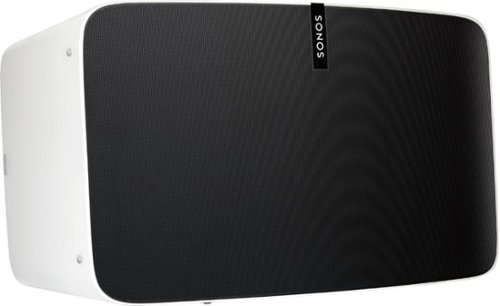
Enjoy immersive audio and near-zero distortion with this white Sonos Play:5 smart wireless speaker. The Trueplay feature makes adjustments according to the layout, furnishings and size of the room for optimal sound. This humidity-resistant Sonos Play:5 smart wireless speaker lets you stream music via Wi-Fi from your Android or iOS device.
Can I install this in the ceiling?
No, I don't see how you can. It's a shelf-style unit.
8 years, 11 months ago
by
CMCMom29
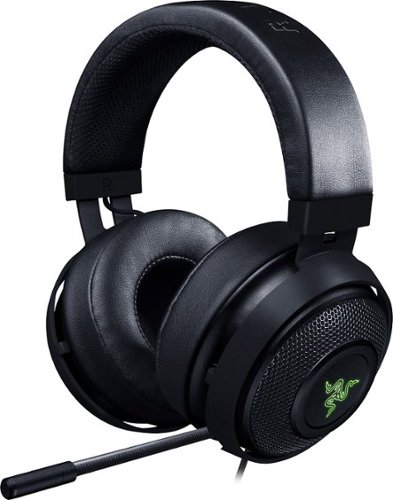
Hear every footstep, click and breath with this Razer Kraken digital gaming headset. The powerful 50mm drivers have neodymium magnets so that they produce exceptional sound directly to your ear, and the included microphone picks up speech clearly. This Razer Kraken digital gaming headset connects to a USB port for easy setup.
Its works for ps4?
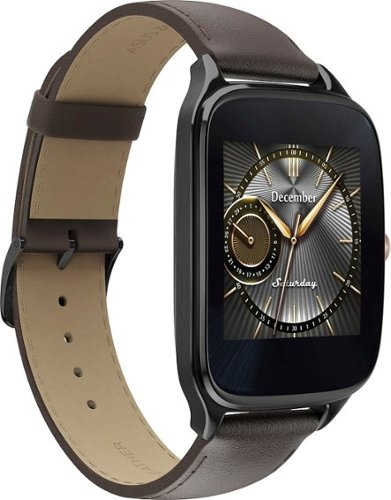
Power through the daily grind with this ASUS ZenWatch 2 smart watch. This 1.63-inch AMOLED touch screen watch is IP67-waterproof, so it's safe to wear in the shower while waiting for a very important call. This ASUS ZenWatch 2 smart watch also has a Wellness Suite that lets you plan workout routines, set training goals and track your progress.
will this watch work with iOS
Power through the daily grind with this ASUS ZenWatch 2 smart watch. This 1.63-inch AMOLED touch screen watch is IP67-waterproof, so it's safe to wear in the shower while waiting for a very important call. This ASUS ZenWatch 2 smart watch also has a Wellness Suite that lets you plan workout routines, set training goals and track your progress.
Will this watch work with my iPhone 6 plus and can I get news apps like cnn
Power through the daily grind with this ASUS ZenWatch 2 smart watch. This 1.63-inch AMOLED touch screen watch is IP67-waterproof, so it's safe to wear in the shower while waiting for a very important call. This ASUS ZenWatch 2 smart watch also has a Wellness Suite that lets you plan workout routines, set training goals and track your progress.
Are they coming out with a smaller size??
Power through the daily grind with this ASUS ZenWatch 2 smart watch. This 1.63-inch AMOLED touch screen watch is IP67-waterproof, so it's safe to wear in the shower while waiting for a very important call. This ASUS ZenWatch 2 smart watch also has a Wellness Suite that lets you plan workout routines, set training goals and track your progress.
Can this watch connect to wifi when your phone is not available?
Power through the daily grind with this ASUS ZenWatch 2 smart watch. This 1.63-inch AMOLED touch screen watch is IP67-waterproof, so it's safe to wear in the shower while waiting for a very important call. This ASUS ZenWatch 2 smart watch also has a Wellness Suite that lets you plan workout routines, set training goals and track your progress.
Is this watch compatible with a Galaxy s7?
Yes. I have it paired with a Samsung Galaxy Edge 7, and it works great.
9 years, 5 months ago
by
CMCMom29
Power through the daily grind with this ASUS ZenWatch 2 smart watch. This 1.63-inch AMOLED touch screen watch is IP67-waterproof, so it's safe to wear in the shower while waiting for a very important call. This ASUS ZenWatch 2 smart watch also has a Wellness Suite that lets you plan workout routines, set training goals and track your progress.
Can you have access to social media apps such as Facebook, Instagram, etc?
You do get notifications from those apps on the watch, but I have not seen where I could respond to them from the watch.
9 years, 5 months ago
by
CMCMom29
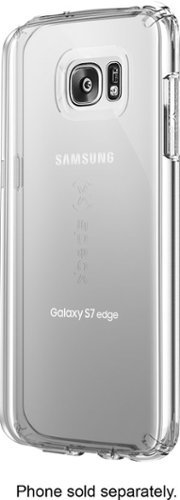
Let the sleek look of your Samsung Galaxy S7 edge show through with this Candyshell clear phone case. Crafted from custom-engineered soft acrylic, this cover absorbs shocks to protect your device. The clear material resists yellowing for long-lasting good looks, and this Candyshell clear phone case~s convenient design provides easy access to ports and buttons.
How many cases does this store have of this kind ?
I'm not sure if I understand your question, but Speck as a whole does not make very many cases for Edge phones.
9 years, 5 months ago
by
CMCMom29