


CMCMom29's stats
- Review count152
- Helpfulness votes386
- First reviewJune 23, 2009
- Last reviewJune 8, 2026
- Featured reviews0
- Average rating4.2
Reviews comments
- Review comment count0
- Helpfulness votes0
- First review commentNone
- Last review commentNone
- Featured review comments0
Questions
- Question count0
- Helpfulness votes0
- First questionNone
- Last questionNone
- Featured questions0
- Answer count19
- Helpfulness votes1
- First answerDecember 24, 2016
- Last answerSeptember 1, 2020
- Featured answers0
- Best answers1

Improve daily oral hygiene routines with this Philips Sonicare electric toothbrush. An internal sensor regulates applied pressure to prevent soreness of teeth and gums, and the BrushSync reminder lets you know when it's time to change the brush head. This Philips Sonicare electric toothbrush removes up to seven times more plaque than a regular toothbrush to maintain oral health.
Customer Rating

5
Nice Toothbrush
on April 6, 2018
Posted by: CMCMom29
from Michigan
The toothbrush has a great look to it. I love the matte black finish. The matte finish also feels nice in the hand as you use the product. It's not a grippy-type finish, but it's nicer than the standard toothbrush feel. It also is nice to look at on the bathroom counter.
What I don't understand, though, is why the brush heads are not available to match. They are still white, which is a little off-putting, considering the slick look of the unit itself.
The brush has a clear cover, which covers the head completely. This is a nice feature. Previous toothbrushes that I have had had a snap-on cover that wouldn't stay on the head.
The brush head itself I wasn't as impressed with. It was a little small for me. It could take some getting used to but, if there's a choice when I get ready to replace the brush head, I will look for one with more surface coverage.
The other drawback was that, to use the travel case, you have to remove the brush, which wasn't the easiest to do.
Even with the few minor drawbacks, I wouldn't hesitate to purchase this unit again.
My Best Buy number: 2283326280
Mobile Submission: False
I would recommend this to a friend!
Share this review:


-1point
0of 1voted this as helpful.
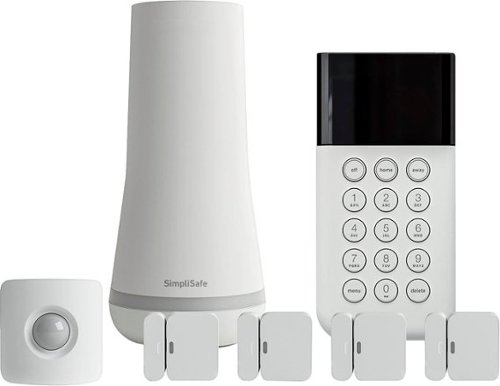
Only at Best Buy Defend your home from intruders with this SimpliSafe security system. Its wireless design provides reliable, multilayer protection and avoids interruptions from cut phone lines and power outages, and it connects to an app for remote operation. This SimpliSafe security system is easy to install and customizable to homes of any size for flexible use.
Customer Rating

3
Not What I Thought It Was
on April 2, 2018
Posted by: CMCMom29
from Michigan
I am really disappointed in this product.
My goals were a little different than most in that I was looking for less outside security and more inside security. I have children with Special Needs that like to go outside when they aren’t supposed to, and do not have the normal aversion to danger. I wanted a system that would alert me to the doors being opened and the normal security features would be a bonus. My understanding, though it may have been an error on my part, was that you could use this product without paying for additional monitoring.
I opened the box to find the base tower, a motion sensor (which I have yet to install), four entry alarms, signs with stakes, and misc. parts. I would never use the signs, so I feel these are a waste.
I plugged in the base and installed three of the entry sensors. I followed the instructions for set up, which are easy to understand. However, where I ended up running into problems is the wireless set up.
I have a mesh wi-fi system. The keypad (on which you perform the set up) would show my internet connections (both bandwidths, which it labeled [my network name]A and [my network name]B). When I would put in my password, though, I would get a message saying that my password was incorrect. I tried both bandwidths, and received the same error. I thought maybe it was a network issue, so I decided to try again later. It still didn’t work. I verified my network password in the admin functions of my network and it was still not correct, per the unit.
I tried troubleshooting online with little luck. The only answer that I thought was applicable to my situation was to change the name of my network. When I tried to do this, I received a message from my network software that all 26 of my connected devices would be bumped offline. I didn’t want to take the time to reconnect 26 devices, so I didn’t try that.
The app is of no help unless you are a subscriber. The fees run $15/month (basic) and $25/month. You must subscribe to the $25/month plan to be able to use the app and control remotely.
The most disappointing aspect of the experience, though, was their Customer Service. I called for assistance and spoke to “Anna”. Anna sounded less than thrilled to be taking my call. I explained my issue with the unit. She asked me for information to look up my account. I said that I didn’t have an account yet (I hadn’t got that far in the process). Her reply was, “Well, how am I supposed to know what you have if you don’t have an account?” I had the serial number from the unit in hand, but I wasn’t asked for it. I was put on mute repeatedly (I could tell as the call center was very noisy) and was told that, if I didn’t have an account, she couldn’t help me. I became frustrated and hung up.
The positives of this unit are many, aside from my poor experience. The entry alarms, while not actually turned on, are active and will chime anytime a door is opened. The unit is attractive and doesn’t stick out in our décor. The instructions were easy to understand and follow until I ran into my issues.
I would recommend this product if you were looking to subscribe to the service at $25/month. That is the only way that I see you would be able to take advantage of the unit’s full functionality.
My Best Buy number: 2283326280
Mobile Submission: False
No, I would not recommend this to a friend.
Share this review:


+6points
23of 40voted this as helpful.
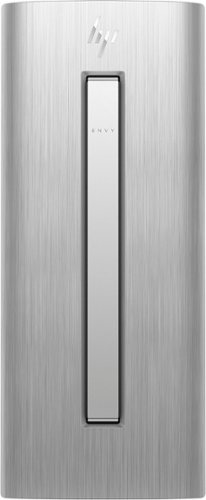
HP ENVY Desktop: Accomplish tasks efficiently with this HP desktop computer. Its Intel Core i7 processor supplies plenty of power for video editing and gaming, and the 16GB of RAM lets you run multiple programs at the same time without performance lag. This HP desktop computer has a large 1TB hard drive for storing files and the Intel Optane Memory is a smart system accelerator that adapts to your everyday computing activities.
Customer Rating
5
Attractive Unit
on March 21, 2018
Posted by: CMCMom29
from Michigan
I got this unit to replace a CPU that was purchased 4-5 years ago. I ordered the new CPU online, so I didn’t see it until it arrived.
I was surprised to find that the new tower was larger than the one I was replacing. I had thought that CPUs would be getting smaller, like laptops. However, this unit is quite stout with features, so the beefiness is reflected in its look. I do think the silver color (as opposed to my black CPU) is quite sharp.
One thing I would like to highlight, so that others don’t run into the same issue that I did. I had an HP Monitor that I was planning to continue using with the new tower. However, I discovered when the computer arrived that the unit did not have either a VGA or DVI port on the back. My monitor, while only a few years old, did not have an HDMI port. So, I couldn’t use the computer for a few days while I waited for an adapter to arrive. If you are like me, and love to play with your new “toys” right out of the box, you will want to make sure your monitor has an HDMI port.
I will say that putting the extra ports on the top of the tower is pure genius. The only item accessible from the front is the DVD drive, which is hidden by a flip-open cover. The USB port, et al, are located on the top of the tower. You can plug in your phone and have it resting on the top of the tower out of the way. It’s so convenient; I wonder why it took so long to come up with that feature.
Set-up was intuitive. I did have a few error messages when the unit was trying to update, but it ultimately didn’t affect performance. It just delayed the set-up time.
I appreciated the lack of “bloatware”. I think that this is the first computer that I have owned that wasn’t loaded down with excess software that I did not want/need/use. I can set it up my way with only what I need.
As for performance…I found it to be fair. I tried a MMORP game to test the gaming and the computer performed as expected. Simple browsing was simple and crisp; no hang-ups.
The one thing I was disappointed in was that I couldn’t seem to sync a Bluetooth speaker that I had with the computer for sound. While the unit does come with a wireless “chiclet” style keyboard (which was a little small for me) and a wireless mouse (that I didn’t find comfortable), it does not come with any speakers.
I would recommend this computer.
My Best Buy number: 2283326280
Mobile Submission: False
I would recommend this to a friend!
Share this review:


0points
0of 0voted this as helpful.
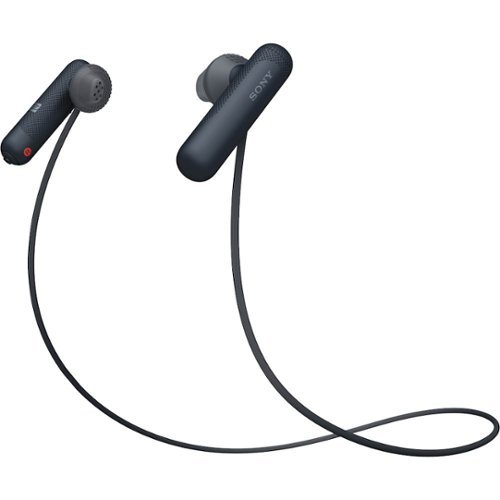
Listen for up to eight hours with these comfortable sports-fit Sony wireless headphones. A quick tap on NFC-compatible devices performs Bluetooth setup, and the convenient earpiece-based button and microphone enable hands-free calling. These Sony wireless headphones have open-type drivers, so you can enjoy your music while remaining aware of the surroundings.
Customer Rating
5
Very Comfortable Earbuds
on March 17, 2018
Posted by: CMCMom29
from Michigan
I think these are, by far, my favorite set of earbuds. When you are wearing them around your neck, they are so comfortable that I forget I am wearing them. When the buds are in your ears, they do not irritate or aggravate my ears in any way. I wear earbud-style headphones for my job during the week for work, so my ears can be very sensitive to anything in my ears. I appreciate any earbuds that are comfortable to wear. I think that you could sleep in them, should you choose to do so.
It did take about three tries to get the earbuds to pair with my Samsung 8, though. That was the only frustrating part about set up. The sound is good and range seems to be fair. I wear my phone on a lanyard so I didn't have to have them too far from each other while in use.
I highly recommend purchasing these earbuds.
My Best Buy number: 2283326280
Mobile Submission: False
I would recommend this to a friend!
Share this review:


0points
0of 0voted this as helpful.
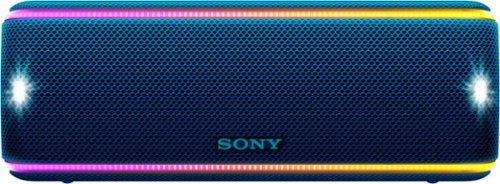
Dance the night away with this Sony portable wireless speaker. Its interactive Party Booster sound effects and multicolor lights bring another dimension to the music, and its Party Chain technology lets you wirelessly connect up to 100 speakers. This Sony portable wireless speaker is resistant to rust, dust and waterproof for reliable use outdoors.
Customer Rating
5
Super Fun!
on March 17, 2018
Posted by: CMCMom29
from Michigan
This radio is a fun little unit. My six year old and I had a mini dance party testing it out. We played disco music, which paired very well with the light show on the speakers. I could imagine holding this in my hand while roller skating to the music; it was very comfortable to carry around. I had some issues trying to get it to pair with my Samsung 8 phone. It took about 3 tries to get the Bluetooth to sync, then the Sony Music Center app wasn't reading that the speaker was already paired. Once they were finally paired, the app was easy to use and program for use with my various music libraries. My daughter really enjoyed playing the percussion on the unit, but that's not a feature that I would use myself.
My Best Buy number: 2283326280
Mobile Submission: False
I would recommend this to a friend!
Share this review:


0points
0of 0voted this as helpful.
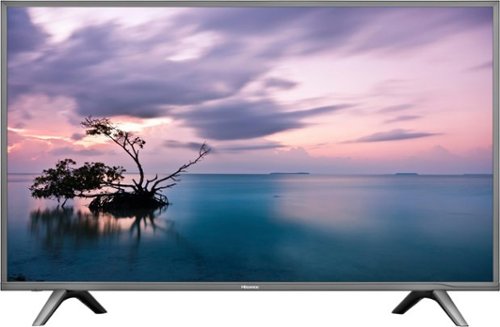
Stream your favorite shows on this 60-inch Hisense television. Its 3840 x 2160 resolution and 8 ms response time bring scenes to life, and 4K upscaling transforms lower quality video into HD resolution. This Hisense television is equipped with HDMI inputs to connect to a gaming console or Blu-ray player.
Customer Rating

4
Good TV, could have been a Great TV
on February 23, 2018
Posted by: CMCMom29
from Michigan
This TV replaced a non-smart LED 55” TV in our home. I was excited about the 4K and the Smart Features. This is my first experience with the Hisense brand.
The TV is (obviously) quite large, so you will need help carrying it in and installing it.
The first obstacle that I ran into is that it doesn’t work with the existing mount I had for my previous TV. I had to install the legs and set it on the TV stand. So far, it seems stable. However, with children in the home, I would have preferred to mount it to lessen the likelihood of damage.
Setup is easy and self-explanatory. I had to try several video and audio settings to get the initial setup I wanted.
The picture is underwhelming for what I expected a 4K TV. It could be because I have a standard HD cable box, but I keep having to reset the visual settings per the program I am watching. There’s not a way to “auto” set the picture based on the program. This is the first TV that I’ve owned where that’s been an issue. On my other TVs, I usually find one setting I like the best and go with that. You can “auto” set the aspect ratio. The thing is, it puts letter boxes on a channel that I thought was HD on my previous TV. Standard definition programs look grainy and dark to me, but this may be inherent of the 4K technology, not the TV itself.
The sound was very tinny at first (I got used to it after a while). If the depth and richness of sound is important to you, you may want to look at using this with a soundbar. The hookups are all on the side of the TV (except the RCA) so it’s very easy to plug in your optical cable, streaming device, etc.
I’m a big car racing fan, so my ultimate test was to use the TV to watch the Daytona 500. I was happy overall with the TV’s performance during the broadcast, at least during the sunny part of the race. The graphics were good, the sound was decent, the colors of the cars were bright. However, once the race descended into darkness, the images seemed grainier and a little dark. The Sports setting and the Standard setting for visuals were very close to each other so there was no improvement there. Graphics continued to look great.
The biggest frustration that I have are the apps. This is supposed to be a “Smart” TV. It has popular apps like Vudu, Netflix, Amazon Video, and YouTube. There are even dedicated buttons on the remote for these apps. However, what I would have liked is the ability to add apps, like my cable provider’s app, apps like Movies Anywhere, as well as dedicated apps such as HBOGo. This unit does not do that.
What it does have are a lot of apps that I’ve never heard of and will most likely never use. It seems like a waste of a great feature.
Overall, I think this is a good TV for the price point, but it could be tweaked a bit to make it a great TV.
(photos are slightly edited just to obscure location and advertising)
My Best Buy number: 2283326280
Mobile Submission: False
I would recommend this to a friend!


Share this review:


-2points
2of 6voted this as helpful.
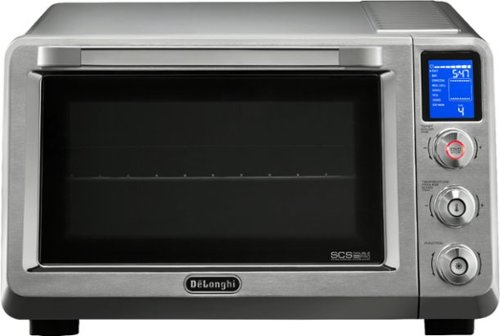
Prepare all your favorite dishes in this DeLonghi Livenza convection oven. Insulated construction helps maintain temperature, and the oven fan distributes hot air to facilitate fast and even cooking. This DeLonghi Livenza convection oven heats multiple dishes at one time in two specific heating areas with four adjustable rack positions that maximize space.
Customer Rating
5
Wonderful Product
on January 2, 2018
Posted by: CMCMom29
from Michigan
The first thing I noticed out of the box was how beautiful the unit was. This may not be a big deal to some, but for me, something that sits out on your counter full time should be somewhat aesthetically pleasing.
The second thing that I noticed was that the unit has bumpers that keep the unit off of the wall and away from other appliances. This is not a feature that I have seen on other countertop ovens, and it is appreciated. It shows that the designers were thinking about every detail of this product.
The oven is simple to use right of the box. The controls are intuitive and labeled well. I'm not sure why this oven as a clock on the readout, as none of the features require its use, but it has one that shows when the oven is not in use.
I have made frozen dinners, baked fish, and baked goods in this oven. Everything came out great. I love the convection feature. I used to have this feature on my oven in my previous home and missed it. The oven comes with several accessories (pizza, crumb tray, rack, baking pan). The baking pan is so far my favorite. None of the food I have baked on it have stuck to the non-stick surface. The pan fits in the unit on the tracks inside so you don't need to find the right size pan to fit the oven. The oven itself has the tracks labeled as to what track you use with what feature, which is really helpful. The only time that I had to refer back to the instructions is to verify what temp and time was suggested for certain items.
The non-stick interior also wipes clean after use. The oven does not heat up your kitchen, so it would be perfect for summertime use.
This is the cream of the crop when it comes to countertop ovens. You can't go wrong with this item.
My Best Buy number: 2283326280
Mobile Submission: False
I would recommend this to a friend!


Share this review:


0points
0of 0voted this as helpful.
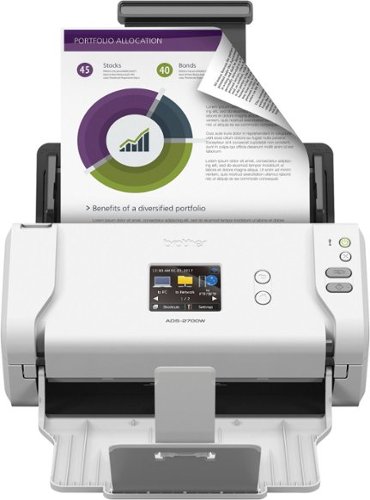
Store documents and photos digitally with this Brother wireless scanner. Its duplex setting copies both sides of the page in a single pass to save time, and its image optimizing feature improves the quality of the scan. The 2.8-inch touch screen on this Brother wireless scanner lets you configure its settings to your preferences.
Customer Rating
4
FAST Scanning, Frustrating Setup
on December 23, 2017
Posted by: CMCMom29
from Michigan
The unit is supposed to be used as either wired or wireless. I have most of my devices set up on wireless, and this should be no exception. Out of the box, the unit seemed fairly intuitive. Power on, click the Wireless icon on the screen, set up the network connection. Then I went to Brother’s site to download the software. So far, everything is simple.
I try to launch the software, called “Web Based Management”. It opens my browser window and tells me the site it is trying to find cannot be found. The instructions enclosed with the unit are quite sparse. So, I went to Brother’s site to troubleshoot. I found instructions on how to access via IP address. Tried that, could not find unit. Then I went through WLAN set up again. I double checked IP address. Still not found. I started an online chat with a very helpful representative from Brother that suggested I turn off my virus protection and firewall. I did so, and the IP address access appeared (the software still did not work).
However, I was still unable to scan. If you click “to PC”, you need a wired connection. If you click “to Network”, it would tell me to open Web Based Management, which is the software I could not get to work. I decided to try again a different day.
The next day, I tried the IP address I had bookmarked – didn’t work. Turned off my virus and firewall software, still doesn’t work. I went through the WLAN set up again, not working. Checked IP address and tried a different browser. Still cannot connect.
Brother also offers an app to use the scanner with your mobile phone. I tried that instead of using the computer. The scanner is FAST. The fastest scanner I’ve ever seen. Granted, it was a simple letter, but it was much faster than either of my flatbed scanners. I had no issue with the document uploading to my phone and then saving it to my cloud drive. Image was clear and crisp. I then tried a full color postcard. Fast scan, image was great. No issues.
I am giving it 4 total stars because of my frustration with the network connection. It would have been three, except for the great customer service and the FAST scanning power.
My Best Buy number: 2283326280
Mobile Submission: False
I would recommend this to a friend!


Share this review:


+6points
6of 6voted this as helpful.

Arlo Pro 2 keeps an eye on your home while you're away, in brilliant 1080p HD quality. Put the 100% wire-free, weather-resistant camera anywhere, indoors or out. Then, power it with the included rechargeable battery or plugged it in (when indoors) to access activity zones and 24/7 Continuous Video Recording upgrades. Use 2-way audio or remotely sound a 100+ device siren while catching every moment with night vision and advanced motion detection. You'll even get motion and sound-activated alerts and 7 days of free cloud video recordings. Arlo Pro 2 works with Amazon Alexa to make your smart home security even more simple and effective.
Customer Rating
4
Nice Camera Set to Start Out With
on November 30, 2017
Posted by: CMCMom29
from Michigan
I really liked the Arlo Wire Free Camera. It was fairly easy to set up (more on that in a bit) and operate. One bonus is that the batteries are fully charged with they leave the factory, so there is no waiting to use the cameras once they are set up.
You register the unit on the Arlo web site, which allows you to view your video (along with saved clips), and change the settings on your cameras. I found that the motion detection was almost TOO good for indoors, so I dialed down the sensitivity. The mounts are magnetic, allow easy installation and removal of cameras for charging, change in placement, etc.
Another great feature is that there isn't a subscription to set up an account and view your video feed.
I only gave the unit 4 stars, however, for the following issues:
(1) It is not truly "wire free". You need a LAN cable hookup for the base of the unit. The CAMERAS are wire free, just not the base. I'm not sure why it is set up that way. I was able to set it up on one of my wireless mesh nodes, using its spare Ethernet port.
(2) The unit came with two cameras, but I could only get one to sync with the base unit. I tried charging the unit and went through the syncing steps a few more times, to no avail. The first camera synced right away.
All in all, I think it's a good starter set to have for home security.
My Best Buy number: 2283326280
Mobile Submission: False
I would recommend this to a friend!
Share this review:


-1point
0of 1voted this as helpful.

Completely customize your Wi-Fi Smart Color Thermostat to match your lifestyle and decor. The ENERGY STAR~ certified smart thermostat lets you choose the temperature, schedule, display color and the devices you use to control it all.
Customer Rating
5
Very Nice
on November 11, 2017
Posted by: CMCMom29
from Michigan
I'm very happy with this thermostat. It was *fairly* easy to install and set up.
I recommend setting aside a couple of hours for the install. It most likely won't take that long to install start to finish, but I would allow extra time in case you run into any issues, or if you are not familiar with installing a thermostat.
Honeywell's instructions are great and easy to follow. I also went to their YouTube channel and reviewed their video on how to install. They are very well done and easy to follow.
The one thing you want to make sure you have is a C (common) wire. This powers the unit. Our home was built in 2016 so I thought for sure we'd have one. When I first removed our existing programmable thermostat, however, I only found 4 wires and not the 5 recommended. There was a way to use the G (ground) wire for the power both in the instructions and on their channel, but it our case it would not have been easy to do. Fortunately, I did find a C wire back in the wall and was able to install with no further issues.
Setting up the unit once installed was a snap. It was just following the questions on screen. It was simple to register the unit with Honeywell as well (this is required for remote access to the unit). You are able to set up multiple people to use the thermostat remotely or you can limit it to just one account. You can also download their app and control it via your phone/tablet. You can lock the programming with a PIN if needed (though you don't get to choose the PIN). You can set up temporary holds as well as permanent holds for controlling the temp, or you can program multiple times and temps so that everything is automated. It is also an Alexa skill. I have set that up to use with my Alexa, but I've not tried it yet.
I would highly recommend this unit.
My Best Buy number: 2283326280
Mobile Submission: False
I would recommend this to a friend!

Share this review:


+12points
12of 12voted this as helpful.
CMCMom29's Review Comments
CMCMom29 has not submitted comments on any reviews.
CMCMom29's Questions
CMCMom29 has not submitted any questions.
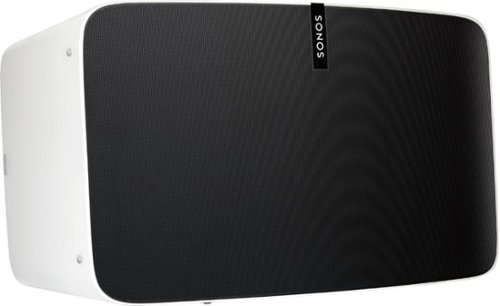
Enjoy immersive audio and near-zero distortion with this white Sonos Play:5 smart wireless speaker. The Trueplay feature makes adjustments according to the layout, furnishings and size of the room for optimal sound. This humidity-resistant Sonos Play:5 smart wireless speaker lets you stream music via Wi-Fi from your Android or iOS device.
Can I install this in the ceiling?
No, I don't see how you can. It's a shelf-style unit.
8 years, 11 months ago
by
CMCMom29
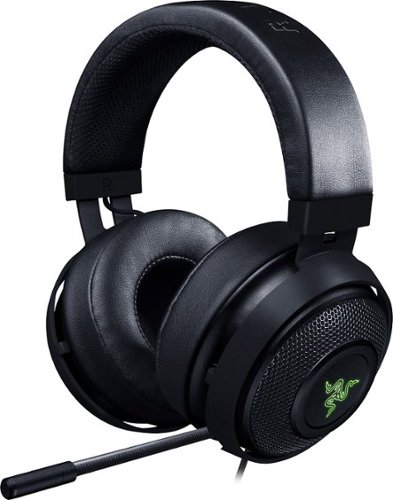
Hear every footstep, click and breath with this Razer Kraken digital gaming headset. The powerful 50mm drivers have neodymium magnets so that they produce exceptional sound directly to your ear, and the included microphone picks up speech clearly. This Razer Kraken digital gaming headset connects to a USB port for easy setup.
Its works for ps4?
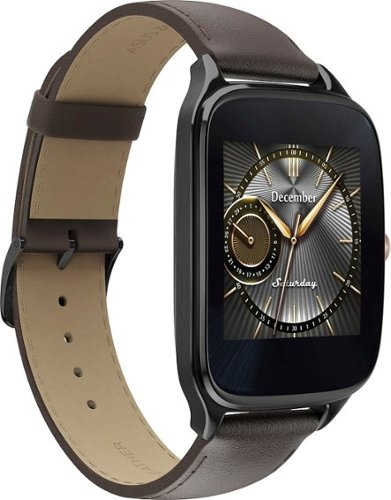
Power through the daily grind with this ASUS ZenWatch 2 smart watch. This 1.63-inch AMOLED touch screen watch is IP67-waterproof, so it's safe to wear in the shower while waiting for a very important call. This ASUS ZenWatch 2 smart watch also has a Wellness Suite that lets you plan workout routines, set training goals and track your progress.
will this watch work with iOS
Power through the daily grind with this ASUS ZenWatch 2 smart watch. This 1.63-inch AMOLED touch screen watch is IP67-waterproof, so it's safe to wear in the shower while waiting for a very important call. This ASUS ZenWatch 2 smart watch also has a Wellness Suite that lets you plan workout routines, set training goals and track your progress.
Will this watch work with my iPhone 6 plus and can I get news apps like cnn
Power through the daily grind with this ASUS ZenWatch 2 smart watch. This 1.63-inch AMOLED touch screen watch is IP67-waterproof, so it's safe to wear in the shower while waiting for a very important call. This ASUS ZenWatch 2 smart watch also has a Wellness Suite that lets you plan workout routines, set training goals and track your progress.
Are they coming out with a smaller size??
Power through the daily grind with this ASUS ZenWatch 2 smart watch. This 1.63-inch AMOLED touch screen watch is IP67-waterproof, so it's safe to wear in the shower while waiting for a very important call. This ASUS ZenWatch 2 smart watch also has a Wellness Suite that lets you plan workout routines, set training goals and track your progress.
Can this watch connect to wifi when your phone is not available?
Power through the daily grind with this ASUS ZenWatch 2 smart watch. This 1.63-inch AMOLED touch screen watch is IP67-waterproof, so it's safe to wear in the shower while waiting for a very important call. This ASUS ZenWatch 2 smart watch also has a Wellness Suite that lets you plan workout routines, set training goals and track your progress.
Is this watch compatible with a Galaxy s7?
Yes. I have it paired with a Samsung Galaxy Edge 7, and it works great.
9 years, 5 months ago
by
CMCMom29
Power through the daily grind with this ASUS ZenWatch 2 smart watch. This 1.63-inch AMOLED touch screen watch is IP67-waterproof, so it's safe to wear in the shower while waiting for a very important call. This ASUS ZenWatch 2 smart watch also has a Wellness Suite that lets you plan workout routines, set training goals and track your progress.
Can you have access to social media apps such as Facebook, Instagram, etc?
You do get notifications from those apps on the watch, but I have not seen where I could respond to them from the watch.
9 years, 5 months ago
by
CMCMom29
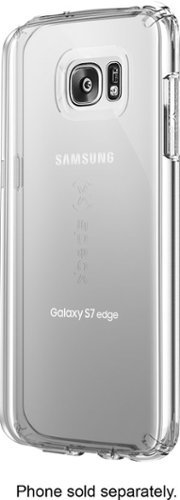
Let the sleek look of your Samsung Galaxy S7 edge show through with this Candyshell clear phone case. Crafted from custom-engineered soft acrylic, this cover absorbs shocks to protect your device. The clear material resists yellowing for long-lasting good looks, and this Candyshell clear phone case~s convenient design provides easy access to ports and buttons.
How many cases does this store have of this kind ?
I'm not sure if I understand your question, but Speck as a whole does not make very many cases for Edge phones.
9 years, 5 months ago
by
CMCMom29