


CMCMom29's stats
- Review count152
- Helpfulness votes386
- First reviewJune 23, 2009
- Last reviewJune 8, 2026
- Featured reviews0
- Average rating4.2
Reviews comments
- Review comment count0
- Helpfulness votes0
- First review commentNone
- Last review commentNone
- Featured review comments0
Questions
- Question count0
- Helpfulness votes0
- First questionNone
- Last questionNone
- Featured questions0
- Answer count19
- Helpfulness votes1
- First answerDecember 24, 2016
- Last answerSeptember 1, 2020
- Featured answers0
- Best answers1
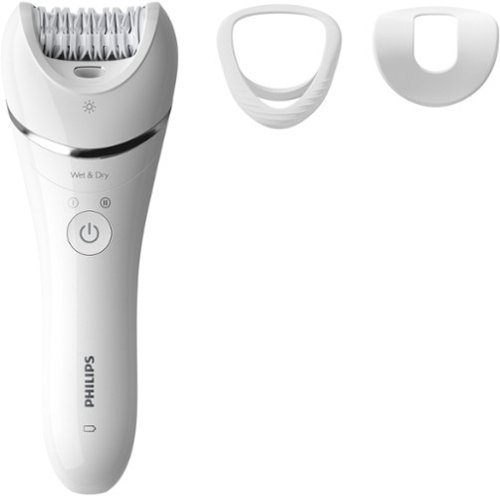
Discover smooth skin up to 4 weeks without the use of chemicals or wax, even sensitive areas. Epilation provides longer lasting results than shaving. When comparing with the cost of salon waxing sessions over a year, you~ll save thousands of dollars by epilating. Philips Epilator Series 8000 (BRE700) is designed to use on the legs and body. It now has more hair removal power, with faster and more stable disc rotation than ever.
Customer Rating

4
Nice Unit, Just Not for Me
on October 29, 2023
Posted by: CMCMom29
The Phillips Series 8000 Wet & Dry epilator is a very nice, quality unit. I just don’t think it’s the device for me.
I wanted to use this primarily on my face. The unit advertises that it can remove hairs that are “shorter than waxing”, so I thought it would work. Unfortunately, that wasn’t my experience.
Normally, I tweeze daily and use an at-home laser treatment once per week. This unit didn’t pick up any of the hairs I would normally pluck. I even gave it two days to grow out to allow for length. I tried the gentle cap (recommended for the face), the larger area guide, and just the unit alone. It picked out a few dark hairs. The fine white/blonde hairs I have were not removed at all.
I tried to use it on my upper lip and…OUCH! It felt like it bit more skin than removed hair. I won’t be doing that again.
I tried it on the longer, thinner hair on my arms and there it did a pretty good job. I did have some red spots afterward. I used the unit before bed, and the spots were gone by morning.
Using it on my arm was not super painful, but I did feel pulling on the hair. It wasn’t pain-free.
Full disclosure on my tests – I did NOT use if after a shower (my routine is done before I shower), nor did I try the wet features. I am not in the shower long enough, I think, to be effective.
I wouldn’t say not to try this unit. I just don’t think it’s the solution for me.
I would recommend this to a friend!





Share this review:


+2points
2of 2voted this as helpful.

YALE ASSURE 2 TOUCH. A lock as unique as you. Make coming home more seamless with the Yale Assure Lock 2 Touch built-in Wi-Fi. Thanks to the new biometric keypad, a simple touch of your finger is all it takes. Explore multiple ways to access your home including hands-free Auto-Unlock, back-up key, or your phone or Apple Watch from anywhere
Customer Rating
4
Nice Lock, with Caveats
on October 19, 2023
Posted by: CMCMom29
I volunteered to review the Yale Assure Lock 2 Smart Lock based on the features it offers. I had a Schlage brand smart lock, but it didn’t offer key access, nor did it offer the fingerprint option.
The lock was easy to install. It took longer for me to remember how to remove the Schlage than it took me to install the Yale lock. You download the Yale Access app and follow the step-by-step instructions.
The issues I faced, however, were with the calibration of the lock. The deadbolt was seated in the door. The door was secure. However, the app kept giving me errors when calibrating. There are two calibration modes. One is for the Doorsense, one is for the the lock itself.
I installed the Doorsense per the instructions; however, I had to install it slightly further away than the instructions advised due to how the lock on my door and woodwork is set up. Doorsense would not calibrate at all. This could be less of a Yale issue and more a user issue. You do have the option of drilling into the door and adding Doorsense as a flush application. I felt that the skills needed to do that were beyond my comfort zone. Plus, I just didn’t want to drill into the door.
The lock itself won’t calibrate, either. It tells me there is a jam, where there really isn’t. The lock is functional. When I use the keypad to lock the door from the outside, it chimes and does a random pattern that indicates an error. The door is secure, though. If I test the lock with the door open, then the keypad lights up in a square pattern to indicate it worked properly.
One thing to note here is that you have to be quick to get your code in before the keypad shuts off. The Schlage I replaced allows you to take more time to key in your code. You have to type fast on the Yale keypad for it to work.
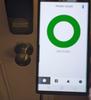
The app also shows the door as unlocked with it is clearly locked (photos attached to this review). I cannot use the app to unlock or to lock the door. The event log logs everything correctly; the app just thinks it’s unlocked. I don’t have an Apple Watch, so I could not test that feature. I didn’t see anywhere that this was an option for Samsung Smart Watches.
The fingerprint sensor was easy to set up, but it gave me errors at first. The software has updated since my install. I tried again after the update, and I was able to set that up. You have to put your finger on the sensor twelve times. You must place your finger exactly on the sensor the same way each time, or you’ll do it repeatedly until it takes, then you can go on to the next placement.
I was able to make spare keys at a kiosk at my local superstore, so at least that was easy.
I really like the lock overall. I just wish I could get the app the work as advertised.
I would recommend this to a friend!


Share this review:


0points
0of 0voted this as helpful.
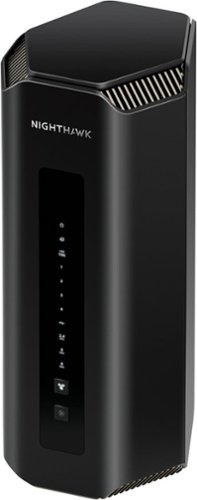
Spearheading the Wi-Fi 7 revolution with cutting-edge technology and unimaginable power, the NETGEAR Nighthawk RS700 harnesses the power of Wi-Fi 7 to unleash speeds up to 19 Gbps. Leveraging NETGEAR's over 25 years of Wi-Fi expertise, the RS700 features a sleek body with high-performance antennas and a significantly smaller footprint. A 10 Gigabit Ethernet port unlocks fast speeds of today and tomorrow. Experience the next-generation gaming, AR/VR, and 8K video - all streaming flawlessly in your home.
Customer Rating

5
A Standout Choice for Your Next Router
on October 12, 2023
Posted by: CMCMom29
Prior to me getting the Netgear Nighthawk Wi-Fi 7 Tri-Band Router, I was leasing a router from my local cable company. Prior to that, I had a mesh wi-fi system that I had problems with for months. The child nodes would drop the connection to the parent node constantly and I got tired of resetting them all the time.
The problem with the cable company’s router was that it wasn’t very fast. It was supposed to be but wasn’t.
So, I was looking forward to seeing what the Nighthawk would bring to the table. My house is roughly 2400 square feet, with a basement and two floors of living space. I have over 30 devices that use the internet in some form or capacity.
Set up was a breeze. There’s a quick set up guide included. You download the Netgear Nighthawk app and follow the instructions. That’s it.
I didn’t even know that Wi-Fi 7 was a thing until I received this router.
The biggest pain is to set up all your devices up on the new network, but that would be the case with any new router.
The app is great. Easy to use. When you add each device to your network, the Nighthawk will scan the device to look to see if it’s “safe” using something called “Netgear Armor”. It’s already blocked several malware attempts on the network that I’ve never seen my previous routers do (or at least, I wasn’t notified). The Nighthawk will send you a push notification on your phone for each attack it blocks. It also comes with Bitdefender that you can add to compatible devices. I have not done that yet.
My speed improved immediately. I feel like I’m finally getting the speeds that I’m paying for.
Another nice thing is the amount of LAN ports on the router. My previous routers had one, maybe two if I was lucky. This unit has 4 ports, plus a 5th that is labeled “10G”.
You can set up a Guest Network for visitors to use on both the 2.4 and 5 gHz speeds (two total).
The unit is attractive to have on the shelf and does not take up much room.
The unit is attractive to have on the shelf and does not take up much room.
I am, by far, the most impressed with this router out of the ones I’ve owned/used. It’s fantastic and, with the Wi-Fi 7 built in, I feel that it’s going to last quite a while before being obsolete. It’s worth the investment.
I would recommend this to a friend!






Share this review:


0points
0of 0voted this as helpful.

Block out the world with the WF-C700N noise Cancelling truly wireless earbuds. Indulge in exceptional sound quality for a superior audio experience. Crafted for all-day comfort with lightweight materials and an ergonomic design.
Customer Rating
4
Many Features to Explore
on August 13, 2023
Posted by: CMCMom29
I have rotten luck with earbuds. Wired, wireless…doesn’t matter. My ear canals must be smaller than the average person’s because earbuds don’t stay in my ears. The last pair that I purchased, the Samsung Galaxy Buds 2 Pro, are by far my favorite pair up to this point. The gorgeous violet color is what attracted me to them, and they perform well.
However, they constantly fall out of my ears. If any earbud falls out of your ears, they are useless, no matter how pretty they are.
The Sony WF-C700N are more utilitarian in looks, however these earbuds have so many features that I don’t know where to begin.
The first thing for me was…they STAY IN MY EARS! I was shocked. I tested them while walking in a mass merchandise store, listening to my phone. I had no issues with the bud(s) slipping out of my ears while moving (not only walking, but reaching for items on shelves, reaching down into the cart, etc.).
That’s only scratching the surface on these earbuds.
They are compact, so they fit easily in my purse. Because the case is oblong vs. square like my Samsung buds’ case is, it fits better in small purses.
I had issues with the initial setup, though. I followed the instructions, but the Headphones app was not sensing the buds for some reason. I tried to connect via Bluetooth and the phone didn’t read the buds that way, either. There wasn’t really anything for me to do differently, as they go into pairing mode when the buds were removed from the case. I ended up having to restart my phone for it to finally sync.
Once I had the app working, I found that it was full of features. The app will sense what environment you are in and adjust the sound quality accordingly. My environment seemed to always default to Ambient Sound.
You can also have the app analyze your ear shape to have the earbuds perform customized to your ear. However, you can only use this feature with certain pre-approved apps. The only app I had heard of was Tidal, and I’m not a subscriber to that service. I tried using the 360 Reality Audio app to analyze my ears. The analysis was completed; the 360 app, though, is for live audio. It asks you to put in ticket codes, which I didn’t have. I was able to try listening to a free music video on the 360 app for testing. The sound was good, but I didn’t notice anything that would lead me to believe that the sound was “tailored” to my specific ear type.
I could go on, but this would be less of a review and more of an essay.
If you are a basic user, these are a great pair of earbuds. If you are more of an audiophile, then you will have many features to tweak your experience.
I would recommend this to a friend!




Share this review:


0points
0of 0voted this as helpful.
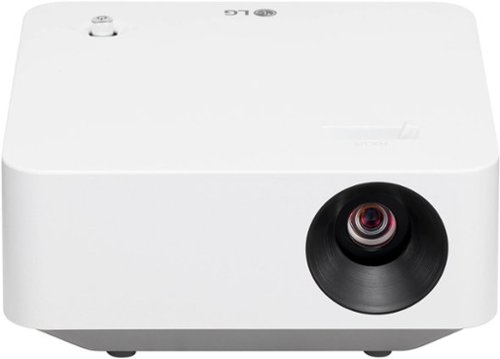
The LG CineBeam PF510Q Projector offers versatile entertainment without sacrificing convenience or quality. Lightweight and compact, it~s easy to carry and blends seamlessly in any space. Plus, an adjustable display~ranging from 30" up to 120"~transforms rooms big and small into a home theater. And with all your favorite streaming apps available on webOS 22~, you~re never far from extraordinary movies, shows, and beyond.

Posted by: CMCMom29
The first thing you notice about the LG CineBeam Projector PF51Q is its compact size. A far cry from the first computer projectors that I worked with; you’d need a suitcase to haul those around. This is a very manageable size. It has enough heft to be sturdy but portable. You could put this in a backpack or computer bag. (I wish it came with a storage bag, but that’s a minor gripe of mine.)
It comes with a remote that is easy to handle. Your hookups, though, are limited to USB, RCA, or HDMI. It does not pair with a phone or tablet via Bluetooth; you have to find a cable to use. There is a diagram in the manual showing what you can use to connect a portable device with the projector. I was disappointed that my device of choice could not link with the projector wirelessly, but it is what it is.
For my review, I used an Acer Spin 714 Chromebook. The Chromebook had an HDMI port, so I used an HDMI cable to connect it to the projector. The audio did not play through the Chromebook, though, so I was able to connect the CineBeam via Bluetooth to my Samsung soundbar.
Tip: While the projector will run seamlessly on your computer, you may need to adjust the settings on your device. At first, I only saw my home screen being projected – no apps or anything, just my background. I had to go into the Display settings to adjust the settings so that it was mirroring my laptop screen. Nothing tells you to do this.
I have a large blank wall in my living that I used for the screen. The room was well lit, as it was daytime. The curtains we have allow light to pass through. The projector can be installed in the ceiling, used on another surface, or mounted on a tripod. I didn’t have a tripod that would work with it, so I tried to use a small stool (about the height of an average end table). It was not quite tall enough, so I had to extend the legs on the unit to try to clear the sightline of my couch.
When you begin set up, you will need to create an LG account, if you don’t already have one. The set-up process was relatively painless. You can download your common apps (such as Disney+ and Amazon Video) to use through the LG interface. There are a LOT of apps; I’m not sure if there are a lot of useful ones (at least, for me) but you do have options.
I am a NASCAR fan, and it was Sunday, so I decided to watch the race. I needed to watch the race via my cable provider’s app. However, the Spectrum TV was NOT available on the LG interface, which was a disappointment. I used the Spectrum app on my Chromebook to get the race on my screen.
One thing to note here. The focus lever. It was so easy for me to accidentally hit while I was setting up. I had to keep adjusting it. Annoying.
Once I got the video and audio working (I initially had an issue with the audio being delayed, but I worked it out), I wasn’t terribly impressed with the quality of the picture. Yes, it was daytime, but I thought it should be crisper than it was. The wall is a neutral, platinum color, so that shouldn’t have been much of a factor. I toggled through the various picture settings with very little difference. I used “Expert Bright Space, Daytime” setting the most. I did try the “Sports” setting as well, but the Bright Space seemed to be a better fit.
The manuals that came with the unit were useless. I downloaded the full manual from the LG website. It goes into deeper detail of all the settings you can play around with to really home in the experience.
It is a nice projector overall. I think I need more time to figure out how to best use it in our household because there are so many things you can do with it. I wasn’t crazy about the quality of the image, but I may need to get a screen and/or wait and use it in a darker setting than I used for my test.
I would recommend this to a friend!





Share this review:


0points
0of 0voted this as helpful.
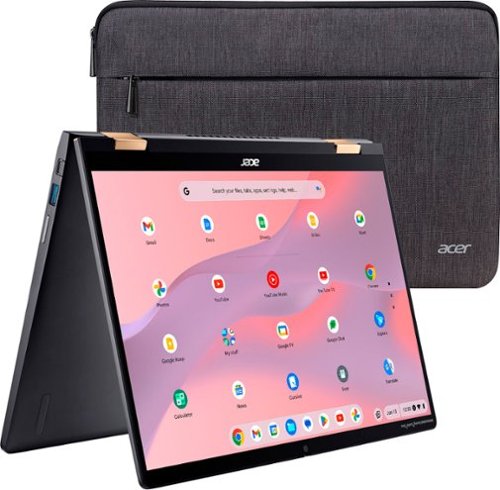
Powered by the Intel Evo platform, the 2-in-1 high-performance Acer Chromebook Spin 714 empowers users to stay productive anywhere with its 16:10 14~ WUXGA touch display, 13th Gen Intel Core i5 processor, QHD webcam and military-grade durability. At just over 3 lbs., this sleek machine is not only fast and efficient, but it features a bevy of features such as a quick-chargeable 10-hour battery and a 360 convertible hinge so you have the flexibility to work in any mode.
Customer Rating
4
A Solid, Flexible Chromebook
on July 30, 2023
Posted by: CMCMom29
I’m a Windows compatible girl from way back, ever since I found out that the Macs like my school used in Computers class was WAY too expensive for someone with a minimum wage job.
(You can also tell my age by the fact that I use terms like “Windows Compatible”.)
My children use Chromebooks in school; they provide them for the students to use for all classwork. Of course, they wanted Chromebooks for their home laptops as well. I purchased an Acer 315 for my oldest, and an Acer Spin 311 for my middle-schooler. The 311 was a replacement for an HP Chromebook that I purchased that the hinge fell apart with normal use.
These are very durable laptops.
The Acer Spin 714 is no exception. The display uses Corning Gorilla Glass. That is a big selling point for me.
The body is a good size, easy to hold, and is sturdy. This is important if this is the laptop you take with you places as my children do. It comes with a basic laptop sleeve, which is nice.
I purchased a Logitech Pebble mouse to use with it – it paired easily with the 714. There are USB-C ports on either side; this allows you to plug in the power cord in on whichever side is most convenient. I appreciate that it also an USB-A port, an HDMI port, and a standard headphone jack. It allows flexibility for those who would rather not Bluetooth everything.
The display is clear. The audio, though, is lacking. It doesn’t get loud enough for me. As a student, you may want to use headphones more often, anyway, but if you want to use this for media, it’s not great.
The ability to fold flat to use as a tablet is a great feature. It’s easier to use to sit and watch TV on it – you can use it in an A-shape to have the laptop sit in tablet mode for easier use. The touch screen is very responsive.
It does not have a numeric keypad, but I don’t miss it for what I use the computer for.
I would say that this is a solid choice for students and those who just want a flexible laptop that travels well and accommodates both old school ports and new school technology.
I would recommend this to a friend!



Share this review:


+8points
9of 10voted this as helpful.

Control up to six electronic devices with this TERK universal rechargeable remote. An ultra-thin profile allows comfortable handling, and the quick access keys let you tune into your favourite streaming apps effortlessly. The USB-C port enables seamless charging. This TERK universal rechargeable remote features a fully backlit keypad for easy operation in the dark.
Posted by: CMCMom29
I’ve never had much luck with universal remotes. They work OK for the basic functions, but not for much else. I haven’t purchased one in years.
However, I have a soundbar that has a broken original remote. I can use an app, but for those who don’t have the app on their device (i.e., the children), it’s hard to use without the remote. When I saw the Terk Remote, I thought I’d give universal remotes another try. The technology has to be better now, right?
One of the big selling points of this remote for me was the rechargeable battery. Anyone with standard remotes know they eat batteries. Because it doesn’t use standard batteries, the remote is very light. Almost too light. If it’s in your pocket, you might forget it’s there.
What I don’t understand, in this day and age, why this remote is not programmable by app. The remote comes with a paper list of codes for various brands and devices. You cannot customize the buttons at all. It is what it is.
For reference, I have a Hisense TV, a Samsung Soundbar, and a cable box from Spectrum. Instructions on how to program is included in the box, along with the codes.
First thing I did was charge the remote. It uses a USB-C cable (included) to charge.
To program, in short, you turn on the device, try a code, and press Power to see if the Terk remote will turn the device off so see if the code works. You program one device at a time. All three of my devices powered off with the first codes on their respective first tries.
The remote has some shortcut buttons for streaming services. The Netflix button worked for the Hisense TV. The Menu button did pull up the settings for the TV. However, the other buttons didn’t work (outside of Power).
The volume buttons for the soundbar didn’t work at all. The display on the bar appeared that it was receiving input but the volume never changed.
The channel buttons and Power worked for the cable box. I could also tune the box using the numbers.
I thought maybe the codes were the problem with the lack of functionality, so I tried the next set of codes. I got the same results.
One feature that I wish this remote had that my cable box remote has is a button that turns off all devices at once. With this remote, you have to turn off each item individually.
Overall, I’m disappointed. It’s a nice design, lightweight, easy to hold, appealing to look upon. However, the lack of functionality will cause it to be put in the remote bin as a backup, not as the main remote.
No, I would not recommend this to a friend.
Share this review:


0points
0of 0voted this as helpful.
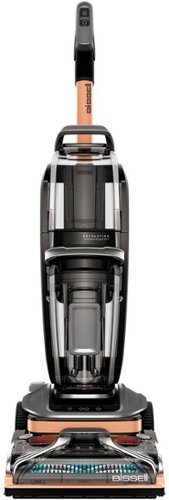
It's never been easier to deep clean carpets with BISSELL Revolution HydroSteam carpet cleaner. It's the ONLY upright deep cleaner with the power of HydroSteam Technology to remove the toughest stuck-on and sticky messes. Each machine comes with three distinct modes of cleaning - Steam Pretreat Mode, SteamWash Max Clean Mode and Quick Dry Mode. Break up sticky, stuck-on messes with Steam Pretreat Mode. SteamWash Max Clean Mode offers 2X Better cleaning.1 And carpets dry fast in about 30 minutes using Quick Dry Mode.2 Plus, each machine comes with two tools: 2-in-1 Pet Upholstery Tool for cleaning both wet and dry messes without steam and a 6" Tough Stain Tool great for cleaning larger furniture and stairs, without steam.
Customer Rating
4
Bissell Revolution Hydrosteam Vacuum
on June 19, 2023
Posted by: CMCMom29
I have children (3). I have pets (7). I am the target market for this product.
I did purchase a ProHeat 2X Revolution Pet Pro Carpet Cleaner directly from Bissell, approximately two years ago. I wanted to see how this unit was an improvement (or not) over that model. I bought that model when our dogs were puppies, and boy, did it get a workout.
First impressions were that I liked the color (copper is not a usual accent color that I see on vacuums/steamers) and OMG was this heavy! Bissell lists the weight as 22.5 lbs. on their product page. It feels a bit heavier than that. My other cleaner is hefty, but I don’t recall it feeling quite as heavy as this one feels to me.
Assembly was simple, as usual for Bissell. Controls are basic, and somewhat intuitive, once you learn what the icons mean.
One thing I really liked over my old steamer is that the water reservoir SITS ON THE COUNTER to fill. My previous ProHeat has an angled reservoir, so it won’t sit on the counter at all – you have to hold it to fill.
I made a batch for a large area. This takes one of the two trial-size bottles of cleaner you receive with the steamer.
The carpet cleaning mode said that the carpet would take 8 hours to dry. While this unit does have a Quick Dry mode, which dries in 30 minutes according to the manual, I wanted a deeper clean. So, in the interest of time, I started with the recliner.
You know the one. The one that most homes own. That favorite, well-loved-to-the-point-of-smothered, ole' ratty looking recliner? The one that the kids, dogs, and (in my case) husband all love but you’d rather not have it in your living room? Yeah, that one.
I first tried the 2-in-1 Upholstery Tool. I wasn’t impressed. The water did not come out consistently, so I ended up getting wet myself trying to dispense the solution. No debris came up in the dry vacuum, hardly any water came up using the wet vac option.
The other scrubbing tool is where it’s at. I used it to scrub up Doritos dust and who knows what else. The cleaning solution had a nice, fresh smell to it. Once the recliner dried, it looked almost new…if you overlooked the holes made by its constant use.
Since the carpet would take so long to dry, I decided to clean only half of the living room. I vacuumed the carpet until I felt certain I had got up all the debris. Then, I put the steamer to work.
I had a spot in the carpet that I needed to get up, so I tried the Pretreat with Steam mode first. The vacuum motor shuts off while in this mode, so don’t be alarmed – that’s on purpose. You are to make passes over the stain with the trigger held for 20 seconds, then vacuum up any water. It didn’t do much to get up the stain, so I don’t see the point in this feature. My aforementioned steamer has a mode to spray the solution over the stain as a pretreat. That seems to work much better in my opinion.
Next, I went to work on the larger area of the carpet. Between the recliner, steam mode, and the half of the room I cleaned, I used the entire tank of solution.
It picked up a lot of stuff. So much, in fact, that I had wet hair gathering on the wheels of the machine. Some of it came off on its own while I continued to clean; the rest I had to pick off. Yuck.
A big improvement over my other cleaner is that it picked up a lot of dirt and sand out of the carpet. I didn’t see that when I cleaned my carpet before. The water was quite murky when I was done. The room had a fresh smell. The carpet wasn’t incredibly damp, so I don’t think it took the full 8 hrs. to dry.
I didn’t like the cleaning up process, though. My old steamer leaked from the dirty water reservoir. This unit did not, which was much appreciated. However, you have to hold this large piece of the steamer in one hand (I guess you could set it down, but I didn’t have a place to), while dumping the water out with the other.
A note to the manufacturer – not everyone has a utility sink! When thinking of design and how you write instructions, please consider that.
The sand kept clumping in the bottom of the reservoir, so I tried to keep rinsing it over and over again in a small bathroom sink to get it out.
You then need to take the lid off of where the brushes are and clean that out. More wet hair. Fun. Then, find it a place to dry before reassembling.
This unit does not come with a drip tray (my other model did) nor any way to hang up the hoses to dry.
All in all, this is a very nice unit. Sturdy, cleans fairly well, with a few hiccups in my experience. I’d say to buy it if you don’t need the dry vacuuming on the upholstery tool and have enough strength to push it/carry it around.
I would recommend this to a friend!


Share this review:


+6points
6of 6voted this as helpful.
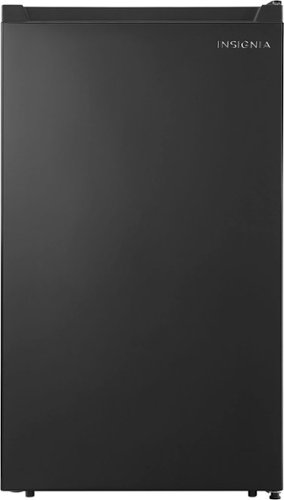
The Insignia 4.4 Cu. Ft. Mini Fridge offers plenty of storage options while taking up less space than a full-sized fridge, making it ideal for dorm rooms, offices and garages. It has a reversible door and leveling feet, giving you virtually unlimited placement options. Adjust the temperature of your fridge anywhere between 32~ to 50~ F, all with the simple turn of a dial. It has three glass shelves to organize your food, along with door trays that hold up to 18, 12 oz. cans.
Customer Rating
4
Nice, but Lacks Flexibility
on May 29, 2023
Posted by: CMCMom29
This 4.4 cubic “dorm” size refrigerator is a nice unit. Attractive design, clean lines, glass shelves, plastic bins in the door.
It unpacked easily (tip – cut the box vertically on each corner on one side; this will allow you to slide the unit right out).
One of the things I noticed is this bumper (?) on the back. It was not straight, so I thought maybe it was packing material, so I tried to gently remove it. Didn’t budge. So, I’m assuming this is a buffer between the refrigerator and the wall, even though I thought this unit was allowed to be up against the wall and still be operational.
I next had to remove the internal packing materials. I know why there is so much packing material, but UGH! THE PACKING MATERIAL! Peeling off strip after strip of tape, then foam on the corners of the shelves that were also taped on.
The interior was really nice for a “dorm” size refrigerator. What I didn’t like, however, is that the shelves are not really adjustable. You can have them installed, or not. There isn’t a lot of space between each shelf. If you are planning on using this unit for something like beer or soda cans, you will probably be fine. I am using this refrigerator for various beverages and possibly for overflow from the main refrigerator (like for Thanksgiving leftovers).
As you can see from the photo attached to this review, I had to remove a shelf to accommodate a gallon jug. Normally I have orange juice in there as well (more than just the one shown in the door), which are too tall to sit on the shelves as designed. I really wish this had the flexibility that I need. The 3.3 cubic refrigerator that this is replacing had more flexibility with shelf placement. I placed the unused shelf on top of the refrigerator. I hope it does not get broken there.
The light is nice for seeing in the refrigerator. I don’t know that it is necessary, but it’s nice.
For flexibility, I would give this product three stars. I am adding back in a star because it is so attractive and well made.
I would recommend this to a friend!


Share this review:


0points
0of 0voted this as helpful.
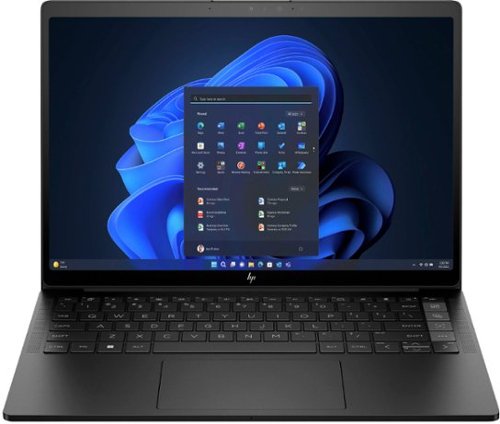
Tackle everything. Worry about nothing. This laptop is co-engineered with AMD to adapt to you ~ peak performance when you need it, not when you don't.
Posted by: CMCMom29
I have been delighted with my new HP Dragonfly.
I wasn’t sure what to expect so I went into the testing phase with no real expectations set.
The unboxing was uneventful, except for the seal was broken on the white box that the computer came with. I was a little concerned about that, but nothing seemed to be amiss, so I continued with set-up.
Some of the things I did notice about the unit:
* There is a braided cord for charging and a large power brick – not the normal cord or transformer that lays on the floor as I’m used to, which is great for me.
* The laptop does not have an USB-A port, nor does it have a headphone jack.
* There are USB-C ports on either side – one for the power cord, and one for functionality. It’s nice to have a choice on which side to have your power cord plugged in. These are all the ports you have.
*This laptop does not have a numeric keypad.
The set-up process was a breeze, as would be expected. The laptop did come with Tik Tok and WhatsApp pre-loaded, so I uninstalled those since I don’t use them.
The screen quality was remarkable. I’m not sure the photos I captured does the colors justice. It was just beautiful.
It does have a touch screen.
It also has the most responsive trackpad I’ve ever used on a laptop. It responds to a light touch and is easy to use. I was quite impressed.
Since I am a creature of habit, though, I did get a mouse for it. There doesn’t seem to be too many choices for a USB-C dongle mouse. I didn’t want to spend a lot on a mouse because I tend to go through them. I found a Bluetooth compatible budget-friendly mouse that works quite well.
The Bang & Olufsen sound was FAN-TASTIC! I’ve been a bit disappointed in my last two laptops, as their sound quality was, well, terrible. If I have to hook up a wireless speaker to the laptop because I cannot hear a video at full volume, that’s not great. This laptop had great sound – no issues with hearing videos at all.
The laptop is a bit heavy, in my opinion, for travel but it is compact. I can see this as a great alternative to a tablet if you want to bring a device with you on vacation or even a long road trip.
I’ve been delightfully delighted so far with this laptop. Definitely worth picking up.
I would recommend this to a friend!


Share this review:


0points
0of 0voted this as helpful.
CMCMom29's Review Comments
CMCMom29 has not submitted comments on any reviews.
CMCMom29's Questions
CMCMom29 has not submitted any questions.
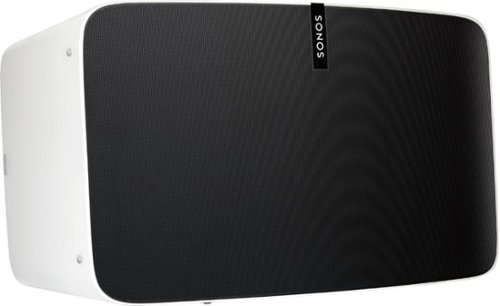
Enjoy immersive audio and near-zero distortion with this white Sonos Play:5 smart wireless speaker. The Trueplay feature makes adjustments according to the layout, furnishings and size of the room for optimal sound. This humidity-resistant Sonos Play:5 smart wireless speaker lets you stream music via Wi-Fi from your Android or iOS device.
Can I install this in the ceiling?
No, I don't see how you can. It's a shelf-style unit.
8 years, 11 months ago
by
CMCMom29

Hear every footstep, click and breath with this Razer Kraken digital gaming headset. The powerful 50mm drivers have neodymium magnets so that they produce exceptional sound directly to your ear, and the included microphone picks up speech clearly. This Razer Kraken digital gaming headset connects to a USB port for easy setup.
Its works for ps4?
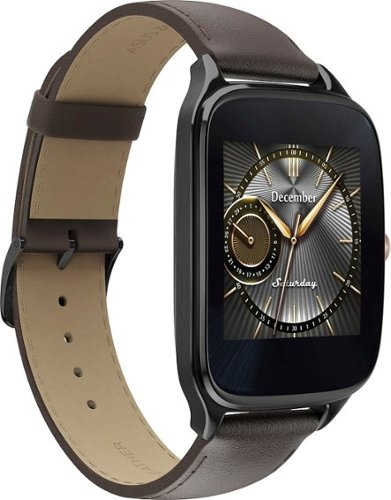
Power through the daily grind with this ASUS ZenWatch 2 smart watch. This 1.63-inch AMOLED touch screen watch is IP67-waterproof, so it's safe to wear in the shower while waiting for a very important call. This ASUS ZenWatch 2 smart watch also has a Wellness Suite that lets you plan workout routines, set training goals and track your progress.
will this watch work with iOS
Power through the daily grind with this ASUS ZenWatch 2 smart watch. This 1.63-inch AMOLED touch screen watch is IP67-waterproof, so it's safe to wear in the shower while waiting for a very important call. This ASUS ZenWatch 2 smart watch also has a Wellness Suite that lets you plan workout routines, set training goals and track your progress.
Will this watch work with my iPhone 6 plus and can I get news apps like cnn
Power through the daily grind with this ASUS ZenWatch 2 smart watch. This 1.63-inch AMOLED touch screen watch is IP67-waterproof, so it's safe to wear in the shower while waiting for a very important call. This ASUS ZenWatch 2 smart watch also has a Wellness Suite that lets you plan workout routines, set training goals and track your progress.
Are they coming out with a smaller size??
Power through the daily grind with this ASUS ZenWatch 2 smart watch. This 1.63-inch AMOLED touch screen watch is IP67-waterproof, so it's safe to wear in the shower while waiting for a very important call. This ASUS ZenWatch 2 smart watch also has a Wellness Suite that lets you plan workout routines, set training goals and track your progress.
Can this watch connect to wifi when your phone is not available?
Power through the daily grind with this ASUS ZenWatch 2 smart watch. This 1.63-inch AMOLED touch screen watch is IP67-waterproof, so it's safe to wear in the shower while waiting for a very important call. This ASUS ZenWatch 2 smart watch also has a Wellness Suite that lets you plan workout routines, set training goals and track your progress.
Is this watch compatible with a Galaxy s7?
Yes. I have it paired with a Samsung Galaxy Edge 7, and it works great.
9 years, 5 months ago
by
CMCMom29
Power through the daily grind with this ASUS ZenWatch 2 smart watch. This 1.63-inch AMOLED touch screen watch is IP67-waterproof, so it's safe to wear in the shower while waiting for a very important call. This ASUS ZenWatch 2 smart watch also has a Wellness Suite that lets you plan workout routines, set training goals and track your progress.
Can you have access to social media apps such as Facebook, Instagram, etc?
You do get notifications from those apps on the watch, but I have not seen where I could respond to them from the watch.
9 years, 5 months ago
by
CMCMom29
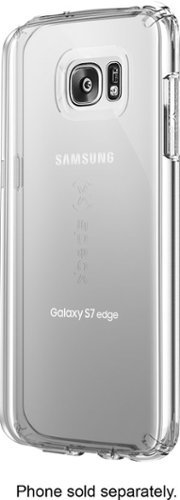
Let the sleek look of your Samsung Galaxy S7 edge show through with this Candyshell clear phone case. Crafted from custom-engineered soft acrylic, this cover absorbs shocks to protect your device. The clear material resists yellowing for long-lasting good looks, and this Candyshell clear phone case~s convenient design provides easy access to ports and buttons.
How many cases does this store have of this kind ?
I'm not sure if I understand your question, but Speck as a whole does not make very many cases for Edge phones.
9 years, 5 months ago
by
CMCMom29