


CMCMom29's stats
- Review count152
- Helpfulness votes386
- First reviewJune 23, 2009
- Last reviewJune 8, 2026
- Featured reviews0
- Average rating4.2
Reviews comments
- Review comment count0
- Helpfulness votes0
- First review commentNone
- Last review commentNone
- Featured review comments0
Questions
- Question count0
- Helpfulness votes0
- First questionNone
- Last questionNone
- Featured questions0
- Answer count19
- Helpfulness votes1
- First answerDecember 24, 2016
- Last answerSeptember 1, 2020
- Featured answers0
- Best answers1
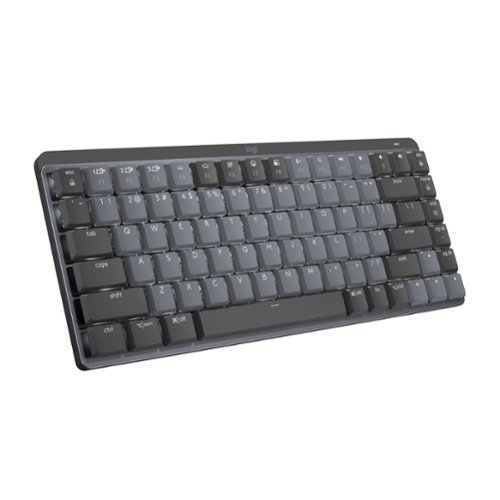
Introducing MX Mechanical Mini- a minimalist keyboard with extraordinary feel, precision, and performance. Low-profile mechanical typing delivers satisfying feedback in your choice of key switches ~ Tactile Quiet, Clicky, or Linear. MX Mechanical Mini is crafted for ergonomic comfort, with smart illumination and Easy-Switch ~ allowing you to connect up to 3 devices and stay in your flow for hours.
Posted by: CMCMom29
How fun!
That is what I first thought when I unboxed the Logitech. Clickety-clickety-clack. I felt nostalgic banging on the keys. Took me back to the 90s when I used to wish keyboards weren’t so noisy (LOL).
The unit comes with a dongle to hook it up to your computer. You can also use the Bluetooth function to hook up to your computer, as well as to your phone or tablet. I have a desktop sitting on a small desk that barely fits my keyboard with all of the other equipment on it. The smaller size of this keyboard is much better for the space. I do make a lot more typos while using it, though, because I’m used to a full-size keyboard with a 10-key pad.
I tried to connect with BT but my computer wasn’t finding the unit. I plugged in the dongle. This is a newer dongle for Logitech – the Logi Bolt USB Receiver. I am used to the Unifying receiver, which you can use if you have one.
It comes with a charging cable and the dongle. There’s an on/off switch so can save battery or to travel with. It seems to hold a charge for quite a while.
I downloaded the suggested Logitech Options software, which I had to do first, and then download the Options+ software. The software allows you to change the backlighting (more fun!), among other custom settings. You can connect the keyboard up to three devices. There are dedicated keys to use to easily switch back and forth.
This is a really nice keyboard.
I would recommend this to a friend!
Share this review:


0points
0of 0voted this as helpful.
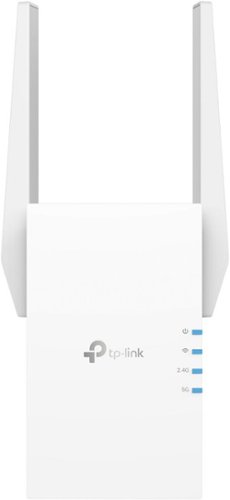
Extend high-performance Wi-Fi across your home to remove dead spots and Wi-Fi drop zones with RE705X Wi-Fi 6 range extender. High-gain antennas extend your routers~ Wi-Fi signal so you can enjoy smoother and more reliable streaming, gaming, downloading, and more with dual-band Wi-Fi speeds up to 3 Gbps (2402 Mbps on 5 GHz band and 574 Mbps on 2.4 GHz band) with the wider 160 MHz channel. Pair RE705X with a TP-Link OneMesh compatible router to create a network that only needs one name and password. Easily set up and manage RE705X with TP-Link Tether app (Android, iOS). Plus, the intelligent signal indicator will help you find the best placement for your range extender.
Customer Rating

5
Simple to Set Up, Simple to Use
on June 23, 2022
Posted by: CMCMom29
I currently have a Linksys Velop Mesh Wi-Fi router in my home. I have three nodes, but the one in our master bedroom does not stay connected so the Wi-Fi in there the signal can be a little sketchy. I’ve looked at extenders in the past to try to make the connection more consistent.
When I saw the TP-Link RE705X AX3000 Wi-Fi 6 Extender would work with any brand of router, I decided to give it a try.
There isn’t much to the unit. Just the product itself and a set up guide come in the box. It’s easy to set up. You have two options – one is to use the Tether app, use a web browser, or via the WPS button. I had a TP-Link account already, so I chose the Tether app.
Once you sign into the app, it explains each step to you. First, you’ll need to plug it in as close to your existing router as you can. Then, you wait until the LED light stops flashing (don’t be alarmed if it takes a few minutes; it did for me). After that, you can move the unit anywhere else in the house. The instructions suggest that you plug in the product somewhere halfway between your router and the dead zone you are trying to improve. My router is in my office on the main floor, while our bedrooms are on the second floor. I chose to plug in the extender in an outlet at the top of the stairs on the second floor. That was about as close to the middle as I could get.
I had no issue with the extender finding the wi-fi in the new location. Once it fires back up, you’ll see steady LED lights in blue once it’s connected to your network.
Sadly, it didn’t solve my node issue. I do see a nice steady wi-fi signal on my devices. It may make my node issue moot at this point.
The device is simple to set up and simple to use.
I would recommend this to a friend!
Share this review:


0points
0of 0voted this as helpful.
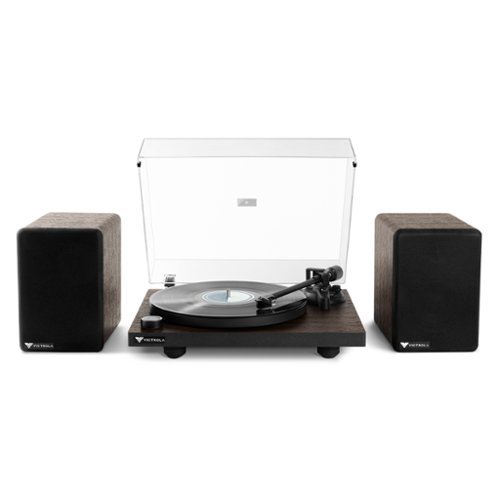
The all-new Victrola Premiere T1 Turntable System is the perfect record player sound system for your home. Incorporating the T1 Turntable and M1 Bookshelf Monitors, the system~s design and user interface were created with meticulous attention to sound reproduction, design, and ease of use. The T1 Turntable System is sure to make lifelong music memories in your home. The Premiere T1 Turntable features a belt driven metal platter, wooden plinth, and aluminum tonearm with an adjustable counterweight and anti-skate knob to keep your favorite vinyl records in top condition. The T1 record player also includes Victrola~s first high-performance moving magnetic cartridge, creating detailed clarity from your record collection with a wider frequency response and specified downforce. The built-in preamp allows connectivity to any amplifier for a completely customizable audio system. The Victrola Premiere M1 Bookshelf Monitors are sonically designed to complement the Victrola Premiere T1 Turntable for a vinyl listening experience that will take your collection to new highs. As a stand-alone bookshelf speaker system, wirelessly stream your favorite tunes via Bluetooth~ technology from your device. If you already have a turntable or any audio device you~d like to connect, the Victrola Premiere M1 monitor acoustic and aesthetic design will prove to elevate your overall listening experience. With beautiful design, proprietary technology, and high-end components, the Victrola Premiere T1 Turntable System delivers superior sound quality to create lifelong music memories in every home.
Customer Rating

4
Victrola Premiere T1 Turntable
on May 31, 2022
Posted by: CMCMom29
Out of the box, the Victrola Premiere T1 Turntable System is an attractive product. Sleek, compact, looks nice sitting on a cabinet in my living room. My initial experience, though, was a bit disappointing.
When you open the box, the first thing you see is a large cardboard sheet with the Quick Start Guide. It states one of the first things you need to do is to set the tone arm. I’ve owned many record players in the past and have never had a unit that required this.
The other thing you need to do as part of the installation process is to install the turntable. You have this little ribbon taped to the platter that is wrapped around the belt underneath. You are to hold this small ribbon (after removing the tape) while placing the platter on the spindle, pulling the ribbon slightly as to place the belt on the motor pin. I lost count how many times this took me to do. Anytime I pulled the ribbon at all, the belt would slip off of the platter altogether. I had to figure out a way to hold the belt, the ribbon, and the platter at the same time to get the belt installed.
I then went to adjust the tone arm. I read the Start Guide, then I downloaded the manual from their web site to review. I could not get the knob to turn at first, then got it to turn somewhat. I thought I was doing something wrong, so I went online to review videos (sadly, Victrola did not offer a video on how to do this on their channel) to see how to do this. After viewing, I tried again. This time, I couldn’t get it to budge. After applying more “elbow grease” …I broke the housing for the arm.
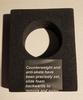
Victrola was kind enough to replace the unit for me as they considered the unit defective (great service!). When I opened the new unit, there was a sticker on the packing foam wrapped around the arm saying that the counterweight and anti-skate was already set (picture attached). I was happy that it was so I didn’t have to go through that again, but I wondered why those instructions are included if it was already set up…? Maybe they just set up the second unit? I’m not sure. The first unit I received did not have this sticker.
I also found a finish issue on the second unit (pictured). Minor grievance, yes, but for the price point, I was surprised to see it. The lift lever does not work, either. I had to raise the lifter and push it back down by hand, and it doesn’t quite meet the arm.
After all of that, I finally got to test the unit. I pulled a couple of 33s to use for testing, both from the 1970s. Operation was as expected. I heard some distortion, but it was much clearer than anything I’ve heard on a turntable before. I have included a video clip so people can hear the sound (if you are wearing headphones, you may want to turn your volume down before playing).
I really like the Victrola, but I will take away one star before of all of the issues I had to deal with in the beginning.
I would recommend this to a friend!




Share this review:


0points
0of 0voted this as helpful.
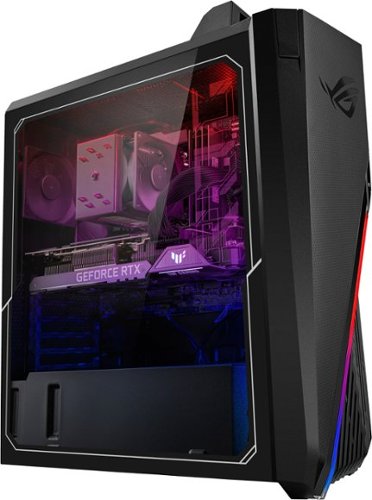
Annihilate your competition with this ASUS ROG gaming desktop. The Intel Core i7 processor and 16GB of RAM deliver rapid performance during fast-paced action, while the 1TB HDD and a 512GB SSD provide plenty of storage for large files and downloads. This Bluetooth-enabled ASUS ROG gaming computer features an NVIDIA GeForce RTX 3060 graphics card for tear-free rendering of 4K games.
Customer Rating
5
Gorgeous Unit - Very Responsive
on May 22, 2022
Posted by: CMCMom29
The ASUS GT15CF-I73060VR Gaming Desktop is a great machine for any gamer.
First, it’s gorgeous. It’s the first machine that I’ve owned with the clear side to see the insides. The lights give it a great atmosphere. I like the fact that it’s lit even if the monitor went to sleep because it reminds me it’s still on.
I hooked up the CPU to a TCL Roku TV that we recently purchased from Best Buy. One thing to note – there’s only one HDMI port that works with a TV. The unit did not come with an instruction book (I was able to download it from ASUS’ website) so I didn’t realize the HDMI issue at first. I plugged it into the HDMI port toward the top of the machine and wasn’t getting any images on the screen. Had I read the book first, I would have realized that I had used the wrong port to hook it up to the TV.
The ”Quick Start Guide” was like Greek to me. I would recommend just going to the website and download the full brochure.
The games primarily played for testing were “Elder Scrolls Online” and “Elder Scrolls Skyrim”. The machine was very responsive – much more than the gaming laptop used before. Loads games quickly. Graphics seem to pick up a lot more detail. Keyboard incredibly responsive.
It’s a fantastic machine and we are very happy with it.
I would recommend this to a friend!
Share this review:


0points
0of 0voted this as helpful.
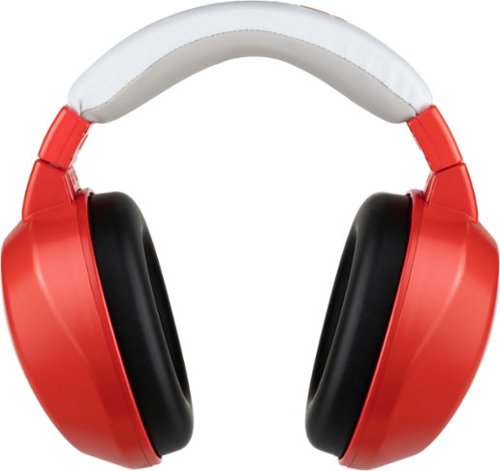
Preserve little ears, muffle big noise. Protect your child~s hearing with our industry-leading noise reduction headphones. HearMuffs Wireless connects to phones and tablets while limiting maximum volume to preserve hearing. Designed for young ears, Hearmuffs have an adjustable headband and foam cushions for a snug fit. Whether it~s naptime or party time, your kids can safely have a good time!
Customer Rating
5
Buy These Headphones for a Win-Win
on February 7, 2022
Posted by: CMCMom29
from Michigan
I requested these headphones for my youngest daughter, who has Autism. She wears noise cancelling headphones every day while we are at home. We aren’t sure why, but it gives her comfort. I thought these headphones were a great idea since it combined the noise reduction she seeks with the ability to use them for her tablet.
The challenge now is getting her to take them off long enough for us to charge them.
She finds them much more comfortable than her old child’s size noise reduction headphones. I do see that the there is more padding – on the headband as well as the ears – than her old ones.
She said the sound was good when she used them with her Amazon Fire. Setting them up on Bluetooth was relatively easy to do.
She said the sound was good when she used them with her Amazon Fire. Setting them up on Bluetooth was relatively easy to do.
The color is great, too. It’s almost a candy apple red finish, though it’s a bit lighter shade. The housing has a shimmery glitter-like finish that sparkles in the light (wasn’t able to capture that on camera). She likes things that glitter and sparkle, so that’s another win for us.
I would recommend these headphones to anyone looking for a nice, comfortable pair of noise reduction headphones with a bonus of using them as standard headphones.
I would recommend this to a friend!



Share this review:


0points
0of 0voted this as helpful.
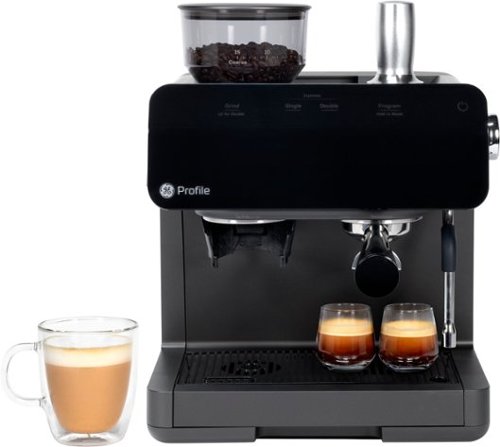
Built on the belief that modern life needs modern solutions, GE Profile appliances are designed to make daily life simpler by incorporating Smart Home technology and cutting-edge features in every appliance. GE Profile~s sleek design and quality engineering will give your kitchen the most up-to-date look and the innovative performance you~ve been looking for. And now the cutting-edge engineering you've come to expect from Profile is available in a countertop espresso maker that delivers up-to-date styling and exceptional performance. All GE Profile Espresso machines are Wi-Fi connected and sync with the SmartHQ app. Drink customization technologies allow users to customize drink preferences by volume and strength, while also enabling software updates. The built-in steam frother creates a variety of textures and thicknesses and the built-in conical burr grinder delivers a consistent grind with any bean roast and features an adjustable grind size for ideal taste and aroma extraction. Built with a modern design this contemporary espresso machine has a sleek appearance to match its high-tech functions and compliments any d~cor.
Customer Rating
4
Nice Espresso Maker, App a Let Down
on January 28, 2022
Posted by: CMCMom29
from Michigan
I had the opportunity to choose either the GE automatic or the semi-automatic espresso.
I thought that this unit would have more flexible options, but it really didn’t live up to my reality.
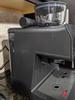
The unit is quite attractive, even though it’s a completely plastic construction. It has a touch interface (I wouldn’t call it a screen). The front is quite sleek and reflective. The footprint for the machine, though, is quite large. It’s about the same size as similar units – it might be even larger. It’s hard to move so that I can access the reservoir; I’m glad that it does hold quite a bit of water, so I don’t have to do that often. I included a photo to show that it does clear an upper cabinet.
It has a bean hopper with conical burr grinder. The rest of the top is designed to rest the accessories on, with a circle designed to hold the tamper. If that is supposed to be a cup warmer, it didn’t seem that warm to me.
The unit has wi-fi capability and works with the SmartHQ app. You will need to set up an account on that app to complete the espresso maker set up.
I don’t know why it has an app, though. Probably to say it has an app…? It was a disappointment for me. Your options to “customize your drinks” are to control the grind time, volume, and volume of hot water. It will tell you when it’s time to descale the unit. The “recipes” are all for their other SmartHQ appliances, not the espresso maker. It advertises being able to be used with Alexa or Google Voice. I set it up with my Alexa, and there are NO voice commands listed for the SmartHQ skill that is for this machine. The closest are commands for a standard coffee maker. On their site specific to SmartHQ appliances, this unit isn’t even listed.
Where is the option to have an espresso brew at a set time, like when you wake up? Why can’t I adjust the temp of the hot water? It’s advertised as having this additional feature of (near) instant hot water. I used this feature to make a cup of tea (husband not a coffee drinker). It wasn’t hot enough. Seems like a simple add to me.
Measuring is accurate. I poured my espresso into a measuring cup to double check the volume. My single shot was 1 oz, double was 2 oz, as the app was set for.
I used French Roast beans from a local coffee chain to make an Americano. You can set the hopper to grind to a certain number – I choose 7 (range is from 5 to 15). The flavor was good. Not the best I’d ever had, but it was fair.
The frother/hot water dispenser is movable away from the machine. You have to use this clunky knob, though, to use this feature. Off is in the middle, Hot Water is up and Frother is down. This couldn’t be a touch interface like the rest of the machine? I have the dispenser set via app to 8 oz. fill. It was nice to set a cup down and have the hot water fill while I walked away. I had no issues with overfill.
It comes with a cleaning kit that is stored under the drip pan.
If you are looking to channel your inner James Hoffman, this machine is not it. That isn’t to say that it’s a bad unit by any means, but don’t expect much more out of it that you would get out of any other espresso machine.
I would recommend this to a friend!
Durability

4
Quality
4
Ease of Use

3
Value
4


Share this review:


0points
0of 0voted this as helpful.
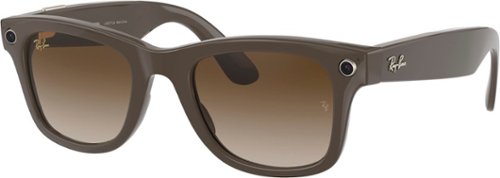
From the rock revolution of the ~60s, to the art scene of the ~80s, to the forefront of hip-hop culture ~ Wayfarer has become an enduring icon across endlessly shifting horizons. Now the journey continues with the latest in wearable tech. Ray-Ban Stories Wayfarer integrates the best of your phone with the timeless frame, bringing you a new way to capture and share your adventures.
Customer Rating
4
Wayfarers for the 21st Century
on January 19, 2022
Posted by: CMCMom29
from Michigan
“I can see you,
Your brown skin shining in the sun.
You got that hair slicked back,
And those Wayfarers on, baby.” – “Boys of Summer” by Don Henley
Your brown skin shining in the sun.
You got that hair slicked back,
And those Wayfarers on, baby.” – “Boys of Summer” by Don Henley
This song was my first introduction to what a “Wayfarer” was – the classic Ray-Ban sunglasses. Now, Ray-Ban has updated their glasses for the 21st Century with Wayfarer Stories.
The app uses Facebook View to capture your images, so you’ll need to download that first. You will need a Facebook account to use these glasses. I see this as a negative because not everyone uses Facebook, so it limits their use. I don’t see a way around this where you could use, say, Google Photos or similar.
The app will walk you through setup. My glasses arrived without any charge, so I had to let the glasses and case charge up before continuing setup.
It’s easy to connect to your Wi-Fi by following the app prompts. The images do not import to your phone using cell data. You can change some settings, such as Automatic Import Captures (you’ll need to turn on your location permission for this) but it doesn’t say anything about using cell data, nor does it ask you if you want to use cell data.
I chose the Shiny Brown frame with Brown Gradient lenses. I usually like brown lenses better than grey, and the shade on these works well. Glasses are a bit heavy, but comfortable to wear. I was wearing a mask outside in 12-degree Fahrenheit weather while testing the glasses, and the lenses fogged up something awful. That was really annoying. The shutter was also less responsive in the cold.
Side note – the instructions say do not use while driving. That’s half of why I wear sunglasses – to keep the sun out while driving. I can also see how handy it could be to snap a photo of something quick without having to get your phone out. I understand the safety aspect of not using them, but to me it diminishes some of their abilities.
The glasses are easy to use. There are two camera lenses, one on each side of the frame The shutter is a small, silver button on the right side near the front of the glasses (sorry, lefties). It’s easy to hit it when you are adjusting your glasses if you are looking for a clandestine way of taking a photo. The functions are to press once quickly to start the video or hold the shutter for a few seconds to capture a photo. I wish it was the other way around. I kept accidentally taking video while meaning to take a photo. You cannot zoom or adjust focus – just point and shoot. In the app, you have the ability to add animation, adjust brightness, et. al., enhance, add text, and/or crop.
I attached an image showing how the photos look side by side – my Pixel 4a vs. the Wayfarers.
Another con about the product is that the video only records up to 30 seconds at a time. Again, a missed opportunity. To me, this would be great to do a Facebook Live stream without worrying about holding a phone or a selfie stick. Even though this connects to Facebook, you aren’t actually using Facebook at the same time, so no instant uploads. There’s a share arrow that allows me to use my phone to share to Facebook, Twitter, etc. It says that the images download to my Gallery, but I didn’t see them show up on my Pixel 4a, nor did they show up in my Google Photos. I had to prompt Google Photos to file the additional file on the phone to backup, and it didn’t find them all.
You can also take phone calls and listen to music on the glasses. Music playback quality is not the best. There’s nothing in the View app to change audio settings, so you are left with whatever settings for audio your phone has. The music can be heard by anyone next to you. This would be an OK feature to use while biking, running, etc. I wouldn’t recommend it for use on the city bus while you commute.
Lastly, you do have the ability to use Facebook Assistant (think Siri or Hey Google) to take photos/video. It keeps transcripts and voice recordings by default, so you’ll want to double check your privacy settings when setting it up.
Overall, I think the Wayfarers are fun for certain activities. It isn’t a must-buy for the cons I mentioned. It would make a great gift for that person who has everything or that First Adopter in your life.
Mobile Submission: False
I would recommend this to a friend!


Share this review:


-1point
0of 1voted this as helpful.
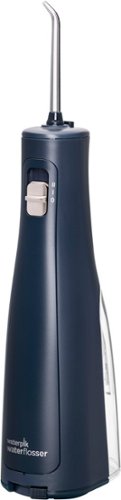
Battery operated, portable, and waterproof design makes the Cordless Revive perfect for small spaces, travel, and use in the shower. Tested and trusted, Waterpik is the #1 water flosser brand recommended by dental professionals. From the first brand in its class accepted by the American Dental Association (ADA) for safety and effectiveness, the Waterpik Cordless Revive Water Flosser removes up to 99.9% of plaque and is clinically proven up to 50% more effective than string floss for improving gum health. The Cordless Revive provides a unique combination of water pressure and pulsations to clean deep between teeth and below the gum line, removing harmful bacteria and debris that traditional brushing and flossing can't reach. The easy and most effective way to floss, the Waterpik Cordless Revive Pink portable dental water flosser features two pressure settings and is a great solution when you want the convenience of water flossing in the shower or on the go.
Customer Rating
4
Good Introduction to Waterpik
on January 2, 2022
Posted by: CMCMom29
from Michigan
I had never used a Waterpik before trying out this model. They were always expensive and took up too much room on the counter for me to invest. I was happy to have a chance to try this more economical model.
The one that I was sent came in an army green color, which I was underwhelmed by. I love that they come in colors, but army green? A little too drab for me. I would have liked to see brighter colors – purple, teal…something more like that.
It’s pretty easy to put together. The batteries are included and are Waterpik branded, which I was surprised by. You can remove the reservoir to fill or not. I recommend leaving it on the unit for filling; otherwise, you have to worry about the tubing.
Instructions were so simple that they are in a very small pamphlet. It comes with multiple heads, including one especially designed for braces.
The one thing it did NOT have that I was very disappointed by is that it does not have a cover. This thing that I’m to put in my mouth sits open to the air in the bathroom? Yuck. Not a fan of that. I would think a simple silicone sleeve of some kind would be nice to include without raising the price much.
I made quite a mess the first time I tried to use it. The water comes out stronger than I expected, even with it having two settings. You are supposed to lean over the sink and leave your mouth open slightly so the water can flow out while you are using it. Nope, water went everywhere. I decided to try and use it similar to how the hygienist uses it at a cleaning – close my mouth, rinse a bit, then spit. If you are like me and are susceptible to your gums bleeding when you floss, you may experience the same with this product as well. At least, I did. The water was just slightly pink, but something people should consider.
All in all, I think it’s a good product. Stream is strong, despite it being battery powered. It would be good for travel (again, a case for that would have been nice). I wish it had a gentler setting for those of us who need a softer spray, but it’s not something I can’t deal with.
Mobile Submission: False
I would recommend this to a friend!
Share this review:


0points
0of 0voted this as helpful.

This H&R Block Deluxe Tax software offers everything homeowners and investors need to easily complete federal taxes. It includes a free online chat with a tax professional, step-by-step guidance on hundreds of credits and deductions, in-person representation in the unlikely event of an audit, and reporting assistance on income from investments, home sales and more.
Customer Rating
4
Good Software for the Self-Filer
on November 21, 2021
Posted by: CMCMom29
from Michigan
This is the second year I used H&R Block to file my taxes after many years using Turbo Tax.
The version that I initially tested did not include the State filing. However, Best Buy had a one-day sale for the full version (Federal & State) that was cheaper than what H&R was charging to upgrade the test version. I ended up purchasing the full version for the sale price.
I found the software easy to use. I didn’t notice many changes between the 2019 tax year version and the 2020 tax year version.
With 2020 being slightly more complicated tax-wise, I had a few things I wanted to ask about. In the past, I always filed as soon as I received all the necessary paperwork. I planned on doing that again this year. However, I couldn’t find the information I needed.
Their customer support wasn’t available when I was working on my taxes and their self-help didn’t offer me much. I kept getting errors when trying to finalize. Google was also of no help. I got really frustrated. The only way around it was to take time away from work to call during the day, which was not something I was willing to do.
In the end, the error was cleared up in a later update, but that was in March or April.
I like filing my own taxes and this is a good software for that, but if you are looking for customer support, you might want to consider your schedule vs. theirs. I'll probably buy again next year.
Mobile Submission: False
I would recommend this to a friend!
Share this review:


0points
0of 0voted this as helpful.
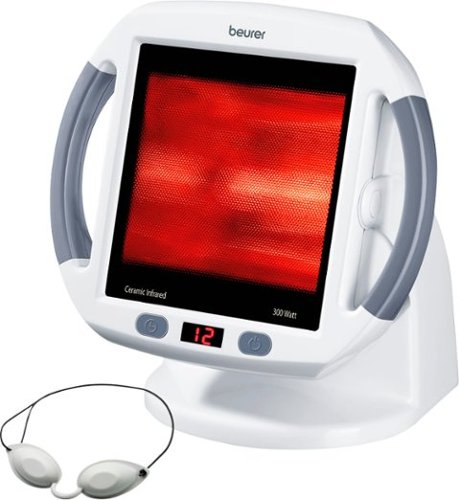
The IL 51 infrared heat lamp can relieve sore muscles, reduce inflammation, improve skin, and ease cold symptoms. It works by sending infrared light deep into the skin to enhance blood flow, raise the local tissue temperature, and stimulate cell repair. The infrared surface can treat areas up to 16" x 12" and includes a 0-50 degree adjustable angle. Easy to use with an on/off button and timer function. Meant for treatment on large areas of the body like the face, back, shoulders, or neck. Trusted safety features like automatic shut off and a UV-free lamp. Includes goggles to help protect your eyes during treatment. Take advantage of all the benefits of infrared light.
Customer Rating

1
Didn't Provide Relief for Me
on November 4, 2021
Posted by: CMCMom29
from Michigan
I wanted to like the Beurer Infrared Heat Lamp in White.
I suffer from fibromyalgia. I find heat very soothing in general. Since this is pitched as helping relieve pain, I thought this would be great.
It’s not even a good heater, let alone a therapeutic device.
I don’t find consumer items to be warm enough for me, so it could just be my personal preference. I’ve purchased things like heating pads and things that wrap around your neck to soothe muscle tension. They don’t work on me because they don’t get warm enough. Good for safety, but bad for me.
The unit comes with the kind of protective goggles that you would receive for use inside a tanning bed at a salon. I didn’t use them, but the instructions say to wear them to protect your eyes should you use the device on your face.
I put the device at the recommended distance at first. I didn’t feel any heat at all. So, I sat very close to it. Barely any heat. All I felt was annoyed that I was sitting almost on top of it and wasn’t feeling much output. No relief at all.
I think this is a good idea but it didn’t work out for me.
Mobile Submission: False
No, I would not recommend this to a friend.


Share this review:


+4points
6of 8voted this as helpful.
CMCMom29's Review Comments
CMCMom29 has not submitted comments on any reviews.
CMCMom29's Questions
CMCMom29 has not submitted any questions.
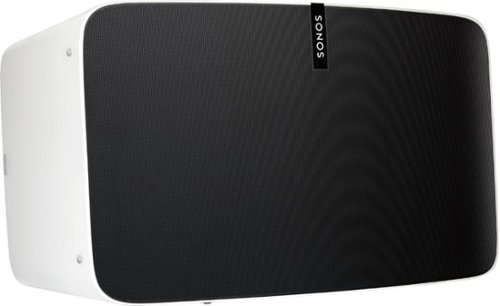
Enjoy immersive audio and near-zero distortion with this white Sonos Play:5 smart wireless speaker. The Trueplay feature makes adjustments according to the layout, furnishings and size of the room for optimal sound. This humidity-resistant Sonos Play:5 smart wireless speaker lets you stream music via Wi-Fi from your Android or iOS device.
Can I install this in the ceiling?
No, I don't see how you can. It's a shelf-style unit.
8 years, 11 months ago
by
CMCMom29
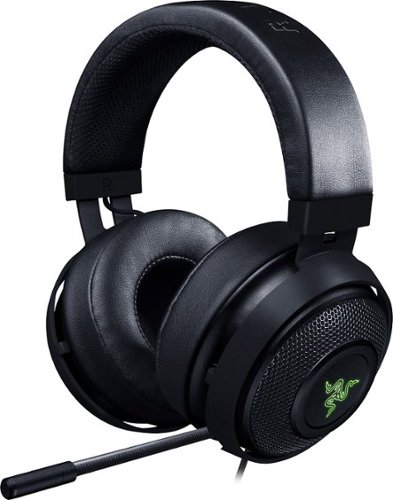
Hear every footstep, click and breath with this Razer Kraken digital gaming headset. The powerful 50mm drivers have neodymium magnets so that they produce exceptional sound directly to your ear, and the included microphone picks up speech clearly. This Razer Kraken digital gaming headset connects to a USB port for easy setup.
Its works for ps4?
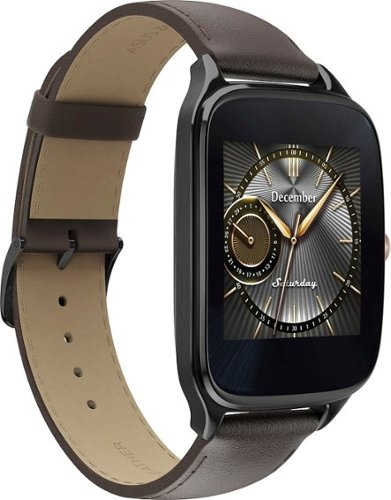
Power through the daily grind with this ASUS ZenWatch 2 smart watch. This 1.63-inch AMOLED touch screen watch is IP67-waterproof, so it's safe to wear in the shower while waiting for a very important call. This ASUS ZenWatch 2 smart watch also has a Wellness Suite that lets you plan workout routines, set training goals and track your progress.
will this watch work with iOS
Power through the daily grind with this ASUS ZenWatch 2 smart watch. This 1.63-inch AMOLED touch screen watch is IP67-waterproof, so it's safe to wear in the shower while waiting for a very important call. This ASUS ZenWatch 2 smart watch also has a Wellness Suite that lets you plan workout routines, set training goals and track your progress.
Will this watch work with my iPhone 6 plus and can I get news apps like cnn
Power through the daily grind with this ASUS ZenWatch 2 smart watch. This 1.63-inch AMOLED touch screen watch is IP67-waterproof, so it's safe to wear in the shower while waiting for a very important call. This ASUS ZenWatch 2 smart watch also has a Wellness Suite that lets you plan workout routines, set training goals and track your progress.
Are they coming out with a smaller size??
Power through the daily grind with this ASUS ZenWatch 2 smart watch. This 1.63-inch AMOLED touch screen watch is IP67-waterproof, so it's safe to wear in the shower while waiting for a very important call. This ASUS ZenWatch 2 smart watch also has a Wellness Suite that lets you plan workout routines, set training goals and track your progress.
Can this watch connect to wifi when your phone is not available?
Power through the daily grind with this ASUS ZenWatch 2 smart watch. This 1.63-inch AMOLED touch screen watch is IP67-waterproof, so it's safe to wear in the shower while waiting for a very important call. This ASUS ZenWatch 2 smart watch also has a Wellness Suite that lets you plan workout routines, set training goals and track your progress.
Is this watch compatible with a Galaxy s7?
Yes. I have it paired with a Samsung Galaxy Edge 7, and it works great.
9 years, 5 months ago
by
CMCMom29
Power through the daily grind with this ASUS ZenWatch 2 smart watch. This 1.63-inch AMOLED touch screen watch is IP67-waterproof, so it's safe to wear in the shower while waiting for a very important call. This ASUS ZenWatch 2 smart watch also has a Wellness Suite that lets you plan workout routines, set training goals and track your progress.
Can you have access to social media apps such as Facebook, Instagram, etc?
You do get notifications from those apps on the watch, but I have not seen where I could respond to them from the watch.
9 years, 5 months ago
by
CMCMom29
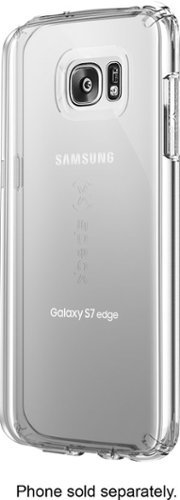
Let the sleek look of your Samsung Galaxy S7 edge show through with this Candyshell clear phone case. Crafted from custom-engineered soft acrylic, this cover absorbs shocks to protect your device. The clear material resists yellowing for long-lasting good looks, and this Candyshell clear phone case~s convenient design provides easy access to ports and buttons.
How many cases does this store have of this kind ?
I'm not sure if I understand your question, but Speck as a whole does not make very many cases for Edge phones.
9 years, 5 months ago
by
CMCMom29