


CMCMom29's stats
- Review count152
- Helpfulness votes386
- First reviewJune 23, 2009
- Last reviewJune 8, 2026
- Featured reviews0
- Average rating4.2
Reviews comments
- Review comment count0
- Helpfulness votes0
- First review commentNone
- Last review commentNone
- Featured review comments0
Questions
- Question count0
- Helpfulness votes0
- First questionNone
- Last questionNone
- Featured questions0
- Answer count19
- Helpfulness votes1
- First answerDecember 24, 2016
- Last answerSeptember 1, 2020
- Featured answers0
- Best answers1
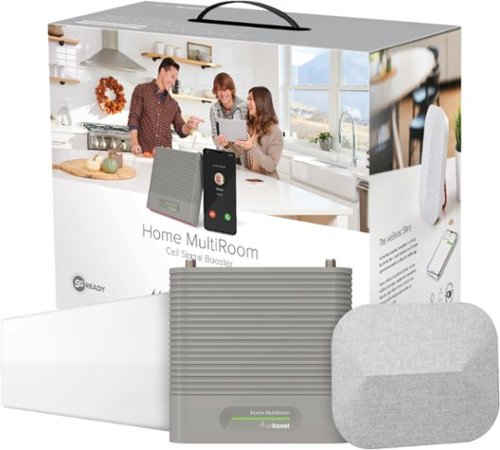
Do you experience slow internet speeds, dropped calls, poor call quality, or the inability to send and receive texts while you~re at home? With the weBoost Home MultiRoom Cellular Signal Booster, you can improve your cell signal where it matters most. The weBoost Home MultiRoom cell signal booster boosts cellular networks speeds for up to three large rooms (up to 5,000 sq. ft. depending on outside signal strength). The Home MultiRoom features an exclusive, Inside Antenna~featuring a built-in kickstand and stylish fabric cover while also providing best-in-class performance. Wall-mount installation is effortless with the included 3M Command strips. The proprietary Outside Antenna offers a tool-free, finger-tightened precision mount. Users will experience faster data speeds, better voice quality, fewer dropped calls, and superior streaming capability. Home MultiRoom works with all US carriers~including Verizon, AT&T, T-Mobile, and more. For anyone experiencing connectivity issues when using their phones, tablets, or devices within specific areas of their home (up to 5,000 sq. ft.). Stay connected, where it matters most, with the weBoost Home MultiRoom.
Customer Rating

4
Good for Rural Areas
on September 9, 2019
Posted by: CMCMom29
from Michigan
I live in a semi-rural area. I say “semi-rural” because, while I am technically in the country, there is a housing boom in my area, so it feels more like a suburb. We moved here three years ago from an actual suburb of a small city. Cellular reception was more reliable there, as were the utilities.
During our first year here, we had a power outage for three days due to weather. We relied on our cell service for contact with the outside world. A few times, cell coverage was spotty. We usually don’t get more than two or three bars on a good day, so it didn’t take much to go from good to poor service. When that’s your last way of communicating, it becomes an issue.
We also have issues with coverage throughout the house. The house has three levels. The upstairs has better service, while in the kitchen it’s poor. We do have wireless calling capability but sometimes that isn’t great in the house, either.
So, when I saw the weboost Home Cellular Signal Booster, I thought this would be a great item to have.
Unfortunately, the installation was a bit more complicated than we expected. I originally thought this would be a wireless booster, but it does require running a coaxial cable from the outside antenna to the inside antenna. We do not have the tools nor the comfort level of running cable through the siding and through the basement. The kit does come with a flat piece of wire that is a connector between the coax from the outside to the inside cable. This allows installation through a door or a window. We decided to run the cable through our sliding door for now.
We installed the outdoor antenna to an existing pole that held our old satellite dish (a clamp for this type of install is included). We used the OpenSignal app to locate our nearest tower and pointed the antenna in that direction. We did have an issue, though, as the way we were running the cable ended up requiring us to get a male-to-male connector in order the finish the install. Otherwise, the kit is complete with everything you need to set up the unit.
We installed the unit in our kitchen, as the second floor was where we had the most issues. Once connected and plugged in, the booster turned green. We went from two bars to 4 bars instantly. We did not have to move the outside antenna at all. The range was -100, which technically was only in the “good” range according to the instructions, but it was good for us.
I would recommend this unit for those who need a boost in service, especially in more remote areas. Just be aware that it will take some time to install and some technical know-how.
Mobile Submission: False
I would recommend this to a friend!


Share this review:


+13points
13of 13voted this as helpful.

Featuring a simple one-time setup under the mattress, Sleep is a sensor that helps improve sleep quality by offering advanced sleep cycle analysis, heart rate tracking, and snore and breathing disturbances detection. Learn how to improve your nights with a daily Sleep Score. You can also create a better sleep environment by taking advantage of a range of smart home capabilities that Sleep can support.
Posted by: CMCMom29
from Michigan
I was excited to try the Withings Sleep Tracking Mat. I’ve suspected that my quality of sleep wasn’t that great, so I wanted to see if I was right. I was so excited, in fact, that I initially expected to be disappointed.
I had a hard time opening the sleeve around the box, so I had to rip it off. This may be a theft-deterrent measure, but I’m not a fan of it. Customers shouldn’t have to fight the box to open it.
The unit is quite simple. It comes with a mat, a charging cable (a USB cord attached to the mat), and USB receptacle to plug into the wall. At first, with this cable set up, I thought this was rechargeable and possibly I had to charge it first. I couldn’t find a reference to this, though, so I just plugged it in.
The instructions are very simple. Almost too simple, perhaps. The booklet basically covers the installation of the mat and refers you to the app.
You are supposed to place the mat under your mattress. I have an adjustable air mattress-style bed so I wasn’t sure if it would work placing it under the air bladder. So, I placed it under the foam topper that I have on my bed, so it was between the foam and the mattress.
I got to bed late (this is normal for me). I expected to get about 4-5 hours of sleep. The mat, however, said that I only slept for one hour and 43 minutes. It said I had been interrupted twice (though I don’t remember anything waking me up), and very little deep sleep. It classified me as having a “restless night”.
The next day, it did pick up my husband’s sleep as a “nap” (he works 3rd shift). While I could set up an additional profile in the app, I could not assign that sleep data to him. I couldn’t even set it up to a mat device at all. I was disappointed in this lack of feature. I’ve kept the data for now because my only other choice would be to delete it. Fortunately, this only happened once.
I’ve been using it for six nights now. I find that I’m fascinated at what it picks up. Some nights, I’ve snored up to an hour per night. It breaks down how long it took me to get to sleep, when I slept lightly, when I’ve had deep sleep, and when I was in REM sleep.
It does say that I’ve had several breathing disturbances during most nights. This is not a diagnostic device, so I don’t know what they are caused from; it doesn’t go into that level of detail. My husband has sleep apnea, so I am familiar with the condition. The app has some informational articles about apnea, such as a list of symptoms. It also explains what other conditions might be causing the issues. I find that this would be a good tool to share with my doctor when I see them next. I wish there was a way to export the data to share with my medical providers, but so far, I’ve not found that option. I would recommend that the manufacture consider adding that feature.
Overall, I’m very impressed with this unit. I plan on using this every night from now on. I launch the app each morning when I wake up so the data transfers (via Bluetooth) and I can see my results. I would recommend that anyone who is interested in sleep tracking get this product. I can see it would be easy to pack and travel with as well. You can plug in your wrist tracker to charge and use this unit instead.
Mobile Submission: False
I would recommend this to a friend!


Share this review:


+7points
7of 7voted this as helpful.
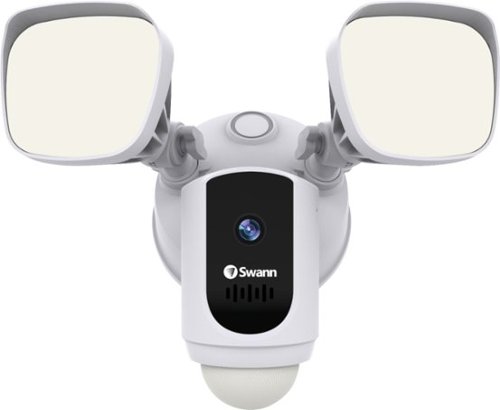
Protect your home or business with this Swann 1080p Wi-Fi floodlight security camera. The Full HD resolution lets you review captured footage in stunning detail, while the floodlight ensures that subjects are illuminated. This Swann 1080p Wi-Fi floodlight security camera includes a siren and two-way audio for scaring off trespassers and potential intruders.
Posted by: CMCMom29
from Michigan
The Swann 1080p Wi-Fi Floodlight Security Camera is a great unit.
I was a little intimidated at first because it requires hardwiring. I’m not a fan of messing with electricity. I had hoped this would come with a (solar?) battery option, but then again, who wants to climb up to charge a battery?
We had to wait a bit after receipt to install because it was raining nearly every weekend. When all the stairs aligned for us to have the time and weather to install, we weren’t sure what to expect.
Let me tell you – the installation went super smoothly. I was surprised how easy it was. The hardest part was figuring out which breaker powered the light we were replacing.
We installed on to an existing light fixture (not a floodlight; just an outdoor carriage light). We had a copper grounding wire instead of the green/yellow as listed in the instructions (we also watched a video on the manufacturer’s web site). We were still able to make it work.
The app provides step-by-step instructions on setting up the camera. It was relatively quick. We were up and running in no time.
The unit has a siren feature (we did try this out – it’s loud and plays both on your phone and the unit). You can also adjust the brightness of your lights. I was using this to oversee our backyard, so I kept it at 100%.
You have three modes – Home, Away, and Night. I wish you could set these up on timers, but it appears that it would have to be manually changed. Each mode can be armed (camera on) or not. The Home Setting defaults to not armed, and the others default to armed.
The remaining features of the app are fairy intuitive.
I was able to link to my Alexa devices, but I’ve not tried that out yet.
The camera seems quite sensitive. I’ve had several alerts of motion but not anything visible in my video(s). I do have one nice clip of my neighbor’s fireworks, though. It shows our backyard then giant flashes of light.
The clarity is nice – the video isn’t blurry or grainy. I can see the entire backyard clearly.
I am beyond happy with this unit. Highly Recommend.
Mobile Submission: False
I would recommend this to a friend!

Share this review:


+5points
5of 5voted this as helpful.
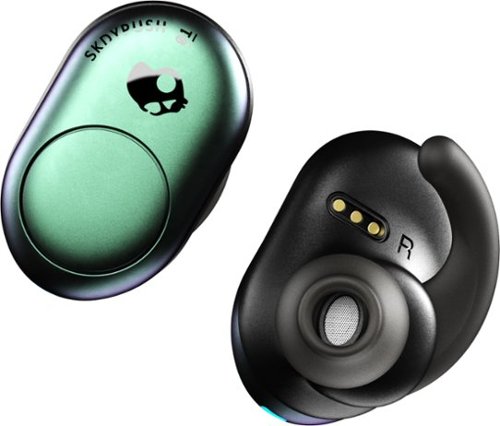
Listen to up to 12 hours of music on a single charge with these SkullCandy Push True wireless earbuds. Bluetooth connectivity offers freedom from wires, while single-button volume, track and call control provides convenience. The Secure FitFin gel ear tips help these SkullCandy Push True wireless earbuds fit comfortably, and the water-resistant design withstands exercise and outdoor use.
Posted by: CMCMom29
from Michigan
The Skullcandy Push is an attractive set of ear buds. They come with a charging case; the case holds a charge rather than just the buds. You can be on the go and pop the buds into the case and they will charge without being plugged in. This is a great feature. Plus, I like the size and shape of the case – it’s easy to find in a large purse or bag, even if you are trying to feel for it.
It’s easy to pair using the enclosed directions. I tried it with both my Samsung Galaxy and my laptop.
I have had mixed results with ear buds in the past because of comfort. These buds are comfortable to wear. I could move around and not worry about them falling out.
The battery life is fantastic. They were sitting unused for several days on my desk, not plugged in, just in their case. The case held its charge and the buds were ready to go when I needed them.
I would definitely recommend these ear buds.
Mobile Submission: False
I would recommend this to a friend!
Share this review:


0points
0of 0voted this as helpful.
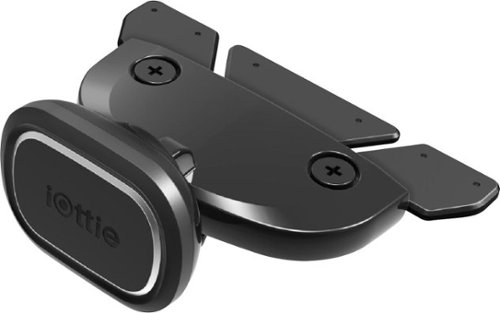
Position your smartphone safely in your vehicle with this iOttie iTap 2 Magnetic CD slot mount. Rare-earth magnets hold your device securely, and the metal plates and protective film offer universal compatibility with wireless and wired charging. The rubberized connector and locking lever of this iOttie iTap 2 Magnetic CD slot mount provide precise, effortless installation.
Posted by: CMCMom29
from Michigan
I needed a car mount for my cell. Normally, I can wear a lanyard to have the phone in easy reach. However, it makes it difficult to view maps or access music if I need to do so. I wanted a basic mount that allowed access but wasn’t a permanent mount.
The iOttie that I tried is a CD player mount. When I ordered it, I thought I had a traditional CD player. However, I realized too late that I had a DVD player that was behind a computerized display.
The first step is to attach either a small or large metal plate to your phone or case, as the unit is magnetic. Both plates are hideously ugly. You would not want them on the outside of your phone.
I have a phone with wireless charging capability, so the recommendation was to use the smaller plate on the outside of the case. However, that would cover up part of my decorative case, and it interfered with my PopSocket. So, I placed the larger metal plate inside my case.
Placing the unit in my car proved to be a challenge. The unit would not fit in my DVD player at all. Trying to force it was out of the question because of how my display folded down – I was afraid to damage it.
So, I tried it use in my vent. The unit fit, though I was unable to lock it into place. The phone seemed to sit OK, but had I taken a sharp turn I’m not sure it would have stayed put.
I would have rather had flexibility to use it in a CD player OR a vent OR some other spot as one kit, rather than being stuck with only one option. Yes, I was able to use it elsewhere, but that wasn’t how it was designed, so I cannot award points for that.
The magnet was strong, but the phone was mounted higher than I would have liked. It was mounted on the lower third of my phone trying to keep access to the wireless charging.
If you have an older vehicle (pre-2010 maybe?) you might be OK using this unit. If you have a newer car, I would look at other mount options.
Mobile Submission: False
No, I would not recommend this to a friend.

Share this review:


0points
1of 2voted this as helpful.
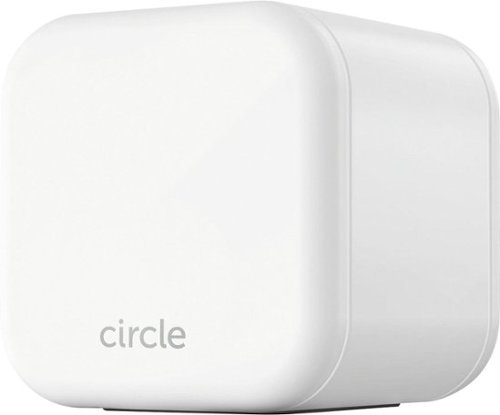
Keep your kids safe online with this Circle Home Plus monitoring setup. The included device uses your router to manage every device on your network, and Circle App makes it simple to limit screen time, filter content, and check browsing histories. This Circle Home Plus monitoring setup is easy to set up and lets you create custom settings for each family member.
Customer Rating
4
Decent Option for Basic Parental Controls
on May 23, 2019
Posted by: CMCMom29
from Michigan
I have a son on the Autism Spectrum who is quite the tech wiz. He is also is a big fan of YouTube. Sadly, YouTube doesn’t offer a kid’s friendly site on the computer. Sometimes he stumbles on videos that appear kid-friendly but are not. After many conversations about content and relocating the PC to the kitchen so we can view what he’s watching, the temptation has proven to be too much. I prefer to block it completely. However, YouTube makes that almost impossible.
So, I started out with Norton Family filters, which proved too easy to beat. I enabled parental controls on Windows, and then on the wi-fi itself. Even with all of those filters enabled concurrently, he still found ways around it. Windows also doesn’t allow you to block the ability to download free apps, so even if I was able to block something, he could use the app from the Microsoft Store to access the site.
It was because of these experiences that I was looking forward to trying Circle. Circle offers another layer of filtering protection for members of your home on the Internet. It also gives parents additional controls, such as the ability to pause Internet access, set bedtimes (where the Internet is shut off to the devices), among other features.
Setup started out to be easy. The package comes with a white cube, which is the Circle unit, an ethernet cable, power cable, and a small pamphlet with the setup instructions.
Circle offers the ability to install to your router using the ethernet port or via your wi-fi. My cable modem only has one ethernet point, and that is used by my Velop mesh wi-fi system. The other port on the Velop nodule is being used by my work computer. The instructions say that the Circle needs to be as close to the router as possible. I tried to first install via wi-fi.
You download the Circle app, follow the instructions, then you connect your phone to the Circle device. At first, I had a wheel running as if the unit was trying to connect the app to the unit. I let it run for an hour without any connection or error, so I shut down the app and tried again.
I kept getting errors at that point, so I tried troubleshooting myself, then I had to contact Customer Support, as the factory password no longer worked as the instructions specified. The only fix was to try to do a factory reset. They provide a video to show how to do this.
However, my unit just continued to blink without resetting. Even unplugging the unit and plugging it back in did nothing. The way to reset should be user friendly, such as a dedicated reset button or a way to reboot via PC or app.
I had to wait a few days until I could unplug my computer long enough to use the ethernet connection. Using that, I was able to connect, then do a “wi-fi backup” so, in the even the connection is lost, the wi-fi connection kicks in. That was the only way I could get the device to work. I was told by Customer Support that mesh wi-fi could have been the issue.
I have profiles set up for each child. You can set up profiles for anyone using your network, and then you can associate devices to the users and apply pre-set filters or customize the filters you need. You can block common apps (iOS or Android) such as facebook or Amazon. You can also track their device’s location and set up timers so no Internet access during overnight, for example.
Unfortunately, in my case, YouTube can still be accessed. The web site itself is blocked (it shows up as an error, not anything identifiable as Circle, which I would have preferred) but it can still be accessed via embedded videos on other sites, or a free video app available via Windows.
In my case, the unit did not perform as I had hoped. I’m not sure if that is because parental control technology is outpaced by the ways around it, or a fault in the design of the unit. I did take away one star because of the technical issues, and the frustration I had with being told that the only fix was a reset that wasn’t working.
Mobile Submission: False
I would recommend this to a friend!
Share this review:


+5points
5of 5voted this as helpful.
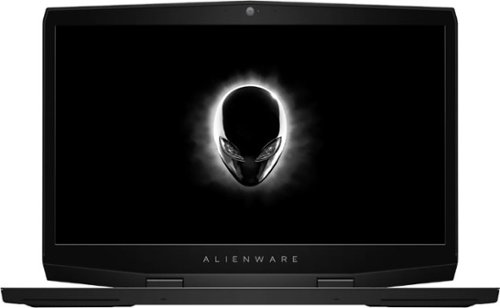
Get the tools to achieve victory with this 17.3-inch Dell Alienware gaming laptop. Featuring an NVIDIA GeForce RTX 2070 graphics card with Max-Q design, this laptop smoothly handles visually intensive titles at high settings. This Dell Alienware gaming laptop delivers vivid colors and makes games look sharp and detailed with its 17.3-inch Full HD display.
Customer Rating

5
Great Choice for Your Next Gaming Computer
on April 21, 2019
Posted by: CMCMom29
from Michigan
I remember when I first heard of a commercially available “gaming computer”. The name to remember was Alienware. It was the leader in the field, but way out of my price range. I would look admirably at the display models and silently wish I could test drive one, but alas, it wasn’t meant to be.
Until now.
I was very excited to have the chance to own an Alienware product. The unboxing did not disappoint. The computer was packed very carefully, in sleek black packaging. The lines were clean, the unit weighty but not heavy. Upon startup, the keyboard showed the several different color choices of the backlit keyboard. Even the little Alienware logo glows in the same color! I chose a very soothing teal background color – not as harsh as the red background that many computers use.
The texture and the key placement were comfortable. (One small drawback – the surface of the wrist rest seems to attract every single particle of dust anywhere in the vicinity of the computer.)
I’m a multi-tasker and I like to keep several tabs open at once, even in multiple browsers. The computer was able to keep up with me with no issues. The Windows Explorer background is black instead of white, and it’s much easier on the eyes.
I wasn’t impressed with the sound quality, but it’s not a deal breaker for me. I’ve had computers with much worse sound systems. If you are expecting stereo quality, though – this isn’t it. You can easily connect it via Bluetooth with a soundbar or use a quality gaming headrest if you are looking for better audio.
So far, it’s lived up to my expectations. You can’t go wrong with this product.
Mobile Submission: False
I would recommend this to a friend!


Share this review:


0points
0of 0voted this as helpful.
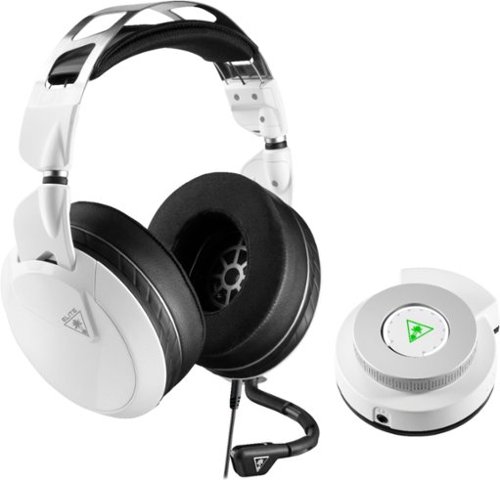
Hear lifelike sound details in your Xbox One games with this Turtle Beach Elite gaming combo. The Elite Pro 2 headset has 50mm custom-tuned Nanoclear drivers for an immersive experience and Aerofit ear cushions for ergonomic comfort. Customize your headset~s sonic performance via the SuperAmp controller of this Turtle Beach Elite gaming combo.
Posted by: CMCMom29
from Michigan
First impressions of this unit are that it is remarkably packaged. Foam core around the headset and audio hub, accessories in its own box and wrapping, protective plastic over the finishes.
After unboxing, however, the next impression is how HEAVY the headset is. I’m not sure why that is. For something that is designed for an activity that can last for hours, I’m not sure why this isn’t lighter weight.
I attached all the cables, and discovered that, while the mic is removable, it is not very MOVEABLE. The mic bends toward the user’s mouth, but there is only one port for the mic (on the user’s left) and it doesn’t move up for those times it is not needed. I also had an issue where the mic fell off the headset after attachment. You need to make sure the mic is seated completely until you feel a subtle click into place.
At first, I didn’t hear any sound coming through the set. I realized that the hub was turned down, so I had to adjust that first.
Sound quality was good. You can use the headset alone or with the app (synced via Bluetooth to your phone). The app gives you LOTS of flexibility to get the audio to your liking. A little TOO much, perhaps, but great for the hardcore gamer.
Sound quality was good. You can use the headset alone or with the app (synced via Bluetooth to your phone). The app gives you LOTS of flexibility to get the audio to your liking. A little TOO much, perhaps, but great for the hardcore gamer.
The version I tested was for the Xbox One, but it also worked great with a gaming laptop.
Mobile Submission: False
I would recommend this to a friend!
Share this review:


0points
0of 0voted this as helpful.
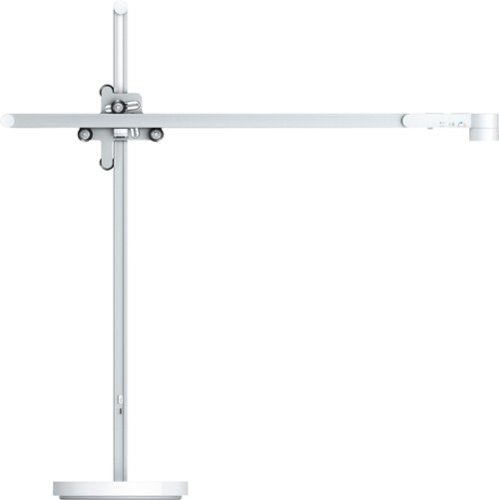
The Dyson Lightcycle automatically simulates properties of natural daylight so you get the right light for the time of day, anywhere in your home. This light is engineered to reduce eyestrain, providing powerful, high quality light with glare control and low optical flicker*. Personalize your illumination setting your age and location or changing the light modes on the Dyson Link App.* Tested at full brightness according to IEEE 1789 - 2015 - Recommended Practices for Modulating Current in High-Brightness LEDs for Mitigating Health Risks to Viewers.
Posted by: CMCMom29
from Michigan
The Dyson LightCycle Desk is truly a marvel of design.
The name isn’t quite what is seems, though. When I received the unit to test, and opened the box, I thought maybe it was a LIGHTED DESK. No, it’s a desk light. Maybe that’s the next idea. :)
I wasn’t sure what to expect at first. It’s an unusual design. It comes disassembled; the instructions are printed on the lid of the box. As with previous Dyson products that I’ve tried, the items are meticulously packaged. The manual is wrapped in wax paper, there are multiple pieces of plastic-cling to peel off as you assemble.
The only issue I had with assembly is that I found it difficult to snap the upper arm into place. The photo could have been a bit clearer on how to snap in into place where the wheels were in the correct place. It took me a few tries before I got it right.
The base does take up a lot of real estate. I have a small desk, so I put the light on a nearby file. With the long arm, it still displayed light across the desk.
It is motion activated (if you activate that feature), which is nice for my office; the overhead switch is in an awkward place. I walk in, not even close to the light, and it senses movement.
The bulb housing itself is small, but it puts out a lot of light considering the size. You can move the light up or down, controlling the concentration. You can also sync the light with the Dyson app.
I had some issues with the light fully syncing with my Samsung phone. It would get about half way and get an error. I had to wait until the next day before it would complete the process.
The app is fun to play with. You can put in your location so that the light automatically changes to match your local area. There are also presets, such as Relax mode, which is a warmer hue for winding down. I used the Custom Settings to get the tone just right for the way I work. I’m not a huge fan of artificial light, so having the control over the type of light it puts out was a nice feature.
The LightCycle Desk is another fabulous design by Dyson. It will certainly be a conversation piece in your home.
Mobile Submission: False
I would recommend this to a friend!


Share this review:


-4points
1of 6voted this as helpful.

Prepare delicious espresso drinks with this Brim 19 bar espresso maker. Die-cast construction delivers enduring quality along with a sleek look, and the thermal coil system provides reliable temperatures when preparing beverages. A hot water dispenser lets you prepare tea and hot cocoa for added versatility. Boasting a commercial-style steam wand, this Brim 19 bar espresso maker creates a perfect layer of foam for barista-style espresso creations.
Customer Rating

3
OK but Not for a Novice
on February 17, 2019
Posted by: CMCMom29
from Michigan
I will preface this review by stating that I’ve never worked a professional espresso maker prior to this unit. For the test, I used Starbucks Café Verona beans, ground for the maker using a Breville burr grinder.
The Brim espresso maker was intimidating for me right out of the box. For that reason, I didn’t use it right away. I had to work up my nerve, which is very rare for me.
Today I felt confident enough to try. Even so, I had to read and re-read the directions several times. There are a lot of steps to making what appears to be a simple espresso.
The portafilter was hard for me to use; it took a bit more strength than I had anticipated to get the unit to lock into place. The instructions also didn’t explain that the filters would have to be snapped in using some pressure to do so. I was afraid to force it at first but ended up having to do so. There should be a better explanation for the non-pressurized vs. pressurized filters. The diagrams were not helpful.
That all said, I was able to make myself a Mocha using some Hershey’s Syrup that I had on hand. I put a small layer of chocolate on the bottom of a latte cup, poured one shot of espresso, stirred a bit, then added my steamed milk. The quality was OK. The espresso had cooled quite a bit so I didn’t find it very hot, but it tasted OK.
I think that if you have experience with these kinds of machines, then the Brim may be a good choice. For a novice like me, you may want to look at something simpler.
Mobile Submission: False
No, I would not recommend this to a friend.
Share this review:


0points
1of 2voted this as helpful.
CMCMom29's Review Comments
CMCMom29 has not submitted comments on any reviews.
CMCMom29's Questions
CMCMom29 has not submitted any questions.
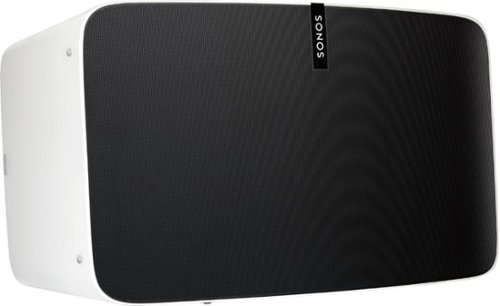
Enjoy immersive audio and near-zero distortion with this white Sonos Play:5 smart wireless speaker. The Trueplay feature makes adjustments according to the layout, furnishings and size of the room for optimal sound. This humidity-resistant Sonos Play:5 smart wireless speaker lets you stream music via Wi-Fi from your Android or iOS device.
Can I install this in the ceiling?
No, I don't see how you can. It's a shelf-style unit.
8 years, 11 months ago
by
CMCMom29
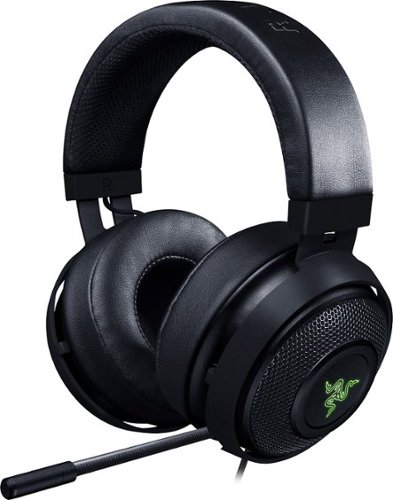
Hear every footstep, click and breath with this Razer Kraken digital gaming headset. The powerful 50mm drivers have neodymium magnets so that they produce exceptional sound directly to your ear, and the included microphone picks up speech clearly. This Razer Kraken digital gaming headset connects to a USB port for easy setup.
Its works for ps4?
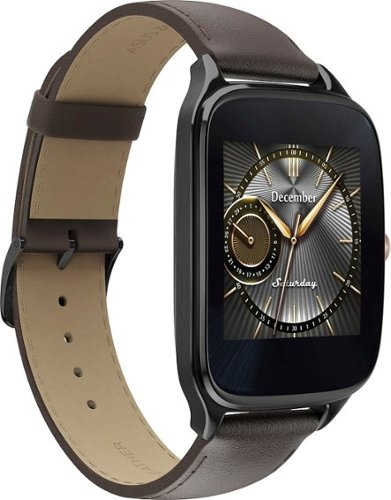
Power through the daily grind with this ASUS ZenWatch 2 smart watch. This 1.63-inch AMOLED touch screen watch is IP67-waterproof, so it's safe to wear in the shower while waiting for a very important call. This ASUS ZenWatch 2 smart watch also has a Wellness Suite that lets you plan workout routines, set training goals and track your progress.
will this watch work with iOS
Power through the daily grind with this ASUS ZenWatch 2 smart watch. This 1.63-inch AMOLED touch screen watch is IP67-waterproof, so it's safe to wear in the shower while waiting for a very important call. This ASUS ZenWatch 2 smart watch also has a Wellness Suite that lets you plan workout routines, set training goals and track your progress.
Will this watch work with my iPhone 6 plus and can I get news apps like cnn
Power through the daily grind with this ASUS ZenWatch 2 smart watch. This 1.63-inch AMOLED touch screen watch is IP67-waterproof, so it's safe to wear in the shower while waiting for a very important call. This ASUS ZenWatch 2 smart watch also has a Wellness Suite that lets you plan workout routines, set training goals and track your progress.
Are they coming out with a smaller size??
Power through the daily grind with this ASUS ZenWatch 2 smart watch. This 1.63-inch AMOLED touch screen watch is IP67-waterproof, so it's safe to wear in the shower while waiting for a very important call. This ASUS ZenWatch 2 smart watch also has a Wellness Suite that lets you plan workout routines, set training goals and track your progress.
Can this watch connect to wifi when your phone is not available?
Power through the daily grind with this ASUS ZenWatch 2 smart watch. This 1.63-inch AMOLED touch screen watch is IP67-waterproof, so it's safe to wear in the shower while waiting for a very important call. This ASUS ZenWatch 2 smart watch also has a Wellness Suite that lets you plan workout routines, set training goals and track your progress.
Is this watch compatible with a Galaxy s7?
Yes. I have it paired with a Samsung Galaxy Edge 7, and it works great.
9 years, 5 months ago
by
CMCMom29
Power through the daily grind with this ASUS ZenWatch 2 smart watch. This 1.63-inch AMOLED touch screen watch is IP67-waterproof, so it's safe to wear in the shower while waiting for a very important call. This ASUS ZenWatch 2 smart watch also has a Wellness Suite that lets you plan workout routines, set training goals and track your progress.
Can you have access to social media apps such as Facebook, Instagram, etc?
You do get notifications from those apps on the watch, but I have not seen where I could respond to them from the watch.
9 years, 5 months ago
by
CMCMom29
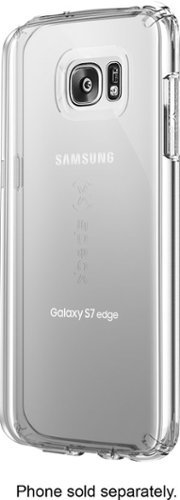
Let the sleek look of your Samsung Galaxy S7 edge show through with this Candyshell clear phone case. Crafted from custom-engineered soft acrylic, this cover absorbs shocks to protect your device. The clear material resists yellowing for long-lasting good looks, and this Candyshell clear phone case~s convenient design provides easy access to ports and buttons.
How many cases does this store have of this kind ?
I'm not sure if I understand your question, but Speck as a whole does not make very many cases for Edge phones.
9 years, 5 months ago
by
CMCMom29