


CMCMom29's stats
- Review count152
- Helpfulness votes386
- First reviewJune 23, 2009
- Last reviewJune 8, 2026
- Featured reviews0
- Average rating4.2
Reviews comments
- Review comment count0
- Helpfulness votes0
- First review commentNone
- Last review commentNone
- Featured review comments0
Questions
- Question count0
- Helpfulness votes0
- First questionNone
- Last questionNone
- Featured questions0
- Answer count19
- Helpfulness votes1
- First answerDecember 24, 2016
- Last answerSeptember 1, 2020
- Featured answers0
- Best answers1
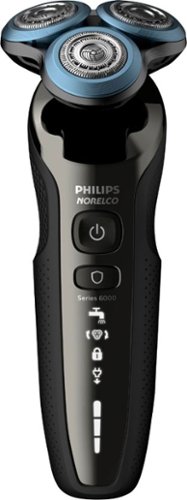
Enjoy a clean, close result with this Philips Norelco Series 6000 shaver. The special ComfortGlide rings have a protective coating that helps the razor move smoothly across your face and neck, reducing irritation and redness. MultiFlex heads on this Philips Norelco Series 6000 shaver ensure you never miss a hair.
Posted by: CMCMom29
from Michigan
I am a female who unfortunately has a bit of hair on her face. I say this at the outset, not because it’s not embarrassing, but because I want to reach out to others who may have the same problem.
I have tried many types of electric razors from many different brands over the years. Some marketed toward males, some toward females. I never found one that worked for me. Men can have a little stubble or a “5-o-clock shadow”, but women? Absolutely not. If the razor wasn’t close enough, then I’d have to go over it with a blade-style razor anyway, which irritated my skin. The irritation was almost as embarrassing as the hair itself.
This model razor is the first electric razor that I have tried that acts like a standard blade razor. It’s easy to use, does not irritate my skin, and cuts very close. I didn’t feel like there was still visible stubble remaining.
I highly recommend this razor.
Mobile Submission: False
I would recommend this to a friend!
Share this review:


0points
0of 0voted this as helpful.
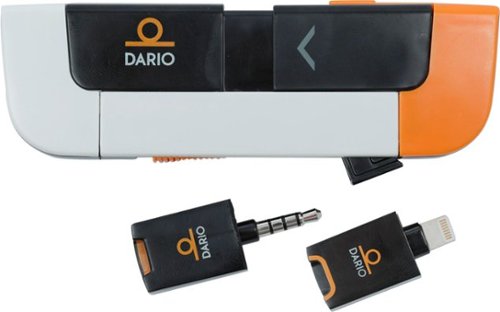
Control your diabetes with this Dario Android blood glucose monitoring system. It contains a lancing device, test strip cartridge and meter in one compact housing, so it's easy to carry in your pocket. This all-in-one Dario Android blood glucose monitoring system connects to mobile devices via a convenient app to deliver results within six seconds.
Posted by: CMCMom29
from Michigan
I have Type 2 Diabetes. Fortunately, mine is controlled by medication, but I do occasionally have to check my sugars. I do not like carrying around a meter, though, as I don’t check them all the time. They are cumbersome to carry, and most don’t log your sugars so that you can track them. You either have to have an additional app or carry a log around in order to record them. Yes, they do have memories, but don’t sync with a computer. Just not convenient for me.
The Dario comes very close to solving most of those issues. The actual unit is small, compared to a standard meter. The unit holds your transmitter, your lancet device, and stores your strips. It’s small enough to carry in a clutch or purse without taking up too much room.
The transmitter plugs into your headset jack (so you’ll need to make sure your phone has one). The Dario app tracks and records your readings and can even alert an emergency contact if you have a hypoglycemic event.
It’s a rather ingenious design. However, since you have to change out a lancet each time you test, it would have been nice if they went a step further and had a way to store extra lancets. Then it would be a matter of grabbing and going, rather than trying to remember an extra item (e.g. bag of lancets).
I will add that I did mention the Dario to my Diabetes Management program nurse, and she was very excited about it. She was going to share the information about the unit to others in our program.
Mobile Submission: False
I would recommend this to a friend!
Share this review:


0points
0of 0voted this as helpful.
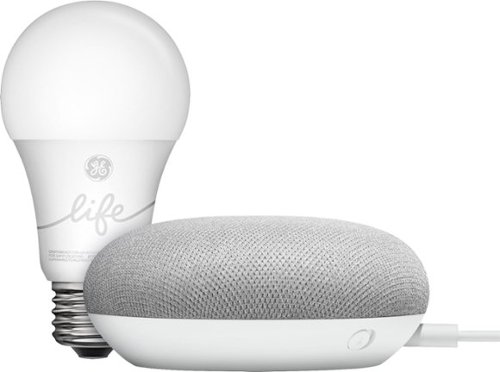
Use the Google Smart Light Starter Kit to control the lights using just your voice. Set up in a snap: just plug in Google Home Mini, screw in the GE C-Life smart light bulb, and download the Google Home app to get started. Then just say "Hey Google" to dim, brighten, turn on and turn off the lights."
Customer Rating

5
A Better Ecosystem than Alexa
on December 31, 2018
Posted by: CMCMom29
from Michigan
When the home AI units came out, I had to decide whether to set our home up with Amazon Alexa or Google Home. At the time, Alexa seemed to be the more robust choice. I was already a Prime member, I owned Kindles, so the choice seemed obvious. I set my home up with the Alexa ecosystem.
I think I may have made the wrong choice.
As you would expect, set up of the Google Home device was easy. The user interface is visually pleasing and fairly intuitive. You can program it for multiple users that have different voices, so that each person can have their own setups individual to them.
One of the frustrations I have with Alexa is that if you don’t phrase something EXACTLY, it doesn’t understand. For example, if I said “Alexa, turn off living room lampS,” it wouldn’t understand which light I meant. I set up the item as singular “lamp” so that’s the only way it understands the command.
This Google Home unit came with a Smart Light Bulb. When I was testing the Home unit, I asked it to turn on the light as I titled it, just like I would have Alexa. Then I asked it to dim the light, without actually specifying the lamp. With Alexa, I would have had to say the commend in full (“Alexa, dim bedroom lamp.”). With Google, it seemed to understand what I wanted without specifying, AND it understood what I was saying as if I was having a conversation with it. Other than the clunky, “Hey Google,” to get its attention, it seemed to understand me. Alexa is very set in her ways, which can be annoying.
Our phones are Androids, and I have an Android-based smart watch, which all have Google Assistant. It may be advantageous for me to switch from Alexa to Home at some point, but for now, it’s a bit cost prohibitive. If you haven’t set your Smart Home up yet, I would advise to really look at Google Home vs. Amazon Alexa.
Mobile Submission: False
I would recommend this to a friend!
Share this review:


0points
0of 0voted this as helpful.
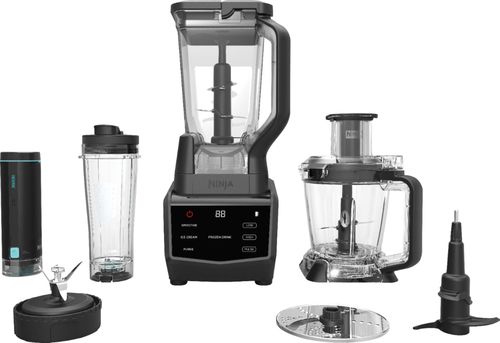
Prepare shakes and complete blending tasks with this Ninja smart screen kitchen system. It uses FreshVac technology to preserve the vitamins, flavors and appearance of natural ingredients, and with 1400 watts of power the stacked blades help the processor puree and chop with maximum precision. The touch screen display of this Ninja smart screen kitchen system offers easy access to various functions.
Customer Rating
5
Get this Blender Instead of That "Other" Brand
on December 6, 2018
Posted by: CMCMom29
from Michigan
My family loves smoothies. However, my current blender wasn’t up for the job to make a proper smoothie. I had the opportunity once to watch a demonstration of the leading brand-name blender and I was impressed by what a smartly designed blender could do. However, I did not have the $500 that the store wanted for that brand.
The Ninja Smart Screen Kitchen System with Fresh Vac first caught my eye because the pitcher has a very similar design to that pricier blender but was much more budget-friendly. I was also intrigued by the touch screen element. I’m a pushover for touch screens and sleek designs.
One thing I’d like to point out here. PLEASE take care when unpacking your blender! I didn’t and ended up cutting myself on the food processor blade. It wasn’t bad, but unexpected.
The unit came with recipes to get started but I didn’t have the ingredients at home. It’s frustrating when new appliances come with recipes that don’t have (at least what I consider to be) common ingredients.
Once I picked up what I thought I needed, I realized that I had forgot an ingredient, so I decided to make up my own. I used four cups of frozen strawberries, some agave syrup, and a container of Oui brand vanilla yogurt. I used the Fresh Vac attachment per the instructions. I found it very easy to use; it vacuumed all the air our of the pitcher and then automatically turned off when complete.
The smoothie came out quite thick, but delicious. I look forward to trying more recipes.
The Ninja Smart Screen Kitchen System with FreshVac is a great blender.
Mobile Submission: False
I would recommend this to a friend!


Share this review:


+6points
6of 6voted this as helpful.

Dive right in and do something amazing with your photos. Auto-generated photo and video slideshows and collages are created just for you and delivered upon launch. Get up and running quickly with the new home screen - see what's new since your last version, discover fun things to try, and get inspiring ideas, help, and tutorials. Effortlessly organize, edit, and create thanks to photo and video automation powered by Adobe Sensei AI technology. Try artistic techniques and effects with 53 step-by-step guided edits. And share your favorite memories in everything from fun memes and collages to dynamic slideshows to printed artwork and gifts.
Customer Rating
5
Cannot Recommend Highly Enough
on November 24, 2018
Posted by: CMCMom29
from Michigan
I had one of the earliest Photoshop Elements software packages (back then, you had to purchase the software vs. using a subscription). I really liked the product but found it hard to use as a novice. I eventually gravitated toward using Google Picasa. It didn’t have all the features that I wanted, but it was easy to use. I wanted to learn more advanced techniques of photo editing, but due to cost and limited time, I stuck with the easiest option.
Picasa has since been discontinued. I have been on the lookout for a replacement. I had the opportunity to try the latest Photoshop Elements, and thought that I would see what it was like now.
It was very easy to download, though it did take time. Once I finished the setup (also easy to do), I had the organizer find all my photos to import into the software. The organizer then used face recognition to sort my photos. I still needed to go in manually to confirm that photos were of certain people, but for the most part, it was very effective.
The first thing I tried was something I had wanted to try for years. We didn’t have a professional photographer at our wedding. We took our own photos and unfortunately the only photo we have of my husband and I, I had my eyes closed. I have wanted to fix this for years so that I had a nice photo.
This feature could not have been easier. I was able to pull up the photo, easily fix some blemishes in the background, and was able to change my eyes. Basically, you can pull up several photos that show your eyes (I used other wedding photos) and “try out” the different versions until you find a set that you like. It turned out beautifully. I’m so happy, I cannot even tell you.
I cannot highly recommend this package enough for any beginner, or even a more advanced user. I look forward to many days finding new features to use.
Mobile Submission: False
I would recommend this to a friend!
Share this review:


+1point
1of 1voted this as helpful.

Enjoy the rich, full-flavored coffee you love or delicious coffeehouse beverages from the Keurig K-Cafe Special Edition single serve coffee, latte, and cappuccino maker. Featuring metal details and a premium nickel colored finish, the K-Cafe Special Edition brewer is a stunning addition to your kitchen. Whether brewing coffee, or making lattes, and cappuccinos, the K-Cafe Special Edition brewer works with any K-Cup pod so the options are endless. Use the coffee SHOT to brew a concentrated shot of coffee and froth your choice of fresh milk to create a creamy latte or frothy cappuccino. Enjoy your latte or cappuccino hot or use the COLD setting to froth cold milk for a wonderfully refreshing iced latte or cappuccino. Brew 6, 8, 10, or 12oz of your favorite coffee, tea, or cocoa, select Strong Brew when you want a bolder cup of coffee. The dishwasher safe frother makes clean up a breeze ~ enjoying delicious specialty beverages at home has never been so easy. Just brew, froth, enjoy!
Customer Rating

4
Augments, Not Replaces, Current Brewer
on November 13, 2018
Posted by: CMCMom29
from Michigan
I have been a loyal customer of Keurig for the last 10 years. I was an early adopter of the coffee maker, as I was intrigued by the fresh-cup-every-time promise. I’ve had several machines since then.
Currently, I have a K200, mainly for my teenager so that she can make her morning coffee or hot chocolate with ease. The commercials for the new K-Café Special Edition grabbed my attention, as I do enjoy cappuccinos and lattes, but have not always been successful in making them at home.
My first impression of the Keurig K-Café is that it’s lighter than it looks. It’s a bit awkward to get out of the box but it’s not heavy. It feels very plasticky – not the kind of quality I’d expect from a machine in this price point.
Next impression is disappointment in seeing that this unit does not have a touch screen. My K200 does; most of my previous Keurig machines did as well. Again, in this price point, I would have assumed it would have one, since lower priced units do. Because it lacks the touch screen, you also do not have features such as auto-brew.
If you have a K-Carafe, that will not fit this unit either. It appears to be dedicated to coffee drink creations.
The unit works as expected. It’s very easy to use; it comes with a Quick Start Guide that walks you through each step with illustrations. You can make coffee in various sizes, including travel mug size.
The frother works very well – and fast! The instructions say it takes about 3 minutes, but I’m sure it didn’t take that long to see the frothy goodness for my cappuccino.
The milk pitcher and lid are dishwasher safe, but it has a small washer-like whisk, which I can see getting easily lost. I’m not sure I would put that in the dishwasher.
You don’t need special K-Cups for this machine. I used a Victor Allen brand Donut Shop Coffee pod for my test. If you want a stronger espresso flavor, you’ll want to use a bolder coffee, but this was good for me. I added a bit of sugar to the coffee after brewing the “shot”, then added my milk and froth. The coffee was smooth and well-bodied. Very easy to do.
I would say that, if you are looking at this unit, expect it to augment your current brewer, not necessarily replace.
Mobile Submission: False
I would recommend this to a friend!
Share this review:


+1point
1of 1voted this as helpful.
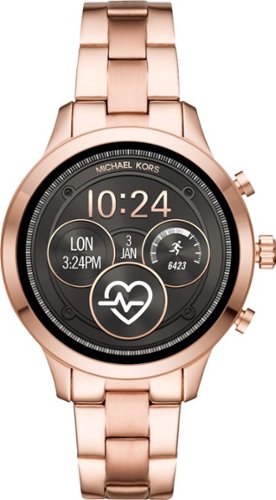
Track time and activities with this women's Michael Kors smart watch. The rose gold finish on the sturdy stainless steel bracelet adds a dressy touch to outfits, and the programmable options like tracking goals and taking selfies work with Android and iPhone devices. This Michael Kors smart watch records the number of calories burned exercising.
Posted by: CMCMom29
from Michigan
I LOVE, LOVE, LOVE this watch!
(Did I mention I love this watch?)
(Did I mention I love this watch?)
I’ve tried the Apple Watch, the ASUS Zenwatch, and later the Fitbit Versa. I found all the watches lacking in some way. The Apple Watch was uncomfortable, the ASUS lacked many features, and the Versa was just OK. It really wasn’t the fully featured smartwatch I had hoped it would be.
The first thing out of the box was how stylish the MK Access watch was. I was a bit afraid that it would look too masculine, but the rose gold does a lot to soften the look.
The second thing I noticed was how COMFORTABLE it was! This was my biggest fear. I have a larger-than-average wrist, and I thought I might have to look at getting a different band or an extra link. Good news! It comes with an extra link in the box! I didn’t need it, but how awesome is it that they included one? The metal band is easy to get on and doesn’t pinch at all. I am usually aware when I wear a watch, but I would frequently forget I was still wearing it.
It was easy to set up. The watch is partially charged out of the box. I did have to plug it in for an hour or two to charge to 100% after I finished setting it up. I find the battery lasts for a day and a half. It charges super-fast, though – faster than my phone does. The charger is included, though it did NOT come with a plug, so you will need to use a USB hub or another plug to use it.
The watch uses Google Wear iOS. It has the features you expect in a smartwatch. The watch buzzes to alert you to phone calls; you can also answer the phone with the watch. The caveat to this, though, is that you cannot use the watch to actually use the phone. The watch has no speaker and no sounds. You can control your Google Music as well – again, though, no speaker, so you cannot hear your music through your watch. You still need to use your phone.
The watch also does not have its own GPS – it uses your phone for locating. One of the apps that uses this is Google Health. I won’t say that this app is as robust as the fitness tracking that Fitbit offers, but it’s pretty good. It would meet my needs. I tried the walk function and it located me, then allowed me to start and stop the tracking. It also recorded my heartbeats. The watch also allows you to take random heart rate readings without having to use the Google Health app.
You can customize the watch with different faces, though I found the selection a bit limited. I didn’t see where you could download more options for the faces.
More features include syncing with various mail apps, weather, and agenda, along with social media sites such as facebook.
If you are in the market for a smartwatch, I would recommend the MK Access watch be put at the top of your list.
Mobile Submission: False
I would recommend this to a friend!


Share this review:


-4points
6of 16voted this as helpful.
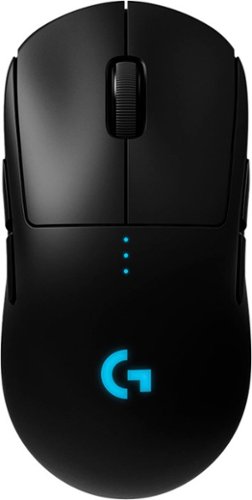
Designed over two years with direct input from many professional esports players, PRO Wireless gaming mouse is built to the exacting standards of some of the world~s top esports professionals. PRO Wireless gaming mouse is built for extreme performance and includes the latest and most advanced technologies available. Featuring LIGHTSPEED technology, PRO Wireless overcomes the limitations of latency, connectivity and power to provides rock-solid and super fast 1 ms report rate connection. PRO Wireless gaming mouse is also equipped with the latest version of the HERO sensor, our next generation optical sensor that is the highest performing and efficient gaming sensor.
Posted by: CMCMom29
from Michigan
Logitech is my go-to brand for computer mice. This model is no exception to this rule.
The unit feels very lightweight – much lighter than my traditional, battery operated model. The ergonomic design is comfortable, and the battery life is quite robust. It was partially charged out of the box, and it lasted about a day and a half before I needed to charge it again. It has a LED display showing the charging progress, and I get a message on my computer when it needs to be plugged in.
The unit glides like a dream while I’m using it. I’ve never had a mouse that moved this smoothly.
You can use this with the Logitech Gaming Software, downloadable from the Logitech website. You can set up to 5 profiles for the unit, with settings like sensitivity rates and report rates. It gives you the flexibility to enable or disable the buttons on the unit. Want to know which buttons you use the most? Use the Key Press Heat Map option to give you stats on how you use the buttons.
For a casual gamer like myself, it’s almost too many options. If you are a hardcore gamer, this is the mouse for you.
Mobile Submission: False
I would recommend this to a friend!
Share this review:


0points
0of 0voted this as helpful.
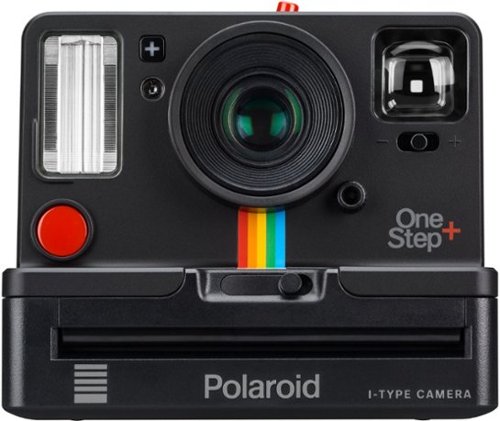
Explore your creative side with this Polaroid OneStep+ instant camera. Featuring Bluetooth connectivity, this camera connects to your smartphone and provides a suite of creative options such as light painting and double exposure through the integrated Polaroid Originals app. This Polaroid OneStep+ instant camera makes it easy to take the perfect close-up shots with the included portrait lens.
Customer Rating

3
Great for Nostalgia, not for Photography
on October 7, 2018
Posted by: CMCMom29
from Michigan
Just a bit of background – I’m old enough to remember when James Garner and Mariette Hartley were pitching Polaroid Cameras. It was my first introduction to “instant” photography. Back in the day, you had to wait two weeks for your regular film to be developed and returned. You didn’t know if every shot was a keeper or not. With a Polaroid, you knew. Not only that, but it was fun to watch the picture develop right before your eyes. The size of the photos didn’t make them easy to put into albums, but you did have a convenient place to write information about the picture right below the image.
Now, though, Polaroids are mainly nostalgic…at least that’s what I thought before this latest model came out. I was curious to see how Polaroid had made their cameras more “modern” to appeal to the digital camera crowd. I was looking forward to the resurgence of Polaroid.
After using this camera, I am sad to say that Polaroids are still more connected to history than to the present.
The camera is much more lightweight as compared to the Polaroids I previously used. The camera is also rechargeable, which is a nice plus. I have not had to recharge it yet; it comes pre-charged.
The basics are still the same. The design of the camera and the placement of the buttons are the same as in older models. You load the film the same way. The film only comes 8 photos to a pack, though, so you wouldn’t be able to take a ton of photos unless you stocked up on film (approx. $16 per pack). You have a choice of color or B&W film – you must pick one or the other; you cannot edit in-camera.
The camera also has a screw-in port for tripod use, which is nice.
One feature that I did NOT want to see a return of is having to focus through a viewfinder. I don’t remember the last time that I HAD to use a viewfinder to line up a shot. Even my 20-year-old camcorder has a flip screen that you can use during filming. It’s hard to see through; the view is quite narrow and further away than the subject should be.
You do sync this unit with your smartphone via the Polaroid Originals App. The app does not offer a way to line the shot up, though. I tried that with the Remote Function and ended up wasting a photo. No trash-and-try-again here. It does have some fun function as Noise Trigger, Light Painting, and Double Exposure, but all need to be lined up through the Viewfinder, and there’s no preview before you print the photo. It also does not archive to your phone, so you will need to scan the photos in to store electronically. I don’t understand how Polaroid missed the opportunity to incorporate two of the biggest advents of the last 20 or so years of consumer photography into their newest model. If you can use the phone as a shutter, you should be able to use it for at least a viewfinder.
I will say that my 7-year-old was excited by the camera. She’d never seen a Polaroid in action before and thought it was the greatest thing. She wanted me to continue taking photos, but with only 8 photos to a pack of film, I wanted to be more conservative with my photos. Disappointing to say the least.
As a piece of nostalgia, the Polaroid Originals OneStep+ hits all the marks. As a modern camera, though, it misses by a mile.
Mobile Submission: False
I would recommend this to a friend!
Share this review:


0points
0of 0voted this as helpful.
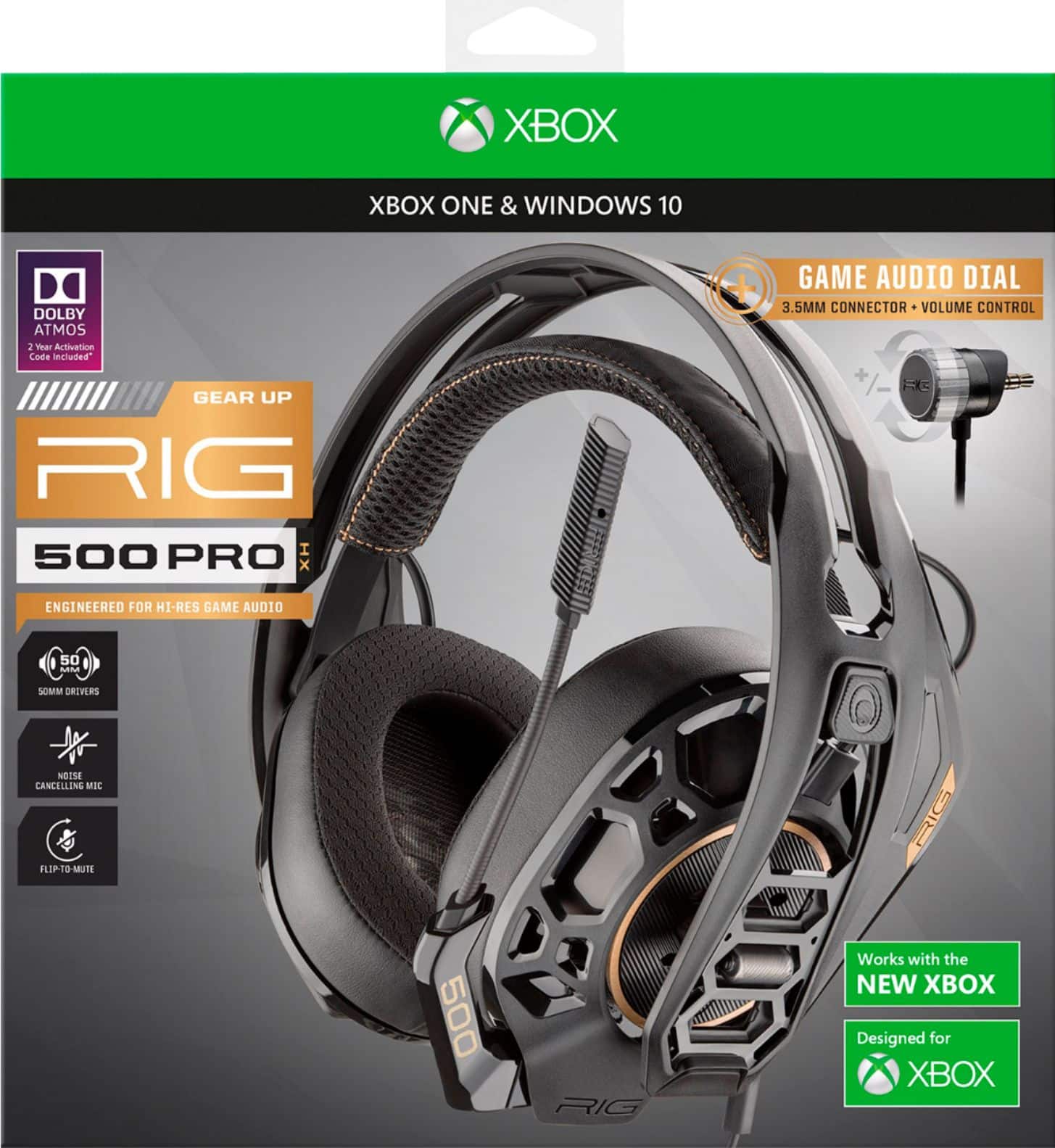
Control the battlefield with the exceptionally engineered RIG 500 PRO HX headset, designed for Xbox . With its lightweight exoskeleton, precisely-tuned acoustic chambers, powerful 50 mm drivers and the first-ever RIG game audio dial delivering intuitive volume control.
Customer Rating
4
Nice Headphones for Gaming
on September 4, 2018
Posted by: CMCMom29
from Michigan
I will preface my review by saying that I wish gaming product manufacturers would design for female gamers. This isn't to say that I'd like items that are pink with sparkles; just something not quite as masculine looking.
That said, I do like these headphones. Out of the box, they looked a bit intimidating at first. When first trying them on, they were a bit big and boxy feeling. They have a unique feature for adjusting the fit - the earmuff pushes away from the headpiece and you can snap it into place on another setting (hole). It did provide more comfort, but they still felt huge on my head. I got used to it after a while, though. (I had my husband, also a gamer, try it on for comparison, and he found them very comfortable.)
I had issues downloading the Dolby app and getting the app up and running. This led us to find issues with our Xbox One, unrelated to this product, so, unfortunately, I cannot give you a report on that. The headphones sound itself was good. It came with a collar already attached in order to provide a better fit to the controller (it also came with a similar collar for a PS4). With our headset adapter, though, we didn't need it. We also tried the unit with a PC and with a PS4 and found the headset worked well with those units in addition to the XB1. So, even though it's marketed for a certain gaming console, you can use it on multiple platforms.
This is a good gaming headset choice.
Mobile Submission: False
I would recommend this to a friend!
Share this review:


0points
0of 0voted this as helpful.
CMCMom29's Review Comments
CMCMom29 has not submitted comments on any reviews.
CMCMom29's Questions
CMCMom29 has not submitted any questions.
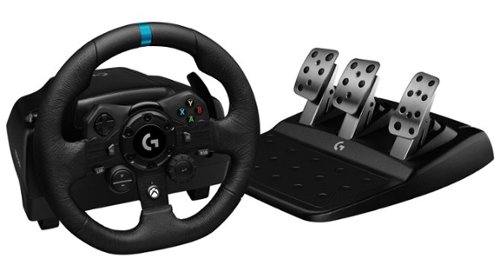
Logitech G923 for Xbox Series X|S, Xbox One and PC is a high-performance racing wheel that revolutionizes the racing experience. Re-engineered to support a next-generation feedback system, G923 features TRUEFORCE high-definition force feedback that dials into game engines to deliver higher-fidelity realism. Feel the pistons pumping, the gravel crunching, and every shift, drift, and hairpin turn like never before. True racing comes from within.
does it work well with nascar heat 5
According to the NASCAR Heat website, their games are supposed to work with any wheel manufactured after 2014.
5 years, 9 months ago
by
CMCMom29
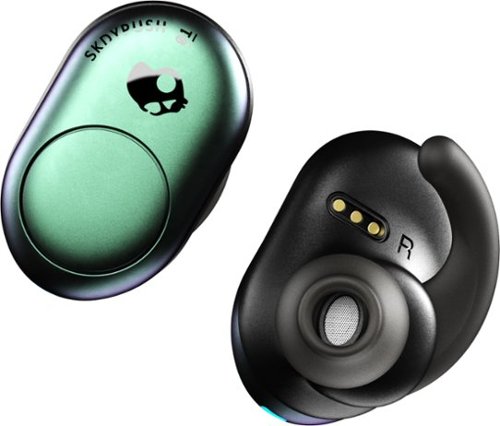
Listen to up to 12 hours of music on a single charge with these SkullCandy Push True wireless earbuds. Bluetooth connectivity offers freedom from wires, while single-button volume, track and call control provides convenience. The Secure FitFin gel ear tips help these SkullCandy Push True wireless earbuds fit comfortably, and the water-resistant design withstands exercise and outdoor use.
Only the left earbud will work for me when I'm trying to use both. What do I do?
I found that you have to turn on both when using. Also, make sure the buds are paired to each other per the unit's directions.
6 years, 11 months ago
by
CMCMom29
Listen to up to 12 hours of music on a single charge with these SkullCandy Push True wireless earbuds. Bluetooth connectivity offers freedom from wires, while single-button volume, track and call control provides convenience. The Secure FitFin gel ear tips help these SkullCandy Push True wireless earbuds fit comfortably, and the water-resistant design withstands exercise and outdoor use.
Can I use one earbud at a time?
Yes you can. You just wouldn't turn on the second ear bud.
6 years, 11 months ago
by
CMCMom29
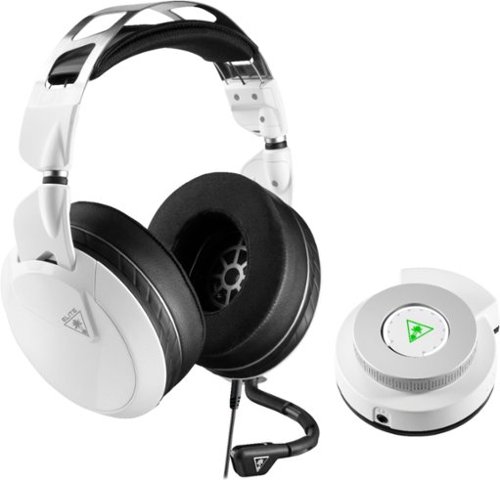
Hear lifelike sound details in your Xbox One games with this Turtle Beach Elite gaming combo. The Elite Pro 2 headset has 50mm custom-tuned Nanoclear drivers for an immersive experience and Aerofit ear cushions for ergonomic comfort. Customize your headset~s sonic performance via the SuperAmp controller of this Turtle Beach Elite gaming combo.
PC compatible?
Yes. Used with a Omen Gaming Laptop - no issues.
7 years, 1 month ago
by
CMCMom29
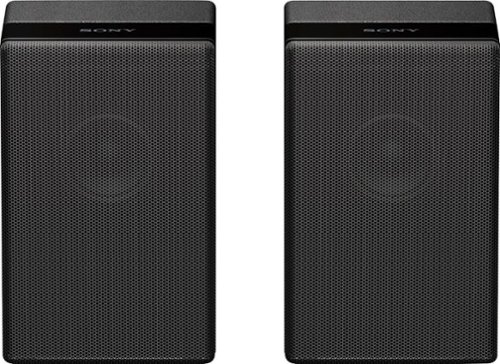
Complete your HT-Z9F surround system with this Sony rear speaker. Place it on a stand or shelf, or mount it to your wall for unobtrusive performance, and connect to other components wirelessly to keep unsightly cables out of your space. This Sony rear speaker's S-Master amp outputs 50W for powerful rear audio.
can you hook up standard aux speakers to a Sony TV
No. They are designed for the Sony Soundbar. You literally plug them in and they auto-sync to the soundbar. There are no Aux ports on the back.

Products from my answer
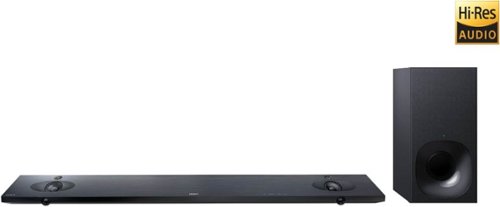
Sony - 2.1-Channel Hi-Res Soundbar System with Wireless Subwoofer and Digital Amplifier - Black
 (1,979)
8 years ago
by
CMCMom29
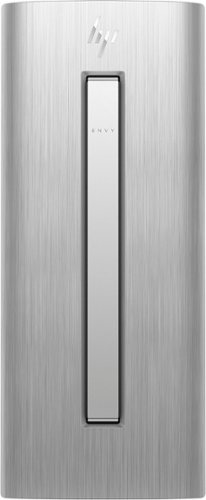
HP ENVY Desktop: Accomplish tasks efficiently with this HP desktop computer. Its Intel Core i7 processor supplies plenty of power for video editing and gaming, and the 16GB of RAM lets you run multiple programs at the same time without performance lag. This HP desktop computer has a large 1TB hard drive for storing files and the Intel Optane Memory is a smart system accelerator that adapts to your everyday computing activities.
Is there a built in speaker in this computer?
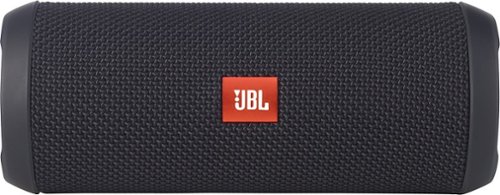
JBL Flip 3 Speaker: Stream your favorite songs and Internet radio stations from your compatible audio device using this speaker, which offers extensive playback with the rechargeable battery. Dual external bass radiators offer booming low tones, and you can enjoy clear phone calls with the integrated speakerphone.
When first purchased how long must i charge it for
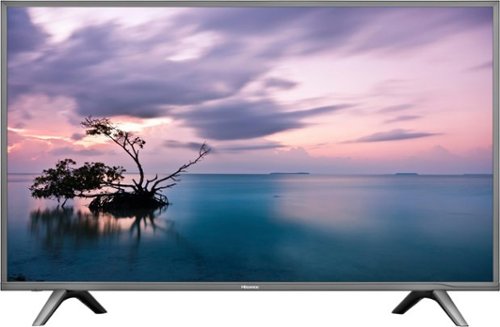
Stream your favorite shows on this 60-inch Hisense television. Its 3840 x 2160 resolution and 8 ms response time bring scenes to life, and 4K upscaling transforms lower quality video into HD resolution. This Hisense television is equipped with HDMI inputs to connect to a gaming console or Blu-ray player.
Is this a refurbished tv.
Stream your favorite shows on this 60-inch Hisense television. Its 3840 x 2160 resolution and 8 ms response time bring scenes to life, and 4K upscaling transforms lower quality video into HD resolution. This Hisense television is equipped with HDMI inputs to connect to a gaming console or Blu-ray player.
Just purchased this TV last week weekend. Can i access the Opera?? I'm trying to install the Hulu app but can't find it. Please help. We already cut the Cable cords. but we may need to return this deal if it cannot provide the services we need.
No, you cannot add any apps to the TV. It does not include Hulu .
8 years, 3 months ago
by
CMCMom29

Completely customize your Wi-Fi Smart Color Thermostat to match your lifestyle and decor. The ENERGY STAR~ certified smart thermostat lets you choose the temperature, schedule, display color and the devices you use to control it all.
Is this Honeywell, Model: RTH9585WF compatible with ‘nest’ software product standards?
I'm not sure what "Nest" standard are. Honeywell has their own app and their own site to provide remote access to the unit.
8 years, 6 months ago
by
CMCMom29