


CMCMom29's stats
- Review count152
- Helpfulness votes386
- First reviewJune 23, 2009
- Last reviewJune 8, 2026
- Featured reviews0
- Average rating4.2
Reviews comments
- Review comment count0
- Helpfulness votes0
- First review commentNone
- Last review commentNone
- Featured review comments0
Questions
- Question count0
- Helpfulness votes0
- First questionNone
- Last questionNone
- Featured questions0
- Answer count19
- Helpfulness votes1
- First answerDecember 24, 2016
- Last answerSeptember 1, 2020
- Featured answers0
- Best answers1

An award-winning teeth whitening kit that combines maximum strength teeth whitening serum with LED light technology to deliver professional-level whitening with virtual zero sensitivity. The at-home teeth whitening kit drastically whitens teeth up to 8 shades in just 9 minutes a day. As the first OTC whitener to focus on alleviating teeth sensitivity, it~s enhanced with potassium nitrate to help block teeth sensitivity and hydroxyapatite to help repair the enamel while whitening!
Customer Rating

4
Good Whitening Kit for Sensitive Teeth
on May 9, 2023
Posted by: CMCMom29
I used to drink copious amounts of coffee. Loved the coffee, hated what it did to my teeth.
I have since cut back on the coffee considerably. However, the stains remained.
I spoke to the dental hygienist about whitening the last time I had my teeth cleaned. After she went through all my options and told me that any method would aggravate my sensitive teeth, I realized that yellowish teeth might be my lot in life.
Then I found the Snow Sensitive Teeth Whitening Kit. It stated on the box that it is safe on enamel and for sensitive teeth. I was anxious to try it.
The unit comes with very few instructions. Basically, you paint your teeth with a serum, put a LED light mouthpiece in your mouth, then sit for at least nine minutes to allow the system to work.
No information was included as to HOW much to put on your teeth (the box says it has a six month plus supply; I went through two sticks during my trial, it comes with three). I put enough on to see it on my teeth (otherwise, how would I know it was there?), so I may have used too much.
The instructions recommend using a lip balm (not included) during the treatment to protect your lips from the serum. I didn’t find that the serum really bothered me, so sometimes I used balm and sometimes I didn’t.
I’ve used it for about three weeks now. I am happy to say that the system has not bothered my sensitive teeth one iota.
I found the mouthpiece to be a bit uncomfortable to wear. I had to jut out my chin a bit to hold the unit in place, which was a little painful. I got accustomed to it, but it never became comfortable.
It’s nice that there are several plugs (USB-C, Lightning, a few others) on the mouthpiece so you can use any device to power the unit. Great for travel. I used it with a regular USB-C power plug.
Did my teeth become “snow” white? No. I used it for 21 days, 9 minutes per night. A color wheel is included with the kit so you can track your progress. I started at a level 7 (the lower the number, the whiter your teeth are). At the end of the trial, I got to level 3. So, I saw improvement, but I would need more treatments.
I don’t know how long you would use this for. The rest of your life? For three weeks, then rest a week, then go for another three weeks? I wish the kit specified.
All in all, I say that if you are wanting to whiten your teeth, but you have been put off because of your sensitive teeth, you should try this. Do not expect overnight results. You may have to figure out how long you need to wear the device to get the result you want.
I would recommend this to a friend!





Share this review:


+11points
11of 11voted this as helpful.
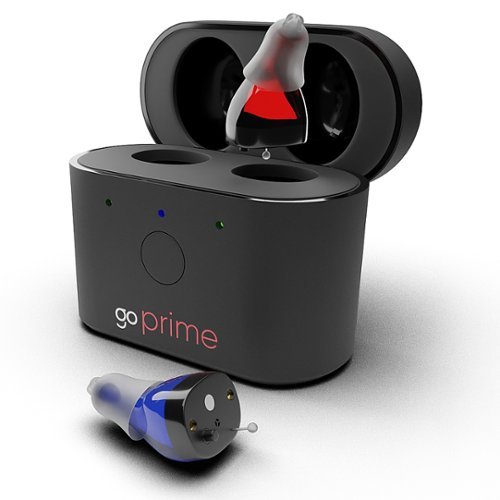
FDA-registered Go Hearing Go Prime OTC Hearing aids are rechargeable, in-the-ear, digital hearing aids that enhance sound when you need it most. As an in-the-ear (ITE) hearing aid, Go Prime is small, discreet, and nearly invisible with easy on-device volume adjustment. With 3 different hearing aid program settings to choose from, this affordable device offers exceptional value and performance and is well-suited for first-time hearing aid users.

Posted by: CMCMom29
Context: I have not been medically diagnosed with hearing loss but have noticed that I do miss words from time to time. I also tend to turn the TV up loud when I'm in my open living space (kitchen/living room), which is too much for my family. I have spent over 20 years working various jobs where I constantly used the phone.
This hearing aid set is a very basic model. There's not a lot that I found to review. The unit has no app (at least, not that I could find) so it's not customizable. The ear buds were comfortable to wear, however I had the same problem as I always have with ear buds is that my right ear doesn't hold them. I have to hold my right ear because it tends to fall out.
When I was testing it, I tended to pick up more ambient (white) noise rather than actual words from my family in the next room (I have an office off my living room). It may be my own heightened senses (I can become overloaded if I'm in a high sensory environment), but I found it distracting. Maybe with more regular wear, I can overcome this.
I would recommend this to a friend!
Share this review:


0points
0of 0voted this as helpful.
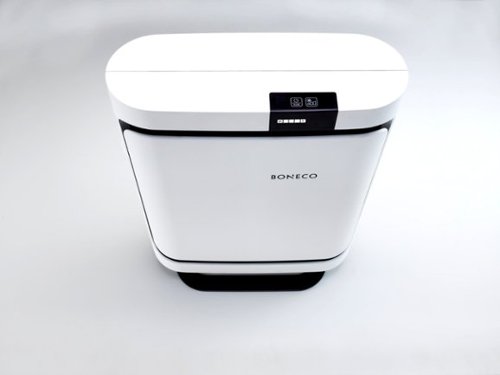
The P400 Air Purifier gives you highly efficient air purification at home. Insert the filter that meets your following needs: allergy (included), baby or smog. Whether at home or at the office, the P400 will blend in effortlessly with your everyday surroundings ~ its quiet operation will never distract you. Enjoy fresh mountain air in every room. Additional features include: 5 fan level speeds, whisper quiet operation, low 60power consumption (DC motor), filter change reminder, container for use of fragrances and 5-year warranty.
Posted by: CMCMom29
I’ve been using my Boneco Air Purifier P400 for about a week or so now. I really like it.
The unit was larger than I thought it would be, as it supposed to only cover about 600 sq. ft. It’s an attractive unit, though, so it doesn’t really matter in the end.
I am currently using it in my office, as I work from home. No matter how much I was vacuuming my office, I still would sneeze and sniffle all day. With the unit, I have stopped sneezing and have less sniffles than I did before. I take that to mean that it’s working as designed.
The unit is very quiet. Even turned up, it is only as loud as a regular fan on low. It would be peaceful white noise for someone who would want to use this in a bedroom.
The app isn't much to write home about. You can download the full manual from there (it does not come with the unit). There are a couple quick videos (really slideshows) that show you how to use for the first time and how to clean it. The app asks you to put in the date of first use so it can keep track of when you need to get a new filter.
It also suggests when you need more humidity and the basic weather. That's it.
I will say that I am impressed that the integration of the app is seamless -- no complicated set up required.
I would recommend this to a friend!


Share this review:


0points
0of 0voted this as helpful.
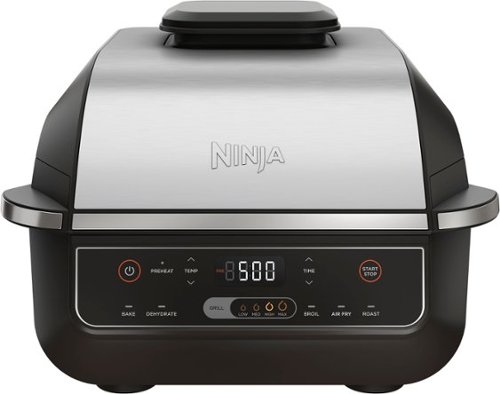
Meet the Ninja Foodi Indoor Grill. The grill that sears, sizzles, and air fry crisps. Updated sleek design from the original Foodi Grill. 500~F of hot cyclonic air for surround searing, while the 500~F high-density grill grate gives you delicious char-grilled marks and flavor while being virtually smoke-free. It's also an air fry crisper, allowing you to enjoy guilt-free fried food.
Posted by: CMCMom29
I’ve had a Ninja Foodi Pro Grill, model AG400, for over two years now. I use it at least every other day. While it does have a grill plate, I only use that for things like hamburgers or hot dogs. Everything else, I use the air fryer feature.
I thought I’d try out the Model EG201 to see if anything had changed between the old and new.
For one thing, the EG201 it a lot more attractive, with the chrome hood and front trim. The outside appears to have a larger footprint than the AG400. However, the parts inside are the same size and style.
The features are mainly the same, except the EG201 has the Broil feature. The EG201 does not come with a thermometer. If that is important to you, the instructions indicate that you can add one, but when I went to Ninja’s web site to check for accessories, a blank page appears when I search for model EG201. Using model number AG400 will pull up a series of accessories, including a temperature probe.
I’ve used it several times since receiving it. In the photo attached, I have petite sirloin steak with McCormick Montreal Seasoning (yes, my family likes steak well done). No oil or butter was used. I had no issue with the food sticking to the grid. To me, it seems like the newer model did a better job, but I cannot prove that. The food just seems to come out better.
The Indoor Grill Pot and the Indoor Grill Basket are both dishwasher safe, as is the Indoor Grill Shield. This makes for easy cleanup.
I will always recommend this unit. It will cook food enough for 2-4 people. If you have a larger family or entertain a lot, you may want to look at the XL version.
I would recommend this to a friend!



Share this review:


+2points
2of 2voted this as helpful.
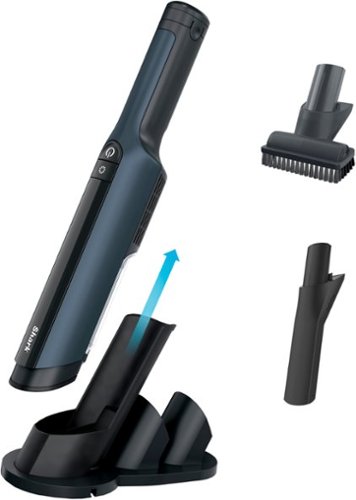
The Shark WANDVAC POWER PET Cordless Handheld Vacuum combines lightweight portability with the incredible suction power of a high-speed brushless motor. Weighing just 1.5 lbs., this handheld vacuum boasts a tapered nozzle for easy debris pickup and accessories for tackling pet hair and tight spaces. Between cleanings, return your vacuum to the charging dock for fast recharging.

Posted by: CMCMom29
I don't remember ever being more disappointed in a vacuum.
I have four dogs and two cats. We have HAIR. I thought this would be perfect for quick, in-between full vacuuming and for random litter or dry food spills.
The first thing I noticed is that this is designed to sit on a shelf or desk. I found this to be very odd. I don't know about anyone else, but my countertop space is prime real estate. It's used for cooking appliances and coffee makers. Why would I want a hand vacuum next to where I cook? There's no bracket to hang this up. Maybe it works for those who have workshop spaces, or lots of counter space. It also kept falling over on the counter.
My first test was to clean my husband's favorite microfiber oversized recliner. This is where our dogs like to lay on his lap while he sleeps or watches TV. My son also likes to eat there whenever he steals the recliner. There should have been SOMETHING on the upholstery to pick up. It didn't find ANYTHING.
So, I moved on to the shelves I have under my TV. My soundbar collects hair like you wouldn't believe. Tried the vacuum on it. Nothing. The brush attachment I was using picked up more stuff than the actual unit.
Then, I tried to use it to pick up random "tumbleweeds" (tufts of hair) that pop up everywhere. The collecting cup is SO small, it picked up a few bits of hair, then I had to empty it. At least I confirmed that it could pull stuff up -- it just didn't have anywhere to put it.
I'm not sure who this unit was designed for -- certainly not a home with pets and children. It's just not practical for us.
No, I would not recommend this to a friend.
Share this review:


0points
0of 0voted this as helpful.
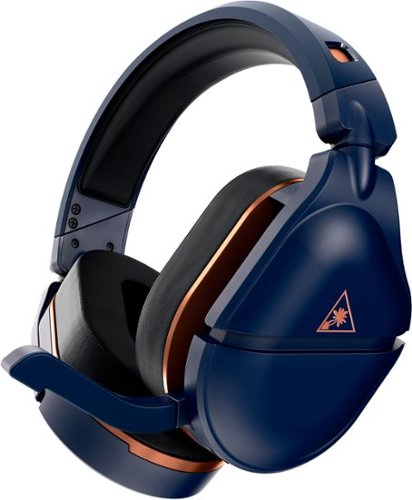
Premium Audio Powered Up. The Turtle Beach Stealth 700 Gen 2 MAX wireless multiplatform gaming headset delivers a premium gaming experience on PlayStation, Nintendo Switch or PC. An upgraded battery delivers 40+ hours of playtime, and lag-free wireless connection keeps you in the game without interruptions. Take mobile calls or listen to your own music simultaneously while gaming through Bluetooth technology. Aerofit cooling gel-infused memory foam ear cushions provide exceptional comfort, and 50mm Nanoclear speakers will bring your games to life. Chat clearly with a larger gen 2 flip-to-mute mic and easily access controls for variable mic monitoring, and Superhuman Hearing for a definitive gameplay advantage.
Posted by: CMCMom29
The Turtle Beach Stealth 700 Gen2 MAX is a beautiful headset, both in functionality and style.
Out of the box, it’s not as heavy as other headsets I’ve tried. The feature of the mic tucking into the headset is AWESOME. As advertised, it does not interfere with eyeglasses when both are worn.
The sound is incredible. You can hear sounds in your game that you didn’t know were there. It felt submersive, yet you can still hear family when they needed to get my attention.
It was easy to setup. Both the PS4 and PC were Plug-and-Play with the included dongle. Nothing to install, was up and running in seconds. You can also use Bluetooth if you prefer.
Turtle Beach also offers an app to fine tune your audio experience (photos attached). You also can track your battery life and if the dongle is on PC or PS.
It's comfortable to wear for hours of gameplay with battery life to match.
My ears do get warm while wearing them, so that's my only real complaint.
I highly recommend this product.
I would recommend this to a friend!



Share this review:


0points
0of 0voted this as helpful.
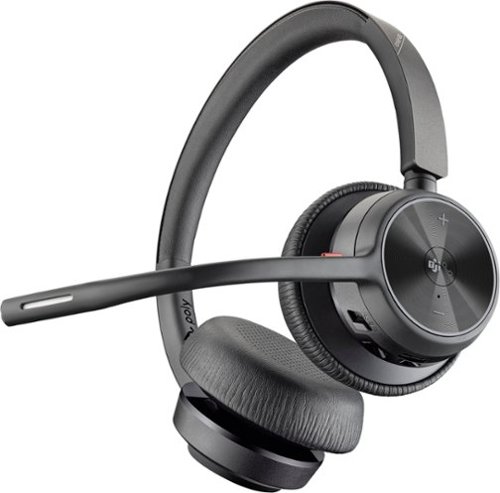
Enjoy the versatile headset for Hybrid work and beyond with the Voyager 4320 Wireless Noise Cancelling Stereo Headset with mic. It's everything you need to stay productive and connected to all your devices whether at home or in the office. Long day of calls made easier with all-day comfort and dual-mic Acoustic Fence technology that eliminates background noise. Phenomenal flexibility, connectivity, and freedom.
Customer Rating
4
Good Headset for Working on Phone
on October 2, 2022
Posted by: CMCMom29
I have been working on the phone, in various forms, for the last 20 years. The brand of choice for headsets were always Plantronics (now known as Poly). Currently, I use a Voyager 5200 series, which is a monaural earbud-type headset that hooks around my ear.
Usually, I prefer the type that fits in your ear rather than the headband style. I have found that the headband typically will give me headaches, and I wasn’t a fan of earmuffs. However, I was looking for something with a longer range than my current headset that could also be a backup if necessary. The last time I had to replace my unit, I had to use a video game headset and the results…weren’t great.
There’s not much in the box. A Quick Start guide, a charging cable with USB to USB-C adapter, the headset, the dongle, and a carrying case with a cinch. The cable can also be used to turn the headset into a wired headset if needed.
I went to the Poly website to find the full-size copy of the manual. There was a video there introducing the unit, which I watched. I found, to my dismay, that this model offers a headset charging stand that was NOT included in the box.
I went online to look for the stand shown in the video. I found the stand at only a few outlets, one a major office supply retailer. Their price was approximately $109. I also found another stand that might work to charge it (no added features) at another online retailer for approximately $40. The Poly site only carried the more expensive version. If something like that is important to you, be prepared to pay for the accessory on top of the cost of the headset.
Poly offers an “app” for your computer to control additional features. The app is not yet available for phones. I downloaded the software without issue.
I used the dongle to connect to my computer. You can also use Bluetooth on your computer or phone if you wish. It was Plug-and-Play, easy to setup.
The Poly app allowed for software updates for the headset. It also tells you the remaining battery life.
The software also has features to encourage health and wellness. You can have it remind you to drink water, or to look away from your screen, or even reminders to get up from your desk.
It offers ambient noise (Gentle Ocean, Babbling Brook, or Mountain Ranch – all water sounds) to play in your headset while doing heads down work, trying to drown out office noise, or for relaxation. I found these to be distracting, as I work at home where it’s already quiet. I could see these being beneficial in an open floor plan office.
It offers ambient noise (Gentle Ocean, Babbling Brook, or Mountain Ranch – all water sounds) to play in your headset while doing heads down work, trying to drown out office noise, or for relaxation. I found these to be distracting, as I work at home where it’s already quiet. I could see these being beneficial in an open floor plan office.
Each earmuff is labeled – L for left, R for Right. I like this – it’s easy to read, rather than try to read a tiny icon, printed on the headband.
What I’m not crazy about is that the mic is on the right side. I prefer my mic on the left – it’s what I’m used to. You cannot move the mic to the left side. I could reverse the unit to have the mic on my left (it has nearly a 180-degree movement) but then the R muff is on my left ear, which defeats the purpose.
The earmuff covers are a vinyl-type wipeable material. One thing I noticed is that they make my ears SWEAT. After a couple hours of wear, the muffs had condensation and was partially covered by makeup. They wiped clean easily.
The headband is comfortable. It’s not as heavy as other headsets I’ve used. I still don’t like the sound coming through the muff that is ON my ear versus the bud IN my ear. This is not a fault, just a personal preference.
I was able to walk to my coffeemaker to the other side of the house without the connection dropping, which is what I wanted.
It’s a good headset for working on the phone.
I would recommend this to a friend!
Share this review:


+1point
1of 1voted this as helpful.

You can air fry that! The CRUX x Marshmello 3-qt. Digital Air Fryer Kit with TurboCrisp technology features patented TurboCrisp technology crisping tray that cooks up to 50% faster than traditional ovens and 4 silicone cupcake molds. CRUX is turning up the beat~and the heat with world renowned Artist & Producer, Marshmello. Cooked, puffed, crispy, gooey perfection is yours every time with this 3-qt. Digital Air Fryer Kit with TurboCrisp from CRUX x Marshmello.
Posted by: CMCMom29
I must admit, I didn’t catch on to the name when I ordered this fryer. I saw the name “MARSHMELLO”, and I thought it was in reference to the size/shape of the item. It wasn’t until I received it that I saw that the name was associated with the DJ/Artist. It makes no difference to me, but if that is the selling point, it missed the mark with me.
[I think it would have been cuter to make the fryer look completely like their “face”, not just in a reminiscent shape.]
I was looking for a smaller air fryer for leftovers or snacks. Something that wouldn’t use so much space and wouldn’t take over my dishwasher. This fryer fits that bill.
What I wasn’t crazy about, though, was the icons on the display. At first glance, they look awesome. I love the “neon” look to them and the difference colors. What I don’t love, though, are the icons. They look cool, but can I guess or remember what they mean? No. I like things that are intuitive – not where I must consult the manual to figure out simple steps.
At the time I received it, there was not any product presence on the Crux website, nor any downloadable manuals.
That said, it works great. I used it to make Cheese Fries (Halloumi-Style Cheese Sticks). They came out perfectly. Nice golden brown, crisp outside, soft inside. I also used it to heat up leftover chicken – worked as expected.
I don’t think you can wrong with this fryer. Just keep in mind that, when it says it serves 2-4 people, that’s what it means. You could get one small-to-medium size steak or one chicken breast in the basket at a time.
I would recommend this to a friend!


Share this review:


+3points
3of 3voted this as helpful.
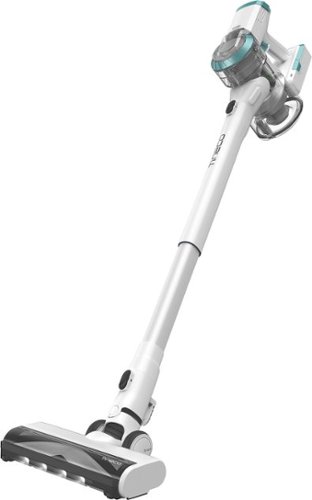
Replace your corded vacuum with the new lightweight and cordless PWRHERO 11 Pet. The PWRHERO 11 Pet is a high-performance cordless vacuum featuring a 450W motor and up to 120W of suction power great for multi-surface, whole home, and pet hair cleaning so you can confidently replace a traditional corded upright. The PWRHERO 11 Pet is designed for 3 in 1 use - clean your hard floors, carpets and hard to reach areas with the hand vacuum attachment.
Posted by: CMCMom29
I had heard good things about the Tineco vacuums in some of the social media groups I am in, so I was eager to try this. I have three children and six animals (yes, you read that right). Four dogs and two cats. We. Have. Hair. All the time. So, we need a robust vacuum to keep up with our needs.
Another challenge I have is that I need something lightweight, as I’ve had issues with my back for years. Getting up and downstairs with a heavy upright with a cord is just not feasible.
For comparison, I will be referencing the vacuum I use the most, my LG Cord Zero, also from Best Buy. It does a good job for the most part but it’s not a “pet” vacuum.
For starters, you have a Quick Assembly guide on the first flap. That’s nice. It’s simple to put together, though I’m not crazy about how it assembles. The black buttons to release the parts are OK, but my LG will click when their tools are in place. I also push down on their releases while pulling out the tool, where the Tineco, you push the button down and then you pull. Sometimes I wasn’t sure it released when I tried to take it apart.
First impressions were that it’s beautiful, for a vacuum cleaner. Nice colors, nice design. The materials feel of less quality as compared to the LG. It feels more susceptible to damage. Don't get me wrong -- it's sturdy enough for daily use. Heavy use, I'm not sure.
Next quibble is that it doesn’t stand up by itself. Neither does my LG, to be fair. However, the LG has a charging stand that can also be mounted to a wall. The Tineco comes with a wall mount only. You can charge the battery alone, or in the vacuum. However, without a stand or the ability to stand upright on its own, you’ll need to lean it against something for charging. I have not installed the wall mount yet, as I have not decided where it will live when not in use.
Now, to use. The vacuum has a trigger that you have to constantly hold down to start the machine. It also comes with a little switch that allows you lock the trigger down for extended use. I would have liked a push button for on/off, but it’s not a huge deal. I wonder what will happen, though, if that little switch breaks, which I can see me doing.
It has three power modes. The first level does an average job of picking up the dirt. You can feel that the second mode has more suction. The third mode, however – oh, boy. My carpet literally lifted up into the attachment when I tried it. I couldn’t get the vacuum to roll easily on that mode. I tried that mode on the hard floor and it was still hard to push.
The light on the floor attachment is very helpful for seeing all the dirt and hair you’ve missed. It doesn’t do great on edges, though. It also doesn’t pick up tufts of hair. One of my dogs is a Chow Mix. He has got some hair and he hasn’t been to the groomer in a while. I take several passes over the hairy tumbleweeds and the vacuum still won’t pick it up, in any mode. Good for floors, but not great for anything that isn’t embedded in the surface of the rug.
Lightweight enough to use on the stairs, though I didn’t not think it did a fantastic job on them. Just average.
Easy enough to empty. You will have to remove the spindle inside the unit to clear it out. My LG, I can use a pencil to loosen and remove the wrapped hair. The design of the Tineco doesn’t allow that, so you have to take that piece out.
All in all, it’s a good value. I think it will become the upstairs stick vac in my house.
I would recommend this to a friend!
Share this review:


0points
0of 0voted this as helpful.
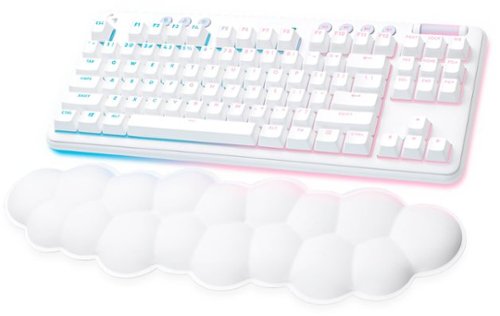
The G715 Logitech Wireless Gaming Keyboard from the Aurora Collection delivers low-key style with high-key performance so you can express yourself and play your way. Float away with its dreamy white design and comfy, cloud-shaped keyboard palm rest. With a tenkeyless layout and adjustable height, this is an ideal compact mechanical keyboard for gaming that gives you that good game feeling, all-day long. Pack it up, place it anywhere, and play your best with G715~s rechargeable 30 gaming-hr battery life (with full lighting), Logitech LIGHTSPEED wireless, and Bluetooth connectivity. Use the USB-C to USB-A cable (included) for quick and streamlined recharging. Logitech LIGHTSYNC brings your gaming to life with four responsive Play Moods that reflect your state of play in 16.8M programmable RGB colors. Get your creative juices flowing, show off your style, and even create your custom animation effects on your wireless TKL keyboard with free G HUB software.
Customer Rating

5
A "Fluffier" Aesthetic, but in a Good Way
on September 2, 2022
Posted by: CMCMom29
I’m going to start this review with what got my attention the most about the Logitech G715 Aurora Gaming Keyboard at first. It’s a small thing, but I thought it was very cool.
I opened the box to get the keyboard and accessories out. To my surprise, the keys were already GLOWING though the tissue paper it was wrapped in. A silly thing, maybe, but I thought it was awesome. I love little touches like that. It was a cool look.
The next thing you'll see is the whiteness of the keyboard. It is a quite noticeable, especially when using it with a black gaming rig. I do hope that there will be more items with this aesthetic for gamers in the future. I don’t mind the black PCs, laptops, etc. There’s something that appeals to me about this lighter – dare I say, fluffier? – aesthetic.
For gaming, I know the numeric keyboard is not vital, but I do miss it – mainly because my hands are more used to the size of my keyboard with one. It is an adjustment. The responsiveness and speed of the keyboard more than makes up for it.
The keys are comfortable and are quick to the touch. They just feel nicer. You have the “old-timey” clickety-clickety-clackity noise of the older keyboards, with none of the sluggishness they possessed. You can enjoy the time warp without actually BEING in the time warp.
The colors are soft and customizable via the Logitech G Hub software (available at Logitech’s web site). The software will also show your battery life and if the keyboard needs a firmware update. I wasn’t thrilled about having to have the keyboard plugged in to update it. On a truly wireless keyboard, that shouldn’t be a thing.
The update will prompt you to unpair your keyboard from the computer if using the Bluetooth function. That was the one complaint I had with the setup. I followed the instructions over and over again to connect via Bluetooth and it wouldn’t work. Finally, I tried pushing the button several times fast rather than the holding for 3 seconds as it states in the guide. THAT allowed me to pair the Bluetooth. After the challenge I had, I wasn’t about to unpair the product from the computer. That also seems to defy logic. If this is billed as being usable with Bluetooth, then updates should be able to work with Bluetooth, too. I would rather take a way one half of a star in my rating, but the system does not allow that.
I really liked this keyboard. At some point, I’d like to add the mouse and headset to complete the look. Maybe someday they’ll be a PC to match.
I would recommend this to a friend!
Share this review:


0points
0of 0voted this as helpful.
CMCMom29's Review Comments
CMCMom29 has not submitted comments on any reviews.
CMCMom29's Questions
CMCMom29 has not submitted any questions.
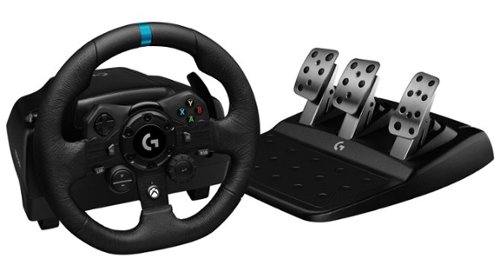
Logitech G923 for Xbox Series X|S, Xbox One and PC is a high-performance racing wheel that revolutionizes the racing experience. Re-engineered to support a next-generation feedback system, G923 features TRUEFORCE high-definition force feedback that dials into game engines to deliver higher-fidelity realism. Feel the pistons pumping, the gravel crunching, and every shift, drift, and hairpin turn like never before. True racing comes from within.
does it work well with nascar heat 5
According to the NASCAR Heat website, their games are supposed to work with any wheel manufactured after 2014.
5 years, 9 months ago
by
CMCMom29
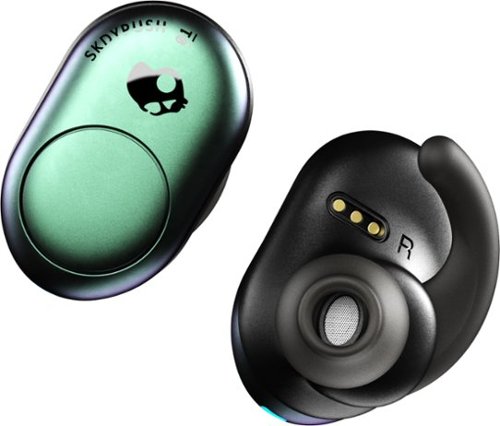
Listen to up to 12 hours of music on a single charge with these SkullCandy Push True wireless earbuds. Bluetooth connectivity offers freedom from wires, while single-button volume, track and call control provides convenience. The Secure FitFin gel ear tips help these SkullCandy Push True wireless earbuds fit comfortably, and the water-resistant design withstands exercise and outdoor use.
Only the left earbud will work for me when I'm trying to use both. What do I do?
I found that you have to turn on both when using. Also, make sure the buds are paired to each other per the unit's directions.
6 years, 11 months ago
by
CMCMom29
Listen to up to 12 hours of music on a single charge with these SkullCandy Push True wireless earbuds. Bluetooth connectivity offers freedom from wires, while single-button volume, track and call control provides convenience. The Secure FitFin gel ear tips help these SkullCandy Push True wireless earbuds fit comfortably, and the water-resistant design withstands exercise and outdoor use.
Can I use one earbud at a time?
Yes you can. You just wouldn't turn on the second ear bud.
6 years, 11 months ago
by
CMCMom29
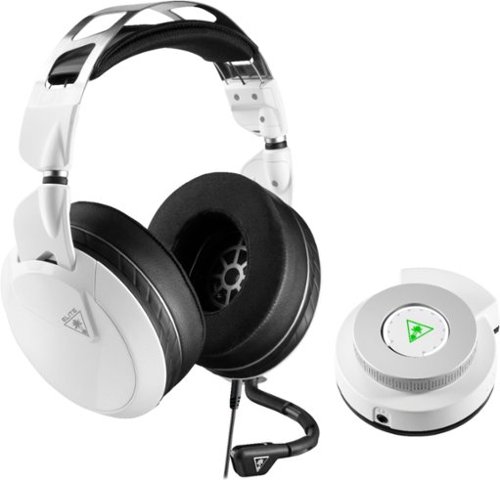
Hear lifelike sound details in your Xbox One games with this Turtle Beach Elite gaming combo. The Elite Pro 2 headset has 50mm custom-tuned Nanoclear drivers for an immersive experience and Aerofit ear cushions for ergonomic comfort. Customize your headset~s sonic performance via the SuperAmp controller of this Turtle Beach Elite gaming combo.
PC compatible?
Yes. Used with a Omen Gaming Laptop - no issues.
7 years, 1 month ago
by
CMCMom29
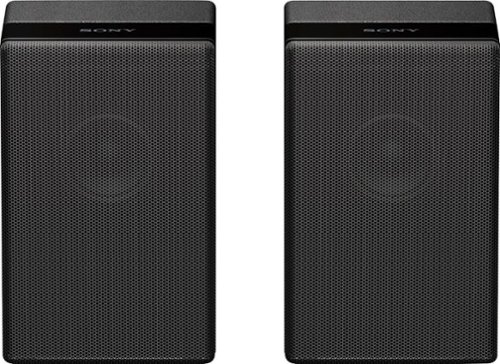
Complete your HT-Z9F surround system with this Sony rear speaker. Place it on a stand or shelf, or mount it to your wall for unobtrusive performance, and connect to other components wirelessly to keep unsightly cables out of your space. This Sony rear speaker's S-Master amp outputs 50W for powerful rear audio.
can you hook up standard aux speakers to a Sony TV
No. They are designed for the Sony Soundbar. You literally plug them in and they auto-sync to the soundbar. There are no Aux ports on the back.

Products from my answer
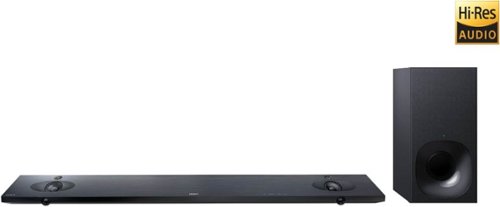
Sony - 2.1-Channel Hi-Res Soundbar System with Wireless Subwoofer and Digital Amplifier - Black
 (1,979)
8 years ago
by
CMCMom29
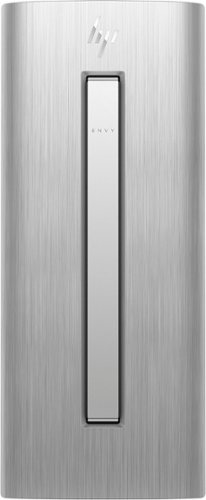
HP ENVY Desktop: Accomplish tasks efficiently with this HP desktop computer. Its Intel Core i7 processor supplies plenty of power for video editing and gaming, and the 16GB of RAM lets you run multiple programs at the same time without performance lag. This HP desktop computer has a large 1TB hard drive for storing files and the Intel Optane Memory is a smart system accelerator that adapts to your everyday computing activities.
Is there a built in speaker in this computer?
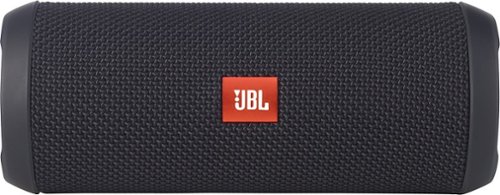
JBL Flip 3 Speaker: Stream your favorite songs and Internet radio stations from your compatible audio device using this speaker, which offers extensive playback with the rechargeable battery. Dual external bass radiators offer booming low tones, and you can enjoy clear phone calls with the integrated speakerphone.
When first purchased how long must i charge it for
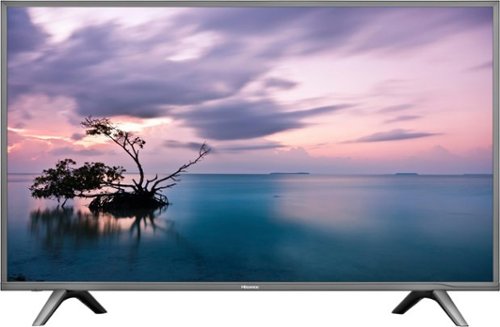
Stream your favorite shows on this 60-inch Hisense television. Its 3840 x 2160 resolution and 8 ms response time bring scenes to life, and 4K upscaling transforms lower quality video into HD resolution. This Hisense television is equipped with HDMI inputs to connect to a gaming console or Blu-ray player.
Is this a refurbished tv.
Stream your favorite shows on this 60-inch Hisense television. Its 3840 x 2160 resolution and 8 ms response time bring scenes to life, and 4K upscaling transforms lower quality video into HD resolution. This Hisense television is equipped with HDMI inputs to connect to a gaming console or Blu-ray player.
Just purchased this TV last week weekend. Can i access the Opera?? I'm trying to install the Hulu app but can't find it. Please help. We already cut the Cable cords. but we may need to return this deal if it cannot provide the services we need.
No, you cannot add any apps to the TV. It does not include Hulu .
8 years, 3 months ago
by
CMCMom29

Completely customize your Wi-Fi Smart Color Thermostat to match your lifestyle and decor. The ENERGY STAR~ certified smart thermostat lets you choose the temperature, schedule, display color and the devices you use to control it all.
Is this Honeywell, Model: RTH9585WF compatible with ‘nest’ software product standards?
I'm not sure what "Nest" standard are. Honeywell has their own app and their own site to provide remote access to the unit.
8 years, 6 months ago
by
CMCMom29