


CMCMom29's stats
- Review count152
- Helpfulness votes386
- First reviewJune 23, 2009
- Last reviewJune 8, 2026
- Featured reviews0
- Average rating4.2
Reviews comments
- Review comment count0
- Helpfulness votes0
- First review commentNone
- Last review commentNone
- Featured review comments0
Questions
- Question count0
- Helpfulness votes0
- First questionNone
- Last questionNone
- Featured questions0
- Answer count19
- Helpfulness votes1
- First answerDecember 24, 2016
- Last answerSeptember 1, 2020
- Featured answers0
- Best answers1
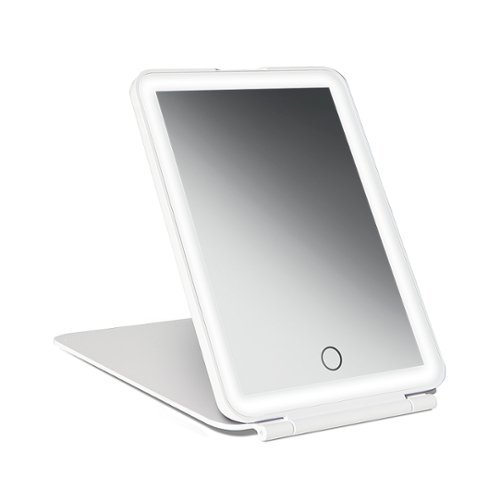
Our smart mini LED mirror offers three distinct beauty lights in bright, warm & cool for a polished look in even dim or harsh light set-ups.
Posted by: CMCMom29
from Michigan
The Vanity Planet LED Mini Travel Mirror is about the size of an average personal tablet. It’s similar in size to an Apple iPad Mini, but much lighter and thinner. In fact, the mirror is quite lightweight. This can be packed in a backpack, a carry on, or even a purse and you wouldn’t notice it.
It will need to be charged out of the box. Because this mirror is designed for travel, I tried to see if it would charge on my Halo charger via USB (the mirror comes with a USB cable but not an actual plug). It would not. I needed to plug it into an actual power outlet in order to see the indicator light come on.
[Small side bar – I’m concerned about the new standard with electronics coming with a USB cable and not a cord. On one hand, it’s great. They are compatible across devices, are detachable, and easy to store/pack. On the other hand, it’s another piece you may have to purchase if you don’t have a spare block to use or forget to pack one. This may charge in other USB chargers (I didn’t have a hub to test it) but it’s something to keep in mind.]
The mirror folds out and stands up on its own. I didn’t like the angle, though, and that is not adjustable. I had to push the mirror back further than I would like to see my entire face comfortably and lost some of the benefit of the lighting options.
There are multiple lighting options. I think it could be a bit brighter, but it’s still miles better than any hotel mirror I’ve used.
The mirror does not have magnifying (or it’s so subtle that I don’t notice it). I have traditional vanity mirrors that came with a smaller 15x magnifying mirror for close up work. Those attach with suction cups. You could attach something like that to this mirror, but that’s yet another thing to remember if you are traveling.
All in all, I think it’s a great mirror for its intended purpose. I look forward to using it on my next trip.
Mobile Submission: False
I would recommend this to a friend!
Share this review:


0points
0of 0voted this as helpful.

JVC Marshmallow True Wireless headphones offer two sizes of soft memory foam earpiece for superior comfort. Experience total true wireless headphones with no wires connecting the earpieces. Each earpiece offers a one button remote to control music and phone calls at the touch of a button. The Touch & Talk feature makes it quick and easy to reduce playback volume and take in outside sounds, which allows for conversation with others without removing the earbuds. Keep on listening for hours with plenty of time to spare. You get 8 hours battery life on a single charge, then recharge in the included carrying case for another 2.5 times, total 28 hours. Also available is a quick 10-minute charge which provides 1-hour playback. These headphones are rated IPX5 so you can enjoy sports or other activities out in the rain without hesitation. The convience of automatic power on allows you to connect to your device when simply removing the earbuds from the charging case, for quick and easy operation. Bluetooth 5.1 provides a stable connection. Individually, you can use either right or left earbuds by themselves whenever you desire.

Posted by: CMCMom29
from Michigan
The JVC Marshmallow True Wireless earbuds come in very simple packaging. It includes the case, the earbuds (packed inside the case), the charging cable, and extra ear tips. The ones pre-installed on the unit were comfortable enough for me, but there’s a variety of tips to choose from to get a custom fit.
[Side note – the earbuds install upside down. At least, in my opinion they are upside down. I’m used to earbuds that stick down, not up.]
First thing I did, of course, was to fully charge the earbuds to get ready for use.
After charging, I took the earbuds out of the case and – surprise! – there were tiny pieces of paper blocking the charge prongs from touching the earbuds. So, I charged the case but not the earbuds. Fortunately, the earbuds had a charge so that I could commence with the testing.
It was easy to pair to my computer. I went into the audio settings, went to “add a Bluetooth device”, and removed the earbuds from the case. The earbuds automatically went into pairing mode, the computer found their signal, and I connected them.
It’s a good thing that this is a simple device because the instructions are ridiculous. I don’t know why they formatted them the way they did. You don’t have to use a special app, which in a way is a good thing, but I wish I could use the functionality via phone. It’s unusual for me to have to hunt for the English language version of the instructions. I’m used to all the languages being in separate sections, laid out in a clear way. The layout blends all the languages together and the diagram is cluttered because of all the extra words. I’ve owned JVC products before, and this is the worst layout I’ve ever seen for their instructions.
Standard sound is good. They sound very good for this price point. If you are looking for audio controls to customize sound, these aren’t the earbuds for you. The modes are ambient noise and not ambient noise. I pressed the button on the right earbud once to change modes. You will hear the white noise increase inside the headphones when you change modes (I had no sound playing from the computer at the time). The volume drops significantly when you change to ambient mode. I don’t recommend it – the video I was watching dropped in volume so much that it was distracting. Because of the drop, I’m not sure where you would use this. My environment was relatively quiet, and I still struggled, even with the computer volume and the video volume both turned all the way up.
Maybe a bit of a nitpick, but…why can’t we have good design to go with affordability? I’m not talking fancy or feature packed – just something more attractive. These are just plain black earbuds. Nothing that exciting to look at. It would be nice to have some sleekness to these earbuds, a pop of color. These units are quite noticeable in the ear – would it hurt to make them nicer to look upon?
I wanted to try these with my phone as well but couldn’t figure out how to put it into pairing mode again. When it’s out of the case for the very first time, it is automatically in pairing mode. I tried the different buttons on the unit as well as putting the buds back in their case and taking them out again, but nothing worked.
All in all, the JVC Marshmallow earbuds are OK for someone who wants to hook up to one device and doesn’t need much functionality. These are basic wireless earbuds. For another $20-$30 more, you’d get something with better features and not-so-confusing instructions.
Mobile Submission: False
No, I would not recommend this to a friend.


Share this review:


+12points
12of 12voted this as helpful.

BISSELL SpinWave wet and dry robotic vacuum provides two ways to clean in a single revolutionary robot. The two tank system actively mops or powerfully vacuums with smart, structured cleaning paths. Use it in dry vacuuming mode to collect pet hair, dirt and other debris on carpet, area rugs and hard floors. When used in wet mopping mode, the mop pads and BISSELL cleaning solution work together to scrub floors clean. And, with the Soft Surface Avoidance Sensor, there's no need to worry about the robot going up on area rugs or carpets when in wet mopping mode. Plus, this product doesn't just clean up after pets, it helps save them, too. BISSELL proudly supports BISSELL Pet Foundation and its mission to help save homeless pets. When you buy a BISSELL product, you help save pets, too. We're proud to design products that help make pet messes, odors and pet homelessness disappear.
Posted by: CMCMom29
from Michigan
Boy, was I looking forward to receiving this product. I hate to mop floors. There’s never a good time to do it during the day (y’know, when I can SEE the dirt) because of family foot traffic. When it gets late enough when everyone is in bed (but me, of course), it’s Mom Time and cleaning is last on the list. So, what better product for a busy household that an automatic robot mop?
Not this.
Now, this isn’t to say it’s not a quality product. It’s Bissell, a company that I admire for their work with animal rescues (all three of my dogs are rescues). It’s a trusted brand. The design is attractive (white instead of black like most robots is a nice change) and uses the same cleaning fluid as their other Spinwave products. Easy to buy just about anywhere.
(Side note – would manufacturers please make up their mind about cleaning fluid concentrates? Lately I’ve had fluid that required no water mixing. What came with this product was a concentrate. I didn’t realize this at first and used too much cleaning fluid. Please stick to one type or put neon signage on the package so people don’t miss it. Thank you.)
One thing I did not like was the separate tanks for vacuuming and mopping. It makes the unit convenient (2 functions in 1) but if you want this to be something automatic that you don’t have to think about much, you need to consciously remember to switch tanks. To me, you should be able to program the unit for whatever routine you want without having to worry about switching tanks (example – I want it to vacuum the living room in the late evening and mop the kitchen after that). It’s not that advanced.
The first time I set up the unit to run, the first thing it did was get stuck on the legs on my table. I had to go rescue it. Then it got stuck on a string on a throw rug. Rescue again. Then it died overnight without warning in the middle of the kitchen. I would have thought that, had the unit sensed the low battery level, it would put itself “home” to charge. Nope.
The second day it got stuck on the same rug (I put barriers up after that so it wouldn’t go to the rug). Then later it got stuck on my anti-fatigue mat.
Later, it started beeping that it was out of fluid. OK, I tried to go into the app to turn off the alert so I could get to refilling it in a bit. No such luck. Not only could I not shut the alert off in the app, I couldn’t do ANYTHING in the app with this alert overriding everything else. I couldn’t even turn it off remotely. I went to the kitchen to turn off the alert and it still wouldn’t shut off without completely turning it off. You should be able to turn off an alert at least for a minute or two to allow you to get to the unit to fix it. I didn’t want to wake the house up just for a mop.
Third try, got stuck on the anti-fatigue mat…twice.
The unit doesn’t use a lot of water on the floor, which is good…to a point. I would have liked it to have enough water to be visible, though. There were times that I wasn’t sure if it had missed a spot or not.
It’s OK for what I need it for, but it’s not as convenient as it could be.
Mobile Submission: False
No, I would not recommend this to a friend.


Share this review:


0points
0of 0voted this as helpful.
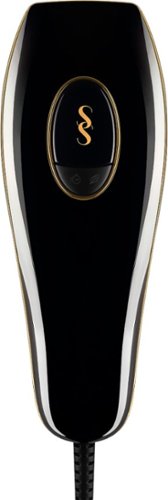
SmoothSkin Pure is safe, fast and clinically proven to deliver permanent hair reduction, with visible results in just four weeks. Our unique Smart Skin Sensor automatically detects and delivers the highest power suited to your skin tone for permanent results. Ten intensity levels and three comfort modes offer the safest, most powerful and personalized treatment to leave your skin smooth and hair-free for months. SmoothSkin are the original pioneers and the world's #1 best-selling IPL hair removal brand. FDA cleared for safe and effective, permanent hair removal on your body and face.
Posted by: CMCMom29
from Michigan
I am one of the 5% to 10% of women in the U.S. who have hirsutism. Finding a practical way to remove the excess hair on a permanent basis is a chore. Shaving irritates my skin, electrolysis sounds quite painful, and professional laser hair removal is expensive and takes a lot of time. I have tried an epilator (ouch!), the NoNo! hair removal system (really just flashing lights), and creams like Nair (the smell! Didn’t work, either). I’ve resorted to plucking, which is a chore, but at least gives me a day or two of clear skin.
I was excited to have the chance to try the Smooth Skin Pure IPL Hair Removal System (HRS). At home laser? Sign me up!
My last experience with laser was a 3-visit package that was purchased as a gift for me. It didn’t do much for me, though, as the employee told me that it would take a total of 6-9 visits for me to see any results. At the time, it was around $300 for 3 visits, and I didn’t have those kinds of funds. Having at home option for a fraction of the cost? Sounded too good to be true.
At the time of this writing, I have used the HRS over the course of 8 weeks (one treatment per week). I’m a good candidate for the HRS – I’m so pale I make vampires look tan. The lighter your skin and the darker the hair is, the better the results.
One thing I will recommend is buying some eye protection. You’ll want to find goggles that are specifically for laser light. I remembered this from when I had treatment before. The cost is about the same as basic sunglasses from that one place that says it has stuff from A to Z. You don’t have to, but I did take that extra step.
The instructions don’t tell you much. There’s no prep work other than to shave the area you are treating so that the follicle can be treated by the light directly. My first treatment, I did shave the area with a regular multi-blade razor, which caused me to suffer from painful bumps for the next week. For the remainder of the treatments, I used a Norelco razor. It doesn’t cut the hair as close, but I wasn’t miserable either.
The HRS has a standard and a gentle setting. I started out with the standard setting but after the first two hits, my skin felt stingy, so I used the gentle setting going forward.
The one thing I despised was the transformer block on the cord. There’s not an on/off switch, so it powers up as soon as it is plugged in. The transformer is quite heavy (heavier than the unit) and was in my way as I tried to use it at my small dressing area. It tried to slide off the table as I struggle with the excess cord. Not a fan of this design.
The treatments don’t take long to do. I think it takes me between 5-10 minutes to do my face and throat. Other than the actual hit of light, I experienced no pain or discomfort.
I’ve included a before-and-after collage of the results. I will need several more treatments, but I think it’s a start.
I would give this a try if you suffer from hirsutism like I do or have other hair removal concerns. You’ll need a large area to work so that the transformer box can sit and not slide off the worksurface.
Mobile Submission: False
I would recommend this to a friend!


Share this review:


+26points
29of 32voted this as helpful.
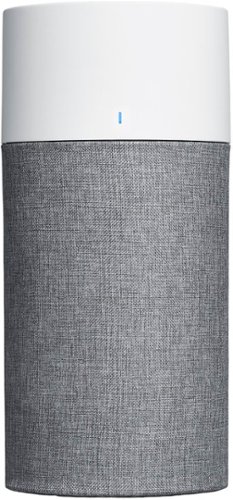
The Blue Pure 411 Auto air purifier takes a simple approach to smart air quality management with an integrated particle sensor, Auto mode setting, and LED air quality display. The ENERGY STAR certified air purifier delivers high performance with one-button control and customizable pre-filter colors in a lightweight, compact package. Independently evaluated and third-party tested for performance as part of the AHAM Verifide~ Program for room air cleaners, this air purifier has a Clean Air Delivery Rate (CADR) of 132 for fine smoke particles, 96 for pollen particles, and 107 for dust particles. Recommended for small rooms like nurseries, guest bedrooms, and home offices with a 360~ air intake to completely filters room air about every 12.5 minutes (approx. 4.8x an hour at 190 ft~) on the highest speed. The 3-step combination particle + carbon filter works with Blueair's HEPASilent~ filtration technology to remove 99.97% of airborne particles down to 0.1 microns, like pollen, pet dander, mold, bacteria, viruses~ and more, while an additional layer of activated coconut carbon traps light household odors. The one-touch enabled Auto mode is designed to help you maintain a comfortable and safe home environment. When enabled, the setting automatically adjusts to real-time conditions reported by the integrated particle sensor. Stay up to date on your air quality with the LED display; it changes color to indicate good, moderate, or poor. Blue Pure 411 Auto quietly cleans the air with less noise than a soft whisper~ on low (18 dB) and up to a normal conversation on high (48 dB) ~ while using less energy than a light bulb (2-10 W) on all speeds.~ Change color in seconds with five fabric pre-filter options inspired by Scandinavian nature. The fabric material of the pre-filter catches larger particles and extends the life of the primary filter. Plus, a hidden compartment in the fabric pre-filter keeps the power cord hidden out of sight. Vacuum the fabric or toss it in the washing machine whenever it needs cleaning. Pre-filter in Arctic Trail (gray) included; Additional colors available for purchase. At Blueair, our Swedish heritage inspires sustainability and quality at the heart of everything we do. All Blueair purifiers are AHAM Verifide~ for Clean Air Delivery Rate (CADR) and given a recommended room size, certified by ENERGY STAR for energy efficiency and the California EPA Air Resources Board (CARB) for safe ozone emissions. ~This air purifier not been tested against Coronavirus, and Blueair does not claim to capture, remove, or kill 2019-nCoV. ~Sound pressure according to GB/T18801 & GB4214.1 ~Tested according to GB/T18801-2015 standard. ""Light bulb"" defined as an LED light bulb with 40 W energy consumption
Posted by: CMCMom29
from Michigan
The Blue Pure 411 Auto HEPASilent Air Purifier is a nice, compact unit. I think it looks a bit small to have on the floor, but according to the instructions, that is where you are to install it. The unit is pretty much plug and play as far as operation.
The air filter comes with a colored fabric sleeve that attaches with Velcro. This is so that you can match your décor of the room where you are using it in. The sleeve that it comes with is grey, which is fine by me.
First thing I did was sit and read the instruction manual (though there’s not a lot to this machine as far as setup). I was dismayed, though, by the first line of the Safety Instructions. I’ve included a photo of the text with this review. I’ve never read such a rude comment in an instruction manual before. I can understand what they meant, but as a parent of children with cognitive challenges, I didn’t appreciate the way they said it. I took off one star for that. I wish the company would rethink the verbiage. This is an Air Filter, not a sound mixing board. It’s not that complicated.
I’ve also included the diagram showing how the unit works. I expected this to have a button that only needed a light or medium touch to start or change cycles. I literally had to smack the side of my palm on the button to get it to power on or to change modes. I also didn’t have the light patterns committed to memory, so I would continue to press the button to get the mode I wanted by sound.
I’ve ran the unit mainly on Boost Mode. The white noise was better for me, as it was so silent on the lower modes, I couldn’t always tell it was on. If you are someone that WANTS a super quiet filter, I’d recommend this one.
There’s also an indicator light to tell you whether or not it’s filtering properly. I used Boost Mode for the most part but did try it in Auto and Night Modes. When I did, the blue light (good) turned orange (not good). I turned the unit back up to Boost and the blue light has stayed on ever since.
I do wish this unit operated with an app, or even had a small remote to make it easier to use.
The Blue Pure 411 is a nice, compact, air filter for an average size room (I used it in a bedroom).
Mobile Submission: False
I would recommend this to a friend!


Share this review:


0points
5of 10voted this as helpful.

Posted by: CMCMom29
from Michigan
The unit is quite weighty. I have a Samsung Spin Notebook (also a 2-in-1) that I purchased in 2016. It is quite heavy as well. I would have thought that the unit would become lighter, especially with less on-board memory. It’s a drawback for using the computer as a tablet. It still feels awkward for me to hold, which is one reason I didn’t use the Spin in that mode much.
It’s beautiful, though. Nice graphite. Colors of the screen are exceptional. The unit is Pantone certified, which vibrancy would be expected. I tried to illustrate that in a photo but even the best photo is limited by the camera used to take it (Samsung Note20 5G).
It’s Alexa enabled (seems like everything is now). I have the Amazon Ecosystem, but with so many devices with Alexa, using it on this unit isn’t an everyday occurrence. I can see how this would be handy when on-the-go, though. A step up from the standard Cortana.
One delight is this thing is FAST. I don’t think I’ve ever owned a unit this fast. Setup was a breeze and didn’t take long at all. I’m used to getting impatient while Windows does whatever it does so it can do all the things. Each boot is also super-fast. No frustration if you have to restart for whatever reason.
Battery life is crazy long. I had this unit unplugged, sitting closed, for several days on a dresser, and it was fresh. If you are using for long periods of time, the battery lasts all day (approx. 8 hrs.).
The sound from the speakers, though, was disappointing. Quite tinny, couldn’t get a lot of volume from it. Not sure why. I have not found a laptop that has exceptional sound. It’s easy enough to use one of my Bluetooth speakers if I really need quality sound.
Touchscreen is responsive. Fingerprints are an issue, though, as to be expected. Kids love touchscreens, and touchscreens love their prints.
All in all, it’s a nice little unit. I like the flexibility it offers. You’ll need to realize that the memory isn’t robust (in exchange you get great speed) so you may want to get used to saving things in the cloud if you don’t already.
Mobile Submission: False
I would recommend this to a friend!


Share this review:


+12points
20of 28voted this as helpful.
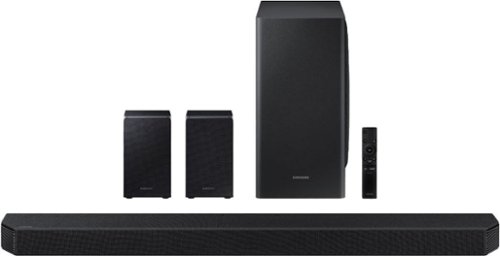
The HW-Q950T has immersive sound quality with True 9.1.4ch sound. With Up-firing rear speakers including Q-symphony, Dolby Atmos, DTS:XUsability-, adaptive sound, game Pro Mode. Premium Design textile by Kvadrat along with seamless connectivity and built in voice assistant, this is the best fit for Samsung QLED TV.
Customer Rating

4
Nice Unit, but Could Be Better
on January 5, 2021
Posted by: CMCMom29
from Michigan
I can sum up the initial experience testing the Samsung HW-Q950T Soundbar in one word.
Frustrating.
At least, that was lasting impression.
This unit replaced a Sony soundbar system that I’ve had for a couple of years. It was good, but in looking at the specs for the Samsung, I thought I could use an upgrade.
First thing – it comes in a giant box. It’s also a behemoth. I would recommend having a helper bring the unit it and to help install it. I like feeling like I’m getting quality product, but I am stymied as to why this is SO heavy. It makes my Sony feel like a paperweight in comparison.
Second, the soundbar is long. It took up the length of the shelf of my TV stand. You are either going to want to have it sitting in the open on a cabinet or mounted on the wall. It’s not going to fit in a smaller entertainment center.
Third, oh my goodness…it’s a dog hair MAGNET. I took the woofer out of the box and set it on the floor; it seemed to instantly suck up all the dog hair in my carpet, even though I had recently vacuumed. I’m going to invest in some lint rollers to clean the unit. I can only imagine what dust will do to it.
OK, now to setup and functionality…
The manual is straightforward, almost to a fault. It really only gives you the basics. I had to figure out a lot on my own. After I had finished setup, I then found the online version of the manual was much more detailed. You can find it on the product page for this item on Samsung’s site.
Setup is easier if you have a Samsung mobile phone and the Smart Things app. It’s designed to work with the app seamlessly. This presents other problems which I will talk about as we go along.
The first set of instructions is the precise order you have to put the unit online in order to connect properly. It goes subwoofer --> left rear speaker --> right rear speaker --> soundbar. You can manually connect it as well, if for some reason the setup doesn’t take on its own.
Then you need to connect it to your TV. I thought one of the benefits I was getting was being able to connect wirelessly. Unfortunately, these features are specific to Samsung TVs. My living room TV is a Hisense 4K, which doesn’t have Bluetooth or a wi-fi connection for use with this soundbar. I used the HDMI cable that came with the Soundbar to connect to the TV. I used existing HDMI cables I had to connect to my cable box and my Roku.
This is where I realize the display in on THE TOP of the unit. Not only the TOP, but the backside of the TOP. The display is a very small window. Who designed this? I couldn’t see anything sitting in a chair right in front of my TV while I was installing this, let alone sitting in my recliner while watching a movie. My Sony had a front display that was easy to read from anywhere in the room. The Sony remote also had buttons for each input and all the functions. The Samsung remote is spartan in comparison.
Which leads to the Smart Things app. The connection between the app and the soundbar was effortless. Didn’t provide a lot of instructions, though. I figured out that the inputs could be changed on the app. You also had to trust the app to make the connection since you couldn’t see the display on the soundbar.
I also had to use the phone to adjust the volume and sound effects. The remote, anytime I hit VOL it would mute the TV. Right above the VOL button was dedicated MUTE button. I thought maybe something was wrong with the remote. I found, once I read the more detailed manual with a diagram, you have to press the button up or down for VOL and push in/out for MUTE. I am still confused by why you need TWO MUTE buttons on the same remote. A remote should be the simplest item in the box. Children should be able to use it – why are we making the remote an art piece rather than a practical item? If Mom & Dad are around to use their phones, you’re OK if you can’t figure out the remote. With the Smart Things app, the functionality isn’t intuitive.
For my 4K input and HD audio test, I used my Roku Premiere (2017 version) to stream the Disney+ Ultra HD version of “The Avengers”. I had watched the movie enough times to know what it HAD sounded like with my previous set up.
OK, now HERE is where the rubber meets the road. This is why I wanted to try a Samsung Soundbar.
THE. SOUND. WAS. UNBELIEVEABLE!
The floor shook. The sound enveloped the room with a richness I hadn’t heard before. I started hearing sounds and effects in the soundtrack that I hadn’t recalled hearing before. I would have happily watched the movie again to see what other details I could pick up, but it was late and the children trying to sleep weren’t appreciating feeling the sound reverberate in their rooms.
The actual performance was great, but the experience of setting it up and the basic use of it overshadowed my enjoyment of the product at first. I debated whether or not to reinstall the Sony bar, regardless of the superiority of the Samsung in sound.
I'm glad I didn't, though. In the month or so I've been using it, it's grown on me and now I wouldn't go back. I watched "WW84" via HBO Max (I liked the movie; your mileage may vary) and the sound was delightful.
Mobile Submission: False
I would recommend this to a friend!
Share this review:


+1point
1of 1voted this as helpful.
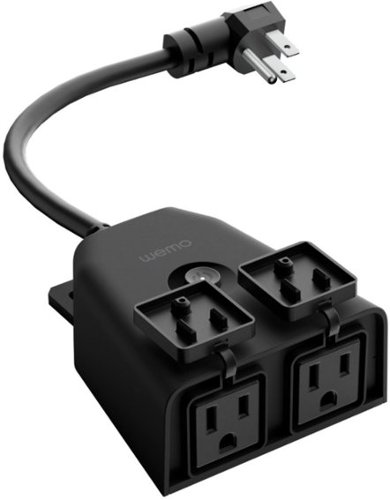
Wemo WiFi Smart Outdoor Plug gives you total smart control over your lights, holiday decorations and other outdoor devices. Featuring two splash-proof and weather-resistant outlets, you can set schedules and control two devices together from anywhere by using the app or your voice with Apple HomeKit, Amazon Alexa, or Hey Google.* It~s perfect for the patio, yard or other spaces where you~d like to manage electric outlets. You can also use Away Mode to randomly turn porch or landscape lights on and off when you~re not home. Sync lights connected to the Smart Outdoor Plug with the sunset and you~ll walk out to a backyard that~s ready for evening activities.
Posted by: CMCMom29
from Michigan
Usually around the Holidays, I will put two potted lighted artificial pine trees on our stoop. In years past, I’ve used an outdoor timer or a remote system that requires me to remember to turn them on at night.
Sometimes timers are hard to set or don’t last the season. The remotes get lost and then you have to buy a new unit.
Since it was about time to put up my trees again, I was eager to try the Wemo WiFi Smart Outdoor Plug.
Set up was easy. If you have a Wemo account, you would use your existing app and sign in to add the plug to your home. If not an existing customer, you can download the Wemo app and register for an account there.
One note here that I ran into and doesn’t take away from the review of the unit. The app gave me a suggestion to learn more about the plug and how to set it. When I clicked on their link, though, I was taken to a listing for a dimmer. I was a bit confused by that.
Basically, you click the add button and follow the prompts to set up the unit and connect it to your WiFi.
When I went to set my times, however, I discovered that I could not do that in one rule set. I had to make a rule on when to turn on and another to turn off. With other non-smart plugs I’ve owned, you could set them from sunset to sunrise, or for certain times. I was a bit dismayed in trying to figure out how to program this properly.
You can name your plug with what it is controlling. I named mine “Christmas Trees” (very original, I know). I was able to set up one rule to have the trees come on at 5:30 pm and another rule to control how many hours I wanted it to run.
It works like a charm.
IF, for some reason, I want to turn them off, there is a power button next to the name of the device so you can turn them off and on again as desired without using the time.
One suggestion I’d offer is to make a larger unit, or a strip where you could program multiple routines. People use so many lighted decorations now, and outlets outside of the home aren’t always available.
One suggestion I’d offer is to make a larger unit, or a strip where you could program multiple routines. People use so many lighted decorations now, and outlets outside of the home aren’t always available.
Mobile Submission: False
I would recommend this to a friend!


Share this review:


+4points
4of 4voted this as helpful.

Crafted together with Blizzard Entertainment, Blue~s Yeti X World of Warcraft Edition professional USB mic can change the sound of your voice for a fully immersive streaming experience. Stun your audience by summoning the sound of your favorite World of Warcraft denizens using advanced voice modulation with Warcraft presets. Celebrate victories and entertain your stream audience using hundreds of HD audio samples from Shadowlands and the World of Warcraft universe. With Yeti X World of Warcraft Edition, you can create a unique audio broadcast that elevates your stream to new levels.
Customer Rating

5
Wonderful Mic That is Full of Features
on November 1, 2020
Posted by: CMCMom29
from Michigan
WOW.
You might think that I’m referring to World of Warcraft there…and I am…
…but also…
WOOOOOOOOOOOW.
This microphone is AWESOME. First off, it’s well packaged. I would keep the inner box with the foam insert in case you ever need to store it (although I don’t know why you’d EVER pack this away).
Secondly, it’s beautiful. The unit is a charcoal grey with gold trim. At the base, there are runes from World of Warcraft (WoW) etched on the base. On the underside of the microphone, there is a headphone jack and a recess for use with a microphone arm or stand. It reminds me of an award that one might get FOR broadcasting instead of USING it for broadcasting. It’s that sharp.
Setup is easy. You download software from Logitech (I didn’t realize that Blue was part of the same company). This is where you will find the software that has the special WoW effects. The unit is wired (USB cable included). I was a little surprised by that, but it could be because the sound is better that way.
I also researched other software that I could use with the mic. I downloaded Audacity for free. I also downloaded Blue Sherpa, which said it worked with this model, but my mic wasn’t being read by the software.
The sound is fantastic. The effects are so cool. There are sound effects with the Sampler, such as different Creatures and Spells.
Just using your voice, you can do so many things. You can record a sample of your own voice and then modify it with different effects. There are multiple modes for using the mic just as it is (without the added WoW features). The button on the front is also customizable. You can change colors, you can use as a mic, or mic and headphones together (with the headphones plugged into the mic), or direct monitoring. The LED lights can also be programmed for metering the sound.
Unlike other products I’ve tried, this unit has a laminated card made to stand up on your desk with the different features outlined on how to use. How clever is that?
Run, don’t walk, to pick one of these mics up. It would make a WONDERFUL gift for the streamer in your life.
Mobile Submission: False
I would recommend this to a friend!


Share this review:


0points
0of 0voted this as helpful.

The Dell 24~ FHD monitor is beautifully designed to sit easily into any space ready for your everyday lifestyle. Built-in dual HDMI ports keep your devices always plugged in. The three-sided ultrathin bezel design lets you enjoy superb screen clarity in 1920 x 1080 Full HD resolution. Smooth, tear-free experience with AMD FreeSync~ technology, featuring up to 75Hz refresh rate. This T~V-certified monitor has a flicker-free screen with ComfortView, a feature that reduces harmful blue light emissions.
Posted by: CMCMom29
from Michigan
I love this Dell Monitor. It’s an upgrade for me from a 20” screen. My old monitor was so old…
{How old was it?}
…it was so old that it still used a serial port. I had to use a serial to HDMI converter to use it with my current tower.
This Dell Monitor was simple to set up and install. I used an HDMI cable (included) to connect to my computer, plugged the monitor into the power, and turned it on.
The screen itself is a matte finish. I would not say it is fingerprint proof, as I somehow got something on the screen while attaching the stand that caused streaks. They did not just wipe off as I expected, but they did come off. The resolution is easy on my eyes and my work is easier to see.
The unit is large without being too overwhelming for my small desk. If space is a limitation, though, you may want to consider getting a monitor arm.
I would recommend to anyone considering getting a new monitor.
Mobile Submission: False
I would recommend this to a friend!

Share this review:


+3points
3of 3voted this as helpful.
CMCMom29's Review Comments
CMCMom29 has not submitted comments on any reviews.
CMCMom29's Questions
CMCMom29 has not submitted any questions.
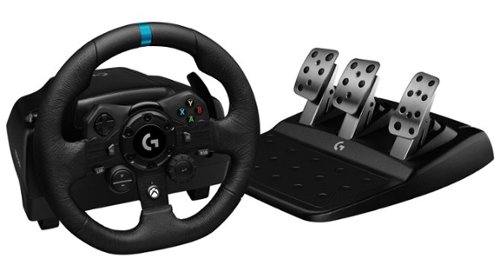
Logitech G923 for Xbox Series X|S, Xbox One and PC is a high-performance racing wheel that revolutionizes the racing experience. Re-engineered to support a next-generation feedback system, G923 features TRUEFORCE high-definition force feedback that dials into game engines to deliver higher-fidelity realism. Feel the pistons pumping, the gravel crunching, and every shift, drift, and hairpin turn like never before. True racing comes from within.
does it work well with nascar heat 5
According to the NASCAR Heat website, their games are supposed to work with any wheel manufactured after 2014.
5 years, 9 months ago
by
CMCMom29
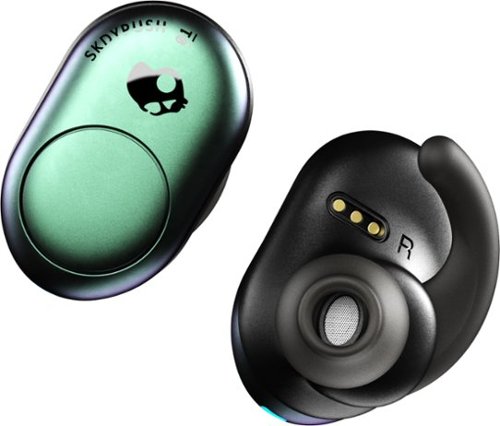
Listen to up to 12 hours of music on a single charge with these SkullCandy Push True wireless earbuds. Bluetooth connectivity offers freedom from wires, while single-button volume, track and call control provides convenience. The Secure FitFin gel ear tips help these SkullCandy Push True wireless earbuds fit comfortably, and the water-resistant design withstands exercise and outdoor use.
Only the left earbud will work for me when I'm trying to use both. What do I do?
I found that you have to turn on both when using. Also, make sure the buds are paired to each other per the unit's directions.
6 years, 11 months ago
by
CMCMom29
Listen to up to 12 hours of music on a single charge with these SkullCandy Push True wireless earbuds. Bluetooth connectivity offers freedom from wires, while single-button volume, track and call control provides convenience. The Secure FitFin gel ear tips help these SkullCandy Push True wireless earbuds fit comfortably, and the water-resistant design withstands exercise and outdoor use.
Can I use one earbud at a time?
Yes you can. You just wouldn't turn on the second ear bud.
6 years, 11 months ago
by
CMCMom29
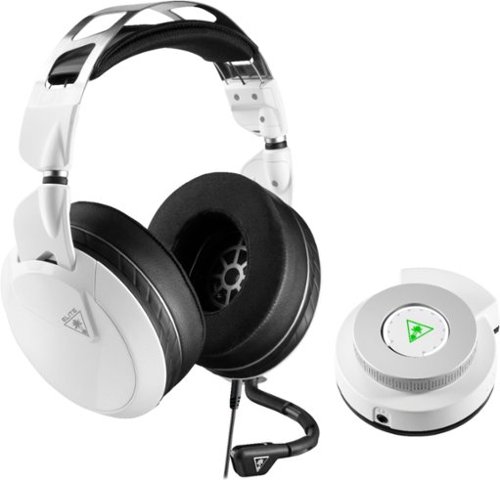
Hear lifelike sound details in your Xbox One games with this Turtle Beach Elite gaming combo. The Elite Pro 2 headset has 50mm custom-tuned Nanoclear drivers for an immersive experience and Aerofit ear cushions for ergonomic comfort. Customize your headset~s sonic performance via the SuperAmp controller of this Turtle Beach Elite gaming combo.
PC compatible?
Yes. Used with a Omen Gaming Laptop - no issues.
7 years, 1 month ago
by
CMCMom29
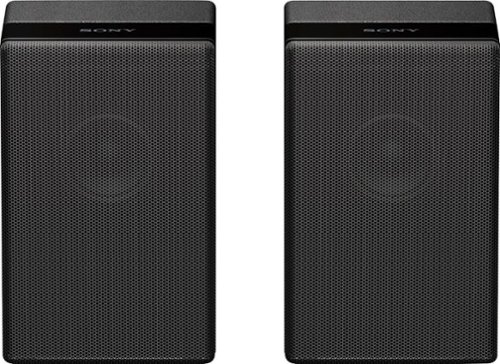
Complete your HT-Z9F surround system with this Sony rear speaker. Place it on a stand or shelf, or mount it to your wall for unobtrusive performance, and connect to other components wirelessly to keep unsightly cables out of your space. This Sony rear speaker's S-Master amp outputs 50W for powerful rear audio.
can you hook up standard aux speakers to a Sony TV
No. They are designed for the Sony Soundbar. You literally plug them in and they auto-sync to the soundbar. There are no Aux ports on the back.

Products from my answer
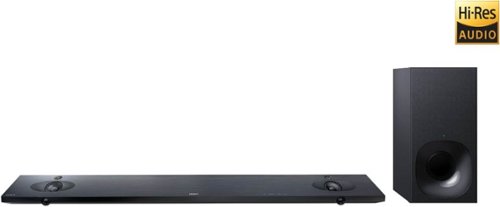
Sony - 2.1-Channel Hi-Res Soundbar System with Wireless Subwoofer and Digital Amplifier - Black
 (1,979)
8 years ago
by
CMCMom29
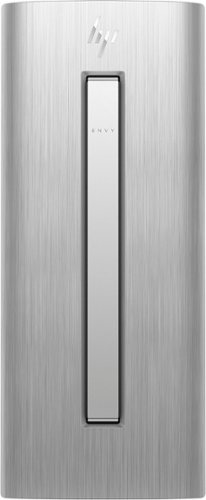
HP ENVY Desktop: Accomplish tasks efficiently with this HP desktop computer. Its Intel Core i7 processor supplies plenty of power for video editing and gaming, and the 16GB of RAM lets you run multiple programs at the same time without performance lag. This HP desktop computer has a large 1TB hard drive for storing files and the Intel Optane Memory is a smart system accelerator that adapts to your everyday computing activities.
Is there a built in speaker in this computer?
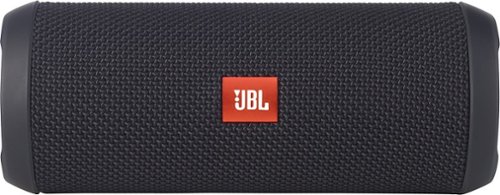
JBL Flip 3 Speaker: Stream your favorite songs and Internet radio stations from your compatible audio device using this speaker, which offers extensive playback with the rechargeable battery. Dual external bass radiators offer booming low tones, and you can enjoy clear phone calls with the integrated speakerphone.
When first purchased how long must i charge it for
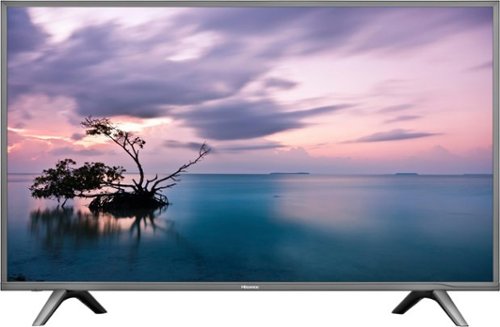
Stream your favorite shows on this 60-inch Hisense television. Its 3840 x 2160 resolution and 8 ms response time bring scenes to life, and 4K upscaling transforms lower quality video into HD resolution. This Hisense television is equipped with HDMI inputs to connect to a gaming console or Blu-ray player.
Is this a refurbished tv.
Stream your favorite shows on this 60-inch Hisense television. Its 3840 x 2160 resolution and 8 ms response time bring scenes to life, and 4K upscaling transforms lower quality video into HD resolution. This Hisense television is equipped with HDMI inputs to connect to a gaming console or Blu-ray player.
Just purchased this TV last week weekend. Can i access the Opera?? I'm trying to install the Hulu app but can't find it. Please help. We already cut the Cable cords. but we may need to return this deal if it cannot provide the services we need.
No, you cannot add any apps to the TV. It does not include Hulu .
8 years, 3 months ago
by
CMCMom29

Completely customize your Wi-Fi Smart Color Thermostat to match your lifestyle and decor. The ENERGY STAR~ certified smart thermostat lets you choose the temperature, schedule, display color and the devices you use to control it all.
Is this Honeywell, Model: RTH9585WF compatible with ‘nest’ software product standards?
I'm not sure what "Nest" standard are. Honeywell has their own app and their own site to provide remote access to the unit.
8 years, 6 months ago
by
CMCMom29