


KKCNIck's stats
- Review count423
- Helpfulness votes436
- First reviewOctober 20, 2010
- Last reviewJune 10, 2026
- Featured reviews0
- Average rating4.5
- Review comment count1
- Helpfulness votes0
- First review commentOctober 2, 2014
- Last review commentOctober 2, 2014
- Featured review comments0
Questions
- Question count0
- Helpfulness votes0
- First questionNone
- Last questionNone
- Featured questions0
- Answer count17
- Helpfulness votes5
- First answerJune 17, 2009
- Last answerNovember 7, 2020
- Featured answers0
- Best answers2
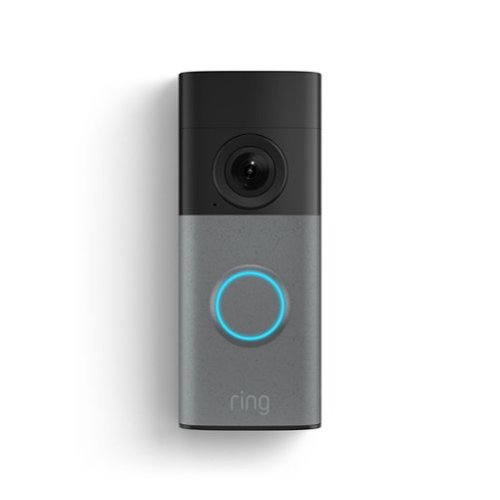
Wired Doorbell (2nd Gen) keeps you plugged in to to your front door through constant hardwired power. Never miss a moment and see everyone who stops by through Retinal 2K with up to 6x Enhanced Zoom. With Motion Detection, Color Night Vision, and more, peace of mind is just a tap away.
Customer Rating

5
Still one of the best for the price.
on June 10, 2026
Posted by: KKCNIck
The Ring Wired Doorbell Gen 2 has genuinely exceeded my expectations. The video quality is sharp, clear, and detailed, making it easy to see exactly what’s happening at my door. The night vision is just as impressive. Everything stays visible and crisp even in complete darkness, which gives me a lot of peace of mind.
Setup was incredibly simple. I had it installed and running in just a few minutes, and the app walked me through every step without any confusion. For the price, this doorbell offers outstanding value. It feels like a premium product without the premium price tag.
I’m really glad I chose this model. The neighborhood alerts are a great bonus and keep me aware of what’s going on around my home without feeling overwhelmed. Overall, it’s a reliable, easy to use doorbell that delivers exactly what I was hoping for and more. I do wish the door chime was included since I did need to purchase that for the entire solution to work. One other thing to note is the annual cost for the video playback and other functions. These are still among the lowest of what I was able to research for just a single doorbell camera but it does have a monthly or annual cost.
Setup was incredibly simple. I had it installed and running in just a few minutes, and the app walked me through every step without any confusion. For the price, this doorbell offers outstanding value. It feels like a premium product without the premium price tag.
I’m really glad I chose this model. The neighborhood alerts are a great bonus and keep me aware of what’s going on around my home without feeling overwhelmed. Overall, it’s a reliable, easy to use doorbell that delivers exactly what I was hoping for and more. I do wish the door chime was included since I did need to purchase that for the entire solution to work. One other thing to note is the annual cost for the video playback and other functions. These are still among the lowest of what I was able to research for just a single doorbell camera but it does have a monthly or annual cost.
I would recommend this to a friend!
Share this review:


0points
0of 0voted this as helpful.
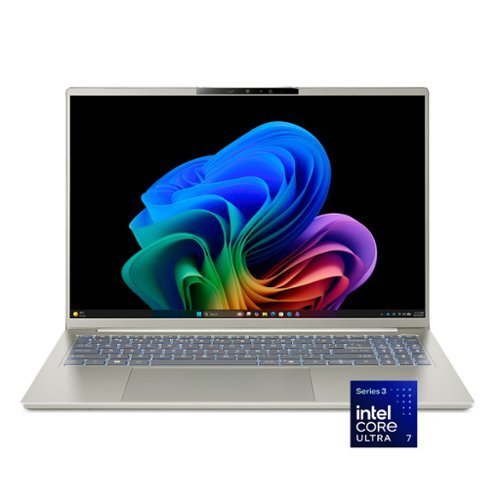
Wherever life takes you, the Acer Swift Go 16 AI is designed to move with you. Its slim, ultra~thin design slips effortlessly into your day, while all~day battery life and the powerful Intel~ Core~ Ultra 7 processor 355 keeps everything running smoothly~whether you~re working or unwinding. A stunning OLED touch display makes every moment more immersive, while built~in AI performance helps ideas take shape so you can stay one step ahead.
Customer Rating
5
New standard for baseline value in 2026
on June 6, 2026
Posted by: KKCNIck
Unboxing
The unboxing was very easy. The accessories included are standard, which is the laptop and power cord. They did include a nice Acer branded laptop pouch, and it has a real soft inside to keep the laptop from getting scratched. I like this since the laptop is light and I can see myself just carrying the pouch with me vs. using an entire laptop bag depending on the situation.
Setup
Once I logged into my existing Microsoft account it was pretty seamless to get the profile setup. During the setup you are left with a long update you can skip, but for reliability I let it process. After the initial setup I was doing my normal process, which is remove the McAffee free AV, look for any bloatware that is not needed and remove. Then run the Acer Sense app for device specific updates. Then I went to the Windows updates and ran them including reboots.
Finally, after about 2½ hours of setup time I was up and running. I did notice that when the updates were processing the computer already seemed to slow down.
Use
After all the setup was done, I found the system to run very fast and cool. The vent fans are on the bottom, so when this sits on my lap I feel like I am making the system run hotter, so I wish they designed that to run out the back — but I guess they needed to cool the system somehow.
I like the backlit keyboard and the beautiful OLED touch display. I think they prioritized the most important features one needs. They provide plenty of ports, standard USB C charging, a 5MP webcam with Windows Hello, a backlit keyboard, and a nice glass trackpad.
The battery life is running about 6–7 hours of standard use. That is really good since this is a 16" display. I do not like that the base is made of all plastic, so it feels like it will not hold up over time or if I had it slip onto the floor it might not survive.
The keyboard number pad is very tight with small keys, so it works, but if you're buying this for a standard number pad then you might want to look elsewhere. Also, the Enter key on the number pad is a small square which took me time to get used to. The glass trackpad does offer a good performance that does allow smooth gestures that actually work.
This version of Windows introduced Recall which is really neat being able to visually look back at your work over time to reopen or restore.
I like the fact that Acer tried to include meaningful software. There is a program that allows a top row key to launch anything from a web browser to a set of applications, which is helpful. They did include an AI supporting service which I think is for specific use of working on AI development, but still nice to see.
The sound is just ok. I do not normally play the sound loud, so it is not a concern for me, but definitely there are stronger laptops for better sound. The Acer sensing software can put the laptop to sleep when you walk away or wake it when you come back, which is nice. I always wondered how much that eats into the battery.
This generation is really an improvement from previous Intel systems with a balance of performance and battery life. The OLED display is a real treat.
The unboxing was very easy. The accessories included are standard, which is the laptop and power cord. They did include a nice Acer branded laptop pouch, and it has a real soft inside to keep the laptop from getting scratched. I like this since the laptop is light and I can see myself just carrying the pouch with me vs. using an entire laptop bag depending on the situation.
Setup
Once I logged into my existing Microsoft account it was pretty seamless to get the profile setup. During the setup you are left with a long update you can skip, but for reliability I let it process. After the initial setup I was doing my normal process, which is remove the McAffee free AV, look for any bloatware that is not needed and remove. Then run the Acer Sense app for device specific updates. Then I went to the Windows updates and ran them including reboots.
Finally, after about 2½ hours of setup time I was up and running. I did notice that when the updates were processing the computer already seemed to slow down.
Use
After all the setup was done, I found the system to run very fast and cool. The vent fans are on the bottom, so when this sits on my lap I feel like I am making the system run hotter, so I wish they designed that to run out the back — but I guess they needed to cool the system somehow.
I like the backlit keyboard and the beautiful OLED touch display. I think they prioritized the most important features one needs. They provide plenty of ports, standard USB C charging, a 5MP webcam with Windows Hello, a backlit keyboard, and a nice glass trackpad.
The battery life is running about 6–7 hours of standard use. That is really good since this is a 16" display. I do not like that the base is made of all plastic, so it feels like it will not hold up over time or if I had it slip onto the floor it might not survive.
The keyboard number pad is very tight with small keys, so it works, but if you're buying this for a standard number pad then you might want to look elsewhere. Also, the Enter key on the number pad is a small square which took me time to get used to. The glass trackpad does offer a good performance that does allow smooth gestures that actually work.
This version of Windows introduced Recall which is really neat being able to visually look back at your work over time to reopen or restore.
I like the fact that Acer tried to include meaningful software. There is a program that allows a top row key to launch anything from a web browser to a set of applications, which is helpful. They did include an AI supporting service which I think is for specific use of working on AI development, but still nice to see.
The sound is just ok. I do not normally play the sound loud, so it is not a concern for me, but definitely there are stronger laptops for better sound. The Acer sensing software can put the laptop to sleep when you walk away or wake it when you come back, which is nice. I always wondered how much that eats into the battery.
This generation is really an improvement from previous Intel systems with a balance of performance and battery life. The OLED display is a real treat.
Overall
This is a great laptop if you want all of the performance of the latest Intel chips with a nice display and all the features of a premium laptop but want to save money compared to the other premium brands. I think this is an excellent value for what you are provided with.
This is a great laptop if you want all of the performance of the latest Intel chips with a nice display and all the features of a premium laptop but want to save money compared to the other premium brands. I think this is an excellent value for what you are provided with.
I would recommend this to a friend!
Share this review:


0points
0of 0voted this as helpful.
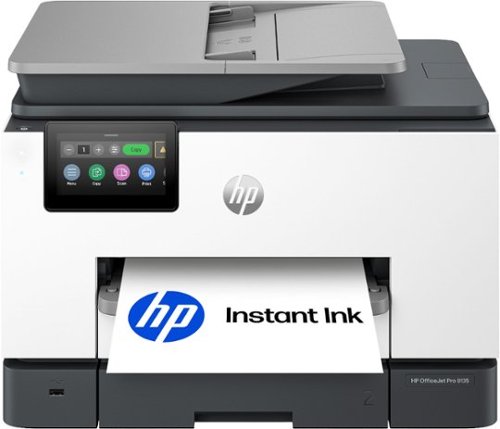
The HP OfficeJet Pro 9135 All-in-One Printer delivers fast color, fade-resistant prints, 500-sheet paper capacity, and single-pass duplex scan, copy capabilities plus fax, perfect for your office. Navigate this printer with the 4.3" color touchscreen and phone-like user interface. It includes wireless and printer security features to keep your multifunction printer up to date and secure, and is made with more than 40% recycled plastic content. Optimize print formatting with HP AI, that easily removes unwanted content from emails and web pages so your prints are just the way you want~no wasted pages or unwanted content. Subscribe to Instant Ink delivery service and get 3 months of free ink delivered directly to the door of your office. The HP OfficeJet Pro 9135 All-in-One also lets you print from anywhere with the HP app.
Customer Rating
5
Great Ink Jet Printer with dual paper trays
on June 1, 2026
Posted by: KKCNIck
Setup:
First thing I noticed with the HP Pro 9135 all-in-one was the out-of-box experience. Setup was straightforward, nothing overly complicated, and it walked through network connection and driver install without any issues. If you have an HP account then you can apply your preset scanning settings through the app which makes setup easy if you previously had a modern HP printer. The touchscreen interface is responsive and easy to navigate right from the start, which helps if you’re setting this up for an home office where not everyone is technical. Build quality feels solid for a business-class device and it doesn’t have that cheap plastic feel you sometimes get in this category.
Use:
On the print side, output is consistent and clean whether you're doing basic documents or something with heavier graphics. It handles printing well without slowing things down. I really think the quality is so close to laser that I was very impressed with some text documents and a full picture I printed. It looked like laser print and you could not see the dots from the ink and the page was not warped like it was previous with heavy full coverag documents. Scanning is fast and intuitive, especially with the document feeder, and quality is more than usable for day-to-day office workflows. The scanning was easy with the presets you can carry from a previous printer. Also you can scan to your phone, which is nice. Copying is just as simple directly from the panel, and the interface makes it easy to adjust settings without digging through menus. It’s a well-rounded unit across print, scan, and copy without any one function feeling like an afterthought.
Overall, this is a solid all-in-one for a small office or workgroup that just needs things to work without babysitting it. The pros are ease of setup, reliable print quality, and a simple interface. The only downside is it’s not trying to be a high-volume powerhouse, but for most home office use cases it hits the mark. Also, the inks are expensive if you purchase them outside of the monthly service. They only last 1200 pages, which is not much. If you keep the subscription, then it does not matter. HP also sent an extra set within a few days.
First thing I noticed with the HP Pro 9135 all-in-one was the out-of-box experience. Setup was straightforward, nothing overly complicated, and it walked through network connection and driver install without any issues. If you have an HP account then you can apply your preset scanning settings through the app which makes setup easy if you previously had a modern HP printer. The touchscreen interface is responsive and easy to navigate right from the start, which helps if you’re setting this up for an home office where not everyone is technical. Build quality feels solid for a business-class device and it doesn’t have that cheap plastic feel you sometimes get in this category.
Use:
On the print side, output is consistent and clean whether you're doing basic documents or something with heavier graphics. It handles printing well without slowing things down. I really think the quality is so close to laser that I was very impressed with some text documents and a full picture I printed. It looked like laser print and you could not see the dots from the ink and the page was not warped like it was previous with heavy full coverag documents. Scanning is fast and intuitive, especially with the document feeder, and quality is more than usable for day-to-day office workflows. The scanning was easy with the presets you can carry from a previous printer. Also you can scan to your phone, which is nice. Copying is just as simple directly from the panel, and the interface makes it easy to adjust settings without digging through menus. It’s a well-rounded unit across print, scan, and copy without any one function feeling like an afterthought.
Overall, this is a solid all-in-one for a small office or workgroup that just needs things to work without babysitting it. The pros are ease of setup, reliable print quality, and a simple interface. The only downside is it’s not trying to be a high-volume powerhouse, but for most home office use cases it hits the mark. Also, the inks are expensive if you purchase them outside of the monthly service. They only last 1200 pages, which is not much. If you keep the subscription, then it does not matter. HP also sent an extra set within a few days.
I would recommend this to a friend!
Share this review:


0points
0of 0voted this as helpful.
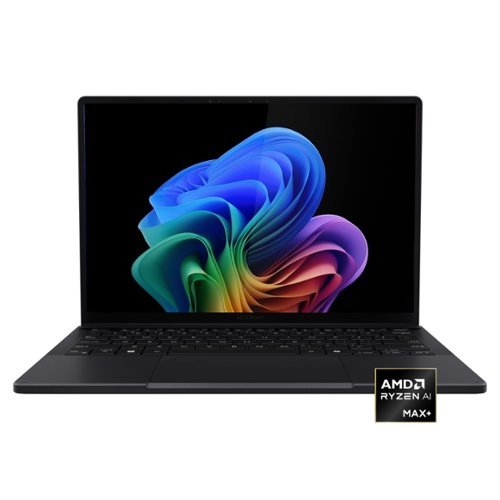
Meet the ASUS ProArt PX13, your ultimate portable studio. Experience uncompromised power from the next-gen AMD Ryzen AI processor and ample unified memory for seamless AI workflows and video editing. Enjoy versatile creation anywhere with the 360-degree convertible design, while the Studio-grade ASUS Lumina OLED touchscreen delivers professional color accuracy you can trust. Ultra-light and built to military-grade standards, the PX13 is ultra-portable and ready for reliable creation on the go, supported by creator-focused AI apps like MuseTree and StoryCube.
Customer Rating
5
Tiny 2-in-1 creator/workstation workhorse
on May 28, 2026
Posted by: KKCNIck
Setup:
Unboxing was easy. The packaging was very premium, and the experience definitely fit the price point of the laptop.
Use:
The initial setup was fast and simple. The 3k OLED display was the first thing I noticed since it was very bright and color accurate. Easiest way to check is to pull up an item you have in your pantry or house and compare the colors on screen with the actual item. This matched perfectly. Then I tested it, processing some raw photos and the response was fast. There was no delay. The export was equally as fast as my gaming laptop that has a dedicated gpu. I do wish the small 512gb ssd was bigger. With 32GB of ram this thing just took all the chrome tabs and Adobe Lightroom among other programs running at the same time without slowdown. When gaming I was able to get smooth gameplay on medium settings for most games after the first few matches which I assume some indexing and learning takes place because after it was very playable at around 60fps which is all I need for such a portable system. The 2-in-1 capabilities made it a breeze to edit the graphics I needed to work on. Included is a nice 200w power brick which makes sense being that the cpu is a larger wattage vs the typical ones that are installed in other 2 in 1 laptop. There are plenty of useful ports, but I do wish there was a full size sd card slot vs the micro sd.
My biggest issue so far is the 512GB ssd it’s a bit too small I think for a creator laptop but it’s manageable enough for now. Also, it would be nice for the price point if the pen was included.
I would recommend this to a friend!
Share this review:


0points
0of 0voted this as helpful.
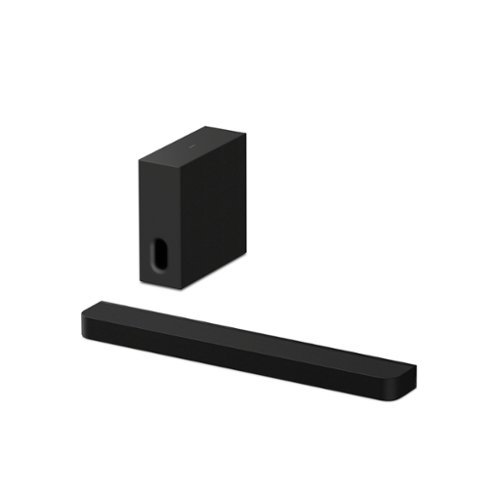
Immersive surround sound. Enhanced bass. The BRAVIA Bar 7 + Sub 7 combines 9 speaker units, 360 Spatial Sound Mapping, and a slim subwoofer to create cinematic surround sound and deeper, more precise bass in a space-saving design.
Customer Rating
5
Sleek soundbar with very full sound
on May 27, 2026
Posted by: KKCNIck
The packaging of this Soundbar was very good. I like the additional foam and protection they provided to make sure nothing was damaged in transit. Also, the boxes clearly marked a QR code to download the app to set up before proceeding. The setup was about 15 minutes. It required the creation of a Sony account which was cumbersome and the pairing of your soundbar and wireless sub to your phone then each other. The next part was helping tune the sound with your phone, which was a nice feature. The demo was very full, and the sound carried into the room. I connected the hdmi included from my earc port on my tv to the earc port on the soundbar. They did cover the other hdmi to avoid confusion. There was not additional setup needed on my tv. It just worked.
Use:
I loaded some movies and the sound was pretty full. I struggled to know what mode the soundbar was on since the remote allows you to cycle through sound field profiles but does not display them. Also, the app shows it as sound field on or off but not say surround, stereo, native, simulated surround, etc. I think the sound has good vocals for when there is dialogue or just generic tv. The sound during an action movie is very full and the sound filled the room as much as there can be from a soundbar. I did like the option where you could add wireless rear speakers and an additional rear subwoofer wirelessly. There was no issue with the sound quality or delay due to this being all wireless. I also like the size of everything. It is sleek and not too large, but the sound seems like there is a larger system playing which shows the improvement to the technology Sony has implemented. The included remote is nice but basic. You can adjust the basics like input, sound, bass level, sound field, power. There is an included wall mount bracket, but I have a tv stand I put mine on. Great to know this could fit on the wall for a sleek look.
I would recommend this if you wanted high quality Dolby Atmos sound without the receiver and speakers that normally accompany this type of sound. Also, if you have a Sony or smart tv. Something about this soundbar just separates the lows, mids and highs very clearly, which is a real treat when watching movies or shows with action. The only thing I would consider is if I had a Sony TV then I would pair this but if I had another brand, I might look at their sound bar options before selecting this since the same manufacturer tends to offer the best integrations.
Use:
I loaded some movies and the sound was pretty full. I struggled to know what mode the soundbar was on since the remote allows you to cycle through sound field profiles but does not display them. Also, the app shows it as sound field on or off but not say surround, stereo, native, simulated surround, etc. I think the sound has good vocals for when there is dialogue or just generic tv. The sound during an action movie is very full and the sound filled the room as much as there can be from a soundbar. I did like the option where you could add wireless rear speakers and an additional rear subwoofer wirelessly. There was no issue with the sound quality or delay due to this being all wireless. I also like the size of everything. It is sleek and not too large, but the sound seems like there is a larger system playing which shows the improvement to the technology Sony has implemented. The included remote is nice but basic. You can adjust the basics like input, sound, bass level, sound field, power. There is an included wall mount bracket, but I have a tv stand I put mine on. Great to know this could fit on the wall for a sleek look.
I would recommend this if you wanted high quality Dolby Atmos sound without the receiver and speakers that normally accompany this type of sound. Also, if you have a Sony or smart tv. Something about this soundbar just separates the lows, mids and highs very clearly, which is a real treat when watching movies or shows with action. The only thing I would consider is if I had a Sony TV then I would pair this but if I had another brand, I might look at their sound bar options before selecting this since the same manufacturer tends to offer the best integrations.
I would recommend this to a friend!
Share this review:


0points
0of 0voted this as helpful.

Enjoy thumping bass from your personal playlists with these Skullcandy Crusher Bluetooth headphones. The wireless functionality lets you listen from across the room, and the thick padded earpieces keep your ears comfortable during long listening sessions. These Skullcandy Crusher Bluetooth headphones are adjustable to fit a variety of head sizes.
Customer Rating
5
Great bass and easy to adjust sound.
on May 21, 2026
Posted by: KKCNIck
Setup:
The unboxing was very much like all other headphones. Included were the headphone, usba to c cable and the aux cable. I initially charged it and the usba cable was only 3-4” long to I used another cable I own. It did pair after turning it on quickly to my phone.
Use:
When testing audio they sound very good and the bass has a good punch to the sound. During use the slider allows you to alter the bass response by sliding the slider up and down. Also, the volume on the left is a physical + and – which is easy to find when you’re just reaching to your left ear. The headband is comfortable, and the sound noise cancellation is great. I did find the battery life excellent. They ran for 2 hours each day this week and they were not even close to low. I feel like the 50 hours advertised is an accurate battery life. Also, the option of being able to connect to the Aux is helpful since certain flights still have that connection so it is always good to be able to bring that with. I also think the foldable option is really good so when I travel, I can pack them. The only thing that would be better is if they provided a case or bag. For $99.99 I expect a little more. I do like the Skull logo on the side of the headbands that give it a premium look. Also, the cords that extend from the headband to the ear cups also makes it seem premium.
The unboxing was very much like all other headphones. Included were the headphone, usba to c cable and the aux cable. I initially charged it and the usba cable was only 3-4” long to I used another cable I own. It did pair after turning it on quickly to my phone.
Use:
When testing audio they sound very good and the bass has a good punch to the sound. During use the slider allows you to alter the bass response by sliding the slider up and down. Also, the volume on the left is a physical + and – which is easy to find when you’re just reaching to your left ear. The headband is comfortable, and the sound noise cancellation is great. I did find the battery life excellent. They ran for 2 hours each day this week and they were not even close to low. I feel like the 50 hours advertised is an accurate battery life. Also, the option of being able to connect to the Aux is helpful since certain flights still have that connection so it is always good to be able to bring that with. I also think the foldable option is really good so when I travel, I can pack them. The only thing that would be better is if they provided a case or bag. For $99.99 I expect a little more. I do like the Skull logo on the side of the headbands that give it a premium look. Also, the cords that extend from the headband to the ear cups also makes it seem premium.
I would recommend this to a friend!
Share this review:


0points
0of 0voted this as helpful.
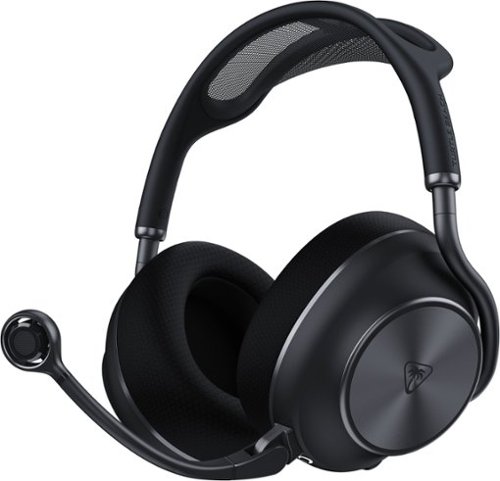
The Turtle Beach Stealth Pro II Wireless Gaming Headset delivers uncompromising audio performance and versatility. Officially certified for Hi-Res Audio, it provides 24-bit/96kHz wireless sound* via an ultra-low latency 2.4GHz USB connection. Featuring 60mm Eclipse dual drivers, Dolby Atmos Spatial Audio on Xbox and PC, and adjustable Active Noise Cancellation delivers an immersive, high-fidelity sound with exceptional clarity and detail. The exclusive CrossPlay 2.0 system supports up to four USB wireless transmitters, allowing seamless switching between Xbox, PlayStation, PC, and more, while Bluetooth 5.3 enables simultaneous mobile pairing for calls or music. Communicate clearly with a unidirectional 9mm floating microphone featuring AI-based noise reduction and upgraded beamforming mics, all customizable through the Swarm II app. Dual 40-hour swappable batteries, quick charging, premium memory-foam comfort, and an included hard storage case complete the ultimate wireless gaming headset. *Available on PC or other systems supporting 24-bit/96kHz output.
Customer Rating
5
Premium headset that works on all platforms
on May 16, 2026
Posted by: KKCNIck
Setup:
The unboxing was very much a premium experience from what my previous experience has been with Turtle Beach products. They included a nice hard shell zipper case that held everything in place with nice foam inserts. The quick start guide was even Velcroed in. Very much a premium experience. I immediately downloaded the Turtle Beach Swarm II app and was able to pair the headset. Then there was a firmware update needed. I did need to charge the headset some before applying that so there was no issues if it died mid update. Then I was able to try the different sound profiles, mic noise cancellation and ANC. I like this since when gaming it is nice to still hear what is going on in the room.
Use:
When testing audio since these have 60mm drivers I was expecting clear detailed sound, but I just did not feel they excelled here. I changed all of the sound profiles and still the sound was ok but really flat. When I placed a call on my mobile it worked great and as I walked through the house the caller was not able to hear the dog or my family in the background. When setting up on PC I was able to place a Zoom call and it worked fine all day and I never came close to losing battery over 8 hours. Actually, I did not charge them until 4 days later. They turn off when not in use but not super quick as to require powering them on every time you step away. When I went to charge them, I actually swapped the battery which is the main benefit of these since you can have a fully charged battery ready to go vs just charging them. I actually like this better and feel like this may be the new norm.
One odd thing was if your phone is also connected and your in a zoom meeting the call will ring in the headset and the meeting you’re in cannot hear you. That was unique but I just unpaired them from my phone and all was well.
When setting these up on my Xbox it was super easy and they worked right away. I did enjoy the clear sound when playing Fortnite and Forza. It was reliable and detailed, however not as good as some others I have tested in this price point. Also, when you shut off your Xbox they automatically turn off.
As far as comfort. They are comfortable but not super comfortable so I can just wear them all day without noticing. It seems like the top band was stretched when on my head so there was additional tension on the headset.
In all these are a great headset that covers all use cases except for media consumption being a weaker sound profile. I would recommend these since they work on anything you could need currently so that is a plus.
The unboxing was very much a premium experience from what my previous experience has been with Turtle Beach products. They included a nice hard shell zipper case that held everything in place with nice foam inserts. The quick start guide was even Velcroed in. Very much a premium experience. I immediately downloaded the Turtle Beach Swarm II app and was able to pair the headset. Then there was a firmware update needed. I did need to charge the headset some before applying that so there was no issues if it died mid update. Then I was able to try the different sound profiles, mic noise cancellation and ANC. I like this since when gaming it is nice to still hear what is going on in the room.
Use:
When testing audio since these have 60mm drivers I was expecting clear detailed sound, but I just did not feel they excelled here. I changed all of the sound profiles and still the sound was ok but really flat. When I placed a call on my mobile it worked great and as I walked through the house the caller was not able to hear the dog or my family in the background. When setting up on PC I was able to place a Zoom call and it worked fine all day and I never came close to losing battery over 8 hours. Actually, I did not charge them until 4 days later. They turn off when not in use but not super quick as to require powering them on every time you step away. When I went to charge them, I actually swapped the battery which is the main benefit of these since you can have a fully charged battery ready to go vs just charging them. I actually like this better and feel like this may be the new norm.
One odd thing was if your phone is also connected and your in a zoom meeting the call will ring in the headset and the meeting you’re in cannot hear you. That was unique but I just unpaired them from my phone and all was well.
When setting these up on my Xbox it was super easy and they worked right away. I did enjoy the clear sound when playing Fortnite and Forza. It was reliable and detailed, however not as good as some others I have tested in this price point. Also, when you shut off your Xbox they automatically turn off.
As far as comfort. They are comfortable but not super comfortable so I can just wear them all day without noticing. It seems like the top band was stretched when on my head so there was additional tension on the headset.
In all these are a great headset that covers all use cases except for media consumption being a weaker sound profile. I would recommend these since they work on anything you could need currently so that is a plus.
I would recommend this to a friend!
Share this review:


0points
0of 0voted this as helpful.
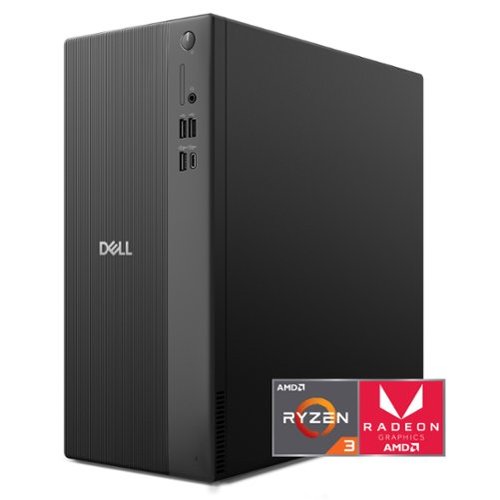
Dell Tower Desktop. Powerful, space-saving performance. Boost everyday productivity with a powerful, space-saving desktop.
Customer Rating
5
2026 new budget standard desktop
on May 16, 2026
Posted by: KKCNIck
Setup:
The unboxing was very easy. Pretty much the same as it has been for years. There were a power cable, tower, keyboard and mouse. Simply connect them all and a monitor and you’re up and running. When running through the initial setup screens it stopped at a Win 11 updates screen and took over an hour to complete. That was not super quick but obviously necessary for performance and security.
Use: Once I logged into my existing Microsoft account it was pretty seamless to get the profile setup. During the setup you are left with a long update you can skip but for reliability I let it process. After the initial setup I was doing my normal process, which is remove the McAffee free AV, look for any bloatware that is not needed and remove. Then run the Dell System Update for any new patches and drivers. That took about an hour and several restarts. Then I went to the Windows updates and ran them including reboots. Finally, after 2 ½ hours of setup time I was up and running. I did notice that when the updates were processing the computer already seemed to slow down. After all the setup was done, I found the system to still run at about 5-25% CPU use and about 50% ram use with nothing opened. Normally I would not even look at this, but I noticed a few browser tabs, Outlook opened and the system felt like it was waiting to process. I did look into the CPU, and it is a budget CPU that is about 2-3 generations back from current AMD and Intel 2026 offerings. Also, it is mostly used in laptops, which is fine for low energy consumption but for a desktop you would think they could add more. Now I understand how the price point is being met if they are recycling older CPU’s, slower ram and slower ssd drives. I just feel this is a way for them to still offer a competing price by using parts that are not being used in the AI boom which is what is raising costs everywhere. I get that and it makes sense but $600 for 3-4 yr old tech is still a lot.
Overall, the system performed great just as long as you did not have too much opened. Also it was quiet and had plenty of USB ports and a single USB-C port in the front. The PSU was only 180w so I doubt a dedicated gpu would work unless it was low wattage. There is a PCIE x8 slot there. Also, beyond the small M.2 2242 size there is a sata connection for a 2.5” SSD if one was needed but no place to mount it. Additionally, the 16gb is a single dimm so you can add another 16gb dimm to bring it to 32gb.
I think the standard keyboard and mouse are typically with free desktops and are nice to have something, but I assume most will upgrade that to your specific need depending on the use case. I did not use any gaming since I know with the integrated GPU it can handle some gaming but would be really limited.
Overall, this is a nice system if you plan on home use or light work use with mostly cloud based apps and home media vs video editing or gaming. If that is the need then you may want to look elsewhere.
The unboxing was very easy. Pretty much the same as it has been for years. There were a power cable, tower, keyboard and mouse. Simply connect them all and a monitor and you’re up and running. When running through the initial setup screens it stopped at a Win 11 updates screen and took over an hour to complete. That was not super quick but obviously necessary for performance and security.
Use: Once I logged into my existing Microsoft account it was pretty seamless to get the profile setup. During the setup you are left with a long update you can skip but for reliability I let it process. After the initial setup I was doing my normal process, which is remove the McAffee free AV, look for any bloatware that is not needed and remove. Then run the Dell System Update for any new patches and drivers. That took about an hour and several restarts. Then I went to the Windows updates and ran them including reboots. Finally, after 2 ½ hours of setup time I was up and running. I did notice that when the updates were processing the computer already seemed to slow down. After all the setup was done, I found the system to still run at about 5-25% CPU use and about 50% ram use with nothing opened. Normally I would not even look at this, but I noticed a few browser tabs, Outlook opened and the system felt like it was waiting to process. I did look into the CPU, and it is a budget CPU that is about 2-3 generations back from current AMD and Intel 2026 offerings. Also, it is mostly used in laptops, which is fine for low energy consumption but for a desktop you would think they could add more. Now I understand how the price point is being met if they are recycling older CPU’s, slower ram and slower ssd drives. I just feel this is a way for them to still offer a competing price by using parts that are not being used in the AI boom which is what is raising costs everywhere. I get that and it makes sense but $600 for 3-4 yr old tech is still a lot.
Overall, the system performed great just as long as you did not have too much opened. Also it was quiet and had plenty of USB ports and a single USB-C port in the front. The PSU was only 180w so I doubt a dedicated gpu would work unless it was low wattage. There is a PCIE x8 slot there. Also, beyond the small M.2 2242 size there is a sata connection for a 2.5” SSD if one was needed but no place to mount it. Additionally, the 16gb is a single dimm so you can add another 16gb dimm to bring it to 32gb.
I think the standard keyboard and mouse are typically with free desktops and are nice to have something, but I assume most will upgrade that to your specific need depending on the use case. I did not use any gaming since I know with the integrated GPU it can handle some gaming but would be really limited.
Overall, this is a nice system if you plan on home use or light work use with mostly cloud based apps and home media vs video editing or gaming. If that is the need then you may want to look elsewhere.
I would recommend this to a friend!



Share this review:


-1point
0of 1voted this as helpful.

Put your personal style on display with Hisense CanvasTV. Transform your living room into an art gallery with sizes ranging from 50" to 85", designed to fit beautifully into any space. When you~re not watching TV, explore a collection of 1,000+ free artworks~no subscription required~or showcase your own photos to create a display that~s uniquely yours. Enjoy a true gallery experience with the Hi-Matte Display, which reduces reflections and glare and gives artwork the depth and texture of a real canvas. The included Teak Frame and UltraSlim Wall Mount let your TV sit flush against the wall like a framed piece of art~no extra accessories needed. CanvasTV is designed to feel alive in your space. A built-in motion sensor turns the display on when you~re nearby and off when you leave, while an AI Ambient Light Sensor adjusts brightness and color temperature to match your room~keeping every piece looking natural and true to life. With stunning 4K Hi-QLED color, immersive sound, and a design that blends seamlessly into your d~cor, CanvasTV turns your TV into more than entertainment~it becomes part of your home.
Customer Rating
5
Affordable Digital frame and TV all in one
on May 12, 2026
Posted by: KKCNIck
The packaging of this TV was very good. I like the additional foam and protection they provided to make sure the screen was not damaged during transit. The overall setup was fairly simple with the provided quick start guide. I just mounted the TV and when it started logged into my google account and I was up and running. It took about 10 min to install the Android tv. The frame that was included was a little hard to get all of the corners to align but once done I do not imagine taking it off, so it is not a big deal. There was an update a few hours later and the tv rebooted. I liked the art mode had so many options from the images to the matte look and color. When tweaked it truly looks like a piece of art on the wall. If you do not like the modern, realistic, etc options included you can upload your own image and really have any picture you want. I chose to do a collage of my family from our last cruise and that made it feel more like home.
Use:
In use as a picture, it has a nice clear picture. There is no flickering and with the lights on in my office you cannot see any glare. When I leave the room, it does tone down the brightness. I was concerned this would be really weak, but it really pushes a decent number of nits considering all the uses it offers. I did connect my Xbox console, and it did activate game mode and I was able to play my Xbox at 120fps which is the max it can drive. The screen was clear and kept up with the action very well. I liked how it can go from a picture on the wall to a gaming tv just by turning on my xbox. When done it goes back. The remote included is nice and easy to use. The backlit buttons are a great touch at night so I can see what I am pressing. The sound while good for a tv is excellent. I found connecting my soundbar to be a better source since it includes an earc port. I do like that if I pulled that away that the sound is decent enough on it’s own. When messing with the picture modes I like that it includes a more color accurate Theater day and Theater night mode where previously you would have to pay to have your tv calibrated to get these modes and they are standard. The color accuracy was slightly warmer vs cooler which is preferred. There is some blooming, but it is minimal for the type of tv this is. Moving on to sports. I liked the vibrant color of the local baseball game I just watched yesterday and keeping up with the NBA playoffs showed a punchy accurate picture that handled the motion well. There is a soap opera effect from the motion handling settings all tv’s have so I turned that off and the picture looked more natural to me. The only real con was it is hard to get the cables really flush when mounting with the included slim mount but I just swapped mounts with something that has a little more room in the back and I was able to get the cables tucked properly.
I would recommend this if you want the TV to serve as a nice piece of artwork or a large digital picture frame as part of your décor. Ultimately what you’re paying for here is that main benefit. I would definitely recommend this TV since it can handle all the other needs a living room tv would need to serve. What a great concept.
I would recommend this to a friend!





Share this review:


0points
0of 0voted this as helpful.
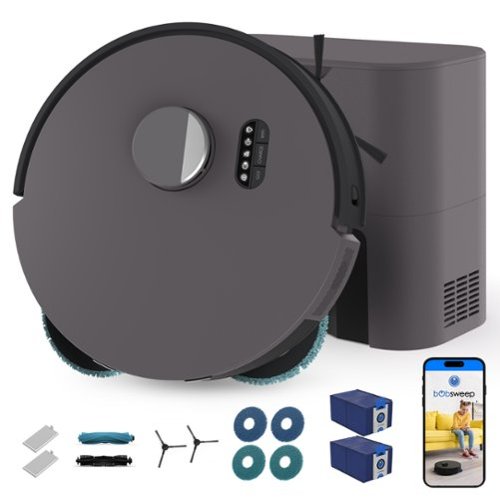
When it comes to tackling mess, Dustin Combo shows true grit. Combining heavy-lift suction power with a dual-scrub mopping system, Dustin Combo is ready to handle big families, large pets, and even bigger messes. It~s dual-scrub mopping feature ensures high-traffic areas like kitchen and bathroom tiles are shiny and stain-free. The two mopping pads spin in a counter-motion, while applying downward pressure to mop and scrub the floors. When approaching carpets, the mop~s auto-lift function ensures they stay dry while Dustin Combo vacuums and sweeps. For efficient vacuuming, Dustin Combo is equipped with 8,000 Pa of suction power, capable of reaching deep into carpets and area rugs to remove dirt, debris, and smaller dust particles. The 100-day, 4.6L self-emptying bags are reinforced with activated charcoal, locking in debris, odors, and dust to ensure everything stays sealed until disposal. Powered by QSLAM technology, Dustin Combo quickly scans and maps your home, navigating under and around furniture. As he scouts, Dustin simultaneously creates an accurate floor map, which can be customized through the bObsweep mobile app. The bObsweep mobile app provides full control over Dustin Combo, from setting cleaning schedules to defining NoSweep and NoMop zones, to sending him for a quick vacuum or mop job near the pet bowls. With his combination of powerful suction, efficient mopping, smart navigation, and easy-to-use app, Dustin Combo is the reliable cleaning companion you~ve been looking to adopt. And as a part of the bObsweep family of bots, Dustin Combo puts your privacy first. He never sends images of your home, family, or pets anywhere~whether to servers, the cloud, or otherwise~ensuring your data remains yours alone.
Customer Rating

4
Great smart robot that is actually useful.
on May 11, 2026
Posted by: KKCNIck
I’d have to say, as a busy parent with a three-month-old, this vacuum really comes in handy. With my wife postpartum and already juggling plenty of cleaning, the last thing we want to do at the end of the day is sweep. We call it “Dustin,” and it has honestly been a saving grace for our household.
First off, it’s aesthetically pleasing in our home and doesn’t look tacky. Second, it was easy to set up and the instructions were clear. We hate putting things together, but this was a breeze for my wife. The only part that was a little confusing was deleting rooms off the map. She isn’t very tech-savvy and usually struggles with things like this, so she had to Google how the mapping worked because the app wasn’t immediately clear. Once she figured it out, though, it made sense and wasn’t as bad as she thought.
When we had it running, our baby didn’t even seem scared, which is a plus. I’d also say this vacuum should be on baby registries to help new parents as it’s perfect for keeping up with daily messes and does an amazing job getting everywhere. Anything that helps us feel less overstimulated by the mess, we’ll take.
I would recommend this to a friend!
Share this review:


0points
0of 0voted this as helpful.
KKCNIck's Review Comments
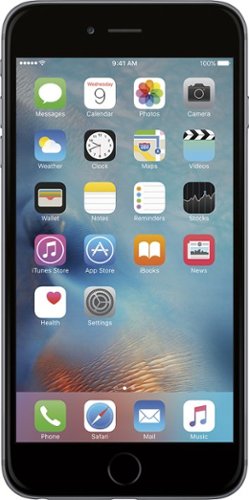
iPhone 6 Plus isn't just bigger ~ it's better in every way. Larger yet thinner. More powerful, yet power efficient. It's a new generation of iPhone.
Overall5 out of 5
5 out of 5Best Iphone Yet
By KKCNIck
from montgomery, il
It is a huge step up from the original IPhone. Each Year they get better and better. This year finally the most needed thing (larger Display). I only wish the 2 features in the plus were in this and it would have been perfect. Full 1080p display and the optical Image Stabilization. The Plus is nice but its practically a tablet and really should have been able to have those features in both. Otherwise very happy with the upgrade.

KKCNIck
montgomery, il
I wish I put the review on the correct phone
October 2, 2014
Was meant for the iphone 6 sorry
0points
0of 0voted this comment as helpful.
KKCNIck's Questions
KKCNIck has not submitted any questions.
WHAT LAB TOP IS GOOD FORDOWN LOADING MOVIES AND MUSIC THAT IS CHEAP
anything with a good wireless n card and a 500gb hard drive. Look at Gateway for that one.
15 years, 8 months ago
by
KKCNIck
montgomery, il
i just bought the Toshiba - Satellite Laptop with Intel® Pentium® Processor - Gold Onyx. does anyone know how to activate the 15 months of norton av?
step by step instruction would be most appreciated. thanks :)

Yes there should be a cert in the box with a key.
16 years, 1 month ago
by
KKCNIck
montgomery, il
Which laptop would be best to run Quickbooks Pro 2010?
any with a dual core intel processor and at least 2gb of ram is ideal.
16 years, 1 month ago
by
KKCNIck
montgomery, il
How do I pick a new laptop?
Need to buy a laptop. will use at home (home office). Will download CD's and Itunes (up to 5,000 songs)
Well any laptop will do that. It is a matter of hard drive space. I would look at the Toshiba A305-6916 if you can find one because they are priced right and have great speakers for playback. Also has a 320gb hd which is pleanty of room.
16 years, 11 months ago
by
KKCNIck
montgomery, il
Is bestbuy selling the Asus G51?
I heard that some people have bought it instore but i cannot find anything online. I have yet to call my nearest BB to see but i'm just checking.
Yeah I just saw one for $999 and it has p7450 processor and a 1gb nvidia gt260 card. It also comes with a free upgrade to windows 7 when released. I would find the G50vt that they are clearancing if you can because there is not much difference and you will save money.
16 years, 11 months ago
by
KKCNIck
montgomery, il
Which is the best processor?
Intel Celeron? AMD Athalon X2? Intell Pentium?
Intel Core 2 Duo or quad. Go with Centrino 2 when choosing a laptop.
16 years, 11 months ago
by
KKCNIck
montgomery, il
is the Toshiba laptop good for a graphic designer ?
please see this link ,its for a Toshiba laptop is it good for me as a graphic designer???
(((the link ))):http://www.bestbuy.com/site/olspage.jsp?skuId=9164343&type=product&id=1218040476937
and am not thinking about the MacBook because i cant afford it.
(((the link ))):http://www.bestbuy.com/site/olspage.jsp?skuId=9164343&type=product&id=1218040476937
and am not thinking about the MacBook because i cant afford it.
Yeah great graphics card and plenty of ram and hd space. Buy it.
16 years, 11 months ago
by
KKCNIck
montgomery, il