
Share Superd18's profile


Superd18
Superd18's stats
- Review count1
- Helpfulness votes0
- First reviewNovember 30, 2009
- Last reviewNovember 30, 2009
- Featured reviews0
- Average rating5
Reviews comments
- Review comment count0
- Helpfulness votes0
- First review commentNone
- Last review commentNone
- Featured review comments0
Questions
- Question count0
- Helpfulness votes0
- First questionNone
- Last questionNone
- Featured questions0
- Answer count1
- Helpfulness votes0
- First answerNovember 30, 2009
- Last answerNovember 30, 2009
- Featured answers0
- Best answers0
Superd18's Reviews
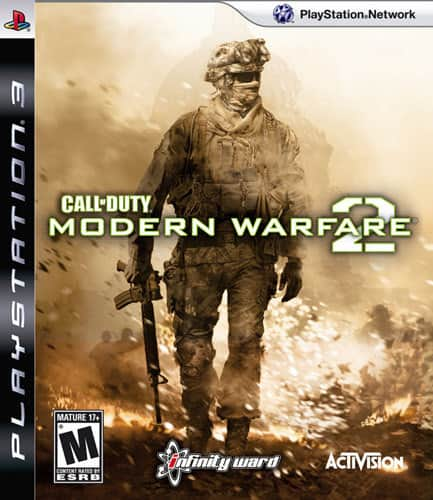
SynopsisFight for survival and shoot your way to mission success as the acclaimed Call of Duty franchise makes its triumphant return. Exploding with the realism and intensity that have become the hallmarks of this gripping series, you'll lay waste to your enemies as hails of gunfire erupt. Move out for intense action and make sure you're prepared to answer the Call of Duty.This harrowing sequel to Call of Duty 4: Modern Warfare thrusts you once more into the haze of battle. Arm yourself with sophisticated tools of destruction and get ready to stare death in the face as you enter a raging conflict. Experience the rigors of battle and struggle against long odds to seize victory. The awesome power of war comes alive in all its grit and glory in Call of Duty: Modern Warfare 2.

Posted by: Superd18
from Lake Charles, LA
The story mode so far is great. I am an online player and have only spent a short time in story mode. As far as the online play goes, I have completely enjoyed the new experience. The new version includes lots of extras such as accolades, emblems and death streak bonuses. They have worked on lobby connectivity issues. The game now searches for the best host and will move the game to another host if one is lost or experiencing problems. The kill streak rewards have been greatly expanded and there are now death streak bonuses. There are so many new additions that it would take a book to describe them all. Most of the new features are right on target for great game play. I do miss having grenades and claymores at the same time but that is really my only complaint. Overall I give this game an A+ rating. It is by far the best online war game out there.
What's great about it: UI improments, lots of non-play related bonuses to keep you working for them.
What's not so great: Can't have claymores and granades. That sucks!
I would recommend this to a friend!
Share this review:


0points
0of 0voted this as helpful.
Superd18's Review Comments
Superd18 has not submitted comments on any reviews.
Superd18's Questions
Superd18 has not submitted any questions.
Superd18's Answers
PlayStation 3
PlayStation 3
connecting to net
i try to hook up to the internet with my netgear wireless router and im asked for a security code. how/where do i get this code to put in???
Firstly, if you are trying to connect your wireless router to you modem then you just plug in that Ethernet cable from the back of the modem to the wireless routers WAN port. It sounds like you are trying to connect your computer to your wireless network. If that is the case then WEP (wireless encryption protocol) has been enabled on the router and someone has entered a secret word or phrase that produces the passkey. The best bet is for you to login to your router by plugging a computer directly in to the router, open an IE window and type 192.168.1.1 in to the address bar and hit enter. Some routers have a different IP address but the 192 number above is by far the most common. If this number does not bring up the routers interface then consult the user manual. After you access the interface you will probably need to login to the router. Username = admin PW = admin (again consult user manual if this is not correct) Also, some one may have changed the username and PW so if you still have problems getting in ask whoever set the router up. Worst case - you can reset the router by pressing the reset button on the back. This will reset it to a factory configuration. If you are able to get in to the routers interface, go to the wireless security area and you will be able to see the passkey displayed there. Hope this helps!
16 years, 6 months ago
by
Superd18
Lake Charles, LA