
Share mike2119's profile


mike2119
mike2119's stats
- Review count2
- Helpfulness votes11
- First reviewDecember 19, 2010
- Last reviewSeptember 5, 2015
- Featured reviews0
- Average rating4.5
Reviews comments
- Review comment count0
- Helpfulness votes0
- First review commentNone
- Last review commentNone
- Featured review comments0
Questions
- Question count0
- Helpfulness votes0
- First questionNone
- Last questionNone
- Featured questions0
- Answer count1
- Helpfulness votes1
- First answerSeptember 5, 2015
- Last answerSeptember 5, 2015
- Featured answers0
- Best answers1
mike2119's Reviews
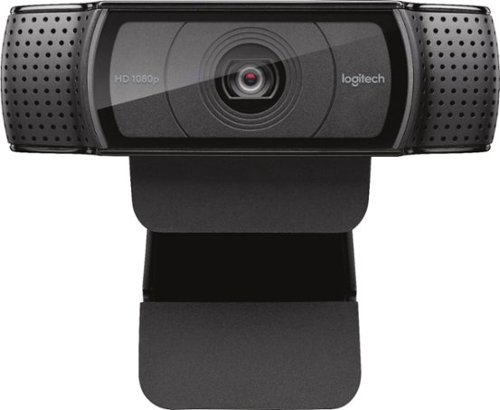
Stay connected with this Logitech C920 Pro webcam that features 1080p resolution when video chatting via Skype and 15.0-megapixel still image capture for crisp visuals. The built-in microphone offers stereo sound for video chatting with loved ones.
Customer Rating

5
Works Good With My Apple Mac Computer
on September 5, 2015
Posted by: mike2119
from Milwaukee, WI
This camera is not technically intended for use with an Apple Mac computer. It does not come with any Logitech software that works on a Mac.
However, the camera is recognized by the Mac Yosemite operating system and works great with both Skype and FaceTime on my 2009 Mac Mini computer.
Using the Apple Photo Booth software, you can take a good selfie picture. Using the Apple QuickTime player software allows you to make a basic movie.
Using the Logitech Camera Settings app (available for free from the Apple App Store) you can make basic adjustments, such as color changes and turning manual focus on and off. This app also includes basic pan and zoom controls. I usually just leave everything at the default settings. Again, this software does not come with the camera and I could not find it on Logitech's website. I had to download it through the Apple App store.
I recently used the camera to talk to a colleague in the Netherlands using Skype and couldn't have been happier. The video and audio quality is quite good and way better than that of my old webcam. The colors look very natural.
The only problem that I experienced was a complaint of echoing. I solved this problem by turning down the camera microphone input volume (in the Apple System Preferences > Sound menu). After I did this, my friends said that I sounded fine. The echo was gone and they had no trouble hearing me.
I could have spent more money but there was really no reason to do so for my needs. You may have a little bit more control if you purchase one of the Logitech models which is technically Mac compatible. But for me, having a camera with above average audio and video at an affordable price was more important.
Again, the built-in Mac system software recognizes the camera and turns it on when you are in the applications that I've described. It is necessary to tell certain applications to connect to the camera (via built in menus) the first time the camera is used. But once that is done, you need not do it again.
Overall, I am very happy with my purchase.
My Best Buy number: 2199662489
I would recommend this to a friend!
Share this review:


+5points
5of 5voted this as helpful.
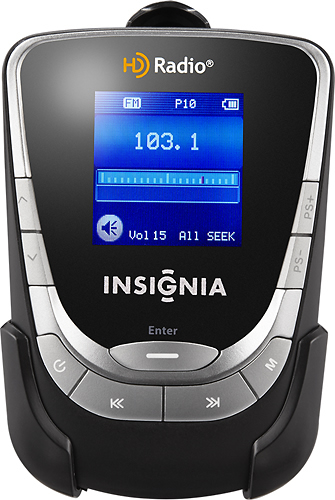
When you're on the go, listen to your favorite HD and FM radio stations using this portable player that features a belt clip for easy portability.

Posted by: mike2119
from Milwaukee, WI
I wanted to add HD FM radio to the Yamaha mini system in my bedroom. There was very little extra room on my TV/stereo shelf and so I didn't want anything big and clunky.
The Insignia HD portable works really well when hooked up to the Yamaha's auxiliary inputs via an ordinary Y-Cord adapter. It picks up all but the weakest HD stations without drifting in and out. And, best of all, when drift does rarely occur, and the radio is tuned to the -2 channel, it stays on that channel and does not go to the main -1 channel like my other HD radio.
Also, unlike some HD radios, the Insignia does not run hot. And it has no unnecessary features, such as a clock.
I purchased a Rocketfish 5 volt AC adapter for use with the radio, since my Yamaha system has no USB port to provide power.
The radio is so small that it can be tucked in between two stereo components or perhaps on top. The radio's buttons are easy to press and the digital readout is very easy to read.
I'm very satisfied with my purchase. I could have spent a lot more money and gotten the same or less performance.
What's great about it: Inexpensive and pulls in HD signals really well
What's not so great: Nothing worth mentioning
I would recommend this to a friend!
Sound Quality

4
Durability

3
Share this review:


+6points
6of 6voted this as helpful.
mike2119's Review Comments
mike2119 has not submitted comments on any reviews.
mike2119's Questions
mike2119 has not submitted any questions.
mike2119's Answers
Stay connected with this Logitech C920 Pro webcam that features 1080p resolution when video chatting via Skype and 15.0-megapixel still image capture for crisp visuals. The built-in microphone offers stereo sound for video chatting with loved ones.
Why couldn't you put in the specs that this cam requires windows?
I had to purchase it online for store pickup and look at the bottom of the darn box to find out.
It should work fine with your Mac.
You just need to be sure that you have the correct software (mostly free and either already loaded on your computer or downloadable for free). Please read my recent review for more information.
You just need to be sure that you have the correct software (mostly free and either already loaded on your computer or downloadable for free). Please read my recent review for more information.
10 years, 9 months ago
by
mike2119
Milwaukee, WI