
Share PhillySteve's profile


PhillySteve
PhillySteve's stats
- Review count2
- Helpfulness votes0
- First reviewAugust 7, 2013
- Last reviewDecember 27, 2013
- Featured reviews0
- Average rating5
Reviews comments
- Review comment count0
- Helpfulness votes0
- First review commentNone
- Last review commentNone
- Featured review comments0
Questions
- Question count0
- Helpfulness votes0
- First questionNone
- Last questionNone
- Featured questions0
- Answer count2
- Helpfulness votes0
- First answerDecember 27, 2013
- Last answerDecember 27, 2013
- Featured answers0
- Best answers0
PhillySteve's Reviews
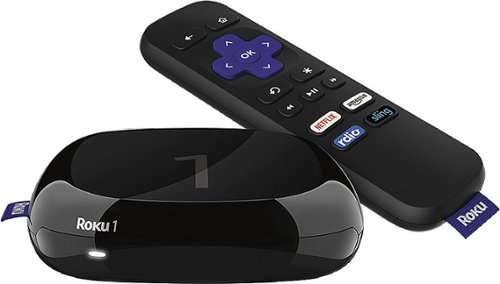
Roku 1: Instantly stream your favorite content by connecting your TV to the Internet. Get set up in just a few easy steps, and access more than 2,000 channels of streaming entertainment. Find movies and shows in a flash with one-stop search or use your compatible device as a Roku remote.
Customer Rating

5
Many of the USEFUL channels are pay ones
on December 27, 2013
Posted by: PhillySteve
from Philly, PA
Verified Purchase:Yes
I finally got Wifi in my house and we don't have cable. My new Samsung Bluray payer does not have WiFi so I decided to but this after reading reviews. I saw there was a Wall St. Journal Channel and a PBS one to stream. Well, Hulu is now pay (It's now Hulu Plus) as is Netflix and a few other movie channels. You do get a month of each free so you can test out. The WSJ channel is short 5 minute stories - not full programs. Same for cooking. Just short recipes. The PBS one is pretty good as it archives about 128 American Masters and American Experience shows but rotates them so they are only available for a while.
Set up is a no brainer. I'm a tech dummy and took 4 minutes at most.
If you use Netflix and your PC is not near a TV or you don't have a Smart TV or BD player with Wifi, this will keep you happy. A few weeks after I bought it, it dropped $10. I would have liked the lower price of course.
Set up is a no brainer. I'm a tech dummy and took 4 minutes at most.
If you use Netflix and your PC is not near a TV or you don't have a Smart TV or BD player with Wifi, this will keep you happy. A few weeks after I bought it, it dropped $10. I would have liked the lower price of course.
My Best Buy number: 0750013671
What's great about it: easy to set up, small, many PAY channels
What's not so great: Too many PAY Channels - except PBS
I would recommend this to a friend!
Features

4
Ease of Use

5
Share this review:


0points
0of 0voted this as helpful.
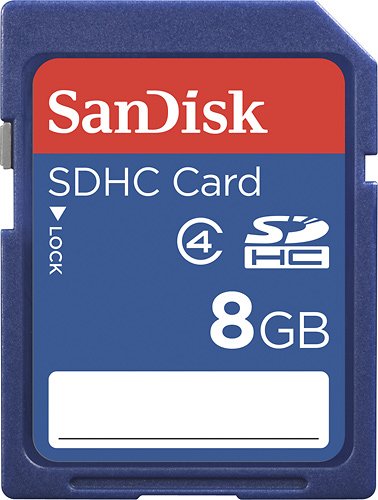
This 8GB SDHC memory card features a Class 4 video speed rating for fast read/write times and a security feature for protecting copyrighted material.
Customer Rating
5
I caught this on a sale for $7.99 Great price!
on August 7, 2013
Posted by: PhillySteve
from Philly, PA
I use it with:Compact system camera
Verified Purchase:Yes
I use these cards in my Panasonic Lumic digital camera which I use for both still and video so I need a good size capacity at a decent price.
This served that purpose
My Best Buy number: 0750013671
My Best Buy number: 0750013671
What's great about it: It works fine and holds twice as much as my older 4GB cards
What's not so great: Nothing - esp at the $7.99 price
I would recommend this to a friend!
Capacity
5
Durability
5
Share this review:


0points
0of 0voted this as helpful.
PhillySteve's Review Comments
PhillySteve has not submitted comments on any reviews.
PhillySteve's Questions
PhillySteve has not submitted any questions.
PhillySteve's Answers
This 8GB SDHC memory card features a Class 4 video speed rating for fast read/write times and a security feature for protecting copyrighted material.
Is this card compatible with a digital picture frame?
Is this card compatible with a digital picture frame?
The instruction b0ooklet for yiur frame will tell you maximum memory size you can use. But, honestly 8GB is a LOT of photos! You probably could easily use a 2GB or 4GB card.
12 years, 5 months ago
by
PhillySteve
Philly, PA
This 8GB SDHC memory card features a Class 4 video speed rating for fast read/write times and a security feature for protecting copyrighted material.
How do I know if I need SD or SDHC memory card, and what size?
I have a Canon SD1300 IS and I am needing to get a bigger memory card so that I can take short HD videos. What size would be best for the money? Also not sure if my camera is SDHC compatible? Thanks
SDHC is just higher capacity and I always choose thouse. i take LOTS of videos with my Panasonic Camera Your manual should tell you. Also, You can call Canon Tech support toll free. They are all in the US (YAY!) and never a charge. I used for my Canon printer and they got me the right answer
12 years, 5 months ago
by
PhillySteve
Philly, PA