
Share gmttampa's profile


gmttampa
gmttampa's stats
- Review count1
- Helpfulness votes5
- First reviewApril 29, 2009
- Last reviewApril 29, 2009
- Featured reviews0
- Average rating3
Reviews comments
- Review comment count0
- Helpfulness votes0
- First review commentNone
- Last review commentNone
- Featured review comments0
Questions
- Question count0
- Helpfulness votes0
- First questionNone
- Last questionNone
- Featured questions0
Answers
- Answer count0
- Helpfulness votes0
- First answerNone
- Last answerNone
- Featured answers0
- Best answers0
gmttampa's Reviews
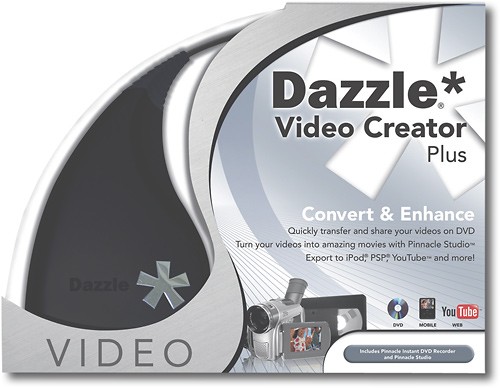
This powerful video capture device makes it easy to transfer video from a VCR, DVD player or camcorder onto a DVD or your PC. The included software lets you edit and manage your home movie collection with ease.

Posted by: gmttampa
from Tampa, Fla.
I have a dual core AMD processor (that just meets the minimum for speed for Dazzle plus) and twice the RAM recommended. I have more than half my resources free and am using XP 2.
Frankly, I expected better results in the finished product.
I had to download the updated driver to see the video i wanted to capture from my VCR.
As far as importing VHS movies, I could not use what is the easiest way: "Instant DVD capture" (comes with the software) because it only captures up to 104 minutes and that's in the mediocre quality. It looks lousy when played back. otherwise, that feature is very good and easy..
For longer VHS cassettes, one must capture into the Pinnacle software studio 12. Now, once you work with the software a while it is not that bad, but it sure could be more user-friendly. I captured a video of 117 minutes on high quality, then had to burn it to a dual layer DVD using Verbatim because it came out, in HQ, a little more than 5 gig.
Boy did that take ALL NIGHT. Capturing is in real time. And burning takes FOREVER. If i had selected the setting to diminish the quality, I might have been able to get this onto a single layer DVD. But I figured the VHS tape was already deteriorating.
It burned, created a DVD even with the menu I put on. I played in my DVD recorder/player. To me, on my 22" screen TV, I thought the quality was wanting. It was definitely watchable, and perhaps my expectations are too high. But it took a heck of a lot of time, tying up my only notebook all night for a DVD I am unimpressed with. But, it did work.
The WORSE: There is no support. Not really. I tried emailing three questions over two days, and they blow you off with links. Nobody there answers specifics. I watched the tutorials but they are general overviews, just window dressing. Then i asked live chat -- twice.
It became apparent to me the two men didn't know squat about the product; neither could explain how to use the menu at the beginning (i learned by accident) and their goal, in my opinion, is to be less than helpful because after your first phone call, you must pay for live help over the phone. I think that is how they want to keep making a buck by having people pay to get help.
That really irked me. To my way of thinking, their employees need to know the product and provide support, period.
Using this does take a heck of a lot of resources of your notebook or pc (i have more than half free and I keep my notebook fast and lean) I did nothing else while capturing and burning and VHS tapes more than 80 minutes will be a problem, especially if you want to back up your VHS movies to DVD. If you have short home VHS or just want to capture from your camcorder, this is probably a good buy. But, I think, you get what you pay for.
BTW it is recognized by windows movie maker, and I used that to burn a DVD but it cannot be played in other DVD players. Corel Video studio x2 (the top version) also recognizes Dazzle if you like that software better, but it won't let you import "protected" media which i think is ridiculous. I i paid for my VHS movies and want to keep them in decent quality on DVD.
Most reasonably savvy people can figure out the quirks in the software. But if you really get stuck,be prepare to pay for phone help. Yes, there is a lot of info videos on google about setting up the software, but they are repetitive and setting up the hardware is a snap anyway. I found no video on google to help explain specifics.
Frankly, I expected better results in the finished product.
I had to download the updated driver to see the video i wanted to capture from my VCR.
As far as importing VHS movies, I could not use what is the easiest way: "Instant DVD capture" (comes with the software) because it only captures up to 104 minutes and that's in the mediocre quality. It looks lousy when played back. otherwise, that feature is very good and easy..
For longer VHS cassettes, one must capture into the Pinnacle software studio 12. Now, once you work with the software a while it is not that bad, but it sure could be more user-friendly. I captured a video of 117 minutes on high quality, then had to burn it to a dual layer DVD using Verbatim because it came out, in HQ, a little more than 5 gig.
Boy did that take ALL NIGHT. Capturing is in real time. And burning takes FOREVER. If i had selected the setting to diminish the quality, I might have been able to get this onto a single layer DVD. But I figured the VHS tape was already deteriorating.
It burned, created a DVD even with the menu I put on. I played in my DVD recorder/player. To me, on my 22" screen TV, I thought the quality was wanting. It was definitely watchable, and perhaps my expectations are too high. But it took a heck of a lot of time, tying up my only notebook all night for a DVD I am unimpressed with. But, it did work.
The WORSE: There is no support. Not really. I tried emailing three questions over two days, and they blow you off with links. Nobody there answers specifics. I watched the tutorials but they are general overviews, just window dressing. Then i asked live chat -- twice.
It became apparent to me the two men didn't know squat about the product; neither could explain how to use the menu at the beginning (i learned by accident) and their goal, in my opinion, is to be less than helpful because after your first phone call, you must pay for live help over the phone. I think that is how they want to keep making a buck by having people pay to get help.
That really irked me. To my way of thinking, their employees need to know the product and provide support, period.
Using this does take a heck of a lot of resources of your notebook or pc (i have more than half free and I keep my notebook fast and lean) I did nothing else while capturing and burning and VHS tapes more than 80 minutes will be a problem, especially if you want to back up your VHS movies to DVD. If you have short home VHS or just want to capture from your camcorder, this is probably a good buy. But, I think, you get what you pay for.
BTW it is recognized by windows movie maker, and I used that to burn a DVD but it cannot be played in other DVD players. Corel Video studio x2 (the top version) also recognizes Dazzle if you like that software better, but it won't let you import "protected" media which i think is ridiculous. I i paid for my VHS movies and want to keep them in decent quality on DVD.
Most reasonably savvy people can figure out the quirks in the software. But if you really get stuck,be prepare to pay for phone help. Yes, there is a lot of info videos on google about setting up the software, but they are repetitive and setting up the hardware is a snap anyway. I found no video on google to help explain specifics.
What's great about it: I got it on a big sale
What's not so great: not user-friendly, quality is less than advertised
No, I would not recommend this to a friend.
Performance

3
Share this review:


+5points
5of 5voted this as helpful.
gmttampa's Review Comments
gmttampa has not submitted comments on any reviews.
gmttampa's Questions
gmttampa has not submitted any questions.
gmttampa's Answers
gmttampa has not submitted any answers.