
Share BPM2348's profile


BPM2348
BPM2348's stats
- Review count7
- Helpfulness votes15
- First reviewDecember 27, 2010
- Last reviewNovember 14, 2013
- Featured reviews0
- Average rating4.1
- Review comment count1
- Helpfulness votes0
- First review commentNovember 19, 2015
- Last review commentNovember 19, 2015
- Featured review comments0
Questions
- Question count0
- Helpfulness votes0
- First questionNone
- Last questionNone
- Featured questions0
- Answer count15
- Helpfulness votes12
- First answerOctober 18, 2009
- Last answerDecember 27, 2010
- Featured answers0
- Best answers2
BPM2348's Reviews
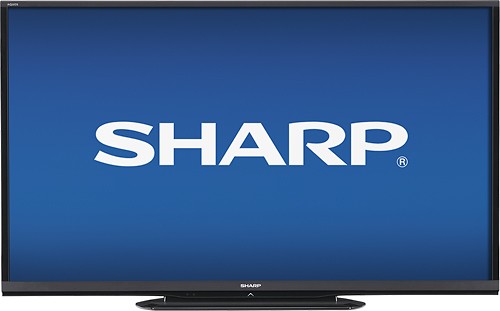
Sharp AQUOS LC-70LE550U LED HDTV: Make movie nights memorable with the large screen, beautiful slim frame and crisp picture quality of this Sharp AQUOS LED HDTV. Colors and details pop from the screen, so movies, sports and video games all feel like they're happening live in the center of your living room.
Customer Rating

3
Just Being Honest and Objective
on November 14, 2013
Posted by: BPM2348
from Atlanta, GA
Internet Connectable?No
I am going to be honest and objective about this television and in no way allow my negative customer service experience upon returning said tv interfere with my analysis of it (even though I will share that experience as well). I bought this television from the McDonough, GA store (#668) on 10-27-13. I specifically asked the associate if there was a difference between the picture quality between this tv and the 70” 650U model. He replied “no difference in picture quality, the 650 just adds smart features and has better sound.” Since I did not care about either one of those features, I purchased the 550U. Upon getting it home, I realized that this tv has absolutely NO advanced picture adjustments. It only has your standard brightness, contrast, sharpness… and also learned that the 650U (thanks to Cnet) DOES have all of the necessary adjustment capabilities that one would need for proper calibration (10 point white scale, color management system…). I was not angry or upset with the associate but rather upset with myself for not doing more research on my own.
As far as the tv goes, I put it in my living room which is exactly 20’x20’, with my couch on one end and the tv on the other. I measured my viewing distance from my couch to the screen and it was about 17 ft. The reason why I share this is because the picture quality may be better if you’re sitting further away than that (the picture looked rather good while standing in my hallway, which is an additional 4-5 feet away, but who wants to do that?). Bottom line, this thing is huge, with a mediocre picture, period. If you simply want a giant tv but don’t want a great picture, then get this tv. It suffered from incorrect color/skin tones, horrible banding (even on slow panning scenes like HGTV in a kitchen setting), and worst of all, the dreaded DSE or “dirty screen effect.” I played with the rather skimpy picture controls for about 10 days and could never get it to look acceptable. The deal-breaker for me was how blu rays looked. I tried several and even my brother said that it looked like a standard dvd.
So I decided to return the television. I found another tv that I really wanted but it only showed in stock at the Dunwoody, GA store (#503). On the day prior to me packing this beast up and hauling it away, I called store # 503 and asked them if I could return the tv there even though I purchased it at the McDonough store. Binky told me that I absolutely could, just bring my receipt and everything that it came with. So we packed the tv up and drove over an hour to the store only to have Keena, the manager, refuse to accept the television because she claimed that the screws that affix the tv to the stand were missing (I never even removed the packaging from any components of the stand because I never used it, Keena actually unpackaged the stand). I was pretty upset to say the least, considering that 2-3 hours of my Saturday were down the drain. She then walked off without attempting to help me find the television that I wanted, or make arrangements to get my 70” brought back to me since two guys carried it all the way to the back of the store. The store’s general manager, Ramone, called me the next day to try and smooth things over but the vibe I got from him was “I am sorry but that’s just the way it is sometimes.” He really didn’t act like he cared all that much. Ultimately, the store near my house, Turner Hill (#389), took the tv back without question. Thomas, Paul, and a young African American girl at the service counter could not have been nicer and more understanding.
It’s baffling to me how a business would refuse to take one of their products back when the customer standing before them is there to spend even more money on a more expensive product. As nice as the associates were at store #389, they did not have anything in stock so I ended up finding a really nice Sharp 8 series 240hz 3d tv at Bj’s Wholesale club for a really great price. So much for premier silver elite plus.
My Best Buy number: 0757319875
What's great about it: Size, Acceptable Picture
What's not so great: Lack of Advanced Screen Adjustments
No, I would not recommend this to a friend.
Picture Quality

3
Sound Quality
3
Features

2

Share this review:


+3points
5of 7voted this as helpful.
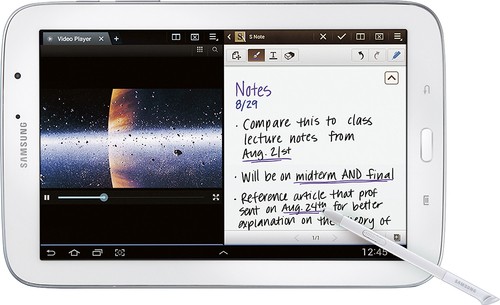
Samsung Galaxy Note 8.0: This tablet becomes your portable productivity companion, whether at the office, at home or on the go. The included pressure-sensitive S Pen lets you write, draw and doodle on the HD touch screen, while the Multi Window feature takes the clutter out of multitasking.
Customer Rating

4
Good Tablet if a Stylus is Needed
on September 24, 2013
Posted by: BPM2348
from Atlanta, GA
This is a great tablet if you need a functional stylus. If you do not need it or don''t think you will use it, the Tab 3 8" may be a better and cheaper option. Aside from the stylus, they are pretty much identical.
My Best Buy number: 0757319875
What's great about it: Screen Quality, Speed
What's not so great: Price
I would recommend this to a friend!
Ease of Use

5
Features
5
Share this review:


0points
0of 0voted this as helpful.
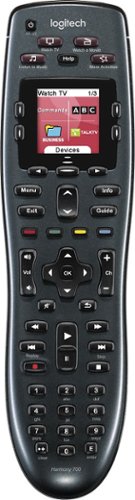
Manage up to 8 of your home theater electronics devices with this Logitech Harmony 700 915-000162 universal remote, which features a brilliant color command screen for easy navigation. One-touch activity buttons simplify device selection.
Customer Rating
4
Great Universal Remote
on June 4, 2012
Posted by: BPM2348
from Atlanta, GA
If you're familiar with Harmony/Logitech remotes, you'll most likely enjoy this one. Once it's set up properly it will do a great job at controlling multiple components. However, it's kinda expensive. See if you can catch it on sale.
What's great about it: Does a Great Job after Set-up
What's not so great: Price
I would recommend this to a friend!
Ease of Use

4
Durability
4
Share this review:


+1point
1of 1voted this as helpful.
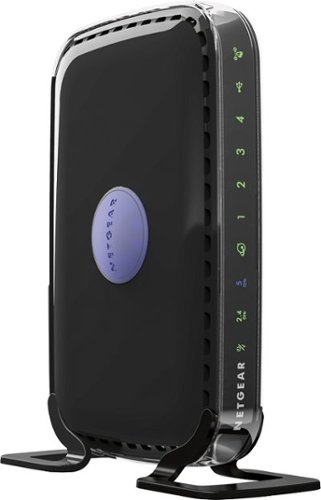
Choose this NETGEAR router and receive high level wireless security, the ability to share photos, music and more, and a way to keep track of your kids~ activity online. Plus, with easy installation for tablets, smartphones and computers, you~ll be able to start enjoying Wi-Fi throughout your home right away.
Customer Rating

5
Great All-Around Router
on May 10, 2012
Posted by: BPM2348
from Atlanta, GA
I use it in...:Small home
I researched several routers and then went to BB to talk to a rep about which one would be best. I spoke to Jonathon at the Turner Hill, GA store and he was very knowledgable about routers and computer networking in general. He directed me to this router and indicated that the only difference with this model and the 3700 is the latter has gigabit which I did not need. Therefore, I got this model and it is great.
I had this thing set up in about 15 minutes. The speed that I am getting from it is amazing, although I replaced my modem at the same time with the Motorola surfboard 6121, so the huge increase in speed may be attributed to both pieces of equipment. Nevertheless, they work great together as I am getting up to 25 mbps on my desk top computer and as high as 17 mbps on my notebook. In all, I have one desktop, two laptops, two smart phones, and two dish hd/dvr boxes working on my network and the system is holding up great.
As far as range goes, I live in a moderately-sized ranch home and my set-up is in the master bedroom on one side of the house. There is one spot in my kitchen where I don’t get a very good signal, but everywhere else is great. Also, the bright blue circular light in the middle can be turned off by holding it down for about two seconds and then releasing it. I am happy with my purchase.
What's great about it: Easy set-up, Good Range and Speed
What's not so great: Nothing
I would recommend this to a friend!
Other Best Buy Products I Recommend
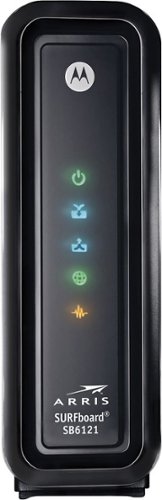
ARRIS - SURFboard DOCSIS 3.0 High-Speed Cable Modem - Black
 (2,915)
Dynex - 11-Outlet Home/Office Surge Protector - Multi
Ease of Use
5
Performance
5
Share this review:


+1point
1of 1voted this as helpful.
This ARRIS cable modem features Gigabit Ethernet connectivity for fast downstream and upstream data speeds. Six multicolor LEDs indicate the operational status and a color-coded rear panel ensures simple installation.
Customer Rating
5
Easy Router to Set-up, Save $ on Cable Bill
on May 9, 2012
Posted by: BPM2348
from Atlanta, GA
I use it in...:Small home
I bought this router for the same reason many others have- because with it I save $7 bucks a month on my comcast internet bill. It is easy to set-up. Simply plug in all cables and call Comcast and tell them that you bought your own modem and want to activate. They will help you from there. Overall, the entire process took about 15 minutes, and that's including being transfered to the local equipment office to arrange for a pre-paid box be shipped to me so I can ship them their modem back.
As far as performance increase goes, I did a Pc internet test and am getting on average 15-20 Mbps d/l and up to 4 Mbps u/l. I imagine that is an improvement, but I also replaced my router at the same time. With both of them, I definitely see an improvement.
What's great about it: Easy to set-up
What's not so great: 100 Bucks
I would recommend this to a friend!
Other Best Buy Products I Recommend

NETGEAR - WNDR3400 N600 Wireless-N Dual Band Router
Ease of Use
5
Performance
5
Share this review:


0points
1of 2voted this as helpful.

SynopsisLast year, with more than 5,000,000 copies sold worldwide and more than 20 Sports Game of the Year awards, NBA 2K11 let you step into the legendary shoes of the greatest basketball player of all time, Michael Jordan. This year, the NBA 2K franchise returns to the hardwood with an opportunity that hoop fans have always dreamed of ~ the chance to end the debate once and for all of who are the best teams and players of all time. Featuring 15 of the most celebrated players, including Michael Jordan, Magic Johnson, Larry Bird, Kareem Abdul-Jabbar and Dr. J, NBA 2K12 lets you relive some of the NBA's greatest careers and rivalries. You love the thrills and the excitement of NBA basketball, now get ready to return to center court for an unprecedented basketball experience with the all-time greats.Get back on the court as some of the greatest NBA players of all time in NBA 2K12. Featuring legendary players and teams from NBA history, NBA 2K12 lets you truly settle the argument of who is the greatest. Relive the league's most celebrated careers and rivalries, re-created in unbelievable detail. Take to the court as 15 NBA legends, including Michael Jordan, Magic Johnson, Larry Bird, Dr. J, Kareem Abdul-Jabbar and more. Dominate your opponents on the hardwood with all-new control mechanics for post play and ball control that let you intuitively shoot, pass, steal, dribble and dunk. Experience the most visually accurate NBA game that builds off NBA Today's real-time stats, rosters, schedules and ratings. Update graphic details from the shoes to the player models and court floors. Immerse yourself in the excitement and thrills of NBA action with an updated broadcast style that features players promoting their upcoming games and pregame highlights set to 2K Beats music. Are you ready to determine who is truly the greatest to ever play in the NBA?
Posted by: BPM2348
from Atlanta, GA
I am not going to review or talk about all of the nuances of the game. Bottom line is, when we first got it home, I found myself bored while playing it as it did not engage me the way I expected. Maybe I just need to play it some more.
The graphics are sub-par (playstation 2 quality), and the players turn the ball over on each end of the court to where it's nearly impossible to make a play or score. Overall, in my opinion, this game is NOT worth $60. I feel like I got cheated. It needs to be about 29.99.
What's great about it: Nothing
What's not so great: Graphics, Price
No, I would not recommend this to a friend.
Other Best Buy Products I Recommend

Need for Speed: Hot Pursuit - Xbox 360
 (47)
(47)Share this review:


-12points
5of 22voted this as helpful.
![The Shawshank Redemption [Blu-ray] [1994]](https://pisces.bbystatic.com/prescaled/500/500/image2/BestBuy_US/images/products/e9c3e49f-2d0b-474b-a22e-f1347694a37f.jpg)
Posted by: BPM2348
from Atlanta, GA
This is a great story. The acting, the story, the plot. The characters made me feel as if I was a part of the movie. Shawshank is an awesome movie to watch on a lazy/rainy day with a blanket on the couch. I have watched this movie over and over again.
What's great about it: The Plot, story, characters
What's not so great: Nothing
I would recommend this to a friend!
Share this review:


+1point
2of 3voted this as helpful.
BPM2348's Review Comments

LG OLED 4K Ultra HD TV: Enjoy a cinematic viewing experience in your living room with this OLED HDTV, which presents a 4K Ultra HD picture. Plus, you can connect to the Internet with built-in Wi-Fi and webOS 2.0 for access to a wide range of apps, including Netflix.
Overall5 out of 5
5 out of 5Best TV EVER..Nothing Else Compares
By tdwin2000
from Weston, FL
I just replaced a 6 year old Sony XBR LCD 52" TV so this was a night and day difference. When we saw the OLED tv's about a year ago, we were drooling over how nice the picture was but of course at $8,000 for a 55 inch and over $10,000 for a 65 inch, it put it out of our reach. So, we started looking at 75" TV's from Samsung and Sony and those were 4K but in it's infancy (so much that everyone we spoke to said 4K is great but there is NO content to watch so it's a waste of money to buy). Fast forward about a year and here we have the newest LG OLED (flat screen) that is also 4K and we purchased at BB for $5K and it even included a bonus FREE LG 4K 49 inch TV. The picture is stunning..deep blacks and colors that pop. We paired it with the top of the line Marantz SR7010 and a Harmony Ultimate Home remote (love this remote by the way). I think this month we alone helped the stock price of BB as we spent a lot of time and money picking out just the right system. I really don't need to say anymore about how amazing the picture is. If you are reading this review, you know already what OLED is and just let your eyes be the judge. Only thing I would recommend is getting the Geek Squad warranty as the technology is still kind of new and who knows what could happen as far as screen burn-in or any other problems that arise…well worth taking the assurance the plan gives you. Oh…one more thing. I highly recommend if you are going to mount this TV on a wall getting the LG mount made for this TV. We purchased our TV in early October and BB didn't sell this mount at that time so we ordered somewhere else. However, the installer from Geek Squad really liked installing with this mount as they didn't have to build it (it comes all put together and they only have to drill holes and mount and level). It also is designed for the OLED TV's and sits nice and close to the wall but also swivels left and right and up and down.

BPM2348
Atlanta, GA
Nice Review and Nice Tv Stand
November 19, 2015
Where did you get your tv stand? And what brand is it? Please let me know. It's teh exact height that we need for a similar set up that I want to do. Also, that is an awesome tv that you go there!
0points
0of 0voted this comment as helpful.
BPM2348's Questions
BPM2348 has not submitted any questions.
Why does cable switch from 1080i to 720p?
I have a Sony Bravia KDL-46v5100 LCD TV. My Comcast cable box is set to 1080i but when I turn my tv on the box switches to 720p. I am using an hdmi wire to a receiver and then my tv. Why does the box switch when I turn my tv on?
If your tv is 1080p, then it should display the cable in 1080i, but that's assuming that the channel that you're watching is broadcast in 1080i. Many programs are broadcast in 720p, so it will revert to that by default. Only certain channels are broadcast in 1080i, like the food network and espn.
16 years, 2 months ago
by
BPM2348
Atlanta, GA
how long does it takes for delivery if you purchace online
how long does it take for delivery if you purchace online
I ordered a blu ra movie from best buy and it came very quick, like 2 days.
16 years, 2 months ago
by
BPM2348
Atlanta, GA
What is the best viewing range for a 55 inch LCD TV?
12-14 ft
http://www.dtvcity.com/lcdtv/lcdscreensize.html
Just FYI: I recently drove myself bonkers reading a chart for distance/screen size for plasmas. I bought a 42" plasma and sit approximately 10 ft from it, which is not what the chart recommended, and it looks great. So just take everything with a grain of salt.
http://www.dtvcity.com/lcdtv/lcdscreensize.html
Just FYI: I recently drove myself bonkers reading a chart for distance/screen size for plasmas. I bought a 42" plasma and sit approximately 10 ft from it, which is not what the chart recommended, and it looks great. So just take everything with a grain of salt.
16 years, 7 months ago
by
BPM2348
Atlanta, GA
What do you recommend for Home Theater System?
I plan on upgrading from my Magnovox 20" vhs/dvd tv combo in the next couple of months.
I have a $3,000-ish budget.
I have selected on the Panasonic 54" Plasma (TC-P54S1), 2yr protection plan, Geek Squad TV Calibration, Whalen tv stand w/ flat panel mount (BBXLF50GB).
Do ya'll have any suggestions or recommendations on the sound system? I wanted a soundbar because its sleek and i won't have wires running all over the place. But I want something lounder.
What do ya'll suggest? i have bout $400 to play with on a sound system. Wireless would be great.
I have a $3,000-ish budget.
I have selected on the Panasonic 54" Plasma (TC-P54S1), 2yr protection plan, Geek Squad TV Calibration, Whalen tv stand w/ flat panel mount (BBXLF50GB).
Do ya'll have any suggestions or recommendations on the sound system? I wanted a soundbar because its sleek and i won't have wires running all over the place. But I want something lounder.
What do ya'll suggest? i have bout $400 to play with on a sound system. Wireless would be great.
First off, congrats on purchasing a Panasonic S1 series. They're great tvs. As for sound, I have always liked Yamaha's amplifiers because they're user-friendly and Yamaha stands behind their product, as their speciality is audio. They have good surround bundle packages that sound good, too.
16 years, 7 months ago
by
BPM2348
Atlanta, GA
difference between 720p vs 1080p
First, the basics. Every HDTV has what’s referred to as a native resolution. This is the only resolution the television can display. Every broadcast it receives or digital format it displays (such as a DVD), must all display in the native format. To do this the HDTV converts any signal that differs from its native resolution to the native resolution. Lower resolutions are “upgraded” and higher resolutions are “downgraded.” This process is known as upconverting and downconverting.
In the switch from standard definition broadcasts to high-definition broadcasts, there are competing formats. Some networks broadcast in 720p (1280 x 720) and others in 1080i (1920 x 1080). A 720p HDTV will be able to display 720p broadcasts natively. Displaying a signal without conversion results in an excellent picture. Once the TV has to convert a signal, the conversion process itself can degrade picture quality. Therefore a 720p broadcast might look better on a 720p TV than on a 1080p, if the processor chip in the 1080p HDTV is not up to snuff.
Other networks broadcast in 1080i, which the 1080p HDTV can display natively. A 720p set will have to downconvert a 1080i signal before displaying it. Both HDTVs will also have to de-interlace the 1080i signal but this does not involve changing the resolution, only reordering frame display. An interlaced signal is designed to paint every other line on the display, then fill in the missing lines. Progressive scan TVs paint the screen sequentially, from top to bottom, reducing the flicker affect of interlaced signals.
So far it might sound like a wash. A 720p HDTV will display 720p broadcasts natively, and a 1080p will display 1080i broadcasts natively. The 1080p might be seen as having the advantage that it will also upconvert 720p signals to 1080p resolution, and if the internal processing chip is a good one, this should improve picture quality to lessen "stair stepping" and the "screen door affect" by packing more pixels into the image for an overall smoother quality. Meanwhile, the 720p set will have to downconvert 1080i broadcasts.
But the real advantage of the 1080p is in watching HD DVD and Blu-ray discs. These digital discs are formatted in 1080p and studio movies on this media played on the 1080p HDTV are astounding. A 720p set that will accept a Blu-Ray signal must downconvert these formats to lesser resolutions, robbing the viewer of the true Blu-ray / HD DVD experience. The 1080p is also a preferable set for gamers who intend to connect a PC, XBox™ or PlayStation™.
In the switch from standard definition broadcasts to high-definition broadcasts, there are competing formats. Some networks broadcast in 720p (1280 x 720) and others in 1080i (1920 x 1080). A 720p HDTV will be able to display 720p broadcasts natively. Displaying a signal without conversion results in an excellent picture. Once the TV has to convert a signal, the conversion process itself can degrade picture quality. Therefore a 720p broadcast might look better on a 720p TV than on a 1080p, if the processor chip in the 1080p HDTV is not up to snuff.
Other networks broadcast in 1080i, which the 1080p HDTV can display natively. A 720p set will have to downconvert a 1080i signal before displaying it. Both HDTVs will also have to de-interlace the 1080i signal but this does not involve changing the resolution, only reordering frame display. An interlaced signal is designed to paint every other line on the display, then fill in the missing lines. Progressive scan TVs paint the screen sequentially, from top to bottom, reducing the flicker affect of interlaced signals.
So far it might sound like a wash. A 720p HDTV will display 720p broadcasts natively, and a 1080p will display 1080i broadcasts natively. The 1080p might be seen as having the advantage that it will also upconvert 720p signals to 1080p resolution, and if the internal processing chip is a good one, this should improve picture quality to lessen "stair stepping" and the "screen door affect" by packing more pixels into the image for an overall smoother quality. Meanwhile, the 720p set will have to downconvert 1080i broadcasts.
But the real advantage of the 1080p is in watching HD DVD and Blu-ray discs. These digital discs are formatted in 1080p and studio movies on this media played on the 1080p HDTV are astounding. A 720p set that will accept a Blu-Ray signal must downconvert these formats to lesser resolutions, robbing the viewer of the true Blu-ray / HD DVD experience. The 1080p is also a preferable set for gamers who intend to connect a PC, XBox™ or PlayStation™.
16 years, 7 months ago
by
BPM2348
Atlanta, GA