
Share IgotTheMemo's profile


IgotTheMemo
IgotTheMemo's stats
Reviews
- Review count0
- Helpfulness votes0
- First reviewNone
- Last reviewNone
- Featured reviews0
- Average rating0
- Review comment count1
- Helpfulness votes1
- First review commentMarch 31, 2013
- Last review commentMarch 31, 2013
- Featured review comments0
Questions
- Question count0
- Helpfulness votes0
- First questionNone
- Last questionNone
- Featured questions0
Answers
- Answer count0
- Helpfulness votes0
- First answerNone
- Last answerNone
- Featured answers0
- Best answers0
IgotTheMemo's Reviews
IgotTheMemo has not submitted any reviews.
IgotTheMemo's Review Comments
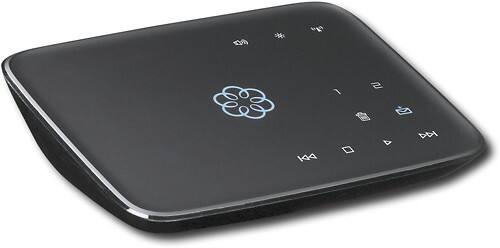
This hub works with your high-speed Internet and your home phones to deliver VoIP phone services and supports up to 4 Ooma Telo handsets. With easy setup, you can enjoy unlimited U.S. calling and low international rates.*
Overall 5 out of 5
5 out of 5Quality bargain Voip
By steve0617
from ossining, ny
If you have reliable high speed internet service and are looking to keep a home phone # for cheap Ooma is the way to go. It is easily setup - plug it into your cable modem and router using the simple diagram. Go to their website to create an account. You can choose a new phone # or port over you current number for a fee. If you go with a new number you will be ready to use it in minutes. For me the quality has been nearly as good as my cable company's phone service was and since I have a reliable high speed internet service I've had no phone service issues in the 2 months I've been using Ooma. The quality is good, faxing has not been a problem, no need for a computer other than to manage you account or any special phone handsets. I have an all-in-one printer/fax that I plug the phone line from Ooma into then plug the phone line out into the main base of the 2.4GHz wireless handsets I have. You can listen to voicemail online, using your phone by calling into voicemail like you would your cell phone or just pushing play on the Ooma device like you would an old fashioned answering machine. The best thing is there is no additional cost once you buy the box - all the main features you'd expect are included like voicemail and caller id. If you want some of the extra premier features such as 3 way calling, special rings, block lists, etc. you can get that for just $9.99/month. Their website lays out the included features and the premier features. I was asked about hooking up a home alarm since I do not have one I did not look into this but sure its on their website and if not just ask them. Overall a nice cost effective way to keep a home phone.

IgotTheMemo
MO
Faxing with Oooma
March 31, 2013
To Fax with Ooma you need to buy 2 accessories; Wireless Adapter and Linx (you also have to update your firmware which is free & described on HD2 phone installation guide). By the way, I also upgraded to their new HD2 phone sets (well worth it). Once you do so, simply use Ooma's website to designate the Linx wireless extender as a Fax device. Poof - you'll get the memo. I LOVE Oooma. As for TiVo, i'm guessing that you could use Linx similarly but i've never tried. Hope this is helpful.
+1point
1of 1voted this comment as helpful.
IgotTheMemo's Questions
IgotTheMemo has not submitted any questions.
IgotTheMemo's Answers
IgotTheMemo has not submitted any answers.