
Share jazzman1's profile


jazzman1
jazzman1's stats
- Review count23
- Helpfulness votes165
- First reviewMarch 1, 2010
- Last reviewFebruary 8, 2015
- Featured reviews0
- Average rating4.9
- Review comment count4
- Helpfulness votes4
- First review commentJuly 25, 2010
- Last review commentDecember 28, 2013
- Featured review comments0
Questions
- Question count0
- Helpfulness votes0
- First questionNone
- Last questionNone
- Featured questions0
- Answer count38
- Helpfulness votes4
- First answerApril 6, 2010
- Last answerMarch 14, 2015
- Featured answers0
- Best answers0
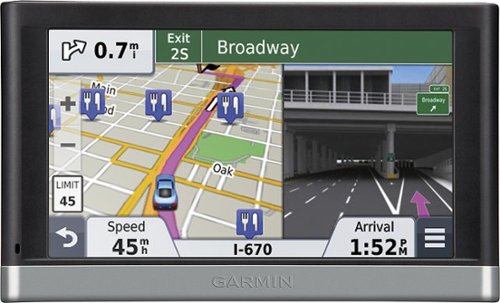
Garmin n~vi 2597LMT Portable GPS: Take this portable GPS along for your next trip, so you can enjoy spoken directions that mention recognizable buildings and other landmarks to guide you. With 10 million points of interest, you'll be able to travel to a variety of locales across the U.S. and Canada.
Posted by: jazzman1
from Middletown, USA
I had just purchased a Garmin nuvi 2595 2 months before I bought this one. My 2595 broke, and I had to send it back to Garmin for replacement and couldn't wait till I got it back, I needed a GPS for traval. So I bought this 2597 and right off I saw new features. This new model has real spoken voices instead of computer models, and improved given directions. It's a great improvement. Now besides saying the street name to turn, it will also include a landmark such as a mall at the corner, a traffic light, a business, etc. It also prompts what lane to get in and if you can use more than one lane for turns (as in 2 lane turns} That alone has improved my grasp of the directions very much. The directions themselves are an improvemt over previous models. I've owned 4 Garmin GPS's over the years and The traffic information is also an improvemt over all previous Garmins I've owned. That along with free maps and traffic updates makes this GPS a heck of a bargain as a driving tool. It falls short on accessories the older models carry such as a audio book, MP3 player, etc. It doesn't have other dash boards one can pick from, nor many options for the car displayed and things like that. Seems Garmin made a trade off with acc, opting for improvement in directions and sound quality. I don't like the new windshield mount on this GPS....my other 2595 GPS and older models have a better mount design. You have to remove the suction cup mount every time you take this unit down. All my other Garmin GPS's would unlatch from the suction cup mount. You could leave the cup mount on the windshield and just remove the GPS unit. Customer service can be iffy, and hard to reach on the phone some days. The 1st 3 days I tried to recently to call support, a recorded message said the wait time would be over 1/2 hr. When I finally got through after the 3rd day, I was taken care of promptly and to my satisfaction. My broken 2595 GPS was replaced with a brand new GPS #not refurished) and seems to be working well. I have it put up as a backup now, because this new 2597 is the better of the 2. The time it took to arrive in the mail was satisfactory. I love my GPS and I am one who sorely needs one for traval and getting around town. This unit does not disappoint.
What's great about it: Real Voice, and Directions
What's not so great: No Audio book player, no MP3 player, windshield mount
I would recommend this to a friend!
Durability

4
Ease of Use
4
Features

3
Share this review:


0points
0of 0voted this as helpful.
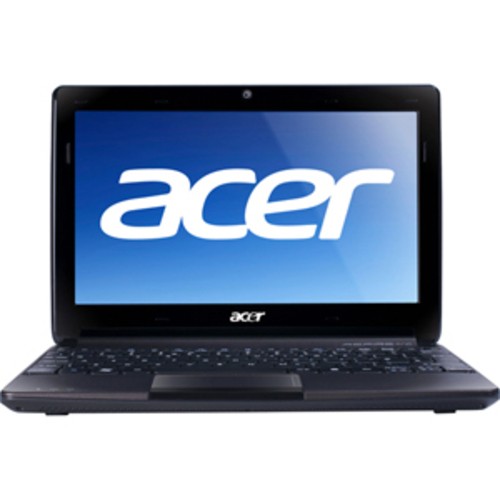
The 11.6" Aspire One 722 is sensationally designed to deliver amazing HD visual experiences wherever you go. Anytime, anywhere connectivity plus an eco-friendly platform round out this netbook and make it ideal for your highly mobile digital lifestyle.
Customer Rating

4
Great Little Pc
on January 24, 2013
Posted by: jazzman1
from Middletown, USA
I purchased this netbook on sale for $275.00. I upgraded the ram to 4GB, installed a new WD 320 GB, 7200 rpm hard drive, and put the original drive away. After the upgrades it runs reasonably speedy. Though I took the offer to upgrade to windows 8 Pro and windows 8 media center, I just could not get adjusted to the new windows 8 OS. Maybe it works well with a touchscreen monitor, but I did'nt like it using my mouse. So I cloned windows 8 using a 3rd party backup program, onto my spare hard drive and put it away for safe keeeping......in case I decided to try windows 8 in the future. Then I reinstalled my original windows 7 home premium OS that my Pc came with, from my windows 7 installation discs I made. This is my 1st Acer and I think them just fine and a good brand. This Pc is no speed demon by any means, but then agin anyone buying a netbook for under $300.00 expecting high performance picked the wrong product. I got it for traval, wanted something small and light and this really fits the bill. I mostly email, seach the net, play chess, watch movies (streaming online) etc. I have an external USB DVD burner to use when needed. Since this netbook does'nt come with a DVD Burner, it's a good Idea to get a external burner. If you use the burner for nothing else, you should get one to create your windows 7 or 8, Installation and recovery discs. Acer does'nt stock Installation discs for their netbooks since they don't come with a DVD Burner. All in all this is a good purchase for a good price.
What's great about it: Price, Size, Portability
What's not so great: Windows 8 and the speakers (sound)
I would recommend this to a friend!
Display
3
Performance
4
Share this review:


0points
0of 0voted this as helpful.
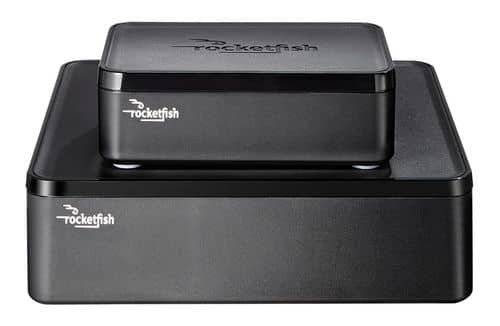
Only at Best BuyEnjoy vibrant CD-quality audio with this Rocketfish~ RF-WHTIB wireless rear speaker kit, which features a wireless range up to 100' for clear transmission. Multiple placement options allow flexible use.
Customer Rating

5
Great Product
on March 1, 2010
Posted by: jazzman1
from South
I got the device hooked up without a hitch. It works and sounds fine. I turned the volume all the way up on the RocketFish's rear unit and I control the volume from my reciever. Because the unit is wireless, I had to adjust the rear speaker delay to get a sound I was pleased with. The instructions for that is in the manual that comes with the unit. I tried it out the box and could not hear my rear speakers well. So I used my reciever's speaker auto setup and mic, that came with it, and adjusted the rear speaker delay. that made all the difference in the sound. I plugged the front unit's power cord into a switched power outlet on my reciever so the rocketfish unit powers off with my reciever. But I have to turn the rear unit off manually.
What's great about it: No wires
What's not so great: Limited places to use the unit
I would recommend this to a friend!
Sound Quality

5
Range
5
Share this review:


+6points
6of 6voted this as helpful.
jazzman1's Review Comments
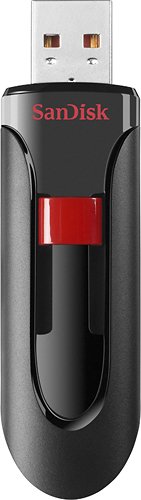
Take a variety of digital files with you on the go with this SanDisk Cruzer SDCZ60-008G-A46 USB 2.0 flash drive, which offers an 8GB capacity for ample storage space. The USB connector retracts to help protect it from damage, helping to keep your data safe.
Overall 2 out of 5
2 out of 5Must download drivers to use
By aredamkrik
from Plano, TX
Any time I want to use this flash drive on a new computer, I have to download the driver onto that computer. I haven't seen a flash drive that wasn't automatically recognized in a while. Windows 7 can't even read it without downloading the drivers. Also, finding the driver on Sandisk's website is not all that easy. The driver is labeled with 98 as if it were a windows 98 driver.

jazzman1
Middletown, USA
I like this flash drive
July 25, 2010
I have no idea what the previous poster is talking about. I'm not sure he's talking about this particular drive. I bought this drive yesterday and I use it like the other 2 flash drives I have. I plug it into my USB port and the drivers install automatically. I'm at a lost about his comment that he has to download the drives online. He must have one of the other models of SanDisk Flash Drives, not this one. My only reget is that It's not a 32GB drive which I intend to get next. Good drive, from a good brand. I do like SanDisk drives. I think they're a cut above most.
0points
0of 0voted this comment as helpful.
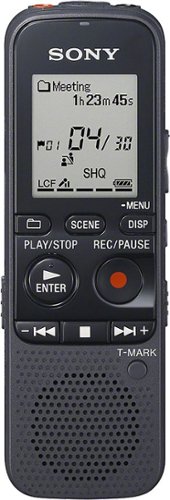
Capture crystal clear audio with this Sony Mono digital voice recorder. Singers looking to keep track of their inspiration and working professionals who don't want to forget important details benefit from this recorder's high-quality mp3 audio. This Sony Mono digital voice recorder utilizes Intelligent Noise Cut technology to enhance human speech and filter out background noise.
Overall2 out of 5
2 out of 5not voice activated as advertised
By maplecolors
from hawaii
i specifically was in the market for a voice activated recorded, this was not one even though it was advertised as such. it doesn't do me any good for the purpose that I wanted.
jazzman1
Middletown, USA
You're wrong about voice activation
December 20, 2013
Do your research and get firmillar with the product
+4points
4of 4voted this comment as helpful.
Capture crystal clear audio with this Sony Mono digital voice recorder. Singers looking to keep track of their inspiration and working professionals who don't want to forget important details benefit from this recorder's high-quality mp3 audio. This Sony Mono digital voice recorder utilizes Intelligent Noise Cut technology to enhance human speech and filter out background noise.
Overall5 out of 5
5 out of 5Great Little Recorder
By jazzman1
from Middletown, USA
This is my 1st digital recorder and I'm delighted with the performance. I thought the price too much, but I tried cheaper recorders from other brands, and was not satisfied with their performance. I love this Sony recorder. I usually like most Sony products.
This recorder has performed as advertised and I am very pleased with the results. To get the full benefits you have to go into the "detailed menu" to setup all the options. The included instructions are not clear on how to do this. Many of the features are set by default to off. As a previous reviewer stated this recorder does have "voice activation", It's set by default to off....you have to go into the "detailed" menu to turn it on. I like the fact you can add an SD card. I put in an 8 GB card that I use for music, e-books, etc., and I use the built in 4GB internal memory for voice, meetings, lectures, etc. You can switch between them in the detailed menu. There was a learning curve for me with this Sony product, and I'm a semi geek and very tech savvy. The included instructions leave a lot to be desired. I recommend everyone to download the instruction manual to your Pc, with the included USB cord. You will see much on how to use this product that is omitted in the included instructions. I purchased "Energizer" rechargeable batteries, and I use an outboard charger I already have. You can get batteries and a charger for AAA batteries for about $20.00. The rechargeable batteries will pay for themselves in a short time, especially if you use the recorder a lot. I also intend to purchase a small case to hold the recorder and cords.
I use a Aux. cord that I plug into the earphone/output Jack, then into the AUX input jack in my car. Most newer cars have Aux and USB inputs, and I can play the sound from this recorder through my car speakers. All in all I think this a great product, I didn't give reliability the highest rating because I've never owned a digital recorder before, but since it's a Sony, I expect it to live up to the Sony rep. I didn't give ease of use the highest score because many will be unsatisfied with using this recorder if they don't go to the detailed menu, or are not tech savvy, and don't download the instruction manual. After I figured how to get to the "detailed menu", using this product is a breeze.
jazzman1
Middletown, USA
To satisfaction
December 26, 2013
I'm not sure I understand your question, but I've not used the vop so I have no answer for that. I did use it once to see if and how it worked but haven't used it agin. I suppose you can adjust the sensitivity, but then agin maybe not. You'll just have to try it and see.
0points
0of 0voted this comment as helpful.
Capture crystal clear audio with this Sony Mono digital voice recorder. Singers looking to keep track of their inspiration and working professionals who don't want to forget important details benefit from this recorder's high-quality mp3 audio. This Sony Mono digital voice recorder utilizes Intelligent Noise Cut technology to enhance human speech and filter out background noise.
Overall5 out of 5
5 out of 5Great Little Recorder
By jazzman1
from Middletown, USA
This is my 1st digital recorder and I'm delighted with the performance. I thought the price too much, but I tried cheaper recorders from other brands, and was not satisfied with their performance. I love this Sony recorder. I usually like most Sony products.
This recorder has performed as advertised and I am very pleased with the results. To get the full benefits you have to go into the "detailed menu" to setup all the options. The included instructions are not clear on how to do this. Many of the features are set by default to off. As a previous reviewer stated this recorder does have "voice activation", It's set by default to off....you have to go into the "detailed" menu to turn it on. I like the fact you can add an SD card. I put in an 8 GB card that I use for music, e-books, etc., and I use the built in 4GB internal memory for voice, meetings, lectures, etc. You can switch between them in the detailed menu. There was a learning curve for me with this Sony product, and I'm a semi geek and very tech savvy. The included instructions leave a lot to be desired. I recommend everyone to download the instruction manual to your Pc, with the included USB cord. You will see much on how to use this product that is omitted in the included instructions. I purchased "Energizer" rechargeable batteries, and I use an outboard charger I already have. You can get batteries and a charger for AAA batteries for about $20.00. The rechargeable batteries will pay for themselves in a short time, especially if you use the recorder a lot. I also intend to purchase a small case to hold the recorder and cords.
I use a Aux. cord that I plug into the earphone/output Jack, then into the AUX input jack in my car. Most newer cars have Aux and USB inputs, and I can play the sound from this recorder through my car speakers. All in all I think this a great product, I didn't give reliability the highest rating because I've never owned a digital recorder before, but since it's a Sony, I expect it to live up to the Sony rep. I didn't give ease of use the highest score because many will be unsatisfied with using this recorder if they don't go to the detailed menu, or are not tech savvy, and don't download the instruction manual. After I figured how to get to the "detailed menu", using this product is a breeze.
jazzman1
Middletown, USA
To Satisfaction
December 28, 2013
I'm not sure you can change sensitivity on vob. I know if you use any of the scene options, all settings will be made automatically. You can't change anything. To be able to change different settings for recording you can't use any of the scene options (meeting, lecture, etc) because all the setting are pre set with each scene selection. Actually I took this recorder back and exchanged it for a more expensive Sony recorder, the Sony ICDAX412 ($ 85.99) Glad I did. Even thought this is a good recorder, the 412 is much better and I got it for only $5.00 more on sale..
0points
0of 0voted this comment as helpful.
jazzman1's Questions
jazzman1 has not submitted any questions.
Garmin n~vi 2597LMT Portable GPS: Take this portable GPS along for your next trip, so you can enjoy spoken directions that mention recognizable buildings and other landmarks to guide you. With 10 million points of interest, you'll be able to travel to a variety of locales across the U.S. and Canada.
Can GPS display appear on car display?
Not that I'm aware of. You can send your audio from the GPS to your car speakers if your GPS and Car Audio has an ex jack
11 years, 11 months ago
by
jazzman1
Middletown, USA
Repair myself or have a tech repair?
My 50 inch Sony Grand WEGA just went black and silent. Flashing red light indicates and manual indicates I need to replace the lamp, XL 2400. Is this something I should attempt myself or have a tech come out to fix. Also is this lamp available in-store, or do I need to order it. Following the instruction manual, lamp came uot easily.
Depends on how tech savvy you are and tech comfortable. Changing lamp is easy enough, you can contact your TV tech support for the part if you can't find one through 3rd party source. But if you don't know what you're doing I suggest contacting the geek squad.
12 years, 3 months ago
by
jazzman1
Middletown, USA
do you have to have a credit or best buy credit card to finance
You have to have some sort of credit card if not Best buy's. Otherwise you can pay cash.
12 years, 3 months ago
by
jazzman1
Middletown, USA
How to change channels with tv cabinet door closed.
RF???
If you use a cable or satellite box, you have to put your box on top of the cabinet.
12 years, 3 months ago
by
jazzman1
Middletown, USA
The HDMI inputs on my Denon AVR 1908 are not working - I just want to connect my cable box/dvd player to tv while receiver plays whatever is on screen
You either have hooked up your gear wrong, or you have defective Components.
12 years, 4 months ago
by
jazzman1
Middletown, USA
Are Dynex TVs DLNA-capable?
Most should be
12 years, 4 months ago
by
jazzman1
Middletown, USA
Which would be better for me to get a smart tv or a regular tv and a blue ray player?
Go with whatever choice that works best for you, do your home work. Google is your best friend, compare gear and read reviews. Check user reviews also.
12 years, 4 months ago
by
jazzman1
Middletown, USA
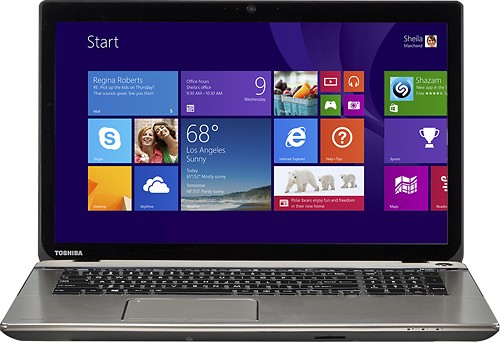
Toshiba Satellite P75-A7200 Laptop: This laptop boasts a large Full HD widescreen so you can view your favorite movies at their best and position two windows side by side. It's backed by lots of power plus Harman/Kardon speakers for great sound.Learn more about the New Windows ~
Use of exterior keyboard, screen, and mouse
Can an exterior screen, keyboard, and mouse be connected to this computer?
Yes you can. If There's an external monitor port on the side of your laptop, and you can use a wired or wireless USB mouse and keyboard. Better to get a wireless combo keyboard/mouse to eliminate the cords and use only 1 USB port instead of 2 USB ports. You should go into control panel... to device manager... and disable the internal keyboard. You can go to mouse, set the internal keypad from control panel, to auto disable when an external mouse is connected.
12 years, 4 months ago
by
jazzman1
Middletown, USA
Garmin n~vi 2597LMT Portable GPS: Take this portable GPS along for your next trip, so you can enjoy spoken directions that mention recognizable buildings and other landmarks to guide you. With 10 million points of interest, you'll be able to travel to a variety of locales across the U.S. and Canada.
World Wide Compatibility
I am from South Africa, but looking to purchase a Garmin in USA.
1.) Will the Garmin Nuvi 2597lmt only be preloaded with USA maps?
2.) Is the whole of USA included or only some States?
3.) Is there a cost to load South African maps?
4.) How do you load South Africa maps?
1.) Will the Garmin Nuvi 2597lmt only be preloaded with USA maps?
2.) Is the whole of USA included or only some States?
3.) Is there a cost to load South African maps?
4.) How do you load South Africa maps?
I have this GPS myself and think it a good product.
1. This model only comes with US maps installed.
2. All of the US and states are covered.
3. Yes, you have to pay extra for South African and other maps.
4. You have to contact Garmin to buy South African maps or you can find them in some stores. You may be able to order them here at Best Buy. You can also find them online. The instructions how to load the maps come with your purchase. Most times the maps come pre-loaded on an SD card, and you put the card in the external SD card slot in your GPS.
1. This model only comes with US maps installed.
2. All of the US and states are covered.
3. Yes, you have to pay extra for South African and other maps.
4. You have to contact Garmin to buy South African maps or you can find them in some stores. You may be able to order them here at Best Buy. You can also find them online. The instructions how to load the maps come with your purchase. Most times the maps come pre-loaded on an SD card, and you put the card in the external SD card slot in your GPS.
12 years, 4 months ago
by
jazzman1
Middletown, USA
Can I use a Roku with my laptop? Do I even need my laptop?
Hi! I have just become a member with a particular internet program and would like to watch it on tv. I understand a Roku could help. Do I need to hook it up to my computer at all? I have a laptop w/a usp port modem. Also, I do not have an HDTV. I have an old tv and a comcast dvr box. thanks....
You can use it with or without a laptop. Read your manual for setup instructions.
12 years, 4 months ago
by
jazzman1
Middletown, USA