
Share candreae's profile


candreae
candreae's stats
- Review count1
- Helpfulness votes17
- First reviewJune 21, 2010
- Last reviewJune 21, 2010
- Featured reviews0
- Average rating3
Reviews comments
- Review comment count0
- Helpfulness votes0
- First review commentNone
- Last review commentNone
- Featured review comments0
Questions
- Question count0
- Helpfulness votes0
- First questionNone
- Last questionNone
- Featured questions0
- Answer count4
- Helpfulness votes0
- First answerJune 21, 2010
- Last answerJune 21, 2010
- Featured answers0
- Best answers0
candreae's Reviews

Service Highlights Assemble 1 piece of furniture Verify that the structural integrity of your furniture is up to manufacturer's specifications Set TV on furniture (if applicable) Have questions about this Geek Squad service? Ask fellow shoppers and Best Buy staff. Share your answers.

Posted by: candreae
from Cincinnati, OH
Had Geek Squad come out to assemble a TV stand for my mother...the guy basically tightened 3 bolts and put the stand in the corner and plopped the tv on top and that was that. Never touched any of the components that were on the old stand and hooked them to the television, or even put the new stand where the old stand was.
Next time i'll save my roughly $200 and use it to get a wrench.
What's great about it: On Time Service
What's not so great: Terrible Value
No, I would not recommend this to a friend.
Other Best Buy Products I Recommend

Init - TV Stand for Flat-Panel TVs Up to 32"
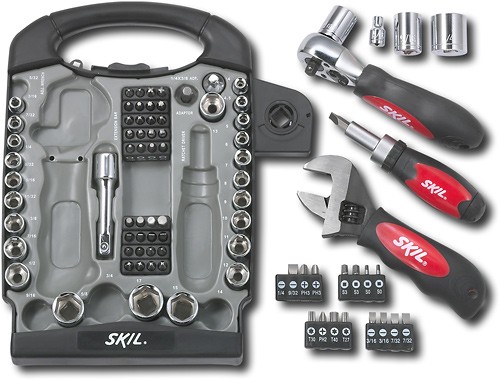
SKIL - 85-Piece Home Theater Stubby Tool Set

Do It Yourself [CD]
Share this review:


+2points
17of 32voted this as helpful.
candreae's Review Comments
candreae has not submitted comments on any reviews.
candreae's Questions
candreae has not submitted any questions.
candreae's Answers
Firmware Update for Panasonic Blu-Ray DVD
I just purchsed A Panasonic Blu-Ray DVD and the firmware will not up grade I have comfirmed with the help line at Panasonic that all of my Internet connections are correct but the player will not upgrage to the new firmware, Any help? also the download and burn to a disk to upgrade does not work either.
Make sure to decompress the firmware before creating the disc.
Update Procedures (Overview)
Perform steps 1 through 6 listed below.
Step 1 Check the firmware version currently installed in your BD player.
Step 2 Check the latest firmware version available for your BD player.
Step 3 Download the latest firmware.
Step 4 Decompress the downloaded file.
Step 5 Create a firmware update disc.
Step 6 Install the firmware update.
Step 1. Check the firmware version currently installed in your BD player
Follow the steps below to check the firmware version currently installed in your Panasonic BD player.
Steps
Turn on the main unit.
Press the [SETUP] button on the remote control to open the display menu screen.
Using the Up and Down cursor buttons on the remote control, select the "DISPLAY" tab - "DISPLAY" items will appear.
Press and hold the [STATUS] button on the remote control. While doing so, the current firmware version for your player will be displayed in the lower right hand corner of the screen (e.g. "1.1").
Please make note of this version number.
Step 2. Checking the latest firmware version available for your BD player
Confirm the latest firmware version that is available for "the Model Number of your BD player" by referencing the "Update Information" section provided above (near the top of this page).
Please compare this firmware version number to the version number of the firmware currently installed in your Panasonic BD player (the firmware currently installed in your Panasonic BD player was checked in "Step 1").
If the version of the firmware installed on your Panasonic BD player and the latest firmware version available are the same
>>No update is necessary.
If the version of the firmware installed on your Panasonic BD player is lower than the latest version available
>>Updating is recommended - Please continue to step 3
Note:
The firmware for your Panasonic BD player may not need to be updated even though a firmware update has been released - for example.
If your Panasonic BD player was manufactured after the firmware was released and the firmware update has already been installed.
If your Panasonic BD player was serviced by an authorized Panasonic service technician the player was updated with the latest firmware.
Update Procedures (Overview)
Perform steps 1 through 6 listed below.
Step 1 Check the firmware version currently installed in your BD player.
Step 2 Check the latest firmware version available for your BD player.
Step 3 Download the latest firmware.
Step 4 Decompress the downloaded file.
Step 5 Create a firmware update disc.
Step 6 Install the firmware update.
Step 1. Check the firmware version currently installed in your BD player
Follow the steps below to check the firmware version currently installed in your Panasonic BD player.
Steps
Turn on the main unit.
Press the [SETUP] button on the remote control to open the display menu screen.
Using the Up and Down cursor buttons on the remote control, select the "DISPLAY" tab - "DISPLAY" items will appear.
Press and hold the [STATUS] button on the remote control. While doing so, the current firmware version for your player will be displayed in the lower right hand corner of the screen (e.g. "1.1").
Please make note of this version number.
Step 2. Checking the latest firmware version available for your BD player
Confirm the latest firmware version that is available for "the Model Number of your BD player" by referencing the "Update Information" section provided above (near the top of this page).
Please compare this firmware version number to the version number of the firmware currently installed in your Panasonic BD player (the firmware currently installed in your Panasonic BD player was checked in "Step 1").
If the version of the firmware installed on your Panasonic BD player and the latest firmware version available are the same
>>No update is necessary.
If the version of the firmware installed on your Panasonic BD player is lower than the latest version available
>>Updating is recommended - Please continue to step 3
Note:
The firmware for your Panasonic BD player may not need to be updated even though a firmware update has been released - for example.
If your Panasonic BD player was manufactured after the firmware was released and the firmware update has already been installed.
If your Panasonic BD player was serviced by an authorized Panasonic service technician the player was updated with the latest firmware.
15 years, 11 months ago
by
candreae
Cincinnati, OH
New TV or fix old one
My 45" Phillips Magnavox quit yesterday. The picture went in horizontally and then flashed to nothing. Some say this is a picture tube others say bulb issue. I have heard the tube is too expensive to replace, the bulb however isn't. Any suggestions based on this description? Thanks!!
Have it diagnosed...if it is the bulb, replace it, tube, new tv. Most mom and pop electronics stores would jump at the opportunity on a possible lead at a new TV sale and likely diagnose it for free, as they have little to lose.
15 years, 11 months ago
by
candreae
Cincinnati, OH
What is the difference between 3D ready tv and 3D compatible tv?
website says 55inch samsung led lcd 3D ready tv, and also has a 73inch mitsubishi rear projection 3D compatible tv, wondering what the difference is, if any
3D-ready TV sets are those that can operate in 3D mode (in addition to regular 2D mode), in conjunction with LCD shutter glasses, where the TV tells the glasses which eye should see the image being exhibited at the moment, creating a stereoscopic image
3D compatible is iffy nomenclature, tho it could mean the television itself has a coating on it that essentially does what the glasses would, i'd be surprised to see that tech on showroom floors right now.
Check out this site for more info on 3DTV
http://www.3dc.gr.jp/english/
3D compatible is iffy nomenclature, tho it could mean the television itself has a coating on it that essentially does what the glasses would, i'd be surprised to see that tech on showroom floors right now.
Check out this site for more info on 3DTV
http://www.3dc.gr.jp/english/
15 years, 11 months ago
by
candreae
Cincinnati, OH
What soundbar or speakers will increase the volume on the 15" Dynex tv in our small kitchen. We can't hear it even on the highest #60 volume.
ASUS CINE5/BLK/ALW/UL/AS 15 Watts 5 channel Speakers
That would be perfect for the application. Wonderful sound Quality. If you needed something a little cheaper the Rosewill Model RNA-SYM Would work, it's USB powered with a 3.5mm line in so you'd need a usb power source and a 3.5mm male to male cable.
Best buy doesnt carry the Rosewill or Asus Speakers, so i suggested the insignia USB given this is their site.
That would be perfect for the application. Wonderful sound Quality. If you needed something a little cheaper the Rosewill Model RNA-SYM Would work, it's USB powered with a 3.5mm line in so you'd need a usb power source and a 3.5mm male to male cable.
Best buy doesnt carry the Rosewill or Asus Speakers, so i suggested the insignia USB given this is their site.
Products from my answer
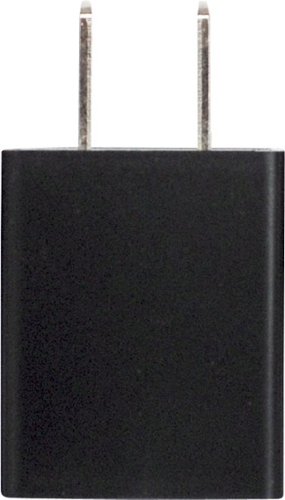
Digipower - USB AC Adapter - Black
 (1)
(1)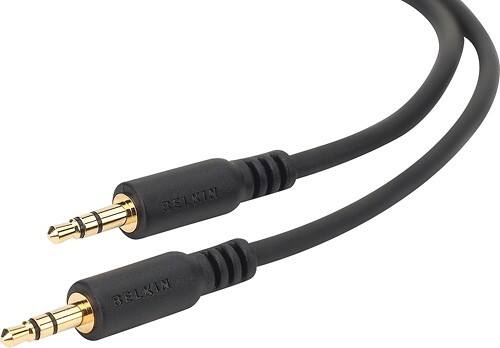
Belkin - 6' Mini Stereo Audio Cable
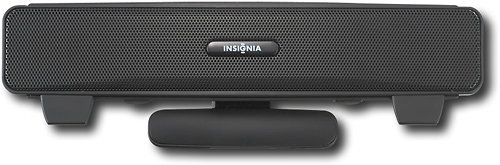
Insignia - USB Sound Bar - Black
15 years, 11 months ago
by
candreae
Cincinnati, OH