
Share Aladinsane1969's profile


Aladinsane1969
Aladinsane1969's stats
- Review count2
- Helpfulness votes17
- First reviewMay 23, 2012
- Last reviewMay 23, 2012
- Featured reviews0
- Average rating4.5
- Review comment count1
- Helpfulness votes0
- First review commentMay 24, 2012
- Last review commentMay 24, 2012
- Featured review comments0
Questions
- Question count0
- Helpfulness votes0
- First questionNone
- Last questionNone
- Featured questions0
Answers
- Answer count0
- Helpfulness votes0
- First answerNone
- Last answerNone
- Featured answers0
- Best answers0
Aladinsane1969's Reviews


Posted by: Aladinsane1969
from Orange, CA
I'm not going to review the film, just the Blu-Ray; you can go to Rotten Tomatoes for that.
The picture and sound are epic; watch this through a decent system and your living room is better than any movie theater. Seriously. There are more extras than I would ever have time to watch. I'm stoked that prices have come down so much on Blu-Ray discs. I thought about buying this a couple of years ago, but passed; at $9.99, I couldn't afford NOT to buy it.
What's great about it: Mind-blowing picture and sound; extras that would take you years to watch
I would recommend this to a friend!
Share this review:


+1point
1of 1voted this as helpful.
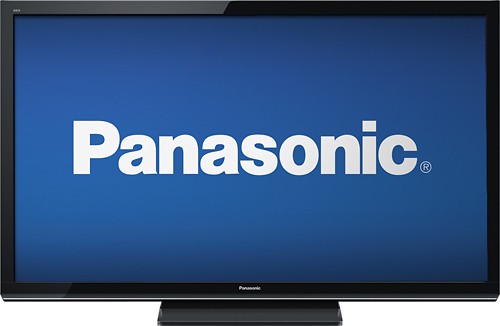
Enjoy crystal-clear images with this Panasonic TC-P50U50 50" plasma HDTV that features 1080p resolution for high-definition picture quality. The built-in media player lets you view content stored on a USB drive or Secure Digital memory card.
Customer Rating

4
A no-frills plasma with a killer picture
on May 23, 2012
Posted by: Aladinsane1969
from Orange, CA
Internet Connectable?No
I bought this TV to replace the 42" Panasonic plasma I bought in December 2006 when it recently developed the horizontal "green line of death" down the middle of the screen. After consulting with a local repair shop, I was told that fixing my old set would cost me somewhere between $100 (a fee I'd have to pay just to find out what was wrong with it, and if it ended up being a loose solder joint, that would be repaired during the diagnostic exam) and $400 (if it was a bad board; I was told it could also be a bad power supply). I knew I definitely didn't want to spend $400, and that I could end up gambling $100 away if it was more than a bad solder joint, so I headed down to Best Buy to look for a replacement [okay, I'd admit it--I was also jonesing for a full 1080P plasma with a refresh rate 10x as fast as my old one, and this was my excuse to get one ;-)].
The fact that my previous TV only lasted five years and four months did not exactly put me in the mood to walk in and buy another Panasonic. In fact, I wanted to buy ANYTHING BUT a Panasonic. After doing some research online, I was also figuring on having to spend around $1,000 for a new set, as it didn't appear that there were any out there without 3D (which I really didn't want) and Internet connectivity (which I really didn't need, since I already own a new Apple TV and an networked Blu-Ray player).
After looking around a bit, I was greeted by a very helpful Best Buy employee who took the time to ask me about my home setup and what I was looking for in a new TV. After our discussion, it was clear that what I was really looking for was the best 2D monitor I could afford and, you guessed it, that ended up being the model you're looking at right now. The guy explained that Panasonic bought Pioneer's plasma TV technology (Pioneer's plasmas were the best in the business before they stopped making them), and that if he hadn't bought a brand new Samsung two weeks before this model came out (ouch!), this is the one he would have taken home.
He was right; the picture on this set is phenomenal. It's so new that no one has posted optimal settings for it on one of the many blogs and forums out there (or at least hadn't yet when I bought it last month; I need to check again), but from previous experience, I was able to dial in a pretty killer picture on my own right off the bat. I run all my components (cable box, Blu-Ray player and Apple TV) via HDMI through my Onkyo receiver, so I can't comment on the sound quality of the set's speakers (I have them turned off). For this reason, I really only need one HDMI input on the TV, but other people connect their components directly to their sets, and only two HDMI inputs does seem a bit chintzy by 2012 standards. It may seem silly, but my only real complaint is that the unit didn't come with safety straps to connect the base of the TV to my entertainment center in case of an earthquake. My previous set came with them (and sat on a much sturdier base, I might add), so I was disappointed that this one didn't have them, to the point that I called Panasonic to ask if they were inadvertently left out of the box and was told that they weren't included). Maybe it's because so many people mount their sets on the wall these days, but some of us still don't, and how much can two plastic straps cost?
Overall, I'm extremely satisfied with my purchase. In fact, the picture is so good that, unfortunately, it's really exposed the quality of my cable signal as not being so hot; throw in a Blu-Ray disc and prepare to be shocked and awed.
Hopefully this set will last longer than my last one; if so, I'll be a very satisfied customer.
What's great about it: Excellent picture, reasonable price
What's not so great: Could use more inputs, doesn't come with safety straps to secure base to furniture
I would recommend this to a friend!
Picture Quality

5
Features

4
Share this review:


+16points
16of 16voted this as helpful.
Aladinsane1969's Review Comments
Enjoy crystal-clear images with this Panasonic TC-P50U50 50" plasma HDTV that features 1080p resolution for high-definition picture quality. The built-in media player lets you view content stored on a USB drive or Secure Digital memory card.
Overall4 out of 5
4 out of 5A no-frills plasma with a killer picture
By Aladinsane1969
from Orange, CA
I bought this TV to replace the 42" Panasonic plasma I bought in December 2006 when it recently developed the horizontal "green line of death" down the middle of the screen. After consulting with a local repair shop, I was told that fixing my old set would cost me somewhere between $100 (a fee I'd have to pay just to find out what was wrong with it, and if it ended up being a loose solder joint, that would be repaired during the diagnostic exam) and $400 (if it was a bad board; I was told it could also be a bad power supply). I knew I definitely didn't want to spend $400, and that I could end up gambling $100 away if it was more than a bad solder joint, so I headed down to Best Buy to look for a replacement [okay, I'd admit it--I was also jonesing for a full 1080P plasma with a refresh rate 10x as fast as my old one, and this was my excuse to get one ;-)].
The fact that my previous TV only lasted five years and four months did not exactly put me in the mood to walk in and buy another Panasonic. In fact, I wanted to buy ANYTHING BUT a Panasonic. After doing some research online, I was also figuring on having to spend around $1,000 for a new set, as it didn't appear that there were any out there without 3D (which I really didn't want) and Internet connectivity (which I really didn't need, since I already own a new Apple TV and an networked Blu-Ray player).
After looking around a bit, I was greeted by a very helpful Best Buy employee who took the time to ask me about my home setup and what I was looking for in a new TV. After our discussion, it was clear that what I was really looking for was the best 2D monitor I could afford and, you guessed it, that ended up being the model you're looking at right now. The guy explained that Panasonic bought Pioneer's plasma TV technology (Pioneer's plasmas were the best in the business before they stopped making them), and that if he hadn't bought a brand new Samsung two weeks before this model came out (ouch!), this is the one he would have taken home.
He was right; the picture on this set is phenomenal. It's so new that no one has posted optimal settings for it on one of the many blogs and forums out there (or at least hadn't yet when I bought it last month; I need to check again), but from previous experience, I was able to dial in a pretty killer picture on my own right off the bat. I run all my components (cable box, Blu-Ray player and Apple TV) via HDMI through my Onkyo receiver, so I can't comment on the sound quality of the set's speakers (I have them turned off). For this reason, I really only need one HDMI input on the TV, but other people connect their components directly to their sets, and only two HDMI inputs does seem a bit chintzy by 2012 standards. It may seem silly, but my only real complaint is that the unit didn't come with safety straps to connect the base of the TV to my entertainment center in case of an earthquake. My previous set came with them (and sat on a much sturdier base, I might add), so I was disappointed that this one didn't have them, to the point that I called Panasonic to ask if they were inadvertently left out of the box and was told that they weren't included). Maybe it's because so many people mount their sets on the wall these days, but some of us still don't, and how much can two plastic straps cost?
Overall, I'm extremely satisfied with my purchase. In fact, the picture is so good that, unfortunately, it's really exposed the quality of my cable signal as not being so hot; throw in a Blu-Ray disc and prepare to be shocked and awed.
Hopefully this set will last longer than my last one; if so, I'll be a very satisfied customer.

Aladinsane1969
Orange, CA
May 24, 2012
Here are the settings I'm currently using:
Picture Mode: Custom
Contrast: +90
Brightness: +60
Color: +47
Tint: 0
Sharpness: +95
Color Temp: Warm 1
Color Management: On
C.A.T.S.: Off
Video NR: Weak
Contrast: +90
Brightness: +60
Color: +47
Tint: 0
Sharpness: +95
Color Temp: Warm 1
Color Management: On
C.A.T.S.: Off
Video NR: Weak
YMMV; hope that helps!
0points
0of 0voted this comment as helpful.
Aladinsane1969's Questions
Aladinsane1969 has not submitted any questions.
Aladinsane1969's Answers
Aladinsane1969 has not submitted any answers.