
Share SmartGeek's profile


SmartGeek
SmartGeek's stats
- Review count1
- Helpfulness votes7
- First reviewMarch 22, 2010
- Last reviewMarch 22, 2010
- Featured reviews0
- Average rating5
Reviews comments
- Review comment count0
- Helpfulness votes0
- First review commentNone
- Last review commentNone
- Featured review comments0
Questions
- Question count0
- Helpfulness votes0
- First questionNone
- Last questionNone
- Featured questions0
Answers
- Answer count0
- Helpfulness votes0
- First answerNone
- Last answerNone
- Featured answers0
- Best answers0
SmartGeek's Reviews
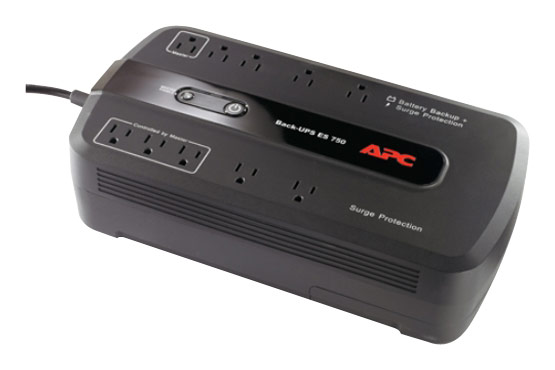
This APC Back-UPS BE750G UPS protects your computer system and keeps it running for up to 70 minutes in the event of a power failure.

Posted by: SmartGeek
from Houston, TX
Purchased this unit a couple of days ago. Connected my 24" iMac to it.
The unit comes with a USB cable to connect the computer to the UPS. The controls show up under System Preferences - Energy Saver . I am running OSX 10.6 Snow Leopard. No need to install the PowerChute software from APC.
Gave this unit over 24 hours to fully charge up, then I conducted some tests. With a 24" iMac and an external Hard drive connected this APC UPS was able to keep system running for about 30 minutes.
The UPS status can be set to show up in the Menu bar at the top of the screen. It can display just an icon, or % battery, or time remaining.
Under System Preferences - Energy Saver, you can setup shutdown options for the computer. In my test I set my iMac to shut itself down when 4 minutes battery time were remaining. It worked very well, my iMac took about 10 seconds to shutdown automatically. You can also have the system shutdown after it has been on battery for x minutes, or shutdown when there is x% battery life remaining.
So far I am happy with it. I suppose I could have saved a few bucks and went with the slightly cheaper model. I was surprised that it kept my system running for so long.
What's great about it: Easy to setup
I would recommend this to a friend!
Features

5
Share this review:


+7points
7of 7voted this as helpful.
SmartGeek's Review Comments
SmartGeek has not submitted comments on any reviews.
SmartGeek's Questions
SmartGeek has not submitted any questions.
SmartGeek's Answers
SmartGeek has not submitted any answers.