
Share cloudermelt's profile


cloudermelt
cloudermelt's stats
- Review count1
- Helpfulness votes1
- First reviewJanuary 3, 2010
- Last reviewJanuary 3, 2010
- Featured reviews0
- Average rating5
Reviews comments
- Review comment count0
- Helpfulness votes0
- First review commentNone
- Last review commentNone
- Featured review comments0
Questions
- Question count0
- Helpfulness votes0
- First questionNone
- Last questionNone
- Featured questions0
- Answer count1
- Helpfulness votes0
- First answerJanuary 3, 2010
- Last answerJanuary 3, 2010
- Featured answers0
- Best answers0
cloudermelt's Reviews
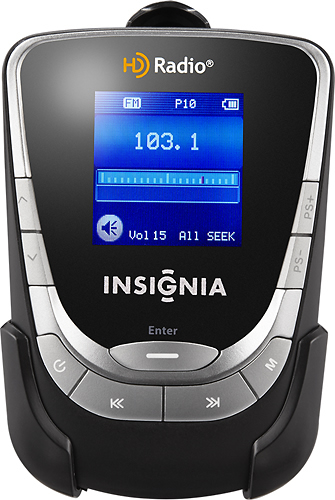
When you're on the go, listen to your favorite HD and FM radio stations using this portable player that features a belt clip for easy portability.

Posted by: cloudermelt
from Cleveland, Ohio
I just bought this a few days ago and I love it. The station I listened to changed formats and I found out that they play the same format in HD (So far, I have not even heard a commercial) It appears that the reception is based on the 3.5mm cable or the headphones being plugged in and I have yet to try it inside a building while at work, but I love this thing! I only rated it a 4 on durability because I have not had it long but it seems pretty sturdy.
What's great about it: Small size can be worn on an armband (included)
What's not so great: Reception without being plugged in
I would recommend this to a friend!
Sound Quality

5
Durability

4
Share this review:


+1point
1of 1voted this as helpful.
cloudermelt's Review Comments
cloudermelt has not submitted comments on any reviews.
cloudermelt's Questions
cloudermelt has not submitted any questions.
cloudermelt's Answers
how do I get hd 2 on my insignai hd portable radio
Press the Up arrow on the top left, you have to be able to receive the signal so if it does not come up automatically, try moving it to a different location. You can also change the seek settings to seek all stations and not just HD in the menu button
16 years, 5 months ago
by
cloudermelt
Cleveland, Ohio