
Share geoffb134's profile


geoffb134
geoffb134's stats
- Review count1
- Helpfulness votes10
- First reviewMay 25, 2010
- Last reviewMay 25, 2010
- Featured reviews0
- Average rating3
Reviews comments
- Review comment count0
- Helpfulness votes0
- First review commentNone
- Last review commentNone
- Featured review comments0
Questions
- Question count0
- Helpfulness votes0
- First questionNone
- Last questionNone
- Featured questions0
Answers
- Answer count0
- Helpfulness votes0
- First answerNone
- Last answerNone
- Featured answers0
- Best answers0
geoffb134's Reviews
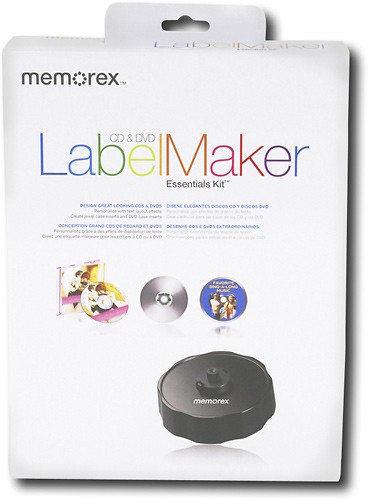
Organize your music collection with help from this CD label maker. Features solid base bottom and rubber feet for added support. Includes 20 white labels and 5 jewel case insert cards.

Posted by: geoffb134
from Dublin, CA
First off, it's not the worst software I've ever used. (Ever heard of McAfee?) But let me tell you first that there are a couple cool things with it.
It comes with the 2 CD/DVD templates per page, as well as small thin strips that you can label your discs with if you have cases. I just use small paper slip cases, but just putting those thin slips on the top of those cases makes everything SOOOO much more organized! You don't have to waste time pulling out every disc to see which one it is, you can just read the title on the top. Also there's another general sticker that you can write notes on, like serial keys, how to install, playlists, ect. The sheets are great!
What's not so great? The free software. It isn't very good at lining up the image at all, and on my first few batches I had a bunch of random whitespots on the disc. Didn't look so great, so I started tweaking it and I've found that when you go to:
Backgrounds > Properties > Image offset:
and tweek it to:
Horizontal: -0.02in
Vertical: 0.06in
and tweek it to:
Horizontal: -0.02in
Vertical: 0.06in
It gets it properly printed. Just something I've noticed, otherwise this is great!
(Dublin #134 Represent!)
What's great about it: Nice Jewel case strips that print out with the CDs as well
What's not so great: Free software isn't terrific, and needs some adjusting.
I would recommend this to a friend!
Ease of Use

2
Share this review:


+8points
10of 12voted this as helpful.
geoffb134's Review Comments
geoffb134 has not submitted comments on any reviews.
geoffb134's Questions
geoffb134 has not submitted any questions.
geoffb134's Answers
geoffb134 has not submitted any answers.