


JamexRZ's stats
- Review count393
- Helpfulness votes1,220
- First reviewJune 26, 2016
- Last reviewJune 11, 2026
- Featured reviews0
- Average rating4.9
Reviews comments
- Review comment count0
- Helpfulness votes0
- First review commentNone
- Last review commentNone
- Featured review comments0
Questions
- Question count0
- Helpfulness votes0
- First questionNone
- Last questionNone
- Featured questions0
- Answer count13
- Helpfulness votes18
- First answerJune 26, 2016
- Last answerJuly 27, 2020
- Featured answers0
- Best answers3
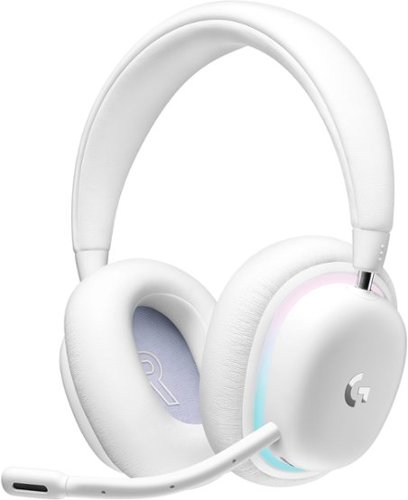
Play your way with G735 Wireless Gaming Headset from The Aurora Collection from Logitech G. Logitech Gaming Headset intentionally designed to maximize comfort for all players inclusive of smaller headsizes. Play, stream, or listen comfortably all-day, this computer headset features an adjustable headband, breathable materials, and cushy, rotatable cups. This headset is even designed with glasses and small earrings in mind, so no more pinched ears. Long-lasting, this gaming wireless headset allows you to take your gaming to go (and bring the fun with you) with up to 16+ hrs of wireless playtime (at 50% volume with lighting on, 56 hrs at 50% volume with lighting off) and multi-platform connectivity.
Customer Rating

5
Comfy, great audio and wireless convenience!
on September 8, 2022
Posted by: JamexRZ
I like these wireless headphones a lot. To start the plain white is super nice. They have RGB lighting, however it's a very subtle ring and not obnoxious. They include a detachable mic, a USB wireless dongle (with their lightspeed tech), and charging cable (its USB Type C, and has an adaptor for type A, so you can use the charging cable also as an extension cable for the dongle so you have better reception). The headphones themselves have lots of buttons on each ear cup for volume (it's a rocker, and I like it has a click with each volume adjustment, adding tactility to your volume changes), to switch between modes (you can use their wireless dongle for ultra low latency, or you can hook them up via bluetooth to your phone in example to listen music!).
The earcups are very comfy and very well padded, feel like a faux leather. I wear glasses and they were very soft and comfy. The top of the headband is padded and comfy too, but not as padded as the earcups, I did feel a little pressure on the top of my head, but only after a long gaming session (I should have had a break).
They are very customizable, on the PC you download Logitech's G-hub software and you can control pretty much every aspect of the headphones (rgb, sound modes, eq, etc). I use Dolby atmos via the windows access app and they sound great, I could pinpoint sounds very easily. Sound quality is superb, as always Logitech never disappoints, highly recommend them!!
I would recommend this to a friend!


Share this review:


0points
0of 0voted this as helpful.

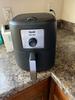
Dinner~s ready on the double with this Bella Pro Series 4.2-qt. Analog Air Fryer. Equipped with a powerful heating system and circular heat technology, enjoy crisp and evenly-cooked food in no time. And with a sleek design and matte finish in a compact footprint, it~s the perfect addition to apartments, small kitchens, dorm rooms, and more.
Customer Rating
5
Simple to use and healthy frying!
on August 31, 2022
Posted by: JamexRZ
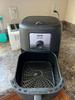
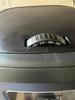
Very simple to use and great air fryer. I love how simple to use it is. It doesn't have any screen or buttons to push, just a simple dial for time and also a simple dial for the desired temperature. Simple as that. It has plenty of space (4.2 qts) for me. I was able to fit lots of frozen french fries (I highly recommend these, you can buy them at any grocery store) and they came out amazing and since they already have a little of oil on them, I didn't need to add any. I also fried chicken breasts and 3 big ones fit in it without any problem.
You can practically fry anything you would with regular oil on this air fryer. Just remember to rub a little bit of oil to whatever you are frying (I highly recommend those oil spray cans, as its much simple to spray your food with them), as food still needs a tiny bit of oil to not come completely dry. You will still be frying with so much less oil, that its healthier than frying on a pan.
After using it, it was easy to wash it by hand. I have not tried washing it on a washing machine, since I prefer doing so by hand so it will last me longer. Removing the frying grill was easy and all the grease washed away easy (it does have some anti-stick coating that helps).
If you want to still enjoy fried foods, but in a healthier way, I highly recommend this fryer!
You can practically fry anything you would with regular oil on this air fryer. Just remember to rub a little bit of oil to whatever you are frying (I highly recommend those oil spray cans, as its much simple to spray your food with them), as food still needs a tiny bit of oil to not come completely dry. You will still be frying with so much less oil, that its healthier than frying on a pan.
After using it, it was easy to wash it by hand. I have not tried washing it on a washing machine, since I prefer doing so by hand so it will last me longer. Removing the frying grill was easy and all the grease washed away easy (it does have some anti-stick coating that helps).
If you want to still enjoy fried foods, but in a healthier way, I highly recommend this fryer!
I would recommend this to a friend!

Share this review:


+3points
3of 3voted this as helpful.

Business capabilities with up to 5,000 monochrome pages of prefilled toner and an ultra-low cost per page. All in one Printer. Pre-filled with up to 2 years of Original HP Toner. The HP Toner Tank System makes it easy to refill delivering the lowest cost per page in black and white.
Posted by: JamexRZ
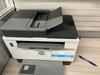
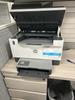
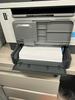
Great laser printer. I'm amazed and the print quality, super inky blacks! Setting it up was easy using HP's Smart software and following the on screen prompts. I have setup mine on with my router on my network so I can print from all my devices (they do include a usb cable btw). They include a toner that should last for a long time. The printer accepts tons of paper on the paper tray (around 200 pages or more, I put a huge stack and it took it no problem).
Coming from inkjet printers, I am amazed at how fast it prints (HP says around 23 pages per min, and it definitly shows!). The quality of the blacks is great (I you have ever been on an office an somoeone printed you a page and it looked super clear and the blacks were super inky, they probably did it on a laser printer). This printer will save you tons of money on the tonner. I was gladly surprised to see how cheap they are compared to ink tanks! HP sells then on a regular variety and also on a High yeld one (one should be for 2500 pages, the other for around 5000 pages). The software will tell you toner level, however I also like that they put a little indicator on the front that tells you where you are at your toner level, so you know when to be prepared and buy a new toner replacement. Oh, and you can save on paper, because it supports automatic duplex sided printing (you can tell it to print on both sides of the pages and it will do it automatically!). The only con is that it does not do that for scanning documents (scanning both sides, you will have to feed the paper again on the tray flipping it over manually).
Regarding the other functions, like scan and copy, I love that it has tray (can fit up to 40 pages), so you don't have to open it up to scan or copy documents, you just put then in the tray and it will automatically feed itself.
I highly recommend this printer for SOHO or even at home, if you don't care about printing in color and you just want fast and great quality deep blacks!
Coming from inkjet printers, I am amazed at how fast it prints (HP says around 23 pages per min, and it definitly shows!). The quality of the blacks is great (I you have ever been on an office an somoeone printed you a page and it looked super clear and the blacks were super inky, they probably did it on a laser printer). This printer will save you tons of money on the tonner. I was gladly surprised to see how cheap they are compared to ink tanks! HP sells then on a regular variety and also on a High yeld one (one should be for 2500 pages, the other for around 5000 pages). The software will tell you toner level, however I also like that they put a little indicator on the front that tells you where you are at your toner level, so you know when to be prepared and buy a new toner replacement. Oh, and you can save on paper, because it supports automatic duplex sided printing (you can tell it to print on both sides of the pages and it will do it automatically!). The only con is that it does not do that for scanning documents (scanning both sides, you will have to feed the paper again on the tray flipping it over manually).
Regarding the other functions, like scan and copy, I love that it has tray (can fit up to 40 pages), so you don't have to open it up to scan or copy documents, you just put then in the tray and it will automatically feed itself.
I highly recommend this printer for SOHO or even at home, if you don't care about printing in color and you just want fast and great quality deep blacks!
I would recommend this to a friend!
Share this review:


+2points
2of 2voted this as helpful.

Brother - MFC-J1010DW Wireless Color All-in-One Refresh Subscription Eligible Inkjet Printer - Black
The affordable Brother MFC-J1010DW is the perfect color inkjet all-in-one printer for your home, home office or small office including robust features and business-centric functionality not normally found in similarly priced inkjet printers. The MFC-J1010DW is easy to connect along with being compact and economical, perfect for small spaces and budgets. This wireless printer has multiple flexible connection options, including a built-in wireless(2) interface for sharing with multiple users on your network, WiFi Direct or connect locally to a single computer via a USB interface. Experience high quality, reliable printing, copying, scanning and faxing plus wireless printing from your desktop, laptop, smartphone or tablet.(2) The 1.8~ color display lets you easily navigate on screen menus. Featuring the Brother Mobile Connect(3) App, a user-friendly interface that gives you the freedom to print and manage your printer from virtually anywhere. The MFC-J1010DW also features the Brother Page Gauge(4) which estimates remaining page levels, so you always know how much ink is left. Use the 20-page capacity automatic document feeder or the 150-sheet capacity adjustable paper tray for generous output without constant monitoring. Two-sided (duplex) printing helps save paper, while mobile device printing(2) and Cloud connectivity let you print-from and scan-to popular Cloud services(5) directly from the device.
Customer Rating
5
Easy to setup and good performance!
on August 18, 2022
Posted by: JamexRZ
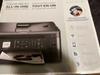
Great printer. I must say was surprised by the weight of the box, it's a tad heavy, and shows as the printer is sturdy and feels very well built. Setup was easy and they include a starting set of ink (black and all colors), a telephone cord (for the fax function), a manual and power cable. The set of inks are the basic ones, but they mention they also sell them in "high capacity" tanks. A USB cable was not included, so you either provide your own or set up the printer as wireless (which you should). I love that the ink tanks are inserted on the front, the printer has its own little flap/door to insert them. Most other printers you have to lift up the scanner bed to access the ink tanks, not this one, its a separate door on the front, very convenient!! Once I inserted the inks, the manual suggests you print a test page and you should also print the head alignment. I did perform this just in case (it prints a head alignment page and then you scan it with the flatbed scanner and the printer will tweak the printer heads).
Setting up the wireless connection was easy, I downloaded Brother's software from their website and following and setting it up was easy. Print quality was good and fast enough for me. I love that the printer can print pages on both sides automatically without any intervention (I love this feature, helps save so much on paper and trees of course!). You can scan from the flatbed or the paper feeder. The LCD screen was big enough and clear to see. I have not tried the FAX function yet, but I'm pretty sure its just your standard FAX. I also love the page gauge feature, it will tell you how much ink you've used and how much you have worth in pages. I will be buying their high capacity tanks once the included tanks ran out (you can also subscribe to their auto ink refill service, that's optional).
Highly recommend this printer for home or a small office/home office, you will be saving money!!
I would recommend this to a friend!

Share this review:


+4points
5of 6voted this as helpful.
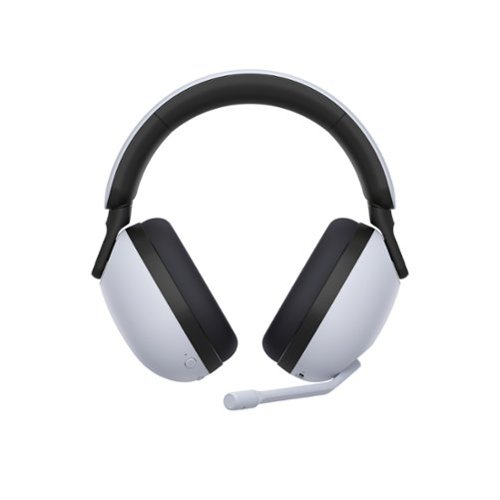
Hear them first. With 360 Spatial Sound for Gaming and our proven hardware technology, you can detect where your opponents are and how far away. Even players hiding in shadows or behind walls and obstacles, can~t stay hidden for long.
Customer Rating
5
Amazing quality and extremely comfy.
on August 14, 2022
Posted by: JamexRZ
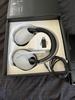
This gaming headphones are amazing. I must say, good job Sony. I have had many Sony gaming headphones in the past (mainly PS3 and PS4 headphones made by them), and these are by far, the most comfortable ones. I know lots of companies advertise "long gaming hours, comfortable etc", however after an hour or two of gaming you start to feel the pressure on your ears, your head and they are no longer comfortable unless you take a break. Not these ones, these are truly, the first pair of gaming headphones that feel completely comfortable to me, the padding on the ears and head is amazing, feels so soft and airy. I usually play Rainbow six siege for about 4 to 5 hours on one night on the weekends, and oh wow, never felt tiresome at all. The padding is so soft and silky and treat them with extremely care, as because of that, feels like you need to treat it with care, I don't know how long it will last, but I hope long.
The constructions is a white plastic, ala PS5, but feels well done, they include a type C USB charging cable (which should be the norm already), the USB dongle (about the size of a regular USB thumb drive, it has a switch on it to change from PC to PS5 mode) an the headphones themselves (would have been great if they included a carrying bag).
Setup on my PC was easy (of course, fully charge them first). The you just plug the USB receiver to any USB port and then turn on the headphones, they will auto pair. The you go to Sony's Inzone HUB website and download the latest version and it will recognize them. You can use them right there, but if you want to take advantage of their spatial audio, you must download their 360 audio setup app (the inzone hub will guide you) on your phone, then you login with your Sony account in the Inzone HUB (you can use your playstation account or create a new sony account), and then the software will direct you to the phone app. Once on the phone app you log in with the SAME account you used for the Inzone HUB pc software. It will guide you through the process of taking pictures of your ear lobes (very easy) and once its done, it will send that information to the PC software and all done. I guess it does the same thing as the PS5 for its tempest 3D audio that personalizes the 3D spatial audio according to your ear lobes shapes etc. I can't attest that the spatial audio works great and does not sound fake like many other solutions out there. I could hear sounds front, behind, above and below on Rainbow siege six, which is super important to pinpoint enemies.I didn't sound flat at all.
You can change many settings in the Inzone HUB PC software, like EQ (there are some presets, and you can customize them), mic sidetone, mic auto gain, dynamic range etc. Very complete software hub I must say. I only wish it would display the battery percentage (it only does a battery icon that changes, but does not say the percentage left, hope they update that), but so far I have gamed two days on one charge and the battery has been amazing and not gone down past half. Sony's claim of 40 hours maybe close!
Finally apart from controlling many things on the HUB, the headphones themselves have some on them. Like a power button, a chat/game level button and a volume rocker (I like that it has clicky steps, you can feel when you are upping and lowering the volume tacitly). Finally the mic can mute if you flip it up. Oh, and it has a bluetooth pairing button, yeah! Apart from using the USB receiver you can pair these with any bluetooth music device, like your phone and rock music or phone calls on them while gaming!
I highly recommend these for PC or PS5 gaming, Sony has outdone themselves (comparing them with previous pulse headsets, pulse 3d, golds etc), these are a step up!!
I would recommend this to a friend!




Share this review:


0points
0of 0voted this as helpful.

The Apex Pro Mini is the Incredibly fast Mini Keyboard, featuring OmniPoint 2.0 Adjustable HyperMagnetic Switches with Rapid Trigger, total adjustability of actuation points, and 2-in-1 Action Keys.
Customer Rating
5
Great quality and amazing programmable keys!
on August 5, 2022
Posted by: JamexRZ
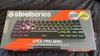
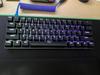
Great keyboard with so many features. Let's start with the size, its a 60% layout, I like smaller layouts as it saves tons of space on my desk (you still get most of the functions of a full sized keyboard, it's just that some keys have a dual function, printed on the side, you just press the steelseries logo key in combination with any of those other ones (like F row keys, insert, delete and even the arrow keys, only con is that those side legends are not RGB see through, so you must have a desk light to see them, unless you memorize them). I would have preferred a 65% which would include the arrow keys by themselves and other like delete or insert, but I'm just cherry picking.
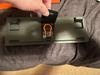
They include a nice braided USB type C cable and a key cap puller that hides beneath the keyboard with a rubber flap. I have my own aviator cable, so I'm not using the included cable, but its nice. The key caps are made of dual shot PBT plastic (finally a large gaming company including these! These have a nice texture you can feel and they will never get oily or shiny, like most other keycaps made of ABS plastic). They sound nice and there was little pinging on the keyboard. The switches are Steelseries own Omnipoint ones (these are 2nd gen though). They feel like a linear switch, however you can tune the actuation point in their GG engine software (which I found very easy to use and, most importantly, it does not take much resources, its very light, unlike other that hog your CPU). I live how customizable the switches are. You can either set the whole keyboard actuation points using the hotkey on the keyboard, or per key in their software. I have my WASD, crouch and spacebar keys to the lowest point for fast response when playing Rainbow six siege. I also love a function called "dual actuation", this one is a winner. You can set a key to perform a function in your game if you press lightly and if you press more another. In example, in rainbow six, I have my "C" key setup so if I press lightly my character will crouch, but if I press if hard, he will prone, amazing!! The RGB lighting is nice but not that bright, since these are PBT keycaps, I like that.
Great gaming keyboard if you want to save space on your desk and frag like a champ!
I would recommend this to a friend!


Share this review:


-2points
0of 2voted this as helpful.

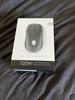
Blaze through battlefields with a competition-ready wireless gaming mouse with 26,000 DPI, a slimmed-down design and magnetic-snap fast-charging.
Posted by: JamexRZ
Great gaming mouse, came very well packed and all its accessories in a nice little plastic box inside the main box. Included was also a large and very soft USB cable, braided, kind of in a fabric material (USB type C to A). It took a little to figure out how to use it as it has some nice accessories in the above mentioned plastic box (a little wireless dongle, and magnetic charging adapter to type C usb and a Y type adapter 2-1). The way you do, is use the Y adapter to plug the wireless 2.4 Ghz receiver and the large USB cable on one end, then on the other end there will be some magnets, which easily attach to the little magnetic type C USB male adapter that goes on the mouse. So any time you want to charge it, you just clip that magnetic adapter to the Y one and it will start charging the mouse. First time I see this concoction, but its effective and fast for when you want to charge the mouse. Now, the mouse has 4 side buttons (two on each side) positioned symmetrically plus the main two ones (very clicky and sturdy feel), these are symmetrical to, so because of this, it can be considered an ambidextrous mouse (great for people that are lefties). There is an "alien" RGB logo around the area of the palm and it's not that large or on your face (if RGB lighting bothers you, but is fine for me). The mouse is super responsive and accurate (26000 DPI!!) and you can download Alienware's command center to further customize it. The main buttons feel super sturdy and a great tactile clicky feel (almost like a mechanical keyboard switch), maybe it's me that feels them that way, because my previous mouse was so mushy. The mouse wheel feels great too and very responsive. I can't say its made me a better gamer, but I can really feel when I'm clicking it and has never failed me. I highly recommend this mouse, and specially if you are a leftie and looking for a good mouse (I know most mouses are designed for right handed peeps, but this one is for both, not an easy find!).
I would recommend this to a friend!

Share this review:


0points
0of 0voted this as helpful.

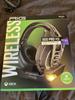
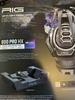
The critically acclaimed wireless RIG 800 Series is back in PRO form with an all-new base station. Designed for Xbox the RIG 800 PRO HX takes it to the next level with a new multi-function base station which provides wireless connection and seamless charging for the headset. The removable USB wireless adapter can also plug directly into your Xbox allowing the stand to be placed anywhere for headset charging convenience. Equipped with an impressive 60 hours of battery life in a single charge, the RIG 800 PRO HX delivers extreme wireless comfort in a lightweight design. Signature lightweight headband with self-adjusting head strap and dual-material ear cushions let you game in comfort for hours. Precision 40 mm drivers with bass enhancers are engineered to produce accurate 3D audio. Dolby Atmos for Headphones is included* so you can now react faster and more accurately detecting the precise distance and direction of your threats.
Customer Rating
5
Great sound and easy to use with an Xbox series X
on July 13, 2022
Posted by: JamexRZ
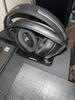
Great pair of gaming headphones. I love how comfy they are (the ear cups are kind of a plush memory foam) and they are ease to adjust for different head sizes, you just unclip each earcup and can be positioned 3 different ways, I figure it will fit most head sizes. The greatest convenience is the charging cradle. You just plug the USB dongle receiver to it and then a cable towards your Xbox (or PC) and you are done. You just rest the headphones on the cradle everytime you want to charge them, there is a light on the cradle that blinks to indicate when they are charging. One great feature, for me at least, is that I like using my Xbox Series X with my receiver and home theater speakers (for most single player games and media consumption). With another type/brand of headphones I had, where they only used a USB dongle, every time I would plug the USB wireless receiver the Xbox would switch to headphones automatically, and the only way for me to switch back to speakers (HDMI) output was to unplug the USB receiver (or got thru the Xbox settings and select the output), I know it sounds lazy, but it involved standing up every time and unplugging and replugging it (I only use headphones for competitive multiplayer games). Not with these! I was so relieved to see that anytime that I just took these headphones from the charging cable, the Xbox would switch to headphone output and every time I would return them to the cradle to charge, the Xbox would return back to HDMI/Speakers output automatically, so easy and convenient!!!!
The sound quality and bass are great with these and I love the mic mute feature when you move the mic upwards, so easy when you need to mute yourself. They also include a free copy of Dolby Atmos with these, you just download the Dolby Atmos app on your xbox and the app will recognize your headphones and enable its license (oh, and it works for both XBox and Windows, as long as you use the same account to login on both!). The headphones have a wheel for volume and also one to regulate your chat/game audio levels. Battery levels are great and I played a large session on the weekend (around 4 hours) and the battery never failed me. I highly recommend these!
I would recommend this to a friend!
Share this review:


0points
0of 0voted this as helpful.

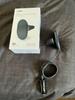
The Velox Wireless Air Vent mount is a magnetic phone mount with wireless fast charging for MagSafe-compatible iPhones. Just place your device against the Velox mount, and it will snap into place in perfect alignment for up to 7.5W of wireless power. The Velox Wireless Air Vent mount is easily installed by simply sliding the prongs onto the air vent blade, where silicone grips prevent it from slipping. The ball joint on the air vent mount allows you to adjust the cradle for an ideal and safe viewing position while you drive. The siliconized surface provides added grip to prevent your phone from slipping, while the aluminum housing efficiently dissipates heat. Now it's easier than ever to keep your phone powered up on the go. *ONLY compatible with MagSafe iPhone series and cases.
Posted by: JamexRZ
Great car mount and charger for magsafe enabled iPhone devices. It comes with al long cable with a USB port on one side and also a cigarette lighter power plug. I do with the cigarette lighter plug had a passthrough or a second usb out, as my car only has one plug and I have a dash cam. I had to buy one of those 1 to 2 adapters on the autocare store, so keep that in mind if your car only has one cigarette lighter plug.
The air vent mount is good and they use some sort of soft rubber, so it will not scratch your cars plastics. The air vent mount is not that large, so bare that in mind if your car has some sort of round or recessed air vents, it may be difficult to mount onto. I have two cars and it did not work on one of them as it's one of those small sporty cars that has rounded air vents, and they are kind of recessed. It did work on my other car that has flatter squared air vents, so keep that in mind, as this kit does not include any alternative ways (like suction cups or so), it's only thru air vents.
Once installed, the magnet is strong and holds my iPhone 13 just fine, even with a case on it and it charges it fine. Highly recommend it if you use your phone for navigation or music, so you won't kill the battery that fast!
I would recommend this to a friend!
Share this review:


-1point
0of 1voted this as helpful.
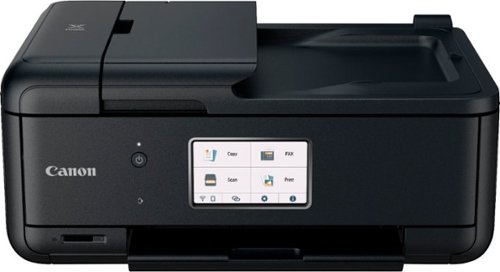
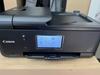
When you need a compact home office printer that can handle all your work needs, the PIXMA TR8620a has you covered. With front and rear paper feeding, a 5-Individual Ink System, 4.3~ LCD Touchscreen, and impressive wired and wireless5 connectivity options, you~ll be able to do it all. The PIXMA TR8620a can easily transition from scanning a multi-page contract with the built-in Auto Document Feeder to printing double-sided homework assignments from online classrooms systems, or a family photo wirelessly from your smartphone. Whether it~s printing documents and reports, or faxing and scanning, the PIXMA TR8620a is the ultimate compact home office printer that~s big on performance and productivity.
Posted by: JamexRZ
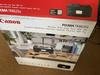
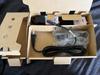
Great printer for home or a SOHO. They include all the necessary ink tanks to get started and even include some free glossy photo paper. They include a small booklet with clear instructions on how to set it up. It was easy, first remove all the protective orange tap keeping everything in place, then turn it on and then flip up the scanner bed to open access to the ink receptacle, then you install one ink tank at the time. This printer in particular includes the regular seen CMY colors, but also TWO black ink tanks. Once is bigger and it's a special black pigment, which allows this printer to print more defined and clear blacks (either on text or photos), very impressive. Then comes connecting the printer either to your local network or directly to your PC (or smartphone). I decided to connect it to my local network (router) so any device could print to it in my place. I followed the instructions and downloaded its software onto my PC. Unfortunately the software was unable to find the printer. I think it may have been that my PC was connected to my router via an ethernet cable and since the printer uses Wifi, that may have been the reason why it could not find it, but not sure. I then had to tell the software to use an alternate method and it was ease, the software guided me how to connect the printer manually to my router using its big touch screen (its big, around 4 inches, so its easy to navigate and the touch is very responsive). I was able to find my network there and enter my networks credentials. Once the printer connected to my router the software was finally able to find it and the setup finished, adding the PC to my list of printers on my PC. Now I can print wirelessly to it from my PC.
The printer will print a piece of paper on the initial setup and ask you to place it on the scanner so it will align the printer heads for maximum quality. Then I was onto printing. Its not the fastest printer out there, however I was impressed by the quality, specially the blacks and documents. Having that extra black pigment tank is special.
It also has a fax function if you need it and the scanner can scan (or copy) documents using either the flat bed or the paper feeding function. One con is that it does not have a duplex function (where in example if you want to scan a document on both sides, it will scan both sides automatically, with this printer you have to manually flip the paper either on the flat bed or the feeder for it to scan the other side of the paper). Just one minor thing, but can definitely save time on an office environment. I was looking also online for their ink tank replacements, and they are not that expensive, and even offer some extra capacity ones (like XL or XXL), that are a little more expensive but may save money in the long run.
I would recommend this to a friend!


Share this review:


+11points
11of 11voted this as helpful.
JamexRZ's Review Comments
JamexRZ has not submitted comments on any reviews.
JamexRZ's Questions
JamexRZ has not submitted any questions.
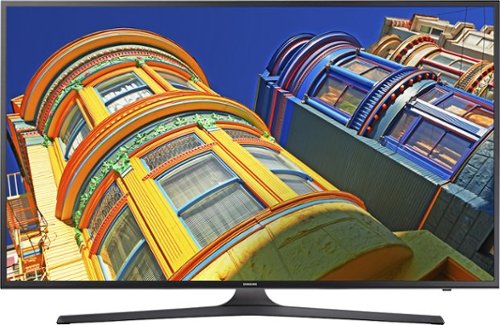
Enjoy movies, television and music with this Samsung LED smart television. Built-in Wi-Fi lets you connect to your home network to share pictures from devices with the whole family or stream content from apps such as Netflix. This Samsung LED smart television delivers 4k UHD picture for bright colors and crisp imaging.
Does this Model have web browser?
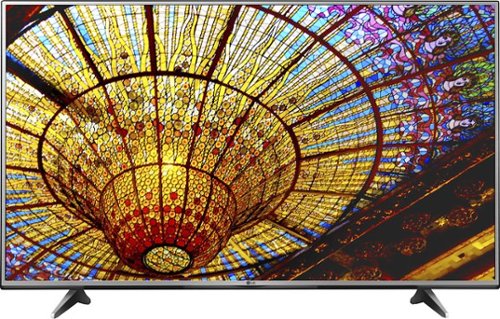
Take your television viewing to new heights with this LG 55-inch Smart television, which lets you enjoy both basic cable and streaming television services. Ultra Luminance technology offers complete control over brightness and contrast. With four times the resolution of regular full HD TVs this LG 55-inch Smart television immerses you in the action of sports and film.
Does this come with the sling tv app pre installed? If not can it be installed?
Take your television viewing to new heights with this LG 55-inch Smart television, which lets you enjoy both basic cable and streaming television services. Ultra Luminance technology offers complete control over brightness and contrast. With four times the resolution of regular full HD TVs this LG 55-inch Smart television immerses you in the action of sports and film.