


JamexRZ's stats
- Review count393
- Helpfulness votes1,220
- First reviewJune 26, 2016
- Last reviewJune 11, 2026
- Featured reviews0
- Average rating4.9
Reviews comments
- Review comment count0
- Helpfulness votes0
- First review commentNone
- Last review commentNone
- Featured review comments0
Questions
- Question count0
- Helpfulness votes0
- First questionNone
- Last questionNone
- Featured questions0
- Answer count13
- Helpfulness votes18
- First answerJune 26, 2016
- Last answerJuly 27, 2020
- Featured answers0
- Best answers3

Clean up messes in record time with this Hoover ONEPWR Blade+ cordless vacuum kit. Built-in headlights help you spot debris, and the Multi-Surface brush roll easily lifts dirt off most surfaces. Featuring DustVault technology, this Hoover ONEPWR Blade+ removes up to 99 percent of dust and debris without losing suction.
Posted by: JamexRZ
from Salt Lake City, UT
Great wireless vacuum. It sucks dirt, hair etc very strong and its very lightweight. It was easy to assemble. I like that the head rotates allowing you to reach many corners. It comes with a wall stand (you must drill). I wish the main tube would fold so one can save on space but its okay. The battery is small and the good thing is they sell them as just one model, one battery fits all their product line. Mine came with no charge, but I charged it fully with the included charger. It charged very quickly. I then proceeded to vacuum my 2 bedroom apartment and it did wonderfully. It has a "carpet" mode, which enables also the front spinning wheel. It also has an "eco" mode that I guess saves battery but sucks slower. I was able to vacuum my whole place in one charge, but that depleted the battery. I don't know if its because the "vacuum" mode uses more power or not. I'm sure I fully charged it because the indicator lights showed full. If that's the case, I would recommend to have an extra battery at hand if your place is bigger.
It has a strong front light allowing you to see the floor if lighting is a problem. What I love about this one in particular, is that the front spinning wheel, where all the hairs, fibers, usually accumulate; is easily removable, you unlock it and take the whole thing away for an easy cleaning!
Mobile Submission: False
I would recommend this to a friend!


Share this review:


+7points
7of 7voted this as helpful.
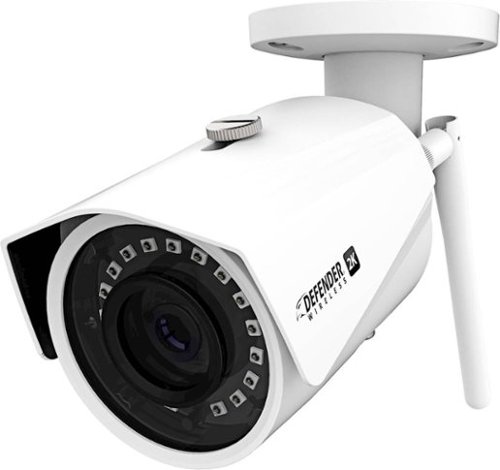
Watch over areas remotely with this Defender 2K Wireless IP security camera. The IP67-certified metal housing offers protection against inclement weather conditions, while the integrated app lets you watch footage live from a smartphone. This Defender 2K Wireless IP security camera uses 128-bit encryption to help secure the video feed.
Customer Rating

5
Great camera, a few caveats
on June 27, 2019
Posted by: JamexRZ
from Salt Lake City, UT
Great camera, it has a metal and sturdy construction. It comes with all the required hardware to mount it anywhere.
At first, it was difficult to set my wifi network, not matter what I did, it would not connect. Thankfully, this camera also has an Ethernet port. So I did the setup using an Ethernet cable, and from there I was able to setup my wifi network and then it would connect just fine.
Video quality is great and has night vision too. Does not require any paid subscriptions and it was nice to see they included a 16GB micro SD card for recordings.
Apart form the difficulty setting my wifi, also the micro SD card port cover uses just regular Phillips screws. Anyone with a screwdriver can go and steal your SD card. I would recommend to encrypt it (the app has this function) so your footage remains private, but would have been nice if the screws were of a more "non common type", like proprietary ones or maybe torx?
You can mount it anywhere, be it outdoors (has IP rating) or indoor to monitor what you would like. I'm using it indoors to monitor sensitive equipment. Great camera for the price!
Mobile Submission: False
I would recommend this to a friend!

Share this review:


0points
0of 0voted this as helpful.

Acer Nitro 5 Laptop: Experience immersive multimedia with this Acer Nitro 5 gaming laptop. The 8GB of RAM and Intel Core i5 processor support multitasking, and the 512GB solid-state drive offers quick data access and ample storage. This Acer Nitro 5 gaming laptop features an NVIDIA GeForce GTX 1650 graphics card that renders crystal-clear images on the 17.3-inch Full HD display.
Customer Rating
5
Great laptop for the price!
on June 27, 2019
Posted by: JamexRZ
from Salt Lake City, UT
Really good laptop, I liked the big 17' display with good viewing angles (ips) and thin bezels.
The keyboard is illuminated (red) and can be turned off if you would like that. The CPU is more than enough for games and the video card is a dedicated Nvidia GTX 1650 with 4gigs of ram. More than enough for games at 1080p and at medium/low settings and way better than any integrated graphics. The laptop has video out and several usb 3.0 ports and C.
The keyboard is illuminated (red) and can be turned off if you would like that. The CPU is more than enough for games and the video card is a dedicated Nvidia GTX 1650 with 4gigs of ram. More than enough for games at 1080p and at medium/low settings and way better than any integrated graphics. The laptop has video out and several usb 3.0 ports and C.
I searched Acer's website, and there was a bios update, if you would like to keep yours up to date (highly recommended). Also, to update Nvidia's drivers, you must choose their "DCH" version, if you try the regular ones, they won't install. It also has a nice piece of proprietary software to monitor your temps and speed of your fans. Sometimes it may not load, I found I had to launch the nvidia control panel first and then it would work normally.
Other than that, the only minus I found about this laptop is the poor accessibility when wanting to upgrade ram and/or hard drive. You must remove tons of screws, and then you must pry hard to open the bottom cover (I wanted to install a extra stick of ram). There is even a piece of paper that recommends not to add your own hard drive and better take it to an Acer center to do that or you may lose warranty???
Mobile Submission: False
I would recommend this to a friend!


Share this review:


+2points
2of 2voted this as helpful.

Stream HD broadcasts for free with this RCA indoor flat amplified HDTV antenna. Sleek and super thin, this powerful antenna offers excellent signal quality while seamlessly blending into your home decor. The multidirectional design of this RCA indoor flat amplified HDTV antenna needs no adjustment, leaving you free to enjoy your favorite programs.
Customer Rating
5
Strong signal and easy to find towers with app
on June 23, 2019
Posted by: JamexRZ
from Salt Lake City, UT
Great antenna for anyone that wants to tune in local channels and "cutting the cord". The RCA app makes it very easy to locate your local towers, that way you can position the antenna facing them to get the most channels with a strong signal.
I was able to use it to pick up most of my local channels and the included amplifier/filter definitely helps with boosting the signal, it also states will filter out interference from phone signals.
Installing the antenna was as easy as plugging it first to the amplifier, from there to the tv (they include a lengthy cord) and then plugging the amplifier to a power outlet.
Highly recommend it to anyone wanting to tune to local channels in HD!
Mobile Submission: False
I would recommend this to a friend!


Share this review:


+27points
27of 27voted this as helpful.
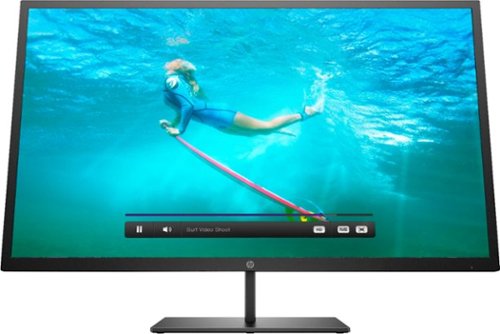
Multitask comfortably using this HP Pavilion 32-inch monitor. The QHD resolution provides immersive visuals for gaming and a spacious work space. Enjoy consistent clarity and color from multiple positions thanks to the 178-degree viewing angle. This HP Pavilion 32-inch monitor features an anti-glare panel for better visibility in bright conditions, while the Low Blue Light mode reduces eyestrain.
Customer Rating
5
Gorgeous image, fast display!
on June 20, 2019
Posted by: JamexRZ
from Salt Lake City, UT
This is a great display, colors are great and there is no ghosting at all!
I was greatly surprised it does support FreeSync, and you can enable it within the OSD. Also, once enabling it, the display supports 75Hz (had to select it on my video cards resolution options) without any hitches, as one can see on my pics!
The OSD is very comprehensive and has several options to tune the display to your liking. Installing it was easy, just attach the bottom foot (it also comes with a vesa adaptor).
This is a great display for those that want a higher resolution than 1080p, but without the computational cost of a full blown 4k. Games look gorgeous on it, and at 75 fps due the support of 75Hz and smooth as butter since it supports AMD's FreeSync! (it should also work with an Xbox one variable frame rate, but have not tested that as my xbox is down for repair).
Highly recommend it for both gamers and productivity users!!
Mobile Submission: False
I would recommend this to a friend!


Share this review:


+2points
5of 8voted this as helpful.
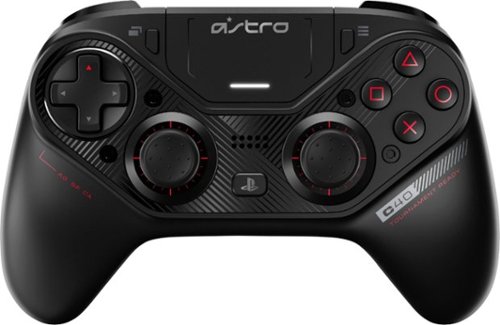
Take control of your gaming experience with this Logitech Astro USB controller. The highly durable construction is great for extended sessions, and the fully customizable layout lets you remap each button to mimic any console configuration. This Logitech Astro USB controller has extra-sensitive triggers that respond seamlessly without having to depress them fully.
Customer Rating
5
Excellent quality and fully customizable!
on June 1, 2019
Posted by: JamexRZ
from Salt Lake City, UT
Great quality, they feel premium on my hand, and I love the customization features!
I was able to swap the analog sticks, and set it up as an Xbox controller layout (offset), as I feel that is the best! (see my pics). I was worried on doing this I would have to remap the analog sticks and the D-pad, however the controller recognizes which is which and automatically mapped it all!
You must download Astro's software for the controller, as it allows you to update the firmware (plug the controller first, update the firmware, then unplug the controller, and plug only the wireless dongle, there is a firmware update for it too!)
Afterward you can configure each button, you can also choose the sensitivity of each, LED brightness, sound (yes, it also has a speaker as on the original Ps4 controller and has a jack to plug in headphones too).
Best controller hands on I have had. Only caveat on the PC is I can't seem to find a way to monitor my battery levels. The software doesn't tell you on the PC. Don't know if it does on the PS4, I will try that next.
I highly recommend it and it comes with a great and sturdy carrying case!!
Mobile Submission: False
I would recommend this to a friend!


Share this review:


+6points
6of 6voted this as helpful.
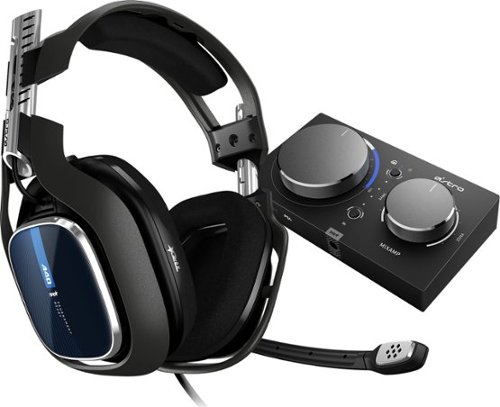
The ASTRO A40 TR Headset + MixAmp Pro TR for PS5, PS4, PC and Mac is the premier audio solution for esports athletes, content creators and streamers. It meets esports athletes~ rigorous standards for audio fidelity, comfort and durability. The MixAmp Pro TR features Dolby Audio processing and enables lag and interference-free delivery of game sound and voice communication. The A40 TR arrives as an open-back headset featuring a swappable precision mic and customizable Speaker Tags.
Customer Rating
5
Great quality and sound, PC USERS, FOLLOW MY TIPS!
on June 1, 2019
Posted by: JamexRZ
from Salt Lake City, UT
Great headset, the build quality is superb and they produce great and clear sound. Voice over mic is clear too! Install was easy on my PC. Plug the mixamp via USB, then the headset to it. It was recognized. Then, download the Astro command center FROM THE WINDOWS APP STORE (not the one from Astro's website, or you will have problems). There was a firmware update, and the I was ready to go. It comes with 4 equalizer presets, which one can modify. The volume and chat balance dials feel sturdy and made with great quality, I'm loving this setup and its helping me improve my sound positioning in Rainbow six Siege, which is vital!
They were a little bit stiff out of the box, but after a 30 min gaming session, they became way comfier and no problems with my glasses.
The sound quality and the surround sound is superb, as long as you follow my tips bellow, for PC users.
@@@PC USERS TIPS@@@
1-Download the Astro command center from the WINDOWS APP STORE, not from Astro's web, only the Windows app store version works ok with this gen 4 device.
2- The included Dolby audio surround on the Mixamp is only for the PS 4 (or if you output dolby digital live from your PC's sound card, in short, its only for when the mixamp is receiving audio via optical port), don't use it if you have the MIXAMP via USB!, how to bellow.
3- In order to correctly get surround sound on a PC via a USB connection, you must set the MIXAMP TO PASSTHROUGH MODE, THAT IS THE STAR ON THE FIRST BUTTON TO THE TOP.
Then:
Then:
Head to the Windows Settings > System > Sound > Sound Control Panel on the right hand side.
Under the playback devices, right click on the ASTRO MixAmp Pro Game and select Properties.
Select Spatial Sound. Change the Spatial Sound Format to either Windows Sonic for Headphones or Dolby Atmos for Headphones and enable the turn on 7.1 virtual surround sound.
This is straight from the horses mouth, Astro. Unfortunately they failed to put this on their manual, but their reddit community is very active and I got this directly from an Astro rep. This is how they recommend it to be plugged in a PC via USB, otherwise if you enable the dolby audio on the mixamp all you will get is reverberation and echo but not truly positional surround sound.
Also, if they wanted the above, they should have included a code for the Dolby Atmos purchase on windows, but its not that expensive, $15, but for the price of the headset, I feel a free code should have been included.
I hope this helps PC users, if you follow the above, you will get great surround quality sound!
PS4 users, can use the included Dolby on the mixamp, as it works fine with dolby via optical.
Mobile Submission: False
I would recommend this to a friend!


Share this review:


+45points
47of 49voted this as helpful.
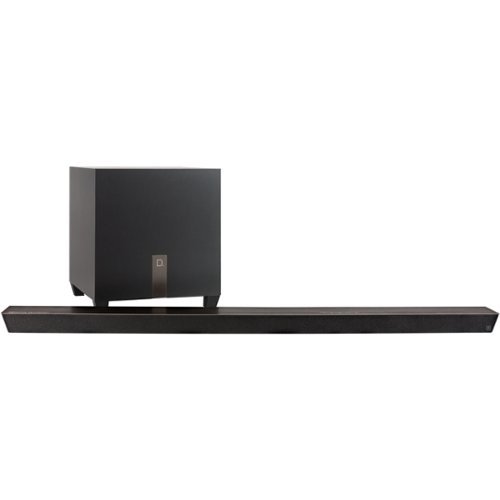
Watch TV with theater-style sound or enjoy high-quality music with this 3.1-channel Definitive Technology soundbar. It's only 1.75 inches thick so it blends discreetly into your home environment, and the 8-inch wireless subwoofer adds tight bass to extend the system's audio frequency range. This Definitive Technology sound bar includes Chromecast for streaming music or video over Wi-Fi.
Posted by: JamexRZ
from Salt Lake City, UT
My biggest gripe with flat tv's is their puny sound and poor voice clarity. With this soundbar, all that is gone! I can finally hear all dialogues clearly and without the need of activating subtitles! Setup was easy, plugin the sound bar to power, connect HDMI cable, preferably to the ARC hdmi input on the tv (to be able to return audio) then connect the wireless subwoofer. The google home app is required to setup the system and its easy and upgrades the bar's software too. After that, via HDMI CEC, I can control the bar just with my TV's remote. The included remote has some extra controls, like music and movie preset. You can also tune the bass, from the box its not that much and the bar focuses more on the clarity of the dialogue, but you can tune the bass to your liking (by the way, the wireless subwoofer pairs itself to the system, so I didn't need to do anything).
I highly recommend this bar for anyone that likes great sound (the simulated surround is ok, as its a 3.1 system), but the dialogue clarity is superb!!
Mobile Submission: False
I would recommend this to a friend!


Share this review:


+7points
7of 7voted this as helpful.
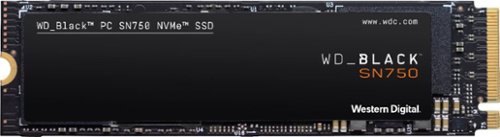
Upgrade compatible PC systems with the WD_Black SN750 internal SSD. Read speeds of up to 3,470MB/s offer improved load times, while the M.2 form factor means you can directly plug into the motherboard without extra cabling. Compared to typical 2.5-inch SSDs, this WD_Black SSD fits double the storage density on a single-sided drive, making it suitable for portable builds.
Posted by: JamexRZ
from Salt Lake City, UT
Great NVME drive, its actually as fast as advertised. I ran a Crystal disk benchmark and you can see the pics. I actually bought a heatsink for it since I have an SLI setup and the drive is under both video cards, it would have cooked there, and when NVME drives are hot, they throttle down. Western digital also sells a version with a heat sink if you need it.
Western digital has an app where you can upgrade firmware, monitor the drive's health and enable "gaming mode" which turns off any power savings for maximum performance (I found I didn't need to, as the drive is already super fast!.
Mobile Submission: False
I would recommend this to a friend!


Share this review:


+2points
2of 2voted this as helpful.
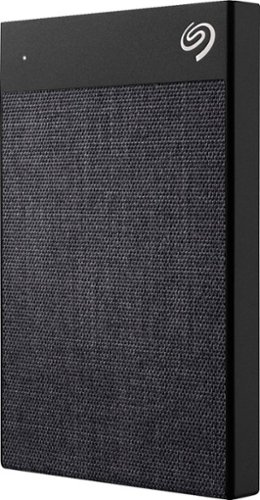
Make copies of important data with this Seagate Backup Plus portable drive. The Type-C connector supports USB 2.0 and USB 3.0 for compatibility with old devices and prompt data transfer. This plug-and-play Seagate Backup Plus portable drive stores up to 1TB of data and has 256-AES hardware encryption to secure valuable files against unauthorized access.
Posted by: JamexRZ
from Salt Lake City, UT
Drive is sleek and small. Around a 2.5" laptop drive. Has a fabric texture. It comes with a free and easy backup solution from Seagate. You can select to make continuous backups, scheduled ones or a mirror drive if you wish. It also has a couple of free apps (Mylo and one from Adobe), to organize photos. The included cable was super short, so it seems this drive is more geared towards laptop users as the drive can be just plug next to the laptop. Oh, and its a mechanical drive (no ssd). Its very quit and I can barely hear it spinning. I highly recommend it as a you never know when one will need a backup!
Mobile Submission: False
I would recommend this to a friend!


Share this review:


+1point
1of 1voted this as helpful.
JamexRZ's Review Comments
JamexRZ has not submitted comments on any reviews.
JamexRZ's Questions
JamexRZ has not submitted any questions.
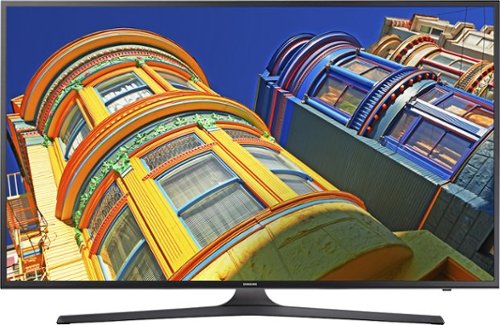
Enjoy movies, television and music with this Samsung LED smart television. Built-in Wi-Fi lets you connect to your home network to share pictures from devices with the whole family or stream content from apps such as Netflix. This Samsung LED smart television delivers 4k UHD picture for bright colors and crisp imaging.
Does this Model have web browser?
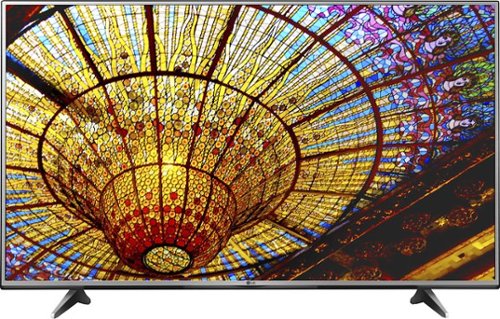
Take your television viewing to new heights with this LG 55-inch Smart television, which lets you enjoy both basic cable and streaming television services. Ultra Luminance technology offers complete control over brightness and contrast. With four times the resolution of regular full HD TVs this LG 55-inch Smart television immerses you in the action of sports and film.
Does this come with the sling tv app pre installed? If not can it be installed?
Take your television viewing to new heights with this LG 55-inch Smart television, which lets you enjoy both basic cable and streaming television services. Ultra Luminance technology offers complete control over brightness and contrast. With four times the resolution of regular full HD TVs this LG 55-inch Smart television immerses you in the action of sports and film.