


JamexRZ's stats
- Review count393
- Helpfulness votes1,220
- First reviewJune 26, 2016
- Last reviewJune 11, 2026
- Featured reviews0
- Average rating4.9
Reviews comments
- Review comment count0
- Helpfulness votes0
- First review commentNone
- Last review commentNone
- Featured review comments0
Questions
- Question count0
- Helpfulness votes0
- First questionNone
- Last questionNone
- Featured questions0
- Answer count13
- Helpfulness votes18
- First answerJune 26, 2016
- Last answerJuly 27, 2020
- Featured answers0
- Best answers3
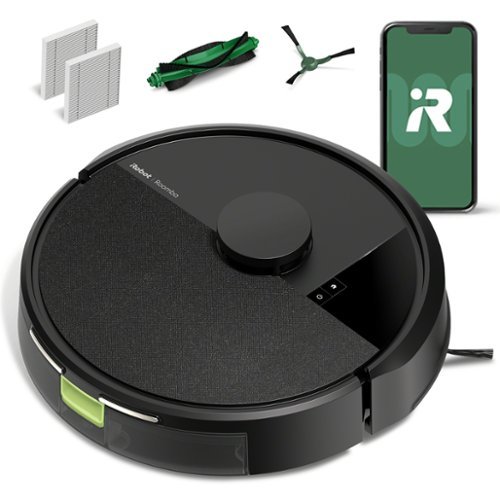
The Roomba 105 Vac Robot Vacuum is made for every kind of dry floor-cleaning task. The 3-stage cleaning system delivers high-performance cleaning by combining 70X more intense power-lifting suction*, an edge-sweeping brush that cleans 20% better*, and a multi-surface brush to pick up all kinds of dirt. ClearView LiDAR quickly maps your home for precise coverage. Tap the app, push the robot's buttons or ask your preferred voice assistant** for an on-demand clean.
Customer Rating

5
Cleans well, and easy to use.
on July 11, 2025
Posted by: JamexRZ
Real nice robot vacuum. I've had these in the past and though the technology was not there yet as they would constantly crash against things, would not go over carpet etc. Not his guy! I was surprised to see its able to map your place using Lidar.
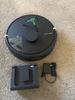
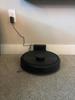
Upon starting it, and charging it for a while (more on this later), I was able to get it started with their app. You connect it to your Wi-Fi (only 2.4 Ghz unfortunately, so if you have a crowded 2.4 Ghz network, beware of this, I won't do 5 Ghz or newer Wi-Fi bands) and then it was a firmware update. After that, it mapped my whole place using its Lidar. I kind of builds an image/map of your whole place. Once done, I was able to have it clean my place. The app is well done and you can setup schedules, tell it to avoid certain areas and the strength of the vacuuming. I was surprised how good it was on carpet and hardwood. It was good at avoiding things on its way (compared to my past experiences with this vacuum robots). The only problem it had was with a couple of small rugs I have on my bathroom and kitchen, being so small it cramped them and didn't go over them. I would guess not entirely its fault as those rugs are so small that move with just a small push. The dust reservoir must be emptied regularly manually as this guy doesn't have an automatic dust collector on its charging base (only charging). Highly recommend it, specially since for the price this little guy has Lidar mapping!
I would recommend this to a friend!



Share this review:


+1point
1of 1voted this as helpful.
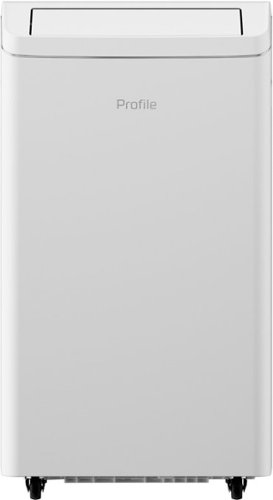
Experience Superior Cooling with GE~s 10,000 BTU Dual-Hose Portable Air Conditioner. Upgrade your home~s comfort with GE~s 10,000 BTU Dual-Hose Portable Air Conditioner, designed to cool rooms up to 450 sq. ft. faster and more efficiently. The dual-hose system ensures powerful, consistent cooling, while advanced inverter technology delivers more energy savings by adjusting power to maintain your ideal temperature. As the quietest portable AC brand*, GE provides powerful cooling without disrupting your peace, making it perfect for bedrooms, nurseries, and workspaces. This versatile 3-in-1 unit offers cooling, fan, and dehumidifier modes, ensuring year-round convenience. Plus, with built-in Wi-Fi and geolocation technology, you can control and monitor your AC from anywhere with the SmartHQ app. The AC even adjusts automatically as you approach or leave home. Enjoy hassle-free operation with features like auto evaporation, which eliminates excess water, and auto restart, which resumes cooling after a power outage. Digital LED controls and a remote make adjusting settings easy, and the easy-glide wheels allow for effortless mobility. Installation is quick with the included no-cut window kit, and the washable filter ensures optimal performance. Auto louvers distribute air evenly, while Continuous Fan Mode keeps the room cool with constant airflow.
Customer Rating
5
Quiet, cool and and with tons of features.
on July 10, 2025
Posted by: JamexRZ
Hands down the best portable AC I have gotten. It super welt built and I was surprised at how heavy it is (I needed help to move the box). Thankfully, once out, the unit itself has roller wheels to move it around (they were good enough over hardwood floor, but once I got to my room with carpet, it needed some more effort to roll it around carpet).
It comes with all the necessary stuff to install it to any window, either vertical or horizontal ones. Mine is an horizontal sliding one, so window ACs were out of the question. This one allowed me to install it on it on my room where I work (my home has an evap cooler, but my room does require an AC unit since I close my door when working from home). Installing it was easy and I was happy to see it has a dual hose system. If you didn't know this, most cheap portable AC units only have one hose to throw out hot air, and they recirculate your inside air. Not this guy, having two hoses allows it to throw out hot air and also pull in fresh outside air, this is the best. Also another difference with cheaper units, is this one has an inverter, making it more efficient and quieter. Due this, it can adjust the compressor's speed based on need (cheaper non inverter units either run it only at full speed or not). This guy was quieter than any other AC I have used in the past. Granted its not completely silent you will know when its kicking on, but if you have had noisy ones in the past, you will definitely feel the difference.
Operating it was easy too, they provide a nice remote control with a huge LCD backlit display (only the display is backlit, I wish the buttons were too, but they are not). If you hook the unit to your Wi-fi network, it can also be operated via their app. I'm mostly using it that way. You can can even set schedules on the app. The AC has several modes and the best one for me is the sleep/silent mode. It will slowly slow down increasing temp slowly (since ambient temp goes down at night), while still cooling but making less noise to let me sleep good. The cool air exhaust has some motorized louvers that open and close when you turn it on or off.
Now, there is one thing to keep in mind, since these units are not window mounted, they don't have a way to dump away any water condensation, so you have to throw away some water from time to time when the reservoir gets full. However this unit has an evaporator built in, so that should not happen that often. I have been using it for a while and I have not need to throw water away so far. It has a hose included to make it easy to drain it when needed, if any. It has a built in dehumidifier too.
If you are looking for an efficient, quiet and easy to operate portable unit, get this one!
I would recommend this to a friend!





Share this review:


+1point
1of 1voted this as helpful.

The TUF Gaming A16 is built for resilience, delivering powerful performance in any environment. Equipped with Windows 11 Home and Microsoft Copilot, it features an AMD Ryzen AI 9 270 processor and an NVIDIA GeForce RTX 5070 Laptop GPU, ensuring seamless gameplay and multitasking. With 32GB of DDR5 RAM and a 1TB PCIe Gen 4.0 SSD, load times remain lightning-fast. Designed for durability, the laptop meets military-grade standards while maintaining a sleek, understated aesthetic with the TUF logo. Its 16-inch, 165Hz display with a 16:10 aspect ratio delivers immersive gaming visuals, while 2nd Gen Arc Flow Fans, a full-width heatsink, and integrated dust filters keep performance cool and efficient. Dolby Atmos and Hi-Res audio provide rich, distortion-free sound, keeping distractions at bay so gamers can stay focused on the action.
Customer Rating
5
Amazing portable performance
on July 10, 2025
Posted by: JamexRZ
Hands down the best laptop I've had. In the past, I had the idea that the TUF line from Asus was a cheap one with a lot a cut corners for pricing. Not anymore, I recently have had the chance to use their other PC parts (like motherboard and video card) and I was greatly surprised by the quality for the price, they really are "TUF". Having that in mind, this laptop did not disappoint me.
It came nicely tucked in a briefcase style cardboard box. Inside was the laptop and a large AC brick adapter and power cable.
Upon turning the laptop on, I went through the steps of signing on my Windows account and there were some OS updates. After that I was on the desktop screen. I first browsed around to see if there were some bloatware installed around. I saw their Armory crate and MyAsus software (this one lets you update drivers, bios, register etc). I was worried, as in the past I loathed their Armory Crate one for being resource heavy, however I was pleasantly surprised to see they have worked on it since I last saw it long time ago. It felt quick and not bloated. I was just "to the point". It let me monitor temps, fan speeds and change them. Also control their RGB. On this last point, the RGB backlit keyboard is gorgeous. It feels super nice and responsive, it appears their are using some type of gasket or something akin to it like desktop mechanical keyboards (granted they keycaps themselves are still the clichet type, just fyi). The WASD keys are more transparent, kind of making clear their intent (aka, gaming!).
The screen is great and the refresh rate is fast and also supports variable refresh rate, in the form of G-sysnc, this is great as being a laptop style GPU not all games are going to run at the full 165hz, so if there are any dips in the framerate, they would not be as harsh as a fixed refresh rate display.
The CPU is a laptop style AMD Ryzen one, although it has the "9" suffix, its not like the desktop counterparts (9 series on desktops are either 12 or 16 cores, with a wimpy integrated GPU). This one is a 8 core 16 threads one and has good integrated GPU (780M), thus being more like an APU plus it has a NPU too for Ai tasks. This integrated GPU runs the desktop and you can make it run also low power games (like indie games, or games that not require that much power). However, the laptop has a discrete laptop version of the nVidia RTX 5070 GPU with 8GB of video ram. With nVidia optimus and the OS being aware of it, it should switch automatically to it when you are running demanding games (you can choose this manually too). The nVidia GPU is great and ran most single player games at maxed out settings, however with the help of upscaling (Nvidia's DLSS 4 is like black magic). I was running Doom the Dark Ages, Alan wake 2 and Silent hill 2 remake all maxed out even with ray tracing on (but with DLSS) and frame rates were around 60fps and above.
The laptop stayed cool on my plugged on AC power gaming sessions and you can definitely tell when the fans ramp up, but they were not annoying or anything. I did not test the sound on games because I use a headphones, but it supports Dolby atmos just fine and the speakers sounded good when watching some youtube videos.
Battery life was great and I used it through the day with just some light gaming, but definitely if you want to game at max performance, plug it in. It also has plenty of USB ports and more importantly for me an HDMI port so I can take it to my room and game on my big screen TV. It worked good this way too. I also liked you can upgrade the storage and ram in the future since it has an extra nvme slot and the RAM is replaceable.
If you are looking for a laptop with amazing performance and very well built, this is the one. I can play any modern game out there at full settings no problem (with DLSS)!!!!
I would recommend this to a friend!





Share this review:


+4points
4of 4voted this as helpful.
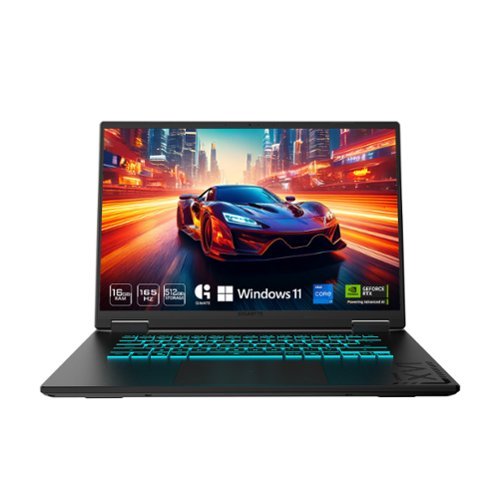
The GIGABYTE GAMING A16 redefines accessible gaming with a perfect synergy of AI-powered performance and ergonomic design. Featuring an Intel Core i7-13620H Processor and up to a NVIDIA GeForce RTX 4050 GPU, the GAMING A16 is ideal for casual gamers, students, and professionals exploring generative AI. Equipped with GiMATE - an intelligent AI agent - this laptop, personalizes your computing experience by adapting system operations to your unique needs. With a focus on user comfort, the GIGABYTE GAMING A16 introduces the premium GIGABYTE Golden Curve Keyboard and a versatile 180-degree hinge design, accommodating various usage scenarios from gaming to productivity. Perceive every game winning moment on a panoramic 165Hz display with slim bezels and a 16:10 aspect ratio while Dolby Atmos creates an immersive audio experience.
Posted by: JamexRZ
Really nice laptop. Its not the fastest you can get out there, but its definitely good enough for some light gaming, work and school.
Came in a small cardboard box with a handle (reminded me of a briefcase) and the laptop itself was inside a cloth type of carrying case (not sturdy enough to really be used as a case, but at least it protects the laptop from scratches, get a real carrying case), the charger and a power cable.
The laptop has a nice backlit keyboard (blue), its not a full keyboard, is what its called a ten keyless (does not have the numpad). Keys are responsive and feel nice to the touch. There are ton of secondary functions (activated by pressing the Fn key plus any of those), like increasing/decreasing screen brightness, keyboard light brightness, volume up and down etc etc.
Upon turning up the laptop and going the through the Windows setup process, I was highly surprised to not see any bloatware at all. Not a single Gigabyte program. This was nice in way but I was also surprised there was no proprietary software to control de RGB, fans, cooling etc.... Upon looking online, it appears that they do and its called Gigabyte control center. I found it online and installed it. With it I can control the fans and other Gigabyte specific settings. I don't know if this app was supposed to be installed and it was an oversight, but anyways, just pointing that out. There is also an Ai "gimate" app you can ask it questions like an AI assistant to change things. I have not used it much, I rather prefer a manual approach, but it is there if you want it.
Performance was great and noise (even when plugged in) was low. The intel CPU is very fast and has 16 threads available. It has two GPUs, one an Intel UHD integrated one (handles low power tasks like the desktop etc) and an nVidia 4050 GPU for more demanding tasks like 3D games. Granted this is no the fastest GPU out there, but its fast enough for light 1080p low-medium quality gaming. Plus it has 6GB of Video ram. The 1080p screen is great to and has a fast refresh rate of 165hz. It worked fine for e-sports titles on the go, indie games and emulation on my case. So its a great laptop if you are student/work to work on it and do some light gaming on the side on your free time. Highly recommend it if you don't want to spend a ton, this laptop strikes me as the perfect balance of performance for the buck!
I would recommend this to a friend!






Share this review:


+1point
1of 1voted this as helpful.

JBuds Pods ANC feature our innovative stem design that elevates every aspect of your listening and communication experience. The ergonomic stems provide stability through every adventure and house six perfectly positioned microphones that work together for hybrid ANC and crystal-clear calls. Adjust your fit without triggering touch controls and immerse yourself in Lab Spatial Audio that surrounds you. With an incredible 56+ hours of playtime, these true wireless earbuds enhance both your audio and your everyday listening experience.
Customer Rating
5
Comfy, easy to use and good audio quality.
on June 18, 2025
Posted by: JamexRZ
Real nice earbuds. They have tons of features and they are very comfy too.
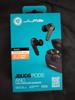
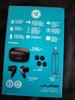
They came in a in a compact small box. Inside I found them inside a carrying/charging case, a guide booklet, another small box with a small type C USB cable (very short) and extra gel inserts of different sizes for the ear canals.
The carrying case serves also as a charging case and it holds charge and can charge the earbuds on the go too. The carrying case can be charged either by a Type C USB cable or placing it on a wireless charger, very convenient.
Once I fully charged them (the carrying case has a led light on the front, and the earbuds themselves have small led lights too), they were easy to pair with my phone, just open the case and take one out, I was surprised my Android phone popped a notification to pair them and they were paired and working. I did see in their booklet they have an app, so I installed it (Jlab app). I'm glad I did. Upon selecting my model, there was a firmware update (these I guess bring improvements and bug fixes). Then I could see they had many options in the app. You can control the ANC (active noise canceling) or their "be aware" mode, which is basically ambient monitoring (so you can hear all around you, talk etc without removing them). Their noise canceling was good and I was able to take calls and listen to music without any external distractions. They also had other settings like spatial sound, EQ you can customize etc. They also show what you can operate if you touch on the earbuds themselves (like one touch, it will do something, two another etc, like play, pause music, summon your e-assistant etc).
Sound quality was nice, I did not hear any hiss or interference and the included ear gels were good and soft. The ones installed by default were to big for me, but thankfully they included a smaller size and I swapped them, that was easy as popping the default ones off and pressing in the smaller ones).
Another great feature is that they support two connections at the time, great since I can have them connected to my phone and also to my laptop at the same time!!
If you are looking for good earbuds, with good quality sound (spatial sound too!) and that will greatly reduce external noise when you are wearing them and not break the bank, these are for you!
I would recommend this to a friend!



Share this review:


0points
0of 0voted this as helpful.
A safer home starts here. SimpliSafe~ delivers advanced security that puts you, your home, and your safety first. With optional 24/7 professional monitoring that features Active Guard Outdoor Protection, SimpliSafe~ combines innovative hardware with advanced AI and live security agents ~ that can proactively prevent crime outside your home and deliver fast emergency response when you need it most. All with no long-term contracts or hidden fees. SimpliSafe~ is effective, easy to use, and affordable. You can protect every inch of your home with sensors for every room, window and door, while HD security cameras keep watch inside and out. This award-winning system even includes smarter ways to detect motion that alert you when a threat is real, hazard sensors that detect floods and other possible emergencies, and powerful sirens that can help stop intruders in their tracks. It~s comprehensive protection and an unmatched combination that separates SimpliSafe~ Home Security from other systems.
Customer Rating
5
Great all around protection and easy to setup!
on June 16, 2025
Posted by: JamexRZ
I'm really happy with this security system. I was pleasantly surprised at how easy it was to install and setup. I've help some friends install some other security packages in the past, and they were a chore to install, not this one.
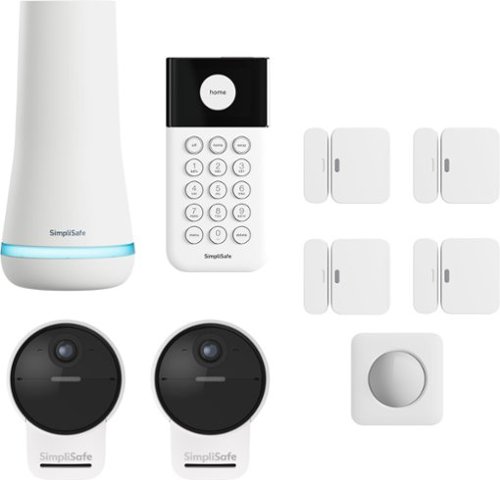
They include 4 entry sensors, a motion sensor, two outdoor cameras, a keypad and a base station. The also include a quick start guide and some extra double side tapes.
Setting the system up was easy, once you download their app and create an account, it will guide you step by step and even with videos to setup each item. You create a master PIN and safe word (for if the event they call you, you must provide that in case of a false alarm).
First was the base station, you pull the little sticker to make the internal battery kick (each sensor has this little tab) in and then plug it in power, it paired with my phone and the app and with my wifi network. Once done, you can start adding devices.
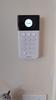
I started with the keypad, you can either wall mount it with included screws or with the sturdy double sided tape (all have this dual option, very convenient!), then onto the entry sensors, each one was easy to install and paired automatically with the base station (if one didn't pressing the little button on them paired them instantly). Then the motion sensor (also easy to install with either dual sided tape or screws). The motion sensor has an option for PETs in case you have PETs roaming around your house, so it doesn't throw false alarms. Then I did the camera last. They include a magnetic wall mount which was easy to install (you either drill on concrete or hard surface or wood, they include all the anchors). The magnetic mount was super strong, however since the camera can be easily taken out, I would recommend you install it high enough so no one can grab it. this is my only con, I feel they should have also included the permanent more secure mount (they do sell it as an accessory). The camera can be used plugged in for permanent power (the included USB cable has a plastic seal so no water or weather elements can get it, very nice) or you can use it with the included rechargeable batteries (they seem super heavy and sturdy and hold charge super nice, they say up to 3 months, must be because mine is going strong at 100% for a couple of days, the nice thing is you can tell it to only record people or all motion, I have it at just people). The camera also has a spot light and has night vision. Another con, is that it doesn't have local storage, its all in the cloud and you must pay for their monthly monitoring service (which gives you more benefits). I feel the base station should have had a usb port or Micro SD card port to allow you to record video locally too. Just and FYI. The camera videos are clear, very wide and they stream fast and you get alerts almost instantly, no delays, which I like, compared to other ones I've had where the alerts were slow.
Now, this package is really complete if you sign up for their monthly Core level monitoring service, which they give you a free month to try and see if you like it. Their security agents monitoring to request dispatch for break-ins and emergencies. If your cameras capture video evidence of a crime in progress agents can all law enforcement. If privacy is an issue, you can limit within the app what they can monitor and how much or even exclude a camera fully from it.
You can use the included keypad to arm and disarm the system or you can do it also from within the app, you can fully customize the system with the app to (like the light on the base station, I did find a little bug though. I turned off that status light in the app because it was super bright at night, and nothing, It would not turn off. Came to find out, there is also a setting in the keypad which is not in the app -bad simplisafe! this should be in the app too- where the light will stay on to indicate is powered, once you turn this off, then the base station light goes off!). The base station also speaks whenever a mode is changed or alerts you of something. You can tweak what and the volume too.
Everything worked out of the box and had no issues and I feel secured now specially at night. They also sell many other addons (like glass breakage sensors, CO sensors, water sensors etc.). I will be adding a couple of other sensors soon too. I'm testing their additional monitoring service for this month and will see if I keep it, but for $30ish something bucks a month, doesn't feel bad for the extra protection it gives so I may keep it (heck its a couple of lunches less out a month).
In all, if you want an easy to setup and something that works great out of the box home security system, I highly recommend it!
I would recommend this to a friend!





Share this review:


+1point
1of 1voted this as helpful.
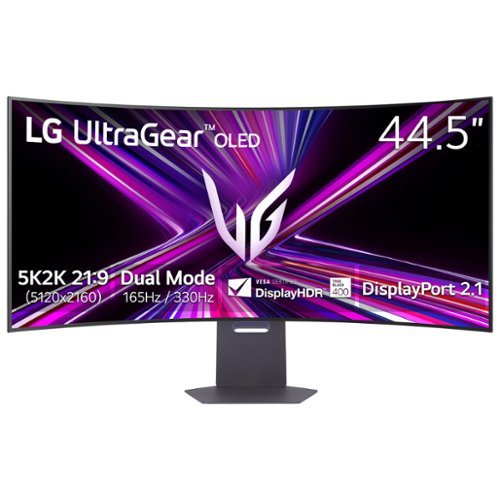
Unleash unparalleled gaming prowess with the world's first 5K2K WUHD (5120 x 2160) resolution OLED gaming monitor~. This 45" curved UltraGear monitor elevates your gameplay experience with Dual Mode technology. Dual Mode lets a player switch between breathtaking UHD visuals at up to 165Hz, or Full HD at a blistering 330Hz for ultra-responsive gameplay in FPS, MOBA, or racing titles~~all at the touch of a hotkey. Immerse yourself in up to 1300 nits brightness in UltraGear OLED brilliance, boasting up to 98.5% DCI-P3 color coverage, a staggering 1.5M:1 contrast ratio, and DisplayHDR True Black 400. The dramatic 800R curve and 21:9 aspect ratio offer more vertical screen space than a 49~ 32:9 display, pulling you deeper into the action like never before. A sleek, slim design offers adjustable height, tilt, and swivel controls for your perfect view, complemented by RGB backlighting to set the mood for your battlestation. Equipped with DisplayPort 2.1, HDMI 2.1 ports, and USB Type-C with 65W power delivery, plus NVIDIA G-SYNC Compatible and AMD FreeSync Premium Pro support, you~ll enjoy smooth, tear-free gaming at high refresh rates. UltraGear's 2-year limited warranty and OLED Care tools, give you OLED gaming peace of mind as well.
Customer Rating
5
Best OLED monitor, hands down!!!
on June 16, 2025
Posted by: JamexRZ
I'm so happy to finally have this monitor up and running, this is the best OLED monitor I've had (and I've had a couple before).
To start with, it comes in a large rectangular box and they include everything to get you up and running. A super sturdy and heave metal base, and arm that locks easily in place, a HDMI 2.1 cable, a Display port 2.1 cable, a type C USB cable and a large and heave external power brick.
It was packed good, with plenty of Styrofoam protection and the screen itself was inside a soft type of plastic cloth (there was no plastic to peel from the screen). It arrived in great condition.
I did end up installing it on a sturdy monitor desk arm and it fit great. Plugged in the power cable, the USB cable to a type C port on my PC (THIS IS IMPORTANT, I WILL TELL YOU MORE WHY LATER) and the Display port cable.
Seated down and started it and my PC, BAM! I was completely blown away by the extreme curve and I must be honest, it was jarring at first. And I have had curved monitors before, this one is extreme! However, give it a chance, after a while you get used to it and if you seat at the proper distance, whoa! Its so immersive when gaming, its like seeing panoramically all around you!
THIS PART IS IMPORTANT and not many people now about it. I was reading some reddit posts and reviews about it before I got it and it appears it had some bugs in the color reproduction and luminance, specially in HDR mode and indeed it could see that. However LG released a firmware update that mostly fixed this. Now, they don't have any firmware update files in their support website, however the way this monitor updates its firmware is via their LG SWITCH app (windows and mac). You must download this app from their website and connect the monitor's type C cable to your PC. Once you launch the app, it will tell you if you need a firmware update and let it do it. It did for me and fixed most of those issues.
The HDR is incredible, however you must set up windows correctly. First, only use HDR mode when you are going to play a game or video in HDR. For normal desktop use or SDR games leave it off. One nifty trick is the key combo: win button+alt+b, that will switch you between HDR and SDR mode. Now, there is one last bug in HDR mode that LG MUST ADDRESS THIS SOON IN A FUTURE FIRMWARE UPDATE. If you use the Windows HDR calibration tool, you will see it clips the luminance at around 600 nits, this is wrong as the monitor fully supports up to 1300 nits. Its because there is something wrong in the EDID info and windows is reading it from it. There is a trick discovered by an amazing pal at Reddit to make it work (this is only temporary and works great, but you must do it every time you update your graphics card drivers), this is purely a software windows fix and won't affect your hardware or warranty since its not doing anything to the display itself, here it is:
Delete any existing color profiles in Control Panel -> Color Management -> Devices.
Download CRU 1.5.3 from the official source: https://www.monitortests.com/forum/Thread-Custom-Resolution-Utility-CRU
Run CRU.exe
Go to Extension blocks
Edit CTA-861
Edit HDR Static Metadata
Input the following values (don’t touch anything else):
Max luminance: 151
Max frame-average luminance: 151
(FYI: 151 = 1317 nits, 150 = 1288 nits)
Restart your PC or run restart64.exe from the CRU folder.
Check HDR behavior:
Go to Settings -> Display -> Advanced Display
Peak brightness should now show 1317 nits
Use this test video at 0:56 to verify HDR highlight detail: https://youtu.be/gcsxAddFaoA?si=Fpi9lRccTVKwHQG2&t=56
Toggle HDR off/on to compare how much detail is preserved. (browser restart required and browser must support HDR)
Don't use the windows HDR calibration tool after this.
After this the display will correctly display HDR content up to its native 1300 nits and without any clipping and displaying details correctly.
AMAZING!!!!
I have had other oled displays before (both QD oleds, glossy, matte etc). Let me tell you once you calibrate this guy correctly, it will blow you away. To be honest the matte coating is soft and doesn't bother me and don't even notice it, and its great at handling light reflections. LG also updated the subpixel structure so text looks sharp and clear without any color fringe.
Now, the best thing about it.... finally an increase in resolution and PPI density! I was tired of most ultrawide displays mainly stuck at 3440x1440 or 5120x1440 resolutions. Finally LG updated it to a 5120x2160p resolution with a great PPI! However, this is more than 4k, so you really need a strong video card to drive this guy. I would say a 4080 and up in the nVidia camp and a 7800xt and up on the AMD camp.
Now the second killer feature, the dual resolution and refresh rate!
My 7900XTX can handle the 5k resolution fine and I mainly use it more for single player games and campaign and it handles well, plus 165hz refresh rate is not that much and the display has variable refresh rate (Freesync premium and Gsync) to handle those dips in FPS. However, for fast paced online shooters, I use the dual mode and switch to the 2569x1080 resolution at 330hz!!! I can handle the drop in resolution in favor of fast paced online gaming, no problem. You can fast switch to it with the button at the bottom. You can also change several aspect rations in the monitor's menu, I would say explore there what you want, I mainly use the two main one full wide ones. Also, I love the 45inch factor, 49 is to much for me and with this one you gain in the vertical space too and while still staying at a 21:9 aspect ratio (32:9 is too much for me and some games struggle with compatibility with that).
In all, this is the best OLED Monitor right now hands down (if you want ultrawide at a high resolution and refresh rates).
Get one, you won't regret it!!
I would recommend this to a friend!






Share this review:


+4points
4of 4voted this as helpful.

Upgrade your home security with the TP-Link Smart Door Lock ~ the perfect blend of convenience, control, and peace of mind. Keypad entry or the Tapo app, and manage access from anywhere with remote locking and real-time alerts. With advanced encryption, tamper detection, and auto-lock features, you get enhanced security without sacrificing ease of use. Whether you're home or away, TP-Link puts smarter, safer access at your fingertips.
Customer Rating
5
Easy to install, secure and sturdy.
on June 16, 2025
Posted by: JamexRZ
Great smart deadbolt lock. It came in a small box with everything you need to install it. One thing I would recommend is check their website first to see if it will fit your door, they have some compatibility measurements there.
It came with the keypad (backlit), the lock and the inside mechanism. They also include 4 AA batteries to use it (I think this is great, as custom, rechargeable batteries seem more convenient, but if they fail or die you have to buy them, being AA batteries you can buy a bunch cheap or, like me, have rechargeable ones on the go).
Installing it was easy, they include a some inserts to measure up your door hole and see where is going to fit exactly. Mine was the 60mm one and fit perfectly. First I removed my existing one and I was ready to go. The instructions booklet is super clear and easy to understand. I had the lock installed in about 30 mins (with some breaks here and there). Inserted the batteries and then went through the setup in their TAPO app. You must use it to fully customize the lock.
The app has many features. You can assign different PINs (for family members in example) and you can have a "masked" one, like it has more numbers than your real PIN, this is for when, lets say you have someone next to you peeking in trying to see your PIN, they will see more numbers than it really is. You can have the app auto lock it if there are several wrong PIN attempts. Of course, you can also enable the lock through your Wifi network for better control and management. You can lock/unlock it that way via the app or also via bluetooth (you have to be close by). You can also use voice+Pin. If all that fails or if your batteries are dead they also include two physical keys. By the way, if you don't have any spare batteries around and it dies, it also has a type C port where you can attach a power bank to power it up temporarily. If you have it enabled through your network you can use the app to set it to auto lock after certain amount of time. The keypad is backlit so you can see it a night and it also has a doorbell button so it it can ring your doorbell (if you don't have doorbell already or maybe have both). The only con I see is that it doesn't have any biometric way to unlock (like a fingerprint reader), however some people may prefer this, just pointing that out. It feels very sturdy (at least even better than my original "dumb" one).
If you want an inexpensive secure and easy to use smart lock, this is it!
I would recommend this to a friend!



Share this review:


+1point
1of 1voted this as helpful.

JVC Gumy Premium active noise cancelling inner ear style headphones with improved sound quality, featuring an ergonomic stick design for a secure fit and a translucent recharging case.
Posted by: JamexRZ
I'm so glad I got these. I have tried and used several earbuds over time and they always have been far from perfect, I don't know if I have weird ear canals or something, but most of them have been not perfectly comfy for me. Not these ones, these are super comfy at least for me. No I can see why they call them "Gummy", they are certainly Gummy for my ears!!
They came in a compact box and inside they were inside a carrying/charging case, which to my surprise has also a lanyard lock so you can affix it to a bag or something like that if you want. The earbuds can be charged inside the carrying case (which also gets charged via USB), the case has some indicator led lights at front to indicate its battery charge level.
Pairing them with my phone was easy and got them working right away. They have ANC (noise cancellation) and also transparency/Ambient mode (lets you hear outside, like it someone talks to you, you don't have to take them off and it works well). They are also compatible with assistants like Google assistant or Siri. You can press them to answer calls, hangup, skip tracks etc. They also have EQ modes to try and find the best sound for yourself. Calls and music sounded clear and great. Battery life has been good, I have been using them for around 8 hours a day and have plenty of battery, if I need a top up I just put them back the case for a quick charge.
If you want super comfy earbuds and not break the bank, these are the ones for you!
I would recommend this to a friend!




Share this review:


+1point
1of 1voted this as helpful.
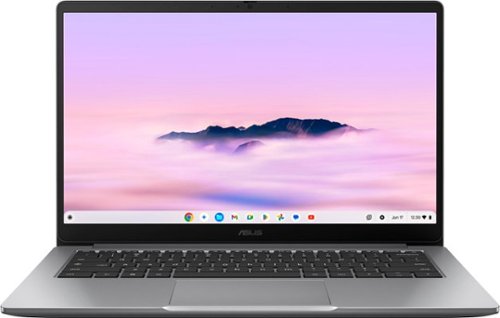
ASUS Chromebook Plus CX14 is made to enable ultrasmooth productivity with Google AI in a compact form factor. This lightweight, ultraportable device is powered by an Intel Core processor with a vivid slim-bezel NanoEdge display that fits more screen into the compact chassis for easy multitasking and immersive entertainment. It~s fast, secure, and perfect for any task.
Posted by: JamexRZ
Very well built Chromebook laptop. Came in a not too large box, they included a wall charger and USB type C cable for charging.
Setting it up was easy (if you have an Android phone), when I booted it up it told me if I had an Android phone I could pass the login info from int, my phone automatically showed the Chromebook wanted to access it and I did and all my Google credentials were entered automatically, along with my apps and from them on, if I have my phone close to it and unlocked, it will unlock the Chromebook automatically (sadly no fingerprint reader or any biometric way of unlocking it, other than a PIN, password or phone close by).
I was surprised by how good quality the screen is. I've had other Chromebooks where the screen was lacking (either cheap TN panels, or bad contrast or resolution), not this guy. Resolution was full HD and the brightness (gets super bright!) and contrast levels where great!
Performance was very good, it has an Intel CPU and plenty of RAM for a light OS like ChromeOS (space was good with also 128 gigs). I was surprised at the quality of the build (its plastic, but feels super sturdy and looks and feels nice, almost like aluminum feeling). They include two Type C USB ports with fast charging and display and power delivery. I was pleasantly surprised to also see a full size HDMI port (very convenient if you want to output video to a large TV or projector, for school, or business projects). It also has a Type A USB 5gb port, and a combo audio jack (headphones/mic). On one side there is a Kensington security lock.
The included webcam is of good quality and full HD, its above the screen and has a nice privacy slider (it covers the cam lens) if you want to make sure your webcam is covered for privacy. Battery life was been great, have been using it 8 hours a day for work and just charge it over night, no issues. Performance has been snappy and I got tons of chrome tabs open and I don't see any slow downs.
The only con I could find is I would say is the keyboard is not backlit (I use it sometimes in the dark) and I feel this is a feature some Chromebooks miss and should be in (doesn't have to be full RGB, but at least a white backlight).
If you want a fast laptop, secure and easy to use, with a good build quality and you are able to compromise not having the more common desktop OS on it, this is the one for you. Its a great laptop for quick use at home, and great also for school and work!
I would recommend this to a friend!



Share this review:


+2points
2of 2voted this as helpful.
JamexRZ's Review Comments
JamexRZ has not submitted comments on any reviews.
JamexRZ's Questions
JamexRZ has not submitted any questions.
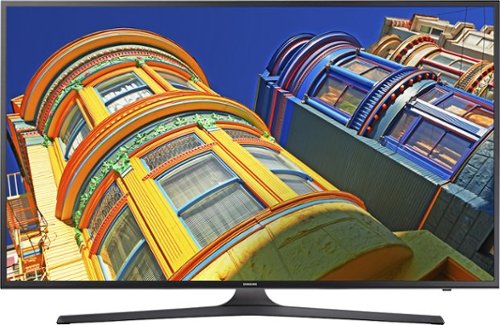
Enjoy movies, television and music with this Samsung LED smart television. Built-in Wi-Fi lets you connect to your home network to share pictures from devices with the whole family or stream content from apps such as Netflix. This Samsung LED smart television delivers 4k UHD picture for bright colors and crisp imaging.
Does this Model have web browser?

Take your television viewing to new heights with this LG 55-inch Smart television, which lets you enjoy both basic cable and streaming television services. Ultra Luminance technology offers complete control over brightness and contrast. With four times the resolution of regular full HD TVs this LG 55-inch Smart television immerses you in the action of sports and film.
Does this come with the sling tv app pre installed? If not can it be installed?
Take your television viewing to new heights with this LG 55-inch Smart television, which lets you enjoy both basic cable and streaming television services. Ultra Luminance technology offers complete control over brightness and contrast. With four times the resolution of regular full HD TVs this LG 55-inch Smart television immerses you in the action of sports and film.