
Share AboveAverageConsumer's profile


AboveAverageConsumer
AboveAverageConsumer's stats
- Review count3
- Helpfulness votes0
- First reviewAugust 7, 2015
- Last reviewApril 5, 2016
- Featured reviews0
- Average rating5
Reviews comments
- Review comment count0
- Helpfulness votes0
- First review commentNone
- Last review commentNone
- Featured review comments0
Questions
- Question count0
- Helpfulness votes0
- First questionNone
- Last questionNone
- Featured questions0
- Answer count1
- Helpfulness votes1
- First answerApril 5, 2016
- Last answerApril 5, 2016
- Featured answers0
- Best answers1
AboveAverageConsumer's Reviews
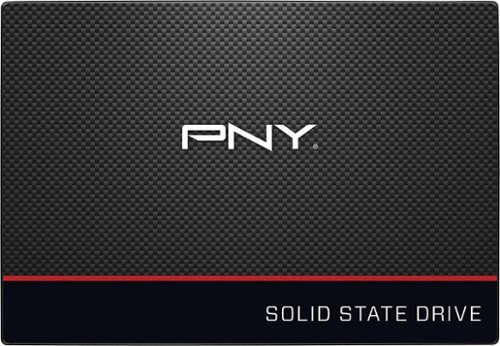
Experience speeds up to 24 times faster than an HDD with this PNY 240BG SSD. It also operates at a lower temperature than a standard hard drive, providing even more performance improvements. Enjoy the drive's quiet operation, and save money on utility bills with this energy-efficient SSD. The PNY 240GB SSD is covered by a three-year warranty.
Customer Rating

5
Easy, fast, inexpensive
on April 5, 2016
Posted by: AboveAverageConsumer
Verified Purchase:Yes
I have had PNY SSD in my desktop for almost two years now and it works great. So I decided to buy another one for my new low-to-mid range Lenovo laptop to speed up its boot, sleep, wake, hibernate and shutdown. The hard drive would previously be at 100% usage for a few minutes after boot or resume and would make it a little sluggish.
The drive includes a redemption key for a partial version of Acronis True Image 2016. It includes enough features to clone, backup and restore hard drives. I wasn't able to get the Clone Disk to work from inside Windows. But I read Acronis' instruction manual and it recommended performing the Backup/Restore method for hard drives with muliple partitions using the included USB Media boot option. True Image created a bootable USB for me to boot directly into True Image.
So I installed the new drive where my old hard drive was, then attached my old hard drive with a USB cable as well as a third USB external drive as well as the USB drive to my laptop. The bootable True Image allowed me to make a perfect image of my existing hard drive (Seagate drive from Lenovo that came with 5 parititions) to my third hard drive for emergency restoration, just in case. Then I was able to restore that image to the new drive. About 60 minutes later after the backup and restore with about 100GB of my 1TB drive being used, I disconnected all the external drives and rebooted my machine to see that it booted up just as it had before, except about 5-10 times as fast. (If you don't have an external SATA-USB cable to attach your old hard drive, you can use the other internal hard drive SATA connection in your machine, if you have one. The software makes it real easy to determine which drive is which using the name and size of the drive (in GBs). I had to use a SATA-USB cable because my laptop only has one slot for an internal hard drive.)
My Best Buy number: 2400797191
My Best Buy number: 2400797191
I would recommend this to a friend!
Share this review:


0points
0of 0voted this as helpful.

Store music, movies and more with this WD My Passport Ultra 2TB external hard drive, which features a USB 3.0/2.0 interface for wide-ranging compatibility and fast transfer speeds. Password protection and hardware encryption help keep your data safe.
Customer Rating
5
Quiet, small, fast
on August 7, 2015
Posted by: AboveAverageConsumer
Verified Purchase:Yes
Have had it about 3 months now without issue. It's smaller than I thought it would be and is recognized quickly by Windows 7. I am using it as a drive to backup Windows and pictures and such. It's quiet and runs cool after a system backup. Requires only a single cord into a USB 2 or 3 port, so no need to carry another power cord like the older backup drives. The enclosure is clean-looking and durable.
My Best Buy number: 2400797191
My Best Buy number: 2400797191
I would recommend this to a friend!
Share this review:


0points
0of 0voted this as helpful.
Easily add funds to your account for PlayStation Network (PSN) to use towards anything from PlayStation Store~s (PS Store) huge library of content, including: PlayStation Plus (PS Plus) subscription* with online multiplayer access, games every month, exclusive discounts and more. Games, Virtual currency and add-ons, and more.
Customer Rating
5
Does what it says
on August 7, 2015
Posted by: AboveAverageConsumer
Verified Purchase:Yes
Typed in the code, whether through Sony's account website or directly into the Playstation store on the console itself and I get the store credit to purchase my game.
My Best Buy number: 2400797191
My Best Buy number: 2400797191
I would recommend this to a friend!
Share this review:


0points
0of 0voted this as helpful.
AboveAverageConsumer's Review Comments
AboveAverageConsumer has not submitted comments on any reviews.
AboveAverageConsumer's Questions
AboveAverageConsumer has not submitted any questions.
AboveAverageConsumer's Answers
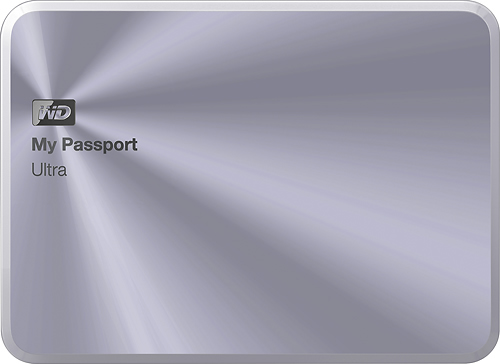
This WD My Passport Ultra Metal Edition 1TB external USB 3.0 portable hard drive features backward compatibility with USB 2.0 interfaces for wide-ranging utility. The password protection and 256-bit encryption capabilities offer security for your data.
Will it work with my Playstation 4 an how.
PS4 does not yet allow for external hard drives to hold games or any system data. You can use it to store movies and music and the PS4 will play back that media. But as for extra storage for games, you'll have to upgrade the internal drive of the PS4, which is actually pretty easy to do if you're familiar with replacing internal hard drives in a computer. Sony is pretty open about it and they have their own write-up about what kind of drive to use and how to actually replace it: https://support.us.playstation.com/articles/en_US/KC_Article/Upgrade-PS4-HDD/?
10 years, 2 months ago
by
AboveAverageConsumer