
Share Tshark74's profile


Tshark74
Tshark74's stats
- Review count11
- Helpfulness votes4
- First reviewAugust 10, 2014
- Last reviewJuly 1, 2015
- Featured reviews0
- Average rating4.6
Reviews comments
- Review comment count0
- Helpfulness votes0
- First review commentNone
- Last review commentNone
- Featured review comments0
Questions
- Question count0
- Helpfulness votes0
- First questionNone
- Last questionNone
- Featured questions0
Answers
- Answer count0
- Helpfulness votes0
- First answerNone
- Last answerNone
- Featured answers0
- Best answers0
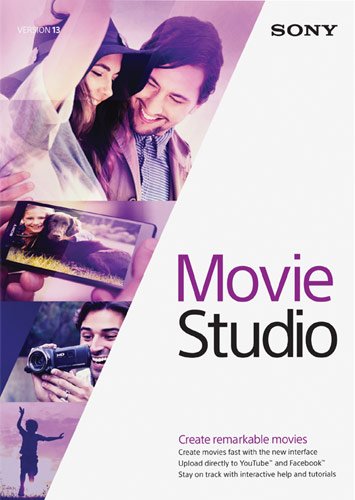
Whether you're a professional wedding videographer or a student just learning your first techniques, Movie Studio 13 offers the features you need to turn your creations into polished works of art. It's up to you to capture the footage, but then your job is only half done. Add effects, edit out imperfections, include additional elements and finally share your movies through the Web or by burning physical copies, all within this comprehensive software. You have the power to create dynamic, personalized, impactful movies resting in the palm of your hand with Movie Studio 13.Help your movies stand out from the crowd with this powerful software solution. Begin by reducing jittery and shaky video footage, restoring washed-out scenes, balancing colors and more with the streamlined editing workflow. Make your footage memorable with jaw-dropping effects and transitions, realistic green-screen techniques, text animations, scrolling credits and more, then add finishing touches, such as your own recorded audio and a customized soundtrack. As you work within the software, help bubbles provide useful hints and tricks, while Show Me How tutorials guide you through processes, including slideshow creation, 3D project workflow and more. Compatibility with touch-screen devices lets you work with your hands with easy-to-use buttons, drag-and-drop functionality, a wide-open timeline and easy access to tools. Before long, you'll have a polished, amazing creation that matches your artistic vision and the only thing left to do is share it with the world. Upload your footage directly to Facebook or YouTube within the software or easily author DVDs or Blu-ray Discs. You're on your way to becoming a true filmmaker. Let Movie Studio 13 take you the rest of the way.
Customer Rating

4
First Time Video Creation
on August 10, 2014
Posted by: Tshark74
from Lexington, SC
Verified Purchase:Yes
Used in my first attempt at creating a video diary to share with family. The software was easy to use and the help section gave clear instruction on how to accomplish splicing, adding sound, and sub text to the final product.
My Best Buy number: 2837731850
My Best Buy number: 2837731850
What's great about it: Clear and concise instructions on how to edit videos and compile short videos together.
What's not so great: Nothing
I would recommend this to a friend!
Ease of Use

4
Share this review:


+2points
2of 2voted this as helpful.
Tshark74's Review Comments
Tshark74 has not submitted comments on any reviews.
Tshark74's Questions
Tshark74 has not submitted any questions.
Tshark74's Answers
Tshark74 has not submitted any answers.