


TechEnthusiast's stats
- Review count209
- Helpfulness votes894
- First reviewAugust 16, 2014
- Last reviewJune 2, 2026
- Featured reviews0
- Average rating4.1
Reviews comments
- Review comment count0
- Helpfulness votes0
- First review commentNone
- Last review commentNone
- Featured review comments0
Questions
- Question count0
- Helpfulness votes0
- First questionNone
- Last questionNone
- Featured questions0
- Answer count13
- Helpfulness votes17
- First answerAugust 25, 2016
- Last answerJanuary 22, 2022
- Featured answers0
- Best answers2
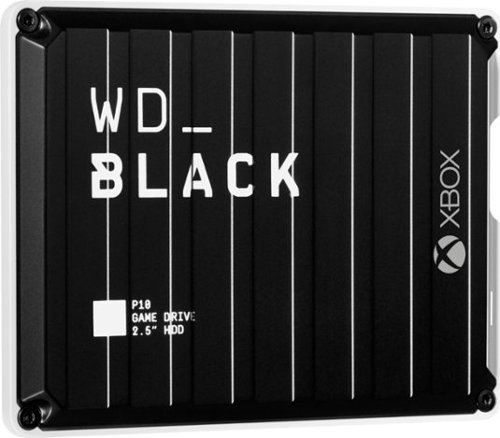
The WD_Black P10 Game Drive for Xbox gives your Xbox the tools it needs to keep your competitive edge. With up to 5TB* of storage capacity, the WD_Black P10 Game Drive for Xbox is a top-tier external HDD built specifically for gamers looking to expand the potential of their Xbox so they can drive their game the way they choose. Included with your purchase is a 1-month membership of Xbox Game Pass Ultimate, with access to 100+ games on consoles and PC, plus online console multiplayer.****
Customer Rating

4
Fast hard drive and fairly thin
on July 27, 2021
Posted by: TechEnthusiast
from Elgin, IL
There isn't much to say when reviewing a hard drive or other storage device. It's a solid block of tech that holds your stuff (digitally speaking). Whatever its storage capacity is in Gigabytes or Terabytes determines how much stuff you can cram into it, and whatever its connection type is (USB 2.0, 3.0, 3.1, . . . etc.) determines how quickly you can move files to and from it.
It either holds enough of your stuff or it doesn't, and it's either fast enough for your needs or it isn't.
What ultimately differentiates a "good" storage device from a "bad" storage device is how well it's designed and how well that design fits your individual needs.
This WD gaming drive is relatively thin, fast, solidly built, and aesthetically "meh." My only real complaints about it is that I wouldn't have minded a slightly longer cable, and I would have preferred a different color scheme.
I was a little surprised to see that the drive has a micro-USB 3.0 (3.1?) port instead of USB type-C. This could make it a little difficult to find a replacement cord should something happen to the cord that came with it.
I say that the design is "meh" because I'm not all that keen on the whole "corrugated metal" look it has going on. It reminds me of a shipping container. I will give WD brownie points though for using a metal shell instead of plastic.
I'm also not all that keen on the current trend of black and white tech. I'd have preferred black and traditional Xbox Green or maybe black and red.
The drive is formatted as NTFS out of the box and is also compatible with Windows computers.
2TB is a pretty good amount of storage space. If you figure that an average game is around 50GB, then this drive should be able to hold around 30-40 games (assuming that's all you put on it).
The drive seems fairly fast. It's not the fastest hard drive that I've ever seen, but it doesn't take years to transfer files on and off of it either.
The drive is fairly small, and it won't take up a lot of shelf space. It looks like it's about the same size as a 2.5" SATA, laptop hard drive; but it's a little thinner.
I think that this is a solid drive for your gaming setup, and I would recommend picking one up.
Mobile Submission: False
I would recommend this to a friend!
Share this review:


+1point
1of 1voted this as helpful.
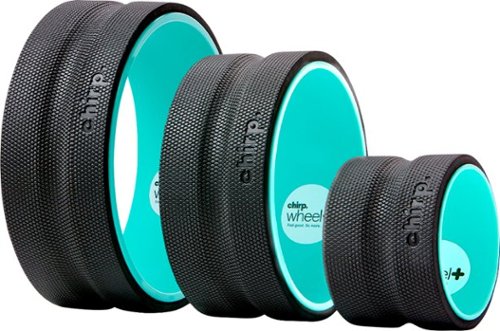
The Chirp Wheel+ helps reduce back pain by decompressing your spine, strengthening core muscles, and massaging out tight trigger points. Made with a rigid ABS plastic core and soft EVA compression sensitive mat, the Chirp Wheel+ can support up to 500 pounds! Three wheel sizes provide different levels of pressure for customizable back pain relief. The smallest wheel offers the most pressure, to target specific muscle knots, while the largest wheel offers the least pressure and the greatest stretch to help correct poor posture.
Customer Rating

2
Not good. Not good at all.
on July 12, 2021
Posted by: TechEnthusiast
from Elgin, IL
I really didn't like this device.
I picked this up because it was advertised as helping with back pain. I'm no stranger to yoga and foam rollers, and I thought that this would be right up my alley.
I was wrong.
First, they're too narrow. They claim that they're narrow to help target your back better. I found that it just made it harder to keep my balance.
Second, they're hard plastic with only a very thin layer of foam. The foam feels fragile, and you can hardly feel any texture to it. I have absolutely no doubt that the foam will tear right off within a year's worth of use.
Third, none of the three ring sizes feel "right." The smaller size feels too small, the large size feels too large, and the medium size . . . also feels too large.
I really regret having gotten this. I don't recommend this at all.
Mobile Submission: False
No, I would not recommend this to a friend.
Share this review:


-1point
1of 3voted this as helpful.
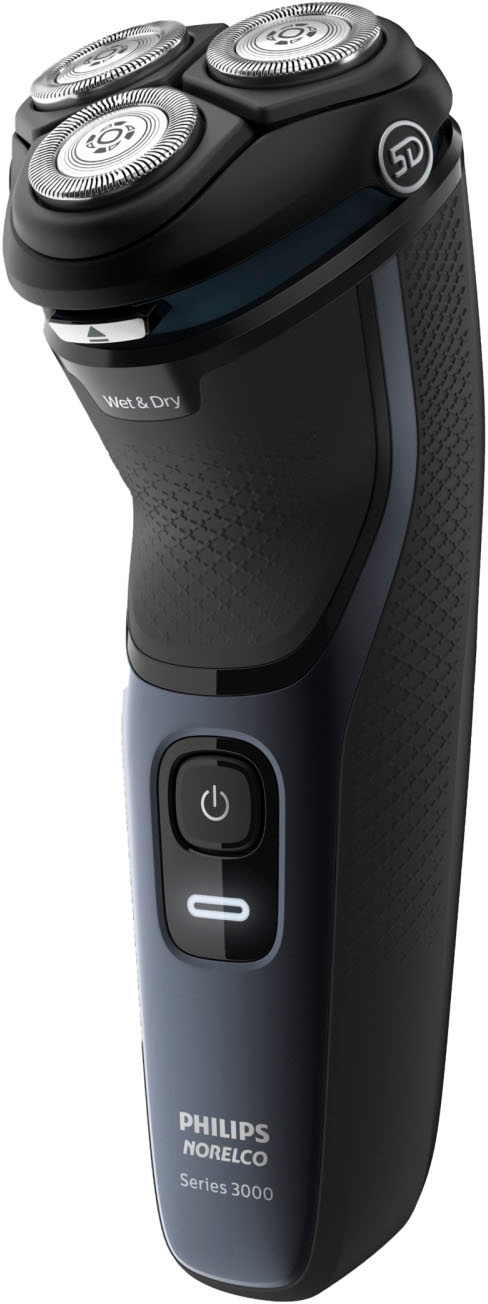
Philips Norelco Series 3000 gives you a comfortable, refreshing shave with wet or dry use. 5D Pivot & Flex heads, ComfortCut blade system, and full washability help ensure a smooth, skin-friendly result.
Customer Rating
4
Good looking razor - give it time to work
on July 3, 2021
Posted by: TechEnthusiast
from Elgin, IL
Let me start by saying that I didn't like this razor at first. The first few times I used it, it felt like it was pulling at the hairs on my face as it cut them (and it hurt just a bit). On top of that, it didn't seem to be cutting very well.
The instruction book says to give it three weeks for your face to adapt to the razer.
After about a week, I noticed that shaving had become much more comfortable.
I like the fact that this razer can be rinsed off after each use. It should make keeping this clean much easier. The razer does have a warning sticker on it advising you not to use it while it's plugged in (presumably to reduce the risk of shock if you're using it while bathing).
The razer itself looks pretty sleek with a nice black and dark blue color scheme. Battery life appears to be pretty good so far.
It took a bit of time, but I'm fairly happy with this razer.
Mobile Submission: False
I would recommend this to a friend!
Share this review:


0points
0of 0voted this as helpful.
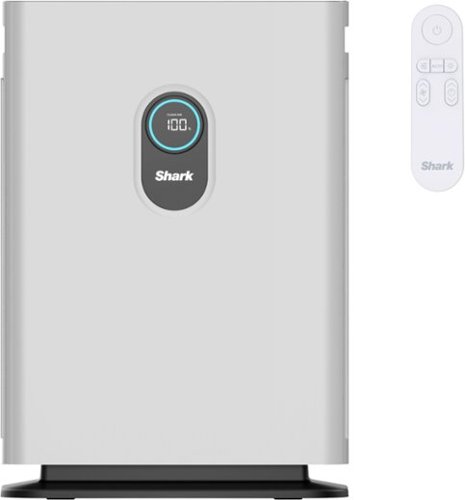
The Shark Air Purifier 4 with Anti-Allergen Multi-Filter uses Clean Sense IQ technology to constantly track air quality & auto-adjust power. It purifies air with 4 powerful fans and anti-allergen HEPA filtration with advanced odor protection.
Customer Rating

5
Sleek, modern look with quiet operation
on July 1, 2021
Posted by: TechEnthusiast
from Elgin, IL
This air purifier has a sleek, modern look and operates very quietly.
The device has both a touchscreen interface and a remote. It should be noted that the remote is a little finicky. You need to aim it directly at the circle on the front of the unit. Otherwise, it doesn't appear to work.
I love that the touchscreen has a readout that shows the current air quality. With so many air purifiers, you run them without a clue as to whether or not they're doing any good. This one has a nice visual indicator showing you exactly how well it's working.
The machine also has an auto mode that will adjust fan speed depending on the current air quality (or you can just override it to run at whatever speed you want).
I haven't been able to locate replacement filters yet, so I can't speak to how affordable they'll be, but so far I'm absolutely loving this air purifier.
Mobile Submission: False
I would recommend this to a friend!
Share this review:


0points
0of 0voted this as helpful.
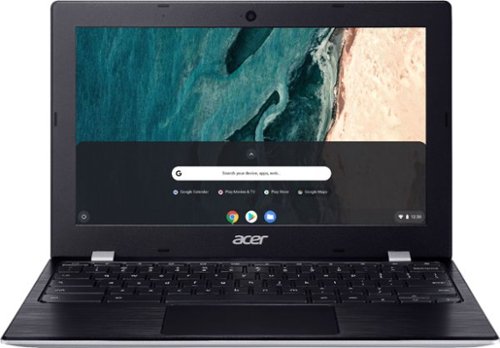
Designed For Convenience Be dialed in~all the time, everywhere and anywhere~with the Acer Chromebook 11. Recognized as the perfect multi-media companion, this special machine is super thin, extra light and delivers unmatched value in today~s fast-paced, technology-driven world. It features an impressive HDR camera, fast wireless connectivity and a long-lasting battery life, so you can run your favorite Google apps or access your photos, videos, music and documents~all day long.
Customer Rating
4
Solid option for a budget chromebook
on June 15, 2021
Posted by: TechEnthusiast
from Elgin, IL
I like this Chromebook a lot. It's not the most powerful device I've ever used, but with Chrome OS, it doesn't need to be.
This Chromebook has 2 USB 3.0 type A ports, 2 USB type C ports, and a micro-SD card reader.
The shell is plastic, and it's an absolute fingerprint magnet. This is my biggest complaint about this device as the track pad gets all smeared and nasty after only a few hours of use with clean hands.
This Chromebook does NOT have a touchscreen, but the screen does look fairly nice and gets reasonably bright.
This Chromebook has access to the Google Play store, and it did a reasonable job with pretty much any Android app that I threw at it.
I really like the silver look on the exterior, and I think that it's a shame that they didn't continue this look on the inside.
The inside has a weird looking texture thing happening. The palmrest has a black, faux brushed metal look going on; and the keys have a lightly textured thing happening. I wish that they'd gone with one or the other. Having both just looks "busy."
The 32GB of storage isn't too impressive, but being able to supplement it with a micro-SD card is huge.
I think that this would be a great device for a student. It would also make a great secondary device.
Mobile Submission: False
I would recommend this to a friend!
Share this review:


+1point
1of 1voted this as helpful.
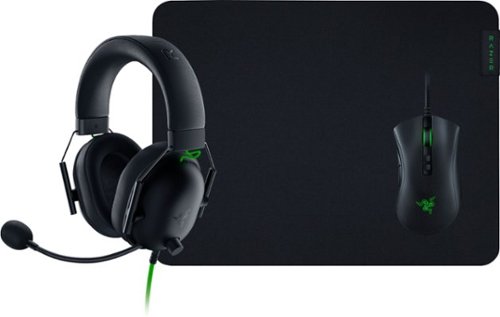
Victory awaits with the Razer Battle Bundle. Complete with everything you need for next-level gaming. Embrace the sound of esports with the Razer BlackShark V2 X~a triple threat of amazing audio, superior mic clarity and supreme sound isolation. With our best headset mic and audio drivers packed into a unique aviation-style headset, your competitive play is destined to turn pro. Trounce your opponents at every game with the Razer DeathAdder V2 wired gaming mouse. The durable switches and 20,000 dpi optical sensor deliver lightning-fast responsiveness, and the lightweight ergonomic design supports several hours of comfortable gameplay. This Razer DeathAdder V2 wired gaming mouse has a Speedflex cable and robust customization features for increased performance. Now that you have a killer mouse, round out your setup with the right mouse mat to make it a deadly combination. The Razer Gigantus V2~s textured micro-weave cloth surface is optimized across all mouse sensors. Up your game with fluid swipes and pixel-precise aim, while the soft mat cushions your wrist as you take care of the competition.
Posted by: TechEnthusiast
from Elgin, IL
This is a nice gaming bundle.
The death adder mouse is well constructed and comfortable in the hand. A word of warning, the braided cable feels very "fabric-like" and gets caught on velcro easily. It came with a rubber cable wrap that I found very tricky to re-use. I tried using one of my generic velcro ones instead, but it got tangled up with the cord due to the cord's "fabric-like" nature.
It's a minor complaint overall though.
The mouse feels rather light. This suits my gaming style just fine. But if you're the type of person who likes to use a weighted mouse, then you might not like this.
The mouse is compatible with Razer's Chroma software (available on their website). Using this, you can change the color patterns of the razer logo and scroll wheel.
The mouse pad is surprisingly large. It has a very nice texture to it, and the mouse seems to work quite well on it.
The headphones are big and bulky, but they're also quite comfortable. I had no problems whatsoever wearing them for an extended gaming session. I also like that there is a button to mute the mic right on the earcup. Sound quality was quite good, and the headphones did a nice job of blocking out ambient noise in a crowded café.
In summary: this bundle is a great deal that provides solid gaming accessories. I would definitely recommend this for casual gamers or those who are just getting started in gaming.
Mobile Submission: False
I would recommend this to a friend!
Share this review:


0points
0of 0voted this as helpful.
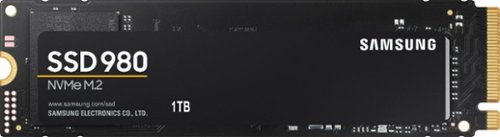
Harness your PC's potential with the 980. Whether you need a boost for gaming or a seamless workflow for heavy graphics, the 980 is a smart choice for outstanding SSD performance ~ and it's all backed by an NVMe* interface and PCIe 3.0 technology.
Posted by: TechEnthusiast
from Elgin, IL
I'm very happy with this drive. My budget, gaming laptop came with a large (but slow) mechanical hard drive and an open NVME slot.
I installed this NVME drive into the open slot, cloned my hard drive onto it, went into the BIOS and changed the boot order so that it would boot from the SSD by default, removed my original hard drive to make sure that it would boot okay from the SSD, attempted to refresh my OS install to prevent any hardware glitches (and learned in the process that I couldn't have BOTH this SSD and the original hard drive installed while refreshing the OS - caused errors on my particular device - original drive reinstalled just fine after refreshing the OS), formatted my original hard drive to serve as extra storage, and then moved my library folders (documents, downloads, pictures, etc. . . .) to the original hard drive to reduce wear and tear on the SSD (SSDs can only have data added to them a limited number of times before they break down and lose the ability to have any new data added - this number is in the millions, so the laptop itself will probably die before then, but still . . .).
I now have a snappy gaming laptop with just TONS of storage space.
This is just awesome.
Mobile Submission: False
I would recommend this to a friend!
Share this review:


+1point
1of 1voted this as helpful.
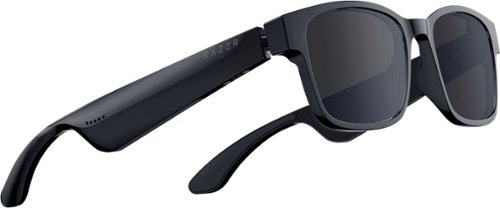
Rethink eyewear with the Razer Anzu~cutting-edge audio glasses that protect your eyes and immerse your ears. With built-in speakers hidden in its frame, taking in the sights and sounds now has a whole new meaning. Available in two types of frames and two sizes.
Customer Rating

3
Great idea, but mediocre execution
on April 26, 2021
Posted by: TechEnthusiast
from Elgin, IL
The Razer Anzu smart glasses were not at all what I'd expected, and I'm quite frankly disappointed.
I got these thinking that they could function as a portable Google smart speaker that could double as both sunglasses and wireless headphones. Unfortunately, they don't do any of this very well.
First, the gestures are clumsy. You have to touch the exact spot "just right" in order to trigger the desired action. Any fumbling will result in you skipping songs, going back to the last track, pausing unexpectedly, or triggering the voice assistant when you didn't intend to.
There's a little nub on each arm of the glasses to help you find this spot, but that doesn't help much when just casually brushing against it triggers the aforementioned confusion.
I got these primarily for use with Google's voice assistant. I was a little dismayed by how long the glasses take to call up the assistant. After pressing the appropriate spot, the glasses will beep once after about a two second delay to acknowledge the touch. Another two to three seconds after that, the assistant will then beep to prompt you to start talking. Four to five seconds might not seem like a lot, but it feels like an eternity when you're just looking to set a quick reminder.
Call quality was horrific.
The person on the other end of the line was impressed by the call quality and didn't even realize that I was talking to them through the glasses at first. On my end, the voice was so distorted and warbly that I could barely understand what was being said. I ultimately had to switch to handset as it was just too difficult to follow the conversation through the glasses.
Listening to music went surprisingly well, but don't expect any kind of privacy with these. The sound is quite clearly audible to anyone around you.
The glasses come with blue light filtering lenses pre-installed. I personally feel that they should have pre-installed the UV blocking sunglass lenses instead. I wear prescription lenses, and I was prepared for the blue light lenses to do virtually nothing for me. I wasn't prepared for them to make my vision WORSE. Upon putting on the glasses, everything became distinctly blurrier. I was looking forward to using the blue light lenses to reduce eyestrain during long gaminig sessions, but I found that I couldn't even properly focus on my screen while wearing these (and I generally do just fine viewing my screen without my glasses).
As sunglasses, the UV blocking lenses were perfectly acceptable.
As much as I like Razer, I really can't recommend these glasses. They work just fine for listening to music, but that's really about it.
Mobile Submission: False
No, I would not recommend this to a friend.
Share this review:


+1point
1of 1voted this as helpful.
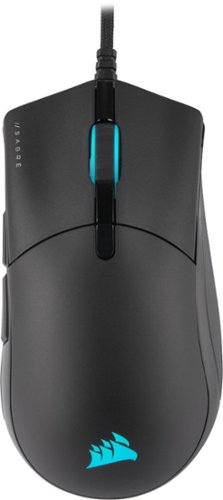
The CORSAIR SABRE RGB PRO Gaming Mouse is designed for and tested by esports pros, weighing an ultra-light 74g and equipped with a drag-reducing flexible paracord cable for responsive, unhindered movements. CORSAIR QUICKSTRIKE Buttons ensure every click is immediate and responsive, while CORSAIR AXON hyper-processing technology delivers inputs to your PC up to 8x faster with 8,000Hz hyper-polling. The SABRE RGB PRO is equipped with an 18,000 DPI optical sensor customizable in 1 DPI steps, with a DPI button to cycle through five presets on-the-fly. Finished with high-quality materials such as 50 million click-rated OMRON switches and 100% PTFE glide pads, the SABRE RGB PRO will cut through the competition.
Customer Rating
4
Great mouse but unintuitive software.
on March 24, 2021
Posted by: TechEnthusiast
from Elgin, IL
The Corsair Sabre Pro is an excellent gaming mouse hampered by unintuitive software.
The mouse itself is well constructed but fairly basic. It consists of the usual left and right clickers, forward and back buttons along the left-hand side (sorry southpaws), and a DPI button centered on the top of the mouse.
The Corsair iCue software does support programming these buttons. This is useful if you’d like to remap the forward or back buttons to do something like reload ammo or use a special ability in a game.
The mouse’s cord is sleeved in a soft, cloth wrap that feels like a t-shirt. I found that the wrap tended to bunch up and corkscrew around the wiring when sliding the included velcro strap up and down it.
The mouse itself has enough heft to it to feel solid without feeling “heavy.”
The iCue software is probably the biggest drawback to this mouse.
The software is downloaded from Corsair's website (as is the case for most PC accessories these days). The download is surprisingly large at 700Mb. This is nothing compared to a 20GB game download, but it’s still beefy enough that you notice it taking up some hard drive space. I initially tried downloading it on my gaming laptop at the coffee shop, but it was going to take more than an hour just to download. It took a full 17 minutes to download on my mid-tier internet plan at home during peak hours.
The software gives a lot of different options for adjusting the RGB lighting. If you’re a longtime Corsair user, then you may already be familiar with all of the controls in this program. Unfortunately, this software isn’t very forgiving for newcomers.
I wanted to setup a cycling color scheme that would match my Bluetooth speaker and gaming desktop. My current setup cycles through blue, green, purple, teal, aqua, and white with the colors gently fading into each other.
Unfortunately, I couldn’t figure out how to do this using the software. I don’t doubt that it “can” do this, I just couldn’t figure out how to make it happen.
The software offers a number of presets for rainbow colors, solid colors, or switching between just two colors. It wasn’t clear how to do a pallet of more than two colors, and the options for controlling the transitions feel “clunky” for lack of a better term.
I’ve seen other people with Corsair setups manage some extremely intricate color patterns, but I haven’t a clue how they accomplished it using this software.
This mouse is a solid, high quality mouse for gamers. If you’re familiar with the Corsair iCue software, or you’re willing to take the time to learn it, then this could be a solid addition to your gaming rig.
Mobile Submission: False
I would recommend this to a friend!
Share this review:


0points
1of 2voted this as helpful.
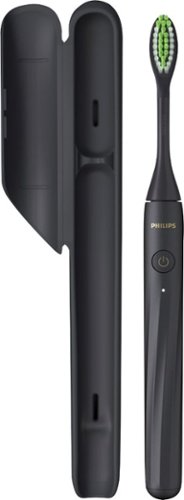
Philips One by Sonicare is an ultra-portable electric toothbrush that keeps your smile bright. Always be ready to touch up your smile, no matter where the day takes you. Designed with you in mind, Philips One is a big step up from manual brushing.
Customer Rating
4
Better than a manual brush but not perfect
on March 8, 2021
Posted by: TechEnthusiast
from Elgin, IL
So the first thing that struck me when using this toothbrush was that the bulk of the vibration seemed to be centered in the handle. The brush head scarcely vibrated at all when compared to the handle. This is perhaps my biggest complaint about this brush.
That being said, this isn't a bad brush.
The brush vibrates just enough to give a little extra "oomph" when brushing. The vibrations are also timed to ensure a thorough brushing.
The vibration stutters every 30 seconds over the course of a 2 minute brushing cycle. The idea is that you divide your mouth into 4 quadrants, and the stutter is your signal to move to the next quadrant.
This is surprisingly useful.
Sure, you could accomplish the same thing by looking at your watch as you brush; but this is so much more convenient.
The brush comes with an extremely obnoxious travel case. I say that it's obnoxious because you really have to insert and remove the brush at the "exact" right angle to get it in and out of the case.
Battery life seems pretty good so far. Removing the charging port cover is a pain though (very tightly stuck).
If you're looking for a brush that's a step above a regular manual brush, but you don't want a brush with Bluetooth / WiFi and dozens of bells and whistles that you'll never use, then this would be an excellent choice for you.
Mobile Submission: False
I would recommend this to a friend!
Share this review:


+2points
2of 2voted this as helpful.
TechEnthusiast's Review Comments
TechEnthusiast has not submitted comments on any reviews.
TechEnthusiast's Questions
TechEnthusiast has not submitted any questions.
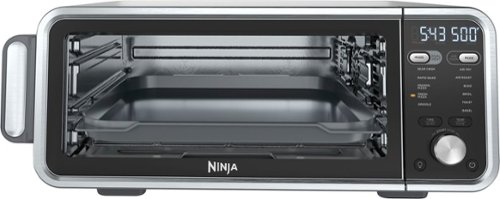
The Ninja Foodi Dual Heat Air Fry Oven gives you versatility in the kitchen with 11-in-1 functionality from Air Fry and Sear Crisp to Rapid Bake and Toast. With Dual Heat Technology, unlock up to 500~F cyclonic air and a directly heated SearPlate, which allow for fast cooking and restaurant-worthy results. Cook up your favorites and then flip the oven up and away to reclaim your counter space.
What settings do you use to reheat on this? It seems to be missing the reheat and dehydrate functions. Are there manual work arounds for each?
Not all models include the reheat and dehydrate functions (though all models get the same instruction manual which causes some confusion).
Unfortunately, I haven't been able to find any manual workarounds for this.
Unfortunately, I haven't been able to find any manual workarounds for this.
4 years, 4 months ago
by
TechEnthusiast

SoloCam L40 2K is a completely standalone security cam that you can access via your app. No need for a Homebase, or wires, as SoloCam is completely wire-free and battery-powered, so you don't have to mess with anything. Every eufy Security product is engineered to ensure your security data is kept private. Have peace of mind that you will have a secure record of everything that happens around your home. Adjust the brightness and color temperature of the spotlight in case you don~t want to wake the neighbors. Takes just minutes to install the mount using a drill and the included pack of screws. No wires or cords needed. Chat to anyone passing by~invited or not~and hear their response up to 8 meters away in real-time via SoloCam L40~s two-way audio. Connect SoloCam L40 to the Google Assistant or Alexa for complete hands-free control of your home security. Designed to protect your home as well as your wallet, SoloCam L40 is a one-time purchase that combines security with convenience. Only receive the alerts which matter. Customize the area in which detection takes place to suit your home.
Up to what distance it will detect Human detection only?
I don't know the "official" answer to this, but I have it aimed down a rather long driveway, and it only detects people about a 1/3 of the way down it. Past that, it doesn't trigger any notifications at all.
If I had to guess, I'd estimate that its range is somewhere around 15-20 feet.
If I had to guess, I'd estimate that its range is somewhere around 15-20 feet.
4 years, 7 months ago
by
TechEnthusiast
Harness your PC's potential with the 980. Whether you need a boost for gaming or a seamless workflow for heavy graphics, the 980 is a smart choice for outstanding SSD performance ~ and it's all backed by an NVMe* interface and PCIe 3.0 technology.
Is this compatible with Acer nitro 5 gaming laptop?
I have one of the earliest models of the Nitro 5, and it installed in mine just fine. Couple warnings though: If you want to refresh your operating system after installing it (recommended to avoid hardware glitches), you'll need to remove any additional hard drives (otherwise it errors out). Another thing: after refreshing the operating system, it will only recognize the SSD until you install all of the Windows updates. After installing the updates, any secondary drives will show up again.
5 years, 1 month ago
by
TechEnthusiast
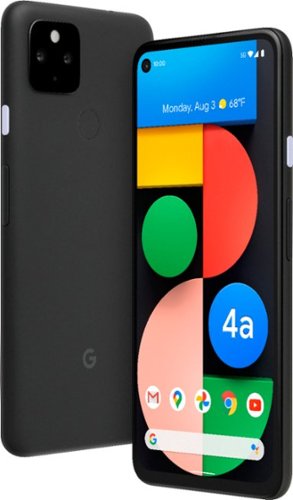
Pixel 4a with 5G is the budget-friendly, super fast phone from Google. It has the helpful stuff you need in a phone, with an extra boost of 5G speed.*
Does this model support Dual SIM?
No. Unfortunately, this model only has a single SIM slot.
5 years, 6 months ago
by
TechEnthusiast
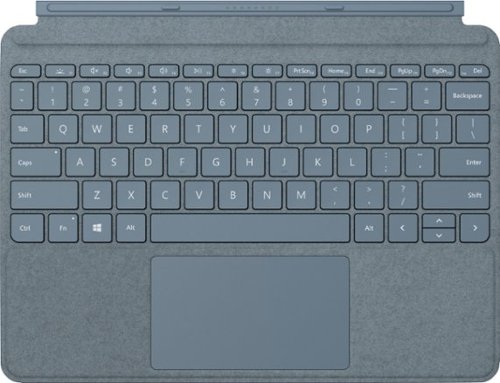
Pair Surface Go Type Cover with Surface Go* for a full keyboard experience anywhere. Ultra-compact, yet it includes a complete mechanical keyset, backlit keys, and extra-large trackpad. Plus, three colors are covered in rich Alcantara material~ for an added touch of luxury and comfort.
What is the power source for the Microsoft Surface Go type cover?
The tablet itself powers the keyboard. The keyboard connects to the Surface Go via tiny pogo pins on the bottom of the tablet. These pins transmit both power and data. Because of this, the keyboard doesn't require any additional power source; and you don't have to play with Bluetooth settings or anything to pair the keyboard to the tablet.
5 years, 11 months ago
by
TechEnthusiast
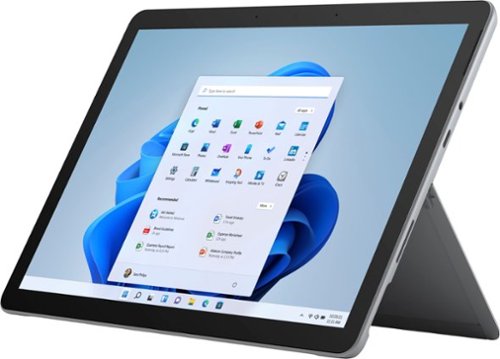
Your perfect everyday companion. Surface Go 2 is perfect for keeping up and winding down - delivering tablet portability with laptop versatility, long battery life, a stunning touchscreen, and Windows security for the whole family. Browse, shop, and manage email with ease, relax with your favorite TV shows, and much more.
Can this unit be connected to Verizon?
No. This particular version of the Surface Go 2 tablet doesn't have a SIM card slot for LTE connectivity.
5 years, 11 months ago
by
TechEnthusiast
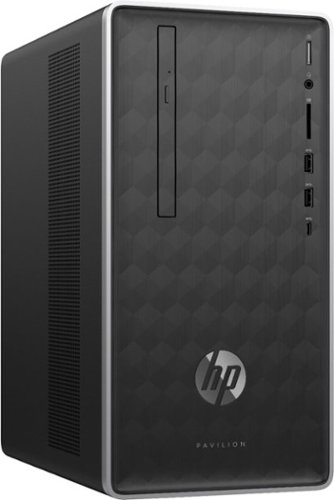
Enjoy hours of reliability and speed with this HP Pavilion desktop. Its AMD Ryzen 5 processor and 12GB of RAM let you accomplish multiple tasks at the same time, and its 1TB hard drive provides plenty of space for file storage. This HP Pavilion desktop comes with a wired keyboard and mouse for interacting with Windows 10 Home.
Does this computer burn CDs.
Yes. This computer has a disc drive for burning CDs and DVDs.
7 years, 10 months ago
by
TechEnthusiast
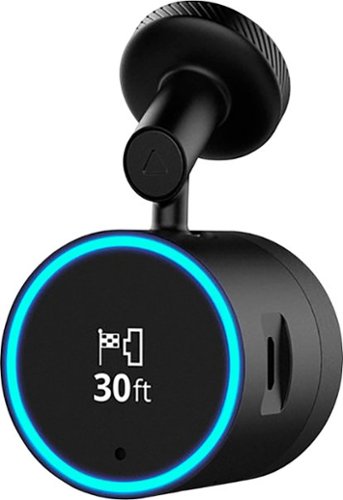
Garmin Speak~ Plus with Amazon Alexa is what you love about Amazon Alexa, now in your vehicle. Use voice control for hands-free access to music, news, navigation and more. Plus, a built-in dash cam gives you forward collision and lane departure warnings.
How can dash cam footage be accessed? Is there cloud storage for the dashcam footage? If there's cloud storage, how much data/hour would the dashcam footage use? Alternatively, can video quality be adjusted to lower bandwidth usage?
Footage is stored on the micro-SD card inserted in the camera itself.
It can be accessed from the Speak app after you download the VIRB app. Note that while you need the VIRB app to access the footage, you can't view the photos directly from the VIRB app. You instead go back to the Speak app so that it can open the VIRB app and display the photos and videos (I know, it's an incredibly silly process).
If you try to open the VIRB app directly, it will tell you that it can't locate your camera.
It can be accessed from the Speak app after you download the VIRB app. Note that while you need the VIRB app to access the footage, you can't view the photos directly from the VIRB app. You instead go back to the Speak app so that it can open the VIRB app and display the photos and videos (I know, it's an incredibly silly process).
If you try to open the VIRB app directly, it will tell you that it can't locate your camera.
8 years, 3 months ago
by
TechEnthusiast
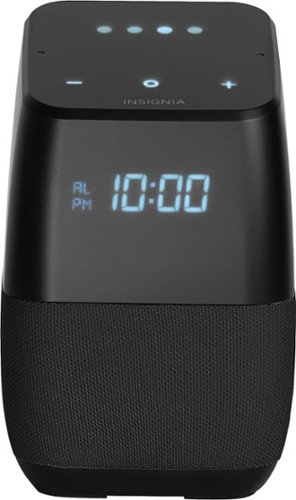
Only at Best BuyFind your favorite songs with the simple sound of your voice with this Insignia voice-activated wireless speaker. Wi-Fi and Bluetooth connectivity let you pair with compatible devices for more enjoyment, and Google Assistant is included to answer questions or search the internet. This Insignia voice-activated wireless speaker features a compact footprint and brilliant display.
Now that Google has released the ability to make calls can this model make calls also?
Not yet. Apparently it can make your phone ring if you misplace it and ask it to call your own phone, but it can't make domestic calls yet. Hopefully they'll add this functionality soon.
8 years, 3 months ago
by
TechEnthusiast
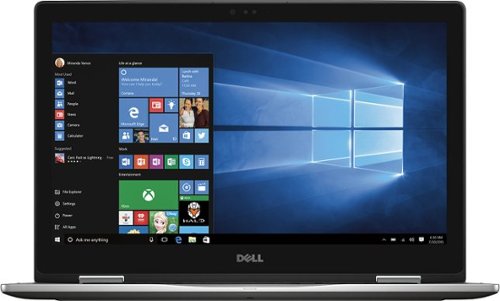
Only at Best Buy Dell Inspiron Convertible 2-in-1 Laptop: Enjoy the convenience of a tablet or the functionality of a computer with this Dell Inspiron Starlord laptop. The 15-inch touch screen makes viewing the small details on websites simple, and the Intel Core processor keeps the computer running commands quickly. This Dell Inspiron Starlord laptop has a backlit keyboard so you can type in the dark.
Just got this. During initial setup it asked to update Windows so I did, and it said something on the laptop wasn't compatible with Windows so it couldn't update. Is that normal for a brand new laptop? Also it gets VERY hot in 10 minutes of just Facebook.
I had the same problem with heat when I first got this laptop. If you go to the Dell support site for this laptop, they have an automated system check and driver update that works wonders. I'll warn you that you will have to hunt a little on the site to find it. I'm afraid that Best Buy won't allow me to send you a link to the page.
After running it, my heat issue was fixed completely; and the laptop runs at a nice ambient temperature now.
I'm not sure why you got an error about something not being compatible with Windows update, but you might want to try running Dell's system check first and then try it again.
After running it, my heat issue was fixed completely; and the laptop runs at a nice ambient temperature now.
I'm not sure why you got an error about something not being compatible with Windows update, but you might want to try running Dell's system check first and then try it again.
8 years, 11 months ago
by
TechEnthusiast