


TechEnthusiast's stats
- Review count209
- Helpfulness votes894
- First reviewAugust 16, 2014
- Last reviewJune 2, 2026
- Featured reviews0
- Average rating4.1
Reviews comments
- Review comment count0
- Helpfulness votes0
- First review commentNone
- Last review commentNone
- Featured review comments0
Questions
- Question count0
- Helpfulness votes0
- First questionNone
- Last questionNone
- Featured questions0
- Answer count13
- Helpfulness votes17
- First answerAugust 25, 2016
- Last answerJanuary 22, 2022
- Featured answers0
- Best answers2
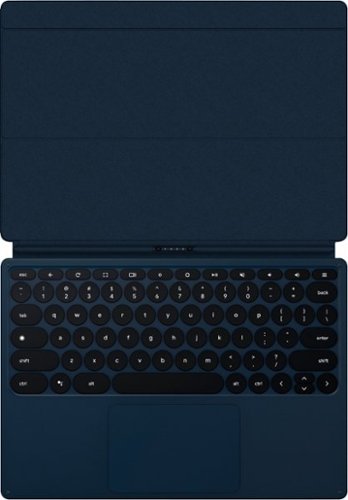
Enhance your tablet's productivity with this Google Pixel Slate keyboard. Ideal for getting work done, this keyboard instantly connects to your tablet and makes it easy to type on the full-size keys and an extra-large trackpad. This Google Pixel Slate keyboard makes it easy to switch between laptop and tablet modes and has a dedicated Google Assistant button for easy access to helpful functions.
Customer Rating

3
Love a lot about it, but it's a little awkward
on August 15, 2019
Posted by: TechEnthusiast
from Elgin, IL
The Pixel Keyboard is kind of a mixed bag.
I LOVE the coloration.
I LOVE, LOVE, LOVE the round keys.
I LOVE how thin the keyboard is.
I LOVE the key travel.
I LOVE the “soft touch” coating to the keyboard and lid.
I LOVE the dedicated Assistant button.
I LOVE the touchpad.
I LOVE, LOVE, LOVE the round keys.
I LOVE how thin the keyboard is.
I LOVE the key travel.
I LOVE the “soft touch” coating to the keyboard and lid.
I LOVE the dedicated Assistant button.
I LOVE the touchpad.
That being said, it’s not perfect.
This keyboard is absolutely AWFUL on one’s lap. There is no stability whatsoever.
The typing angle can’t be adjusted. The keyboard sits flat on the table, and that’s it. I would love to have been able to lift up the keyboard to type at a proper angle.
The magnetic connection is rock solid . . . except for when it’s not. I found that the keyboard detaches from the tablet rather easily when the “lid” is “shut.”
I’m rather ambivalent on the whole adjustable angle thing. It works, but I found it to be rather clunky and hard to get “just right.”
Would I recommend this keyboard? . . . Maybe.
This keyboard is stylish and functional, but at the same time, its design is somewhat impractical. If you’re just looking for a keyboard to keep on your desk when you want to do some serious typing on your Slate, then this option would work quite well for you. If you’re looking for something that will work well on the go, then you should probably keep looking.
Mobile Submission: False
I would recommend this to a friend!
Share this review:


+5points
5of 5voted this as helpful.
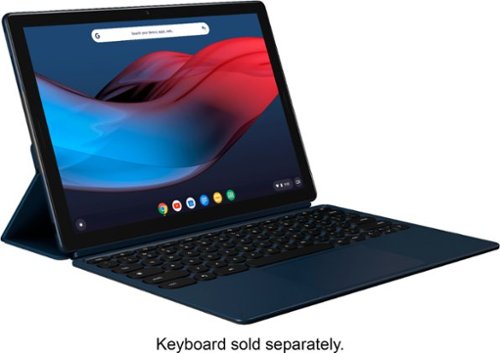
Stay entertained on the go with this 12.3-inch Google Pixel Slate tablet. Featuring an Intel Core i5 processor and 8GB of RAM, this powerful tablet delivers smooth, responsive performance and resource-efficient multitasking. This Google Pixel Slate tablet offers a detailed, immersive entertainment experience with a 12.3-inch 3000 x 2000 resolution Molecular Display.
Customer Rating

4
Premium device, but storage is an issue
on August 15, 2019
Posted by: TechEnthusiast
from Elgin, IL
The Pixel Slate is an extremely premium device, but a couple big flaws really hold it back.
First, the tablet is very thin. I was very impressed with just how sleek it looks and feels. I’m not certain what it’s made out of (some kind of coated metal?), but it feels very sturdy. The screen is beautiful and resist fingerprints surprisingly well. After a couple days of use, I’d normally be reaching for my screen cleaner at this point, but I see barely any fingerprints at all on this screen.
The screen is vibrant and sharp, and consuming media on this device is a joy.
The tablet comes with 8GB of RAM and 128GB of storage. My personal opinion is that 8GB of RAM is total overkill for a Chromebook. Unless you simultaneously have 100+ browser tabs open or are running some seriously intense Linux application, there really isn’t any call for this much RAM. This may change in the future though. It has two USB type-C ports, and either one can be used for charging. There are NO traditional USB type-A ports or mini/micro USB ports. There are also no headphone ports, but the computer does come with a USB type-C to AUX cable.
My BIGGEST complaint about this tablet is the lack of an SD or micro-SD port to expand the onboard storage. Chrome OS has progressed beautifully over the past three years and is now ready to serve as a full-time operating system for many users (not Gamers though). That being said, so many Chromebooks are hamstrung by paltry internal storage. 128GB is extremely generous compared to most Chromebooks, but without a micro-SD card to store offline media (i.e. documents, pictures, music, and videos) this will still fill up quickly. Sure, Chrome OS and Google encourage you to use Google’s cloud storage, but what happens when you find yourself without a decent internet connection?
It’s not convenient, but you’ll probably want to have a USB type-C flash drive on hand to store most of your offline content. Yes, it will jut out uncomfortably, but it will at least allow you to function when you find yourself without an internet connection.
I had only one real concern about the built quality, and it wasn't about the tablet itself. The charging cable that came with my tablet had a little "kink" in it, and the charger itself gets uncomfortably hot when charging. I'll probably swap this out for a 3rd party charger down the road.
Setting up the device took longer than anticipated. Maybe it’s because Google just released a major update, or maybe it’s because I was setting it up on a coffee shop’s WiFi, but the “5 Minutes” it cited to get updated and running was actually closer to 15. I was pleasantly surprised when my apps from my old Chromebook started auto-installing on this new device. Not having to hunt around the Play Store to find things is appreciated.
I would absolutely recommend this device for general media consumption, entertainment, and light productivity on the go; but I would not recommend this device as your primary computer. Chrome OS has come a long way, but the storage issue holds this tablet back too much.
Mobile Submission: False
I would recommend this to a friend!


Share this review:


+7points
7of 7voted this as helpful.
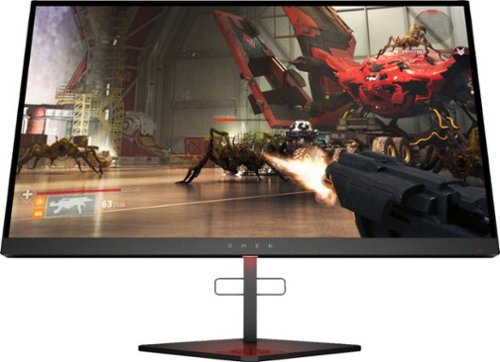
Experience immersive graphics with this HP OMEN X gaming monitor. The 24.5-inch 1080p display has a 240Hz refresh rate and a 1ms response time for smooth visuals. Adaptive Sync technology eliminates blurring and tearing, while the adjustable height and angle support simple customization. This HP OMEN X gaming monitor has a DisplayPort, two HDMI and two USB ports for versatile connectivity.
Customer Rating

5
Great monitor with some cool features
on June 29, 2019
Posted by: TechEnthusiast
from Itasca, IL
Unboxing this monitor was not the most fun I've ever had. The monitor is shipped with a plastic bracket that keeps it from sliding up and down on its stand while shipping. Removing this bracket was an awful experience that I never want to repeat (word of warning: be careful trying to remove it at an angle as it can get stuck VERY securely - I had to carefully attack it with a Dremel to get it out).
The monitor itself is awesome.
It's built very solidly (and weighs a ton). It has a variety of ports on the back including USB ports (requires another cable for a connection to a computer for data transfer), Displayport, and HDMI.
I currently have my computer plugged into the monitor via the Displayport connection, and the image is amazingly crisp and saturated.
The options menu for the monitor is navigated by a little joystick nub on the back. I absolutely hated this the first time I used it, but I quickly got used to it.
The monitor has a built in accent light that's capable of changing colors and illumination patterns. By default, the lighting is bright red, but I've changed it to blue to match the rest of my gaming setup.
This is a great monitor.
Mobile Submission: False
I would recommend this to a friend!
Share this review:


0points
0of 0voted this as helpful.
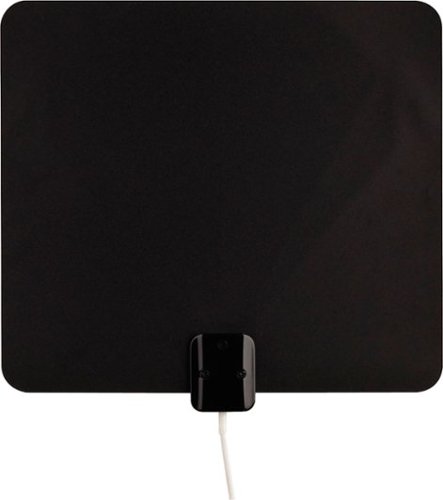
Enjoy quality network programming with this Terk ultra-thin HDTV antenna. Two-sided mounting tape makes wall and window installation possible, while a slim profile takes up very little space once installed. Multidirectional reception design makes adjustments unnecessary, while white and black sides allow this Terk ultra-thin HDTV antenna to fit into various decors.
Customer Rating
3
Very very thin. "Meh" range.
on June 24, 2019
Posted by: TechEnthusiast
from Itasca, IL
This TV Antenna is very very thin. The antenna actually flops around some it's so thin.
Installation was a breeze. Simply plug it into an outlet and attach the coaxial cable to your television (your experience scanning for channels will vary depending on your TV).
The signal strength gauge is a nice little gimmick. Honestly, it didn't really add anything to my overall experience though.
The antenna's thinness comes as both a blessing and curse when you go to hang this. I'm still struggling to determine the best way of affixing it to my wall, and it's currently sitting on top of a bookcase.
Signal strength is pretty "meh." I've actually had stronger antennas previously, and I'm a little disappointed that this wasn't stronger. Still, it was strong enough to get all of the local channels in my area (just not strong enough to get the ones just outside of my area).
All in all, this is an "okay" antenna. No negatives to speak of, but it's nothing to write home about.
Mobile Submission: False
I would recommend this to a friend!
Share this review:


0points
0of 0voted this as helpful.
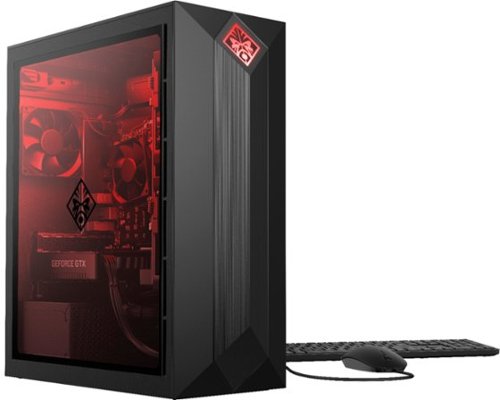
HP OMEN Obelisk by HP Desktop: Play graphically intense games with this HP OMEN Obelisk desktop computer. You can easily store large amounts of media and other data on the 1TB hard drive and install games and programs on the 256GB SSD for fast access. This HP OMEN Obelisk desktop computer has 16GB of memory for multitasking effectively, and the Intel Core i7-9700 processor handles resource-intense programs efficiently.
Customer Rating
5
Absolutely LOVE this desktop
on June 22, 2019
Posted by: TechEnthusiast
from Itasca, IL
I LOVE my HP Omen desktop. I’m a casual gamer, and the HP Omen has more than enough power to meet my needs.
The Omen has an Nvidia 1660Ti Graphics card, 16GB of RAM, an SSD boot drive, a 1TB storage drive, and a ninth gen i7 processor. It plays all of my games on medium to high settings without a hitch.
The Omen has built in RGB lighting that can be customized to your tastes. By default, the light is a vivid red. If you go into the “Omen Command Center” app, you can independently change the logo light on the front and the interior case light. I currently have a bright green logo and and a smurf blue case light. If you have an HP Omen monitor, you can also change the monitor’s accent color from within this app as well (though the option didn’t become available until after a couple updates and reboots).
The “Omen Command Center” also has a game streaming function that allows you to play your games on other computers over WiFi. It’s designed to be used with computers on the same network, but I tried it at my local coffee shop and had “eh” results. Some games streamed beautifully and others chugged. Playing on the same network was completely seamless with no issues whatsoever.
The Omen case is a bit big and bulky, but that will prove to be an asset if I ever need to open it up for upgrades. The case has a “dip” at the top that contains some USB ports and the power button. I have mixed feelings on this as I worry that this indentation will collect dust and debris over time.
My only complaint about this computer is that the 1TB hard drive isn’t quite big enough for all of the games that I’d like to put on this. That being said, I generally only actively play up to four games at a time anyway, so I can just rotate through my library as needed.
All in all, I LOVE this desktop.
Mobile Submission: False
I would recommend this to a friend!
Share this review:


+1point
1of 1voted this as helpful.
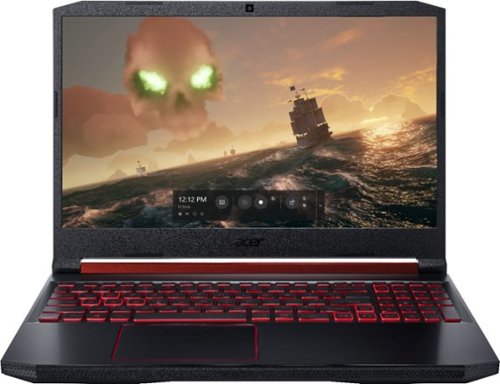
Acer Nitro 5 Laptop: Lose yourself in the absorbing multimedia experience delivered by this Acer Nitro 5 gaming laptop. The Intel Core i5 processor ensures a lag-free performance, and the NVIDIA GeForce GTX 1050 graphics card delivers immersive visuals on the 15.6-inch Full HD display. This Acer Nitro 5 gaming laptop has 8GB of RAM for seamless multitasking.
Customer Rating
4
A definite step up from the 2018 version.
on June 18, 2019
Posted by: TechEnthusiast
from Itasca, IL
Nitro 5 2019 Review
Cons:
Lost the SD card slot
Lost the easily accessible hatch for the 2.5” hard drive & RAM
Number pad feels cramped
Plug is really hard to plug in for some reason.
Pros:
Has extra m.2 SSD slot and still has 2.5” drive bay (but they’re both hard to get to)
Laptop is thinner and lighter (while maintaining the same screen size)
Battery life seems to be better than previous version
Runs quite fast
Lost the SD card slot
Lost the easily accessible hatch for the 2.5” hard drive & RAM
Number pad feels cramped
Plug is really hard to plug in for some reason.
Pros:
Has extra m.2 SSD slot and still has 2.5” drive bay (but they’re both hard to get to)
Laptop is thinner and lighter (while maintaining the same screen size)
Battery life seems to be better than previous version
Runs quite fast
Meh:
Battery life is still only 2-4 hours depending on workload.
Battery life is still only 2-4 hours depending on workload.
The 2019 version of the Acer Nitro 5 is a solid update to a great product line.
The laptop continues the Nitro line’s signature red and black aesthetic. The laptop is angular, but not absurdly so. The red accents and thicker profile would probably stand out a little in a business meeting, but the large black surfaces and overall clean look prevent this laptop from just screaming “GAMER.”
The laptop is slimmer than last year’s model, but it keeps the same screen size. The screen has adequate viewing angles, adequate sharpness, and adequate brightness. It’s not the greatest thing I’ve ever seen, but it’s far from the worst I’ve ever seen.
The laptop runs quite well. I had issues with an earlier version of this laptop freezing up with a black screen at boot and periodically bogging down while downloading drivers. So far, this laptop hasn’t experienced any of those issues. It runs smoothly, and updates have run quietly in the background without issue.
The included SSD is relatively small, but it’s large enough to handle three of my favorite games and a handful of productivity programs. I can rely on external storage for the rest of my games library.
My biggest complaint about this laptop would be the upgradeability.
Last year’s model had easy access hatches for accessing the 2.5” hard drive and the RAM. The SSD was hidden away underneath the back panel and required removing a bunch of screws and prying away plastic clips (I ALWAYS gouge my device rather badly when doing this).
This year’s model did away with the easy access hatches, and the 2.5” hard drive cable is included in a separate box within the package (and is almost guaranteed to get lost at some point). They did put in a second m.2 slot, but I’m not loving the fact that I’ll have to risk gouging my laptop to upgrade any of this.
I’m thinking it might be worth paying a professional to install a 2.5” hard drive for me to keep my laptop looking nice. Side note: The hard drive cable comes with a note saying that having a non-Acer certified technician install the hard drive will void your warranty. It then directs you to a website for more info.
If this is going to be your primary gaming machine, then you may want to go ahead and invest in a 1-2 TB drive to supplment the included SSD.
The plug is really REALLY hard to plug in for some reason. It could just be my particular unit, but if the plug isn’t lined up at just the right angle, then the plug won’t go in. Once in, it’s nice and snug and charges just fine; but it’s really annoying.
The keyboard is comfortable to type on. It is backlit with a nice red glow. The numberpad is cramped, and the numberlock key is over the 8 instead of the 7 to make room for a dedicated “Nitro” button. This button launches “Nitrosense.”
“Nitrosense” is a program that comes preinstalled on this laptop that allows you to monitor CPU and GPU temps and control fan speed. I’ve only had to use it once when my laptop was starting to thermal throttle on some seriously intense video transcoding. Maxing out the fans caused my CPU temperatures to drop between 2-5 degrees.
Overall, I’m very happy with this laptop. It’s not the most powerful gaming machine on the market, but it’s a good solid option for gamers on a budget. While the upgradeability may be obnoxiously difficult, I like the fact that the storage and RAM even can be upgraded in this age of soldered components.
I would recommend this laptop.
Mobile Submission: False
I would recommend this to a friend!
Share this review:


+1point
1of 1voted this as helpful.
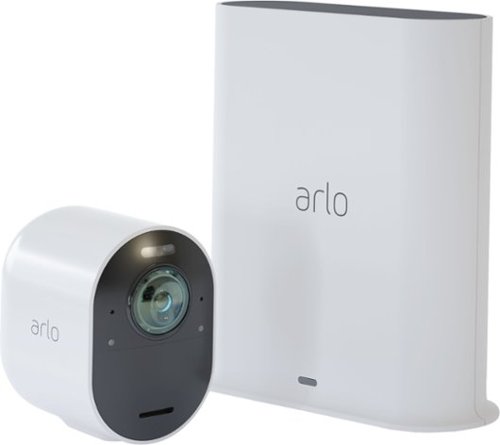
Safeguard your home with this Arlo security camera system. Its 4K resolution provides maximum clarity so you don't miss a single detail, and a siren is integrated so you can fend off intruders either remotely or while at home. This Arlo security camera system is weather-resistant, so it's functional rain or shine.
Posted by: TechEnthusiast
from Itasca, IL
The Arlo Ultra security camera is a good solid camera; though it does have a tendency to jump at shadows.
The base station requires a wired ethernet connection, and the base station comes with the required ethernet cable (congrats to the manufacturer for not making their customer go out and buy more stuff just to get it working). It’s made of glossy white plastic, and it will probably show wear in about five minutes. Within a minute of removing the protective plastic film, static cling drew a noticeable amount of dust and lint to it.
The wireless camera is also made of glossy white plastic, and it comes with a really cool magnetic mounting base. I’ll confess, the base is probably my favorite thing about this camera. The camera charges via a proprietary charger (also magnetic). I’m not so keen on this as USB-C charging would have been appreciated (I tend to misplace proprietary cables when I don’t use them often, and I’m hoping that I won’t have to charge this camera too terribly often).
Camera setup was relatively easy and painless. The hardest part was figuring out how to put the battery in the camera (note: there’s a button on the bottom of the camera to open it up that the instructions don’t seem to reference).
The guided setup in the app is pretty straightforward. It has you plug in the base station, pairs your phone to it, and then runs updates. The updates took quite a while to download on my setup. After updating, you’ll then be guided to the camera pairing process.
Things got a little rocky at this point.
The camera kept losing connection, and it too required a long update as well. After updating, the camera connection seemed to stabilize nicely.
The image quality of the camera is quite good. The camera also allows for 2-way communication between you and the person being recorded. It takes a few seconds to wake up when you’re accessing it remotely (far too long for the delivery guy to wait around for unfortunately), but it isn’t the worst I’ve seen in this regard. The LED spotlight triggers automatically when the camera is plunged into darkness. It also triggers when motion is detected in the dark.
The motion detection is actually my one big complaint about this camera..
This camera is SO SENSITIVE to motion! I had it aimed at a blank wall, and I continued to get motion alerts on my phone every few minutes just from the way shadows would move across said wall. This camera is ultimately going to be aimed at a doorway, but I worry about getting so many false alerts. You are able to adjust the zone being monitored for motion in the device settings, but getting there isn’t all that intuitive, and I can’t find any settings to adjust the overall sensitivity.
Arlo has a subscription service to monitor your camera and retain your videos for 30 days. Without this subscription, your videos are unmonitored and only stored for 24 hours.
All in all, I think this is a pretty good camera. No, you probably won’t be able to use it to converse with a delivery driver in real time as they’re dropping off a package (the delay to dial into it is too long for that). Yes, you will be able to use it to see if your kids made it home from school okay or to catch your neighbor taking a package off your porch.
I would recommend this product.
Mobile Submission: False
I would recommend this to a friend!
Share this review:


+1point
1of 1voted this as helpful.
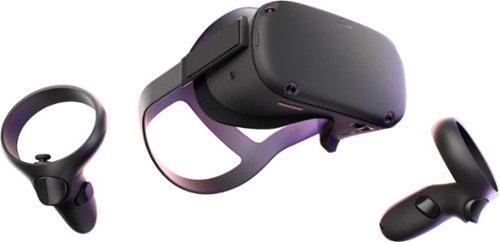
Turn a small space into an immersive gaming area with this Oculus Quest all-in-one VR system. The wireless headset and controllers provide a compact setup and don't require a PC, and the 64GB of storage accommodate compatible VR game titles. This Oculus Quest all-in-one VR system uses Insight tracking technology for instant, accurate response to movements.
Customer Rating
4
Not perfect, but a great way to get into VR
on May 31, 2019
Posted by: TechEnthusiast
from Itasca, IL
The Oculus Quest is my first foray into VR, and it’s very impressive. The experience is immersive, the graphics can be stunning, and (for the most part) the controls are intuitive.
This isn’t to say that the experience is perfect though.
My biggest problem with the Quest has to be the degree of comfort. I find that wearing it for more than half an hour genuinely HURTS. The strain on my forehead and the bridge of my nose can get very bad. This is despite adjusting the straps every which way to try and get it more comfortable. I did find more comfortable ways to reposition the headset, but doing so caused it to go completely out of focus.
I think another reviewer hit this issue right on the head (no pun intended) when they said that the problem with the Quest’s fit is that it’s designed for people with a fairly pronounced curvature at the base of their skull. For people with a pronounced curvature, the strap on the back sits beneath the base of their skull and holds the headset in place with the back of the skull nicely balancing the weight between the front and back. For those of us with flatter skull shapes, the only way to get the headset to sit in place is to crank the straps and squeeze the headset right against our faces. In this scenario, a great deal of pressure is being applied at the front of your head, and all of the weight is at the front too.
I found that wearing a well padded ski cap and adjusting the straps to fit helped quite a bit (I was able to wear the headset for a full hour with only some slight pain in my forehead). I’m not sure how viable of an option this will be though when the daily temp starts hitting 100+ degrees.
The games are a lot of fun, but they’re a little pricey. I understand that designing for VR is a labor intensive process, and the designers deserve to make buckets of money for their efforts. I also acknowledge that we’re probably paying a premium for the amount of freedom of movement that the Quest gives us. That being said, there is VERY little in the way of free content; and most of the paid content is quite pricey. There also isn’t that much of it at launch (though this may change as time goes on).
The Quest comes with a spacer for wearing eyeglasses with it, but I’ve opted not to use it after reading about how some reviewers scratched their lenses while trying to use it (I also couldn't get my foam spacer to pop out to install it prior to reading about the issues with scratching). It says right in the instruction manual that it’s designed for glasses that fit a very narrow set of dimensions. Anything larger than the dimensions listed may result in damage to your headset. I can’t see well enough to drive without my glasses, but I can manage well enough; and I opted not to risk it.
The lenses also came with a warning about not using any type of cleaning fluid or even water on them. Not sure what I’ll do if they start to get grimy. Maybe a microfiber cleaning cloth?
The charging cable that comes with the headset is quite long. You could definitely charge your headset while using it, and you’d only experience a little bit of restriction to your movements. It should also be noted that you can charge this headset from a portable power bank too (side note: I couldn’t get my headset to turn on while charging. I had to turn it on first and THEN plug it in to charge).
At the time of this review, Sling TV and Pluto TV are the only live TV apps supported. YouTube and Netflix have apps as well (though not YouTube TV). Hopefully more options will become available as time goes on.
The immersion is so good that I actually got motion sick while playing a roller coaster game. While that may sound like a negative, I think that it actually says quite a bit about just how good this headset actually is.
I had a little bit of trouble while playing a boxing game. It seems like there is a small deadzone directly in front of your face. When moving my hands to guard against incoming punches, one or both controllers would go a little bonkers when placed directly in front of my face. Setting them slightly off center to either side and holding them further away from my face seemed to fix the issue.
The best thing about this headset is its ease of use. You don’t need a high power gaming PC, you don’t need to play with esoteric wired connections, and you don’t need to setup additional hardware for motion tracking. The built in guardian system is extremely intuitive, and the entire setup process is an absolute breeze.
All in all, I think this headset is a great way of getting into VR.
Mobile Submission: False
I would recommend this to a friend!
Share this review:


+5points
9of 13voted this as helpful.
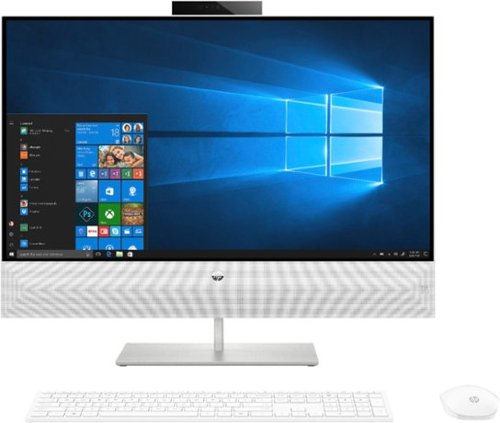
Enjoy smooth multitasking and high-quality entertainment with this HP Pavilion all-in-one desktop. The 12GB of RAM and hexa-core Intel Core i7 processor handle high-bandwidth computing, and the 27-inch Full HD touch screen display lets you navigate multiple windows quickly. Launch and run programs without lag thanks to this HP Pavilion all-in-one desktop's 256GB solid-state drive.
Customer Rating
5
Solid computer for productivity
on April 24, 2019
Posted by: TechEnthusiast
from Itasca, IL
Pros.
- Handles tasks quickly and efficiently.
- Nice screen quality
- Has HDMI inputs for hooking up video game consoles or other computers
- Touchscreen input
- Camera drops down to maintain privacy
- Handles tasks quickly and efficiently.
- Nice screen quality
- Has HDMI inputs for hooking up video game consoles or other computers
- Touchscreen input
- Camera drops down to maintain privacy
Cons.
- Lack of storage
- All of the ports are awkwardly positioned on the back of the screen.
- The Bluetooth appears to be slow to turn on as my 3rd party Bluetooth keyboard and mouse don’t start working until the computer has been on for a few minutes (which also results in an alarming error every boot about no keyboard being attached).
- Lack of upgradeability.
- Lack of storage
- All of the ports are awkwardly positioned on the back of the screen.
- The Bluetooth appears to be slow to turn on as my 3rd party Bluetooth keyboard and mouse don’t start working until the computer has been on for a few minutes (which also results in an alarming error every boot about no keyboard being attached).
- Lack of upgradeability.
Meh.
- Sound quality from the integrated speaker is okay, but it’s nothing to write home about.
- Sound quality from the integrated speaker is okay, but it’s nothing to write home about.
This is a great computer for media consumption and productivity. I wouldn’t recommend it for gaming though, and the lack of internal storage means that you’ll be relying on external and cloud storage to get by.
This computer handles very well. This configuration didn’t miss a beat with any of the tasks that I threw at it. Unfortunately, while the internal hard drive is very fast, it’s also fairly small. At 256GB, you’ll be relying on cloud storage or external drives to hold things like your music or video libraries.
I also experienced a small problem with my Bluetooth keyboard and mouse. I opted to swap out the mouse and keyboard that came with this computer in favor of my preferred Bluetooth mouse and keyboard. The mouse and keyboard that came with this computer were perfectly fine, but my Bluetooth set is better. Unfortunately, the Bluetooth doesn’t seem to want to turn on right away. The computer has to be on for a full minute or so before the Bluetooth wants to connect. This results in an alarming error message at the bios screen when you first boot telling you that a keyboard or mouse input hasn’t been detected. After it connects, everything appears to work just fine.
I love the fact that this computer comes with HDMI inputs. I love that I can hook up a gaming console or other device to this computer and use it as a monitor. That is EXTREMELY cool and convenient. It should be noted that the touchscreen doesn’t work over HDMI. If you hookup another computer to this display, the touchscreen won’t work for it.
The computer doesn't have a dedicated graphics card, and it isn't really made for gaming. Light gaming on older titles at low settings would probably be fine, but don't expect this to be a gaming powerhouse.
It is a solid productivity workhorse though.
This computer also has an integrated webcam that drops behind the display so that you can maintain your privacy (note: the microphone continues to work while the camera is dropped down).
The integrated speaker . . . is meh. Honestly, it was a little disappointing. I’ve heard better, but I’ve heard worse too.
All in all, for web browsing, photo editing, word processing and media consumption, this computer is great.
Mobile Submission: False
I would recommend this to a friend!
Share this review:


+7points
7of 7voted this as helpful.
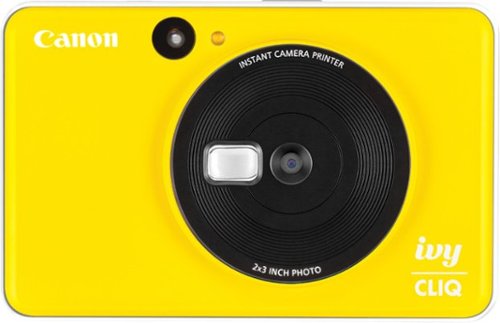
Capture and print your favorite moments on-the-go with this Canon IVY CLIQ digital camera printer. The small selfie mirror allows stunning self-portraits, while the 5MP resolution takes brilliant images in low-light conditions, thanks to the built-in flash. This Canon IVY CLIQ digital camera printer uses ZINK photo paper for smudge-free and water-resistant pictures.
Customer Rating

1
This is not a good camera
on April 24, 2019
Posted by: TechEnthusiast
from Itasca, IL
I’m not going to beat around the bush. The Canon Ivy Cliq is a truly awful camera that isn’t worth the money. Do yourselves a favor and don’t buy it.
I’ve seldom encountered a product with no redeeming features or use cases, but I can honestly say that this camera is a complete and total waste of plastic.
The camera is made of light-weight plastic and feels cheap in the hand. My camera was yellow, but the entire back of the camera is a glossy white plastic that will start to look dirty within a couple days of use.
The camera has four buttons on it: power, shutter, aspect ratio, and duplicate photo. The camera has no LCD screen to it, and there are no menus or options whatsoever. Once you click the shutter button, the camera prints the photo (no matter how bad it is). There is no app, this doesn’t pair with your phone, and you can’t cancel the print if you know it’s going to turn out poorly. This was okay with the original Polaroid cameras of the late 80s and early 90s back when you were getting instant gratification instead of going through the hassle of getting film developed, but this is quite frankly unacceptable in 2019.
The camera does have a spot for a micro-SD card. If you should somehow blindly luck into a decent photo, you can retrieve it from the SD card to share or print later. And trust me, you will be blindly lucking into decent photos. The positioning of the optical view finder is awkward, and it’s somewhat painful to use unless you’re open to smashing your nose into the back of the camera.
The camera’s strap is a MAJOR design flaw. It’s positioned in the upper left-hand corner of the camera, and it dangles right in front of the printer. There’s a reason that the Polaroids of old spat the picture out through the front. With this camera, you have to move your left hand out of the way, and hold the strap so that it isn’t in the way of the printer. I’m at a loss as to why they thought this was a good idea.
The instructions recommend that you be within 1.6 feet of the subject of your photo. At this distance, I found that the flash washed out my subject rather badly. It should be noted that there is no way to turn off the flash with this camera.
The camera holds ten sheets of instant photo paper and the blue data sheet that comes with the pack. My very first print jammed until I took the paper out and lightly fanned it before putting it back in. The paper is fairly expensive at the time of this review, and you’re not going to want to waste a single print.
At 5 megapixels, this camera has the same resolution as my first digital camera from 2003. Given the size of the print (2x3 inches), the prints look “okay.”
If I could return this camera, I would in a heartbeat.
I do not recommend buying this camera. Spend a little more and get something better, or buy a standalone mobile, instant printer and use your smartphone instead.
Mobile Submission: False
No, I would not recommend this to a friend.

Share this review:


+17points
27of 37voted this as helpful.
TechEnthusiast's Review Comments
TechEnthusiast has not submitted comments on any reviews.
TechEnthusiast's Questions
TechEnthusiast has not submitted any questions.
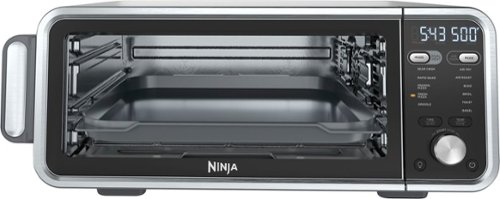
The Ninja Foodi Dual Heat Air Fry Oven gives you versatility in the kitchen with 11-in-1 functionality from Air Fry and Sear Crisp to Rapid Bake and Toast. With Dual Heat Technology, unlock up to 500~F cyclonic air and a directly heated SearPlate, which allow for fast cooking and restaurant-worthy results. Cook up your favorites and then flip the oven up and away to reclaim your counter space.
What settings do you use to reheat on this? It seems to be missing the reheat and dehydrate functions. Are there manual work arounds for each?
Not all models include the reheat and dehydrate functions (though all models get the same instruction manual which causes some confusion).
Unfortunately, I haven't been able to find any manual workarounds for this.
Unfortunately, I haven't been able to find any manual workarounds for this.
4 years, 4 months ago
by
TechEnthusiast

SoloCam L40 2K is a completely standalone security cam that you can access via your app. No need for a Homebase, or wires, as SoloCam is completely wire-free and battery-powered, so you don't have to mess with anything. Every eufy Security product is engineered to ensure your security data is kept private. Have peace of mind that you will have a secure record of everything that happens around your home. Adjust the brightness and color temperature of the spotlight in case you don~t want to wake the neighbors. Takes just minutes to install the mount using a drill and the included pack of screws. No wires or cords needed. Chat to anyone passing by~invited or not~and hear their response up to 8 meters away in real-time via SoloCam L40~s two-way audio. Connect SoloCam L40 to the Google Assistant or Alexa for complete hands-free control of your home security. Designed to protect your home as well as your wallet, SoloCam L40 is a one-time purchase that combines security with convenience. Only receive the alerts which matter. Customize the area in which detection takes place to suit your home.
Up to what distance it will detect Human detection only?
I don't know the "official" answer to this, but I have it aimed down a rather long driveway, and it only detects people about a 1/3 of the way down it. Past that, it doesn't trigger any notifications at all.
If I had to guess, I'd estimate that its range is somewhere around 15-20 feet.
If I had to guess, I'd estimate that its range is somewhere around 15-20 feet.
4 years, 7 months ago
by
TechEnthusiast
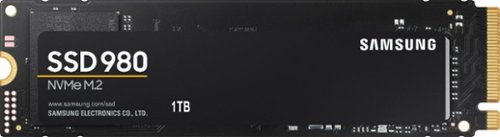
Harness your PC's potential with the 980. Whether you need a boost for gaming or a seamless workflow for heavy graphics, the 980 is a smart choice for outstanding SSD performance ~ and it's all backed by an NVMe* interface and PCIe 3.0 technology.
Is this compatible with Acer nitro 5 gaming laptop?
I have one of the earliest models of the Nitro 5, and it installed in mine just fine. Couple warnings though: If you want to refresh your operating system after installing it (recommended to avoid hardware glitches), you'll need to remove any additional hard drives (otherwise it errors out). Another thing: after refreshing the operating system, it will only recognize the SSD until you install all of the Windows updates. After installing the updates, any secondary drives will show up again.
5 years, 1 month ago
by
TechEnthusiast
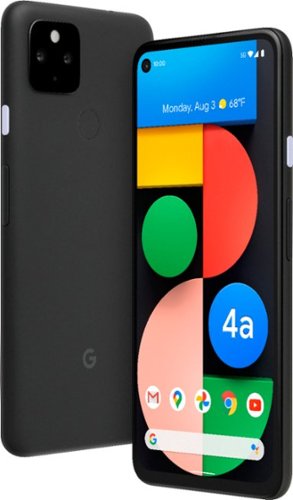
Pixel 4a with 5G is the budget-friendly, super fast phone from Google. It has the helpful stuff you need in a phone, with an extra boost of 5G speed.*
Does this model support Dual SIM?
No. Unfortunately, this model only has a single SIM slot.
5 years, 6 months ago
by
TechEnthusiast
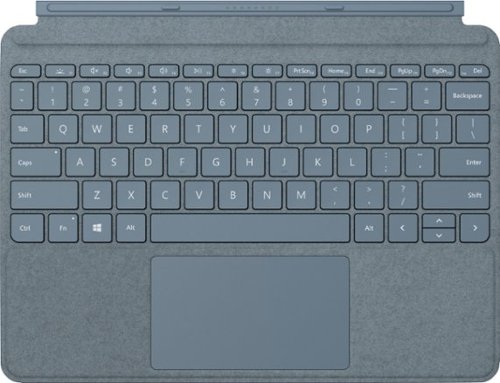
Pair Surface Go Type Cover with Surface Go* for a full keyboard experience anywhere. Ultra-compact, yet it includes a complete mechanical keyset, backlit keys, and extra-large trackpad. Plus, three colors are covered in rich Alcantara material~ for an added touch of luxury and comfort.
What is the power source for the Microsoft Surface Go type cover?
The tablet itself powers the keyboard. The keyboard connects to the Surface Go via tiny pogo pins on the bottom of the tablet. These pins transmit both power and data. Because of this, the keyboard doesn't require any additional power source; and you don't have to play with Bluetooth settings or anything to pair the keyboard to the tablet.
5 years, 11 months ago
by
TechEnthusiast
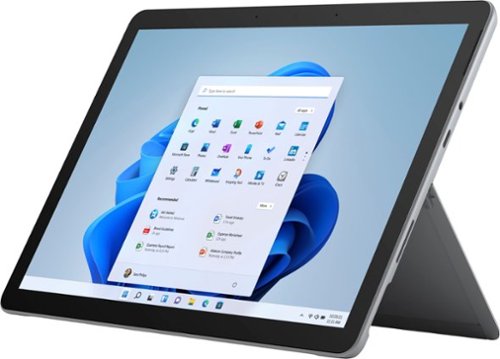
Your perfect everyday companion. Surface Go 2 is perfect for keeping up and winding down - delivering tablet portability with laptop versatility, long battery life, a stunning touchscreen, and Windows security for the whole family. Browse, shop, and manage email with ease, relax with your favorite TV shows, and much more.
Can this unit be connected to Verizon?
No. This particular version of the Surface Go 2 tablet doesn't have a SIM card slot for LTE connectivity.
5 years, 11 months ago
by
TechEnthusiast
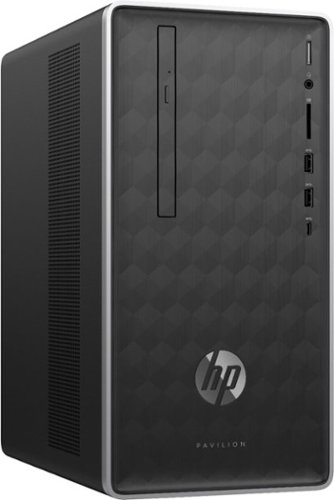
Enjoy hours of reliability and speed with this HP Pavilion desktop. Its AMD Ryzen 5 processor and 12GB of RAM let you accomplish multiple tasks at the same time, and its 1TB hard drive provides plenty of space for file storage. This HP Pavilion desktop comes with a wired keyboard and mouse for interacting with Windows 10 Home.
Does this computer burn CDs.
Yes. This computer has a disc drive for burning CDs and DVDs.
7 years, 10 months ago
by
TechEnthusiast
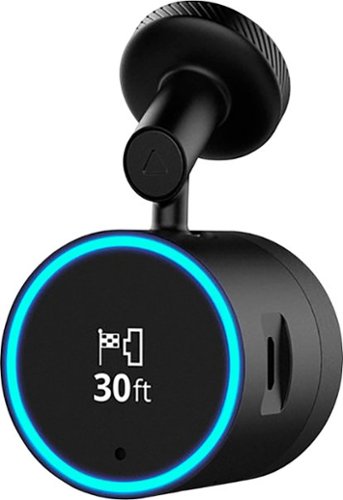
Garmin Speak~ Plus with Amazon Alexa is what you love about Amazon Alexa, now in your vehicle. Use voice control for hands-free access to music, news, navigation and more. Plus, a built-in dash cam gives you forward collision and lane departure warnings.
How can dash cam footage be accessed? Is there cloud storage for the dashcam footage? If there's cloud storage, how much data/hour would the dashcam footage use? Alternatively, can video quality be adjusted to lower bandwidth usage?
Footage is stored on the micro-SD card inserted in the camera itself.
It can be accessed from the Speak app after you download the VIRB app. Note that while you need the VIRB app to access the footage, you can't view the photos directly from the VIRB app. You instead go back to the Speak app so that it can open the VIRB app and display the photos and videos (I know, it's an incredibly silly process).
If you try to open the VIRB app directly, it will tell you that it can't locate your camera.
It can be accessed from the Speak app after you download the VIRB app. Note that while you need the VIRB app to access the footage, you can't view the photos directly from the VIRB app. You instead go back to the Speak app so that it can open the VIRB app and display the photos and videos (I know, it's an incredibly silly process).
If you try to open the VIRB app directly, it will tell you that it can't locate your camera.
8 years, 3 months ago
by
TechEnthusiast
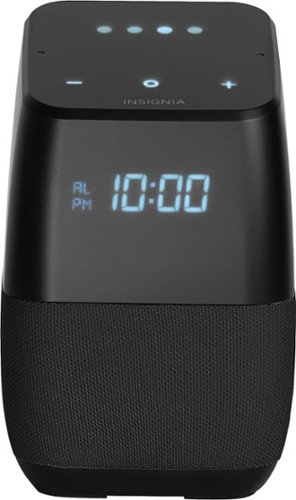
Only at Best BuyFind your favorite songs with the simple sound of your voice with this Insignia voice-activated wireless speaker. Wi-Fi and Bluetooth connectivity let you pair with compatible devices for more enjoyment, and Google Assistant is included to answer questions or search the internet. This Insignia voice-activated wireless speaker features a compact footprint and brilliant display.
Now that Google has released the ability to make calls can this model make calls also?
Not yet. Apparently it can make your phone ring if you misplace it and ask it to call your own phone, but it can't make domestic calls yet. Hopefully they'll add this functionality soon.
8 years, 3 months ago
by
TechEnthusiast
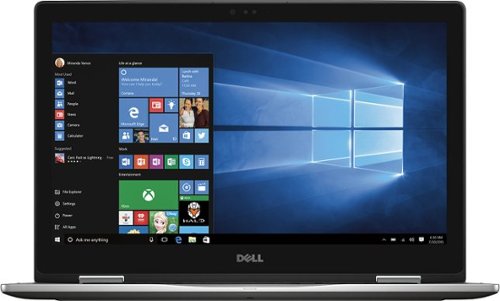
Only at Best Buy Dell Inspiron Convertible 2-in-1 Laptop: Enjoy the convenience of a tablet or the functionality of a computer with this Dell Inspiron Starlord laptop. The 15-inch touch screen makes viewing the small details on websites simple, and the Intel Core processor keeps the computer running commands quickly. This Dell Inspiron Starlord laptop has a backlit keyboard so you can type in the dark.
Just got this. During initial setup it asked to update Windows so I did, and it said something on the laptop wasn't compatible with Windows so it couldn't update. Is that normal for a brand new laptop? Also it gets VERY hot in 10 minutes of just Facebook.
I had the same problem with heat when I first got this laptop. If you go to the Dell support site for this laptop, they have an automated system check and driver update that works wonders. I'll warn you that you will have to hunt a little on the site to find it. I'm afraid that Best Buy won't allow me to send you a link to the page.
After running it, my heat issue was fixed completely; and the laptop runs at a nice ambient temperature now.
I'm not sure why you got an error about something not being compatible with Windows update, but you might want to try running Dell's system check first and then try it again.
After running it, my heat issue was fixed completely; and the laptop runs at a nice ambient temperature now.
I'm not sure why you got an error about something not being compatible with Windows update, but you might want to try running Dell's system check first and then try it again.
8 years, 11 months ago
by
TechEnthusiast