


TechEnthusiast's stats
- Review count209
- Helpfulness votes894
- First reviewAugust 16, 2014
- Last reviewJune 2, 2026
- Featured reviews0
- Average rating4.1
Reviews comments
- Review comment count0
- Helpfulness votes0
- First review commentNone
- Last review commentNone
- Featured review comments0
Questions
- Question count0
- Helpfulness votes0
- First questionNone
- Last questionNone
- Featured questions0
- Answer count13
- Helpfulness votes17
- First answerAugust 25, 2016
- Last answerJanuary 22, 2022
- Featured answers0
- Best answers2
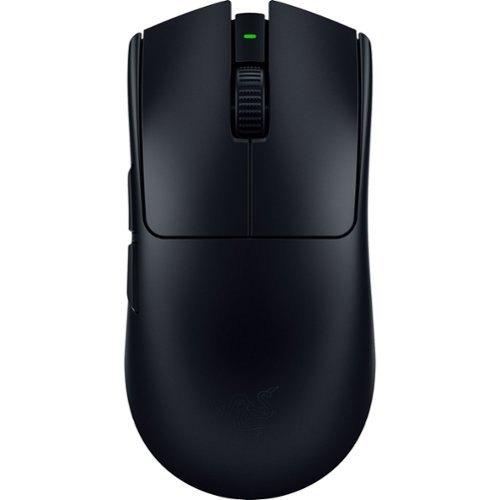
The GOAT of wireless esports mice returns to reshape the competitive scene. Featuring a 54 g ultra-lightweight design and best-in-class technologies, the Razer Viper V3 Pro is the undisputed choice for peak performance and handling~the perfect weapon designed with and trusted by pros.
Customer Rating

2
Unfortunate design choices hamper usability
on May 10, 2024
Posted by: TechEnthusiast
I’m honestly not sure who this mouse is intended for.
I was in the market for a wireless mouse for my new gaming laptop, and I jumped at the opportunity to try this one from Razer. Razer is a well-established brand in the gaming space, and I figured that I’d be getting a quality device.
Unfortunately, rather than connecting via Bluetooth or even a small USB type-A dongle, this mouse connects via a separate antenna piece that connects via a long USB type-A to type-C cable. This severely hampers the portability of this mouse. I’m guessing that they went with this longer antenna as a way of minimizing latency (versus the smaller dongles or Bluetooth).
I could see having this awkward antenna setup with a desktop computer, except I’d probably just opt for a wired mouse at that point to eliminate input lag completely. It should be noted that you can forgo the antenna and simply use this as a wired mouse using the type-A to type-C cable.
Given the bizarre wireless setup, I’m genuinely not sure who this mouse is being marketed toward. I guess if you really REALLy want a wireless mouse for your desktop setup, and you want to minimize latency versus Bluetooth or a traditional 2.4ghz dongle, then this might be the setup for you? Or perhaps if you have this plugged into a home theater PC and want to use the mouse wirelessly from a few feet away?
As it stands, I don’t think this is going to work for a laptop setup.
I also had an issue with the mouse weight.
This is advertised as an ultra-light mouse. Going into this, I’d never really considered mouse weight a significant factor in my mouse purchases. I figure so long as I’m not dragging a brick across my desk, then any weight should be fine.
I was wrong.
This mouse is far too light for my taste. It feels cheap, and I find myself struggling to aim as I keep swinging the mouse too far. Adjusting the DPI helps, but a little more weight would have been appreciated.
The mouse comes with adhesive stickers that allow you to add some “grip” to it. I really wish these would have been installed by default as I managed to skew the sticker on my right-click button just enough to bother my OCD tendencies.
Plugging the mouse into a Windows machine prompts you to install Razer’s various pieces of software to control button functionality, firmware updates, lighting, and a game launcher / manager. It should be noted that lighting settings don’t appear to carry over if you turn around and plug this mouse into a Steam Deck dock. My mouse is sitting dark with no RGB lights on it whatsoever when plugged into my Deck. I suspect that this probably wouldn’t be an issue with a WIndows based handheld though. Despite the lack of RGB, the mouse is seemingly functioning without issue otherwise.
I’m sorry to say that I can’t really recommend this mouse. This might be the ideal mouse for a handful of people with very niche use cases. But for most people, this mouse is just one giant string of compromises
No, I would not recommend this to a friend.
Share this review:


-2points
5of 12voted this as helpful.
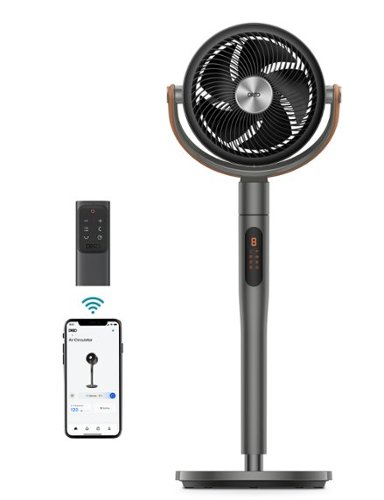
Dreo Pedestal Fan with Remote, PolyFan 613S, 43'' Quiet Standing Fan for Home Bedroom, 120~+105~ Smart Oscillating Floor Fans with Wi-Fi/Voice Control, Works with Alexa/Google, 6 Modes, 8 Speeds
Customer Rating

5
Smart device that moves a lot of air for its size
on April 27, 2024
Posted by: TechEnthusiast
The Dreo air circulator is a stylish and versatile fan.
Setup was easy and intuitive. All of the tools you need to set the fan up are in the box. The app found the fan and connected to it almost immediately.
The app isn’t the most intuitive. The fan has both an “automatic” mode and a “work’s with AC” mode (which is also an automatic mode - albeit one that works slightly differently). I was also a little dismayed that I could set the fan speed for different temperatures, but I couldn’t set it to turn itself completely “off” at certain temperatures. Ideally, I’d like to leave the fan off when the temperature is 70 degrees or less and have it increase in speed as the temperature rises. Unfortunately, the lowest it will go is a speed of “1.”
Fortunately, the fan integrates with Google Assistant, and I may be able to setup some type of control scheme that will allow for turning it off with the temperature using the assistant and/or a third-party app.
Still, I do appreciate the features that this fan comes with, and the app does give you a great degree of control over the fan’s various functions.
In addition to the app and the “on-device” controls, the circulator also comes with a small remote control. This is nice if you don’t want to bother setting it up with the app or a voice assistant.
In addition to the usual “side to side” the fan can also oscillate up and down. This is great for really controlling the airflow of a room. I do have some concerns with running the fan at higher speeds though. The base doesn’t seem to be the most stable, and the fan wobbles rather badly at high speeds.
I currently have the air circulator setup upstairs in my finished attic/office space. This is an area that has very little natural airflow, and the circulator is making a word of difference in terms of keeping the space from becoming too stuffy.
In short, this is a feature-rich device with lots of control options that does a great job of circulating the air.
I would recommend this to a friend!
Share this review:


+1point
1of 1voted this as helpful.
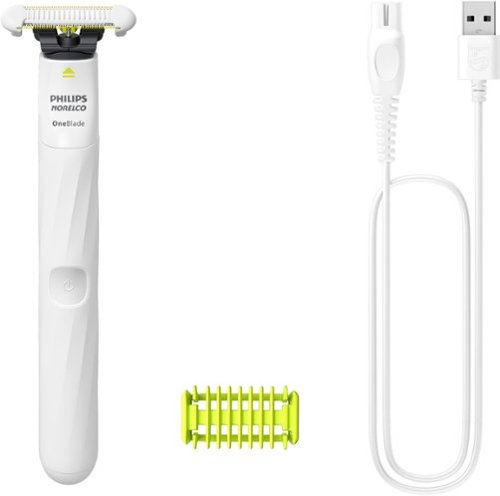
From pits to pubes, the Philips Norelco OneBlade Intimate is designed for your sensitive, intimate areas. The unique skin protector gives an extra layer of protection from nicks and cuts. Want to leave a little hair? Just click on the trimming body comb. Unique OneBlade technology cuts mows through hair at a speed of 100x per second, the glide coating and rounded tips protect your oh-so-tender skin under there and down below. The unique dual-sided SkinProtect blade also allows you to easily shave up or down to trim or style with confidence. Also included is a detachable 3mm body comb that makes it fast and easy to trim intimate and body hair. OneBlade Intimate is fully waterproof, with an IPX7 certification (up to 1m deep for 30 minutes). So feel free to shave while bathing or showering if that's what you prefer. Dry shaving's OK too, even without shaving foam. Just rinse under running water to clean. Our blades are made from stainless steel that's durable enough to last up to 4 months* (that's just 3 blade replacements per year!) Plus Philips Norelco OneBlade Intimate gives you 30 minutes of shaving and grooming on a single charge, so you can take your time. Complete recharge takes 8 hours.
Customer Rating
5
Safe and pain-free grooming tool.
on April 23, 2024
Posted by: TechEnthusiast
Pros:
Safely shaves without knicks or pulling.
Blade changes should be very easy.
Safely shaves without knicks or pulling.
Blade changes should be very easy.
Cons:
Not the cleanest shave (leaves some stubble).
Requires daily “touch-up” to keep things looking tidy.
Not the cleanest shave (leaves some stubble).
Requires daily “touch-up” to keep things looking tidy.
I was a little apprehensive about reviewing something termed an “intimate groomer.” Shaving sensitive areas is traditionally fraught with peril, and I was anxious that this razor wouldn’t live up to its hype.
Fortunately, I can safely say that this razor DOES live up to its hype.
The razor’s instructions aren’t the greatest. They could stand to have more illustrations describing what the various pieces are. By default, the blade comes with a sensitive skin guard pre-installed. It took me a little bit to realize this.
This guard prevents the face of the razor from connecting with your skin, and only the sides of the razor actually do any cutting with this guard on. It doesn't offer the closest shave, but it does do an excellent job of maintaining a safe and pain-free shave.
The razor also comes with another guard for grooming that leaves a little bit of hair if you want to avoid the “plucked chicken” look. I wasn’t terribly impressed with this guard as it didn’t seem to cut much hair in a single pass, and it required multiple passes to get things looking nice (note: I’m a fairly hirsute individual - your mileage may vary on this front).
It should be noted that since the sensitive skin guard doesn’t quite cut flush to the skin. Stubble grew back very quickly. I found that I had to touch things up daily to maintain the clean look.
Out of the box, I experienced a safe and pain-free shave that looks quite nice. I’m sure that a large part of this was the fact that the blade was brand new and extremely sharp. The blade head pops out easily, and it can easily be replaced with a fresh one as it wears out. Suffice it to say, I will be stocking up on extra blades.
I like this razor and would strongly recommend it.
I would recommend this to a friend!
Share this review:


+2points
2of 2voted this as helpful.
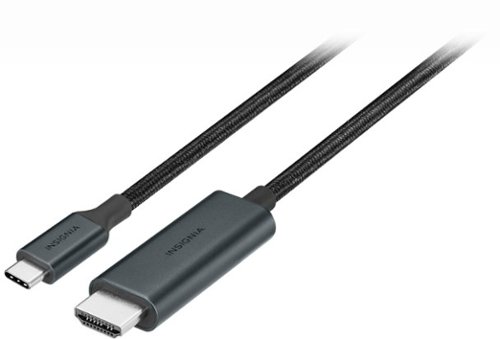
Host high-quality watch parties on a bigger screen that everyone can enjoy. The Insignia 6~ 8K Ultra HD USB-C to HDMI 2.1 Braided Cable extends or mirrors the screen of your USB-C laptop, tablet, smartphone and more to an HDMI-capable display. Compatible with Windows, macOS, ChromeOS, iPadOS, iOS and Android systems, the 6 ft. cable transmits reliable video and audio signals for an unmatched viewing experience. In addition, it supports resolutions of up to 8K @ 60 Hz.
Customer Rating
5
Works well, well constructed, and good length
on March 30, 2024
Posted by: TechEnthusiast
There's not much to say: This is a well constructed USB-C to HDMI cable that works well and has a good length to it.
The cable is covered is a braided cloth that feels nice and premium. The ends are weighty and solid. I have no concerns about these breaking off in my devices' ports. The length is good. 6' is more than enough length to reach from my laptop to my TV. I like that the cable supports 8K resolution and I'm able to take full advantage of my devices' capabilities.
I like the fact that the cable is black. It blends in seemlessly with my all black AV setup. The cable is a little stiff, but better too stiff than too loose, and I'm sure that it will loosen up over time.
The cable didn't charge my phone when I tried plugging it into the TV. In fact, my phone claimed to be charging an external device. Not sure if this issue is unique to my phone or universal. Still, I wouldn't count on using this to charge devices as you use them.
If you're in the market for a well constructed cable that supports all of the newest display standards, then I think that this would be a great choice.
I would recommend this to a friend!
Share this review:


+1point
1of 1voted this as helpful.
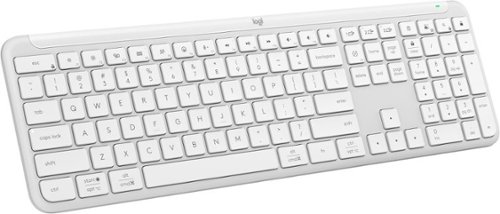
Effortlessly switch typing between your computer, tablet and phone with the Logitech Signature Slim Wireless Keyboard K950, made with recycled plastic. Make work-life magic with customization and shortcuts that keep you in control. Enjoy a familiar laptop-style keyboard feel that allows you to work even smarter with Logi Options+ App~s custom shortcuts. Quiet typing gives you more focus and less disturbance to others. Connect this computer keyboard wirelessly with Bluetooth or the included Logi Bolt USB receiver, and stay concentrated for longer with up to 36 months of battery life.
Customer Rating
5
Excellent keyboard. Comfortable to type on.
on March 30, 2024
Posted by: TechEnthusiast
This is an excellent keyboard that's comfortable to type on.
I'm a big fan of chiclet style keys both aesthetically and from a function standpoint. I'm not fond of keyboards that require a ton of pressure to register key presses, and I don't like lots of travel on my keycaps (travel being the distance that the key needs to depress to register a press). I find that too much resistance or travel noticeably slows my typing.
From my perspective, this keyboard is great. The keys are shallow enough to allow me to type quickly but have enough travel that my accuracy doesn't suffer. The keys are well-spaced and comfortable to type on (not cramped). The full-size number pad is also a welcome addition for when I need to enter large quantities of figures into Excel.
I like that the keyboard supports multiple devices.
I currently have this keyboard setup in my living room, and it's connected to both my home theater PC and my Steam Deck. Switching between devices is as simple as pressing a button.
I'm not a huge fan of the "off-white" color. I would have preferred a nice charcoal or blue color, but so far it isn't looking dingy or showing a ton of dirt.
All in all, I'm very pleased with this keyboard.
I would recommend this to a friend!
Share this review:


+2points
2of 2voted this as helpful.

Experience the height of gaming innovation with the ROG Zephyrus G16. Featuring an all-new premium aluminum chassis with customizable lighting, this laptop merges style and durability. Its ultra-slim 0.59~ profile and lightweight 4.08lbs 16~ chassis redefines portability, but does not compromise on performance. Powered by Windows 11, an Intel Core Ultra 9 185H processor, and an NVIDIA GeForce RTX 4070 laptop GPU, the Zephyrus G16 seamlessly aligns with your lifestyle, meeting all your gaming and creative demands. ROG Intelligent Cooling features liquid metal for reduced CPU temperatures and upgraded Arc Flow Fans for improved airflow to sustain peak performance on the Zephyrus G16 no matter the task. Immerse yourself in the OLED Nebula Display and enjoy rapid 0.2ms response times, vivid 2K resolution, and a smooth 240Hz refresh rate.
Customer Rating
5
This is the best looking laptop that I've used.
on March 14, 2024
Posted by: TechEnthusiast
This is a super-premium looking laptop that admirably handles just about any task that I throw at it.
Battery life is excellent. When used for just general web browsing and light media consumption, the laptop lasts for hours.
The screen is gorgeous. It’s truly one of the best that I’ve ever seen. The contrast is just incredible. Darker games look incredibly vivid on this display.
The speakers are quite loud and clear. Watching videos and listening to music on this laptop is an absolute joy. The sound fills the room quite well on max volume.
The trackpad is enormous. I can’t say that I’ve ever used one that’s this large before. It seems to do a surprisingly good job with palm rejection given its size.
The laptop is speedy and performs beautifully. I can play most of my older titles with max graphical settings.
Build quality is phenomenal. This laptop “feels” like a premium device. My only minor complaint is that ASUS strayed from the “gamer aesthetic” quite a bit on this device and instead went with a “classy aesthetic.” RGB lighting is minimal, and the laptop is almost “understated” in its appearance. This is great if you’re planning on using this laptop in the classroom or office, but it’s a little bit of a letdown if you’re looking to “wow” your friends at a LAN party.
Storage . . . well . . . storage is always an issue with gaming laptops. The laptop comes with a generous 1TB of storage (OS recognizes 926GB out of the box), and there is a full-size SD card slot for additional expansion. By default, this is more than enough storage for a couple newer games and a half dozen or so older games.
The laptop has a generous assortment of ports. I appreciate the inclusion of a full-size HDMI port as my TV only has HDMI ports and I haven’t invested in a full-set of HDMI to USB-C cables yet.
If you’re looking for a great gaming machine that just screams quality, then this is the laptop for you.
I would recommend this to a friend!
Share this review:


+4points
5of 6voted this as helpful.
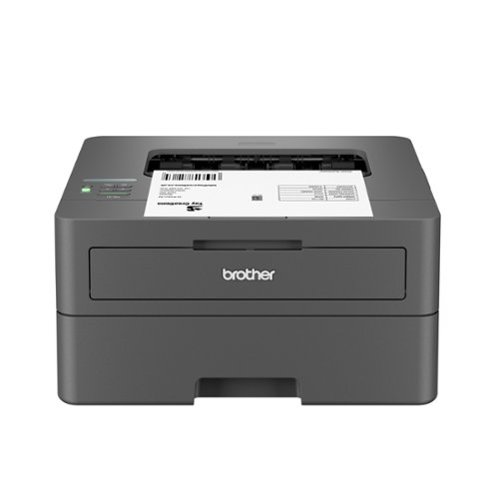
Best for homes and home offices, the Brother HL-L2405W Wireless Compact Black & White (Monochrome) Laser Printer is the sensible, time-saving choice for connected printing. Simple and affordable, this reliable printer consistently produces crisp, easy-to-read black & white prints and offers print speeds up to 30 ISO pages per minute (1) (ppm). The 250-sheet paper tray (2) reduces the frequency of paper refills, helping to save you more time in the workday. You can connect this dependable printer to multiple devices using built-in dual-band wireless or connect locally to a single device with the USB 2.0 interface. Safeguard your information and maintain secure connections while printing with advanced security features. Efficient, durable, and cost-effective, this wireless printer is a time-saving addition to any home workspace.
Customer Rating

4
Economical printer - a little tricky to install
on January 12, 2024
Posted by: TechEnthusiast
This is a nice, dependable printer; but it was somewhat difficult to setup and lacks documentation.
The Brother HL-L2405W is a B&W laser toner printer. This means that it prints using a large toner cartridge (powdered pigment) instead of liquid ink cartridges.
A big advantage to toner is that it can sit idle for quite some time without going dry. This is huge for me as I only print a few times every couple months. I was wasting a fortune on ink cartridges that kept drying out between uses. I should be able to use this sporadically without worrying about whether or not it’s still good.
The printer is fairly large despite having a rather shallow paper tray. It takes up all of the room on my printer cart.
I was pleased to see that the printer comes with a bypass (manual feed) tray for running envelopes, but I was disappointed that the printer didn’t come with better documentation regarding how to use said tray (I honestly stumbled across it by accident and had to confirm that it was indeed a manual feed tray by going to Brother’s website).
Setup did not go smoothly.
I followed the instructions, and downloaded the easy setup utility, but the printer wouldn’t play nice with my network for some reason. I ended up having to painstakingly enter my network information into the printer itself (not fun - you have to scroll through the entire alphabet to enter each character of your Wi-Fi network and password), and then the setup utility froze on me when I clicked next.
I ended up completing the installation using Windows’ “Printers & Scanners” menu. It managed to locate the printer on my network and install all of the drivers to get me running.
The printer has been running beautifully since then.
I wish the installation had gone smoother, and I wish that the printer was physically smaller, but otherwise I think this is a fine device.
I strongly recommend this for anyone looking for an economical print solution.
I would recommend this to a friend!
Share this review:


+3points
3of 3voted this as helpful.
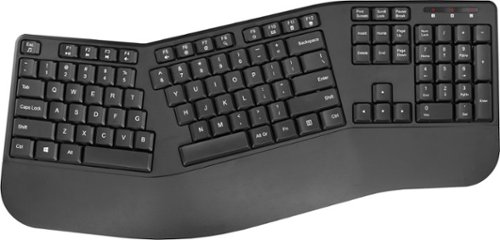
Whether you just got a new computer or are simply upgrading your current setup, you can~t go wrong with this Insignia NS-PK4KCB23 Full-Size Wireless Ergonomic Membrane Keyboard. Its plug-and-play technology easily connects to your Windows, macOS or ChromeOS system with a simple USB dongle. An ergonomic design with wrist support makes it a comfortable to use for longer lengths of time. Membrane switch keys provide a smooth typing experience, while a full-size number pad helps you input information more accurately, and multimedia keys keep a variety of functions like audio controls within easy reach.
Customer Rating
4
No frills keyboard that's ergonomic
on December 2, 2023
Posted by: TechEnthusiast
The Insignia keyboard is ergonomic and reduces wrist strain, but it lacks a lot of the “perks” that more expensive keyboards come with.
I’ve been dealing with some tendonitis issues, and I was in the market for a keyboard that would help alleviate some of my pain. I’ve had luck with the Insignia brand, and I was eager to give this a try.
The keyboard layout is split down the middle and angled in such a way as to reduce wrist strain.
The keyboard has a nice, large wrist rest attached to it; but the wrist rest is made out of hard plastic (not cushioned in any way). It’s not the most comfortable of things to rest your wrists against, but it’s better than nothing.
The keyboard has a nice, large wrist rest attached to it; but the wrist rest is made out of hard plastic (not cushioned in any way). It’s not the most comfortable of things to rest your wrists against, but it’s better than nothing.
The most unusual part of this keyboard is the split spacebar. Half of the spacebar is with the keys on the left, and half is with the keys on the right. If you think about it too much, it feels weird and awkward, but I found that I forgot about it completely after typing for a few minutes.
The keyboard is not backlit, and the key travel isn’t great. I found the key presses felt somewhat “mushy.”
There are no extra function keys, but the keyboard does have a full number pad to the right.
As far as pain reduction goes, this keyboard seems to do the trick. After an entire workday typing on it, I’m experiencing only minimal pain in my forearm.
As a no-frills, pain reduction device to help me do my job, this keyboard gets the job done.
I would recommend this to a friend!
Share this review:


0points
0of 0voted this as helpful.
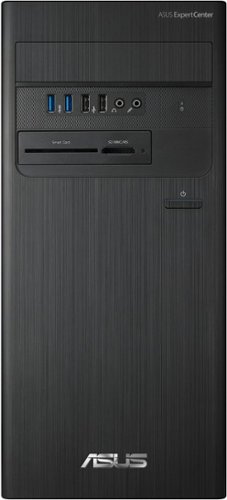
ASUS ExpertCenter D5 TEC features powerful, dependable and expandable performance, created especially for the unique needs of small business. Its ultracompact, flexible and sleek small form factor allows business users to enjoy flexible and neat workspace. Also, with help of our simplified small-business support services, you can enjoy reduced downtime and lower total cost of ownership.
Customer Rating
4
Powerful workstation computer
on November 30, 2023
Posted by: TechEnthusiast
The ASUS desktop is a powerful workstation computer that’s well suited for productivity.
The desktop has more than enough processing power to handle my photo and video editing needs. I found the computer to be speedy and responsive.
I do think it’s unfortunate that the computer only comes with 500GB of storage, but there is a 2nd NVME slot on the motherboard that should allow me to expand that. There are also plenty of ports that would allow me to hookup an external hard drive for some extra storage.
I use a lot of flash drives in my workflow, and the front panel is loaded with lots of easy to reach ports. It also has a full-size SD card slot and a smart card reader.
This particular model does not come with an optical drive (that’s a DVD, CD, and/or Blu-Ray drive - most modern computers don’t come with these anymore).
I’m not a huge fan of the external Wi-Fi antenna that comes with this computer. It’s connected via two screw-in connections and can mount to the top of the computer case magnetically. I’m not a fan of the wires trailing from the antenna or the fact that the antenna is just sitting up top where anything can bump into it.
This setup is practically asking your cat to get up to mischief with it.
That being said, the signal strength is great, and it picks up my Wi-Fi signal from the opposite side of the house without issue.
I would recommend this to a friend!

Share this review:


+1point
1of 1voted this as helpful.
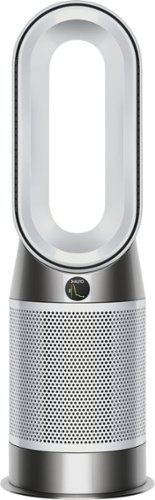
The Dyson Purifier Hot+Cool Gen1 purifying fan automatically senses, captures and traps pollutants to purify your whole room.~ It heats or cools the air, while removing 99.97% of particles as small as 0.3 microns.~
Customer Rating
4
Stylish but a bit power hungry
on November 6, 2023
Posted by: TechEnthusiast
I picked up this Dyson air purifier / heater / fan to replace all of the aforementioned devices in my living room.
Each season, I would drag up the appropriate device from my basement and run it until it was time for the next device. In the spring, I would drag up my air purifier to help with my allergies. In the summer, the fan would come out to keep me cool. In winter, I would bring out a small space heater to keep things nice and cozy.
I was delighted to find this Dyson as it's one, single device that could accomplish all three uses. I finally have a device that can live in my living room year round, and I don't have to be hauling things to and from the basement each season.
Initially setting up the Dyson didn't go quite as smoothly as I'd hoped. Upon unboxing it and plugging it in, the Dyson made an awful noise and then went dead with an exclamation point displayed on its screen.
I double checked to make sure that all of the tape and other packaging had been removed, unplugged it, plugged it back in, and tried again.
No luck. I continued to get an exclamation point.
I then removed the filters, reinstalled them, and manually swiveled the base back and forth a little until I heard a soft "click." I'm not entirely sure how or why, but this seems to have fixed my issue. The fan began to work as intended . . . for thirty minutes. Then my surge protector died.
Apparently, as a rule, you really aren't supposed to plug space heaters into surge protectors. Space heaters tend to pull more power than most surge protectors can support, and this can cause problems. This hadn't been an issue with the tiny, little space heater that this replaced; but I apparently had just been lucky up until this point.
This is what I get for not reading the instructions all the way through.
I then tried plugging the Dyson directly into the wall, but I apparently had too much going on with that particular circuit (I tripped my breaker after just a few minutes of use).
After reconfiguring my living room a little, and switching outlets to one on a different circuit, the Dyson is now running beautifully. I have it set to a nice, reasonable temperature, and it's doing an admirable job of keeping the room warm and circulating air.
The Dyson comes with a cute, little remote; and its controls are very intuitive and user friendly. It can oscillate back and forth to help move air across a larger area, you can adjust the temperate across an impressive range of temps, and it has a variety of different fan speeds to choose from.
I wish that I'd known that it drew more power than the devices that it was replacing prior to getting it, but overall I'm very happy with this device. It does an admirable job of keeping me comfortable, and I look forward to using it year-round.
I would recommend this to a friend!
Share this review:


+1point
2of 3voted this as helpful.
TechEnthusiast's Review Comments
TechEnthusiast has not submitted comments on any reviews.
TechEnthusiast's Questions
TechEnthusiast has not submitted any questions.
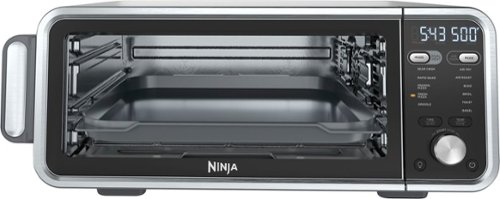
The Ninja Foodi Dual Heat Air Fry Oven gives you versatility in the kitchen with 11-in-1 functionality from Air Fry and Sear Crisp to Rapid Bake and Toast. With Dual Heat Technology, unlock up to 500~F cyclonic air and a directly heated SearPlate, which allow for fast cooking and restaurant-worthy results. Cook up your favorites and then flip the oven up and away to reclaim your counter space.
What settings do you use to reheat on this? It seems to be missing the reheat and dehydrate functions. Are there manual work arounds for each?
Not all models include the reheat and dehydrate functions (though all models get the same instruction manual which causes some confusion).
Unfortunately, I haven't been able to find any manual workarounds for this.
Unfortunately, I haven't been able to find any manual workarounds for this.
4 years, 4 months ago
by
TechEnthusiast

SoloCam L40 2K is a completely standalone security cam that you can access via your app. No need for a Homebase, or wires, as SoloCam is completely wire-free and battery-powered, so you don't have to mess with anything. Every eufy Security product is engineered to ensure your security data is kept private. Have peace of mind that you will have a secure record of everything that happens around your home. Adjust the brightness and color temperature of the spotlight in case you don~t want to wake the neighbors. Takes just minutes to install the mount using a drill and the included pack of screws. No wires or cords needed. Chat to anyone passing by~invited or not~and hear their response up to 8 meters away in real-time via SoloCam L40~s two-way audio. Connect SoloCam L40 to the Google Assistant or Alexa for complete hands-free control of your home security. Designed to protect your home as well as your wallet, SoloCam L40 is a one-time purchase that combines security with convenience. Only receive the alerts which matter. Customize the area in which detection takes place to suit your home.
Up to what distance it will detect Human detection only?
I don't know the "official" answer to this, but I have it aimed down a rather long driveway, and it only detects people about a 1/3 of the way down it. Past that, it doesn't trigger any notifications at all.
If I had to guess, I'd estimate that its range is somewhere around 15-20 feet.
If I had to guess, I'd estimate that its range is somewhere around 15-20 feet.
4 years, 7 months ago
by
TechEnthusiast
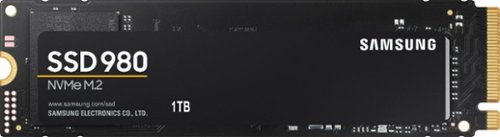
Harness your PC's potential with the 980. Whether you need a boost for gaming or a seamless workflow for heavy graphics, the 980 is a smart choice for outstanding SSD performance ~ and it's all backed by an NVMe* interface and PCIe 3.0 technology.
Is this compatible with Acer nitro 5 gaming laptop?
I have one of the earliest models of the Nitro 5, and it installed in mine just fine. Couple warnings though: If you want to refresh your operating system after installing it (recommended to avoid hardware glitches), you'll need to remove any additional hard drives (otherwise it errors out). Another thing: after refreshing the operating system, it will only recognize the SSD until you install all of the Windows updates. After installing the updates, any secondary drives will show up again.
5 years, 1 month ago
by
TechEnthusiast
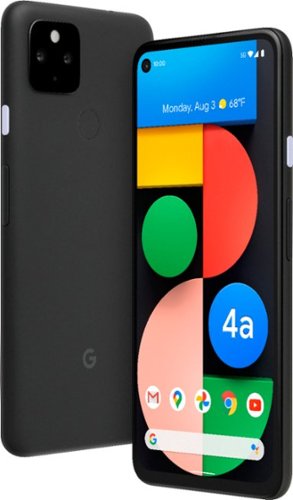
Pixel 4a with 5G is the budget-friendly, super fast phone from Google. It has the helpful stuff you need in a phone, with an extra boost of 5G speed.*
Does this model support Dual SIM?
No. Unfortunately, this model only has a single SIM slot.
5 years, 6 months ago
by
TechEnthusiast
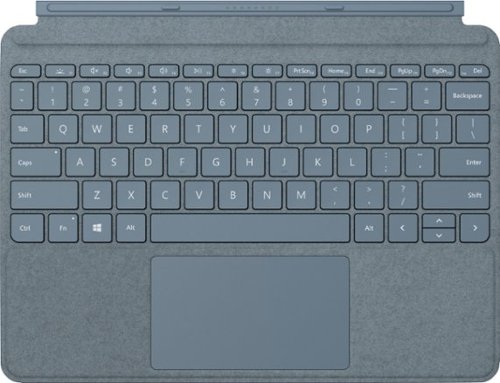
Pair Surface Go Type Cover with Surface Go* for a full keyboard experience anywhere. Ultra-compact, yet it includes a complete mechanical keyset, backlit keys, and extra-large trackpad. Plus, three colors are covered in rich Alcantara material~ for an added touch of luxury and comfort.
What is the power source for the Microsoft Surface Go type cover?
The tablet itself powers the keyboard. The keyboard connects to the Surface Go via tiny pogo pins on the bottom of the tablet. These pins transmit both power and data. Because of this, the keyboard doesn't require any additional power source; and you don't have to play with Bluetooth settings or anything to pair the keyboard to the tablet.
5 years, 11 months ago
by
TechEnthusiast
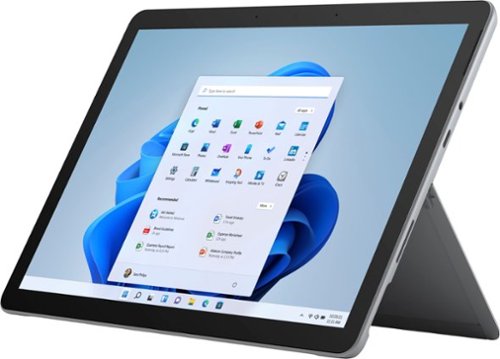
Your perfect everyday companion. Surface Go 2 is perfect for keeping up and winding down - delivering tablet portability with laptop versatility, long battery life, a stunning touchscreen, and Windows security for the whole family. Browse, shop, and manage email with ease, relax with your favorite TV shows, and much more.
Can this unit be connected to Verizon?
No. This particular version of the Surface Go 2 tablet doesn't have a SIM card slot for LTE connectivity.
5 years, 11 months ago
by
TechEnthusiast
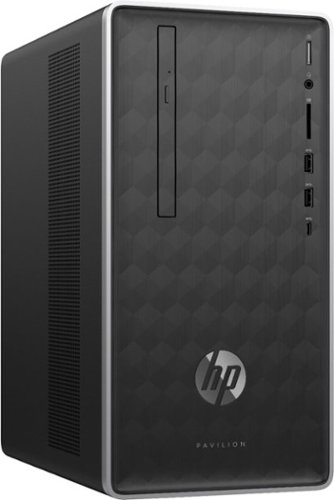
Enjoy hours of reliability and speed with this HP Pavilion desktop. Its AMD Ryzen 5 processor and 12GB of RAM let you accomplish multiple tasks at the same time, and its 1TB hard drive provides plenty of space for file storage. This HP Pavilion desktop comes with a wired keyboard and mouse for interacting with Windows 10 Home.
Does this computer burn CDs.
Yes. This computer has a disc drive for burning CDs and DVDs.
7 years, 10 months ago
by
TechEnthusiast
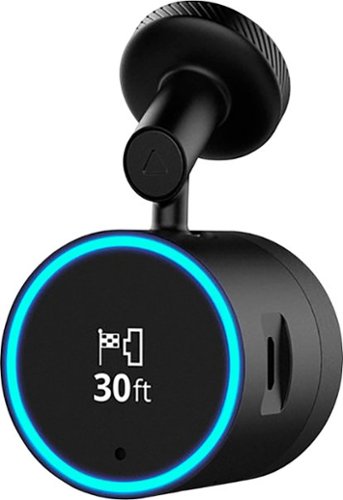
Garmin Speak~ Plus with Amazon Alexa is what you love about Amazon Alexa, now in your vehicle. Use voice control for hands-free access to music, news, navigation and more. Plus, a built-in dash cam gives you forward collision and lane departure warnings.
How can dash cam footage be accessed? Is there cloud storage for the dashcam footage? If there's cloud storage, how much data/hour would the dashcam footage use? Alternatively, can video quality be adjusted to lower bandwidth usage?
Footage is stored on the micro-SD card inserted in the camera itself.
It can be accessed from the Speak app after you download the VIRB app. Note that while you need the VIRB app to access the footage, you can't view the photos directly from the VIRB app. You instead go back to the Speak app so that it can open the VIRB app and display the photos and videos (I know, it's an incredibly silly process).
If you try to open the VIRB app directly, it will tell you that it can't locate your camera.
It can be accessed from the Speak app after you download the VIRB app. Note that while you need the VIRB app to access the footage, you can't view the photos directly from the VIRB app. You instead go back to the Speak app so that it can open the VIRB app and display the photos and videos (I know, it's an incredibly silly process).
If you try to open the VIRB app directly, it will tell you that it can't locate your camera.
8 years, 3 months ago
by
TechEnthusiast
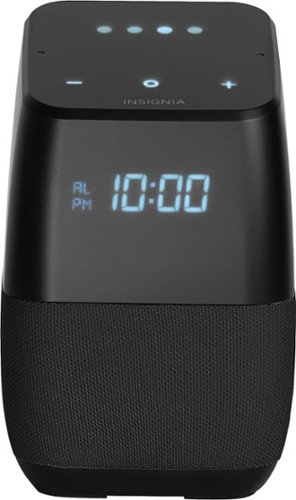
Only at Best BuyFind your favorite songs with the simple sound of your voice with this Insignia voice-activated wireless speaker. Wi-Fi and Bluetooth connectivity let you pair with compatible devices for more enjoyment, and Google Assistant is included to answer questions or search the internet. This Insignia voice-activated wireless speaker features a compact footprint and brilliant display.
Now that Google has released the ability to make calls can this model make calls also?
Not yet. Apparently it can make your phone ring if you misplace it and ask it to call your own phone, but it can't make domestic calls yet. Hopefully they'll add this functionality soon.
8 years, 3 months ago
by
TechEnthusiast
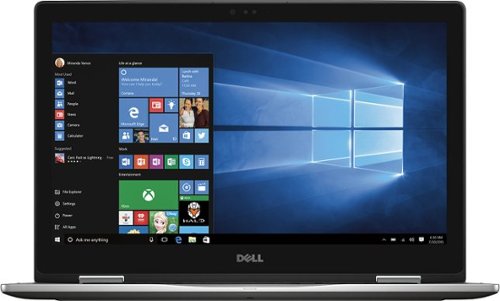
Only at Best Buy Dell Inspiron Convertible 2-in-1 Laptop: Enjoy the convenience of a tablet or the functionality of a computer with this Dell Inspiron Starlord laptop. The 15-inch touch screen makes viewing the small details on websites simple, and the Intel Core processor keeps the computer running commands quickly. This Dell Inspiron Starlord laptop has a backlit keyboard so you can type in the dark.
Just got this. During initial setup it asked to update Windows so I did, and it said something on the laptop wasn't compatible with Windows so it couldn't update. Is that normal for a brand new laptop? Also it gets VERY hot in 10 minutes of just Facebook.
I had the same problem with heat when I first got this laptop. If you go to the Dell support site for this laptop, they have an automated system check and driver update that works wonders. I'll warn you that you will have to hunt a little on the site to find it. I'm afraid that Best Buy won't allow me to send you a link to the page.
After running it, my heat issue was fixed completely; and the laptop runs at a nice ambient temperature now.
I'm not sure why you got an error about something not being compatible with Windows update, but you might want to try running Dell's system check first and then try it again.
After running it, my heat issue was fixed completely; and the laptop runs at a nice ambient temperature now.
I'm not sure why you got an error about something not being compatible with Windows update, but you might want to try running Dell's system check first and then try it again.
8 years, 11 months ago
by
TechEnthusiast