
Share Dlong's profile


Dlong
Dlong's stats
- Review count16
- Helpfulness votes1
- First reviewApril 21, 2017
- Last reviewOctober 28, 2017
- Featured reviews0
- Average rating5
Reviews comments
- Review comment count0
- Helpfulness votes0
- First review commentNone
- Last review commentNone
- Featured review comments0
Questions
- Question count0
- Helpfulness votes0
- First questionNone
- Last questionNone
- Featured questions0
- Answer count5
- Helpfulness votes0
- First answerOctober 18, 2017
- Last answerOctober 18, 2017
- Featured answers0
- Best answers0

The Apple USB-C-to-USB Adapter lets you connect iOS devices and many of your USB accessories to a MacBook with a USB-C port. Plug the USB-C end of the adapter into the USB-C port on your MacBook, and then connect your flash drive, camera or other standard USB device.
Customer Rating

5
Another great dongle I have to carry around
on June 2, 2017
Posted by: Dlong
Verified Purchase:Yes
Its apple and works. I won't get into the #donglelife issues but until everything else is usb-c its a must.
My Best Buy number: 2942776319
My Best Buy number: 2942776319
I would recommend this to a friend!
Share this review:


0points
0of 0voted this as helpful.
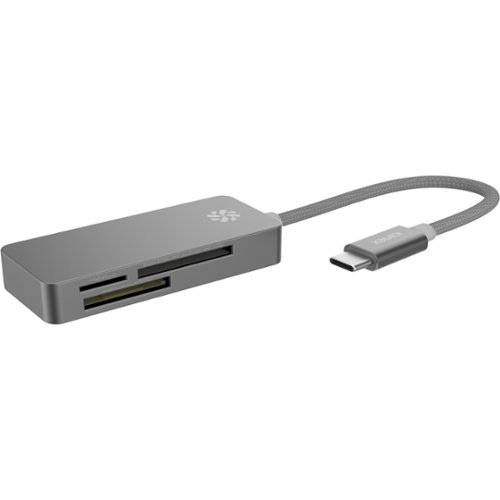
Access camera and mobile phone files from your computer with this Kanex USB-C card reader. Its three ports are compatible with 12 different memory and SD card formats.
Customer Rating
5
Great adapter for the new MacBook Pro with USB-C
on June 2, 2017
Posted by: Dlong
Verified Purchase:Yes
Initially bought it to add to my dongle collection but noticed it made more sense to attache it to the side of a LG Ultrafine 5K monitor the cable just barely reaches the back USB-C ports. So now instead of flopping around when attached to my MacBook its a "permanent" card reader when hooked up to the Ultrafine. Time will tell how long it will last but consider how much it was it can easily be replaced once that time comes.
My Best Buy number: 2942776319
My Best Buy number: 2942776319
I would recommend this to a friend!
Share this review:


0points
0of 0voted this as helpful.
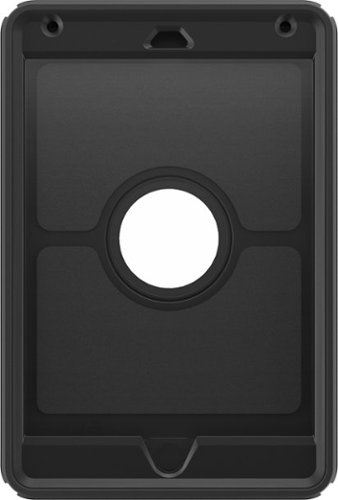
Keep your Apple iPad mini 4 safe from everyday wear and tear with the OtterBox Defender 77-52771 case, which offers three layers of protection, a screen protector and port covers to safeguard your device. The shield stand facilitates use.
Customer Rating
5
Thinner that expected
on June 2, 2017
Posted by: Dlong
Verified Purchase:Yes
Great drop protection for my sons iPad. I really like the built in screen protector. It easy to hold and doesn't feel bulky. My only caveat is the stupid "kickstand" that comes with it. Its doesn't make sense to detach it and then prop your iPad up against it and when not using the stand attaches to the back of the case which makes it 3x the size and weight. I immediately threw the stand in the trash. Other than the stand its a great case.
My Best Buy number: 2942776319
My Best Buy number: 2942776319
I would recommend this to a friend!
Share this review:


0points
0of 0voted this as helpful.
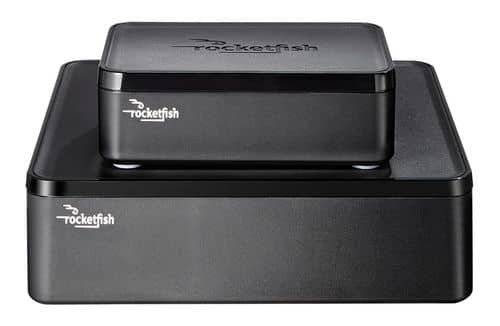
Only at Best BuyEnjoy vibrant CD-quality audio with this Rocketfish~ RF-WHTIB wireless rear speaker kit, which features a wireless range up to 100' for clear transmission. Multiple placement options allow flexible use.
Customer Rating
5
Extremely convenient if you use 5ghz wifi
on June 2, 2017
Posted by: Dlong
Verified Purchase:Yes
Works great and solves my issue of not running wires to the back of a room. The only issue is it runnings on 2.4ghz so interferes with my wifi. Not that big of a deal since my 5ghz channel is fast and less congested. Would recommend to any one that doesn't want to see wires or run wires through walls.
My Best Buy number: 2942776319
My Best Buy number: 2942776319
I would recommend this to a friend!
Share this review:


0points
0of 0voted this as helpful.
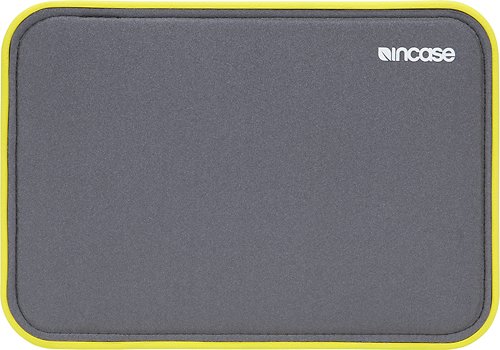
Safeguard your Apple iPad mini, iPad mini 2 or iPad mini 3 using this Incase ICON CL60523 sleeve, which features a rugged Tensaerlite frame that absorb shocks from drops and bumps. The magnetic snap ensures a secure closure.
Customer Rating
5
Always great products from Incase
on April 28, 2017
Posted by: Dlong
Verified Purchase:Yes
If you need great protections and extremely fast access to your iPad this is the case to get. I really like the colors on this case as well.
My Best Buy number: 2942776319
My Best Buy number: 2942776319
I would recommend this to a friend!
Share this review:


0points
0of 0voted this as helpful.
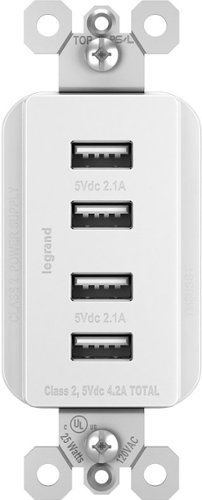
Use this convenient Legrand quad USB charger to keep clutter to a minimum. Install this instead of a traditional electric outlet to charge up to four mobile devices at a time without the need for AC adapters. This Legrand quad USB charger is compatible with USB 2.0 and 3.0 devices for optimal versatility.
Customer Rating
5
Extremely convenient
on April 21, 2017
Posted by: Dlong
Verified Purchase:Yes
I don't know why I waited so long to get this item. I don't ever have to find the ac adapter when charging devices. Also I'm not limited to charging just two devices at a time. Worth every penny. Install was easier than I thought. Will buy more.
My Best Buy number: 2942776319
My Best Buy number: 2942776319
Mobile Submission: True
I would recommend this to a friend!
Share this review:


0points
0of 0voted this as helpful.
Dlong's Review Comments
Dlong has not submitted comments on any reviews.
Dlong's Questions
Dlong has not submitted any questions.
Dlong's Answers

With the Lightning to SD Card Camera Reader, it's easy to download photos and videos from your digital camera to your iPad or iPhone so you can view them on the gorgeous Retina display and share them with family and friends.After you insert the SD card into the reader, your iPad or iPhone automatically opens the Photos app, which organizes your photos into Moments, Collections, and Years. And when you use iCloud Photo Library, all your full-resolution photos and videos are stored safely in iCloud and automatically added to the Photos app on all your devices. With iCloud Photo Sharing, you can share your photos and videos with just the people you choose.The Lightning to SD Card Camera Reader supports standard photo formats, including JPEG and RAW, along with SD and HD video formats, including H.264 and MPEG-4. It supports data transfer at up to USB 3 speeds on iPad Pro, and up to USB 2 speeds on all other iPad and iPhone models.*
With the Lightning to SD Card Camera Reader, it's easy to download photos and videos from your digital camera to your iPad or iPhone so you can view them on the gorgeous Retina display and share them with family and friends.After you insert the SD card into the reader, your iPad or iPhone automatically opens the Photos app, which organizes your photos into Moments, Collections, and Years. And when you use iCloud Photo Library, all your full-resolution photos and videos are stored safely in iCloud and automatically added to the Photos app on all your devices. With iCloud Photo Sharing, you can share your photos and videos with just the people you choose.The Lightning to SD Card Camera Reader supports standard photo formats, including JPEG and RAW, along with SD and HD video formats, including H.264 and MPEG-4. It supports data transfer at up to USB 3 speeds on iPad Pro, and up to USB 2 speeds on all other iPad and iPhone models.*
With the Lightning to SD Card Camera Reader, it's easy to download photos and videos from your digital camera to your iPad or iPhone so you can view them on the gorgeous Retina display and share them with family and friends.After you insert the SD card into the reader, your iPad or iPhone automatically opens the Photos app, which organizes your photos into Moments, Collections, and Years. And when you use iCloud Photo Library, all your full-resolution photos and videos are stored safely in iCloud and automatically added to the Photos app on all your devices. With iCloud Photo Sharing, you can share your photos and videos with just the people you choose.The Lightning to SD Card Camera Reader supports standard photo formats, including JPEG and RAW, along with SD and HD video formats, including H.264 and MPEG-4. It supports data transfer at up to USB 3 speeds on iPad Pro, and up to USB 2 speeds on all other iPad and iPhone models.*
With the Lightning to SD Card Camera Reader, it's easy to download photos and videos from your digital camera to your iPad or iPhone so you can view them on the gorgeous Retina display and share them with family and friends.After you insert the SD card into the reader, your iPad or iPhone automatically opens the Photos app, which organizes your photos into Moments, Collections, and Years. And when you use iCloud Photo Library, all your full-resolution photos and videos are stored safely in iCloud and automatically added to the Photos app on all your devices. With iCloud Photo Sharing, you can share your photos and videos with just the people you choose.The Lightning to SD Card Camera Reader supports standard photo formats, including JPEG and RAW, along with SD and HD video formats, including H.264 and MPEG-4. It supports data transfer at up to USB 3 speeds on iPad Pro, and up to USB 2 speeds on all other iPad and iPhone models.*
With the Lightning to SD Card Camera Reader, it's easy to download photos and videos from your digital camera to your iPad or iPhone so you can view them on the gorgeous Retina display and share them with family and friends.After you insert the SD card into the reader, your iPad or iPhone automatically opens the Photos app, which organizes your photos into Moments, Collections, and Years. And when you use iCloud Photo Library, all your full-resolution photos and videos are stored safely in iCloud and automatically added to the Photos app on all your devices. With iCloud Photo Sharing, you can share your photos and videos with just the people you choose.The Lightning to SD Card Camera Reader supports standard photo formats, including JPEG and RAW, along with SD and HD video formats, including H.264 and MPEG-4. It supports data transfer at up to USB 3 speeds on iPad Pro, and up to USB 2 speeds on all other iPad and iPhone models.*