
Share AJCOM's profile


AJCOM
AJCOM's stats
- Review count14
- Helpfulness votes3
- First reviewMarch 15, 2016
- Last reviewSeptember 9, 2016
- Featured reviews0
- Average rating4.4
Reviews comments
- Review comment count0
- Helpfulness votes0
- First review commentNone
- Last review commentNone
- Featured review comments0
Questions
- Question count0
- Helpfulness votes0
- First questionNone
- Last questionNone
- Featured questions0
- Answer count1
- Helpfulness votes0
- First answerAugust 8, 2016
- Last answerAugust 8, 2016
- Featured answers0
- Best answers0
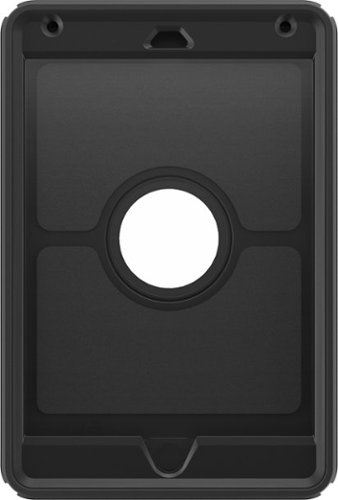
Keep your Apple iPad mini 4 safe from everyday wear and tear with the OtterBox Defender 77-52771 case, which offers three layers of protection, a screen protector and port covers to safeguard your device. The shield stand facilitates use.
Customer Rating

5
Is exactly what it looks like
on July 5, 2016
Posted by: AJCOM
Verified Purchase:Yes
Excellent case. I always feel safer knowing my electronics have an otter box on them! A little pricey but I rather pay a little more to have a quality item than less and the expensive tablet wasted!!
My Best Buy number: 4004704407
My Best Buy number: 4004704407
I would recommend this to a friend!
Share this review:


0points
0of 0voted this as helpful.
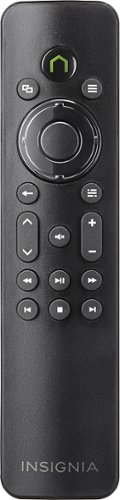
Thanks to the varied entertainment possibilities offered by your Xbox One, the fun doesn't end once you've stopped gaming. After a heart-pounding gaming session, you like to pop in a DVD and enjoy the latest blockbuster, catch up on your favorite TV shows or listen to new beats ~ all from your Xbox One. The Media Remote for Xbox One simplifies media access and enjoyment.Sit back, relax and enjoy effortless entertainment with this Media Remote, which offers fingertip access to your favorite media. Easily browse and navigate through Xbox menus and control your favorite DVDs, Blu-ray movies, Netflix account, music and other entertainment. The Remote also lets you power your console on and off and return to the home screen with just the touch of a button. With a 30' range and battery-operated design, you can sit at a comfortable distance without worrying about getting wires tangled or snagged. Enjoying your favorite media has never been simpler thanks to the Media Remote for Xbox One.
Customer Rating

2
Not the best but does its job.... sometimes...
on April 9, 2016
Posted by: AJCOM
Verified Purchase:Yes
I have to admit, I was a little disappointed about this remote. I bought it with higher hopes. I ended up getting the slightly more expensive one that lights up and am much more happy. This little remote does fit well in your hand but that is pretty much it. You have to hit buttons more than once to get them to work and God forbid you aren't pointing the remote directly at the Xbox cause that adds even more frustrating and clicking.
My Best Buy number: 4004704407
My Best Buy number: 4004704407
Mobile Submission: True
No, I would not recommend this to a friend.
Share this review:


0points
0of 0voted this as helpful.
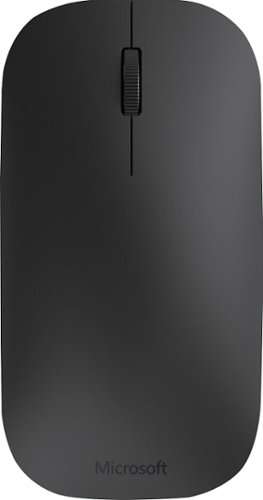
Pair this Microsoft Designer 7N5-00001 mouse with your compatible laptop or tablet using Bluetooth 4.0 technology and enjoy efficient tracking on most surfaces. The plug-and-play design simplifies setup, so you can work where you're most comfortable.
Customer Rating
5
Exactly what I was looking for
on April 9, 2016
Posted by: AJCOM
Verified Purchase:Yes
I had been looking for a modern looking mouse to use along with my laptop. I was a little skeptical at first but am greatly suprised by not only how it feels in your hand, but how insanely accurate it is. I don't think I have used a mouse like this before.
My Best Buy number: 4004704407
My Best Buy number: 4004704407
Mobile Submission: True
I would recommend this to a friend!
Share this review:


0points
0of 0voted this as helpful.
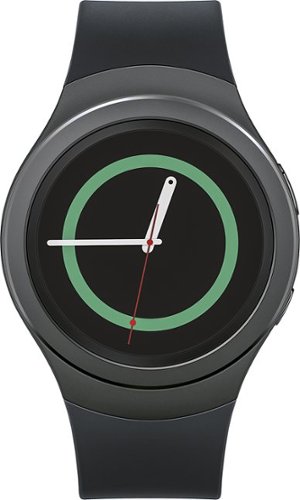
Samsung Gear S2 Smartwatch: Stay connected even when you're away from your phone with this smartwatch, which receives texts, e-mails and notifications and features S Health and Nike+ Running integration to track your health and fitness. The 1.2" Super AMOLED touch screen makes it easy to navigate apps and Web pages.
Customer Rating

4
Overall very good watch!
on March 15, 2016
Posted by: AJCOM
Verified Purchase:Yes
I have had this smartwatch in my possession for a few weeks now. I have to say, I have always been a Samsung fan. I very much like the simplicity of this watch yet there are a lot of customization options available without even having to buy or download anything extra.
I very much recommend this watch for the active type of person.
-There are no speakers so if you answer a phone call with it you have to run to grab your phone before you can talk
-You will need to connect Bluetooth headphones to the watch if you want to listen to downloaded music hence the lacking of speakers.
I very much recommend this watch for the active type of person.
-There are no speakers so if you answer a phone call with it you have to run to grab your phone before you can talk
-You will need to connect Bluetooth headphones to the watch if you want to listen to downloaded music hence the lacking of speakers.
Plus side:
-EXCELLENT battery life. I use it pretty regularly and I get a few days out of it.
-The convenience is unmatched. I text using it all the time
-it connects to Wi-Fi that your phone has saved
-power saving mode just in case two days of use without a charge isn't enough
-WIRELESS CHARGING!! I have been waiting for that for a long time.
-EXCELLENT battery life. I use it pretty regularly and I get a few days out of it.
-The convenience is unmatched. I text using it all the time
-it connects to Wi-Fi that your phone has saved
-power saving mode just in case two days of use without a charge isn't enough
-WIRELESS CHARGING!! I have been waiting for that for a long time.
My Best Buy number: 4004704407
My Best Buy number: 4004704407
I would recommend this to a friend!
Share this review:


+2points
2of 2voted this as helpful.
AJCOM's Review Comments
AJCOM has not submitted comments on any reviews.
AJCOM's Questions
AJCOM has not submitted any questions.
AJCOM's Answers
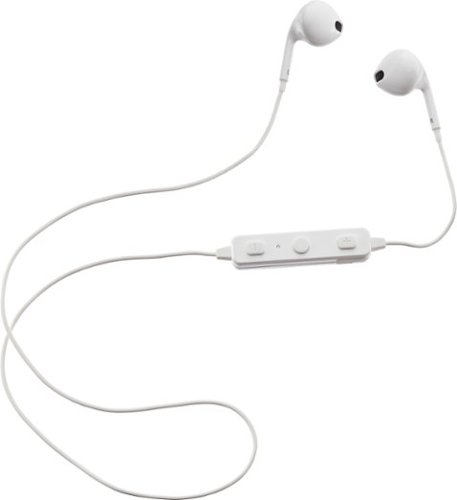
Upgrade your listening experience with this Insignia Bluetooth headset, which can link to devices up to 33 feet away. Its curved design fits comfortably around your neck, and in-line controls let you easily adjust the audio. Use the built-in microphone on this Insignia Bluetooth headset to keep your hands free during phone calls.
How do you turn it on?
You hold the center circle button for like 5 seconds then the voice will say "power on"
9 years, 10 months ago
by
AJCOM