
Share jburns's profile


jburns
jburns's stats
- Review count22
- Helpfulness votes1
- First reviewJanuary 6, 2016
- Last reviewJune 18, 2018
- Featured reviews0
- Average rating4.8
Reviews comments
- Review comment count0
- Helpfulness votes0
- First review commentNone
- Last review commentNone
- Featured review comments0
Questions
- Question count0
- Helpfulness votes0
- First questionNone
- Last questionNone
- Featured questions0
- Answer count2
- Helpfulness votes0
- First answerJuly 1, 2016
- Last answerJuly 1, 2016
- Featured answers0
- Best answers0
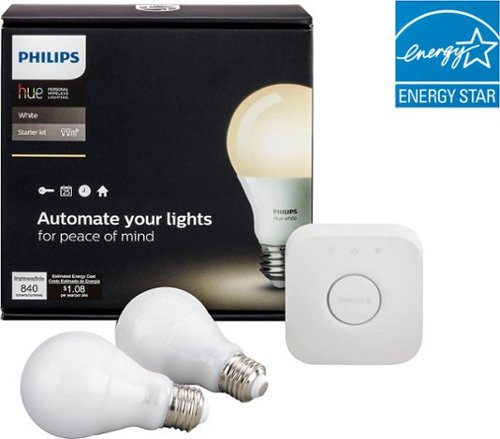
Control your home lighting automatically with the smart timer on this Philips Hue White starter kit. The user-friendly system lets you turn lights on and off or dim them with an intuitive app for your smartphone or tablet. This Philips Hue White starter kit has space for up to 50 lights and 10 accessories to connect your entire home.
Customer Rating

5
Good Entry Point
on January 6, 2016
Posted by: jburns
Verified Purchase:Yes
A good kit to start with home networking\automation.
My Best Buy number: 2792008226
My Best Buy number: 2792008226
I would recommend this to a friend!
Share this review:


0points
0of 0voted this as helpful.
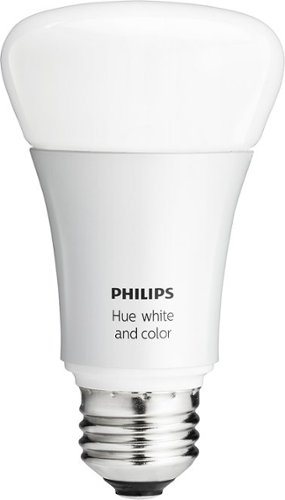
Philips hue White and Color Ambiance A19 Smart LED Light Bulb: Set the mood with lighting that's as smart as you are. This extension bulb works with Zigbee-certified and Wink home automation devices, as well as other hue and Friends of hue devices. Just connect to one of a variety of apps to set timers and alarms and dim the light.
Customer Rating

4
Good, but too expensive
on January 6, 2016
Posted by: jburns
Verified Purchase:Yes
This is a really good product, and the settings are a lot of fun to play with. I've been able to turn my room into a sunrise clock, but they simply cost too much.
My Best Buy number: 2792008226
My Best Buy number: 2792008226
I would recommend this to a friend!
Share this review:


0points
0of 0voted this as helpful.
jburns's Review Comments
jburns has not submitted comments on any reviews.
jburns's Questions
jburns has not submitted any questions.
jburns's Answers
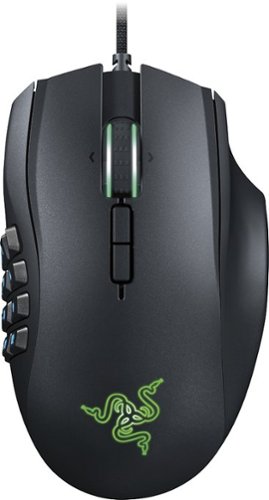
Razer Naga Chroma MMO Gaming Mouse: With 12 programmable buttons, this mouse helps you take your gaming to the next level. Plus, choose from an array of colors to customize the backlighting to complement your actions.
How do you program the 12 keys?
The razer software lets you customize the mouse buttons very easily, and I found it to be pretty intuitive.
9 years, 11 months ago
by
jburns
Razer Naga Chroma MMO Gaming Mouse: With 12 programmable buttons, this mouse helps you take your gaming to the next level. Plus, choose from an array of colors to customize the backlighting to complement your actions.
Does this mouse has a disable key to disable the 12 programmable keys if I do not need them?
There isn't a dedicated button to disable the programmable buttons, but you could very easily make a profile where the buttons are disabled, and map a a button to switch to that profile.
9 years, 11 months ago
by
jburns