
Share BoSoxFan's profile


BoSoxFan
BoSoxFan's stats
- Review count51
- Helpfulness votes0
- First reviewSeptember 12, 2014
- Last reviewNovember 18, 2017
- Featured reviews0
- Average rating4
Reviews comments
- Review comment count0
- Helpfulness votes0
- First review commentNone
- Last review commentNone
- Featured review comments0
Questions
- Question count0
- Helpfulness votes0
- First questionNone
- Last questionNone
- Featured questions0
- Answer count3
- Helpfulness votes5
- First answerSeptember 12, 2014
- Last answerSeptember 12, 2014
- Featured answers0
- Best answers1
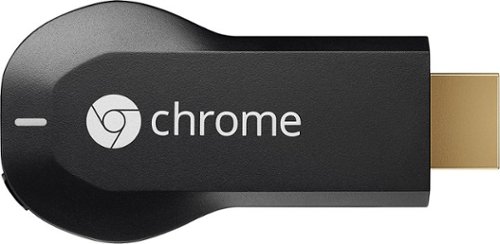
Google Chromecast: Easily stream your favorite apps and media to your TV via Wi-Fi with Chromecast. Use the included USB cable to plug the Chromecast into your TV, and control streaming content using your compatible smartphone, tablet or computer.
Customer Rating

5
Google Chromecast - Best Media Device
on September 12, 2014
Posted by: BoSoxFan
from Cayce, SC
Verified Purchase:Yes
I love the Google Chromecast and I have one on every T.V. in my house. There are more and more apps being added making it an device that continues to get better and better
My Best Buy number: 0597716001
My Best Buy number: 0597716001
What's great about it: Easy to use and many options
What's not so great: None
I would recommend this to a friend!
Share this review:


0points
0of 0voted this as helpful.
BoSoxFan's Review Comments
BoSoxFan has not submitted comments on any reviews.
BoSoxFan's Questions
BoSoxFan has not submitted any questions.
BoSoxFan's Answers
Google Chromecast: Easily stream your favorite apps and media to your TV via Wi-Fi with Chromecast. Use the included USB cable to plug the Chromecast into your TV, and control streaming content using your compatible smartphone, tablet or computer.
Can you use your laptop while streaming netflix to your tv?
Can you watch movies on your tv and do homework or browse the internet from your laptop without it appearing on the tv?
Yes, once you start the movie/show on the chromecast you could turn your laptop off and it will still play. It is only using your laptop as a remote to start streaming and no longer needs it unless you want to pause, stop, rewind, etc the movie. If you are casting via Chrome tab it will only cast that one tab.
11 years, 8 months ago
by
BoSoxFan
Cayce, SC
Google Chromecast: Easily stream your favorite apps and media to your TV via Wi-Fi with Chromecast. Use the included USB cable to plug the Chromecast into your TV, and control streaming content using your compatible smartphone, tablet or computer.
What if both HMDI slots are already taken? :-(
Must this go in the HDMI slot? I have Comcast, which takes up one HDMI, then Roku-which is taking up the other HDMI. I'm thinking of trying Chromecast-which appears to take HMDI (Hence the name! LOL!) My TV has only two HMDI slots, so is there anything I cn do?
You would have to get a HDMI switch, however I would suggest disconnecting the Roku and try using the Chromecast ONLY for a few weeks and see which you prefer. There really isn't any reason to have both of them as they both do the same thing except the ROKU has a remote where you use a tablet, smart phone, or computer to control the Chromecast. I personally prefer the Chromecast.
11 years, 8 months ago
by
BoSoxFan
Cayce, SC
Google Chromecast: Easily stream your favorite apps and media to your TV via Wi-Fi with Chromecast. Use the included USB cable to plug the Chromecast into your TV, and control streaming content using your compatible smartphone, tablet or computer.
Can Chromecast project Google Hangouts
We want to do video and web conferencing in our Office. Are we able to do that with Chromecast?
If you use Hangouts with Google Chrome and cast that tab it would work for what you need, but you have to use a laptop with a Camera b/c chromecast does not have a camera or mic built in with it.
11 years, 8 months ago
by
BoSoxFan
Cayce, SC